Week 2- 2R Robotic Arm Challenge
CODE
%Challenge-skill lync-Bhavin Chaudhary-31/01/2022 to 03/02/2022
%Matlab Basic forward Kinematics of linkages and robotic arms

%Objective
%1. Animate basic two link system to understand forward kinematics
%2. Animate single slider cranck chain mechanism

disp('Objective Basic forward Kinematics of linkages and robotic arms')
disp('1. Animate basic two link system to understand forward kinematics')
disp('2. Animate single slider cranck chain mechanism')

%BASIC ARM PROBLEM
%Consider two links of length l1 and l2 making angle a1 & a2 with respect to Horizontal or x-axis

%Step 1. Position of link l1 in cartesian coordinate system
%start point is [x0 y0] and end point is[x1 y1]=[l1*cosd(a1) l1*sind(a1)]
%note- cosd and sind function interpretes degree value of angle & cos and sin function interpretes radian value of angle

%step 2. Position of link l2 in cartesian coordinate system
%star point is[x1 y1] and end point is[x2 y2]=[(x1 + l2*cosd(a2)) (y1 + sind(a2))]

%OBJECTIVE 1 -Animation of robotic arm
%Program to plot the link mechanism at given angle for given length
syms l1 %The syms command is used to generate a variable dynamic. This indicates vriable legth of link l1 in m
syms l2 %variable length of link l2 in m
syms a1 %variable angular inclination of link l1
syms a2 %variable angular inclination of link l2
syms x0 %variable starting x-ordinate of link l1
syms y0 %variable starting y-abcissa of link l1
syms x1 %variable end x-ordinate of link l1 and start of link l2
syms y1 %variable end y-abcissa of link l1 and start of link l2
syms x2 %variable end x-ordinate of link l2
syms x2 %variable end y-abcissa of link l2

%CASE 1 single value of angle for both link
disp('CASE 1-forward kinematics for two links of length l1 & l2 making angle a1 and a2 wrt horizontal')
disp('CASE1 single value of angle for both the links')
disp('length of linkages')
l1=input('enter length of link l1 in meter m=') %input command used to display text in prompt and waits for user to provide input. Hence, it runs to indicate the input requirement for link l1
l2=input('enter length of link l2 in meter m=') %similarly, input of length for link l2
disp('angle of inclination of linkages')
a1=input('enter the anlge SINGLE VALUE of link l1 with respect to reference in degree=') %input for inclination of link l1
a2=input('enter the anlge SINGLE VALUE of link l2 with respect to reference in degree=') %input for inclination of link l2
disp('co-ordinates of initial position of link l1')
x0=input('input initial x-axis ordinate point of link l1 in meter m=') %input for initial position of l1
y0=input('input initial y-axis abcissa point of link l1 in meter m=') %input for initial position of l1
disp('co-ordinates of final position of link l1 and initial point of l2')
x1=l1*cosd(a1) %this equation evaluates end x-ordinate
y1=l1*sind(a1) %this equation evaluates end y-abcissa
disp('co-ordinates of final position of link l2')
x2=x1+l2*cosd(a2) %this equation evaluates end x-ordinate of link l2
y2=y1+l2*sind(a2) %this equation evaluates end y-abcissa of link l2

%line command used individually to draw line
line([x0 x1],[y0 y1],'linewidth',3,'color','r','linestyle','-') %command defines start point, end point, with linewidth of 3, red colour solid line as link l1
line([x1 x2],[y1 y2],'linewidth',3,'color','b','linestyle','-') %command defines start point, end point, with linewidth of 3, blue colour solid line as link l2

%using plot command to draw line
plot([x0 x1],[y0 y1],'-or',[x1 x2],[y1 y2],'-ob','linewidth',3) %command plots both inks as line in plot window
title('C1-skill lync-forward kinematic-two link system')
xlabel('x-axis horizontal reference')
ylabel('y-axis vertical reference')
legend('link 1','link 2')
grid on
disp('conclusion-the above code plots the single position of two link kinematic chain')

%CASE 2 multiple value of angle for link 1
syms l1
syms l2
syms a1
syms a2
syms x0
syms y0
syms x1
syms y1
syms x2
syms x2
disp('CASE 2-forward kinematics for two links of length l1 & l2 making angle a1 and a2 wrt horizontal')
disp('CASE 2 multiple value of angle for link 1')
disp('length of linkages')
l1=input('enter length of link l1 in meter m=')
l2=input('enter length of link l2 in meter m=')
%Enter array of angle for link l1 using concatenation/range operator/linspace command
disp('angle of inclination of linkages')
disp('note the matrix of angle value must be equal, that is a1 is matrix and a2 is single value/a1 is single value and a2 is matrix/a1 and a2 ae both equal number of column matrix')
a1=input('enter the anlge array using concatenation/range operator/linspace command of link l1 in degree=')
a2=input('enter the SINGLE VALUE of anlge of link l2 with respect to reference in degree=')
disp('co-ordinates of initial position of link l1')
x0=input('input initial x-axis ordinate point of link l1 in meter m=')
y0=input('input initial y-axis abcissa point of link l1 in meter m=')
disp('co-ordinates of final position of link l1 and starting point of link l2')
x1=l1*cosd(a1)
y1=l1*sind(a1)
disp('co-ordinates of final position of link l2')
x2=x1+l2*cosd(a2)
y2=y1+l2*sind(a2)

%using plot command to draw line
plot([x0 x1],[y0 y1],'-or','linewidth',3)
hold %hold command holds the previous plot in plot window
plot([x1 x2],[y1 y2],'-ob','linewidth',1)
title('C2-skill lync-forward kinematics-two link system-loci of point')
xlabel('x-axis horizontal reference')
ylabel('y-axis vertical reference')
legend('link 1','link 2')
grid on
disp('Conclusion-the above code display the loci of point of two link kinematic chain')

%CASE 3 multiple value of angle for link l1 and link l2
syms l1
syms l2
syms a1
syms a2
syms x0
syms y0
syms x1
syms y1
syms x2
syms x2
disp('CASE 3 forward kinematics for two links of length l1 & l2 making angle a1 and a2 wrt horizontal')
disp('CASE 3 multiple value of angle for link l1 and l2')
disp('length of linkages')
l1=input('enter length of link l1 in meter m=')
l2=input('enter length of link l2 in meter m=')
%Enter array of angle for link l1 & l2 using concatenation/range operator/linspace command
disp('angle of inclination of linkages')
disp('note the matrix of angle value must be equal, that is a1 is matrix and a2 is single value/a1 is single value and a2 is matrix/a1 and a2 ae both equal number of column matrix')
a1=input('enter the anlge array for link l1 using concatenation/range operator/linspace command in degree=')
a2=input('enter the anlge of link l2 using concatenation/range operator/linspace command in degree=')
disp('co-ordinates of initial position of link l1')
x0=input('input initial x-axis ordinate point of link l1 in meter m=')
y0=input('input initial y-axis abcissa point of link l1 in meter m=')
disp('co-ordinates of final position of link l1 and starting point of link l2')
x1=l1*cosd(a1)
y1=l1*sind(a1)
disp('co-ordinates of final position of link l2')
x2=x1+l2*cosd(a2)
y2=y1+l2*sind(a2)

%using plot command to draw line
plot([x0 x1],[y0 y1],'-or','linewidth',3)
hold %hold command holds the previous plot in plot window
plot([x1 x2],[y1 y2],'-ob','linewidth',1)
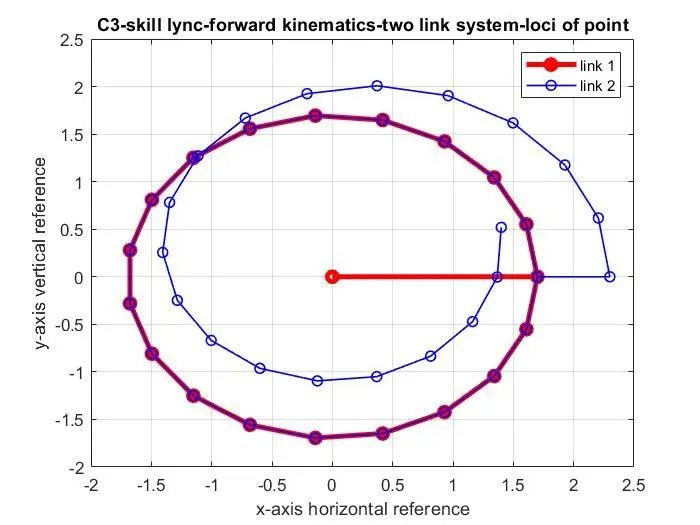
title('C3-skill lync-forward kinematics-two link system-loci of point')
xlabel('x-axis horizontal reference')
ylabel('y-axis vertical reference')
legend('link 1','link 2')
grid on
disp('Conclusion-the above code display the loci of point of two link kinematic chain')

%ANIMATION OF PLOT
%The animation of plot can be determined by various for loop command protocol to generate the plot in frames.
%Each plot is considerd as single frame. On running various frames one by one, the output generated in single plot window appears as animation

%Trial 1- Animate two link robotic arm
syms l1
syms l2
syms a1
syms a2
syms x0
syms y0
syms x1
syms y1
syms x2
syms x2
disp('TRIAL-1 animate two link robotic arm')
disp('length of linkages')
l1=input('enter length of link l1 in meter m=')
l2=input('enter length of link l2 in meter m=')
disp('angle of inclination of linkages')
disp('note the matrix of angle value must be equal, that is a1 is matrix and a2 is single value/a1 is single value and a2 is matrix/a1 and a2 ae both equal number of column matrix')
a1=input('enter the anlge of link l1 with respect to reference in degree=')
a2=input('enter the anlge of link l2 with respect to reference in degree=')
disp('co-ordinates of initial position of link l1')
x0=input('input initial x-axis ordinate point of link l1 in meter m=')
y0=input('input initial y-axis abcissa point of link l1 in meter m=')

%use of for loop to plot the various position of linkages in single plot window
%nesting for in for results in combination of loop such that each array value of first for loop ranges to all value of nested for loop.
%Hence, it can be iterated as one to many function.
for i=1:length(a1) %this identifies the various value or length of array of angle a1
    A1=a1(i); %A1 takes proceeding value of a1 on execution of every loop
    for j=1:length(a2)% this loop relates all a2 angle array value to individual a1 angle
        A2=a2(j); %A2 takes proceeding value of a2 on execution of every loop
        x1=l1*cosd(A1); %this equation evaluates ordinate for selected and mapped a1 value
        y1=l1*sind(A1); %this equation evaluates abcissa for selected and mapped a1 value
        x2=x1+l2*cosd(A2); %this equation evaluates ordinate for all a2 value in nested for command against selected a1
        y2=y1+l2*sind(A2); %this equation evaluates abcissa for all a2 value in nested for command against selected a1
        line([x0 x1],[y0 y1],'linewidth',3,'color','b')
        line([x1 x2],[y1 y2],'linewidth',3,'color','r')
        title('T1-skill lync-forward kinematics')
    end %this terminates for loop and evaluates all a2 value for given a1
end %this terminates for loop and evaluates all a1 value only

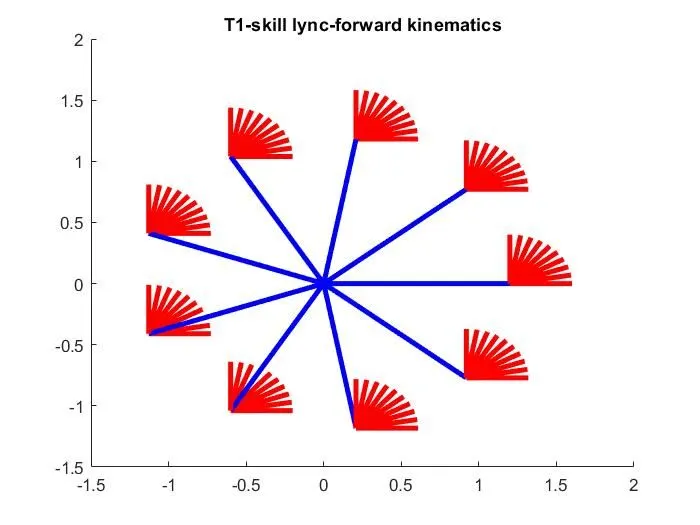
%conclusion-All the plot actiity gets performed immediately. The plot is not differentiable or not clear to identify the each plot as frame.
%All plot are in one plot window.


%TRIAL 2-
%use of for loop to plot the various position of linkages in multiple plot window
syms l1
syms l2
syms a1
syms a2
syms x0
syms y0
syms x1
syms y1
syms x2
syms x2
syms ct %Here we add variable counter to indicate the increment in loop and differential thee plot individually
disp('TRIAL-2 Animate two link robotic arm- Generation of plots differently i.e. not in same plot window')
disp('length of linkages')
l1=input('enter length of link l1 in meter m=')
l2=input('enter length of link l2 in meter m=')
disp('angle of inclination of linkages')
disp('note the matrix of angle value must be equal, that is a1 is matrix and a2 is single value/a1 is single value and a2 is matrix/a1 and a2 ae both equal number of column matrix')
a1=input('enter the anlge of link l1 using concatenation/range/linspace command in degree=')
a2=input('enter the anlge of link l2 using concatenation/range/linspace command in degree=')
disp('co-ordinates of initial position of link l1')
x0=input('input initial x-axis ordinate point of link l1 in meter m=')
y0=input('input initial y-axis abcissa point of link l1 in meter m=')
ct=1;%variable ct is defined to execute for loop in Arithematic progression 1, 2, 3, 4, 5, 6.....
for i=1:length(a1)
    A1=a1(i);
    for j=1:length(a2)
        A2=a2(j);
        x1=l1*cosd(A1);
        y1=l1*sind(A1);
        x2=x1+l2*cosd(A2);
        y2=y1+l2*sind(A2);
        figure(ct) %figure command creates numbers of new figure window using default property value of counter as above Arithematic progression
        line([x0 x1],[y0 y1],'linewidth',3,'color','b')
        line([x1 x2],[y1 y2],'linewidth',3,'color','r')
        title('T2-skill lync-forward kinematics')
        ct=ct+1; %this increments the counter value for next loop
    end %this terminates for loop and evaluates all a2 value for given a1.Also the loop counter for figure gets incremented by 1
end
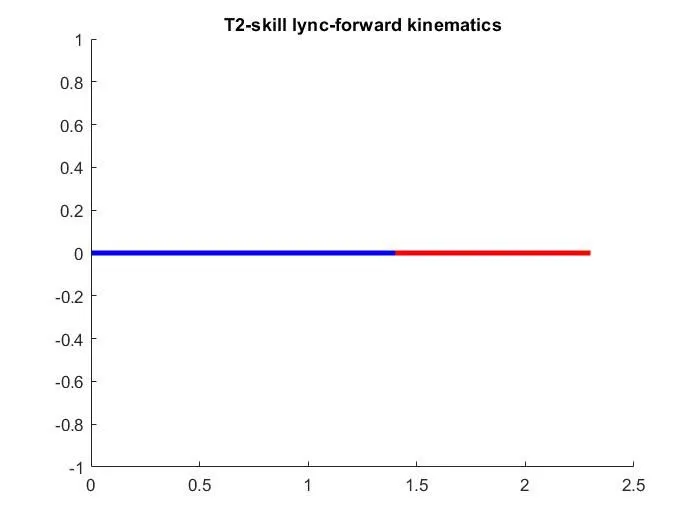
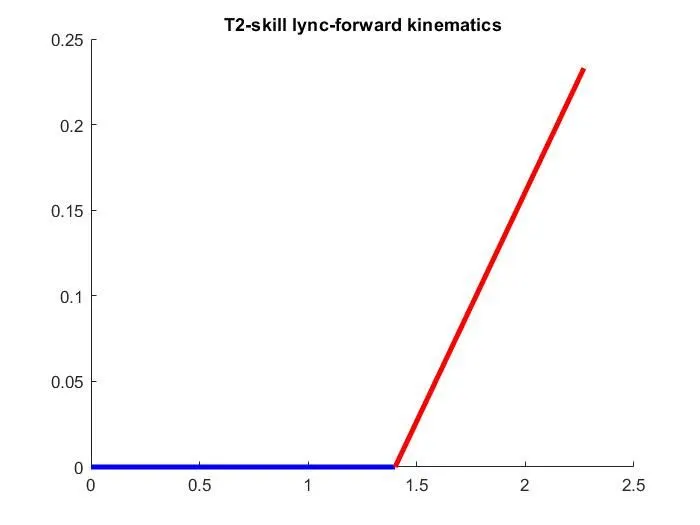
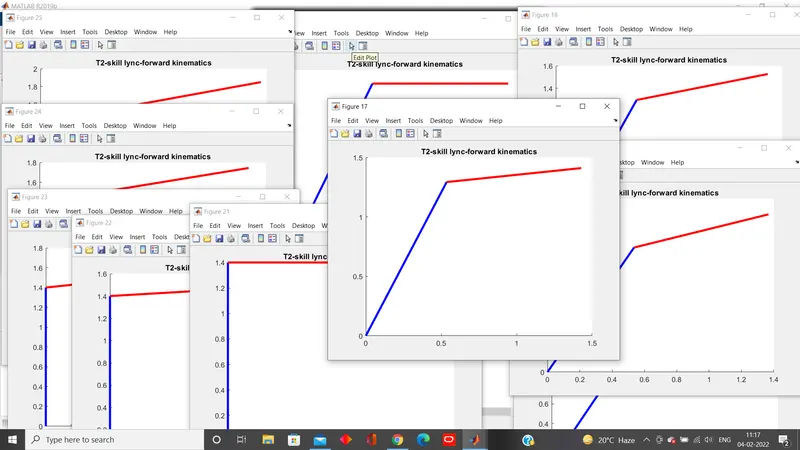
%Conclusion- The for loop resulted in easily differentiable plot in different figure plot. But this result in multiple plot windows and the series of position cannot be identified. Too many plot windows.

%TRIAL-3 Visualize the change in position in single plot using hold and pause command
syms l1
syms l2
syms a1
syms a2
syms x0
syms y0
syms x1
syms y1
syms x2
syms x2
syms ct
disp('TRIAL 3 Animate two link robotic arm- Visualize change in single plot window')
disp('length of linkages')
l1=input('enter length of link l1 in meter m=')
l2=input('enter length of link l2 in meter m=')
disp('angle of inclination of linkages')
disp('note the matrix of angle value must be equal, that is a1 is matrix and a2 is single value/a1 is single value and a2 is matrix/a1 and a2 ae both equal number of column matrix')
a1=input('enter the anlge of link l1 with respect to reference in degree=')
a2=input('enter the anlge of link l2 with respect to reference in degree=')
disp('co-ordinates of initial position of link l1')
x0=input('input initial x-axis ordinate point of link l1 in meter m=')
y0=input('input initial y-axis abcissa point of link l1 in meter m=')
ct=1;
%use of for loop to plot the various position of linkages in single plot window
for i=1:length(a1)
    A1=a1(i);
    for j=1:length(a2)
        A2=a2(j);
        x1=l1*cosd(A1);
        y1=l1*sind(A1);
        x2=x1+l2*cosd(A2);
        y2=y1+l2*sind(A2);
        hold on %hold on command retains plot axis so that new plot added to the axis doesnot delete the previous plot
        plot([x0 x1],[y0 y1],'-ob','linewidth',3)
        plot([x1 x2],[y1 y2],'-or','linewidth',3)
        title('T3-skill lync-forward kinematics')
        legend('link1','link2')
        axis([-10 10 -10 10])
        grid on
        pause(0.2) %pause command temporarily stops MATLAB execution in seconds
        ct=ct+1;
    end
end

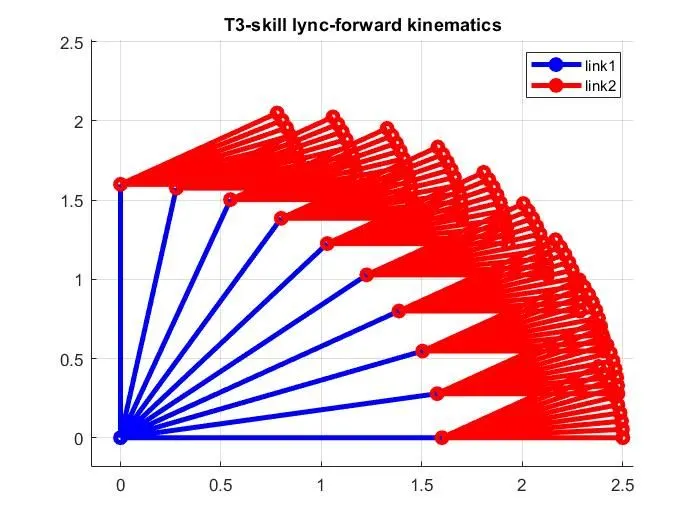
%Conclusion-Each frame is overlapped on previous plot and all position are differentiable with animation. Plot in series was observed.


% TRIAL 4-generating the animation for visualising of link motion and generating video file
syms l1
syms l2
syms a1
syms a2
syms x0
syms y0
syms x1
syms y1
syms x2
syms x2
syms ct
disp('TRIAL 4-animation of Robotic arm-Generate animation and video file')
disp('length of linkages')
l1=input('enter length of link l1 in meter m=')
l2=input('enter length of link l2 in meter m=')
disp('angle of inclination of linkages')
disp('note the matrix of angle value must be equal, that is a1 is matrix and a2 is single value/a1 is single value and a2 is matrix/a1 and a2 ae both equal number of column matrix')
a1=input('enter the anlge of link l1 with respect to reference in degree=')
a2=input('enter the anlge of link l2 with respect to reference in degree=')
disp('co-ordinates of initial position of link l1')
x0=input('input initial x-axis ordinate point of link l1 in meter m=')
y0=input('input initial y-axis abcissa point of link l1 in meter m=')
ct=1;
%use of for loop to plot the various position of linkages in single plot window (not properly identifiable)
for i=1:length(a1)
    A1=a1(i);
    for j=1:length(a2)
        A2=a2(j);
        x1=l1*cosd(A1);
        y1=l1*sind(A1);
        x2=x1+l2*cosd(A2);
        y2=y1+l2*sind(A2);
        plot([x0 x1],[y0 y1],[x1 x2],[y1 y2],'linewidth',3)
        title('T4-skill lync-forward kinematics-robotic arm animation')
        legend('link1','link2')
        axis([-10 10 -10 10])
        grid on
        pause(1)
        M(ct)=getframe(gcf) %getframe command captures the current axis of plot and this results in presentation of animation
        ct=ct+1;
    end
end
%note-M(t) in for loop is object function which defines frame/images
movie(M) %movie command plays the movie n number of times-syntax movie(M,n)
%videowriter command creates video from array or MATLAB movie.
videofile=VideoWriter('forward kinematic.avi','Uncompressed AVI');
open(videofile) %open(v) command opens the file associated with v for writing.
writeVideo(videofile,M) %writerVideo(v,img)command writes data from an array to the video file associated with v.
close(videofile)


%OBJECTIVE 2 -Animation of slider crank chain mechanism
%In slider crank chain mechanism the crank OA and Connecting rod AB where B is position of slider

% generating the animation for visualising of link motion and generating video file
%Step 1 position of crank shaft point O is [x0 y0]
%Step 2 position of crank end point A is [x1 y1]= [l1*cosd(a1) l1*sind(a1)]
%note the point A is starting point of connecting rod AB
%step 3 angle of AB wrt horizontal a2=-asind(l1*sind(a1)/l2)
%Step 4 position of end of connecting rod/ slider position is [x2 y2]=[x1+l2*cosd(a2) 0]
%NOTE the minimum length of link l2 must be greater than or equal to 2*l1
syms l1
syms l2
syms a1
syms a2
syms x0
syms y0
syms x1
syms y1
syms x2
syms x2
syms ct
disp('TRIAL 1-Plot of Slider crank chain mechanism')
disp('length of linkages')
l1=input('enter length of link l1 in meter m=')
l2=input('enter length of link l2 in meter m=')
if l2>(2*l1)
    disp('angle of inclination of linkages')
    a1=input('enter the anlge of link l1 using concatenation/range operator/linspace command with respect to reference in degree=')
    a2=-asind(l1*sind(a1)/l2)
    disp('co-ordinates of initial position of link l1')
    x0=input('input initial x-axis ordinate point of link l1 in meter m=')
    y0=input('input initial y-axis abcissa point of link l1 in meter m=')
    disp('co-ordinates of final position of link l1and starting point of link l2')
    x1=l1*cosd(a1)
    y1=l1*sind(a1)
    disp('co-ordinates of final position of link l2')
    x2=x1+l2*cosd(a2)
    y2=y1-y1
    ct=1;
    %use of for loop to plot the various position of linkages in single plot window (not properly identifiable)
    for i=1:length(a1)
        A1=a1(i);
        x1=l1*cosd(A1);
        y1=l1*sind(A1);
        a2=-asind(l1*sind(A1)/l2)
        x2=x1+l2*cosd(a2);
        y2=y1-y1;
        hold on
        plot([x0 x1],[y0 y1],'-ob','linewidth',3)
        plot([x1 x2],[y1 y2],'-or','linewidth',3)
        title('T1-skill-lync-forward kinematics-slider crank chain')
        axis([-10 10 -10 10])
        grid on
        pause(0.5)
        ct=ct+1;
    end
else
    disp('plot of imaginary values is not possible, hence, will be dissplayed as vertical lines')
    disp('angle of inclination of linkages')
    a1=input('enter the anlge of link l1 using concatenation/range operator/linspace command with respect to reference in degree=')
    a2=-asind(l1*sind(a1)/l2)
    disp('co-ordinates of initial position of link l1')
    x0=input('input initial x-axis ordinate point of link l1 in meter m=')
    y0=input('input initial y-axis abcissa point of link l1 in meter m=')
    disp('co-ordinates of final position of link l1and starting point of link l2')
    x1=l1*cosd(a1)
    y1=l1*sind(a1)
    disp('co-ordinates of final position of link l2')
    x2=x1+l2*cosd(a2)
    y2=y1-y1
    ct=1;
    %use of for loop to plot the various position of linkages in single plot window (not properly identifiable)
    for i=1:length(a1)
        A1=a1(i);
        x1=l1*cosd(A1);
        y1=l1*sind(A1);
        a2=-asind(l1*sind(A1)/l2)
        x2=x1+l2*cosd(a2);
        y2=y1-y1;
        hold on
        plot([x0 x1],[y0 y1],'-ob','linewidth',3)
        plot([x1 x2],[y1 y2],'-or','linewidth',3)
        title('T1-skill-lync-forward kinematics-slider crank chain')
        axis([-10 10 -10 10])
        grid on
        pause(0.5)
        ct=ct+1;
    end
end


%Generating animation for slider crank chain mechanism
syms l1
syms l2
syms a1
syms a2
syms x0
syms y0
syms x1
syms y1
syms x2
syms x2
syms ct
disp('TRIAL 2-Animation of slider crank chain mechanism')
disp('length of linkages')
l1=input('enter length of link l1 in meter m=')
l2=input('enter length of link l2 > 2*l1 in meter m=')
disp('angle of inclination of linkages')
disp('note the matrix of angle value must be equal, that is a1 is matrix and a2 is single value/a1 is single value and a2 is matrix/a1 and a2 ae both equal number of column matrix')
a1=input('enter the anlge of link l1 with respect to reference in degree=')
a2=-asind(l1*sind(a1)/l2)
disp('co-ordinates of initial position of link l1')
x0=input('input initial x-axis ordinate point of link l1 in meter m=')
y0=input('input initial y-axis abcissa point of link l1 in meter m=')
disp('co-ordinates of final position of link l1and starting point of link l2')
x1=l1*cosd(a1)
y1=l1*sind(a1)
disp('co-ordinates of final position of link l2')
x2=x1+l2*cosd(a2)
y2=y1-y1
ct=1;
%use of for loop to plot and animate the various position of linkages in single plot window
for i=1:length(a1)
    A1=a1(i);
    x1=l1*cosd(A1);
    y1=l1*sind(A1);
    a2=-asind(l1*sind(A1)/l2)
    x2=x1+l2*cosd(a2);
    y2=y1-y1;
    plot([x0 x1],[y0 y1],[x1 x2],[y1 y2],'-o','linewidth',3)
    title('T2-Skill-lync-slider crank chain mechanism')
    xlabel('x axis')
    ylabel('y axis')
    legend('crank','connecting rod')
    grid on
    axis([-10 10 -10 10])
    pause(2)
    M(ct)=getframe(gcf)
    ct=ct+1;
end
movie(M)
videofile=VideoWriter('slider_crank_chain_mechanism.avi','Uncompressed AVI');
open(videofile)
writeVideo(videofile,M)
close(videofile)
YOU TUBE CHANNEL VIDEO LINK
1. Robotic arm
https://youtu.be/rcecnioWcDE
2. Slider crank chain mechanism
https://youtu.be/05m4ZNJj-4c
OUTPUT
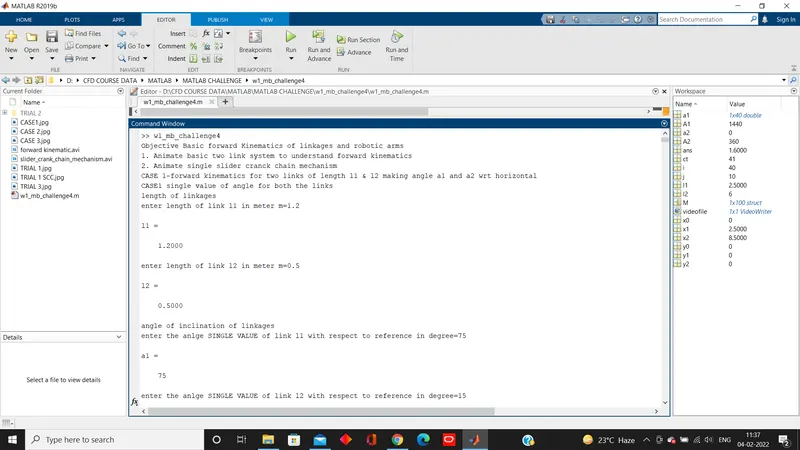
>> w1_mb_challenge4
Objective Basic forward Kinematics of linkages and robotic arms
1. Animate basic two link system to understand forward kinematics
2. Animate single slider cranck chain mechanism
CASE 1-forward kinematics for two links of length l1 & l2 making angle a1 and a2 wrt horizontal
CASE1 single value of angle for both the links
length of linkages
enter length of link l1 in meter m=1.2
l1 =
1.2000
enter length of link l2 in meter m=0.5
l2 =
0.5000
angle of inclination of linkages
enter the anlge SINGLE VALUE of link l1 with respect to reference in degree=75
a1 =
75
enter the anlge SINGLE VALUE of link l2 with respect to reference in degree=15
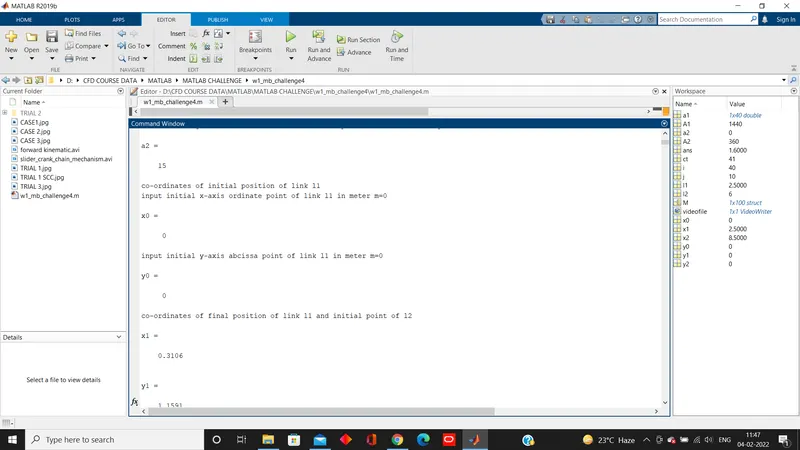
a2 =
15
co-ordinates of initial position of link l1
input initial x-axis ordinate point of link l1 in meter m=0
x0 =
0
input initial y-axis abcissa point of link l1 in meter m=0
y0 =
0
co-ordinates of final position of link l1 and initial point of l2
x1 =
0.3106
y1 =
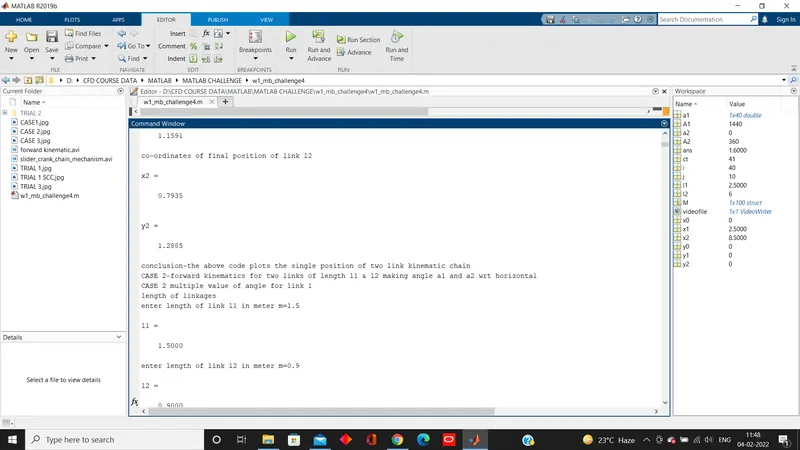
1.1591
co-ordinates of final position of link l2
x2 =
0.7935
y2 =
1.2885
conclusion-the above code plots the single position of two link kinematic chain
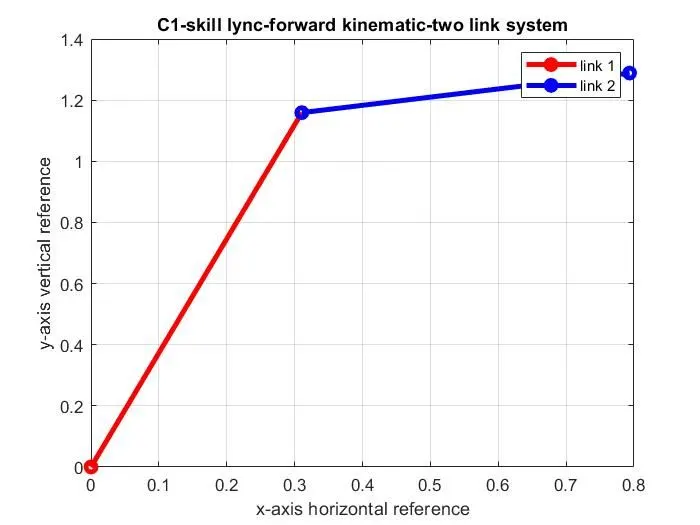
CASE 2-forward kinematics for two links of length l1 & l2 making angle a1 and a2 wrt horizontal
CASE 2 multiple value of angle for link 1
length of linkages
enter length of link l1 in meter m=1.5
l1 =
1.5000
enter length of link l2 in meter m=0.9
l2 =
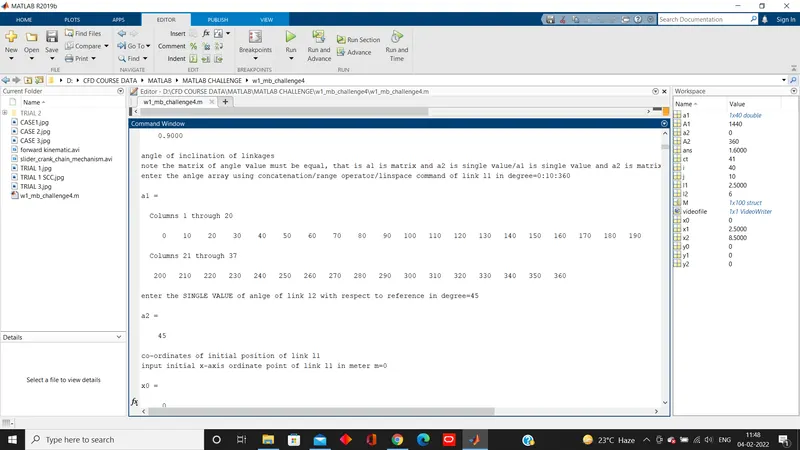
0.9000
angle of inclination of linkages
note the matrix of angle value must be equal, that is a1 is matrix and a2 is single value/a1 is single value and a2 is matrix/a1 and a2 ae both equal number of column matrix
enter the anlge array using concatenation/range operator/linspace command of link l1 in degree=0:10:360
a1 =
Columns 1 through 20
0 10 20 30 40 50 60 70 80 90 100 110 120 130 140 150 160 170 180 190
Columns 21 through 37
200 210 220 230 240 250 260 270 280 290 300 310 320 330 340 350 360
enter the SINGLE VALUE of anlge of link l2 with respect to reference in degree=45
a2 =
45
co-ordinates of initial position of link l1
input initial x-axis ordinate point of link l1 in meter m=0
x0 =
0
input initial y-axis abcissa point of link l1 in meter m=0
y0 =
0
co-ordinates of final position of link l1 and starting point of link l2
x1 =
Columns 1 through 12
1.5000 1.4772 1.4095 1.2990 1.1491 0.9642 0.7500 0.5130 0.2605 0 -0.2605 -0.5130
Columns 13 through 24
-0.7500 -0.9642 -1.1491 -1.2990 -1.4095 -1.4772 -1.5000 -1.4772 -1.4095 -1.2990 -1.1491 -0.9642
Columns 25 through 36
-0.7500 -0.5130 -0.2605 0 0.2605 0.5130 0.7500 0.9642 1.1491 1.2990 1.4095 1.4772
Column 37
1.5000
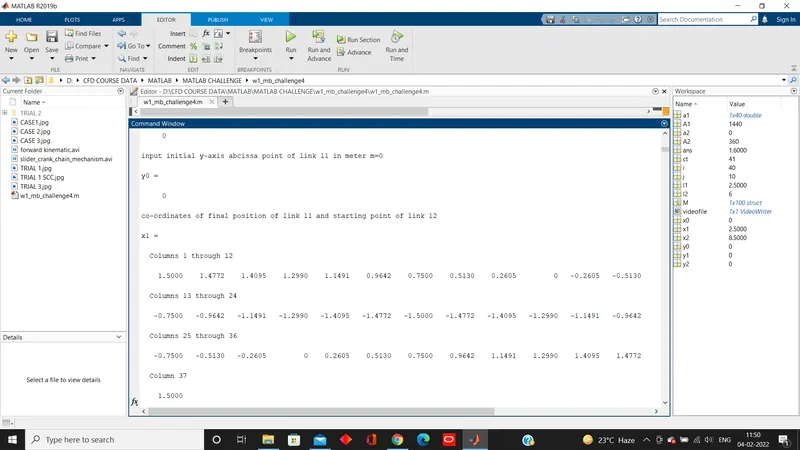
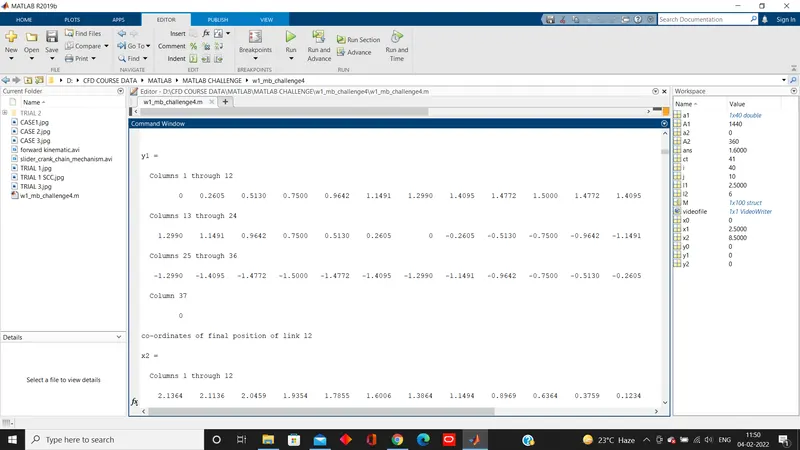
y1 =
Columns 1 through 12
0 0.2605 0.5130 0.7500 0.9642 1.1491 1.2990 1.4095 1.4772 1.5000 1.4772 1.4095
Columns 13 through 24
1.2990 1.1491 0.9642 0.7500 0.5130 0.2605 0 -0.2605 -0.5130 -0.7500 -0.9642 -1.1491
Columns 25 through 36
-1.2990 -1.4095 -1.4772 -1.5000 -1.4772 -1.4095 -1.2990 -1.1491 -0.9642 -0.7500 -0.5130 -0.2605
Column 37
0
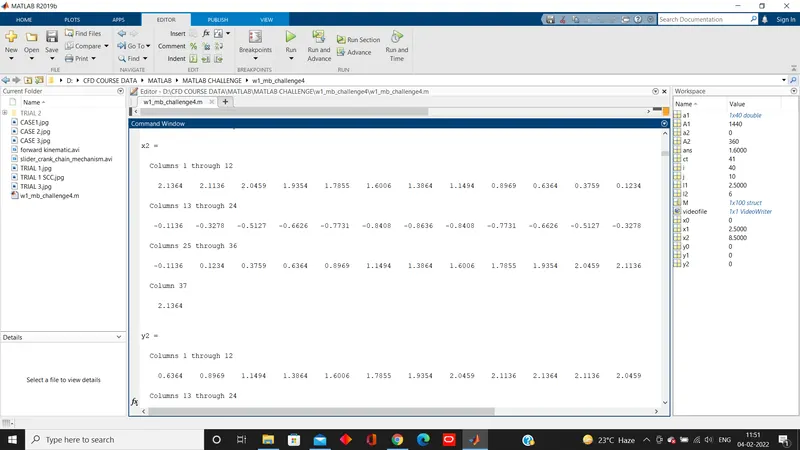
co-ordinates of final position of link l2
x2 =
Columns 1 through 12
2.1364 2.1136 2.0459 1.9354 1.7855 1.6006 1.3864 1.1494 0.8969 0.6364 0.3759 0.1234
Columns 13 through 24
-0.1136 -0.3278 -0.5127 -0.6626 -0.7731 -0.8408 -0.8636 -0.8408 -0.7731 -0.6626 -0.5127 -0.3278
Columns 25 through 36
-0.1136 0.1234 0.3759 0.6364 0.8969 1.1494 1.3864 1.6006 1.7855 1.9354 2.0459 2.1136
Column 37
2.1364
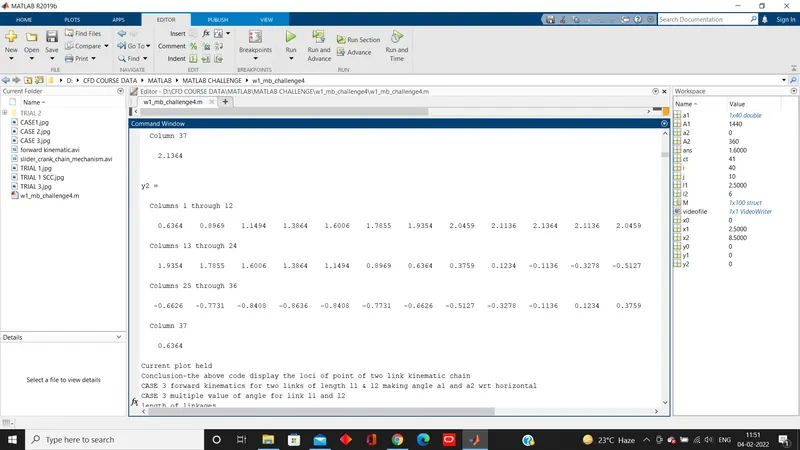
y2 =
Columns 1 through 12
0.6364 0.8969 1.1494 1.3864 1.6006 1.7855 1.9354 2.0459 2.1136 2.1364 2.1136 2.0459
Columns 13 through 24
1.9354 1.7855 1.6006 1.3864 1.1494 0.8969 0.6364 0.3759 0.1234 -0.1136 -0.3278 -0.5127
Columns 25 through 36
-0.6626 -0.7731 -0.8408 -0.8636 -0.8408 -0.7731 -0.6626 -0.5127 -0.3278 -0.1136 0.1234 0.3759
Column 37
0.6364
Current plot held
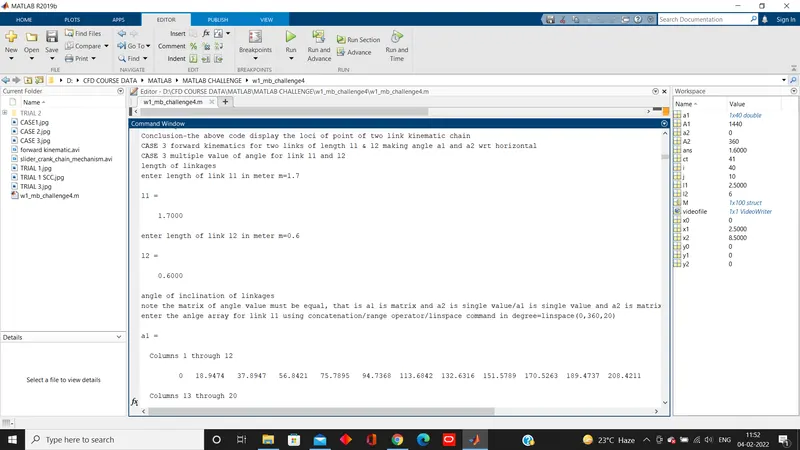
Conclusion-the above code display the loci of point of two link kinematic chain
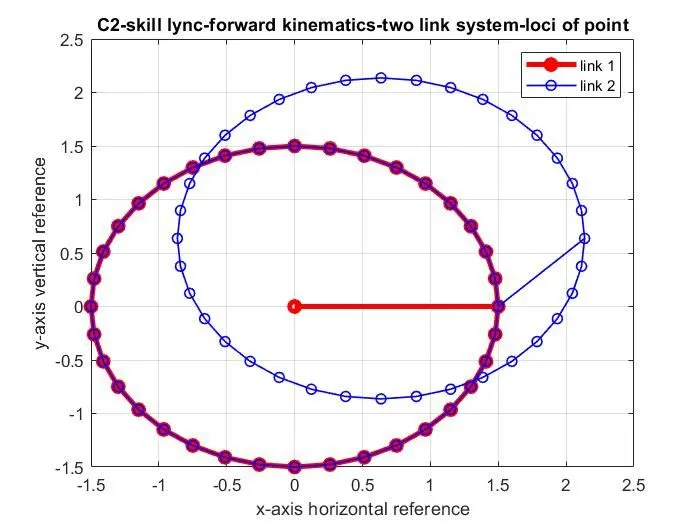
CASE 3 forward kinematics for two links of length l1 & l2 making angle a1 and a2 wrt horizontal
CASE 3 multiple value of angle for link l1 and l2
length of linkages
enter length of link l1 in meter m=1.7
l1 =
1.7000
enter length of link l2 in meter m=0.6
l2 =
0.6000
angle of inclination of linkages
note the matrix of angle value must be equal, that is a1 is matrix and a2 is single value/a1 is single value and a2 is matrix/a1 and a2 ae both equal number of column matrix
enter the anlge array for link l1 using concatenation/range operator/linspace command in degree=linspace(0,360,20)
a1 =
Columns 1 through 12
0 18.9474 37.8947 56.8421 75.7895 94.7368 113.6842 132.6316 151.5789 170.5263 189.4737 208.4211
Columns 13 through 20
227.3684 246.3158 265.2632 284.2105 303.1579 322.1053 341.0526 360.0000
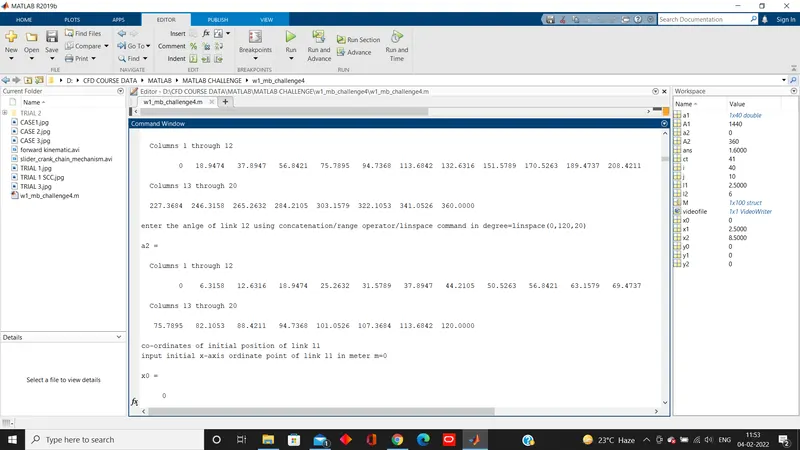
enter the anlge of link l2 using concatenation/range operator/linspace command in degree=linspace(0,120,20)
a2 =
Columns 1 through 12
0 6.3158 12.6316 18.9474 25.2632 31.5789 37.8947 44.2105 50.5263 56.8421 63.1579 69.4737
Columns 13 through 20
75.7895 82.1053 88.4211 94.7368 101.0526 107.3684 113.6842 120.0000
co-ordinates of initial position of link l1
input initial x-axis ordinate point of link l1 in meter m=0
x0 =
0
input initial y-axis abcissa point of link l1 in meter m=0
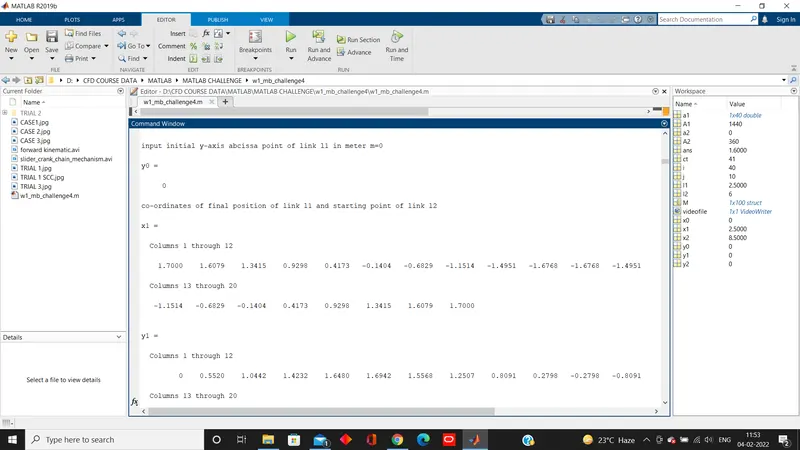
y0 =
0
co-ordinates of final position of link l1 and starting point of link l2
x1 =
Columns 1 through 12
1.7000 1.6079 1.3415 0.9298 0.4173 -0.1404 -0.6829 -1.1514 -1.4951 -1.6768 -1.6768 -1.4951
Columns 13 through 20
-1.1514 -0.6829 -0.1404 0.4173 0.9298 1.3415 1.6079 1.7000
y1 =
Columns 1 through 12
0 0.5520 1.0442 1.4232 1.6480 1.6942 1.5568 1.2507 0.8091 0.2798 -0.2798 -0.8091
Columns 13 through 20
-1.2507 -1.5568 -1.6942 -1.6480 -1.4232 -1.0442 -0.5520 0
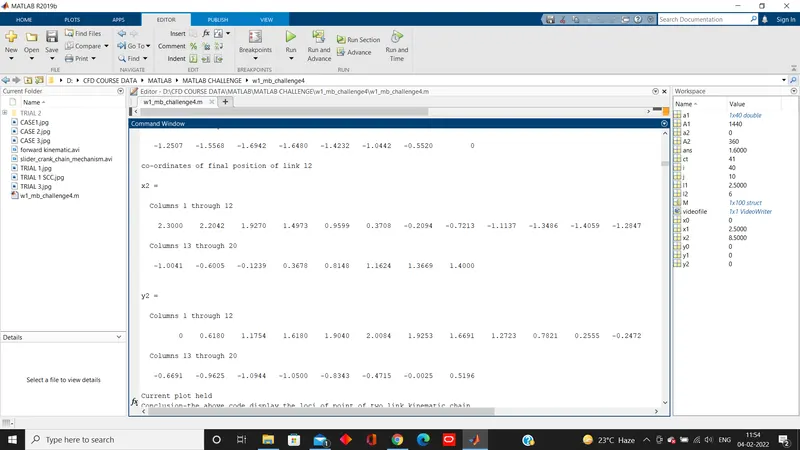
co-ordinates of final position of link l2
x2 =
Columns 1 through 12
2.3000 2.2042 1.9270 1.4973 0.9599 0.3708 -0.2094 -0.7213 -1.1137 -1.3486 -1.4059 -1.2847
Columns 13 through 20
-1.0041 -0.6005 -0.1239 0.3678 0.8148 1.1624 1.3669 1.4000
y2 =
Columns 1 through 12
0 0.6180 1.1754 1.6180 1.9040 2.0084 1.9253 1.6691 1.2723 0.7821 0.2555 -0.2472
Columns 13 through 20
-0.6691 -0.9625 -1.0944 -1.0500 -0.8343 -0.4715 -0.0025 0.5196
Current plot held
Conclusion-the above code display the loci of point of two link kinematic chain
TRIAL-1 animate two link robotic arm
length of linkages
enter length of link l1 in meter m=1.2
l1 =
1.2000
enter length of link l2 in meter m=0.4
l2 =
0.4000
angle of inclination of linkages
note the matrix of angle value must be equal, that is a1 is matrix and a2 is single value/a1 is single value and a2 is matrix/a1 and a2 ae both equal number of column matrix
enter the anlge of link l1 with respect to reference in degree=linspace(0,360,10)
a1 =
0 40 80 120 160 200 240 280 320 360
enter the anlge of link l2 with respect to reference in degree=linspace(0,90,10)
a2 =
0 10 20 30 40 50 60 70 80 90
co-ordinates of initial position of link l1
input initial x-axis ordinate point of link l1 in meter m=0
x0 =
0
input initial y-axis abcissa point of link l1 in meter m=0
y0 =
0
TRIAL-2 Animate two link robotic arm- Generation of plots differently i.e. not in same plot window
length of linkages
enter length of link l1 in meter m=1.4
l1 =
1.4000
enter length of link l2 in meter m=0.9
l2 =
0.9000
angle of inclination of linkages
note the matrix of angle value must be equal, that is a1 is matrix and a2 is single value/a1 is single value and a2 is matrix/a1 and a2 ae both equal number of column matrix
enter the anlge of link l1 using concatenation/range/linspace command in degree=linspace(0,90,5)
a1 =
0 22.5000 45.0000 67.5000 90.0000
enter the anlge of link l2 using concatenation/range/linspace command in degree=linspace(0,30,5)
a2 =
0 7.5000 15.0000 22.5000 30.0000
co-ordinates of initial position of link l1
input initial x-axis ordinate point of link l1 in meter m=0
x0 =
0
input initial y-axis abcissa point of link l1 in meter m=0
y0 =
0
[TOTAL 25 PLOT ONLY 4 UPLOADED REFER ATTACHED FILE]
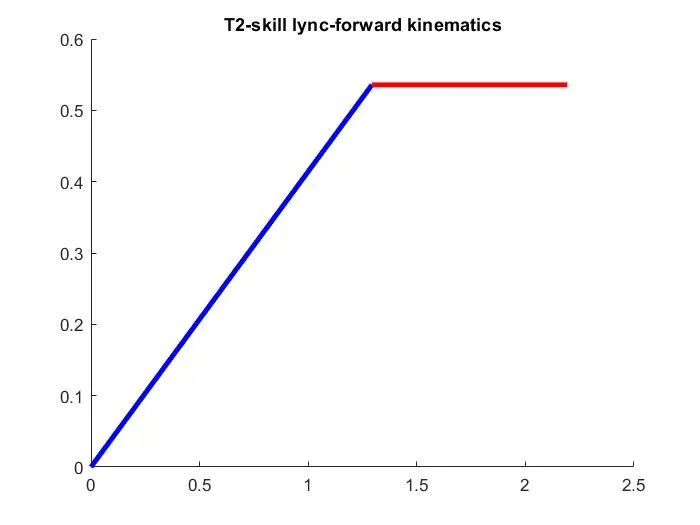
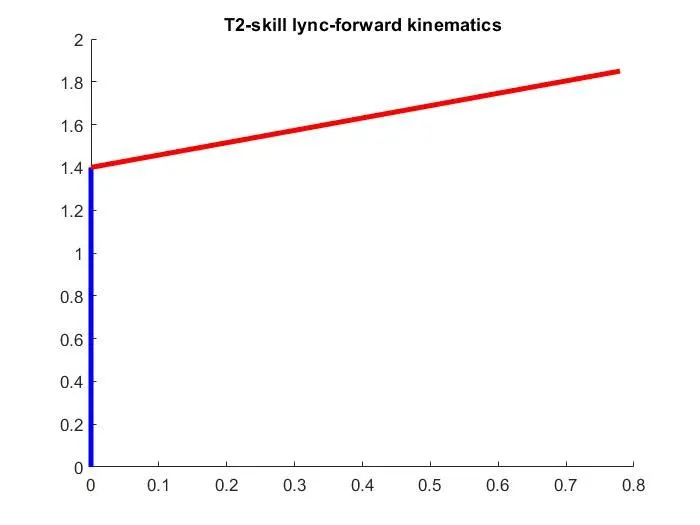
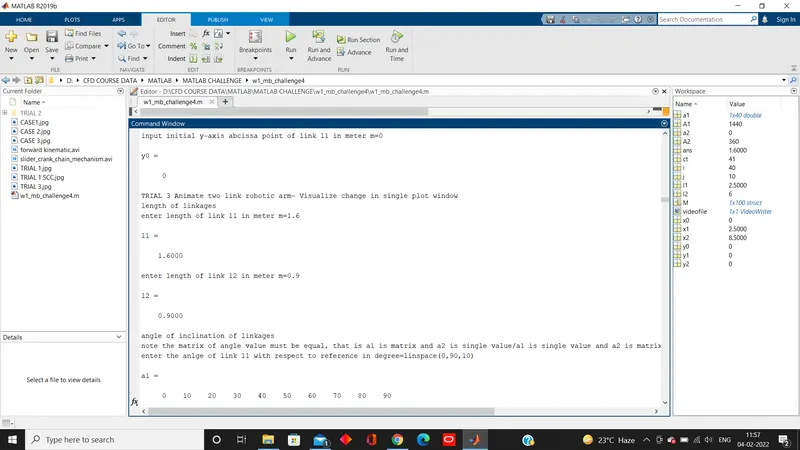
TRIAL 3 Animate two link robotic arm- Visualize change in single plot window
length of linkages
enter length of link l1 in meter m=1.6
l1 =
1.6000
enter length of link l2 in meter m=0.9
l2 =
0.9000
angle of inclination of linkages
note the matrix of angle value must be equal, that is a1 is matrix and a2 is single value/a1 is single value and a2 is matrix/a1 and a2 ae both equal number of column matrix
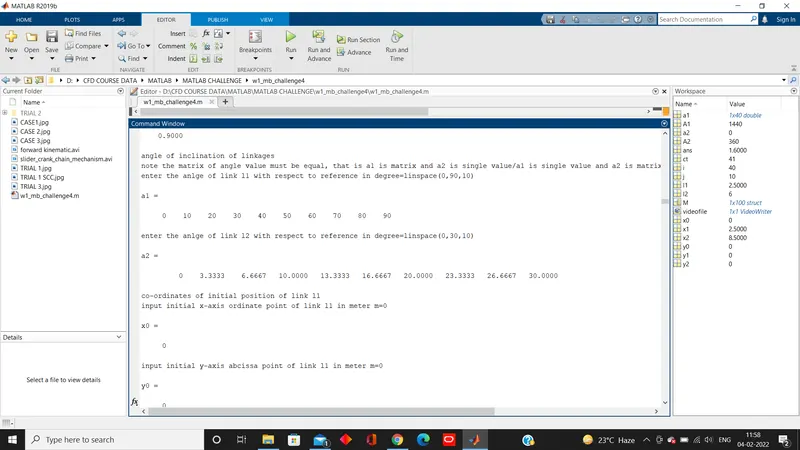
enter the anlge of link l1 with respect to reference in degree=linspace(0,90,10)
a1 =
0 10 20 30 40 50 60 70 80 90
enter the anlge of link l2 with respect to reference in degree=linspace(0,30,10)
a2 =
0 3.3333 6.6667 10.0000 13.3333 16.6667 20.0000 23.3333 26.6667 30.0000
co-ordinates of initial position of link l1
input initial x-axis ordinate point of link l1 in meter m=0
x0 =
0
input initial y-axis abcissa point of link l1 in meter m=0
y0 =
0
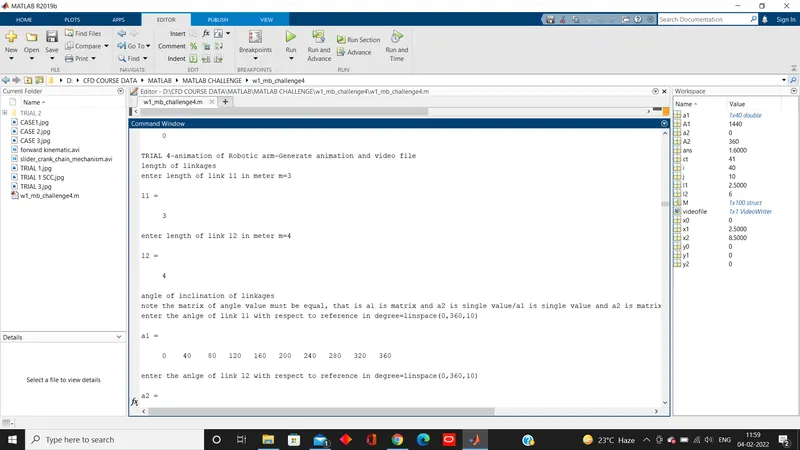
TRIAL 4-animation of Robotic arm-Generate animation and video file
length of linkages
enter length of link l1 in meter m=3
l1 =
3
enter length of link l2 in meter m=4
l2 =
4
angle of inclination of linkages
note the matrix of angle value must be equal, that is a1 is matrix and a2 is single value/a1 is single value and a2 is matrix/a1 and a2 ae both equal number of column matrix
enter the anlge of link l1 with respect to reference in degree=linspace(0,360,10)
a1 =
0 40 80 120 160 200 240 280 320 360
enter the anlge of link l2 with respect to reference in degree=linspace(0,360,10)
a2 =
0 40 80 120 160 200 240 280 320 360
co-ordinates of initial position of link l1
input initial x-axis ordinate point of link l1 in meter m=0
x0 =
0
input initial y-axis abcissa point of link l1 in meter m=0
y0 =
0
M =
struct with fields:
cdata: [525×700×3 uint8]
colormap: []
M =
1×2 struct array with fields:
cdata
colormap
M =
1×3 struct array with fields:
cdata
colormap
M =
1×4 struct array with fields:
cdata
colormap
M =
1×5 struct array with fields:
cdata
colormap
M =
1×6 struct array with fields:
cdata
colormap
M =
1×7 struct array with fields:
cdata
colormap
M =
1×8 struct array with fields:
cdata
colormap
M =
1×9 struct array with fields:
cdata
colormap
M =
1×10 struct array with fields:
cdata
colormap
M =
1×11 struct array with fields:
cdata
colormap
M =
1×12 struct array with fields:
cdata
colormap
M =
1×13 struct array with fields:
cdata
colormap
M =
1×14 struct array with fields:
cdata
colormap
M =
1×15 struct array with fields:
cdata
colormap
M =
1×16 struct array with fields:
cdata
colormap
M =
1×17 struct array with fields:
cdata
colormap
M =
1×18 struct array with fields:
cdata
colormap
M =
1×19 struct array with fields:
cdata
colormap
M =
1×20 struct array with fields:
cdata
colormap
M =
1×21 struct array with fields:
cdata
colormap
M =
1×22 struct array with fields:
cdata
colormap
M =
1×23 struct array with fields:
cdata
colormap
M =
1×24 struct array with fields:
cdata
colormap
M =
1×25 struct array with fields:
cdata
colormap
M =
1×26 struct array with fields:
cdata
colormap
M =
1×27 struct array with fields:
cdata
colormap
M =
1×28 struct array with fields:
cdata
colormap
M =
1×29 struct array with fields:
cdata
colormap
M =
1×30 struct array with fields:
cdata
colormap
M =
1×31 struct array with fields:
cdata
colormap
M =
1×32 struct array with fields:
cdata
colormap
M =
1×33 struct array with fields:
cdata
colormap
M =
1×34 struct array with fields:
cdata
colormap
M =
1×35 struct array with fields:
cdata
colormap
M =
1×36 struct array with fields:
cdata
colormap
M =
1×37 struct array with fields:
cdata
colormap
M =
1×38 struct array with fields:
cdata
colormap
M =
1×39 struct array with fields:
cdata
colormap
M =
1×40 struct array with fields:
cdata
colormap
M =
1×41 struct array with fields:
cdata
colormap
M =
1×42 struct array with fields:
cdata
colormap
M =
1×43 struct array with fields:
cdata
colormap
M =
1×44 struct array with fields:
cdata
colormap
M =
1×45 struct array with fields:
cdata
colormap
M =
1×46 struct array with fields:
cdata
colormap
M =
1×47 struct array with fields:
cdata
colormap
M =
1×48 struct array with fields:
cdata
colormap
M =
1×49 struct array with fields:
cdata
colormap
M =
1×50 struct array with fields:
cdata
colormap
M =
1×51 struct array with fields:
cdata
colormap
M =
1×52 struct array with fields:
cdata
colormap
M =
1×53 struct array with fields:
cdata
colormap
M =
1×54 struct array with fields:
cdata
colormap
M =
1×55 struct array with fields:
cdata
colormap
M =
1×56 struct array with fields:
cdata
colormap
M =
1×57 struct array with fields:
cdata
colormap
M =
1×58 struct array with fields:
cdata
colormap
M =
1×59 struct array with fields:
cdata
colormap
M =
1×60 struct array with fields:
cdata
colormap
M =
1×61 struct array with fields:
cdata
colormap
M =
1×62 struct array with fields:
cdata
colormap
M =
1×63 struct array with fields:
cdata
colormap
M =
1×64 struct array with fields:
cdata
colormap
M =
1×65 struct array with fields:
cdata
colormap
M =
1×66 struct array with fields:
cdata
colormap
M =
1×67 struct array with fields:
cdata
colormap
M =
1×68 struct array with fields:
cdata
colormap
M =
1×69 struct array with fields:
cdata
colormap
M =
1×70 struct array with fields:
cdata
colormap
M =
1×71 struct array with fields:
cdata
colormap
M =
1×72 struct array with fields:
cdata
colormap
M =
1×73 struct array with fields:
cdata
colormap
M =
1×74 struct array with fields:
cdata
colormap
M =
1×75 struct array with fields:
cdata
colormap
M =
1×76 struct array with fields:
cdata
colormap
M =
1×77 struct array with fields:
cdata
colormap
M =
1×78 struct array with fields:
cdata
colormap
M =
1×79 struct array with fields:
cdata
colormap
M =
1×80 struct array with fields:
cdata
colormap
M =
1×81 struct array with fields:
cdata
colormap
M =
1×82 struct array with fields:
cdata
colormap
M =
1×83 struct array with fields:
cdata
colormap
M =
1×84 struct array with fields:
cdata
colormap
M =
1×85 struct array with fields:
cdata
colormap
M =
1×86 struct array with fields:
cdata
colormap
M =
1×87 struct array with fields:
cdata
colormap
M =
1×88 struct array with fields:
cdata
colormap
M =
1×89 struct array with fields:
cdata
colormap
M =
1×90 struct array with fields:
cdata
colormap
M =
1×91 struct array with fields:
cdata
colormap
M =
1×92 struct array with fields:
cdata
colormap
M =
1×93 struct array with fields:
cdata
colormap
M =
1×94 struct array with fields:
cdata
colormap
M =
1×95 struct array with fields:
cdata
colormap
M =
1×96 struct array with fields:
cdata
colormap
M =
1×97 struct array with fields:
cdata
colormap
M =
1×98 struct array with fields:
cdata
colormap
M =
1×99 struct array with fields:
cdata
colormap
M =
1×100 struct array with fields:
cdata
colormap
[REFER ATTACHED/ UPLOADED VIDEO FILE]
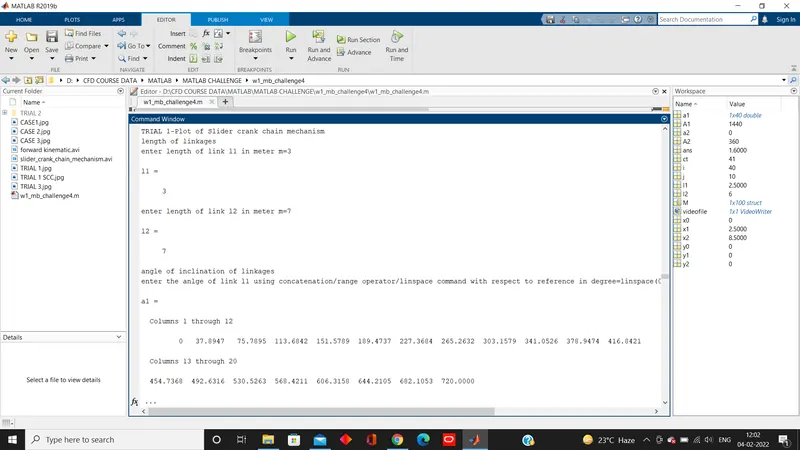
TRIAL 1-Plot of Slider crank chain mechanism
length of linkages
enter length of link l1 in meter m=3
l1 =
3
enter length of link l2 in meter m=7
l2 =
7
angle of inclination of linkages
enter the anlge of link l1 using concatenation/range operator/linspace command with respect to reference in degree=linspace(0,720,20)
a1 =
Columns 1 through 12
0 37.8947 75.7895 113.6842 151.5789 189.4737 227.3684 265.2632 303.1579 341.0526 378.9474 416.8421
Columns 13 through 20
454.7368 492.6316 530.5263 568.4211 606.3158 644.2105 682.1053 720.0000
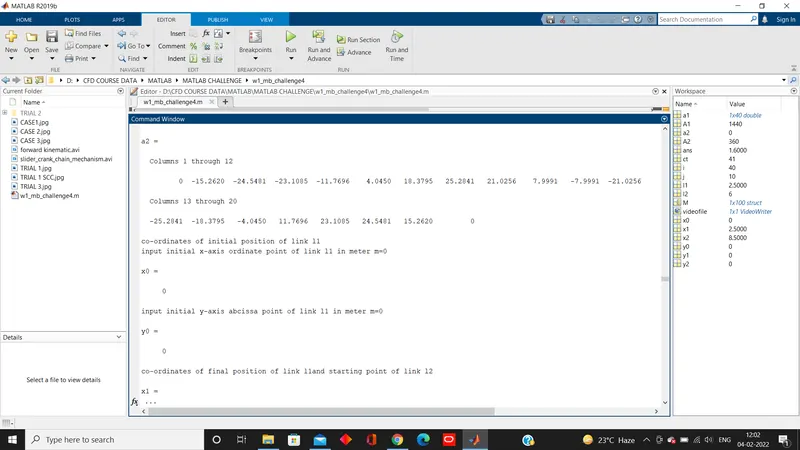
a2 =
Columns 1 through 12
0 -15.2620 -24.5481 -23.1085 -11.7696 4.0450 18.3795 25.2841 21.0256 7.9991 -7.9991 -21.0256
Columns 13 through 20
-25.2841 -18.3795 -4.0450 11.7696 23.1085 24.5481 15.2620 0
co-ordinates of initial position of link l1
input initial x-axis ordinate point of link l1 in meter m=0
x0 =
0
input initial y-axis abcissa point of link l1 in meter m=0
y0 =
0
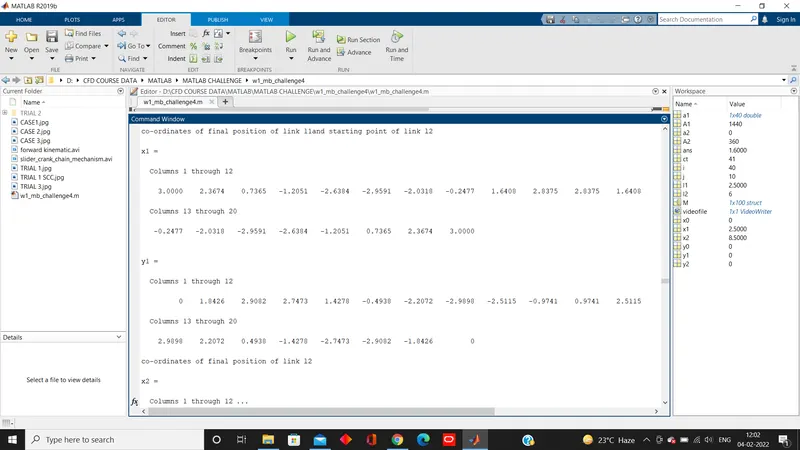
co-ordinates of final position of link l1and starting point of link l2
x1 =
Columns 1 through 12
3.0000 2.3674 0.7365 -1.2051 -2.6384 -2.9591 -2.0318 -0.2477 1.6408 2.8375 2.8375 1.6408
Columns 13 through 20
-0.2477 -2.0318 -2.9591 -2.6384 -1.2051 0.7365 2.3674 3.0000
y1 =
Columns 1 through 12
0 1.8426 2.9082 2.7473 1.4278 -0.4938 -2.2072 -2.9898 -2.5115 -0.9741 0.9741 2.5115
Columns 13 through 20
2.9898 2.2072 0.4938 -1.4278 -2.7473 -2.9082 -1.8426 0
co-ordinates of final position of link l2
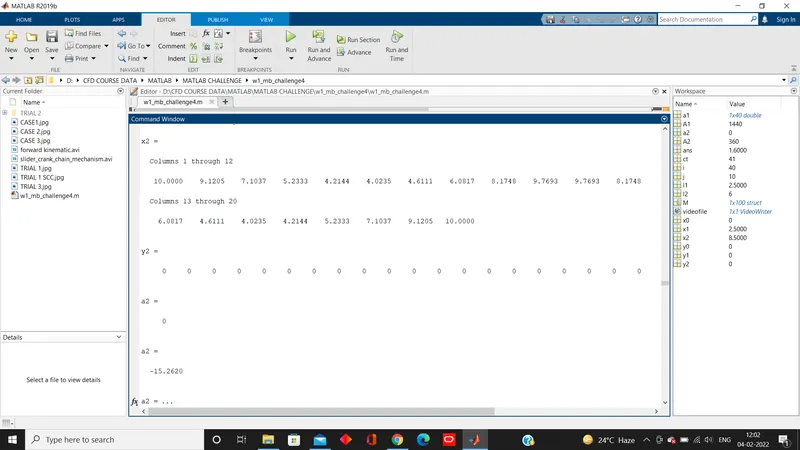
x2 =
Columns 1 through 12
10.0000 9.1205 7.1037 5.2333 4.2144 4.0235 4.6111 6.0817 8.1748 9.7693 9.7693 8.1748
Columns 13 through 20
6.0817 4.6111 4.0235 4.2144 5.2333 7.1037 9.1205 10.0000
y2 =
0 0 0 0 0 0 0 0 0 0 0 0 0 0 0 0 0 0 0 0
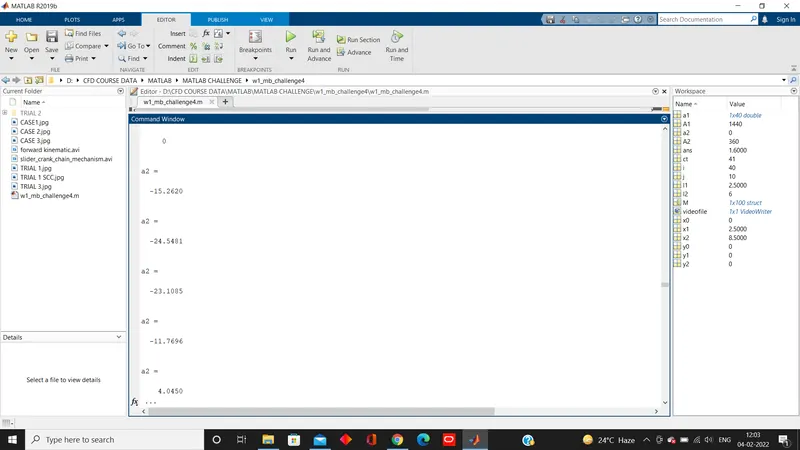
a2 =
0
a2 =
-15.2620
a2 =
-24.5481
a2 =
-23.1085
a2 =
-11.7696
a2 =
4.0450
a2 =
18.3795
a2 =
25.2841
a2 =
21.0256
a2 =
7.9991
a2 =
-7.9991
a2 =
-21.0256
a2 =
-25.2841
a2 =
-18.3795
a2 =
-4.0450
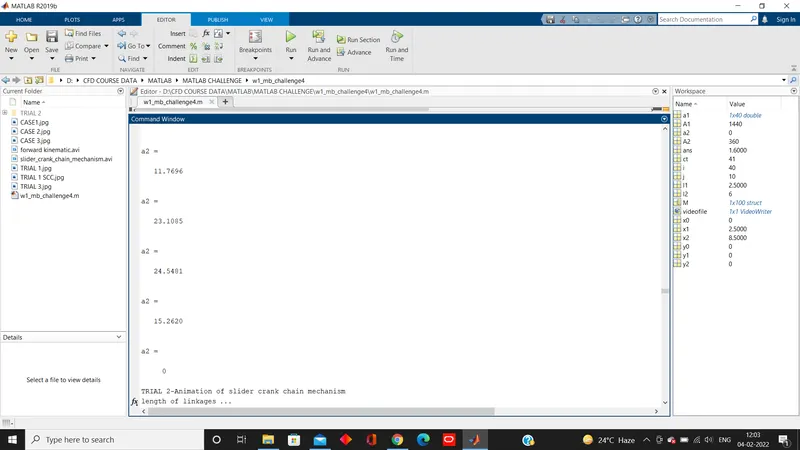
a2 =
11.7696
a2 =
23.1085
a2 =
24.5481
a2 =
15.2620
a2 =
0
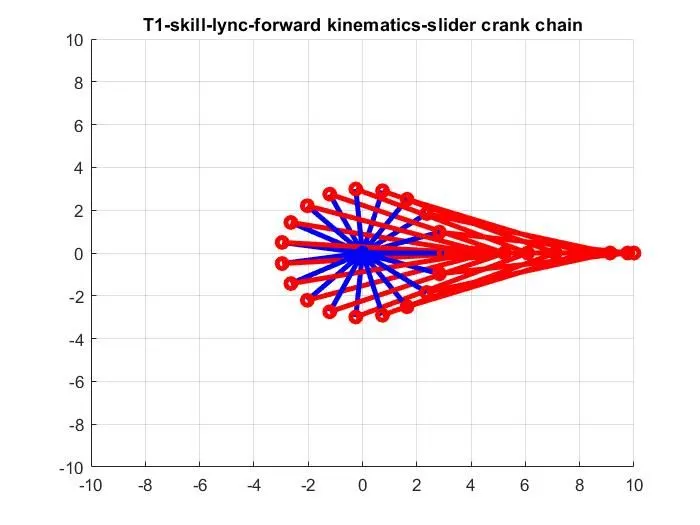
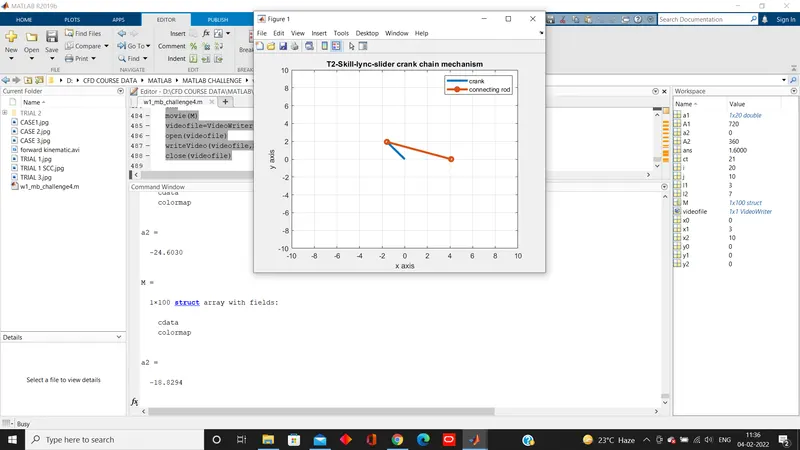
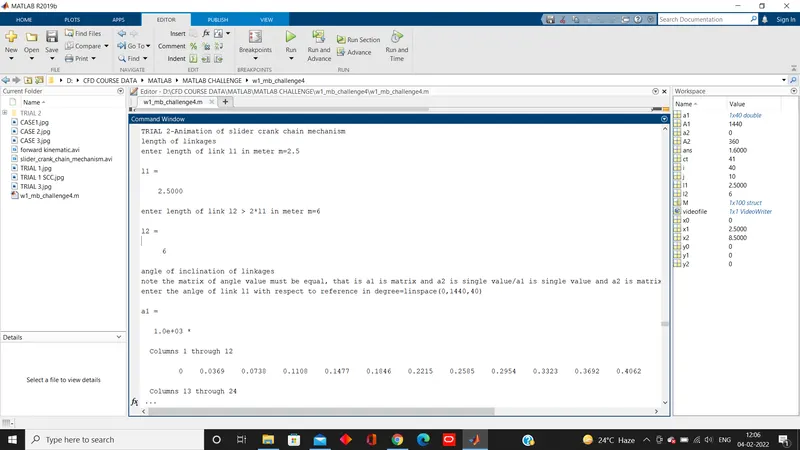
TRIAL 2-Animation of slider crank chain mechanism
length of linkages
enter length of link l1 in meter m=2.5
l1 =
2.5000
enter length of link l2 > 2*l1 in meter m=6
l2 =
6
angle of inclination of linkages
note the matrix of angle value must be equal, that is a1 is matrix and a2 is single value/a1 is single value and a2 is matrix/a1 and a2 ae both equal number of column matrix
enter the anlge of link l1 with respect to reference in degree=linspace(0,1440,40)
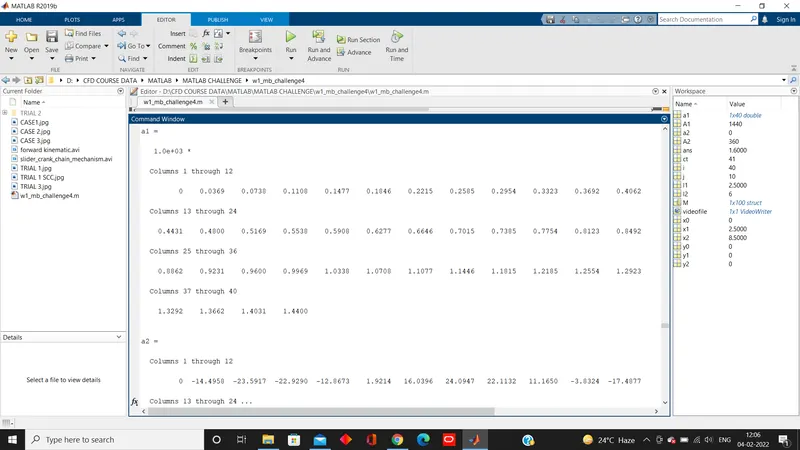
a1 =
1.0e+03 *
Columns 1 through 12
0 0.0369 0.0738 0.1108 0.1477 0.1846 0.2215 0.2585 0.2954 0.3323 0.3692 0.4062
Columns 13 through 24
0.4431 0.4800 0.5169 0.5538 0.5908 0.6277 0.6646 0.7015 0.7385 0.7754 0.8123 0.8492
Columns 25 through 36
0.8862 0.9231 0.9600 0.9969 1.0338 1.0708 1.1077 1.1446 1.1815 1.2185 1.2554 1.2923
Columns 37 through 40
1.3292 1.3662 1.4031 1.4400
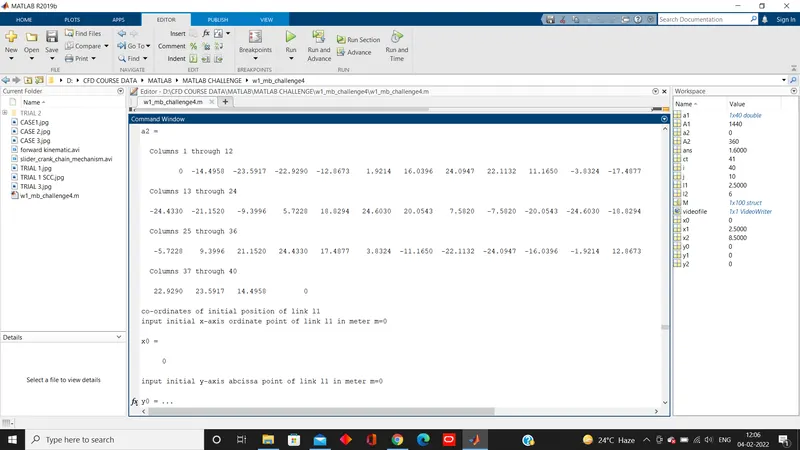
a2 =
Columns 1 through 12
0 -14.4958 -23.5917 -22.9290 -12.8673 1.9214 16.0396 24.0947 22.1132 11.1650 -3.8324 -17.4877
Columns 13 through 24
-24.4330 -21.1520 -9.3996 5.7228 18.8294 24.6030 20.0543 7.5820 -7.5820 -20.0543 -24.6030 -18.8294
Columns 25 through 36
-5.7228 9.3996 21.1520 24.4330 17.4877 3.8324 -11.1650 -22.1132 -24.0947 -16.0396 -1.9214 12.8673
Columns 37 through 40
22.9290 23.5917 14.4958 0
co-ordinates of initial position of link l1
input initial x-axis ordinate point of link l1 in meter m=0
x0 =
0
input initial y-axis abcissa point of link l1 in meter m=0
y0 =
0
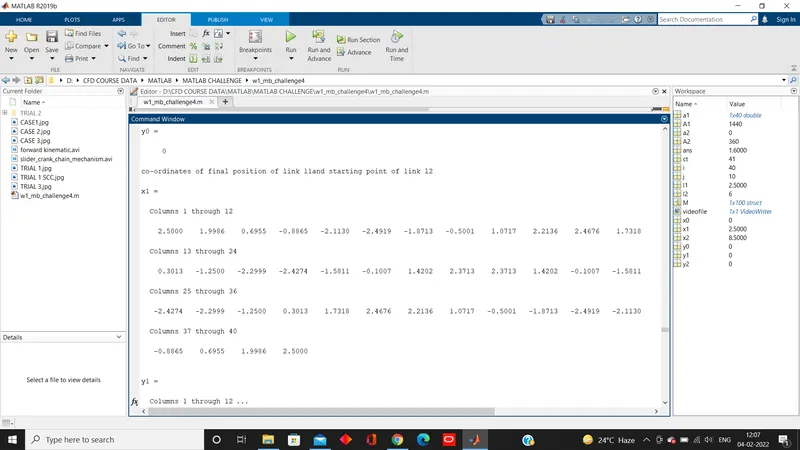
co-ordinates of final position of link l1and starting point of link l2
x1 =
Columns 1 through 12
2.5000 1.9986 0.6955 -0.8865 -2.1130 -2.4919 -1.8713 -0.5001 1.0717 2.2136 2.4676 1.7318
Columns 13 through 24
0.3013 -1.2500 -2.2999 -2.4274 -1.5811 -0.1007 1.4202 2.3713 2.3713 1.4202 -0.1007 -1.5811
Columns 25 through 36
-2.4274 -2.2999 -1.2500 0.3013 1.7318 2.4676 2.2136 1.0717 -0.5001 -1.8713 -2.4919 -2.1130
Columns 37 through 40
-0.8865 0.6955 1.9986 2.5000
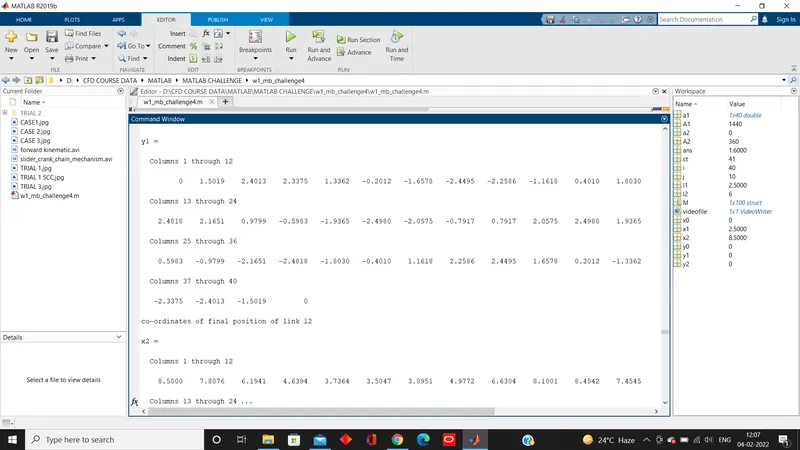
y1 =
Columns 1 through 12
0 1.5019 2.4013 2.3375 1.3362 -0.2012 -1.6578 -2.4495 -2.2586 -1.1618 0.4010 1.8030
Columns 13 through 24
2.4818 2.1651 0.9799 -0.5983 -1.9365 -2.4980 -2.0575 -0.7917 0.7917 2.0575 2.4980 1.9365
Columns 25 through 36
0.5983 -0.9799 -2.1651 -2.4818 -1.8030 -0.4010 1.1618 2.2586 2.4495 1.6578 0.2012 -1.3362
Columns 37 through 40
-2.3375 -2.4013 -1.5019 0
co-ordinates of final position of link l2
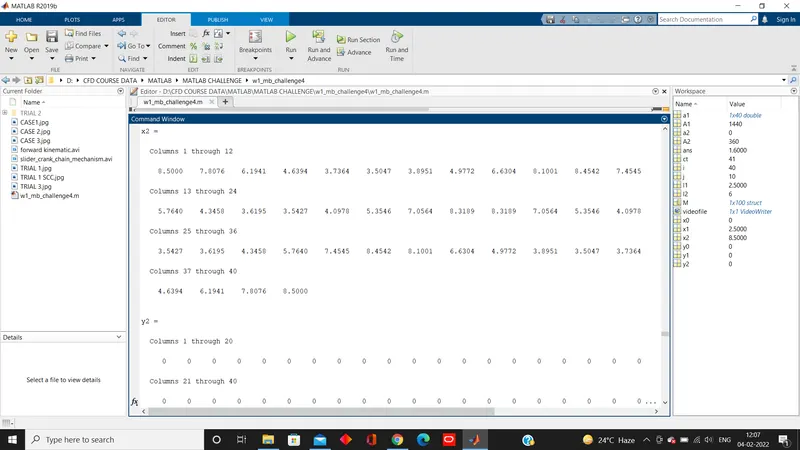
x2 =
Columns 1 through 12
8.5000 7.8076 6.1941 4.6394 3.7364 3.5047 3.8951 4.9772 6.6304 8.1001 8.4542 7.4545
Columns 13 through 24
5.7640 4.3458 3.6195 3.5427 4.0978 5.3546 7.0564 8.3189 8.3189 7.0564 5.3546 4.0978
Columns 25 through 36
3.5427 3.6195 4.3458 5.7640 7.4545 8.4542 8.1001 6.6304 4.9772 3.8951 3.5047 3.7364
Columns 37 through 40
4.6394 6.1941 7.8076 8.5000
y2 =
Columns 1 through 20
0 0 0 0 0 0 0 0 0 0 0 0 0 0 0 0 0 0 0 0
Columns 21 through 40
0 0 0 0 0 0 0 0 0 0 0 0 0 0 0 0 0 0 0 0
a2 =
0
M =
1×100 struct array with fields:
cdata
colormap
a2 =
-14.4958
M =
1×100 struct array with fields:
cdata
colormap
a2 =
-23.5917
M =
1×100 struct array with fields:
cdata
colormap
a2 =
-22.9290
M =
1×100 struct array with fields:
cdata
colormap
a2 =
-12.8673
M =
1×100 struct array with fields:
cdata
colormap
a2 =
1.9214
M =
1×100 struct array with fields:
cdata
colormap
a2 =
16.0396
M =
1×100 struct array with fields:
cdata
colormap
a2 =
24.0947
M =
1×100 struct array with fields:
cdata
colormap
a2 =
22.1132
M =
1×100 struct array with fields:
cdata
colormap
a2 =
11.1650
M =
1×100 struct array with fields:
cdata
colormap
a2 =
-3.8324
M =
1×100 struct array with fields:
cdata
colormap
a2 =
-17.4877
M =
1×100 struct array with fields:
cdata
colormap
a2 =
-24.4330
M =
1×100 struct array with fields:
cdata
colormap
a2 =
-21.1520
M =
1×100 struct array with fields:
cdata
colormap
a2 =
-9.3996
M =
1×100 struct array with fields:
cdata
colormap
a2 =
5.7228
M =
1×100 struct array with fields:
cdata
colormap
a2 =
18.8294
M =
1×100 struct array with fields:
cdata
colormap
a2 =
24.6030
M =
1×100 struct array with fields:
cdata
colormap
a2 =
20.0543
M =
1×100 struct array with fields:
cdata
colormap
a2 =
7.5820
M =
1×100 struct array with fields:
cdata
colormap
a2 =
-7.5820
M =
1×100 struct array with fields:
cdata
colormap
a2 =
-20.0543
M =
1×100 struct array with fields:
cdata
colormap
a2 =
-24.6030
M =
1×100 struct array with fields:
cdata
colormap
a2 =
-18.8294
M =
1×100 struct array with fields:
cdata
colormap
a2 =
-5.7228
M =
1×100 struct array with fields:
cdata
colormap
a2 =
9.3996
M =
1×100 struct array with fields:
cdata
colormap
a2 =
21.1520
M =
1×100 struct array with fields:
cdata
colormap
a2 =
24.4330
M =
1×100 struct array with fields:
cdata
colormap
a2 =
17.4877
M =
1×100 struct array with fields:
cdata
colormap
a2 =
3.8324
M =
1×100 struct array with fields:
cdata
colormap
a2 =
-11.1650
M =
1×100 struct array with fields:
cdata
colormap
a2 =
-22.1132
M =
1×100 struct array with fields:
cdata
colormap
a2 =
-24.0947
M =
1×100 struct array with fields:
cdata
colormap
a2 =
-16.0396
M =
1×100 struct array with fields:
cdata
colormap
a2 =
-1.9214
M =
1×100 struct array with fields:
cdata
colormap
a2 =
12.8673
M =
1×100 struct array with fields:
cdata
colormap
a2 =
22.9290
M =
1×100 struct array with fields:
cdata
colormap
a2 =
23.5917
M =
1×100 struct array with fields:
cdata
colormap
a2 =
14.4958
M =
1×100 struct array with fields:
cdata
colormap
a2 =
0
M =
1×100 struct array with fields:
cdata
colormap
[REFER ATTACHED/UPLOADED VIDEO FILE IN YOU TUBE]
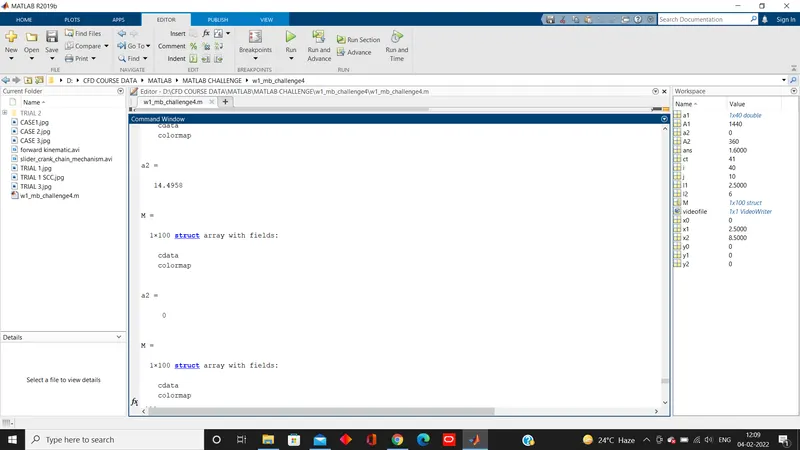
SCREENSHOT
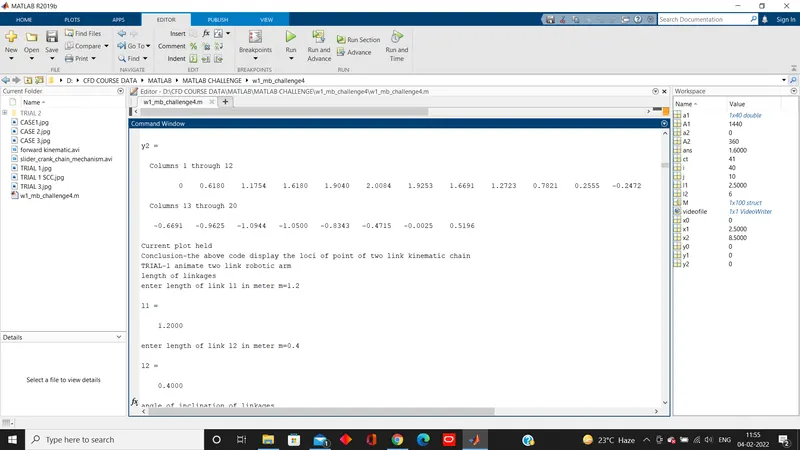
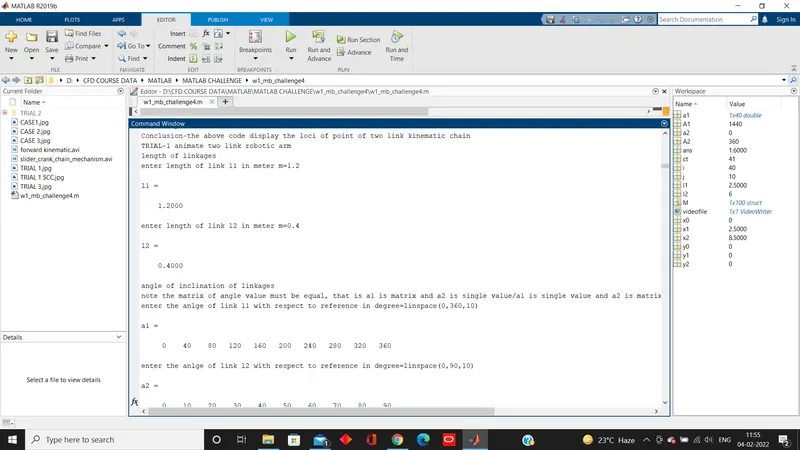
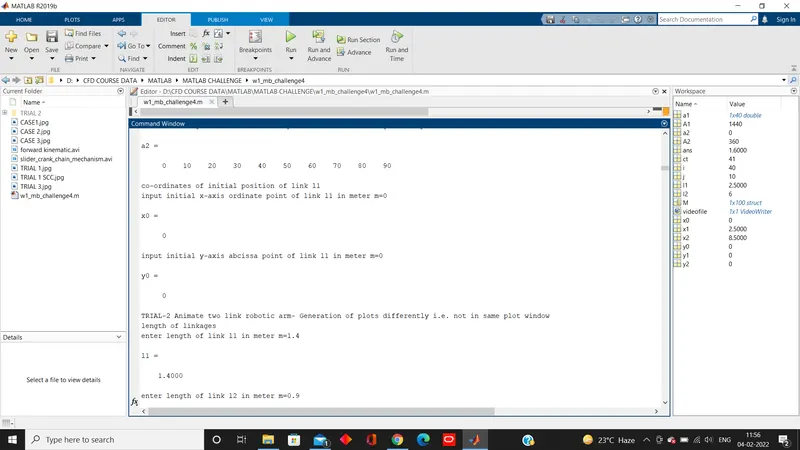
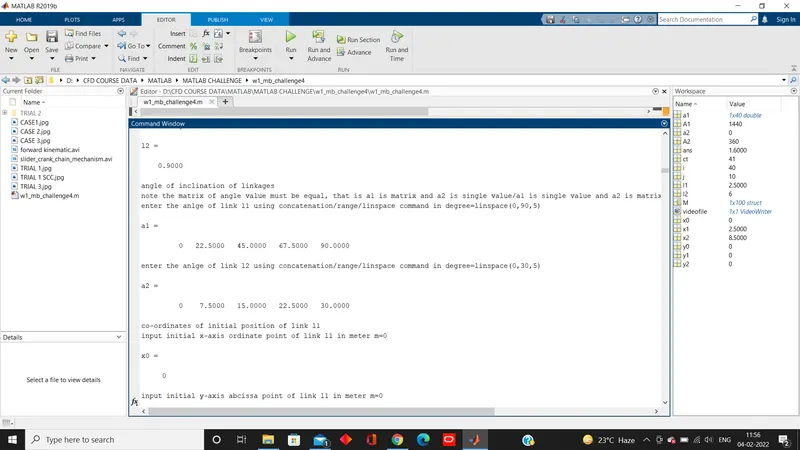
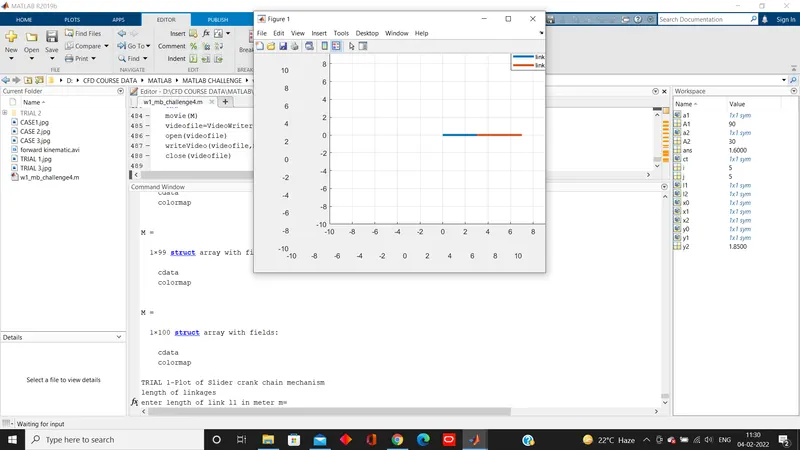
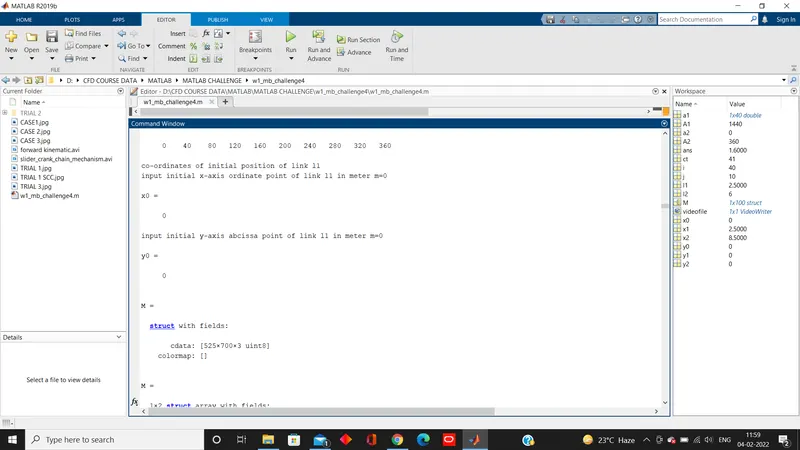
upto 1x 100 data
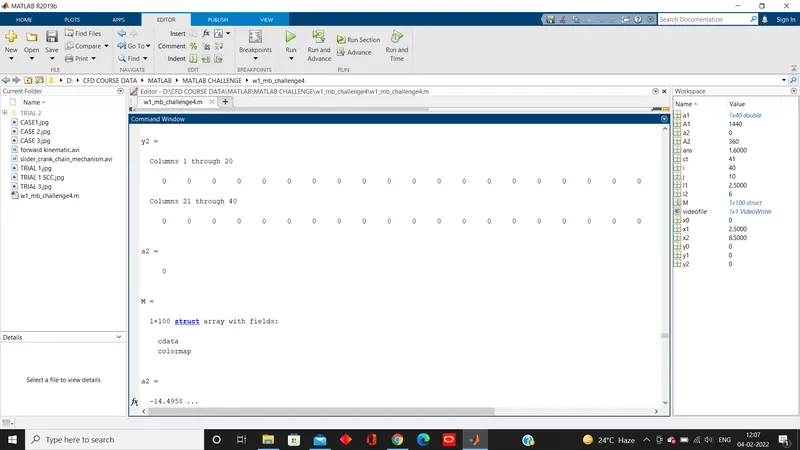
upto final iteration