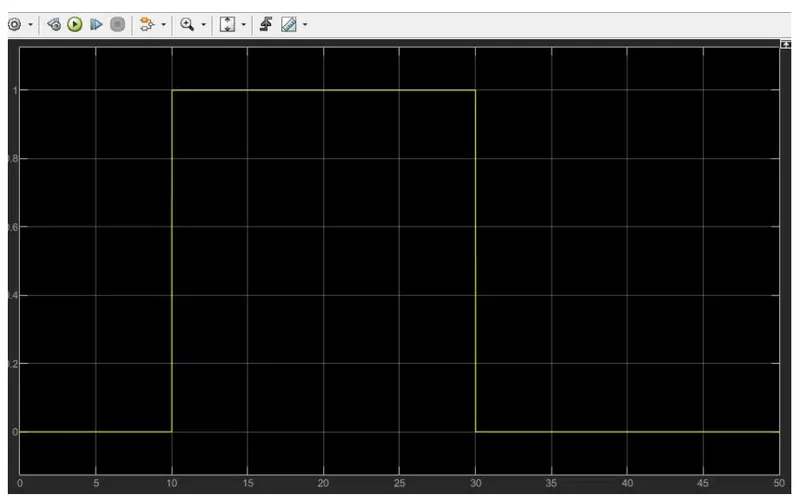
Week -2
Aim:
Make a Simulink model of Doorbell using solenoid block with the following details:
Simulink model:
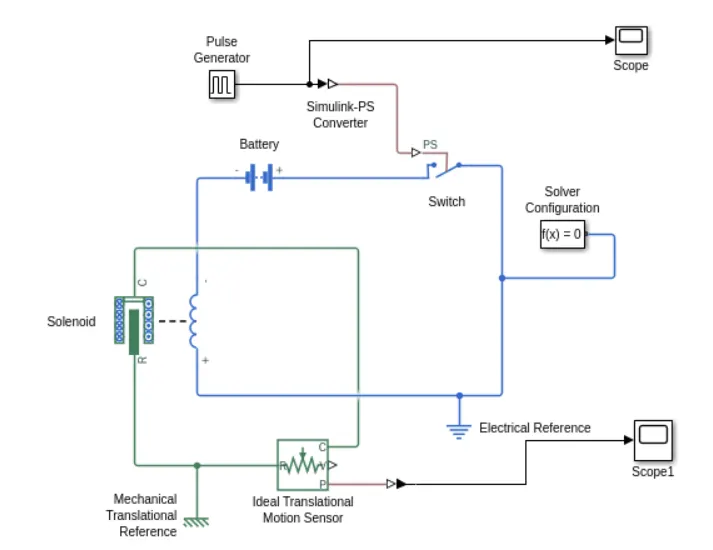
Simulink model explaination:
1.Pulse generator is used to create square wave pulses at regular intervals.
2.The switch block is used is controlled by external physical signal.
3.Positive terminal of switch is connected to to switch and that of negaive terminal is connected to electrical reference.
4.The solenoid block is also used which is connected with switch and the battery and we will get a complete electrical circuit.The port C is connected with mechanical reference..
5.Ideal translational motion sensor is also used is connected with solenoid block R .
6.Scope is connected with Ideal translational motion sensor to get the output.
7.PS- simulink converter is used to convert physical signal into simulink signal.
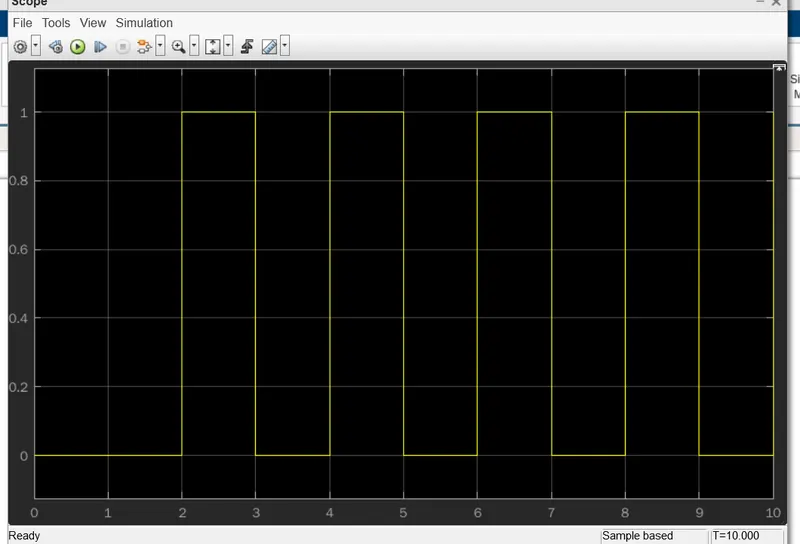
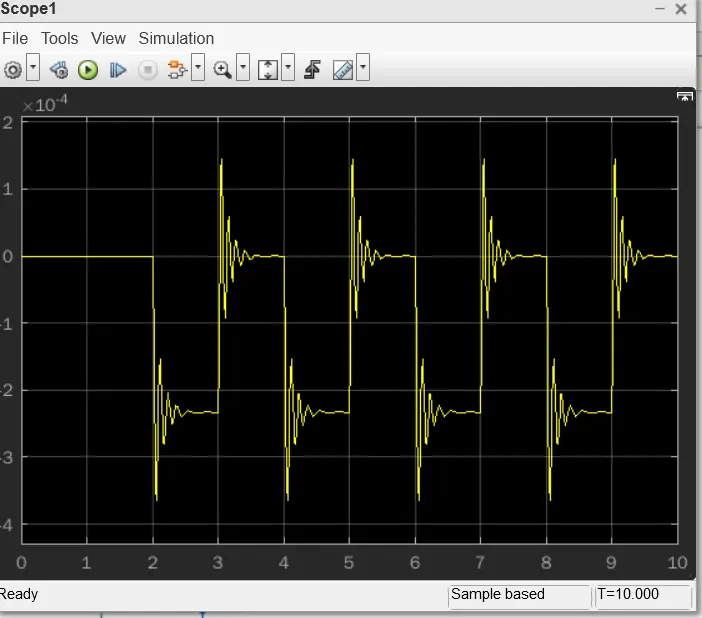
Results:
2.Use a thermistor to sense the temperature of a heater & turn on or turn off the fan as per the below conditions:
Temperature source: 20 °C from 0 to 10 seconds, 27 °C from 10 to 30 seconds, 23 °C from 30 to 50 seconds
Fan conditions: ON if the temperature above 25 °C, OFF otherwise
Simulink model :
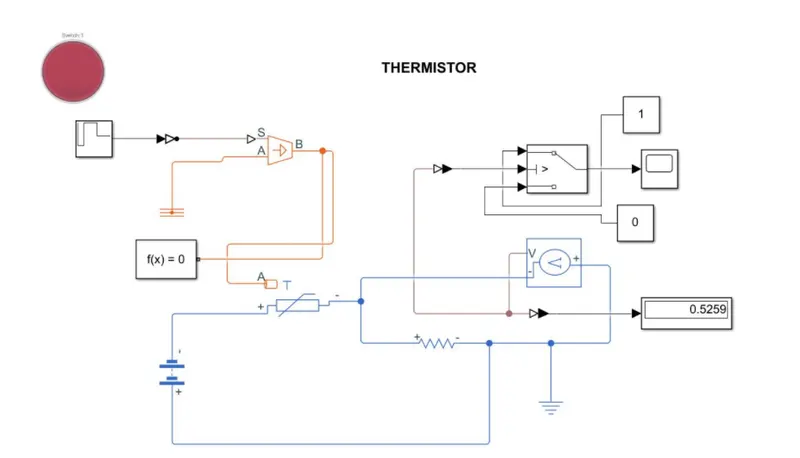
Simulink model explaination:
- Signal bilder is used to input the values as per given conditions
at point 1, time=0 sec, temp=293k
at point 2, time=10 sec, temp=293k
at point 3, time=10 sec, temp=300k
at point 4, time=30 sec, temp=300k
at point 5, time=30 sec, temp=296k
at point 6, time=50 sec, temp=296k
- Simulink-PS converter is used to convert simulink signal to physical signal.
- Controlled temp source is used to represent the ideal source of thermal energy. The temp difference is set by the physical signal port S.The B port is connected to thermistor.
- Thermistor is a type resistor whose resistance is based upon resistance. Positive terminal is connected with the battery.
- The linear resistor is used in order to control the amount current from the battery
- The voltage sensor is used to convert the voltage measured between two points into a physical signal.
- Voltage source is also used which is connected witth voltage source port V.
- Scope is used to display the results.
Result: