Week -2
Aim:
- To create a simulink model of doorbell using solenoid
- To create a simulink model using a thermistor to record temperature
Objective:
Doorbell
- To create a simulink model using solenoid block
- The condition used is to halt 2 secto observe the movement of plunger
Thermistor:
- To create a simulink modelusing thermistor block
- The thermistor is used to sense temperature of heater to turn ON or OFF the fan as per input conditions
Condition for Operation:
Doorbell model:
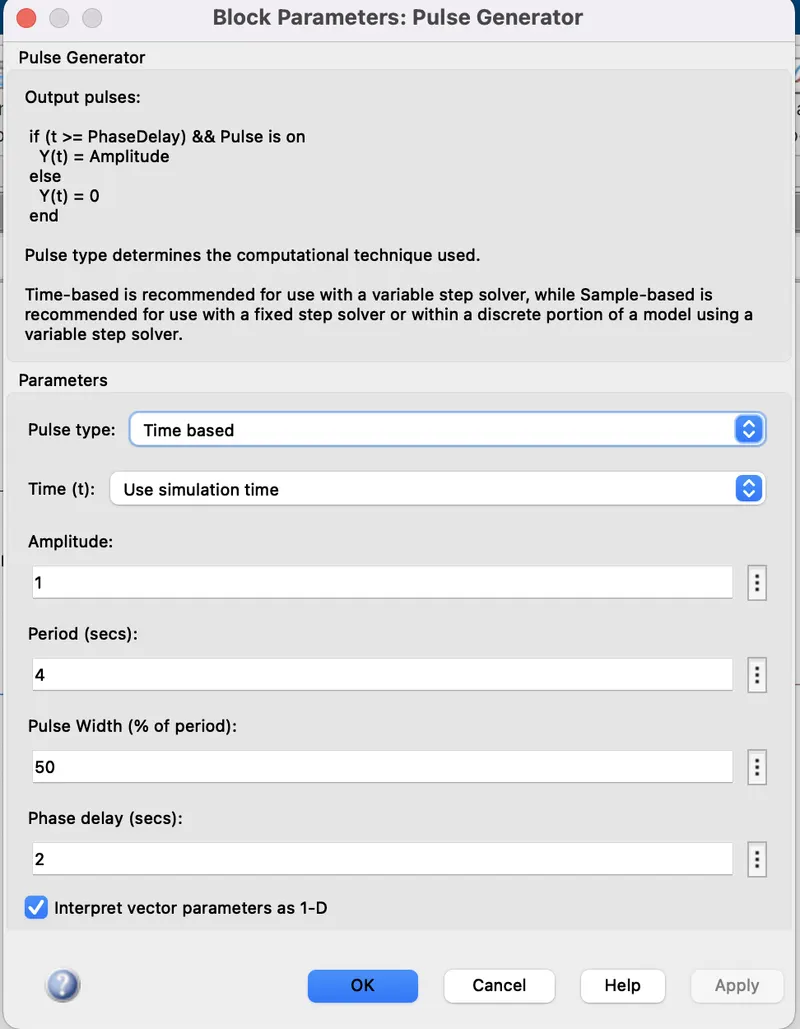
- The switch is closed for 2 seconds and it is released.
Thermistor model:
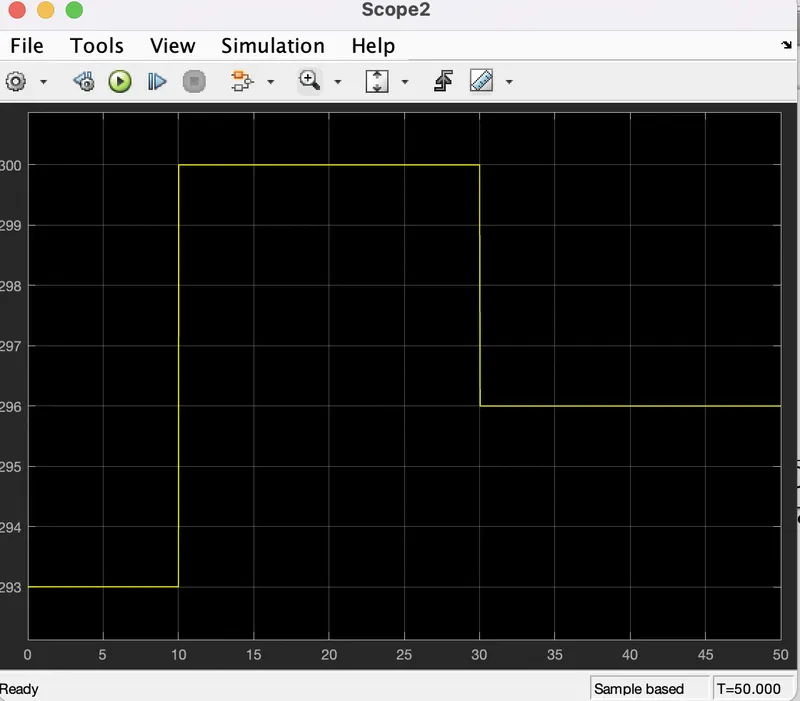
- Temperature source: 20 C from 0 to 10 seconds, 27 C from 10 to 30 seconds, 23 C from 30 to 50 seconds.
- Fan Conditions: ON if temperature > 25 C ,else OFF
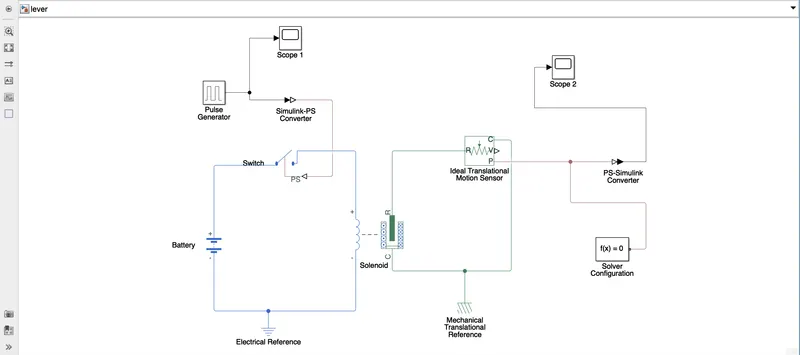
Doorbell simulink model:
Working:
- Pulse generator is used to give input condition
- Simulink to PS convertor is used to pass input signal from simulink to simscape block through the switch
- The input signal is given through switch and battery is connected to a solenoid to generate the magnetic field for plunger movement and switch is connected to electrical reference as ground.
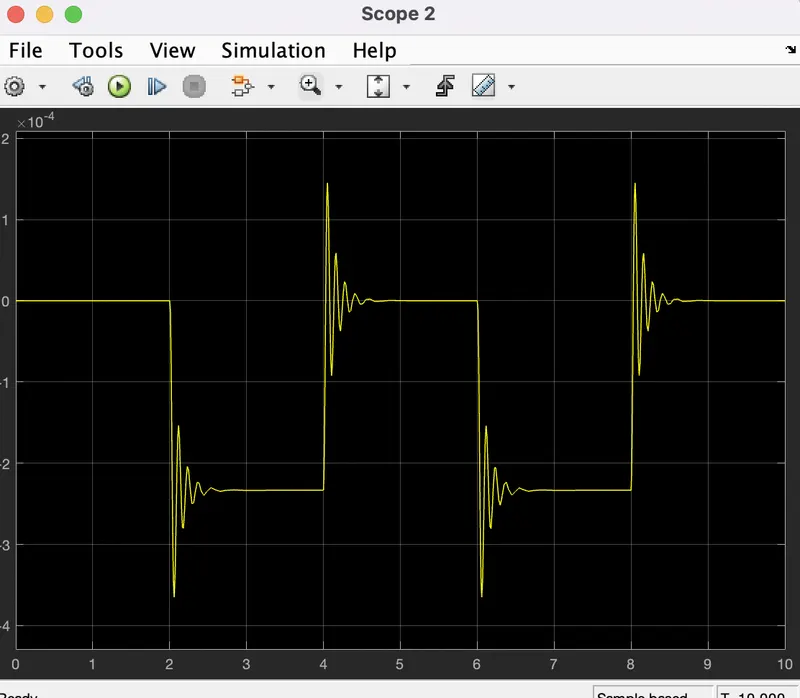
- The plunger movement is observed using the translational motion sensor
- The output of the solenoid block is given as inout to motion sensor whose output is observed through scope
- Translation reference block and solver configuration is used to solve the model with simscape block
- Display block shows the last value of output
Inputs:
Outputs:
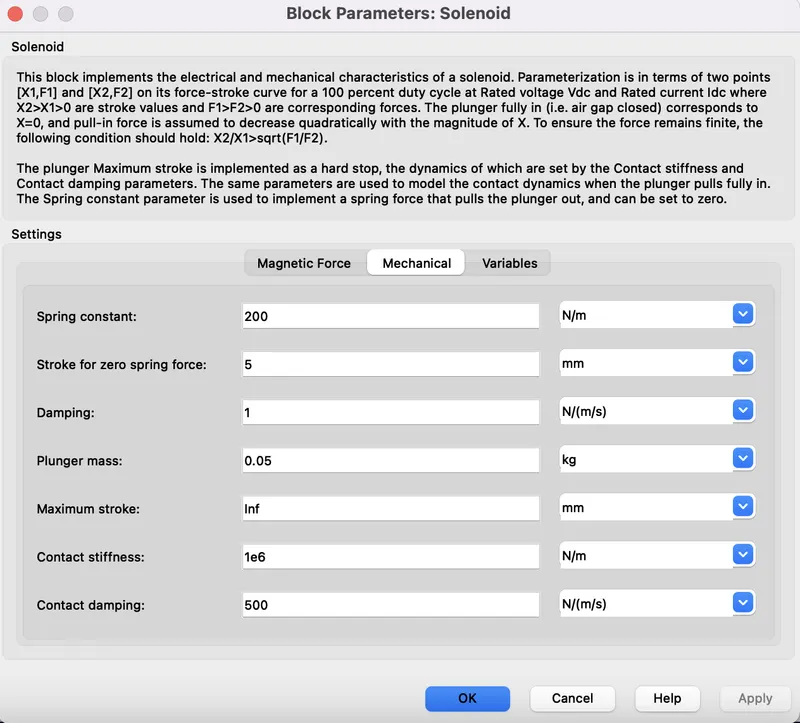
Solenoid value setting:
Plunger position:
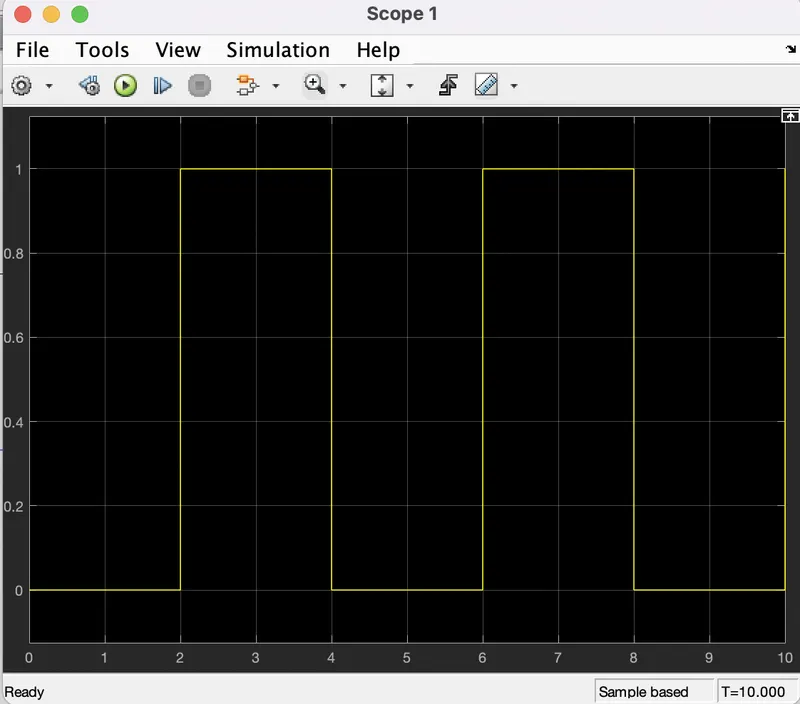
The value of damping is changed to eliminate the excessive oscillations and vibrations for smooth signal intensity. Thus by changing the input parameters to get smooth intensity signal.
Result:
The model is run for 10 seconds. The plunger will be at 0 position due to the time delay of 2 sec initially.Then the plunger will undergo displacement and again back to zero. The process repeats till the stop time of 10 seconds.
Thermistor Simulink model:
Working:
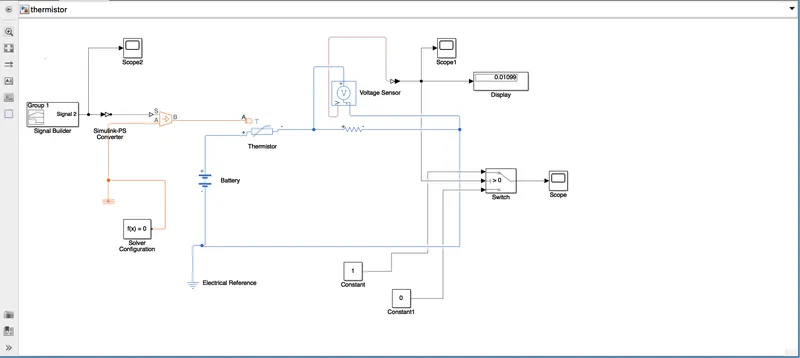
- NTC thermistor is used to sense temperature change in heater & turn on or turn off the fan
- The given temperature range the repeating sequence block is used with the sample time of 10 sec with the required temperature values.
- To convert the Simulink block to Simscape the simulink to PS converter is used to convert the physical signal to thermistor through temperature source
- The thermistor uses resistance for temperature sensing, a resistor is connected in series with thermistor and voltage is across the resistor by connecting voltage sensor parallel to resistor
- Battery is connected as an electric source reference
- Constant output for voltage sensor is 298K which is the threshold value for switch to turn the fan ON or OFF
- If the value is above 298 K then the switch is activated to turn the fan ON
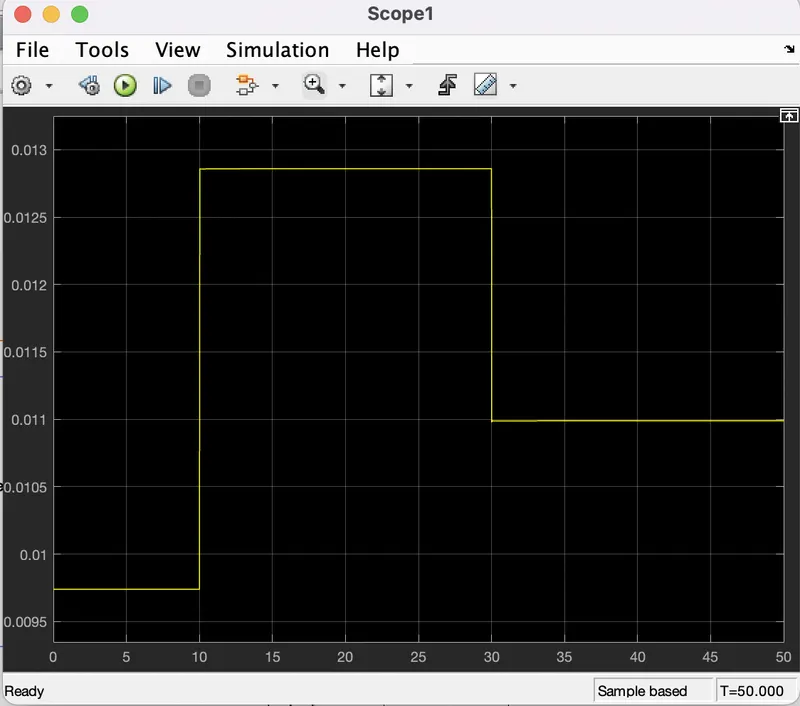
- When the temperature signal is greater than 298 K its resistance decreases and voltage increases
- Switch with 3 inputs is used and value of threshold is given in middle port
- Two constant blocks of 1 and 0 are connected to turn switch ON and OFF
- Now when condition is satisfied the switch will ON and the signal will be 1 which can be seen through scope
- Different reference blocks and solver configuration blocks are used to solve the simscape model
Inputs:
Output graphs:
Results:
- From the graph it is seen that fan is turned on if the temperature is above 25 C
- When it goes below then the fan is turned off