Week 12 - Symmetry vs Wedge vs HP equation
AIM: To make the simulation work with Symmetry Boundary Condition and To write a Matlab program that takes an angle as input and generates a blockMesh file for 10,25,45 angles.
In this challenge the blockMeshDict file specifies the symmetry boundary conditions for front and back face which generated by using Matlab.
Matlab Code for blockMeshDict file:
clear all
close all
clc

% Creating blockMeshDict file for wedge creation;

D = 0.025;           % Diamater of Pipe
Re = 1400;           % Reynolds Number
L = (0.06*Re*D);     % Length of Pipe
theta = 45;          % Angle

% File parsing for BlockMeshDict file;

f1 = fopen('blockMeshDict.txt','w');

fprintf(f1,'%s','/*--------------------------------*- C++ -*----------------------------------*');
fprintf(f1,'\n');
fprintf(f1,'%s','  =========                |');
fprintf(f1,'\n');
fprintf(f1,'%s','  \      /  F ield         | OpenFOAM: The Open Source CFD Toolbox');
fprintf(f1,'\n');
fprintf(f1,'%s','   \    /   O peration     | Website:  https://openfoam.org');
fprintf(f1,'\n');
fprintf(f1,'%s','    \  /    A nd           | Version:  6');
fprintf(f1,'\n');
fprintf(f1,'%s','     \/     M anipulation  |');
fprintf(f1,'\n');
fprintf(f1,'%s','*---------------------------------------------------------------------------*/');
fprintf(f1,'\n');
fprintf(f1,'%s','FoamFile');
fprintf(f1,'\n');
fprintf(f1,'%s','{');
fprintf(f1,'\n');
fprintf(f1,'%s','    version     2.0;');
fprintf(f1,'\n');
fprintf(f1,'%s','    format      ascii;');
fprintf(f1,'\n');
fprintf(f1,'%s','    class       dictionary;');
fprintf(f1,'\n');
fprintf(f1,'%s','    object      blockMeshDict;');
fprintf(f1,'\n');
fprintf(f1,'%s','}');
fprintf(f1,'\n');
fprintf(f1,'%s','// * * * * * * * * * * * * * * * * * * * * * * * * * * * * * * * * * * * * * //');
fprintf(f1,'\n');
fprintf(f1,'\n');
fprintf(f1,'%s','convertToMeters 1;');
fprintf(f1,'\n');
fprintf(f1,'\n');

% vertice creation;
fprintf(f1,'%s','vertices');
fprintf(f1,'\n');
fprintf(f1,'(\n');
fprintf(f1,'    (%d %d %d)\n',0,0,0);
fprintf(f1,'    (%d %d %d)\n',0,(D/2)*cosd(theta/2),(D/2)*sind(theta/2));
fprintf(f1,'    (%d %d %d)\n',0,(D/2)*cosd(theta/2),-(D/2)*sind(theta/2));
fprintf(f1,'    (%d %d %d)\n',L,0,0);
fprintf(f1,'    (%d %d %d)\n',L,(D/2)*cosd(theta/2),(D/2)*sind(theta/2));
fprintf(f1,'    (%d %d %d)\n',L,(D/2)*cosd(theta/2),-(D/2)*sind(theta/2));
fprintf(f1,');\n');

% Block creation;
fprintf(f1,'blocks\n');
fprintf(f1,'(\n');
fprintf(f1,'    hex (0 3 5 2 0 3 4 1) (400 20 1) simpleGrading (%d %d %d)\n',1,0.1,1);
fprintf(f1,');\n');

% Edge creation;
fprintf(f1,'edges\n');
fprintf(f1,'(\n');
fprintf(f1,'    arc 1 2 (0 %d 0)\n',D/2);
fprintf(f1,'    arc 4 5 (%d %d 0)\n',L,D/2);
fprintf(f1,');\n');

% Boundary creation;
fprintf(f1,'boundary\n');
fprintf(f1,'(\n');

%inlet face;
fprintf(f1,'    inletwall\n');
fprintf(f1,'    {\n');
fprintf(f1,'        type patch;\n');
fprintf(f1,'        faces\n');
fprintf(f1,'        (\n');
fprintf(f1,'            (0 1 2 0)\n');
fprintf(f1,'        );\n');
fprintf(f1,'    }\n');

%Outlet face;
fprintf(f1,'    outletwall\n');
fprintf(f1,'    {\n');
fprintf(f1,'        type patch;\n');
fprintf(f1,'        faces\n');
fprintf(f1,'        (\n');
fprintf(f1,'            (3 4 5 3)\n');
fprintf(f1,'        );\n');
fprintf(f1,'    }\n');

%Top face;
fprintf(f1,'    Noslipwall\n');
fprintf(f1,'    {\n');
fprintf(f1,'        type wall;\n');
fprintf(f1,'        faces\n');
fprintf(f1,'        (\n');
fprintf(f1,'            (1 2 5 4)\n');
fprintf(f1,'        );\n');
fprintf(f1,'    }\n');

%symmetry front;
fprintf(f1,'    front\n');
fprintf(f1,'    {\n');
fprintf(f1,'        type symmetry;\n');
fprintf(f1,'        faces\n');
fprintf(f1,'        (\n');
fprintf(f1,'            (1 0 3 4)\n');
fprintf(f1,'        );\n');
fprintf(f1,'    }\n');

%symmetry back;
fprintf(f1,'    back\n');
fprintf(f1,'    {\n');
fprintf(f1,'        type symmetry;\n');
fprintf(f1,'        faces\n');
fprintf(f1,'        (\n');
fprintf(f1,'            (2 5 3 0)\n');
fprintf(f1,'        );\n');
fprintf(f1,'    }\n');

%wedge axis;
fprintf(f1,'    axis\n');
fprintf(f1,'    {\n');
fprintf(f1,'        type empty;\n');
fprintf(f1,'        faces\n');
fprintf(f1,'        (\n');
fprintf(f1,'            (0 3 3 0)\n');
fprintf(f1,'        );\n');
fprintf(f1,'    }\n');
fprintf(f1,');\n');

%Patchpairs;
fprintf(f1,'mergePatchPairs\n');
fprintf(f1,'(\n');
fprintf(f1,');\n')

fprintf(f1,'// ************************************************************************* //');

fclose(f1);
blockMeshDict:
The blockMeshDict file generated by above Matlab code is shown below:
/*--------------------------------*- C++ -*----------------------------------*
  =========                |
  \      /  F ield         | OpenFOAM: The Open Source CFD Toolbox
   \    /   O peration     | Website:  https://openfoam.org
    \  /    A nd           | Version:  6
     \/     M anipulation  |
*---------------------------------------------------------------------------*/
FoamFile
{
    version     2.0;
    format      ascii;
    class       dictionary;
    object      blockMeshDict;
}
// * * * * * * * * * * * * * * * * * * * * * * * * * * * * * * * * * * * * * //

convertToMeters 1;

vertices
(
    (0 0 0)
    (0 0.0115485 0.00478354)
    (0 0.0115485 -0.00478354)
    (2.1 0 0)
    (2.1 0.0115485 0.00478354)
    (2.1 0.0115485 -0.00478354)
);

blocks
(
    hex (0 3 5 2 0 3 4 1) (400 20 1) simpleGrading (1 0.1 1)
);

edges
(
    arc 1 2 (0 0.0125 0)
    arc 4 5 (2.1 0.0125 0)
);

boundary
(
    inletWall
    {
        type patch;
        faces
        (
            (0 1 2 0)
        );
    }
    outletWall
    {
        type patch;
        faces
        (
            (3 4 5 3)
        );
    }
    Noslipwall
    {
        type wall;
        faces
        (
            (1 2 5 4)
        );
    }
    front
    {
        type symmetry;
        faces
        (
            (1 0 3 4)
        );
    }
    back
    {
        type symmetry;
        faces
        (
            (2 5 3 0)
        );
    }
    axis
    {
        type empty;
        faces
        (
            (0 3 3 0)
        );
    }
);

mergePatchPairs
(
);

// ************************************************************************* //
controlDict file:
/*--------------------------------*- C++ -*----------------------------------*\
  =========                 |
  \\      /  F ield         | OpenFOAM: The Open Source CFD Toolbox
   \\    /   O peration     | Website:  https://openfoam.org
    \\  /    A nd           | Version:  8
     \\/     M anipulation  |
\*---------------------------------------------------------------------------*/
FoamFile
{
    version     2.0;
    format      ascii;
    class       dictionary;
    location    "system";
    object      controlDict;
}
// * * * * * * * * * * * * * * * * * * * * * * * * * * * * * * * * * * * * * //

application     icoFoam;

startFrom       startTime;

startTime       0;

stopAt          endTime;

endTime         0.1;

deltaT          0.001;

writeControl    timeStep;

writeInterval   20;

purgeWrite      0;

writeFormat     ascii;

writePrecision  6;

writeCompression off;

timeFormat      general;

timePrecision   6;

runTimeModifiable true;


// ************************************************************************* //
Velocity file:
/*--------------------------------*- C++ -*----------------------------------*\
  =========                 |
  \\      /  F ield         | OpenFOAM: The Open Source CFD Toolbox
   \\    /   O peration     | Website:  https://openfoam.org
    \\  /    A nd           | Version:  8
     \\/     M anipulation  |
\*---------------------------------------------------------------------------*/
FoamFile
{
    version     2.0;
    format      ascii;
    class       volVectorField;
    object      U;
}
// * * * * * * * * * * * * * * * * * * * * * * * * * * * * * * * * * * * * * //

dimensions      [0 1 -1 0 0 0 0];

internalField   uniform (0.05 0 0);

boundaryField
{
    inletWall
    {
        type            fixedValue;
        value           uniform (1 0 0);
    }

    outletWall
    {
        type            zeroGradient;
    }

    Noslipwall
    {
        type            fixedValue;
        value		 uniform (0 0 0);
    }

    front
    {
        type            symmetry;
    }

    back
    {
        type            symmetry;
    }

    axis
    {
        type            empty;
    }
}

// ************************************************************************* //
Pressure file:
/*--------------------------------*- C++ -*----------------------------------*\
  =========                 |
  \\      /  F ield         | OpenFOAM: The Open Source CFD Toolbox
   \\    /   O peration     | Website:  https://openfoam.org
    \\  /    A nd           | Version:  8
     \\/     M anipulation  |
\*---------------------------------------------------------------------------*/
FoamFile
{
    version     2.0;
    format      ascii;
    class       volScalarField;
    object      p;
}
// * * * * * * * * * * * * * * * * * * * * * * * * * * * * * * * * * * * * * //

dimensions      [0 2 -2 0 0 0 0];

internalField   uniform 0;

boundaryField
{
    inletWall
    {
        type            zeroGradient;
    }

    outletWall
    {
        type            fixedValue;
        value		 uniform 1;
    }

    Noslipwall
    {
        type            zeroGradient;
    }

    front
    {
        type            symmetry;
    }

    back
    {
        type            symmetry;
    }

    axis
    {
        type            empty;
    }
}

// ************************************************************************* //
Angle 10 results:
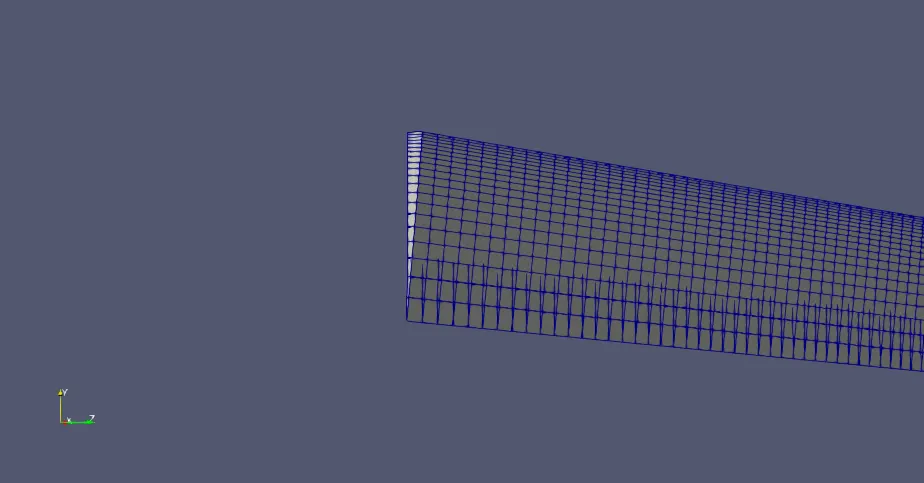
The blockMesh generated for angle 10 and the results of velocity and pressure are shown below:
The velocity at angle 10 is
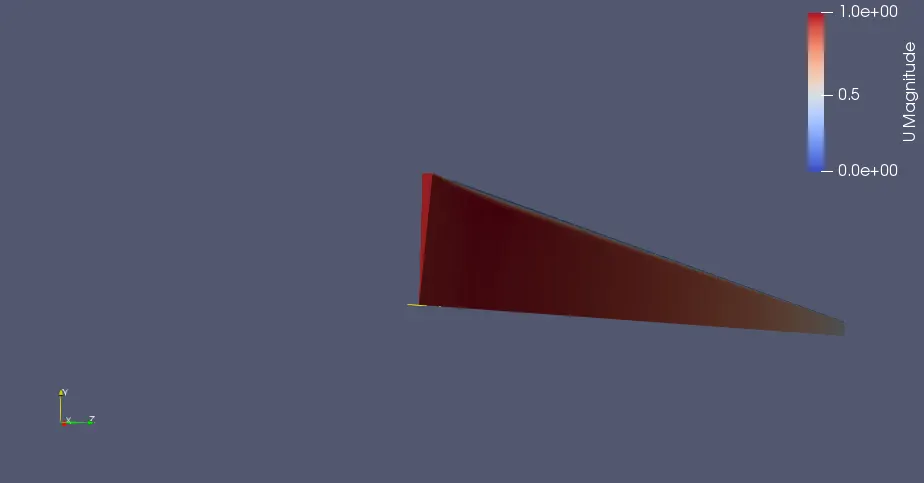
initial velocity plot
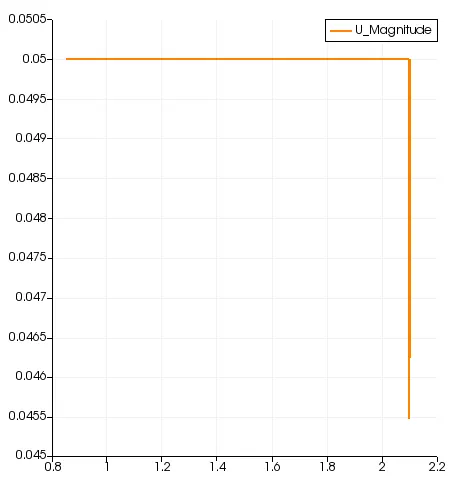
The variations in velocity can be observed by the plot which changed from 0.05 to 0.7.
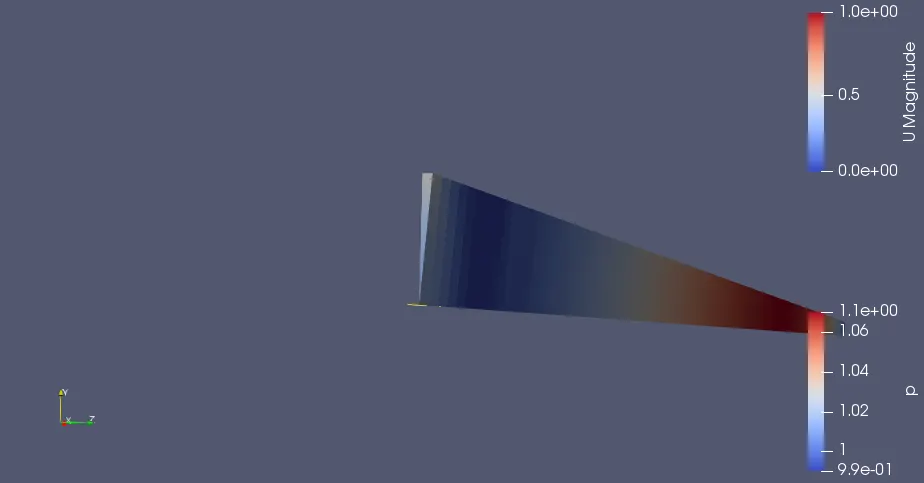
Pressure variation:
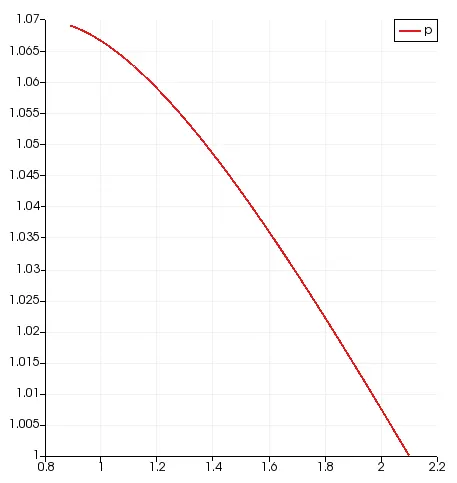
Angle 25 results:
The velocity at angle 25
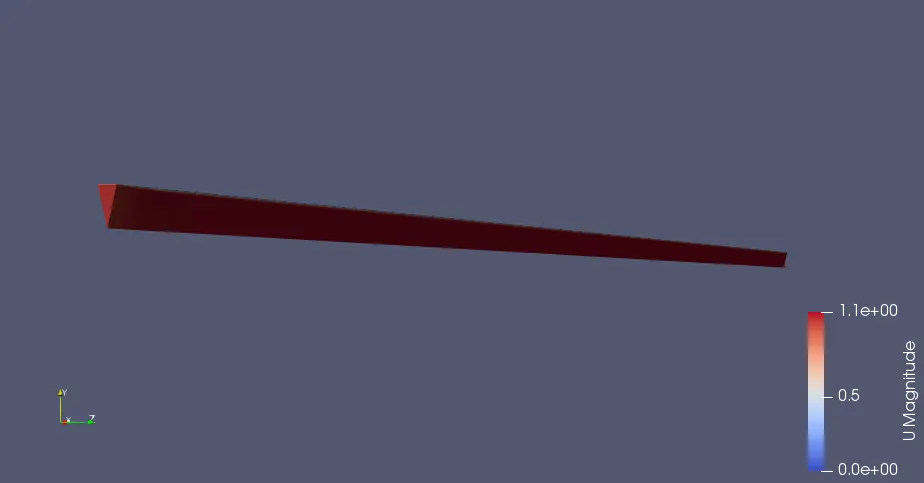
velocity plot
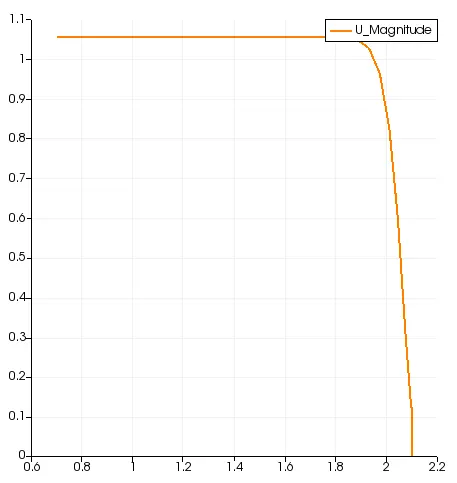
The variations in velocity can be observed by the plot which changed from 0.7 at angle 10 to 1.
Pressure at angle 25
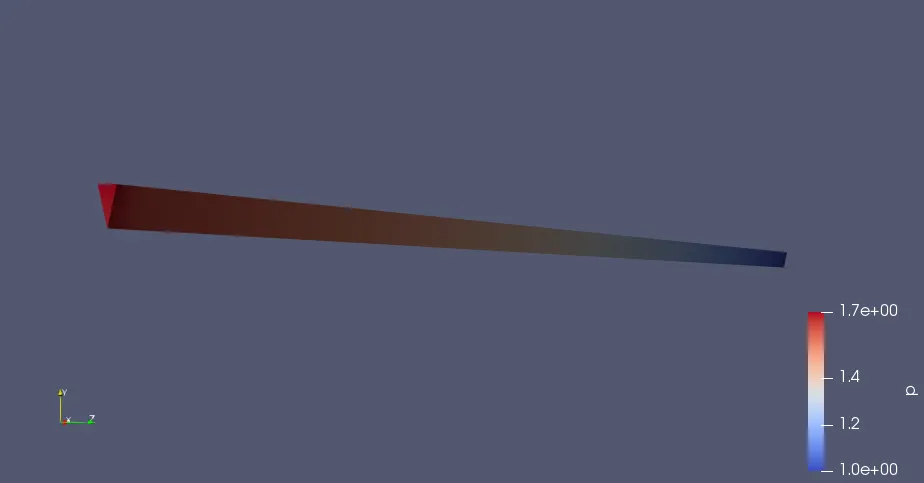
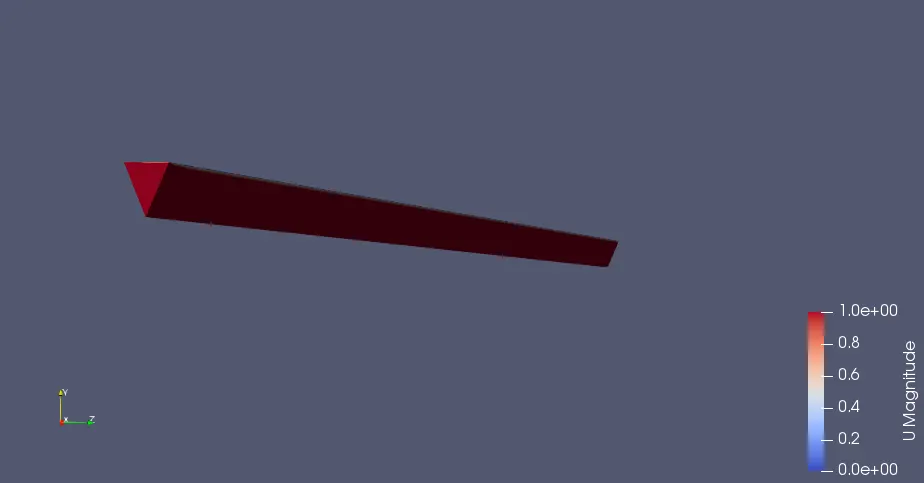
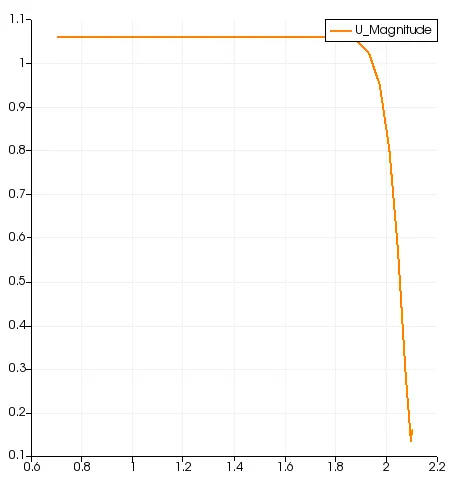
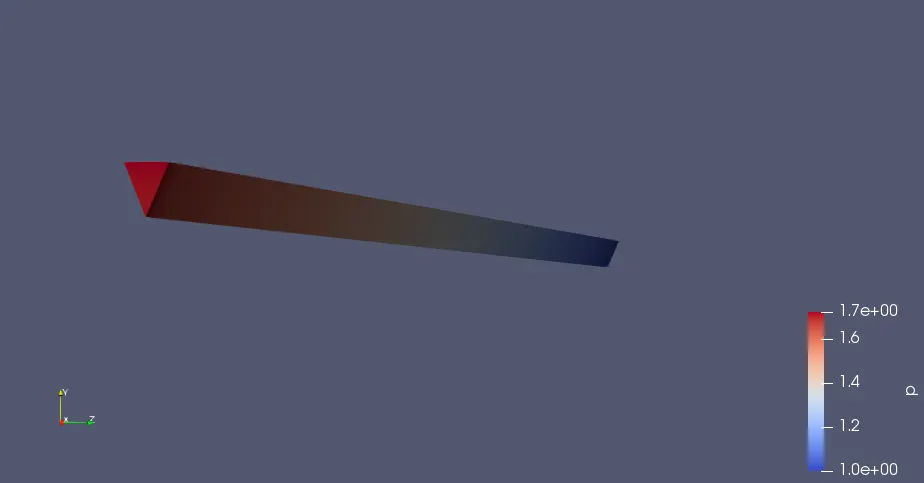
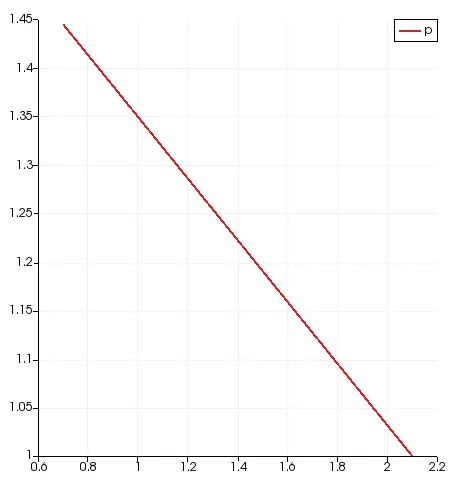
Angle 45:
Velocity variation
Pressure variation
| Angle | Mean Courant Number | Max Courant Number |
| 10 | 0.0166265 | 0.0976473 |
| 25 | 0.190737 | 0.257107 |
| 45 | 0.190749 | 0.264487 |
Observation:
The velocity from different angles resulted the same values.
The execution time and clock time are different for each angles.