Week 12:Project 2-Meshing of Rear Wheel Holder challenge
aim :
Follow the below-mentioned quality criteria, mesh the component given below and assign thickness:
Target Element Length = 5 Units
|
S.N |
Quality Criteria |
Value |
|
1 |
Aspect Ratio |
5 |
|
2 |
Skewness |
45 |
|
3 |
Warping |
15 |
|
4 |
Taper |
0.5 |
|
5 |
Min. Length |
2 Units |
|
6 |
Max. Length |
8 Units |
|
7 |
Min angle Quad |
45 |
|
8 |
Max angle Quad |
135 |
|
9 |
Min angle Tria |
20 |
|
10 |
Max angle Tria |
120 |
|
10 |
Tria % |
10 |
model :
prcedure:
- Import the model in hypermesh using import geometry option.
- delete if solids are present in the geometry. delete them
- check if the geometry has and any face has discrepancy such as missing face or something. if missing face is there generate it uisng geom--> surfaces
- extract mid surface using offset option as it gives better results than the skin method.
- feed the quality and parameter criteria and save it as a file. in parameter file give fillet radius less than min element length.
- feed the criteria and parameter file in 2D-->automesh-->batchmesh.
- generate mesh. after generating mesh go to topology revision option in preferences select dissociate mesh.
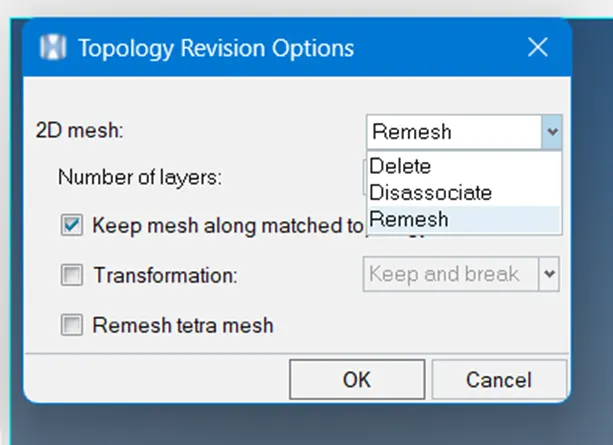
- delete the elements when and where rebuild mesh is not giving good result .
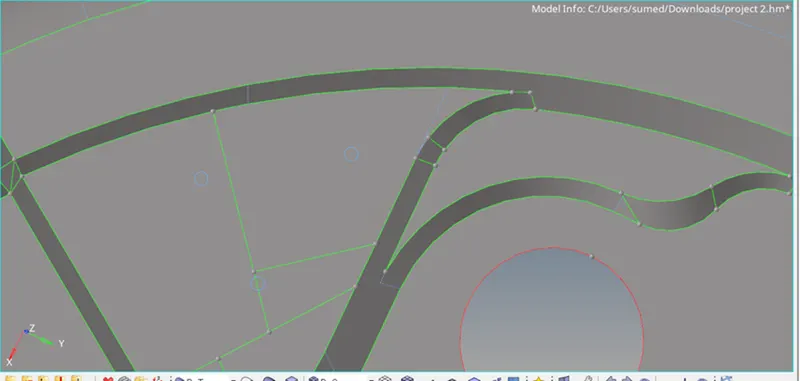
- at some places turn on topology revison to remesh and make split for getting good mesh flow.
- for the region where the is no associativity of mesh with surface orspliting the surface is creating the duplicated there make make lines with option fromfe.
- then trim the surfaces with lines keppiing along line normal.
- mesh the surface using automesh. and use edge edit--> comands element preview eq functionality to to stich the mesh. for elements which are not stitched by edge edit stich them by using replace command in 2D.

- use edit element split command to split diamond quads into two tria, and two quads. use the same option to move tria forward.
- use command in quality index --> cleanup tools , like swap drag tia , element optimise node optimise replace nodes etc.
- another way to split quad is using split collapsed edge option in element cleanup tool.
- make sure there is good mesh flow, to make mesh flow smoother use smooth element.
- for directional changes in mesh flow split the surface in mesh flow direction and remesh it
- for min distance and max distance element failure use distance command if element cleanup tool does not work.
- repeat the process until a good mesh flow is achieved.
- model pictures .
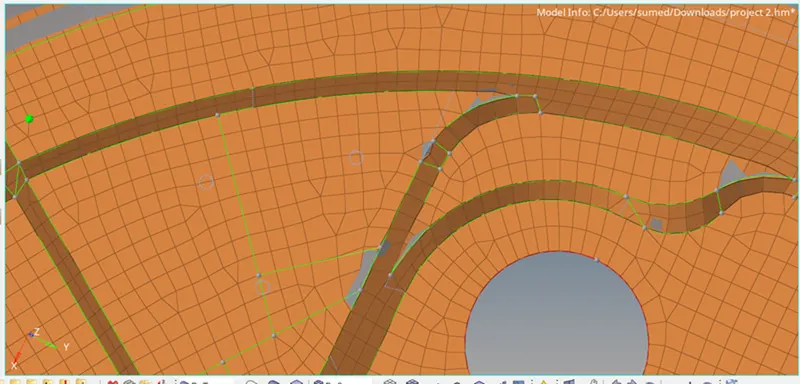
- mesh flow after splits.
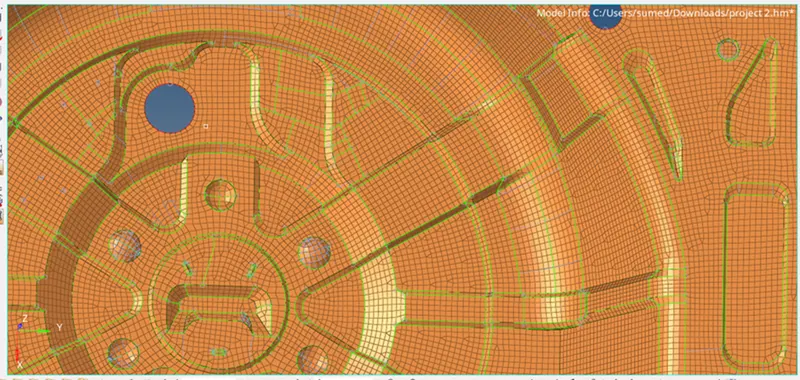
CONCLUSION: By doing this project we learnt how to mesh sheet metal components .