Week 12:Project 2-Meshing of Rear Wheel Holder challenge
Rear Wheel Holder model
Aim:
To mesh the Rear Wheel holder challenge by satisfying the quality criteria with proper mesh flow.
Procedure:
- Geometric Cleanup of the given Rear wheel Holder model
- Thickness measurement ( To identify whether it is a sheet metal or plastic component to prefer the mid surface extraction method)
- Mid surface Extraction – Automid(Offset Option)
- Geometric cleanup of the mid surface extracted model
- Setting quality criteria
- 2D mesh the given model
- Mesh cleanup to achive proper mesh flow as well to satisfy quality criteria.
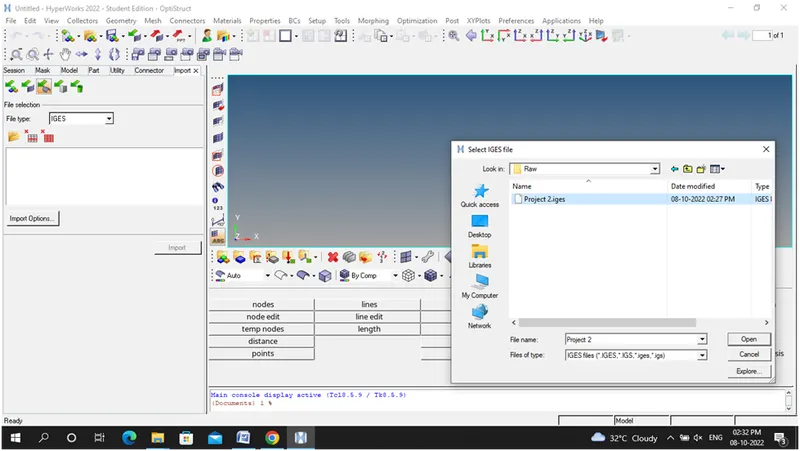
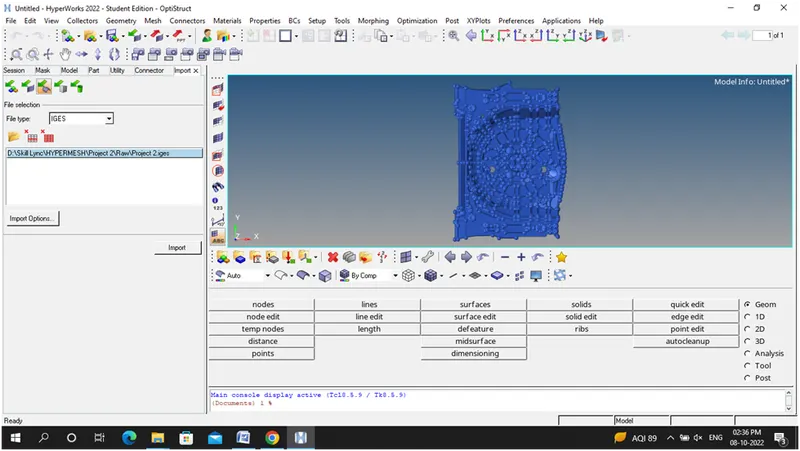
Step 1: Import the given IGES model-Rear wheel Holder
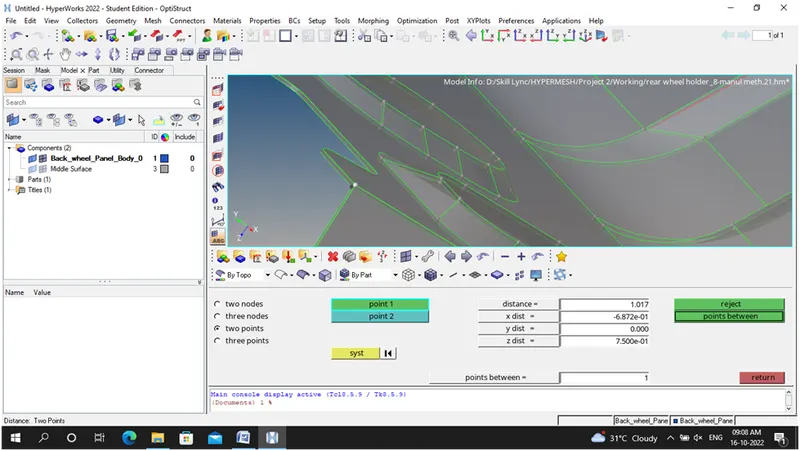
Step 2: checking the thickness of the given model using distance option
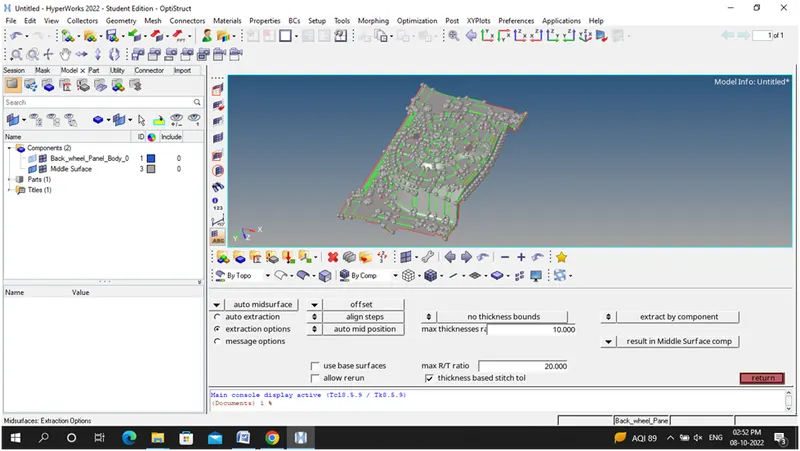
Step 3:Mid Surface extracted using Automid extraction –offset option
Step 4: Model Cleanup Procedure
i)Cleanup the model using quick edit panel –toggle option, create surface
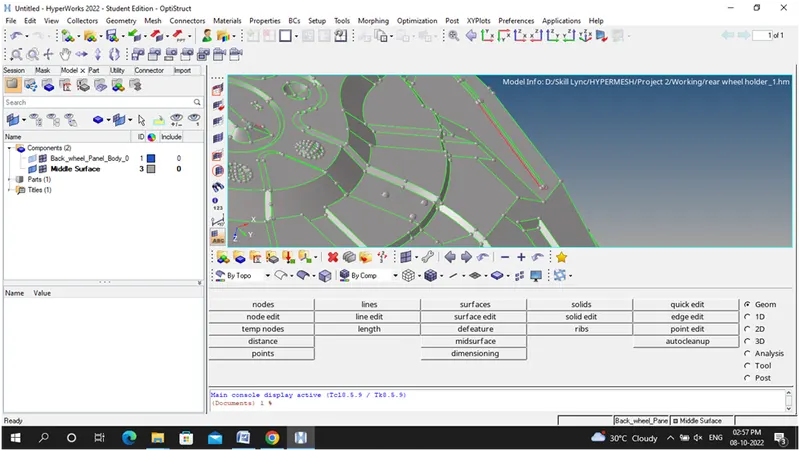
ii) Removing the button areas to avoid quality failures
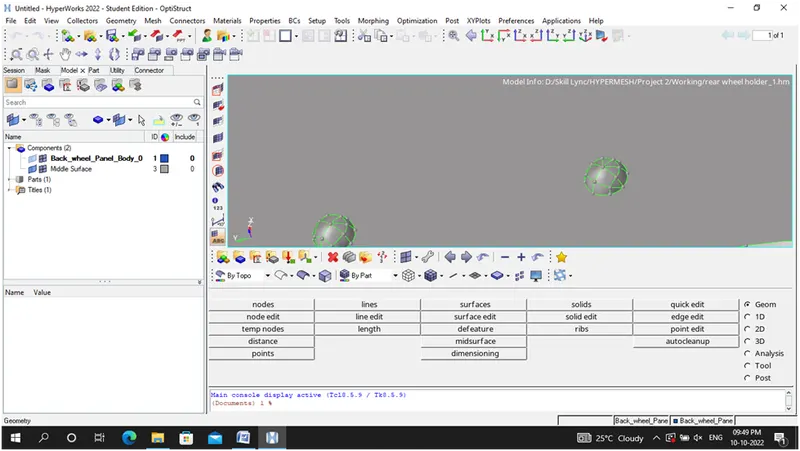
iii) Delete the selected above surfaces
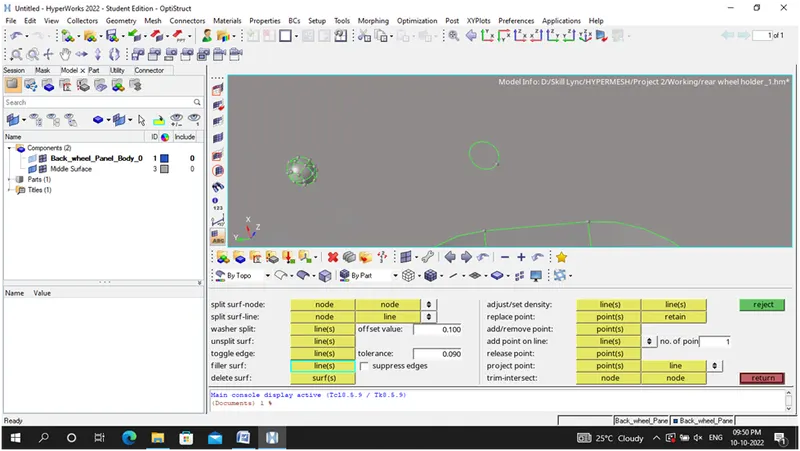
Quick edit panel –Filler surface and Toggle it
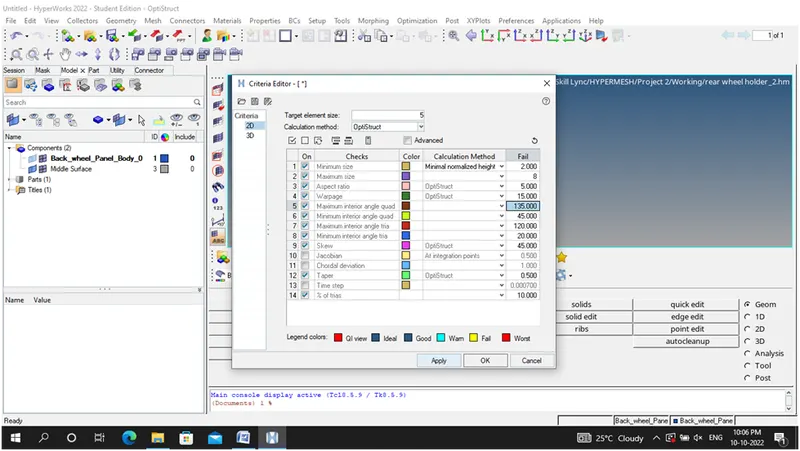
Step 5: Setting the given quality criteria using Preferences criteria tab
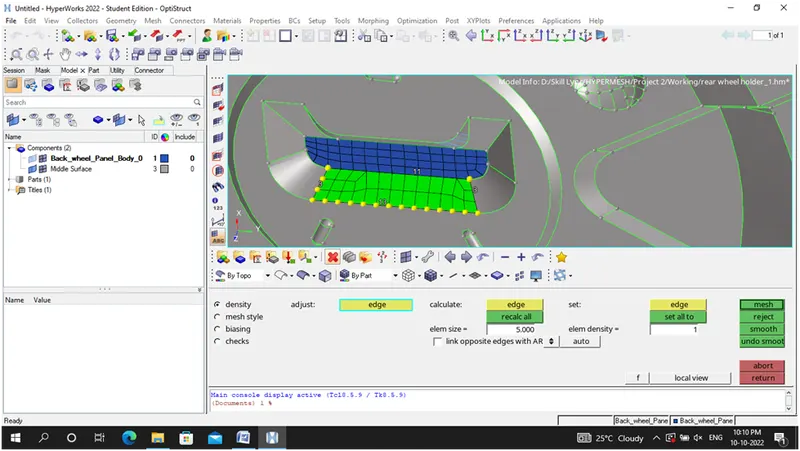
Step 6: Meshing the surface area by area
i)Make the numbers even to make the possible elements as quad, avoid more trias and to achieve proper mesh flow
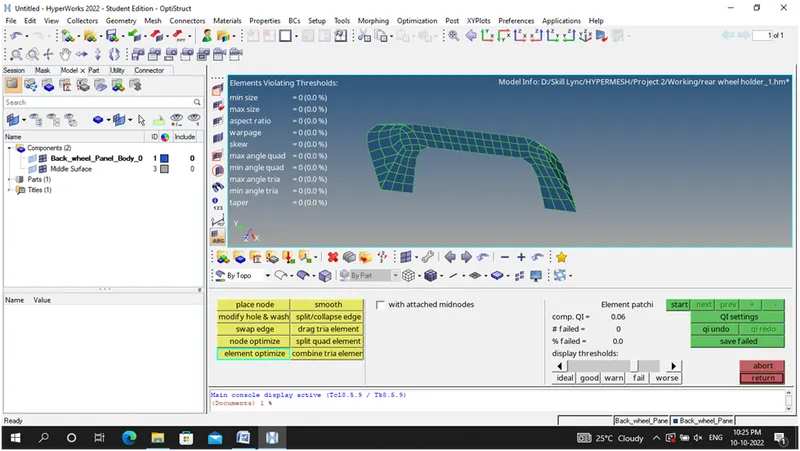
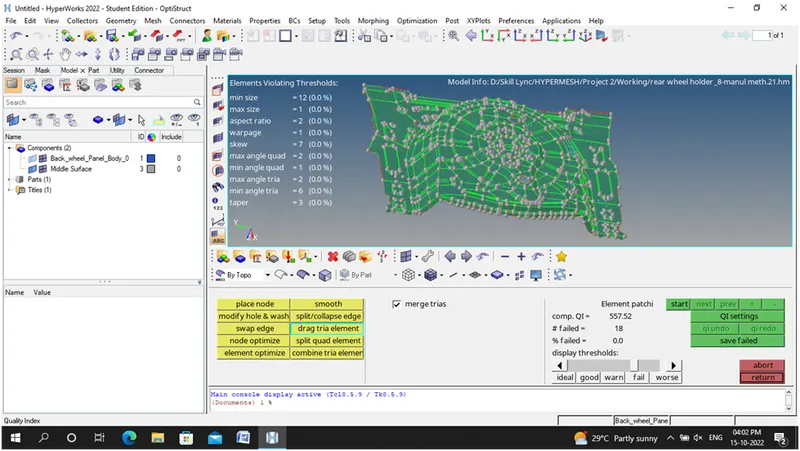
ii) Capturing the elements area by area and checking the quality criteria using quality index tab
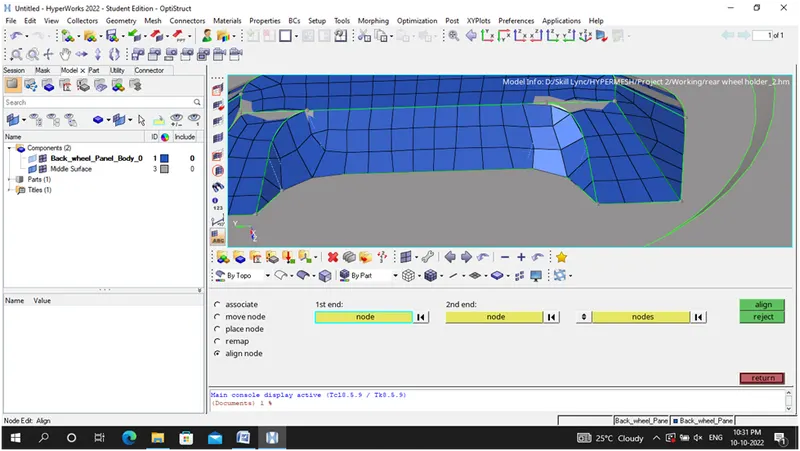
iii)Align node option is used align the elements which are deviated from feature lines
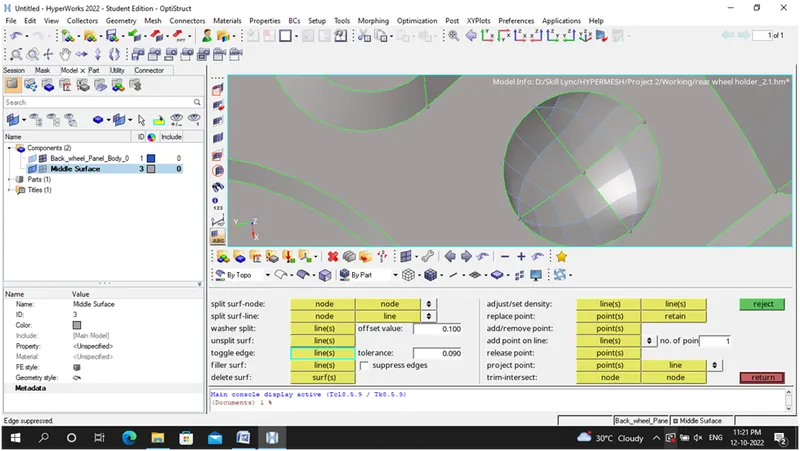
iv)Toggle the nearest feature lines to avoid quality failure issues
V) Inspect the model area by area and ,mesh it
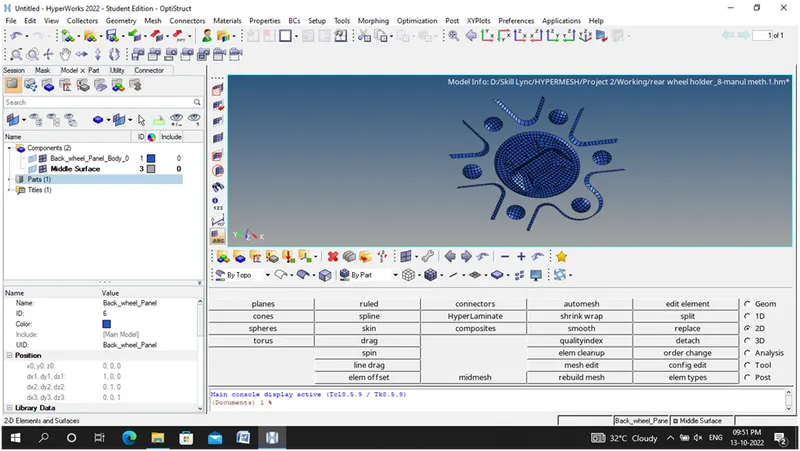
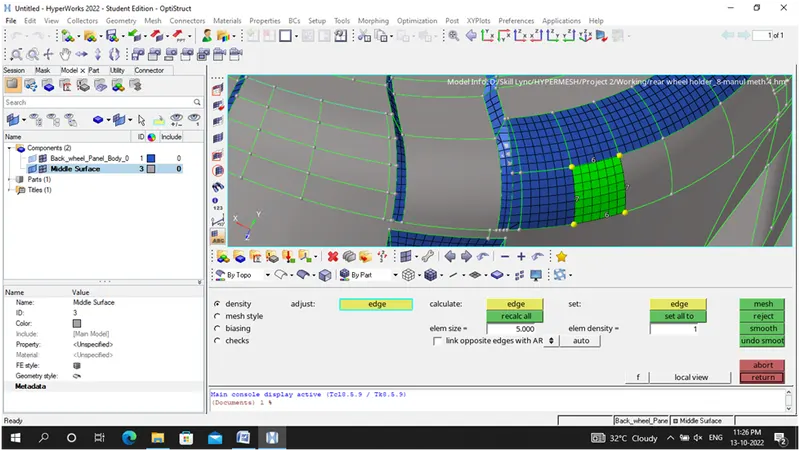
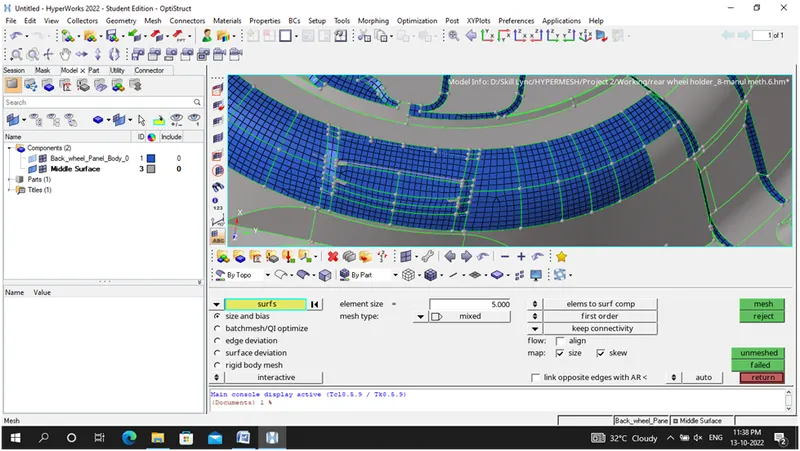
vi) Drag the Trias on the feature lines
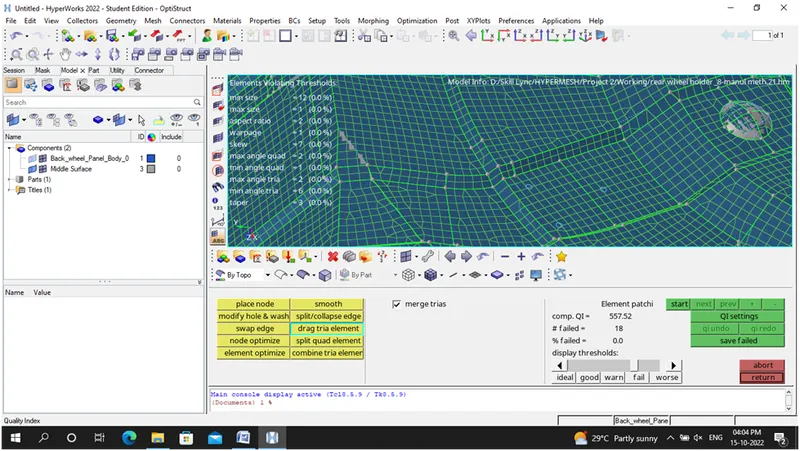
Step 7: Final Completed Model with satisfying the quality criteria
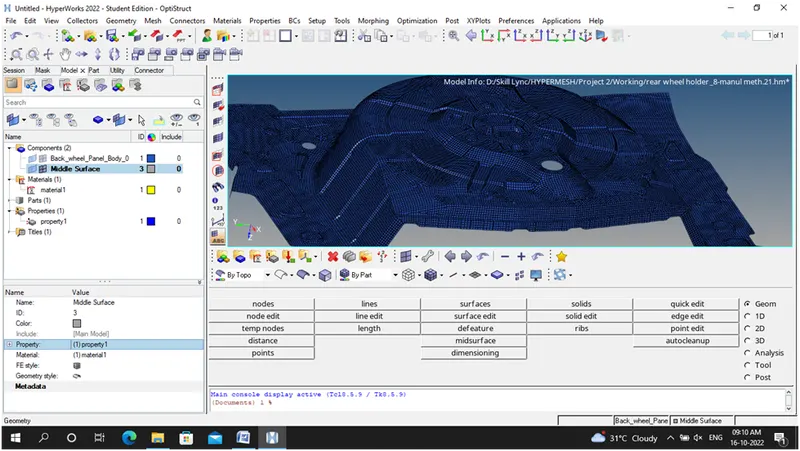
Step 8:
Assigning the material and property card for the rear wheel holder model
Learning Outcomes:
Tools adopted during geometric cleanup and mid surface extraction
Geometric- quick edit panel- Toggle edge, Filler surface, Delete surface, replace point, add/remove point, project point.(To edit the surface)
Geometric-surface-ruled option (To Create the surface )
Geometric – defeature option (To remove the surface fillets)
Tools adopted during meshing
Preference criteria file settings
2D-Automesh
2D-Rebulit mesh
2D-smooth
Tools adopted during mesh cleanup
2D-Quality Index-cleanup tools (to check the quality criteria as well as to edit the elements using element optimize, place node, drag tria elements, swap edge)
2D-Edit Element (used to create, split and combine the elements)
Commands utilized to edit the elements
F3- Replace Nodes
F4- To identify the distance
F5-Mask and unmask the elements
F6-create, split and combine the elements
F7-to align the nodes
F8- create nodes
F9-Combine
F10-to check the quality criteria
F11-quick edit panel
F12-automesh option
Conclusion:
It is concluded that for the given rear wheel holder challenge I have learnt about how to clean up the geometry, generate mid (Automid extraction), generate auto mesh, mesh cleanup and how to achieve proper mesh flow.