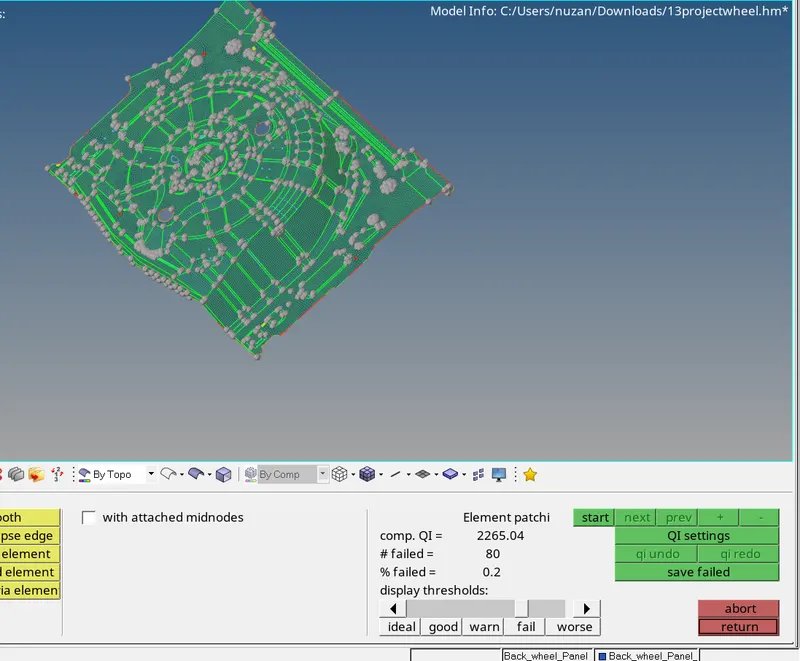
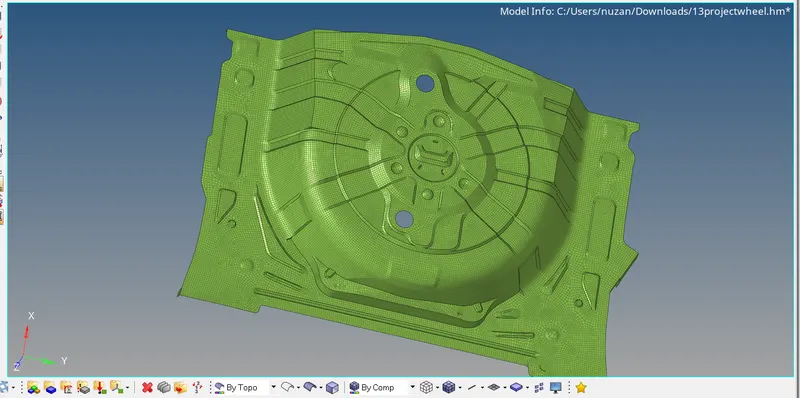
Week 12:Project 2-Meshing of Rear Wheel Holder challenge
MESHING ON REAR WHEEL HOLDER
Target Element Length = 5 Units
| S.N | Quality Criteria | Value |
| 1 | Aspect Ratio | 5 |
| 2 | Skewness | 45 |
| 3 | Warping | 15 |
| 4 | Taper | 0.5 |
| 5 | Min. Length | 2 Units |
| 6 | Max. Length | 8 Units |
| 7 | Min angle Quad | 45 |
| 8 | Max angle Quad | 135 |
| 9 | Min angle Tria | 20 |
| 10 | Max angle Tria | 120 |
| 10 | Tria % | 10 |
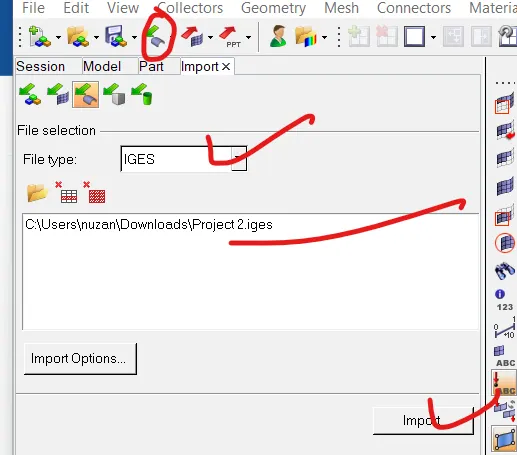
intially we are going to import the model from drive
click on import>select import geometry>click on folder icon>hit import
we have successfully imported the model now we are going to check on surface error and we are going to fix those errors manually
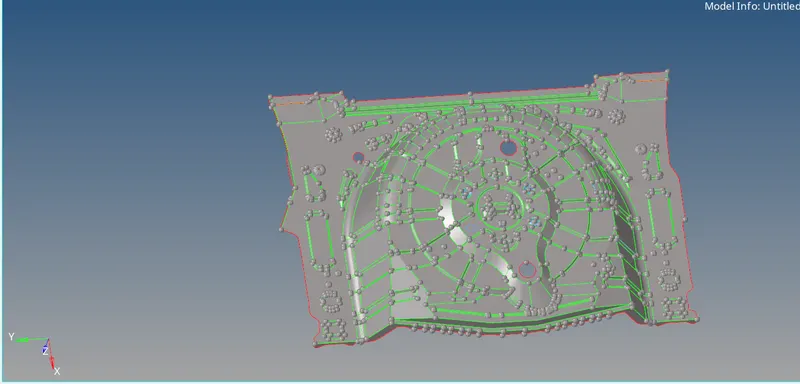
in the below image we have highlited some areas wher the geometry has some error
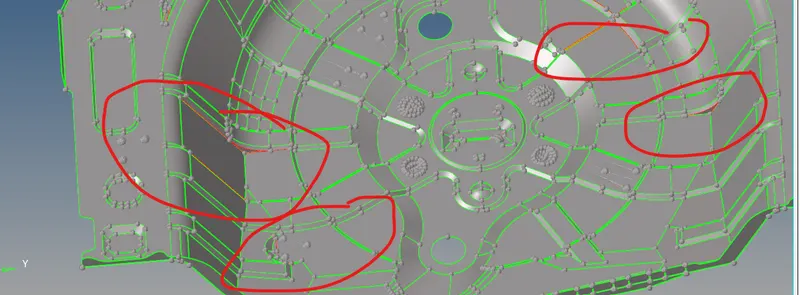
now we are going to use some geometry clean up tools
we are going to use different clen up tools such as retain and replace toggle, defeature etc to clean the above geometry
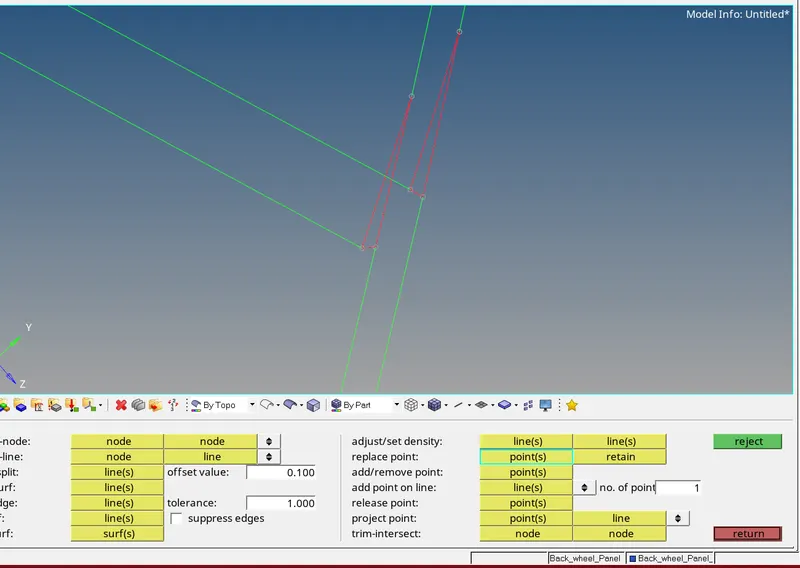
in the above we are going to fix the free edges by tool retain and replace
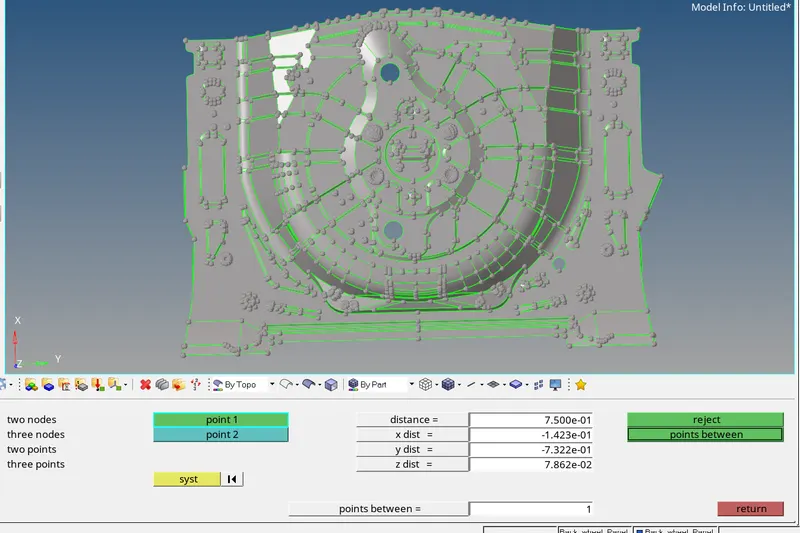
now we are going to extract mid surface before extracting mid surface we are going to measure the thickness of the component
press f4 to select the option two points
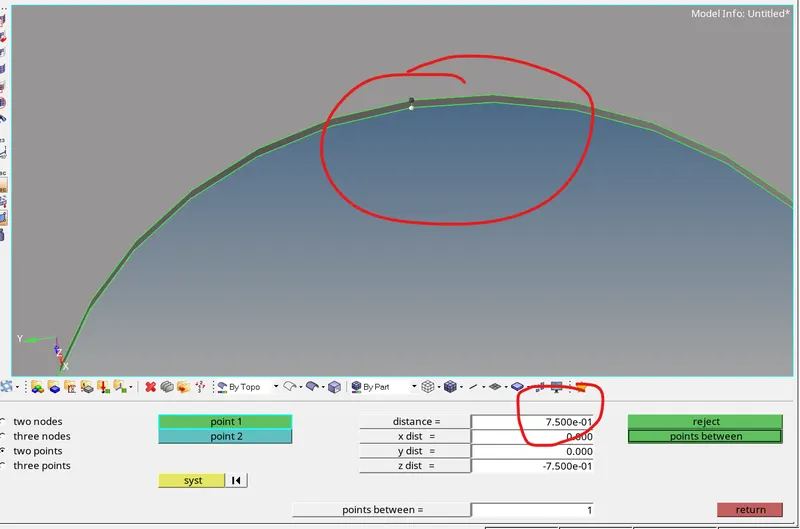
the thickness of the above component 0.75
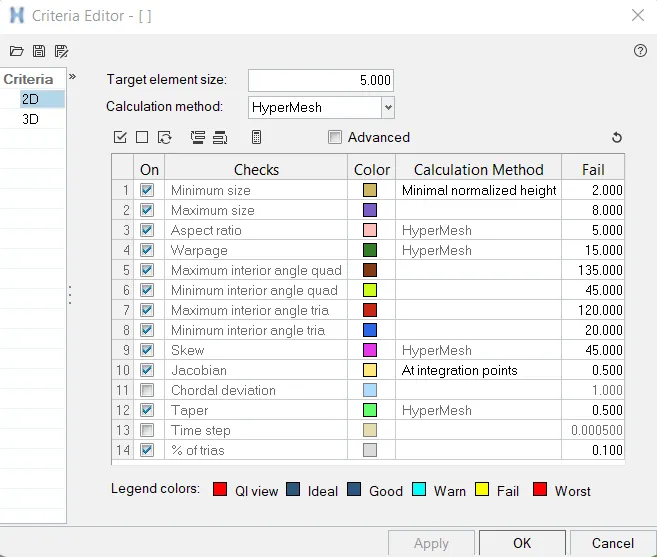
now we are going to set the quality creteria
click on prefrences >select criteria file setting>set the quality criteria parameters

process to extract mid surface
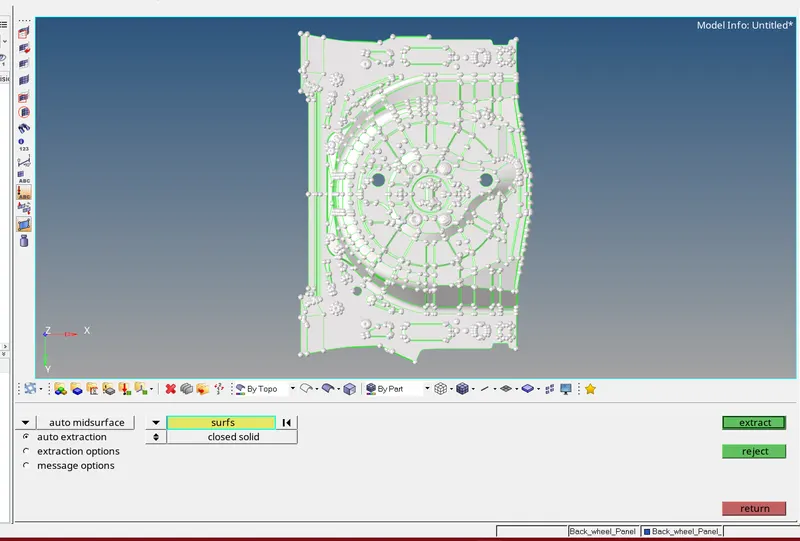
click on geo >click on midsurface >click on auto midsurface >select surface >click on extract

since the thickness was same throughout the component hence we use automid surface
if the thickness of the componwnt is different the we can use ofset option
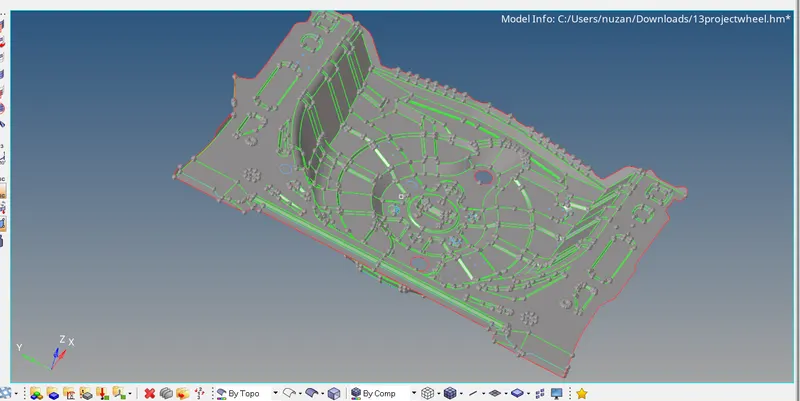
the next process is to mesh the component and reduce the failed elements >
click on f12>select the surface >set the target element size =5>mest type quard>hit on mesh
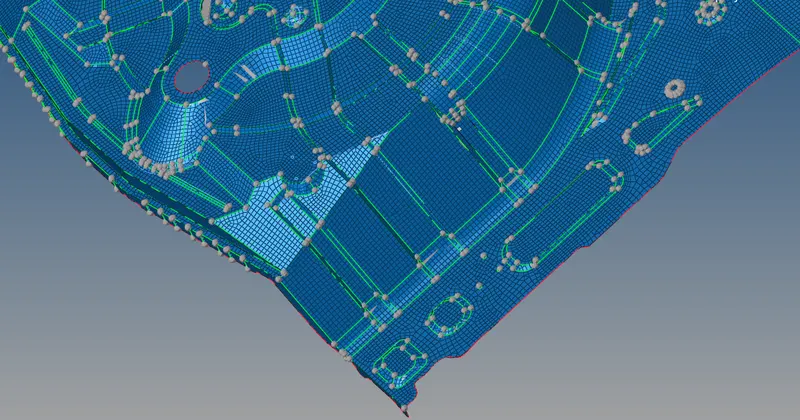
the mesh has been generated succesfully
next process is to check the element quality
go to 2d>click on quality index