Week 12:Project-1-Meshing of Door Inner Panel Challenge
QUESTION:
Target Element Length = 4 Units
| S.N | Quality Criteria | Value |
| 1 | Aspect Ratio | 5 |
| 2 | Skewness | 45 |
| 3 | Warping | 15 |
| 4 | Taper | 0.5 |
| 5 | Min. Length | 2 Units |
| 6 | Max. Length | 6 Units |
| 7 | Min angle Quad | 45 |
| 8 | Max angle Quad | 135 |
| 9 | Min angle Tria | 20 |
| 10 | Max angle Tria | 120 |
| 10 | Tria % | 10 |
AIM:
To Create a mesh for door inner panel and assign thickness to the mesh .
SOFTWARE USED :
Hypermesh studend version .
PROCEDURE:
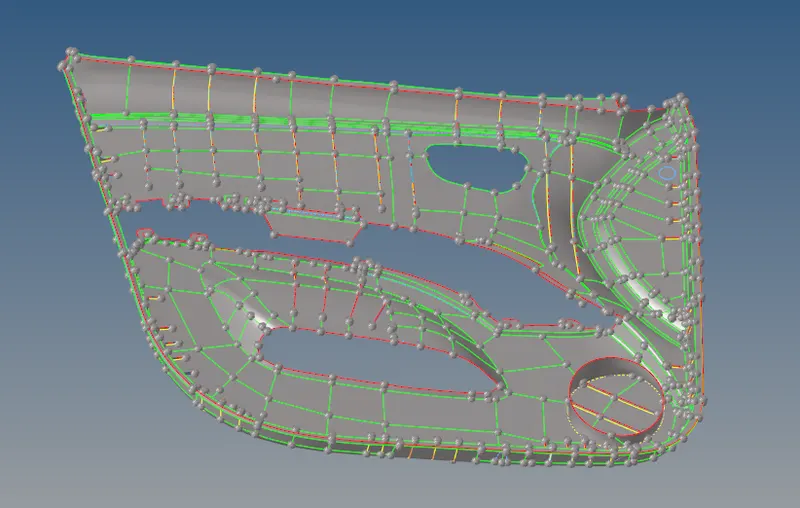
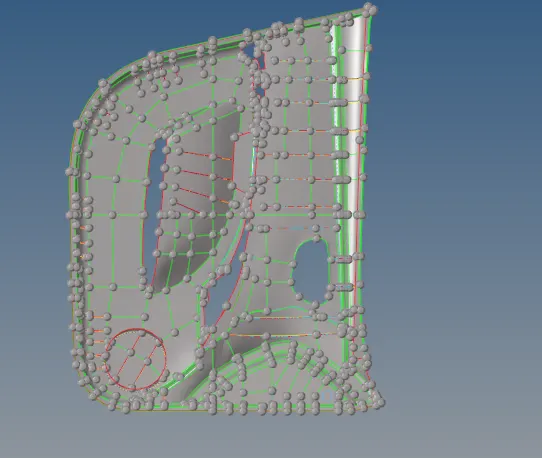
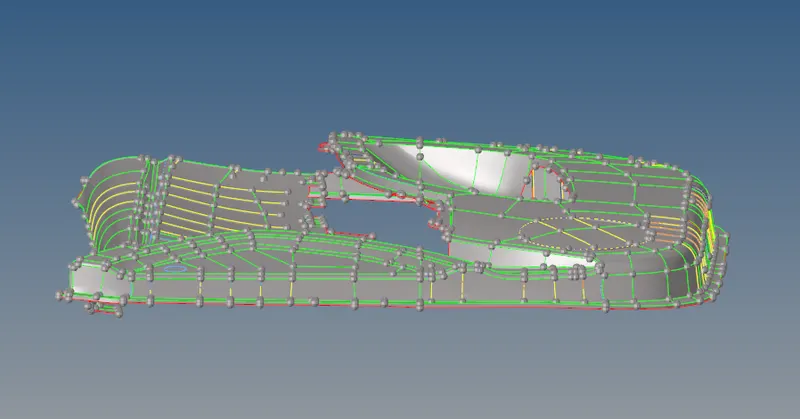
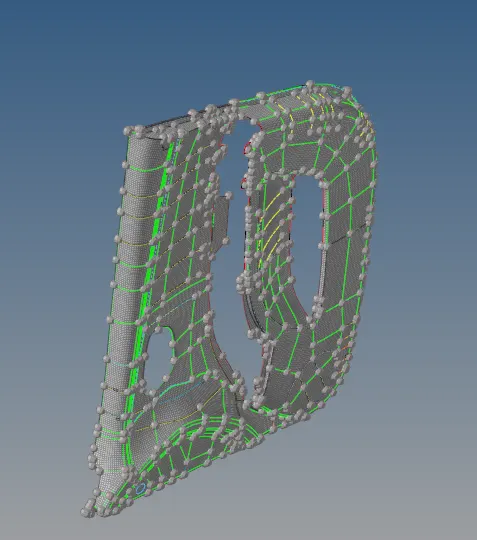
- Import the geomtry to the hyper mesh and do manual mid surfacing .
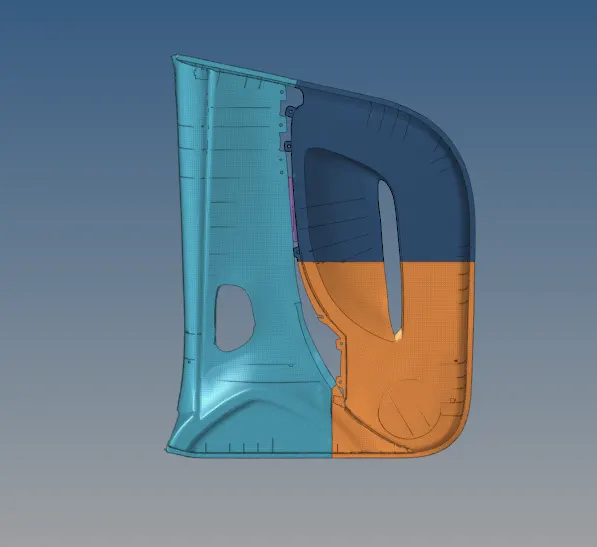
- Before doing the manual midsurfacing seprate the model into four parts .
- If possible on some areas we can preform auto mid surfcaing are we can go with mannual mid surfacing .
- After doing the mannual mid surfacing assign thickness to the collector and spilt all four in dofferent collectors
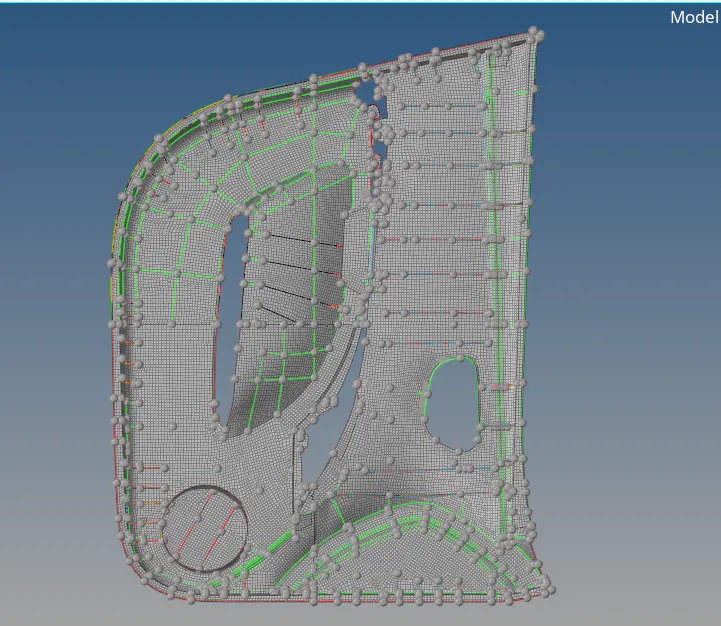
- Mesh the spilt part one by one as per QC given .
- As we are meshing a plastic component we will have more uneven surfaces so meshing will be little hard spitting it well as per the geometry can improve the mesh and quality .
- Check the current part and mesh so we dont make any mistakes meshing the worng component in the current part .
- Joint the oppsite trias on the mesh to aviod and reduce trias in the mesh , drag the trias on the edge of the mesh and remove them .
- Use combine tria elements to combine trias .
- Name the collectors with thickness so we can easly idenfity them .
- Smooth the mesh after using quality index tools as the mesh will not have a good flow in them by using smooth and project we can maintain the flow .
- Change the mesh view from 2D tradional view to 2D detailed repersentation view so we can see the thickness in the model as a 3D model .
Pictures are added for detailed explation of the process .
RESULT :
As per the given model meshing and assiging thickness is done on hypermesh software .