week-11 Joint creation and Demonstration
*AIM:-
-To create revolute, cylindrical and translationaljoints between two rigid bodies and two deformable bodies using the LS-DYNA solver.
*Introdution:-
*Joints:-
-A mechanical joints is a session of machine that is used to connect one or more mechanical parts to another. Its may be permenant or temporary.
1) Revolute joint:-
-Revolute joint also called pin joint or hinge joint.
-It is one degree of freedom kinematic pair used frequently in mechanisms and machines.
-The joint constrains motion of two bodies to pure rotation along the common axis.
-The joint does not allow to translation and sliding linear motion.
-Its used as a numerous application such as door hinges, mechanisms and other uni-axial rotation device.
2) Spherical joint:-
-In this type of joint bodies are only movement of the rotational, not translational motion.
-So in this case provide movtion in rotational x,y and z direction only.
-The joint does not allow to translation and sliding linear motion.
3) Cylindrical joint:-
-The cylindrical joint is two DOF kinematic pair used in mechanisms.
-Cylindrical joint provide the single axis sliding function as well as single axis rotation.
4) translational joint:-
-in this case allow to one part to translate along the vector in respect to another part.
-the part is only translate, not rotate.
-So we provide the motion in only one translational direction.
*Module:1:-
*Various types of joint using two rigid bodies:-
*Case:-1 Revolute joint
-First of all oprn the LSPP.
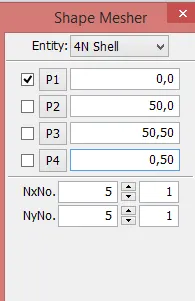
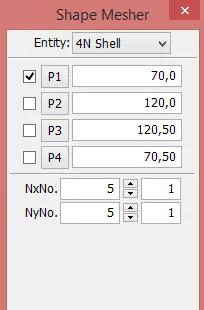
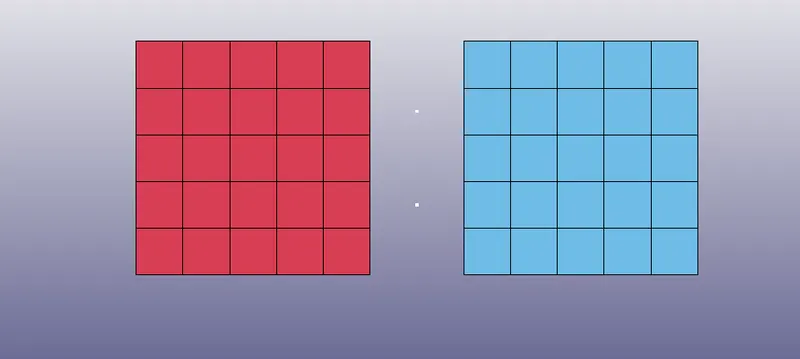
-After that go to MEsh> Shape mesher> 4node shell
-Then enter the co-ordinates in P1,P2,P3 and P4.
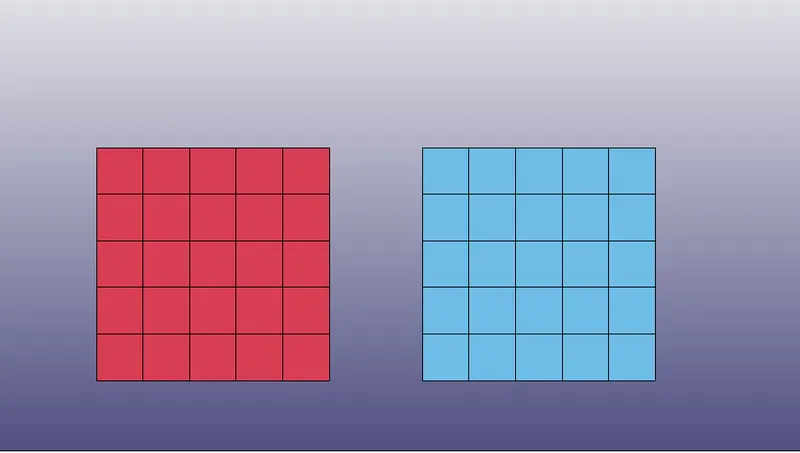
-Assign one shell component as part-1 and another as part-2
Part-1 Part-2
-Create two nodes between the shell with provide the id.
-For that go to Element & mesh> Node editing> Create
-Provide proper node id & dimension of node.
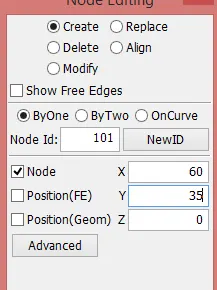
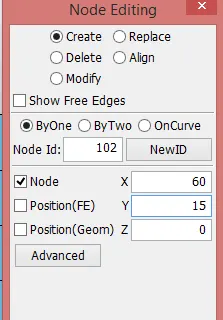
-Similary create two another nodes such as 103 & 104 which concide with 101 & 102.
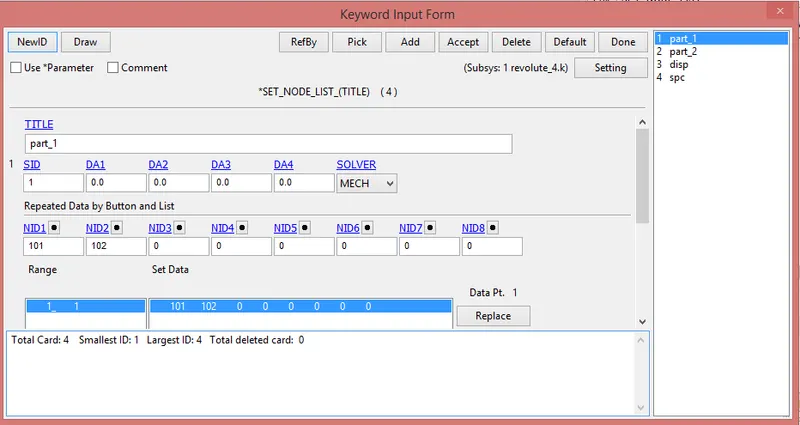
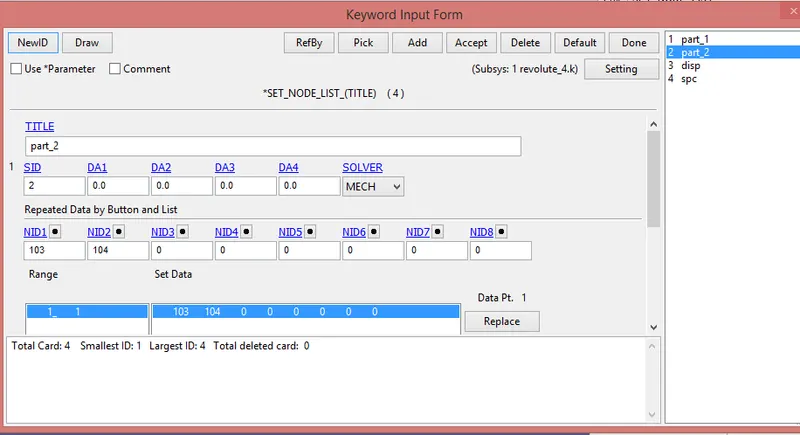
-After that create two node set.
i) First consist of 101 & 102
ii) Second consist of 103 & 104
* Create session shell:-
-For creation of session go to Model & part> Keyword manager> All> Session> Shell
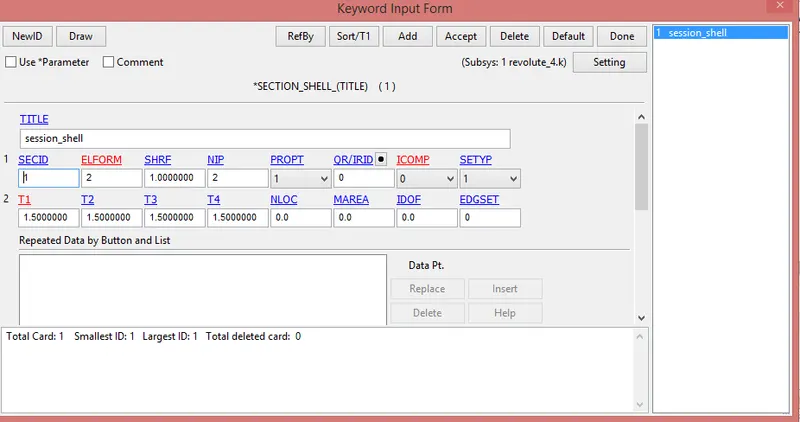
-Here provide the ELFORM 2 and thickness 1.5 mm.
*Material creation:-
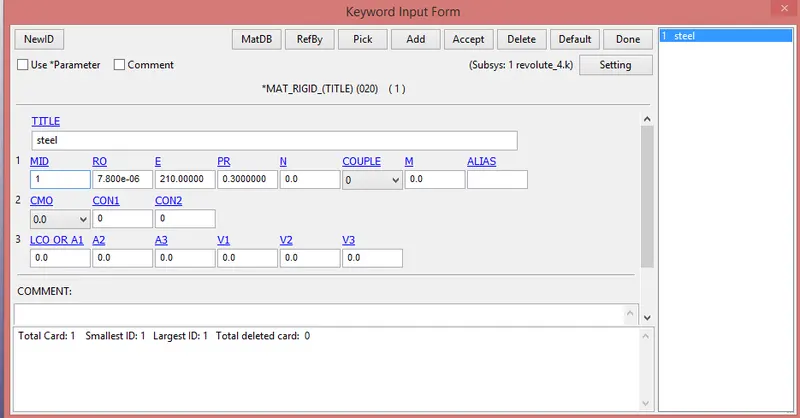
-Here two rigid bodies available, so we create material card is MAT_RIGID(020)
-The material is steel and our unit system is Kg, mm, ms.
*unit conversion:-
*Density:-
`ρ=7850 (Kg)/m^3`
`ρ=7850 *10^3/10^9 (gm)/(cm^3)`
`ρ=7.850×10^(-3) (gm)/(cm^3)`
*Young modulus:-
`E=210Gpa`
*Poisson ratio is:- 0.3
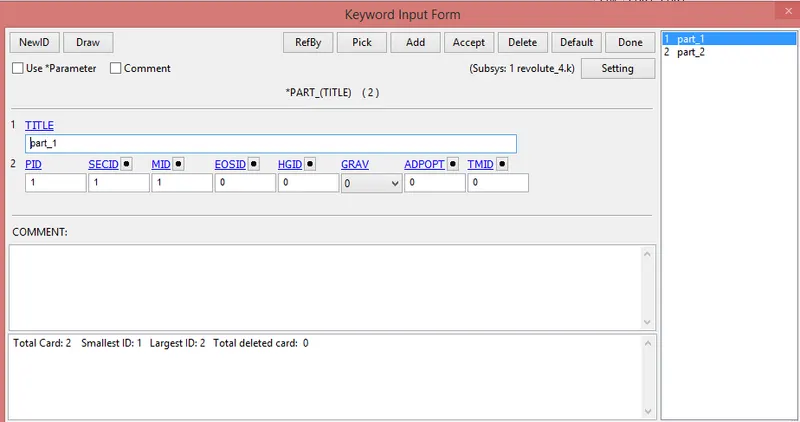
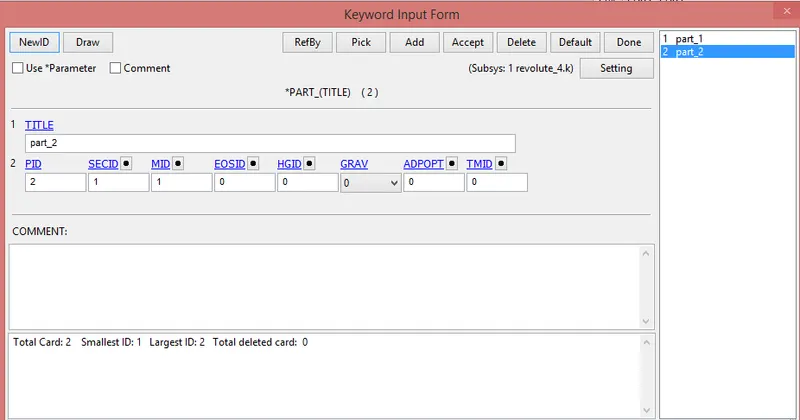
*Part creation:-
-Assign session and material to the parts.
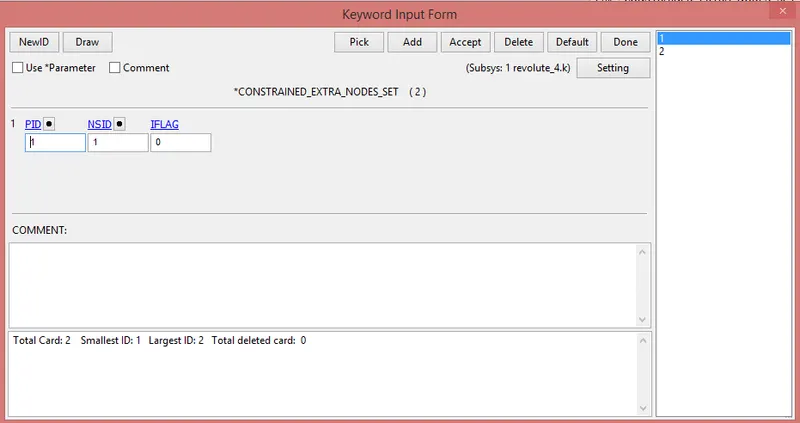
*Constrained extra nodes:-
-The node set id which constrains nodes 101, 102 is considered as a fixed nodes assigned to the part-1 which is also fixed.
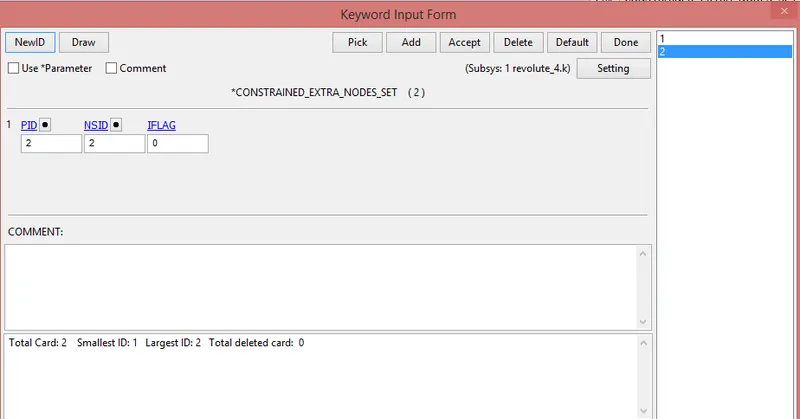
-The node set id which constrains nodes 103, 104 is considered as a fixed nodes assigned to the part-1 which is also fixed.
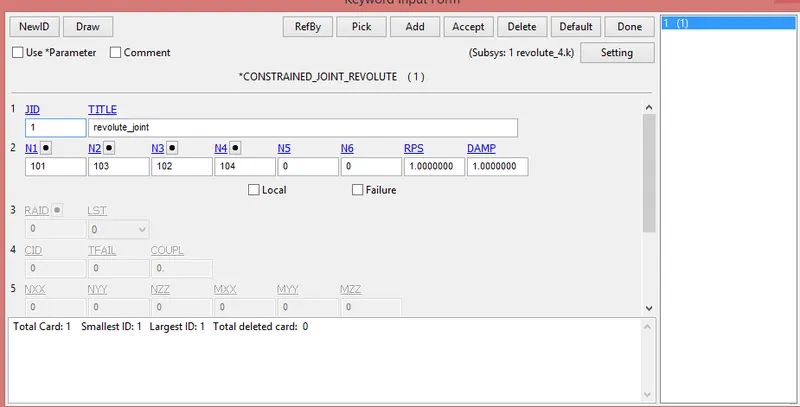
*Revolute joint:-
-For revolute joint we go to Model & part> Keyword manager> All> Constrained> Constrained_joint_revolute
*Displacement:-
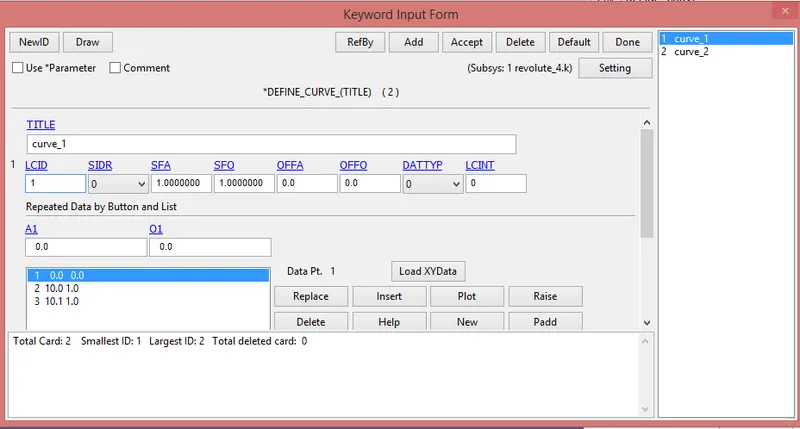
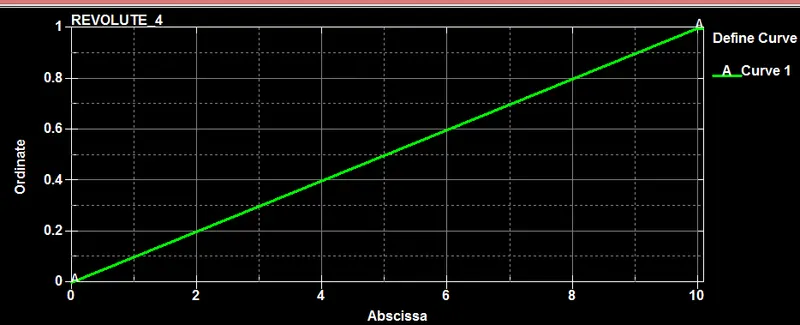
-First of all draw the disp_curve.
-For that go to Model & part> Keyword manager> All> Define> Curve
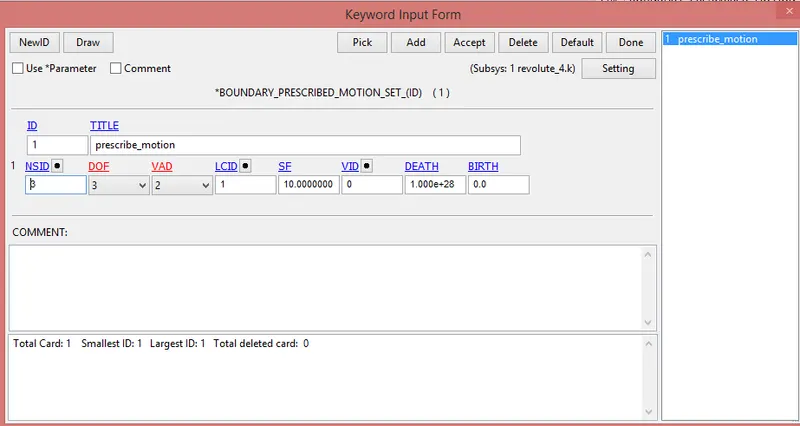
-After that go to Model & part> Keyword manager> Boundary> Prescribe_motion_set
-Here provide DOF is 3 and SF 10.
-This displeacement provide on only one node of part-2
*SPC:-
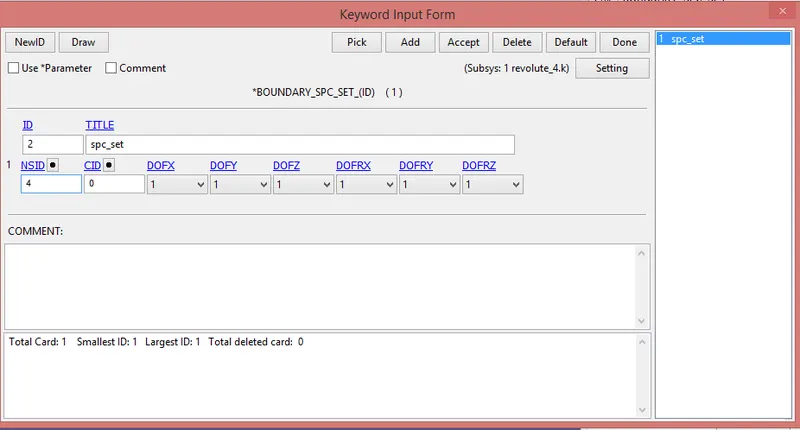
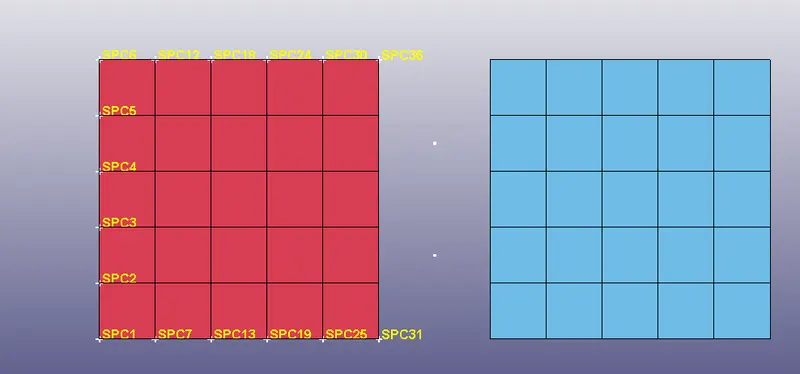
-Here create spc card. All DOF are provided, because we do not movement in any direction.
*Control card:-
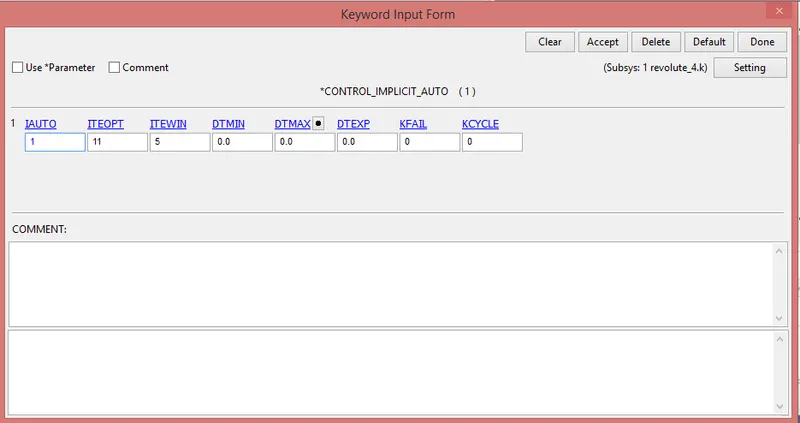
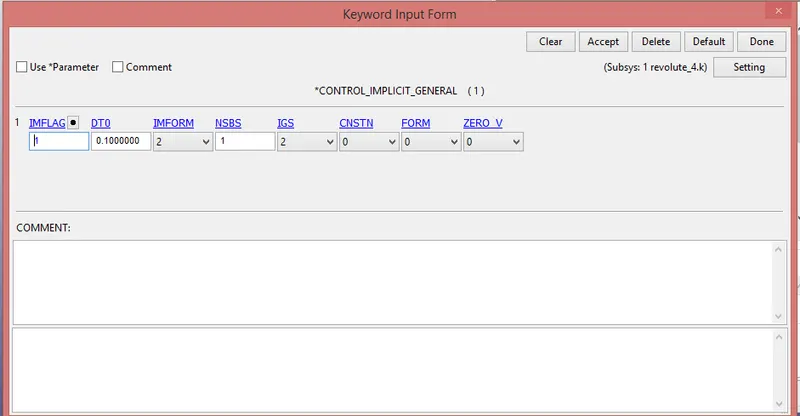
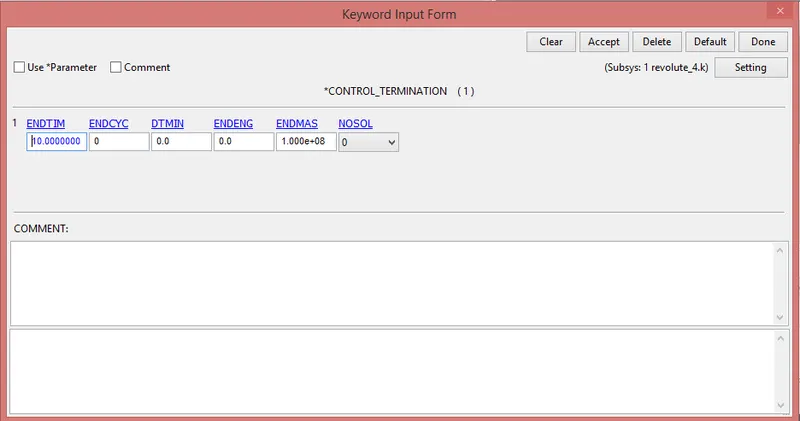
-Control card such as control termination, Controlimplicit auto, Control implicit general and control time step is defined.
1)Control_implicit_auto:-
2) Control_implicit_general:-
3) Control_termination:-
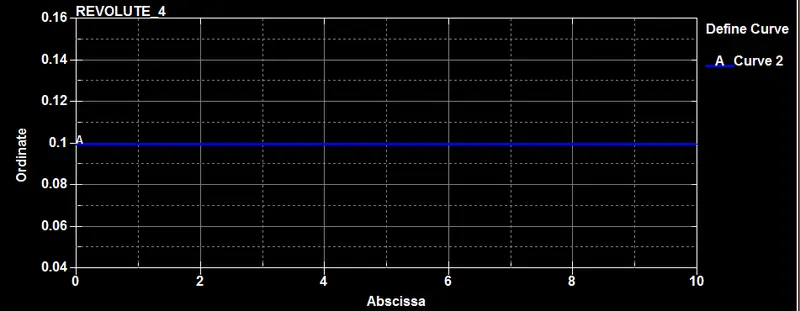
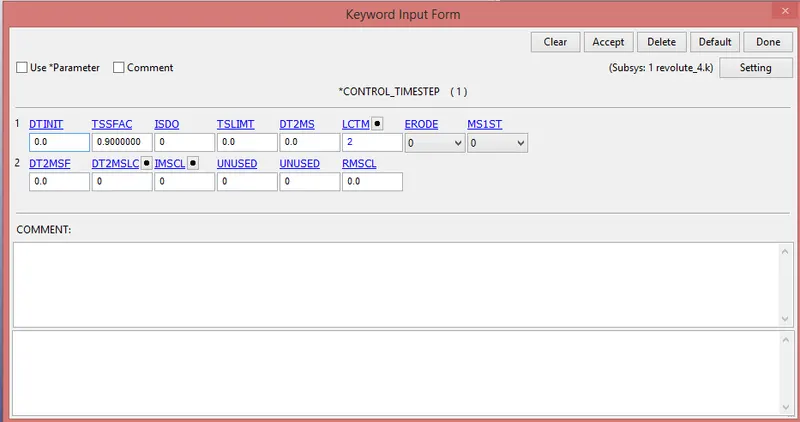
4) Control time step:-
-First of all create curve.
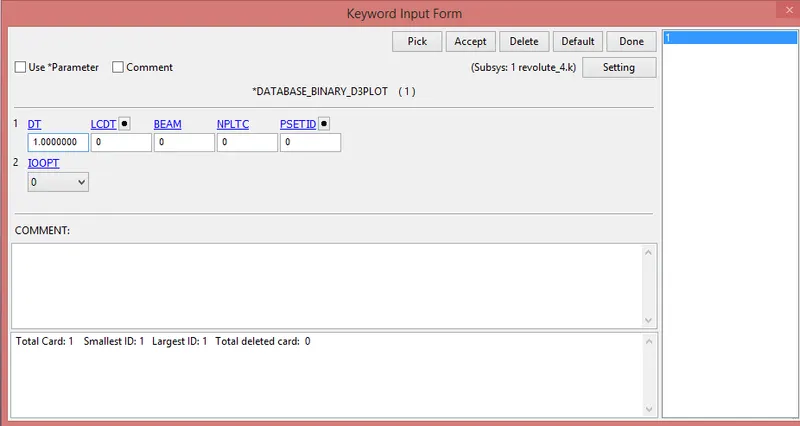
*BINARY_D3PLOT:-
In this keyword the frequency with which the animation is to be crated will be given and is set to 1 ms.
Case:-2
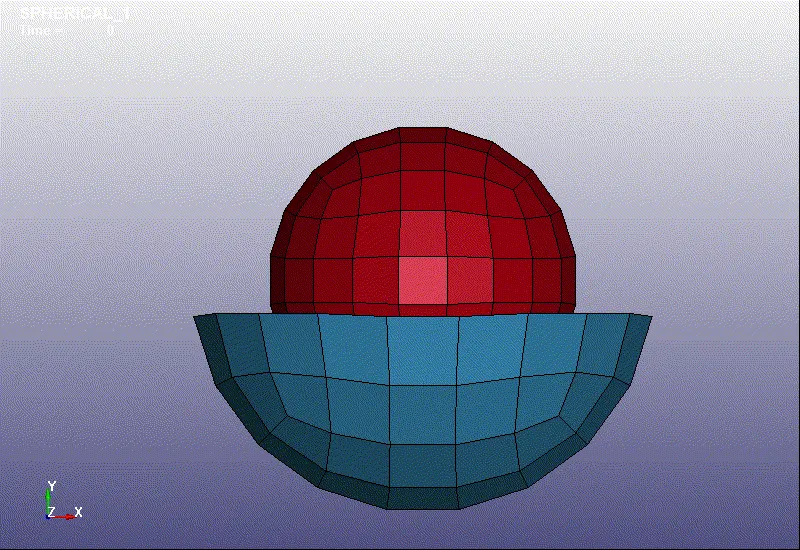
Spherical joint
-First of all open the LSPP.
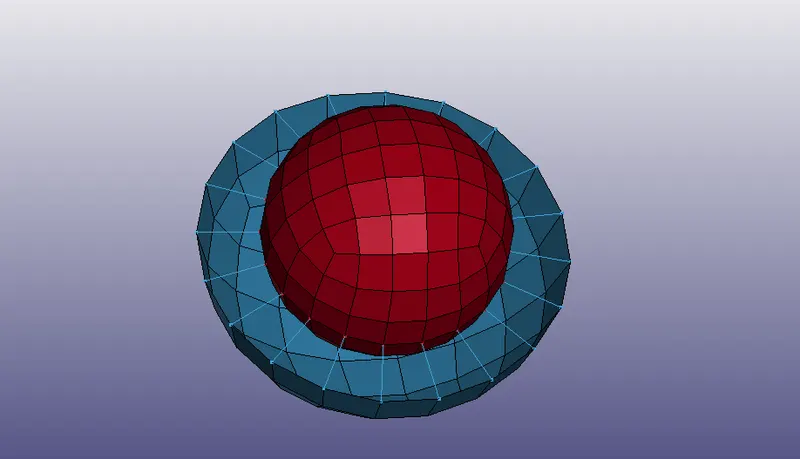
-After that go to Mesh> Shape mesher> Sphere shell
-Create 2 shell sphere with 2 different radious and one sphere is trimmed half.
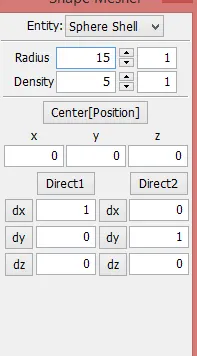
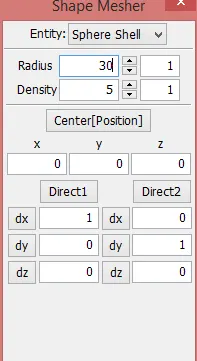
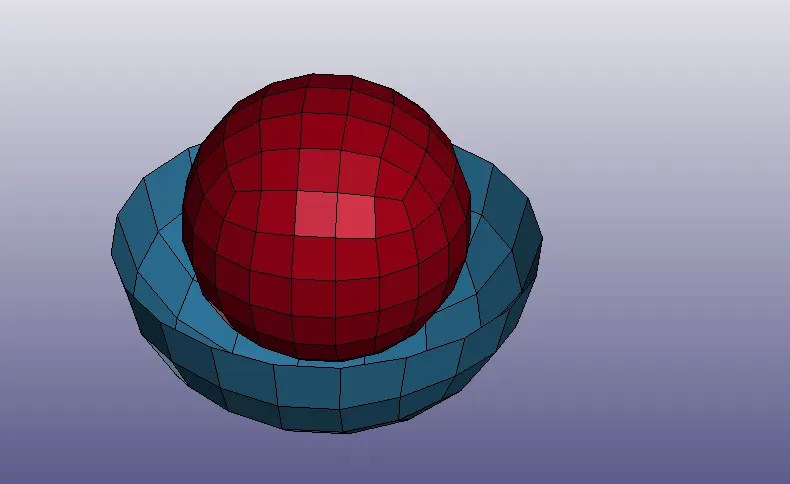
-After that create 2 nodes at centre with particular node id (305,306) and assign each node to belong to each part individually.
*Constrained extra nodes:-
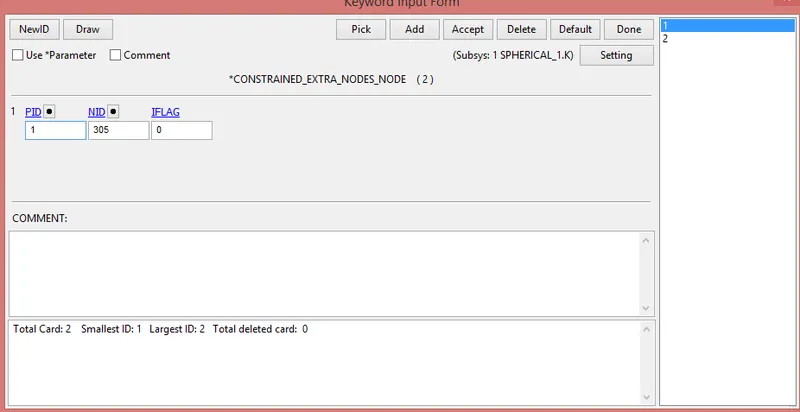
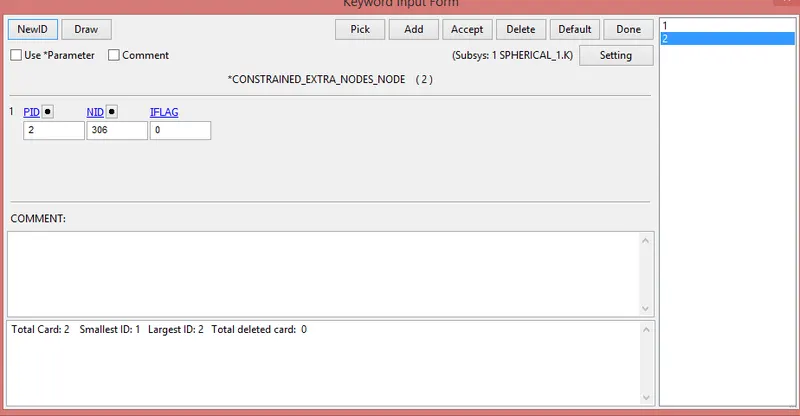
-For that go to Model & part> Keyword manager> all> Constrained> Constrained_extra_node_nodes
-Node 305 is provide for outer sphere and node 306 is provide for the inner sphere.
*Spherical joint:-
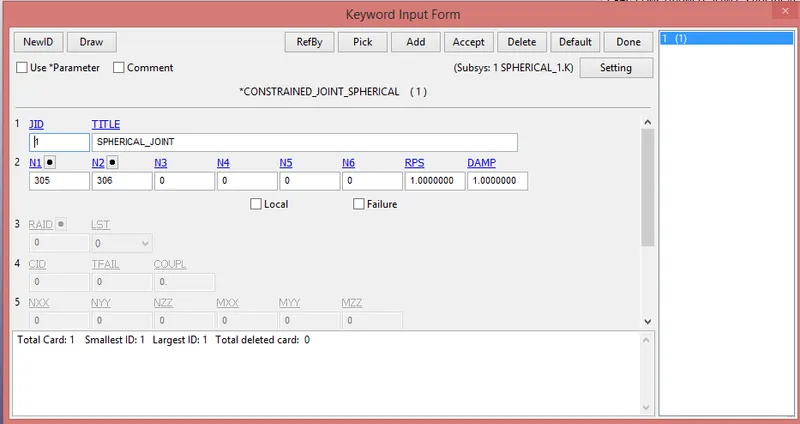
-After that the create joint between two bodies.
-For that go to Model & parts> keyword manager> all> Constrained> Constrained_spherical_joint
*Material creation, section creation and part creation:-
-Here material, section creation and part creation card same as a revolute joint.
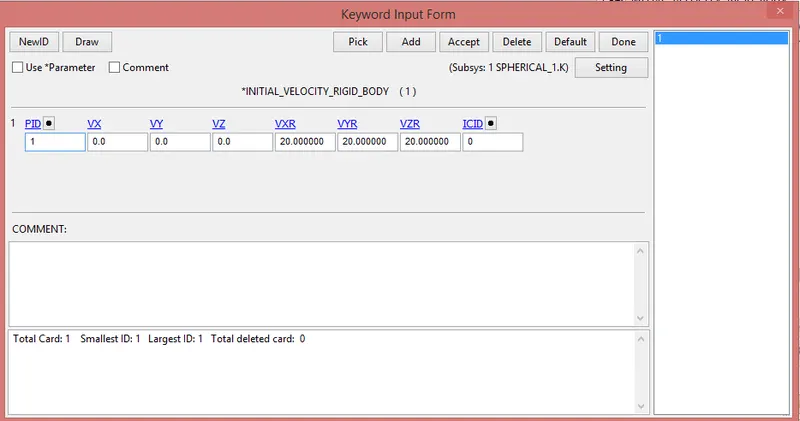
*Initial velocity:-
-Initial velocity is provide for rotation of inner sphere.
-For that go to Model & parts> keyword manager> all> Initial> velocity_rigid_body
*SPC:-
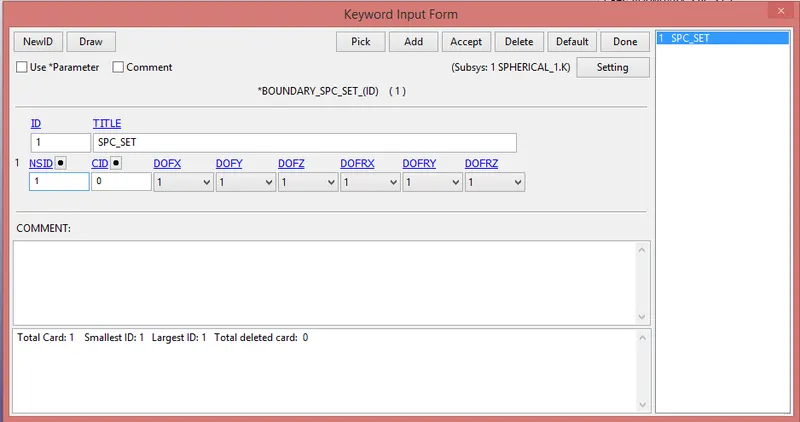
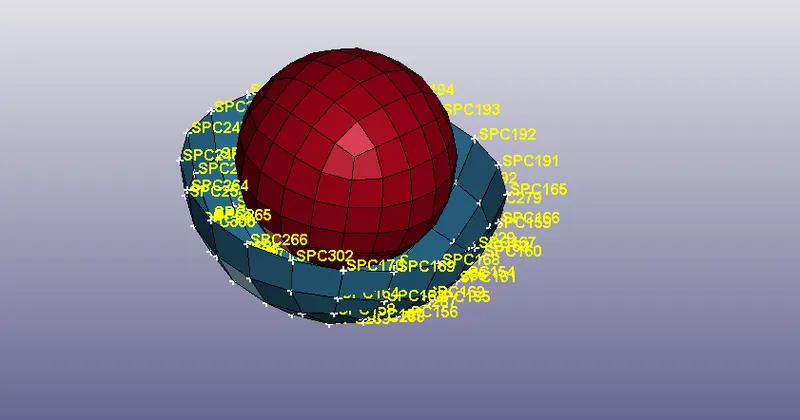
-For that go to Model & parts> keyword manager> all> Boundary> spc_set
-Here create spc card. All DOF are provided, because we do not movement in any direction.
-We provided this spc on outer sphere.
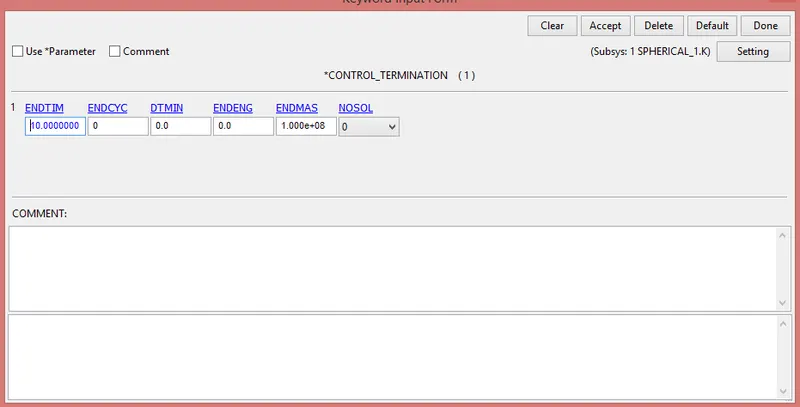
*Control termination:-
-For that go to Model & parts> keyword manager> all> Control> Termination
*Control timestep:-
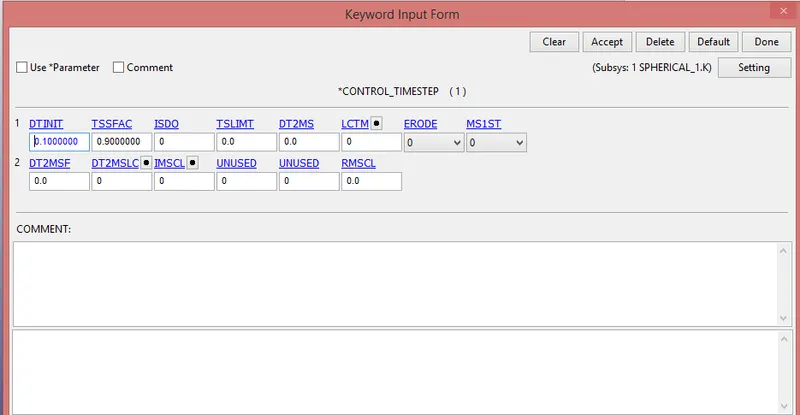
*Case:-3
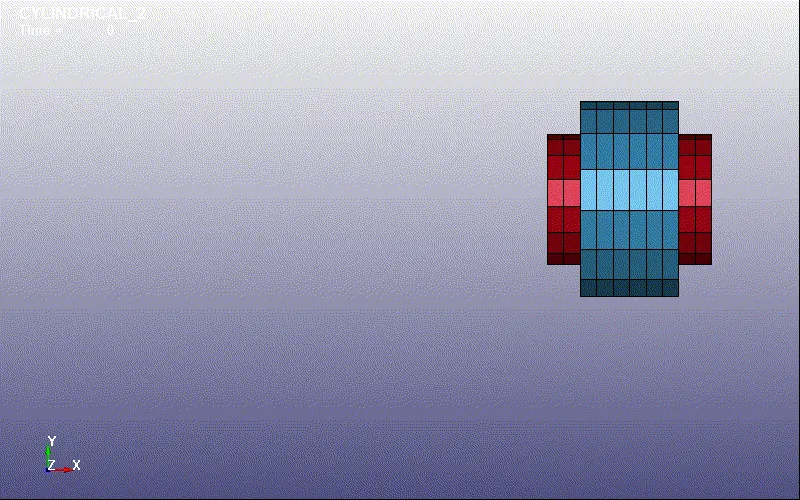
Cylindrical joint:-
-First of all open the LSPP.
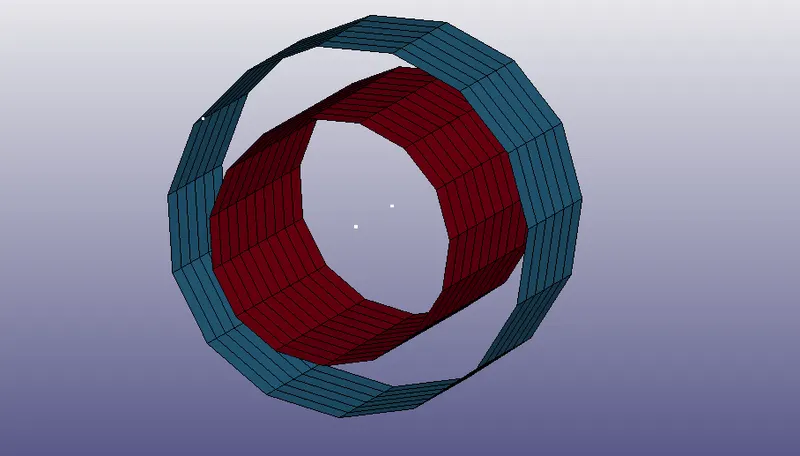
-After that go to Mesh> Shape mesher> Cylinder shell
-Create 2 shell sphere with 2 different radious & length.
*Part:-1 *Part:-2
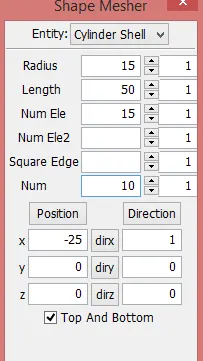
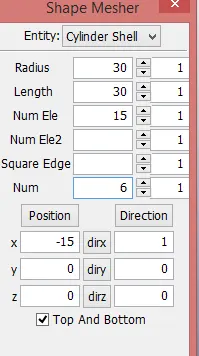
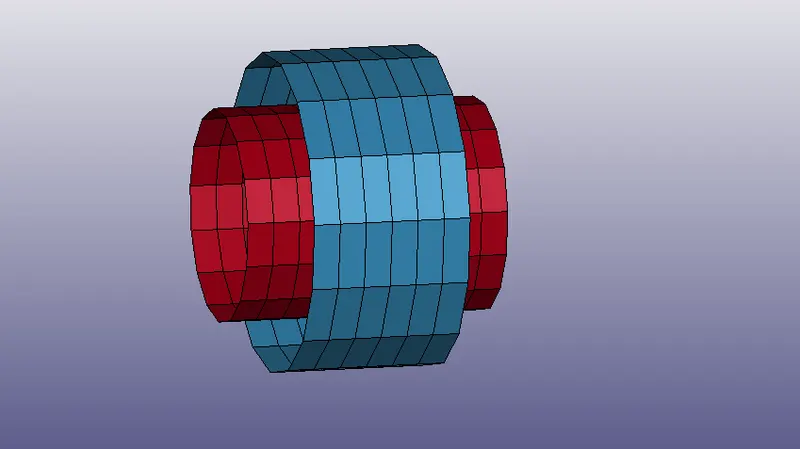
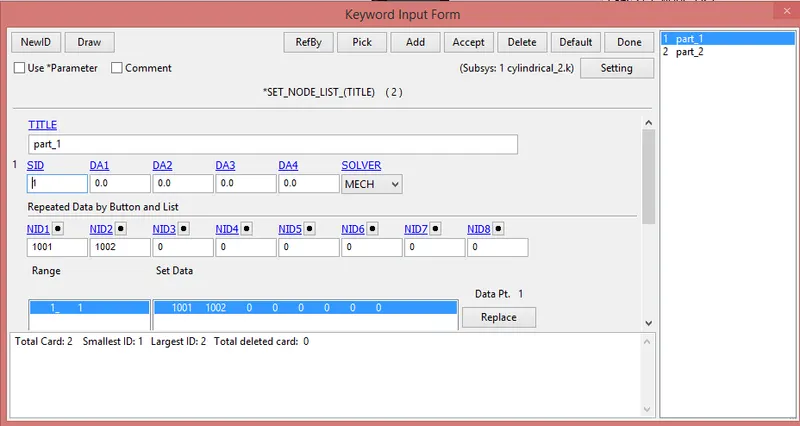
-Create two nodes at centre line with provide the proper id.(1001, 1002)
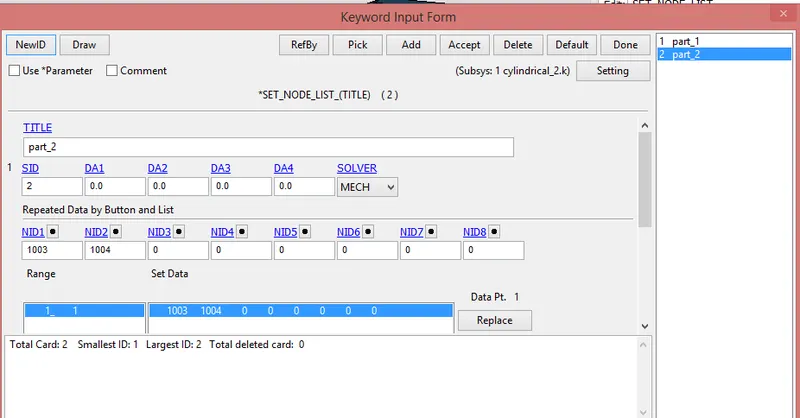
-Simliary, also create two nodes 1003, 1004 which concide with 1001 & 1002.
-After that create two node set.
i) First consist of 1001 & 1002
ii) Second consist of 1003 & 1004
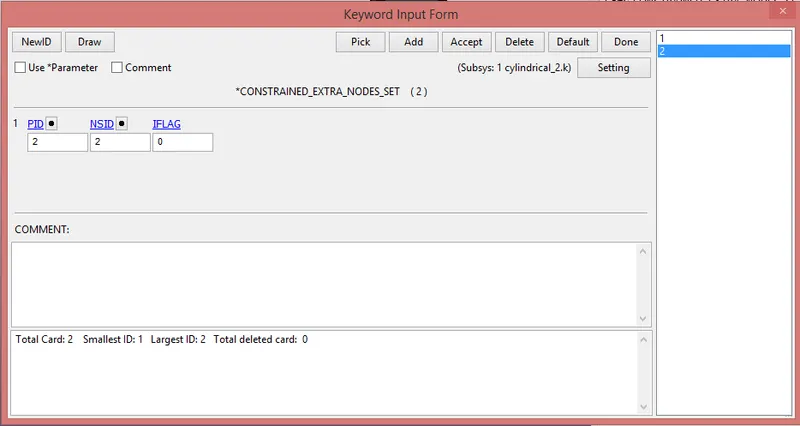
*Constrained extra nodes:-
-The node set id which constrains nodes 1001, 1002 is considered as a fixed nodes assigned to the part-1 which is also fixed.
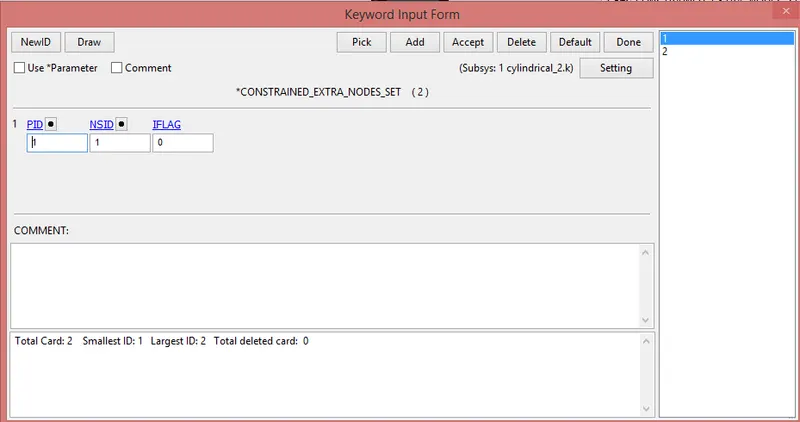
-The node set id which constrains nodes 103, 104 is considered as a fixed nodes assigned to the part-1 which is also fixed.
*Cylindrical joint joint:-
-After that the create joint between two bodies.
-For that go to Model & parts> keyword manager> all> Constrained> Constrained_joint_cylindrical
*Material creation, section creation and part creation:-
-Here material, section creation and part creation card same as a revolute joint.
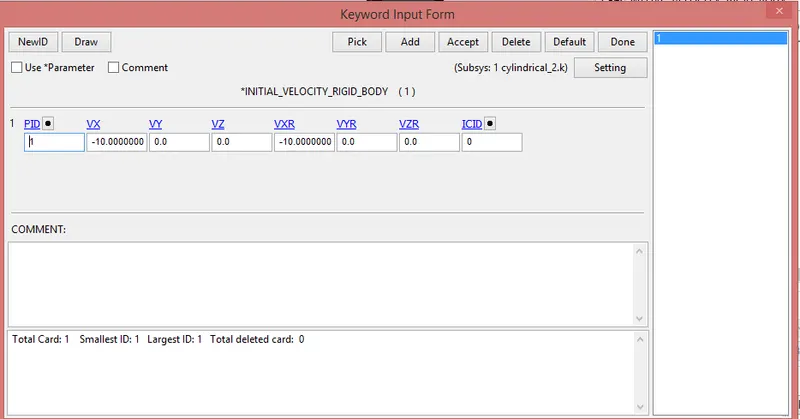
*Initial velocity:-
-Initial velocity is provide for rotation and motion of inner cylinder.
-For that go to Model & parts> keyword manager> all> Initial> velocity_rigid_body
-Here we provide 10mm/ms in negarive x-direction in translational and negative z-direction in rotational.
*SPC:-
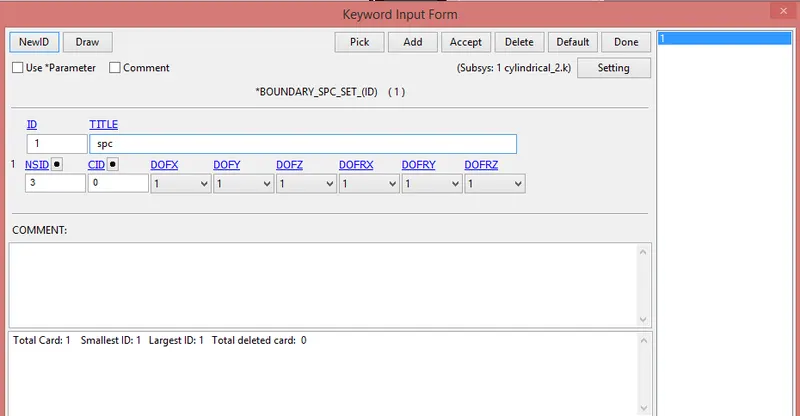
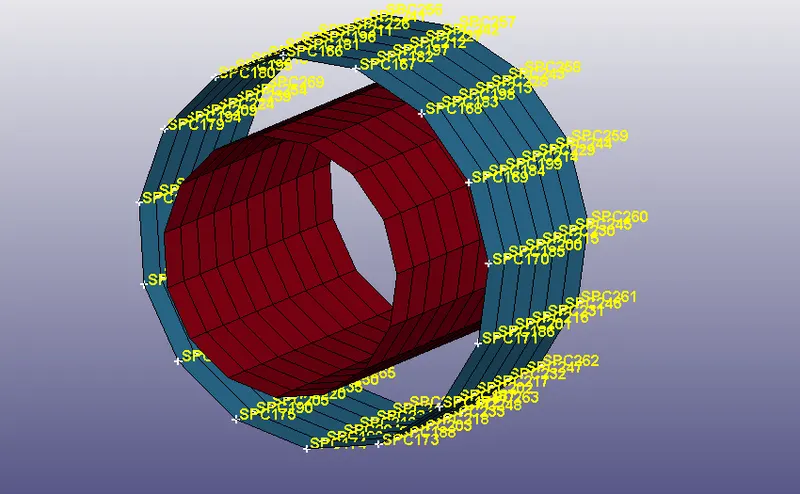
-For that go to Model & parts> keyword manager> all> Boundary> spc_set
-Here create spc card. All DOF are provided, because we do not movement in any direction.
-We provided this spc on outer sphere.
*Control termination:-
-For that go to Model & parts> keyword manager> all> Control> Termination
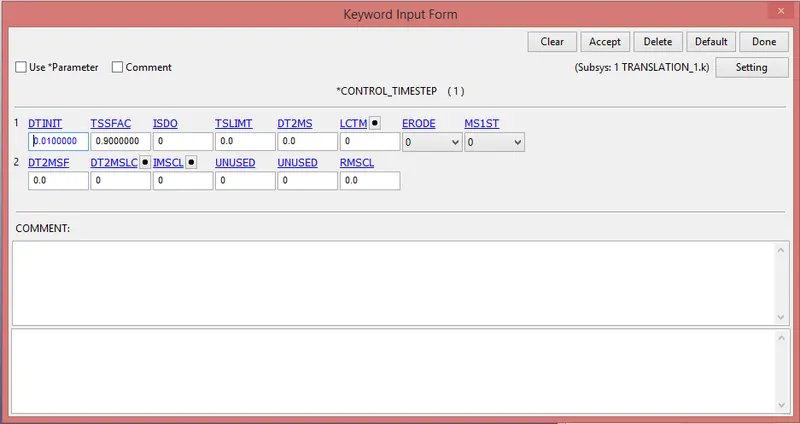
*Control timestep:-
*Case:-4
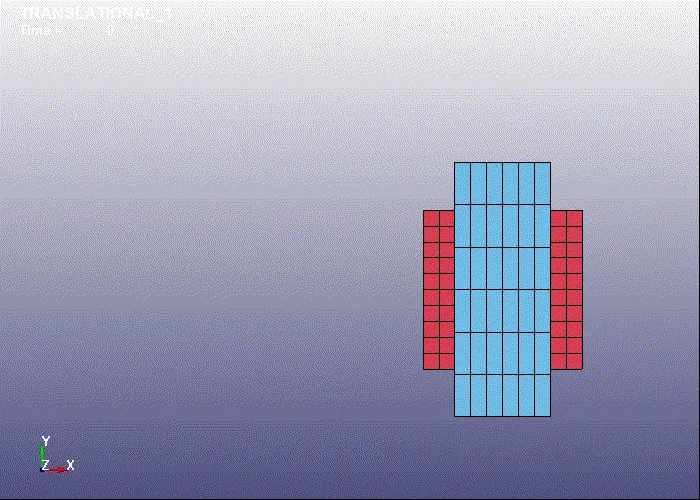
Translational joint
-It is allow to one part to translate along the vector in respect to another part.
-The part is only translate, not rotate in respect to each other.
-First of all open the LSPP.
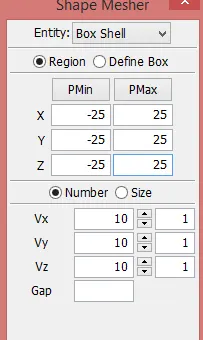
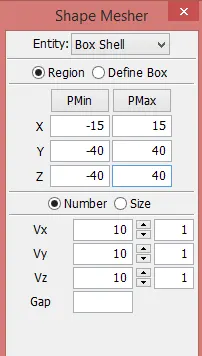
-After that go to Mesh> Shape mesher> Box shell
-Create 2 shell box with 2 different dimention.
*Part:1 *Part:2
-After that delete elements on two opposite faces of both boxes.
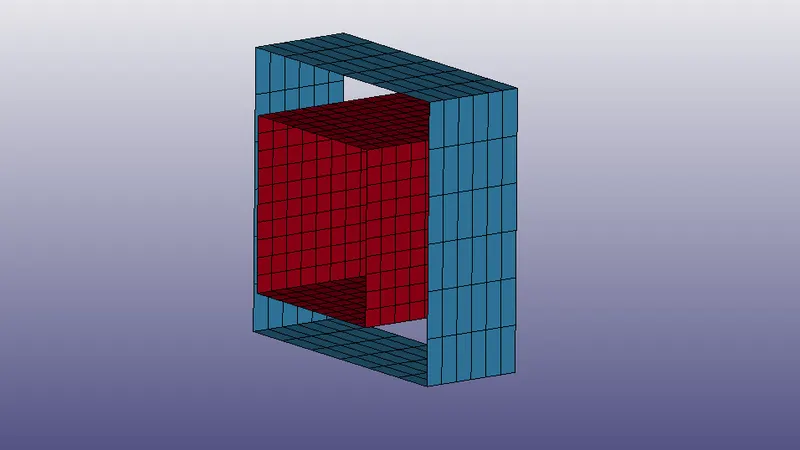
-After that create 2 nodes at centre with particular node id (1001,1002) and another node(1005) create at the centre between this two nodes and sligthly deviate from the axis.
-Also create another nodes 1003, 1004 and 1006 which concentrate with 1001, 1002 and 1005 respectively.
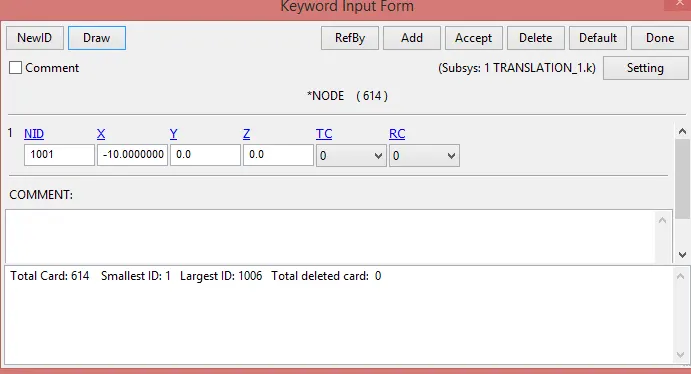
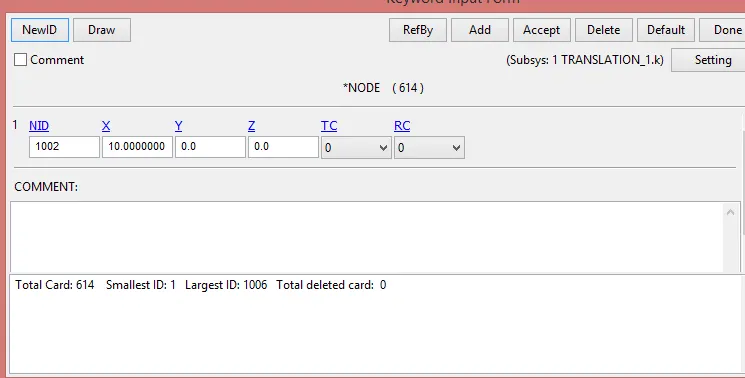
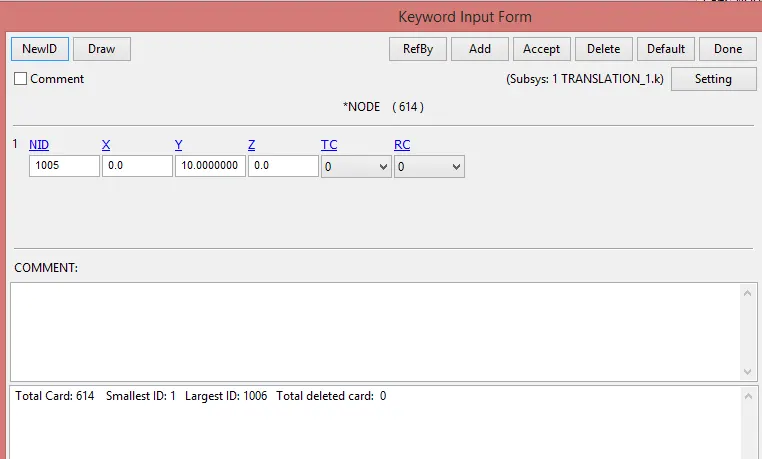
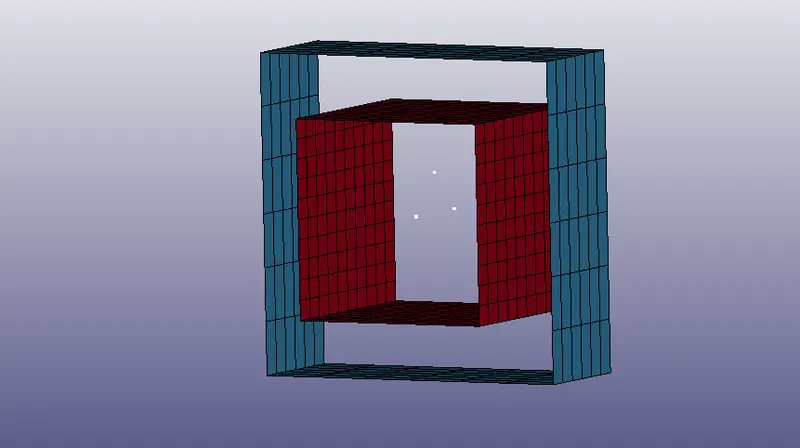
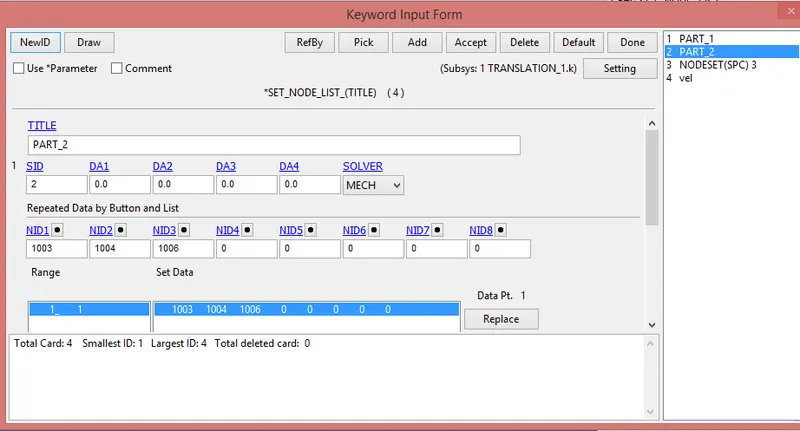
-After that create two node set.
i) First consist of 1001, 1002 and 1005.
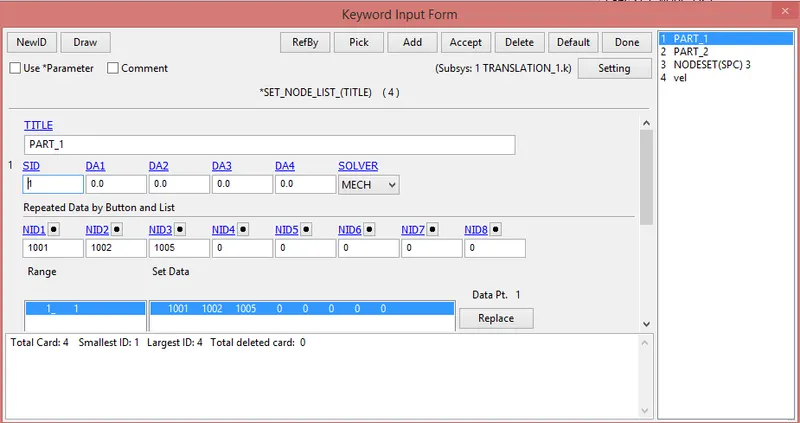
ii) Second consist of 1003, 1004 and 1006.
*Constrained extra nodes:-
-The node set id which constrains nodes 1001, 1002 and 1005 are considered as a fixed nodes assigned to the part-1 which is also fixed.
-The node set id which constrains nodes 1003, 1004 and 1006 are considered as a fixed nodes assigned to the part-2 which is also fixed.
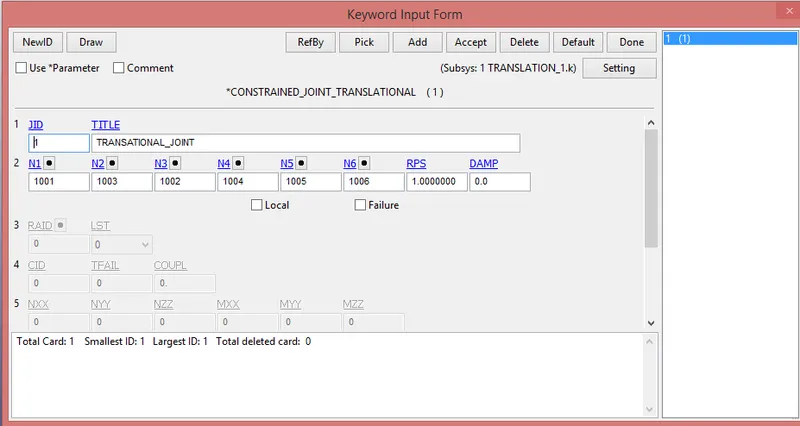
*Translational joint:-
-After that the create joint between two bodies.
-For that go to Model & parts> keyword manager> all> Constrained> Constrained_joint_translational
*Material creation, section creation and part creation:-
-Here material, section creation and part creation card same as a revolute joint.
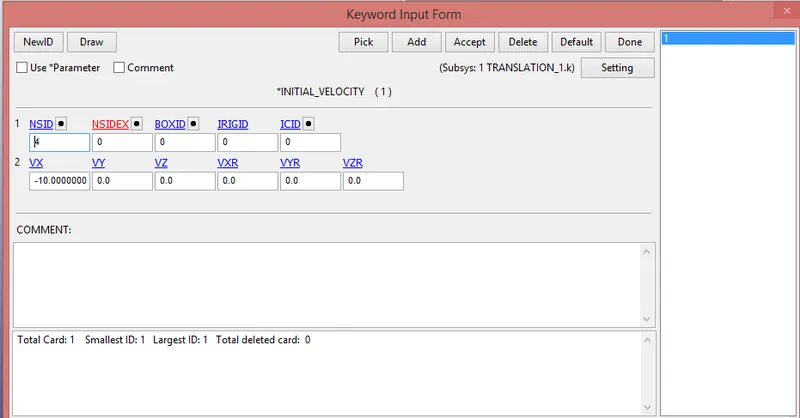
*Initial velocity:-
-Initial velocity is provide for rotation and motion of inner cylinder.
-For that go to Model & parts> keyword manager> all> Initial> velocity_rigid_body
-Here we provide 10mm/ms in negarive x-direction in translational and negative z-direction in rotational.
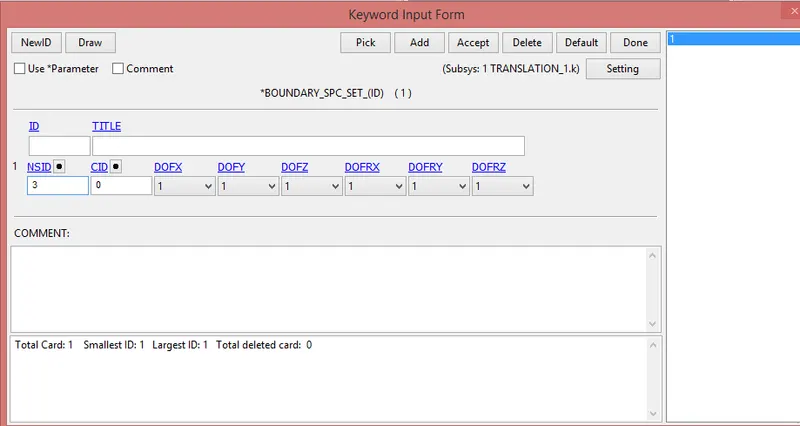
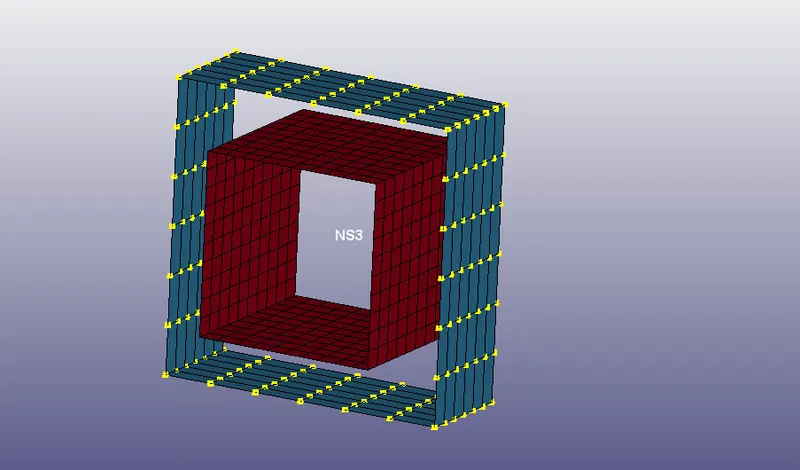
*SPC:-
-Here part-2 is a fiexd, so first of all create node set.
-For that go to Model & parts> keyword manager> all> Boundary> spc_set
-Here create spc card. All DOF are provided, because we do not movement in any direction.
*Control termination:-
-For that go to Model & parts> keyword manager> all> Control> Termination
*Control timestep:-
*Module:2:-
*Various types of joint using two deformable bodies:-
-The step required to create joint between two deformable bodies are same at that of rigid bodies except few changes
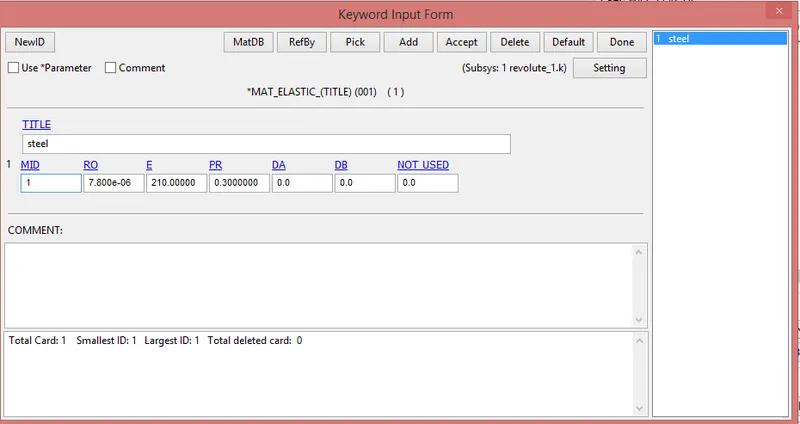
i) *MAT_ELASTIC card used instead of *MAT_RIGID card.
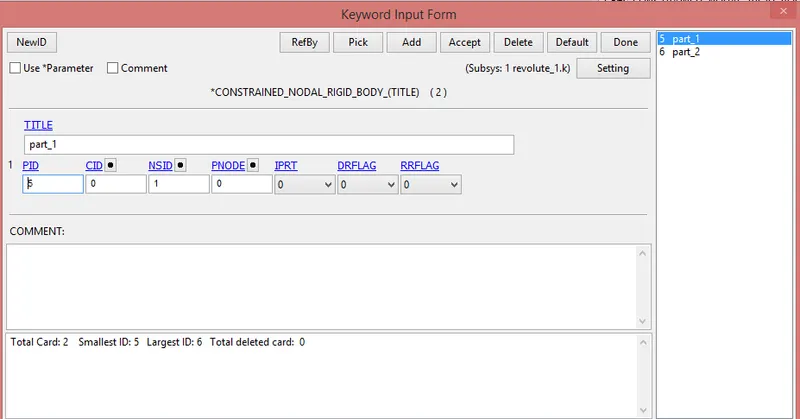
ii) *CONSTRAINED_NODAL_RIGID_BODY(CNRB) card used instead of *CONSTRAINED_EXTRA_NODES.
iii) *INITIAL_VELOCITY used instead of *INITIAL_VELOCITY_RIGID_NODES.
1) Revolute joint:-
*Material creation:-
*Constrained_nodal_rigid_body:-
-For that go to model and part> keyword manager> all> constrained> Nodel_rigid_body
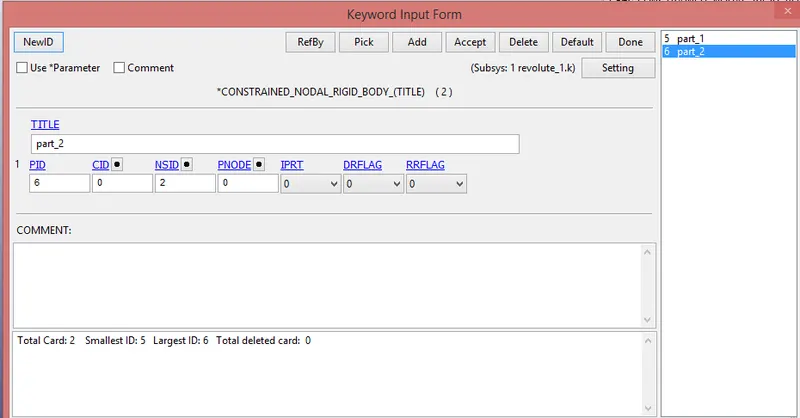
-The another keywords are same as a revolte joint in module-1.
2) Spherical_joint:-
*Material creation, section creation and part creation:-
-Here material, section creation and part creation card same as a revolute joint.
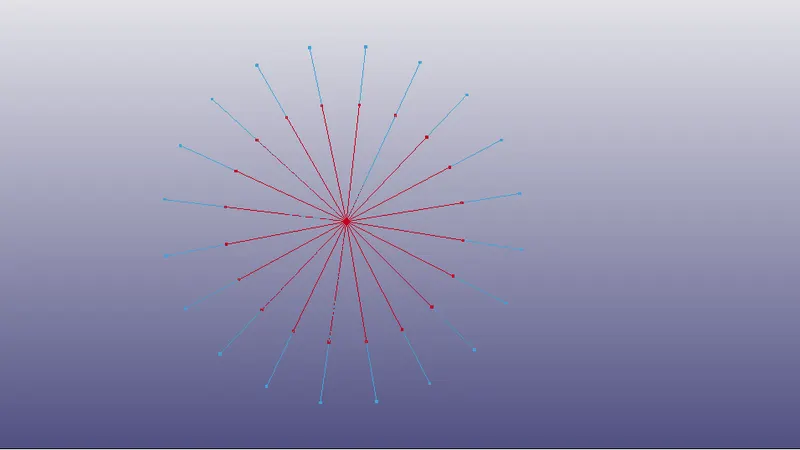
*Constrained_nodal_rigid_body:-
-For that go to model and part> keyword manager> all> constrained> Nodel_rigid_body
*Initial_velocity:-
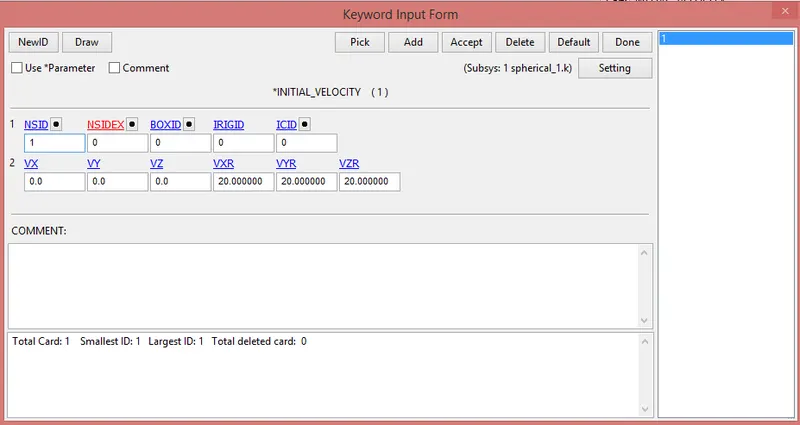
-The another keywords are same as a Spherical joint in module-1.
3) Cylindrical joint:-
*Material creation, section creation and part creation:-
-Here material, section creation and part creation card same as a revolute joint.
*Constrained_nodal_rigid_body:-
-For that go to model and part> keyword manager> all> constrained> Nodel_rigid_body
*Initial_velocity:-
-here we provided velocity 10 mm/ms in negative x-direction.
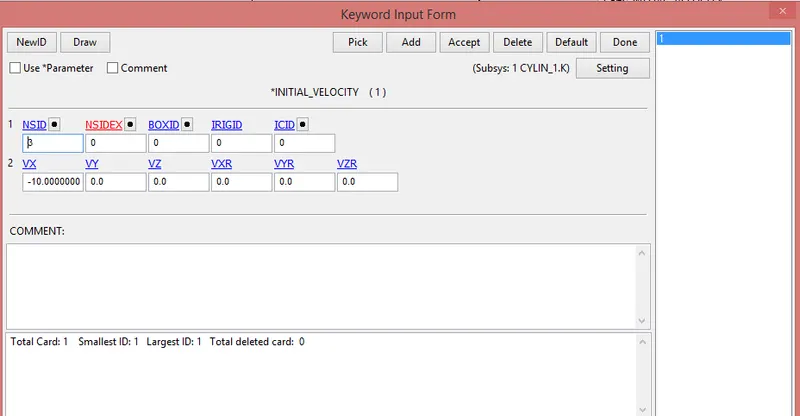
-The another keywords are same as a cylindrical joint in module-1.
4) Translational joint:-
*Material creation, section creation and part creation:-
-Here material, section creation and part creation card same as a revolute joint.
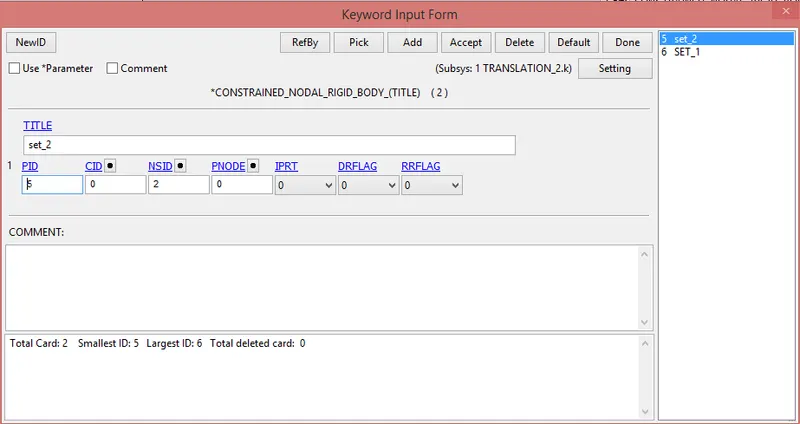
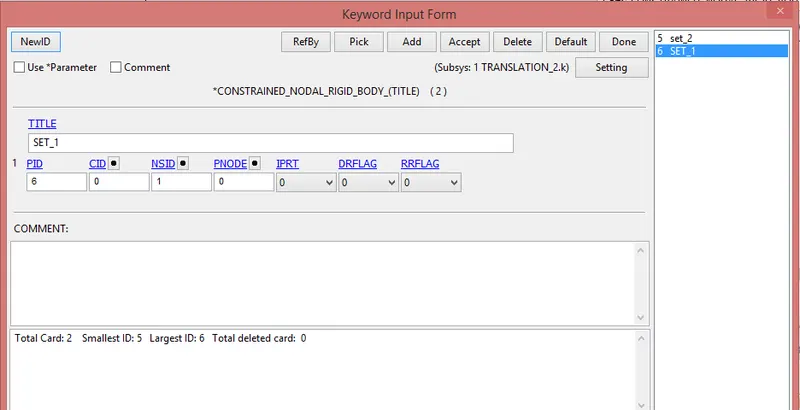
*Constrained_nodal_rigid_body:-
-For that go to model and part> keyword manager> all> constrained> Nodel_rigid_body
*Initial_velocity:-
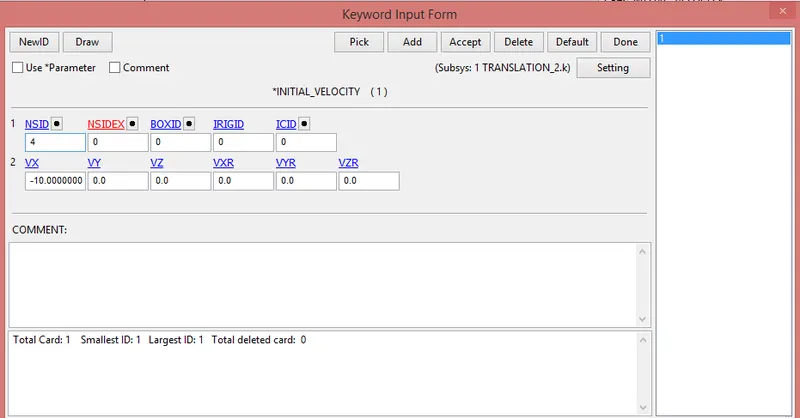
-The another keywords are same as a translational joint in module-1.
* Output results:-
Module:-1
Joint between two rigid bodies:-
1) Revolute joint:-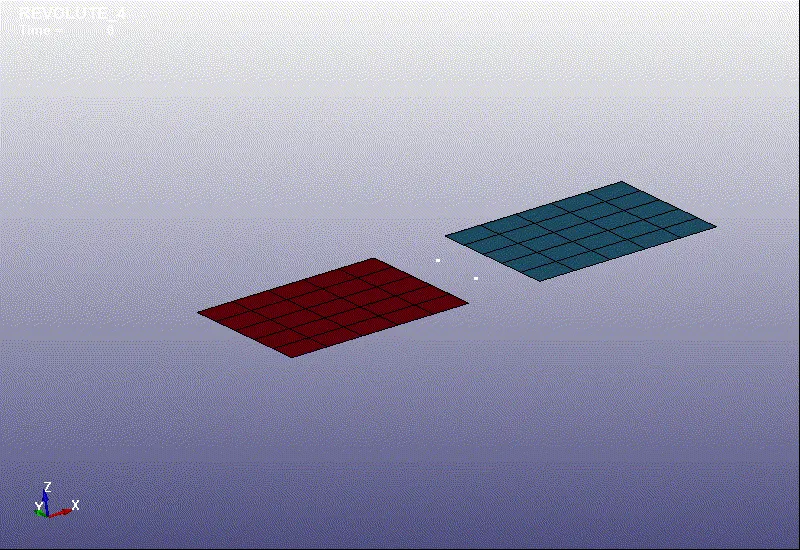
2) Spherical joint:-
3) Cylindrical joint:-
4) Translational joint:-
Module:-2
Joint between two deformable bodies:-
1) Revolute joint:-
2) Spherical joint:-
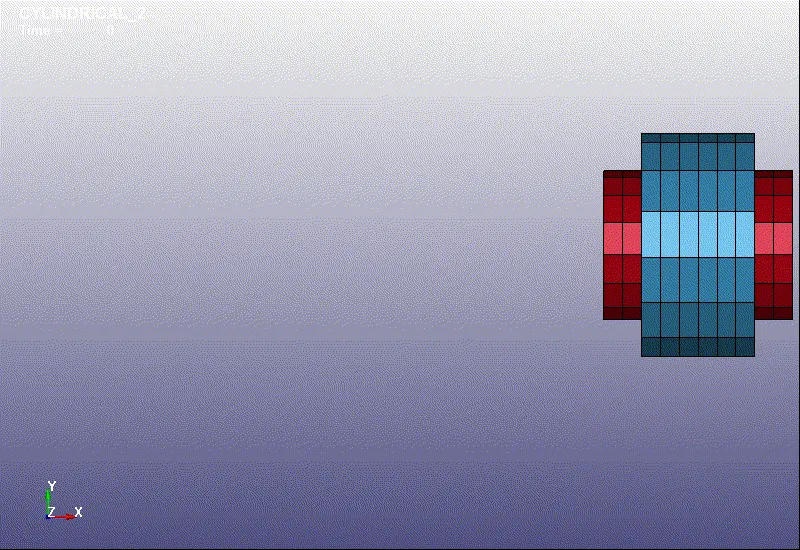
3) Cylindrical joint:-
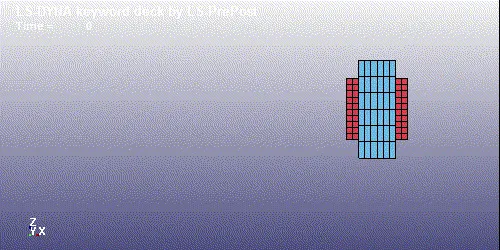
4) Translational joint:-
*Conclusion:-
-Learn different types of joints just like revolute, spherical, cylindrical and Translational.
-Learn about different types of joints using *Constrained_extra_nodes and *Constrained_nodal_rigid_body between rigid and deformable bodies respectively.