Week 11 - Final project
Design for the Car Door Inner Panel
Aim: To design the car door inner panel with reference to the given Class-A surfaces and with provided master sections for the component and to draft analyze each plastic component.
Abstract:
In automotive industries, class A surfaces are the surfaces of any component which are the visual sides to the human eye after the part is assembled. It can also be considered as the outer surface of the exterior as styling though the component is not plastic. Whereas the surfaces which are not visible to the human eye i.e., the inner side of the component after assembling are known as the class B surfaces. The class B surfaces will be having a few mechanical features such as the ribs, screw bosses, heat stakes, dog houses etc which provide strength to the component and help assemble with another component. The edges for any component i.e., between class A and B surfaces are known as the class C surfaces. The class C surfaces (edges) are created with a certain draft angle with respect to the class A surfaces to avoid production failures while moulding the component.
In this project, class A surfaces for a rear car door inner panel are provided for which the class B and C surfaces are to be created providing the engineering features for each component and are to be assembled. After creating the solid plastic components draft analysis is to be done for each component.
Methodology:
The methodology for the project is as shown below:
(i) Extract the surfaces differentiating each class A surfaces for a specific component.
(ii) Considering each component create tooling axes and create the class B and C surfaces for the component as per the given master sections.
(iii) Convert the created surface components to solid components.
(iv) Provide engineering features for the component on the class B surface.
(v) Draft analyze each component as per the requirement.
Introduction:
Door panels serve as an interface between the interior of the car and the inner workings of the door, and between vehicle occupants and the door. They are expected to meet a variety of design specifications regarding safety, aesthetics, and functionality. The given class A surfaces for the inner car door panel are as shown below.
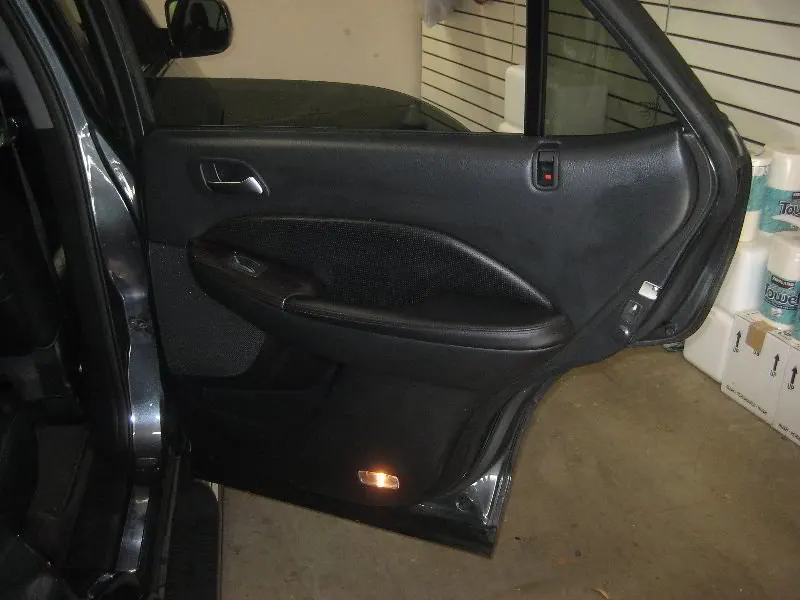
Fig 1: Car door inner panel in real life.
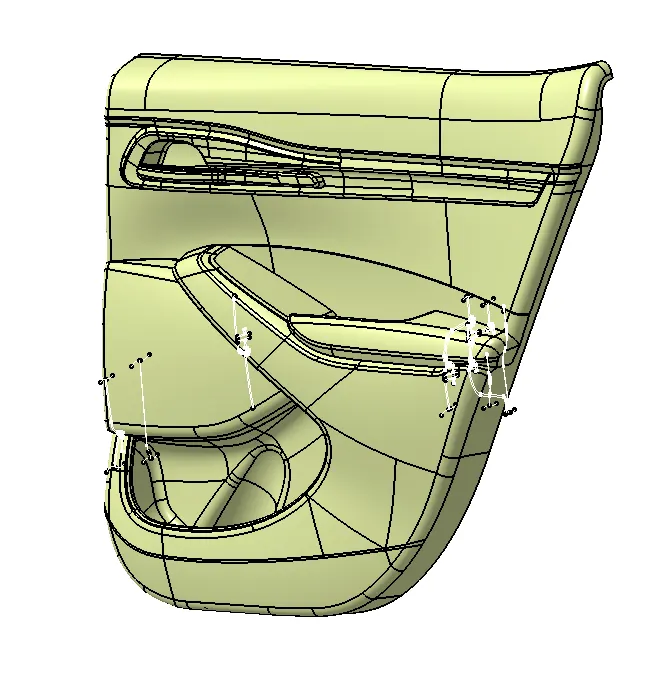
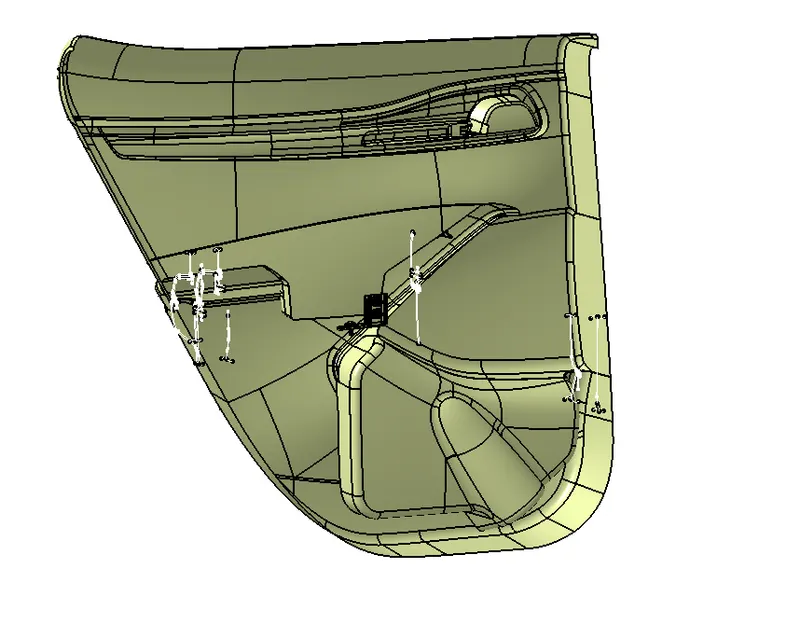
Fig 2: Given class A surface for the door panel Fig 3: Given Class A surface back view.
Procedure:
Creating Plastic components from Class A surface:
- Extract the class A surfaces from the given group of surfaces so that to differentiate for specific components. Insert the extracted surfaces in each geometrical sets as per the components.
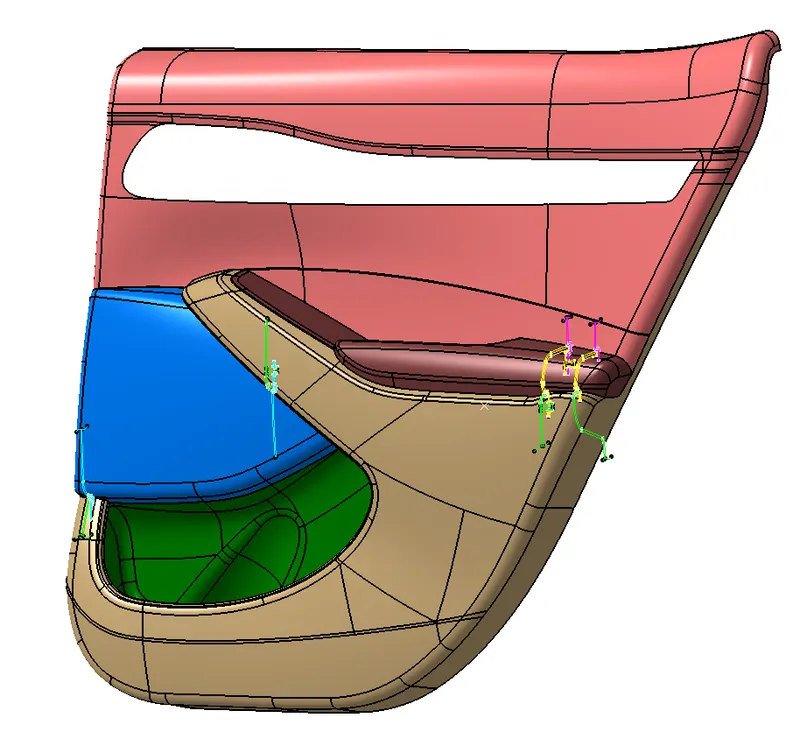
Fig 4: Segregating the class A surfaces.
2. Considering the map pocket of the door panel check for any kind of open edges on the class A surface. Fix the surface if needed.
3. Create the tooling axis perpendicular to the class A surface as shown below.
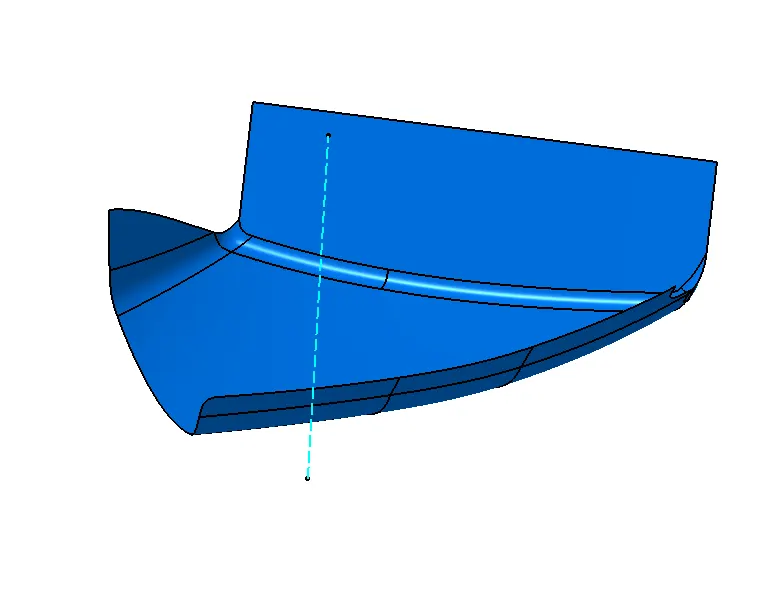
Fig 5: tooling axis for the map pocket.
4. As per the master sections provided for each component, create the flanges for the class A surface in the required positions. Steps to be followed for creating the flanges:
a. Extract the edges of the class A surface wherever required to create flanges.
b. Using the sweep option create the surface perpendicular to the class A surface as shown below.
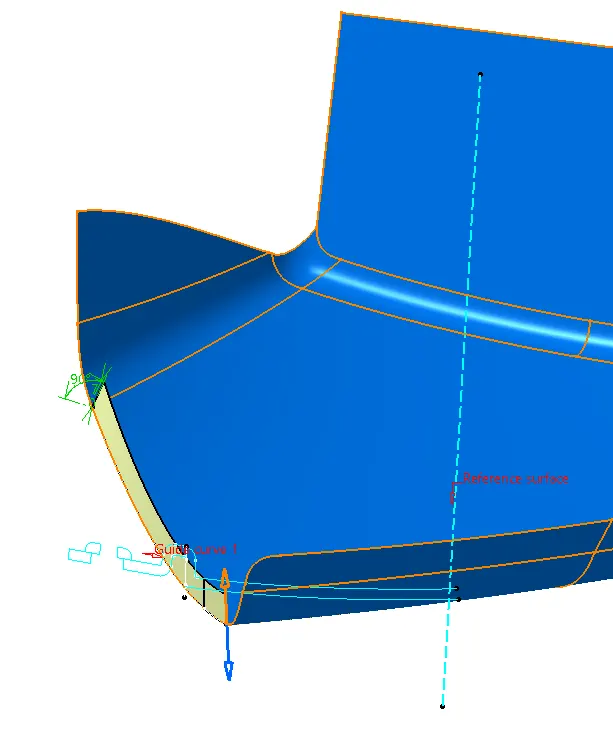
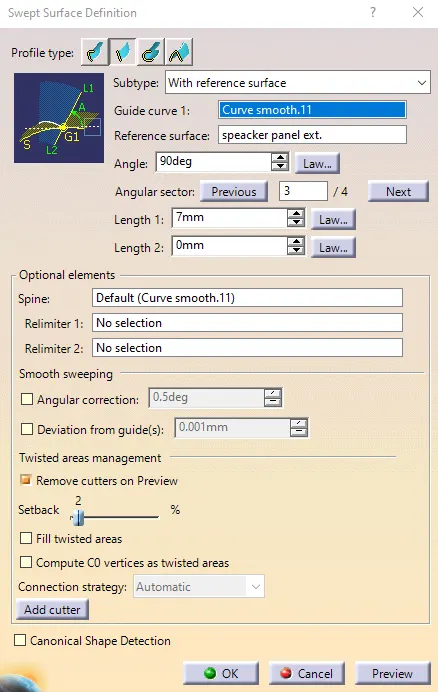
Fig 6: Creating a flange surface using sweep operation. Fig 7: sweep operation panel
c. The angle of the swept surface should be closer to the master section lines when measured. Set the angle closest to the master section lines.
d. Extract the master section lines and create a line on the sweep surface using the intersect option.
e. Measure the angle between the extracted lines and adjust the sweep surface angle until the angle between both the lines is near to 0 degrees.
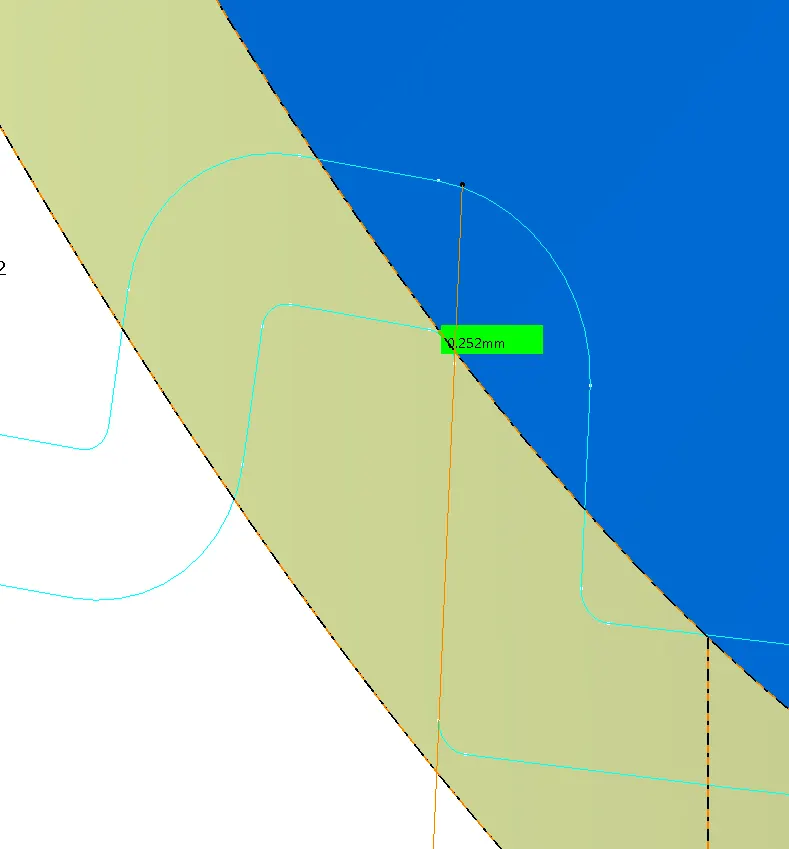
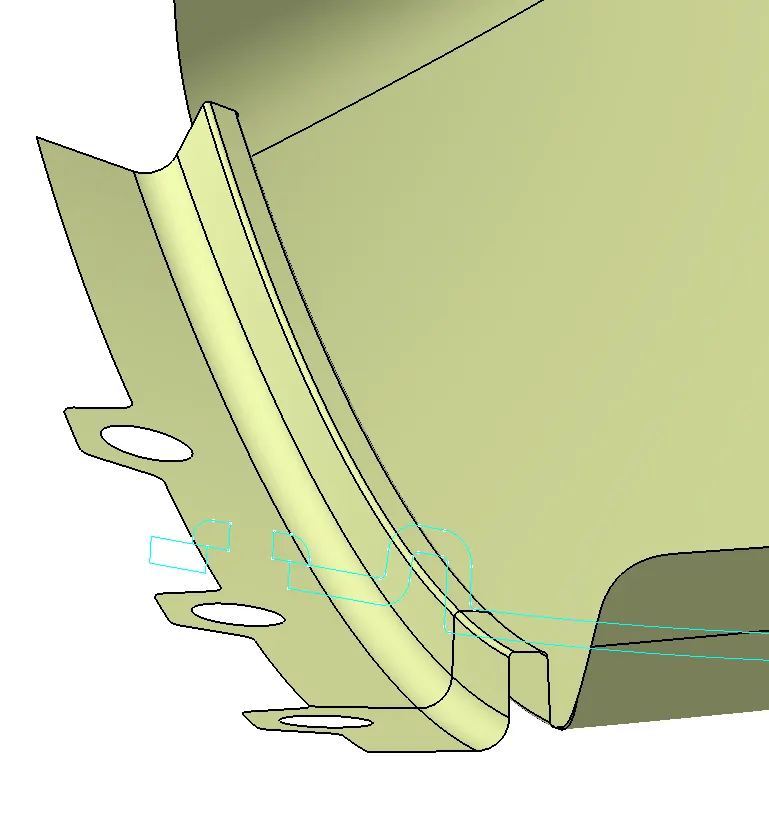
Fig 8: Measurement of the angle between the swept Fig 9: Created flange for the component as per the master surface
surface and the extracted line
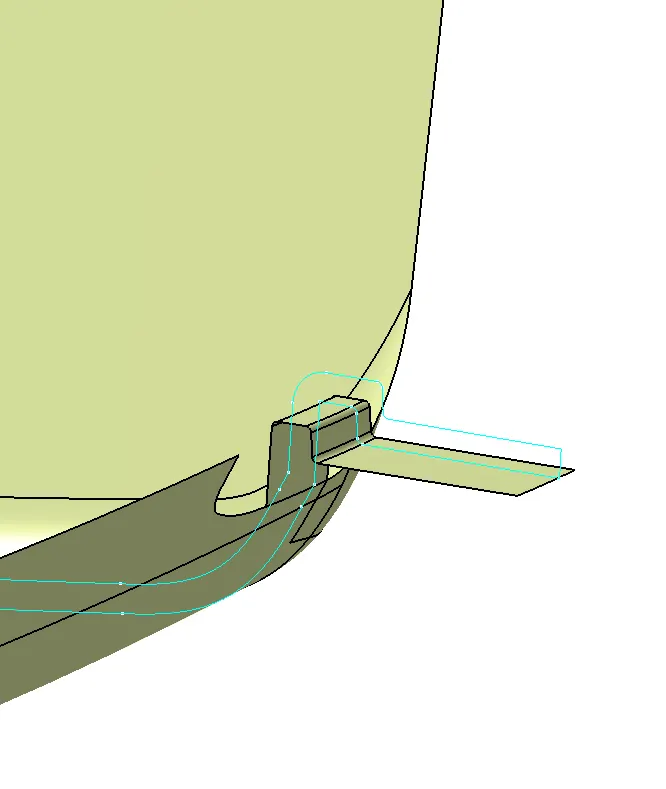
Fig 10: Created second flange feature as per the master section
- After creating the flanges for the component, create the class B and C surfaces from class A surface following the steps shown below:
Class B surface:
Class B surface is created by offsetting the class A surface outwards with the measurement as per the master section i.e., 2.5mm.
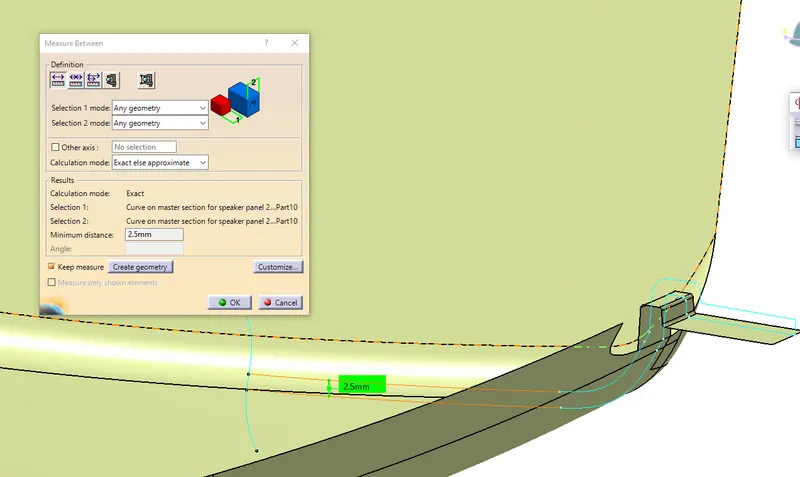
Fig 11: Measurement of the master section
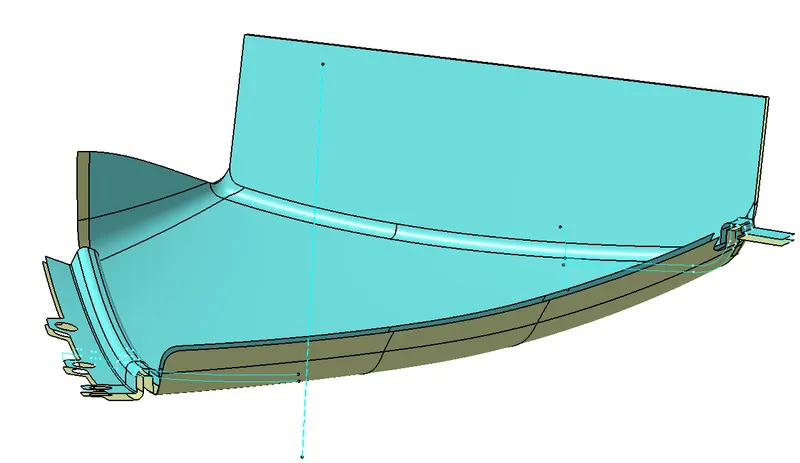
Fig 12: offset Class B surface
Class C surface:
a. Extract the edge lines of the class A surface and sweep the extracted lines.
b. Set the sweep mode to draft direction, select the extracted lines as guide curves and the tooling axis as the draft direction. Set the sweep angle as 3 degrees and the length of sweep more than 2.5 mm.
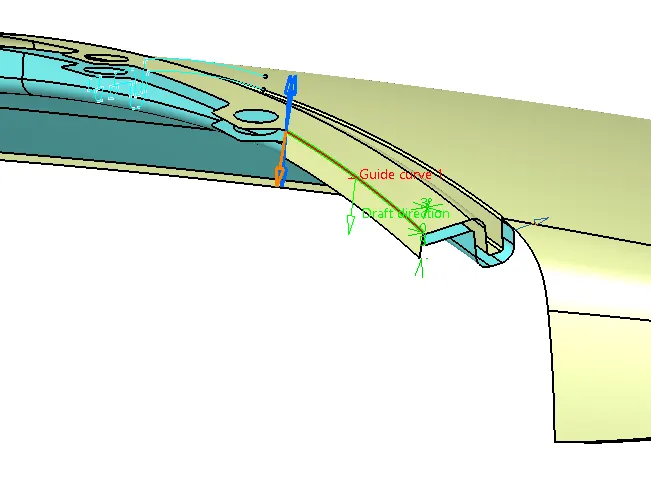
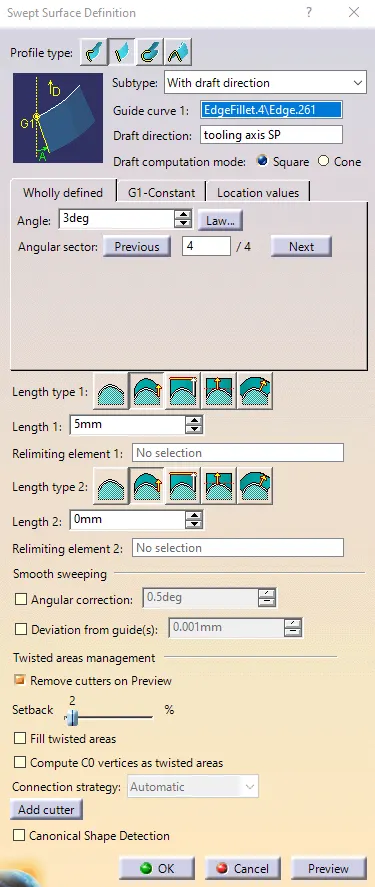
Fig 13: Creating class C surface using the sweep operation Fig 14: Sweep operation window
c. The sweep operation cannot be used in few regions i.e., near curved surfaces. The surface is to be created using blend or multi-section surface operations.
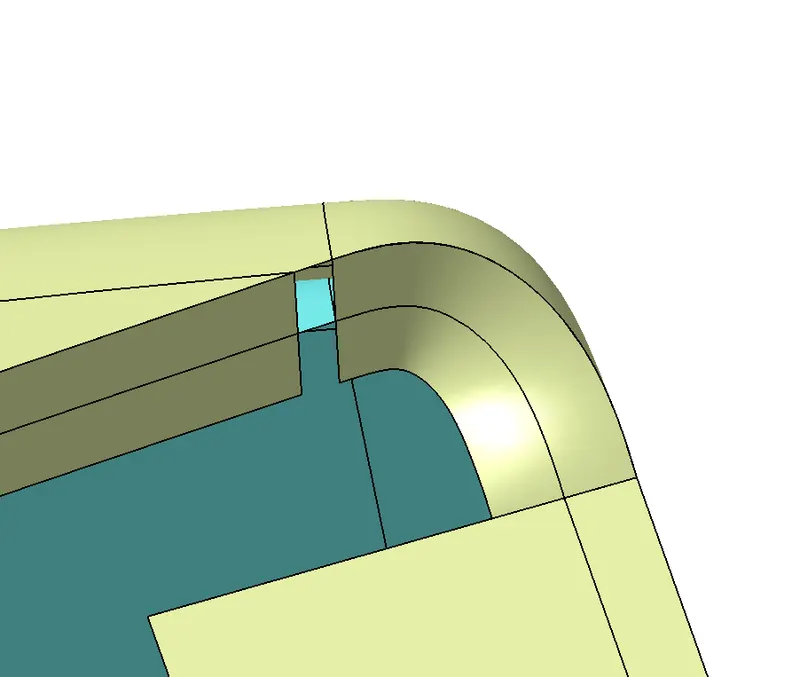
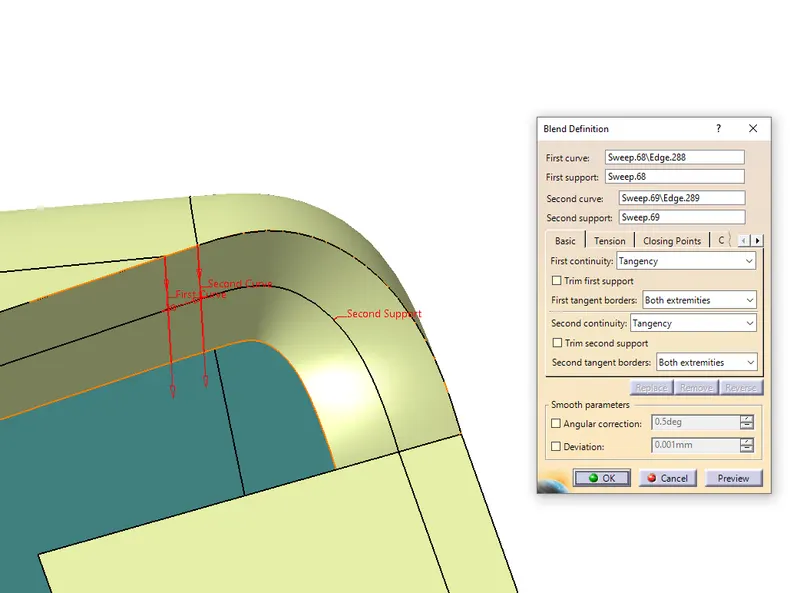
Fig 15: Empty space Fig 16: Covering the empty space using blend operation
d. Join the swept and blended surfaces together for creating the total Class C surface.
- Now trim the class B and C surfaces as required to create a thickness of the component.
- After trimming the Class B and C surfaces join the Class A surface together.
- Check for any kind of open edges between the joined surfaces using the boundary feature. Fix the open edges if any.
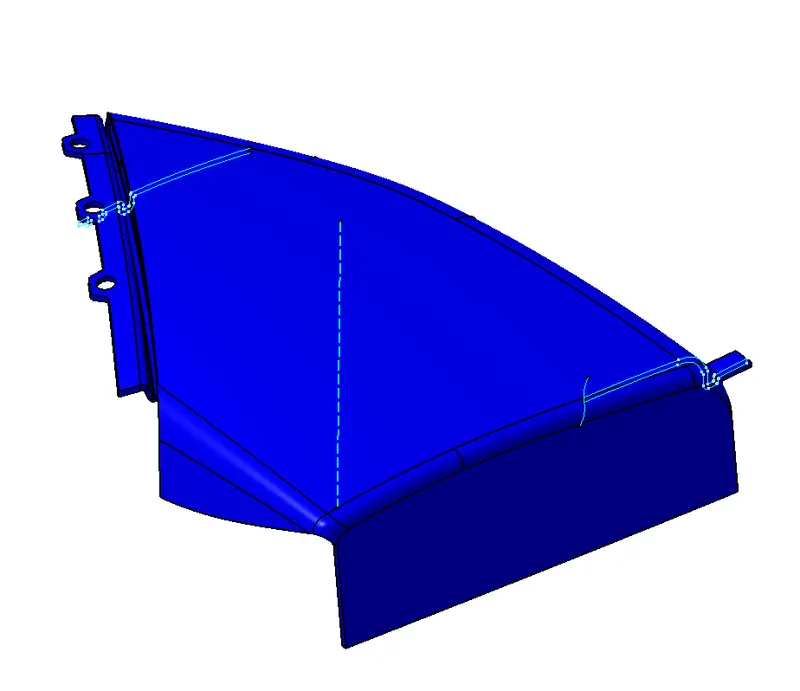
Fig 17: Map Pocket Surface component
9. Now create a solid component for a closed surface component using the ‘Closed’ feature in the part design window. The solid will not be formed if there are any kind of open edges.
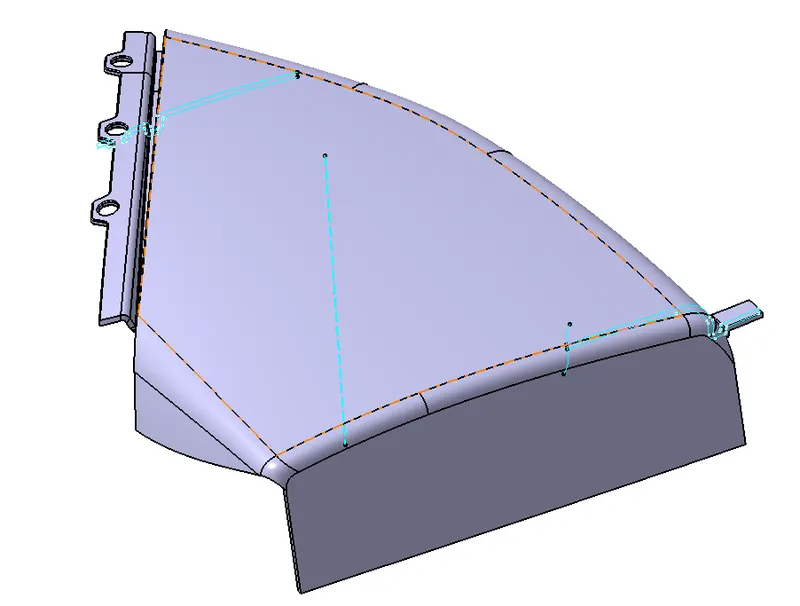
Fig 18: Map pocket solid component.
10. Similarly, create the solid components for the remaining class A surfaces by creating class B and C surfaces as done above for the lower substrate of the door panel.
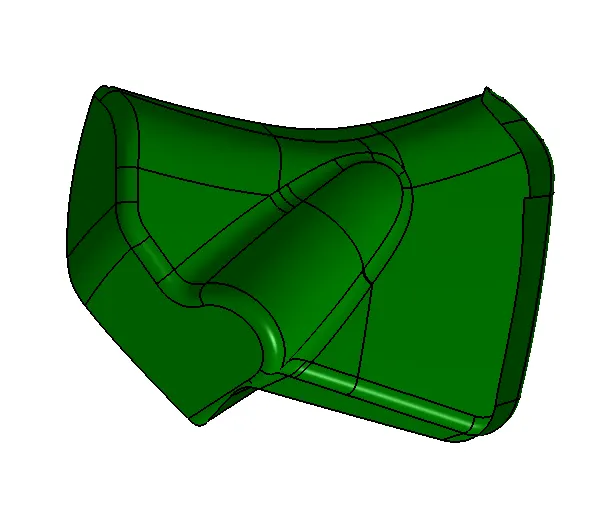
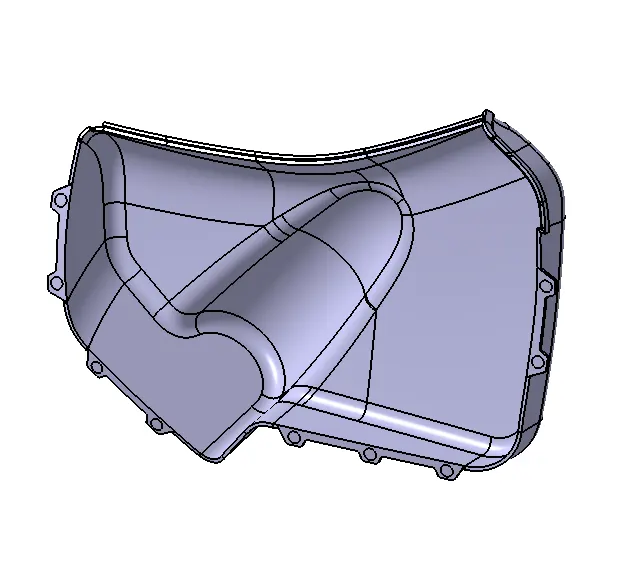
Fig 19: Lower Map pocket class A surface. Fig 20: LOwer map pocket solid component.
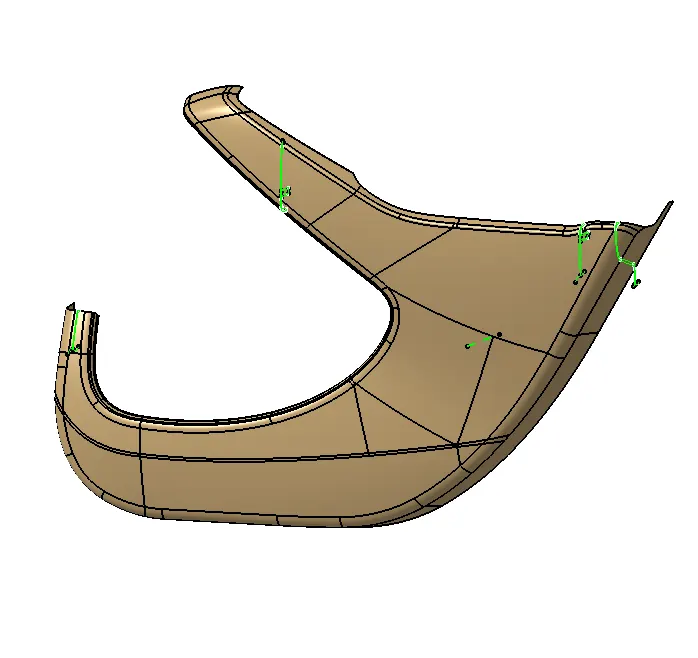
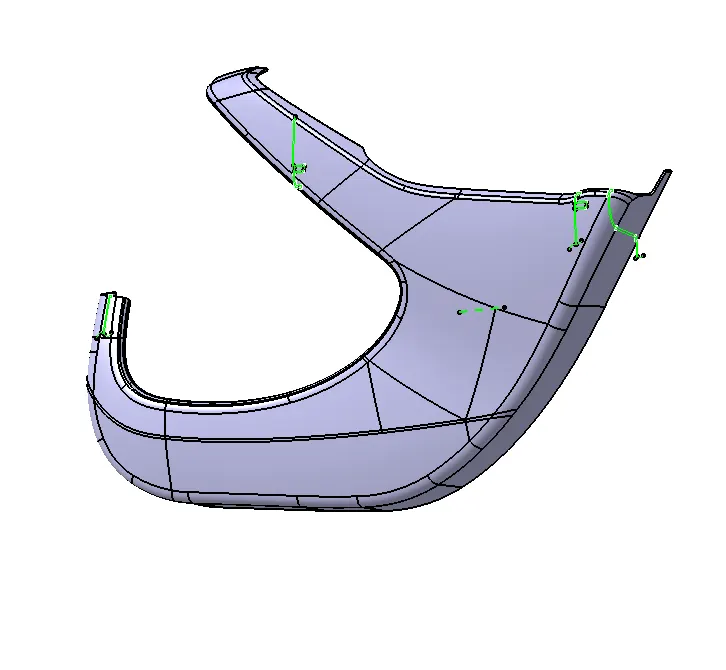
Fig 21: Lower door panel Class A surface. Fig 22: Lower door panel solid component.
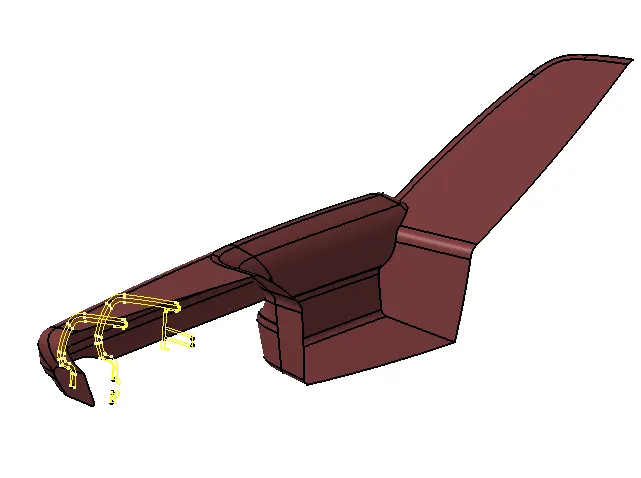
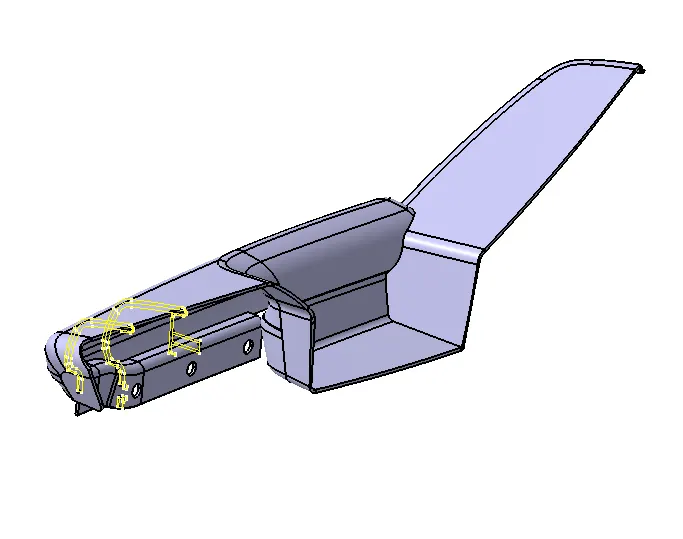
Fig 23: Door armrest Fig 24: Door armrest.
11. Now the engineering features such as the heat stakes and dog houses are to be created on the class B side of the component. Constructions for the heat stakes and the dog houses are as shown below:
Heat stakes:
a. The engineering features are to be created for the main component which holds the remaining components together i.e., the lower subtract of the door panel.
b. To create a heat stake, create a circular sketch in the position sketch feature with a 7.5mm diameter.
c. In the generative shape design workbench, extrude the created sketch as shown below.
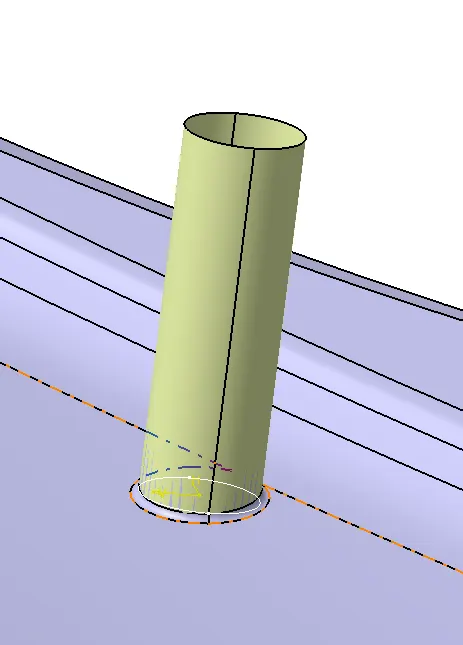
Fig 25: surface extruding from the created sketch.
d. Now using the thicken feature in the part workbench, thicken the heat stake towards the inner side of the surface up to 2mm.
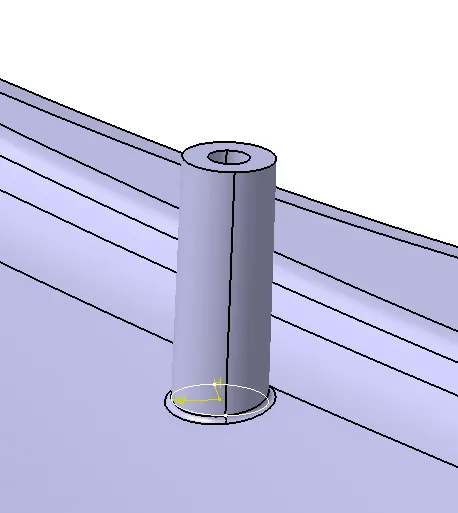
Fig 26: created a solid heat stake using thicken feature.
e. As the heat stakes are used for holding another component with the help of the flange features, holes are to be created on the flanges of another component.
f. Offset the surface with which the heat stakes are created towards the outer sides maintaining the clearance of 0.5mm.
g. Using the solid split option in the part workbench create the hole provisions on the flange surface.
h. Draft the heat stake up to 0.3 degrees and the hole up to 0.5 degrees as per the clearance required.
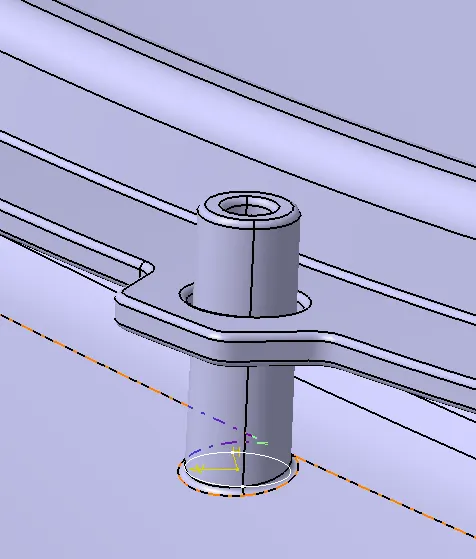
Fig 27: Components attached using heat stakes.
i. Create the duplicate heat stakes by copying and pasting the heat stake part body in the tree structure and translate them as required for attaching the remaining components. The distance between the heat stakes should be up to 60mm.
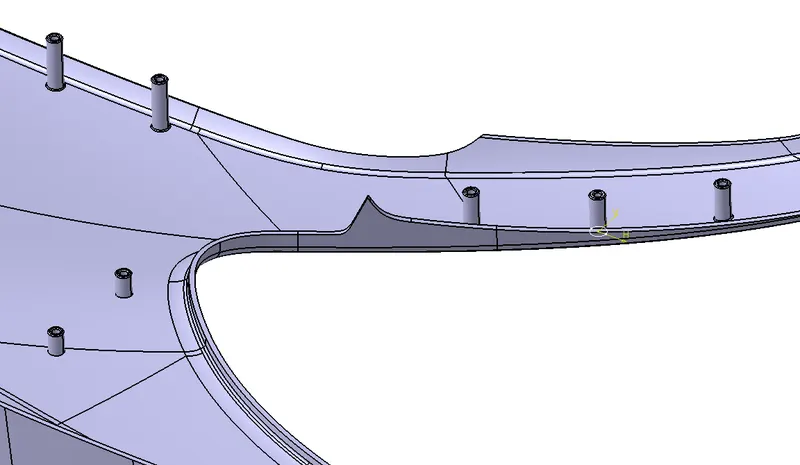
Fig 28: Heat stakes attached to the main component.
Dog Houses:
a. The dog houses are created for mounting the push pins.
b. Create the dog house outer sketch using the position sketch workbench.
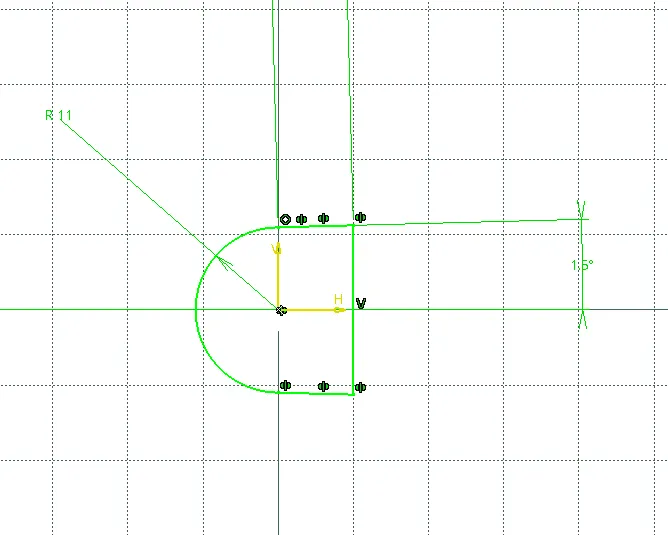
Fig 29: sketch for creating dog house.
c. Pad the sketch up to the hight of the lower substrate door panel walls.
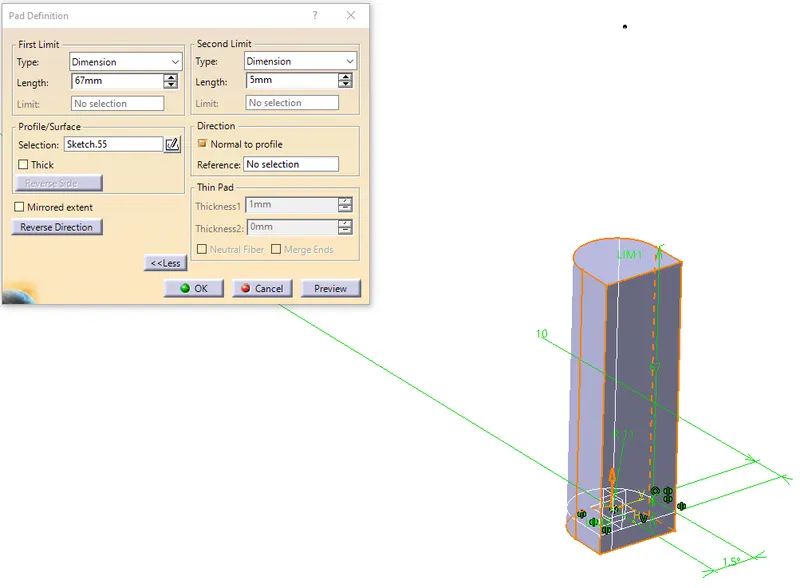
Fig 30: Padding the created sketch
d. Draft the outer walls of the padded component at 0.5 degrees.
e. The dog house should be hollow inside. So extract the outer walls of the padded surface using the surface feature.
f. Offset the extracted surface towards the inner side up to 2mm.
g. Create the solid split to the dog house using the offset surface as shown below.
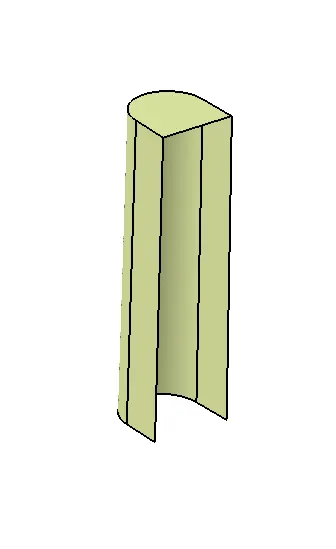
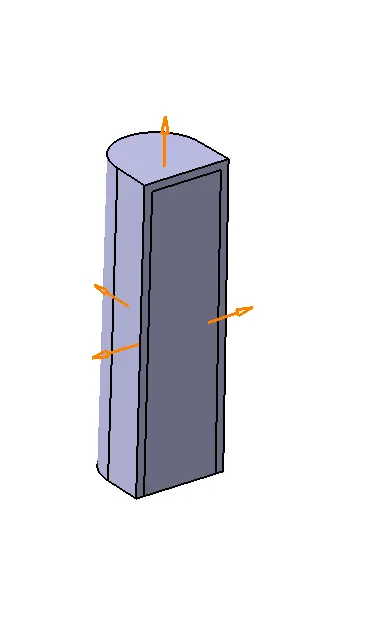
Fig 31: Extracted surface for splitting. Fig 32: Splitting the solid component using the extracted surface.
h. Now create the inner ribs by creating a surface inside the dog house and thickening it in the part workbench up to 1mm.
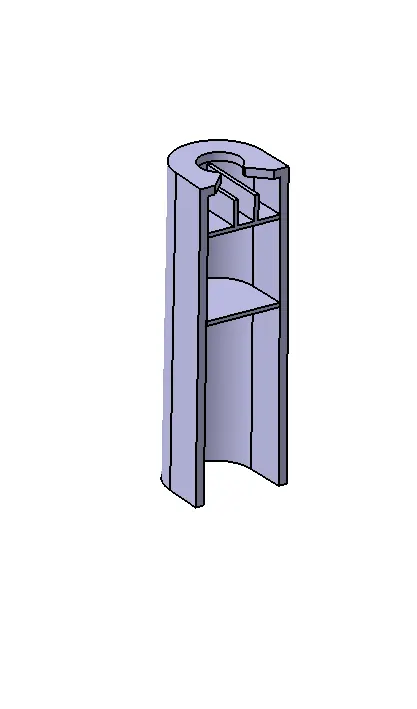
Fig 33: Created dog house.
i. Translate the dog houses as many required as done for the heat stakes.
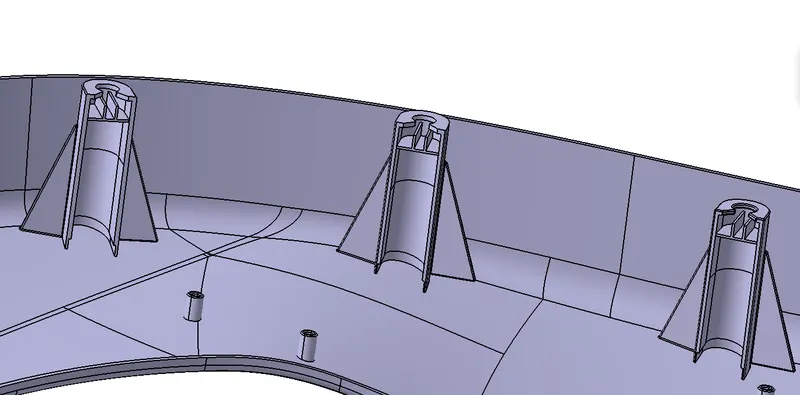
Fig 34: Translated dog houses
j. Now create an undercut for each dog house by extracting the surface below and offsetting it up to 6mm above. Create a shell structure using the surfaces as shown below and solid split the dog house as shown below.
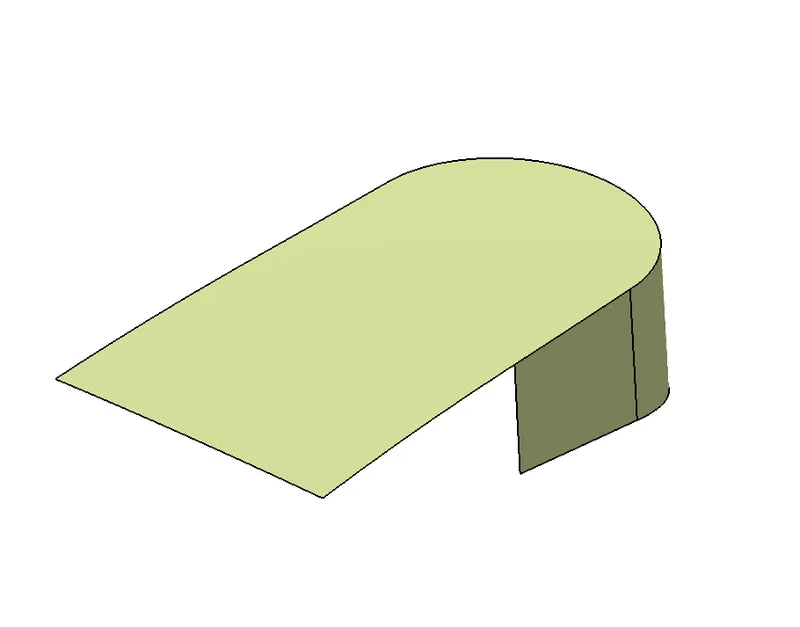
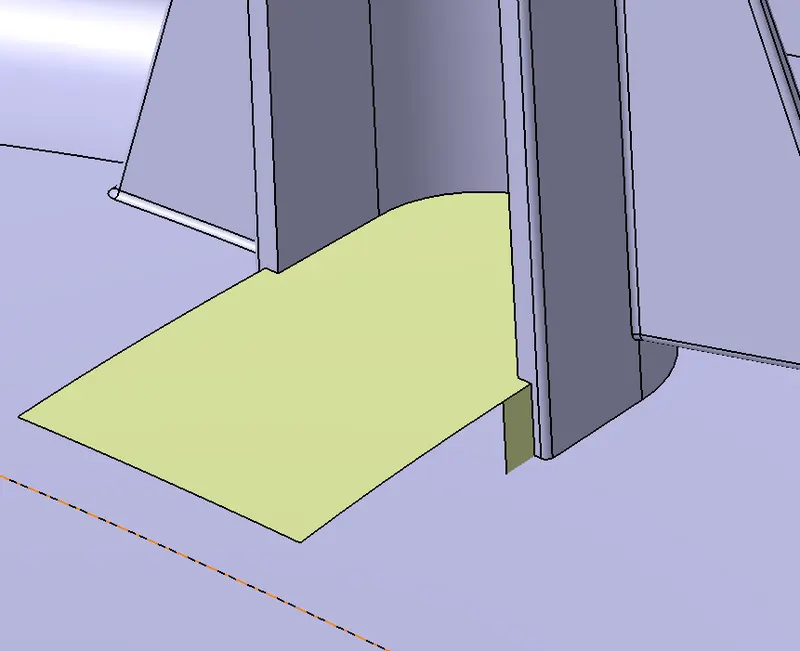
Fig 35: Created surface for creating an undercut Fig 36: Created undercut for the dog house using the solid split option
for the dog house
k. Create a hole provision as shown below such that a push pin can be easily assembled.
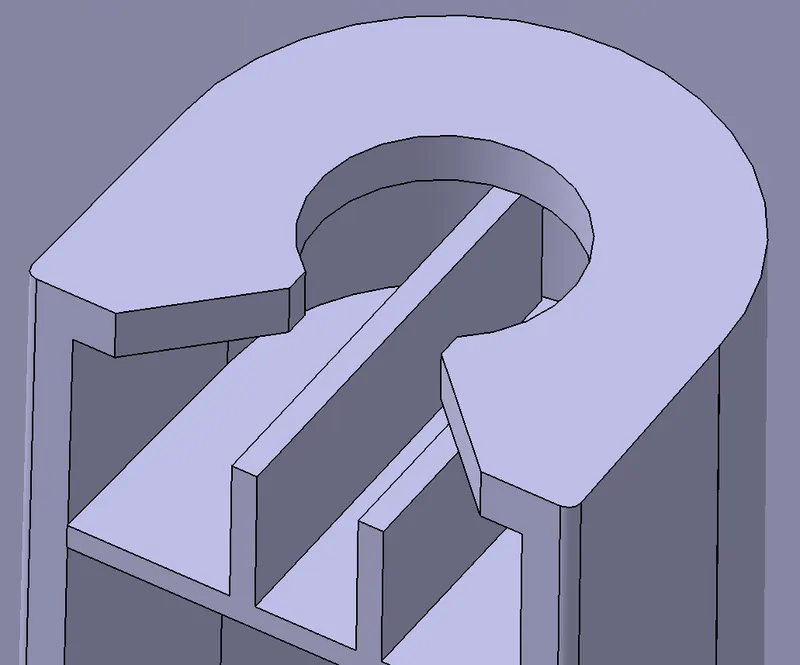
Fig 37: provision for installing a push pin.
Pushpin:
a. The pushpins are the attachment to the Dog Houses which helps to join with the other component features by locking it.
b. To create a pushpin, draw a sketch as an outer line of the pushpin on the side view as shown below.
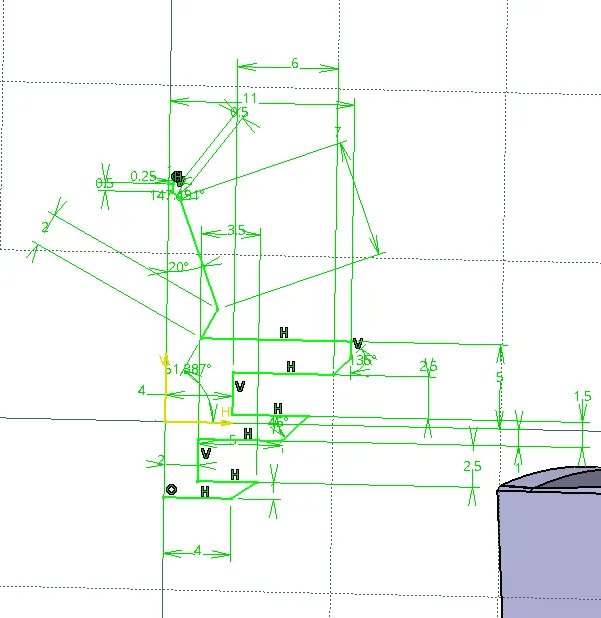
Fig 38: sketch to create a pushpin.
c. Using shaft rotate on the part workbench rotate the sketch 360 degrees referring to the axis.
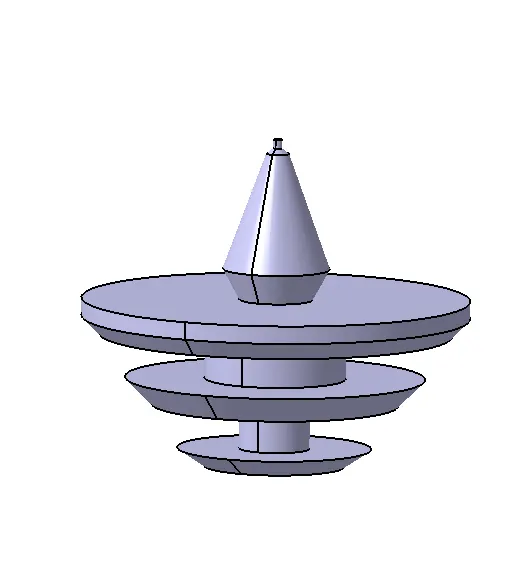
Fig 39: Created pushpin using shaft rotate.
d. Adjust the created pushpin into the dog house upper opening as shown below.
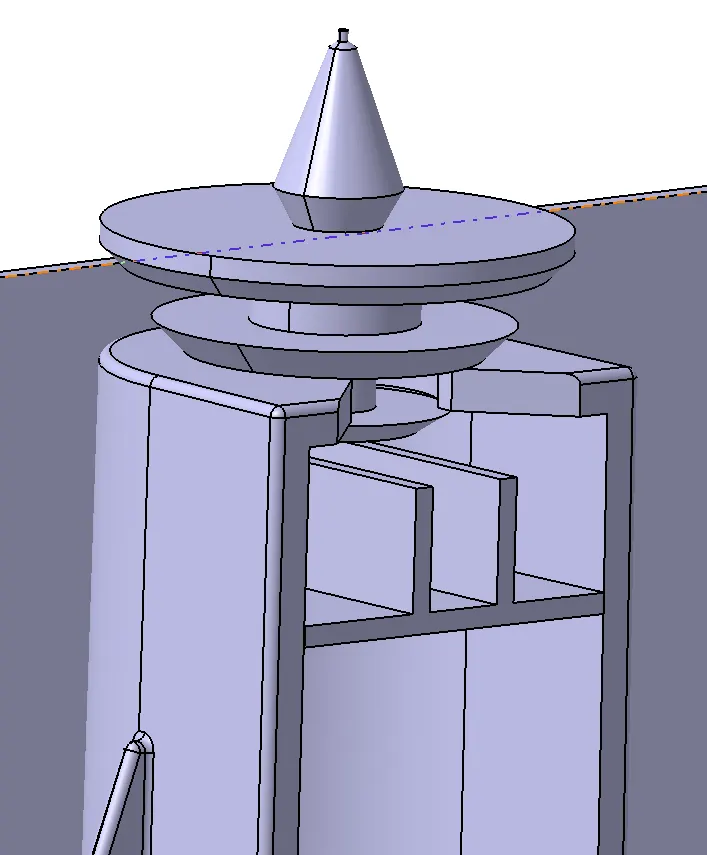
Fig 40: Adjusted push pin to the dog house.
e. Create a cut inside the pushpin as shown below using position sketcher and pocket operation.
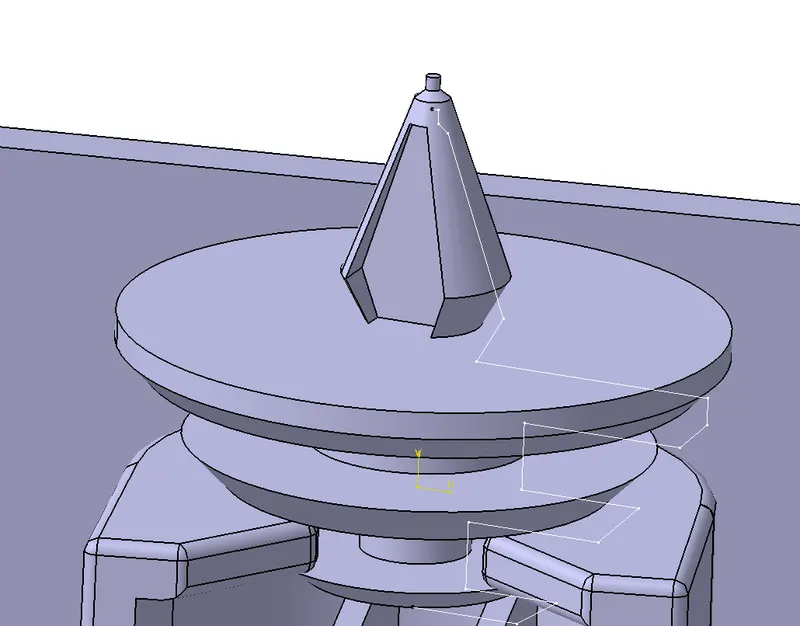
Fig 41: Creating a shallow cut.
f. Now create duplicates for the pushpins as done for the heat stakes and translate them for each dog house as shown below.
- Draft analysis for the component is to be done for each component. Place the axis to the created tooling axis and analyze the component. Draft analysis is to be done for the main component, rib features and the dog house feature. The colours green, blue and red will be hilited as shown below.
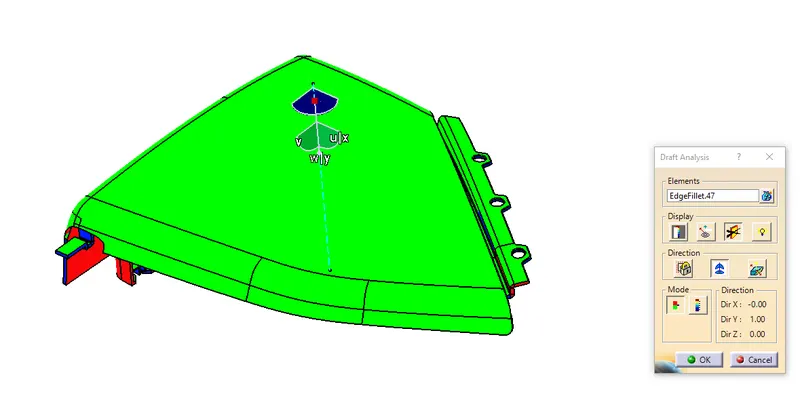
Fig 42: draft analysis for the upper map pocket.
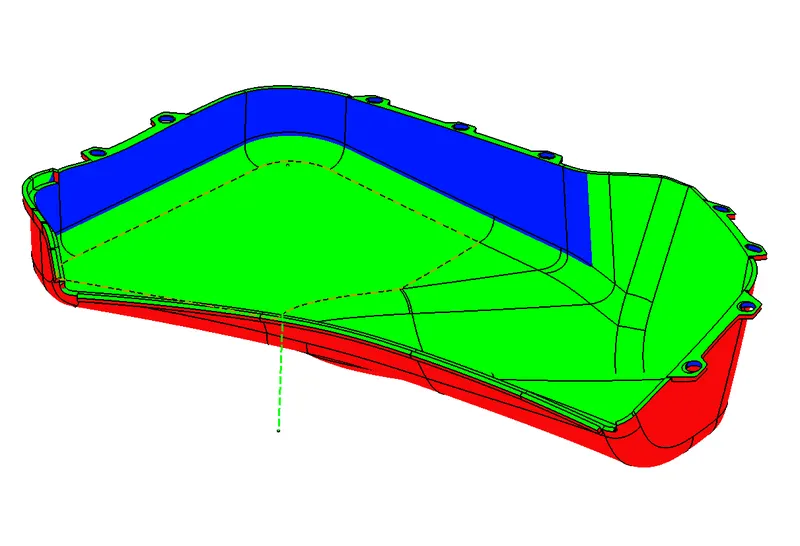
Fig 43: draft analysis for the lower map pocket.
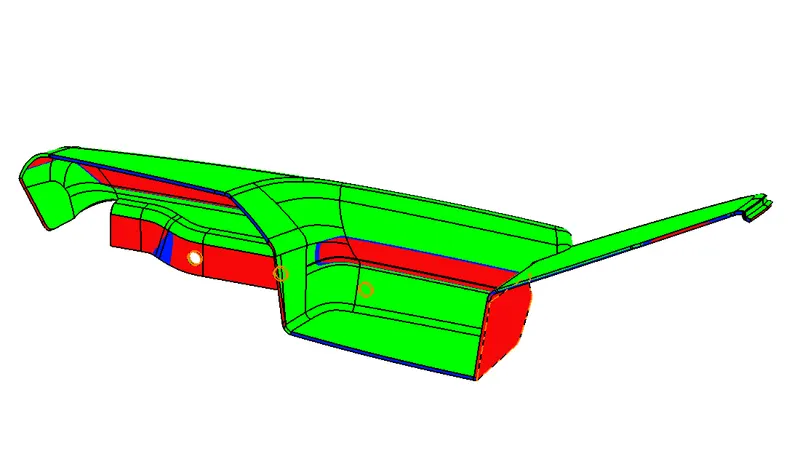
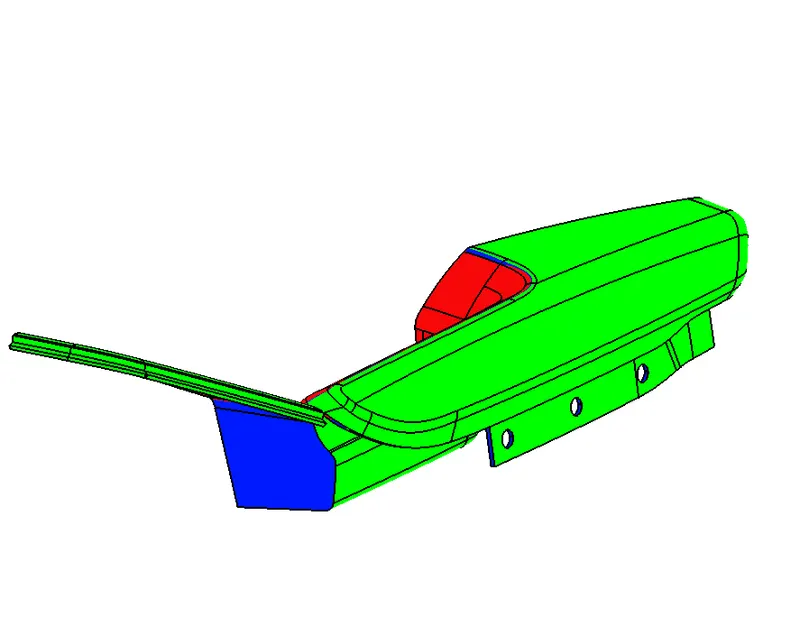
Fig 44: Draft analysis from the tooling direction for the door armrest. Fig 45: Draft analysis from the sliding direction.
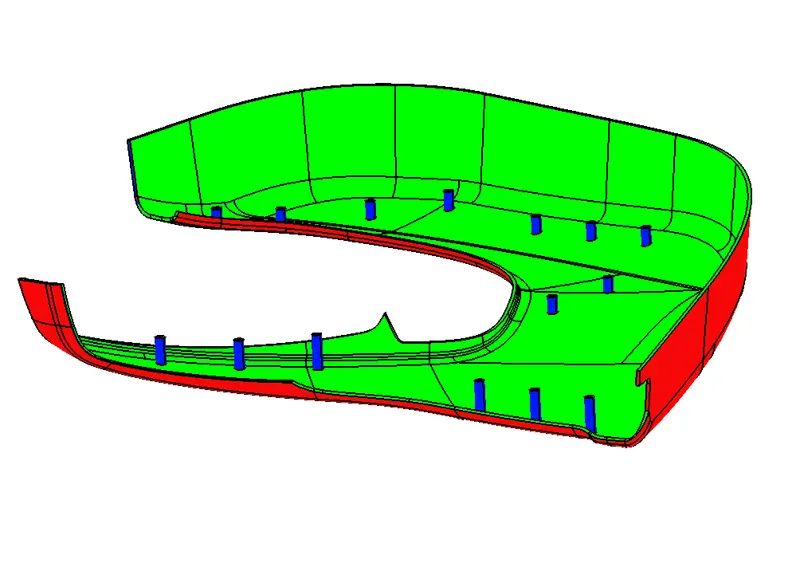
Fig 46: Draft analysis for the lower door panel.
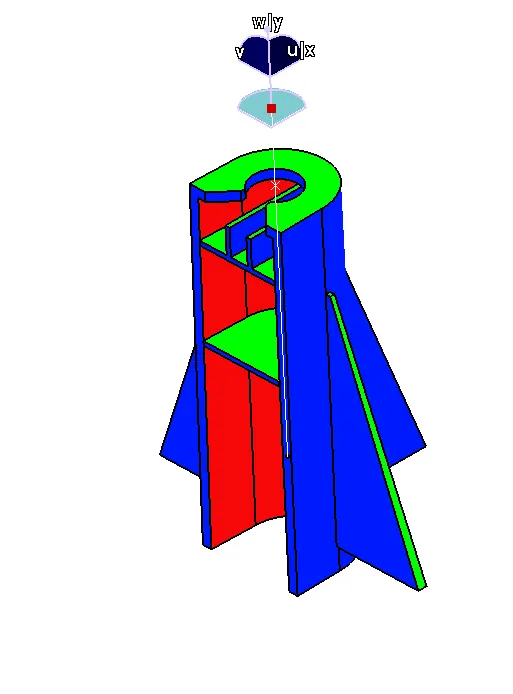
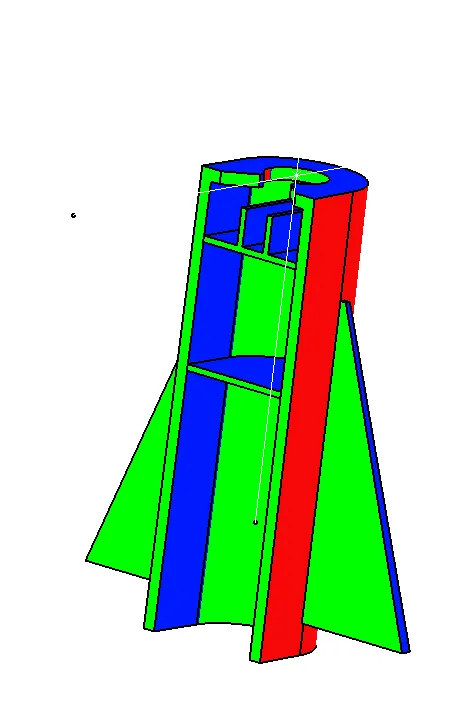
Fig 47: Draft analysis for the dog house from the tooling axis. Fig 48: Draft analysis in the sliding direction.
The purpose of performing a draft analysis for a component is for easy manufacturing of the components during the plastic moulding process and to avoid any kind of production errors on the component. The core and the cavity can be created for manufacturing a component depending on the draft analysis of the component.
According to the production standards, the class C surfaces for the components should be drafted to 3 degrees and the engineering features are drafted up to 0.5 degrees. In the above draft analysis, the green colour indicates the tooling direction from which the hot liquid plastic will be filled first, the blue colour indicated the angle of the draft as set for the draft analysis, whereas the red colour indicates the fluid will be filled last after filling the green region.
13. Assemble the created engineering features to the main components using the boolean operations.
Result:
Thus designing the lower side door panel with the help of the given class A surfaces and providing features for the component on the class B surface is completed.
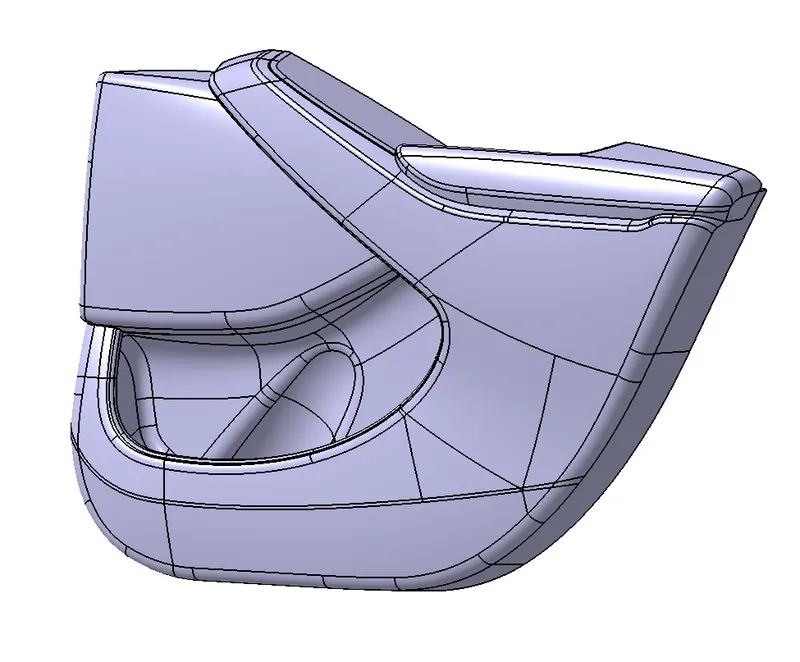
Fig 49: Final inner door panel component.
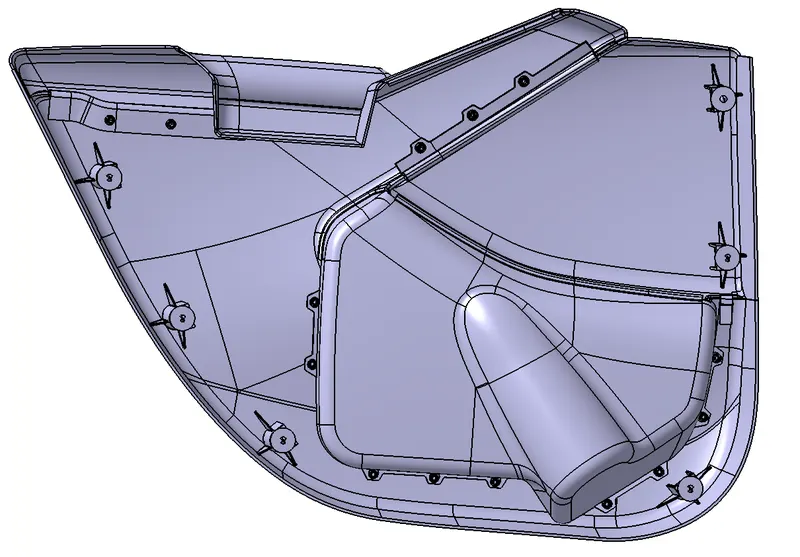
Fig 50: Engineering features created on the B surface
Conclusion:
The above model is created with the help of the class A surfaces, master sections and tooling axes. Thicking the surfaces to a solid component is completed. The draft analysis for each component is also completed as per the production standards.
Learning Outcomes:
- Learned to create Class B and C surfaces from the given Class A surface.
- Learned to create a closed surface component to form a solid component.
- Learned to draft analyze the components as per the production standards.