Week-11 Challenge: Braking
Week-11 Challenge: Braking
PS1: For a defined driving cycle, calculate the energy required for braking.
Solution:
I am taking the udds(Urban Dynamometer Driving Schedule) drive cycle in excel.
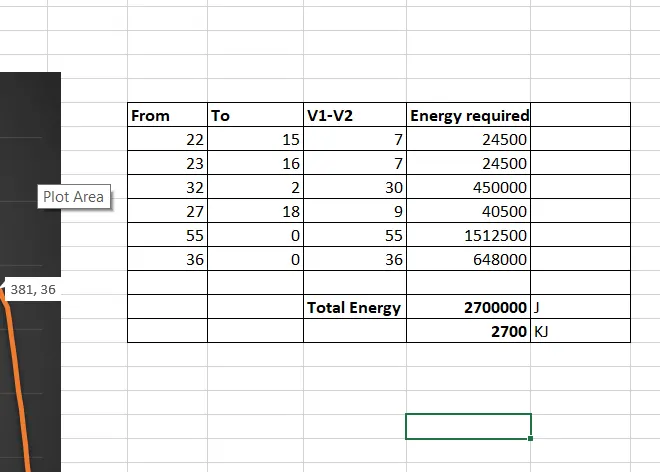
Breaking Energy = `1/2* m*(v_1-v_2)^2`
let total mass (Vehicle mass + payload) is 1000kgs.
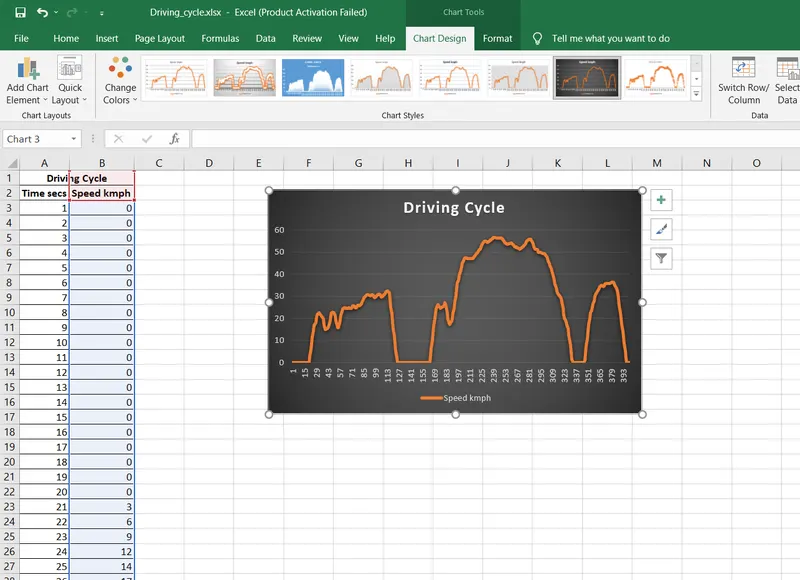
Breaking is Marked Below:
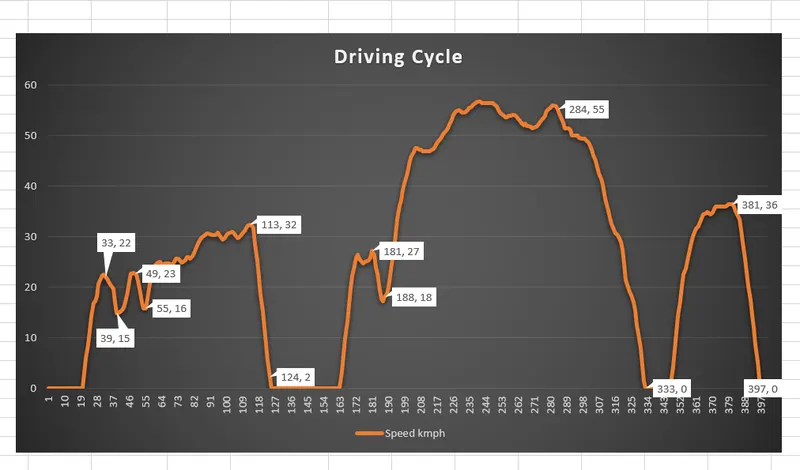
Calculation:
PS2: Why electric motor can’t develop braking torque at a high speed similar to starting? How electric and mechanical brakes are coordinated?
Solution:
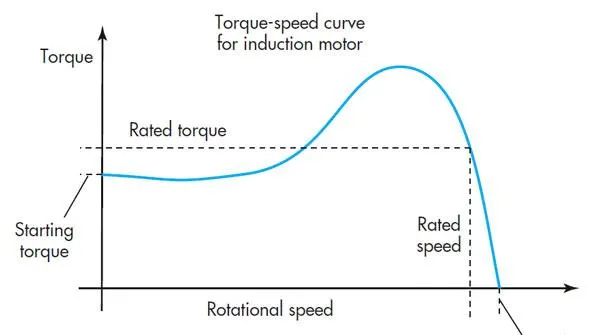
if we look at the Speed v/s torque graph of the motor, we will find that at high speed to max speed the torque is already zero. So the motor is not able to develop that much-breaking torque at high speed due to its characteristics.
How electric and mechanical brakes are coordinated?
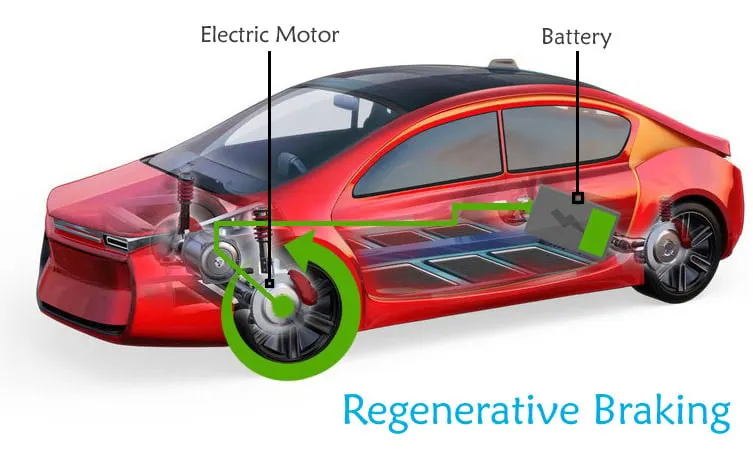
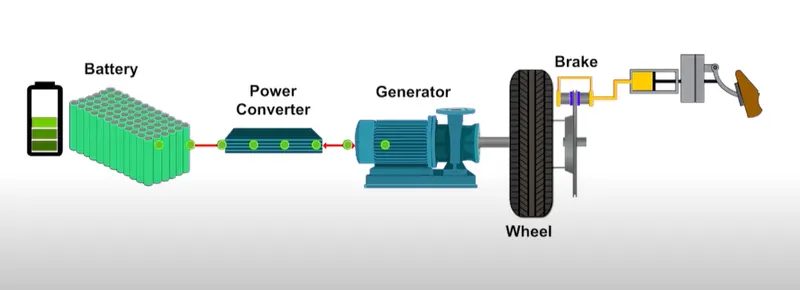
In an electric Vehicle, the Total Brake includes Electrical Brake which is called Regenerative Brake and Mechanical Brake with a hydraulic cylindrical system. As we apply the brake to stop the vehicle mechanical breaks do their work and electrical breaks do the regeneration of energy with the help of a generator and power converter.
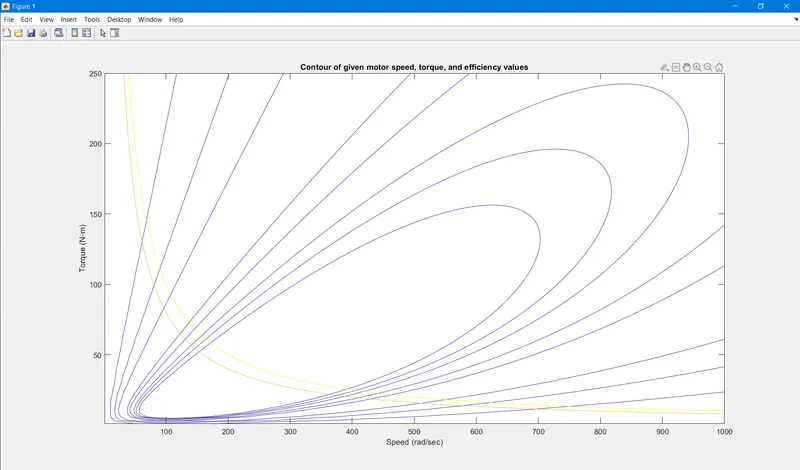
PS3: Make a MATLAB program that plots the contour of given motor speed, torque, and efficiency values. Attach the code as a .m file attach a screenshot of all the plots.
Solution:
% A MATLAB program that plots the contour of given
% motor speed, torque, and efficiency values.

clear
close all
clc

%speed and torque range
s= linspace(1,1000); % speed
t= linspace(1,250);  % torque

%Losses
kc= 0.2;         % copper losses
ki= 0.008;       % iron losses
kw= 0.00001;     % windage losses
const= 20;       % constant motor losses

% Now make mesh
[S,T]= meshgrid(s,t);
Outputpower=(S.*T);    % torque x speed = power

% Calculating Losses
Copper= (T.^2)*kc;
iron= S*ki;
wind=(S.^3)*kw;

Inputpower = Outputpower + Copper + iron + wind + const;
z = (Outputpower./Inputpower);


V=[0.70, 0.80, 0.85, 0.9, 0.91, 0.92, 0.925, 0.93];
box off
grid off
contour(S,T,z,V);
xlabel('Speed (rad/sec)');
ylabel('Torque (N-m)');
title('Contour of given motor speed, torque, and efficiency values');
hold on

% contour for output power
V=[8000,10000];
contour(S,T,Outputpower,V);
Result:
--------------------------------------------------------------------------------------------------------------------------------------------------------------------------------------------------END------------------------------------------------------------------------------------------------------------------------------------------------------------------------------------------------------