Week - 10 - Creating the midline and spot weld
AIM: Creating the midline and spotweld using tcl/tk script
OBJECTIVE: The objective of this challenge is to:
Part A:
1. Create a macro to calculate the midline of a given tubular component
2. Select one end of the lines using line by path
3. Similarly, select the other ends using line by path option
4. Calculate midline for each pair
5. Combine all these midlines to create a single midline
Part B:
1. Create a macro to create spotweld
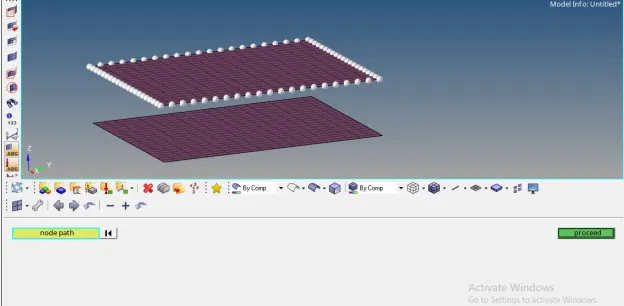
2. Select source nodes by path from the user
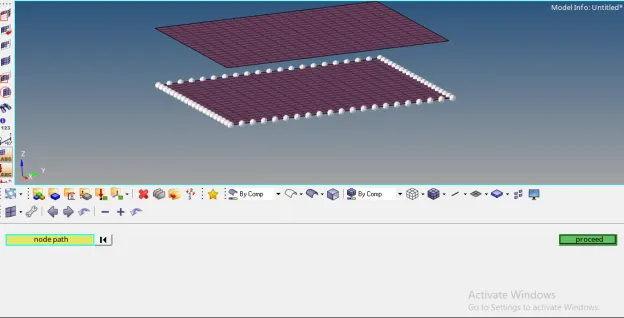
3. Select target nodes by path from the user
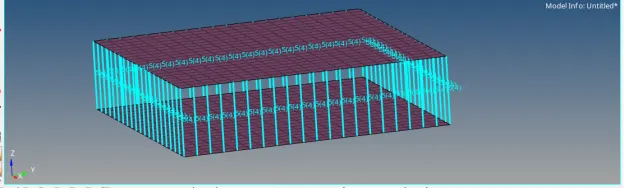
4. Create 1D spot welds for each node pair inappropriate component
PROBLEM STATEMENT:
Part A: For large models, it is very difficult and time consuming to create a midline for each pair separately and then combine them. So to overcome this difficulty, we create a macro that will create a midline for all line pairs and combine them as single entity by asking the user for first set of lines and second set of lines as input.
Part B: Usually spotwelds are modeled as a 1D element with all degrees of freedom fixed joining nodes on source and target entities. Usually nodes between such parts are “mapped”. Number of nodes-pairs in question ranges from 50-100 depending on the components and mesh density. This implies the operation needs to be repeated for about 50 times. To overcome this, we create a macro that will select source and target nodes by path from the user and weld these node-pairs.
PROCEDURE:
1. To perform the given task, open any code editor ( here we use Notepad++) and type a code as follows:
# Code to calculate the midline of a given tubular component:
proc midline {} {
*createmark comps 1 "midline"
set a [hm_marklength comps 1]
if {$a!=1} {
*createentity comps name=midline
}
*createmark comps 1 "midline"
set compid [hm_getmark comps 1]
*clearmarkall 1; *clearmarkall 2
*createlistpanel lines 1 "Select the first line"
set firstline [hm_getlist lines 1]
*createlistpanel lines 2 "Select the second line"
set secondline [hm_getlist lines 2]
set r 1
foreach m $firstline n $secondline {
*clearmarkall 1; *clearmarkall 2;
*createlist lines 1 $m
*createlist nodes 1
*createlist lines 2 $n
*createlist nodes 2
*linescreatemidline 1 1 2 2
*clearmarkall 1;
*createmark lines 1 -1
set p [hm_getmark lines 1]
if {$r>1} {
*linecombine $p $q 1
*clearmarkall 1;
*createmark lines 1 -1
set q [hm_getmark lines 1]
} else {
set q $p
}
incr r
}
}
midline;
# Code to create spotwelds:
proc spotweld {} {
*createlistbypathpanel nodes 1 "Select source nodes"
set a [hm_getlist nodes 1]
*createlistbypathpanel nodes 2 "Select target nodes"
set b [hm_getlist nodes 2]
*createentity comps name=spotweld
*createmark comps 1 "spotweld"
*elementtype 5 4
foreach m $a n $b {
*rigid $m $n 123456
}
}
spotweld;
2. After writing the code save the file.
3. Then open any model in hypermesh and run this file in hypermesh.
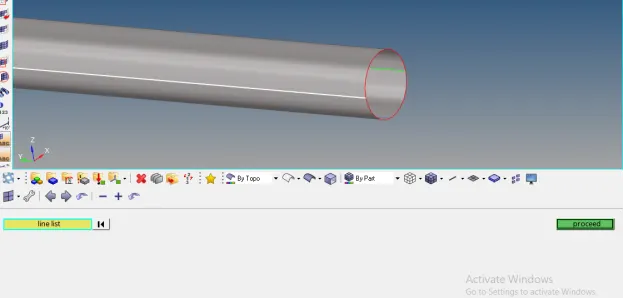
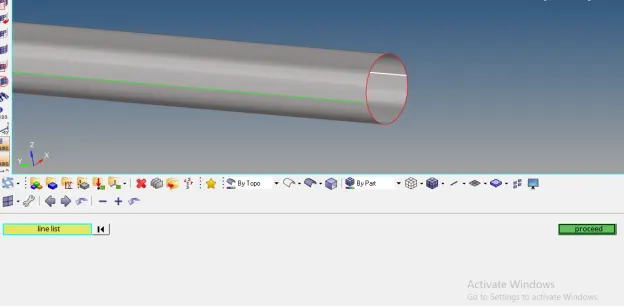
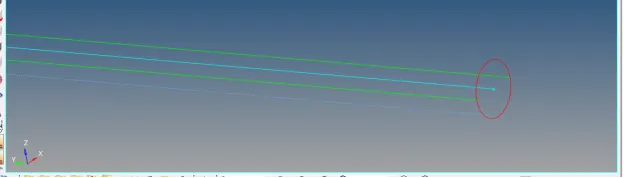
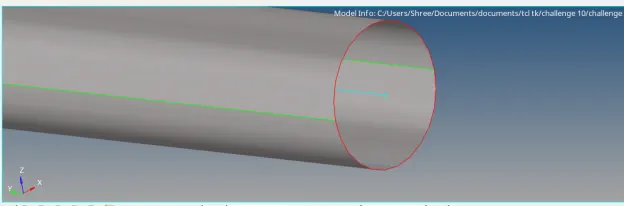
4. After running this code in hypermesh, following result will appear:
Part A:
Part B:
TCL COMMAND EXPLANATION:
1. hm_marklength: This command returns the number of entities on the specified mark
Inputs
entity_type
The type of entity mark to query.
mark_id
The ID of the mark. Valid values are 1 and 2.
panel_sensitive (optional)
Can be used when multiple panel levels have been pushed, either using the shortcut function keys, or the hm_pushpanel command. This option determines whether to use the current panel or the previous panel for the operation. This option is relevant only when the mark has been created from a panel entity selector under the above conditions. Valid values are:
0 - Use the previous panel (default).
1 - Use the current panel.
2. *createentity: Create a new entity with specified data. Data names only are allowed to be set. If the data name “name” is specified when creating an entity enabled for the name pool, the command uses the provided name to define the solver name.
There are also a few limitations to this command:
· Attributes are not supported.
· STATUS is not supported.
3. hm_getmark: Returns the entity IDs of the passed entity type on the specified mark
4. *createlistpanel: Provides a panel to create an ordered list of entities for use in a subsequent command
5. hm_getlist: Returns an ordered list of entities from an entity list
6. *linescreatemidline: Creates a line that approximates the middle path between two roughly parallel, roughly planar, lines
7. *linecombine: Combines two free lines into one
8. *createlistbypathpanel: Provides a panel to create an ordered list of entities for use in a subsequent command, with the collector set to "by path"
9. *elementtype: Sets the global element type variable
10. *rigid: Creates a rigid element between two nodes
CONCLUSION: After executing proper tcl/tk code,
1. We are able to calculate the midline of a given tubular component. This macro calculate midline for each pair and combine all these midlines to create a single midline.
2. We are able to create spotweld. This macro create 1D spot welds for each node pair of a given component.