Week 10 - Challenge 2- Attachment Feature Creation (Dog House)
OBJECTIVE
The main objective of this challenge is to create a 3D solid body and two dog houses as attachment features for it while following the given design guidelines from the above-given class A surface, with the help of a tooling axis of the class A surface. Perform the draft analysis for the solid part body and class A surface .
CHECKING THE INPUT - A SURFACE
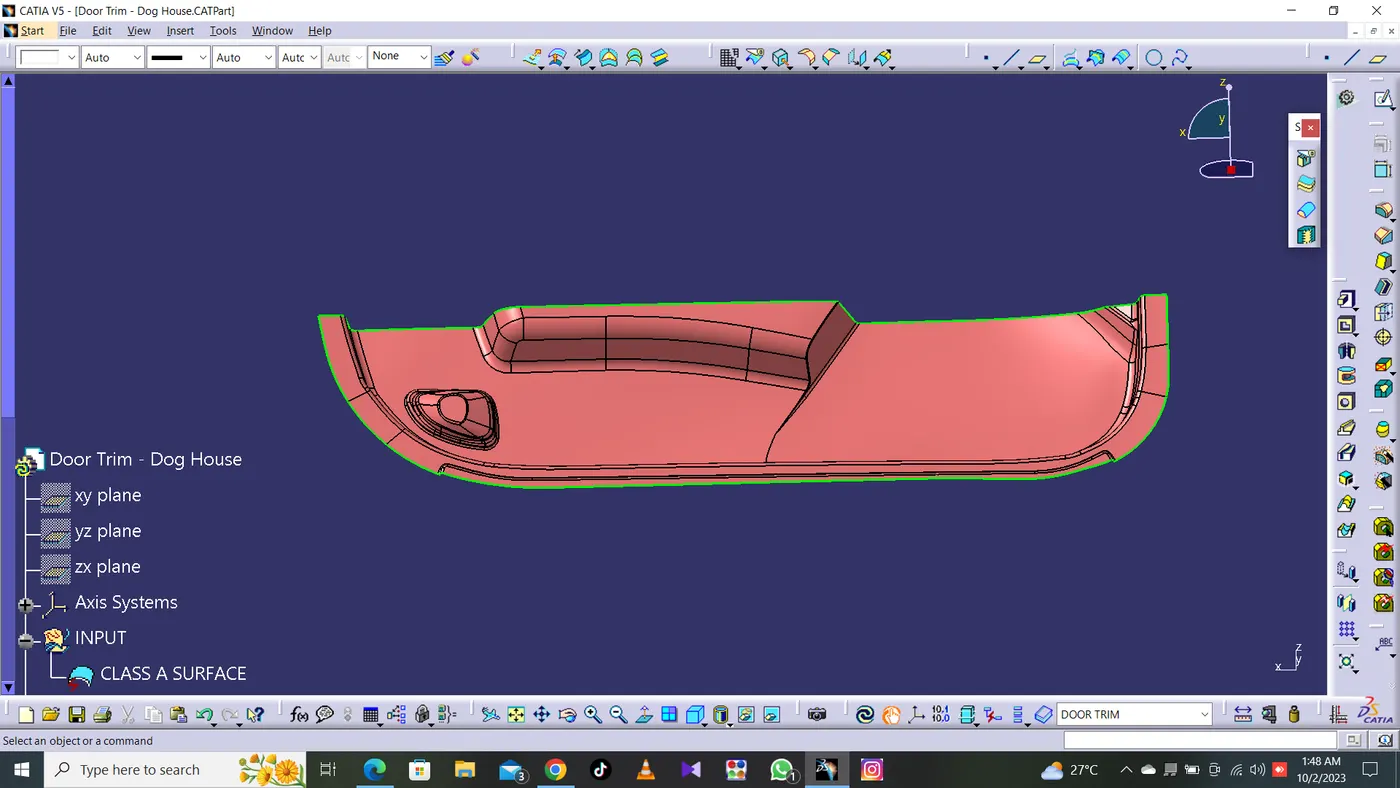
Skin data will be provided to us by the styling team.The A-surface or the styling surface is first checked for any gaps and other issues in its surfaces. This Surface acts as the input surface so any correction to be done should be with approval from the styling team or done by them. A- perfect surface is the one when a boundary is created, the lines are only on the edges of a component and its holes or cutouts as shown below.
THE TOOLING AXIS
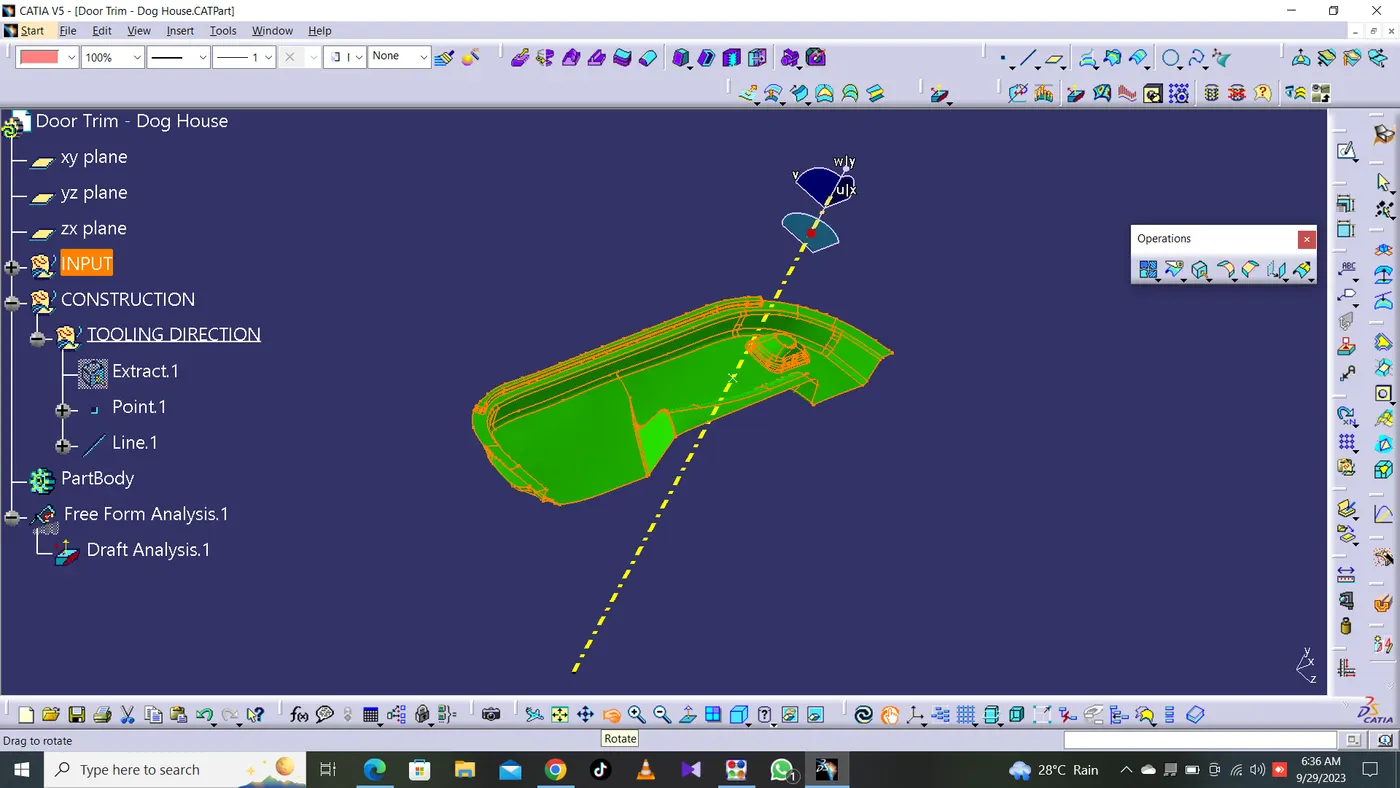
Tooling axis is the direction in which a core or cavity of mold opens. This Axis is very important to determine the orientation of the component in mold, core and cavity design.
DRAFT ANALYSIS OF A SURFACE:
- Draft analysis of the surface is carried to check if the surface or part can be manufactured with the required draft angle.
- Draft angle is needed for the component to clear the core and cavity surface as it would have shrunk towards the center while cooling.
- The draft angle in this design is 3 degrees. As A surface is a single surface there won't be much difference in color. The draft analysis of A-surface is shown below.
CREATION OF B-SURFACE:
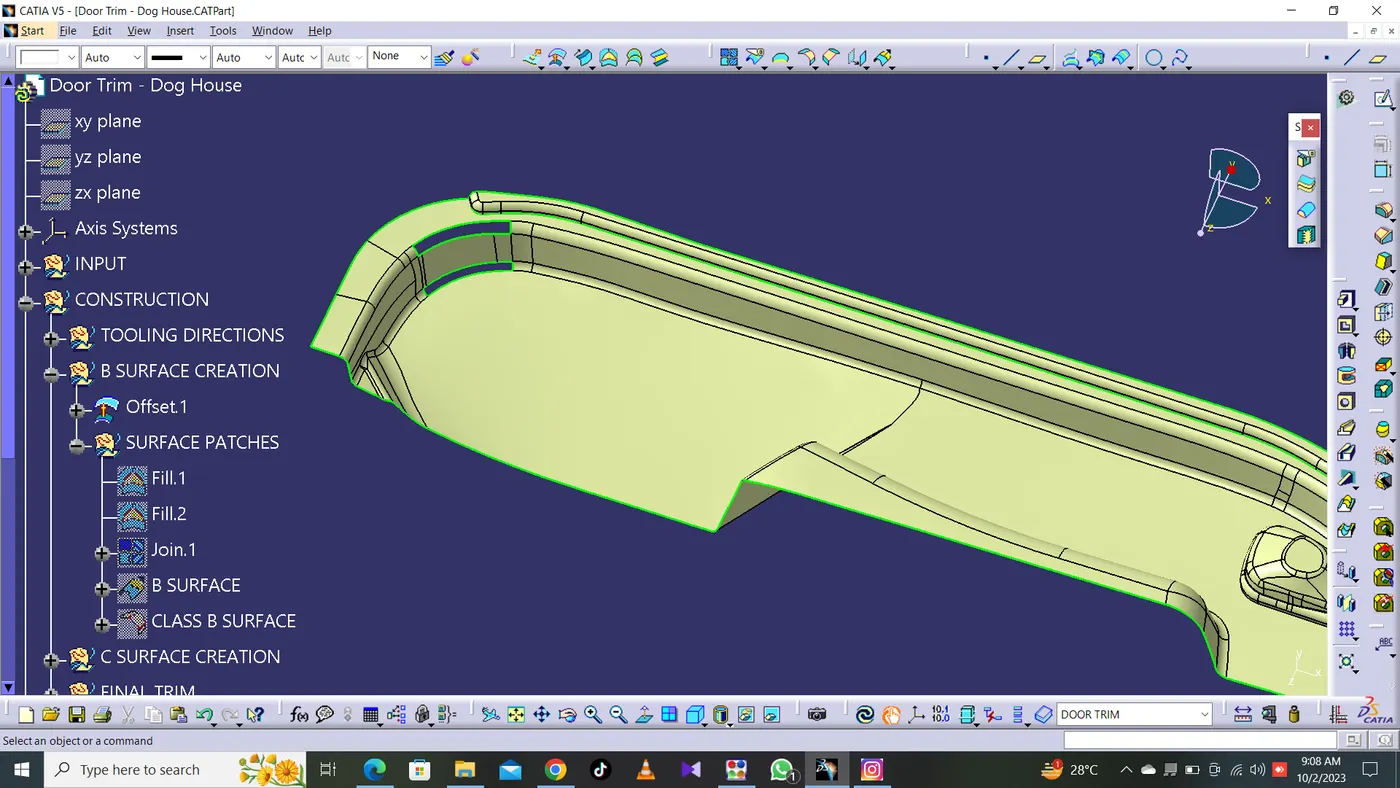
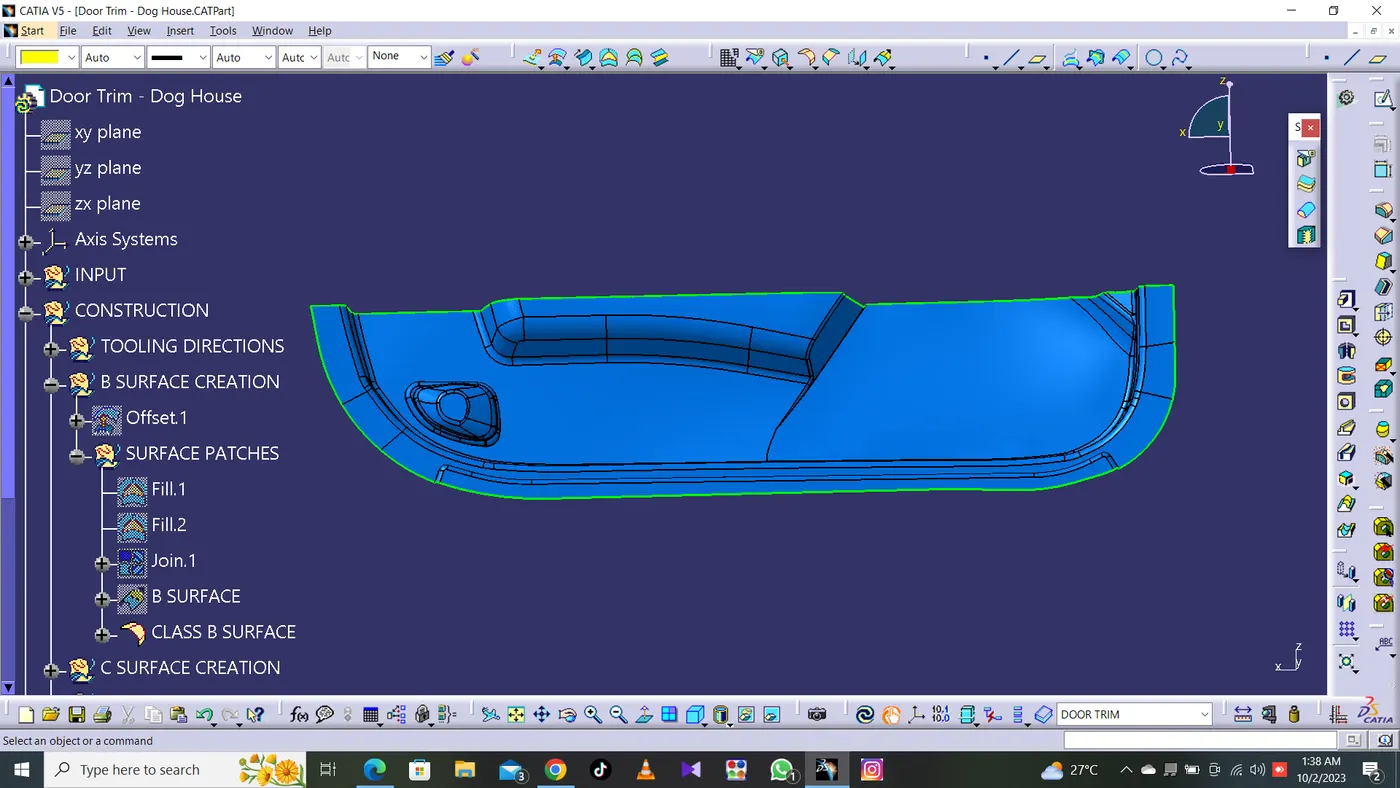
The A-surface is offsetted by 2.5mm as it is the thickness required.The offset surface is the B-surface but had some issues like in some areas shown in below images.
- The Areas where the B-surface has issues are corrected by closing them using commands like Multi section,Sweep,Offset and extract.
- Finally all the created surfaces are trimmed or joined together with offset surfaces done earlier. This created a single single surface which will act as the final B-surface.
CREATION OF C-SURFACE:
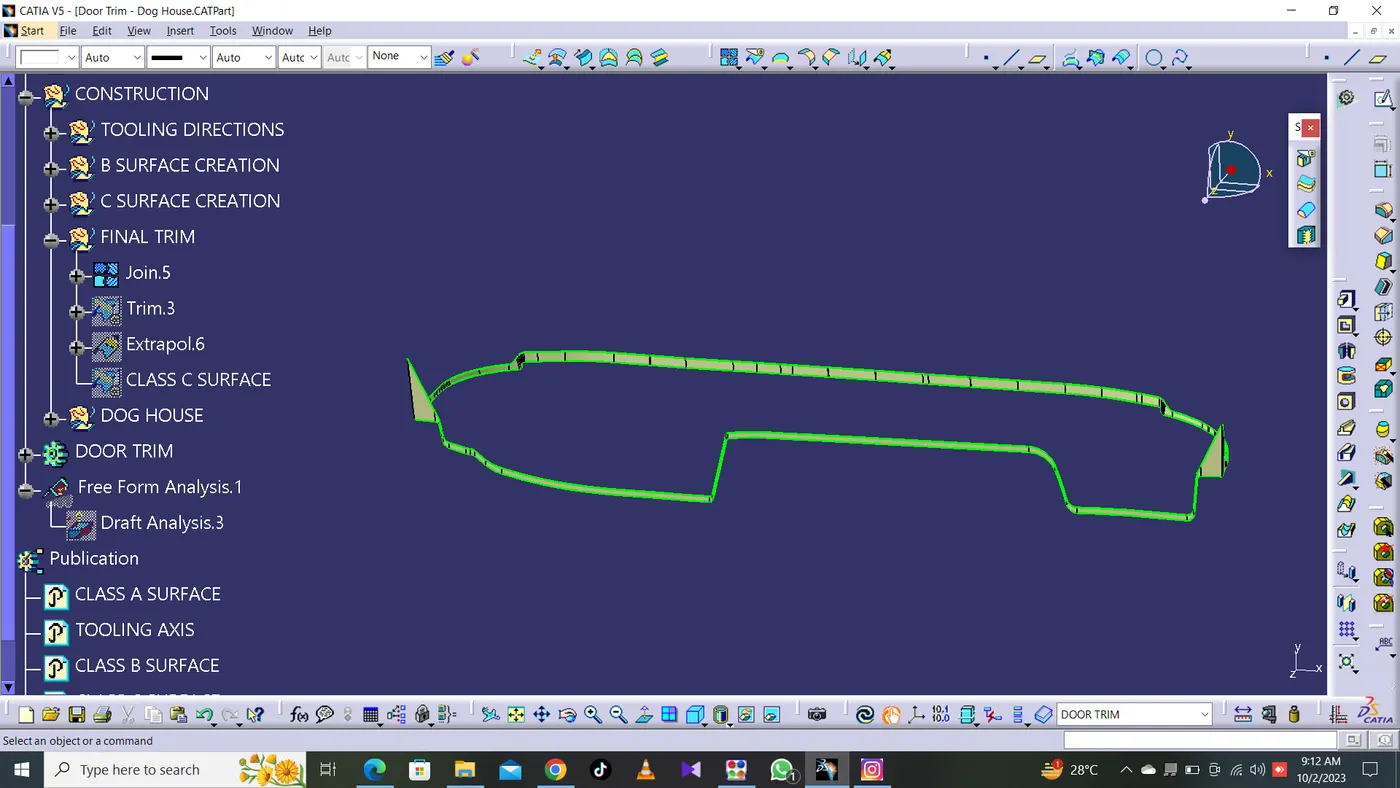
- We'll create the Class C Surface with respect to the Class A Surface and provide draft angles to those surfaces that are parallel to the Main Tooling Axis.
- Surfaces at the bottom won't be needing any draft angle as they'll get cleared by the core itself. To create the Class C Surface we have to use various commands such as Sweep with Reference Surface and With Draft Direction depending upon the necessity and at places where it'll be difficult for us to create a surface using Sweep, we'll use Multi-Sections Surface to create those surfaces. The draft angle will be 3 degrees.
- Using Sweep Command with Draft Direction to create the C Surface:
CREATION OF CLOSED BODY:
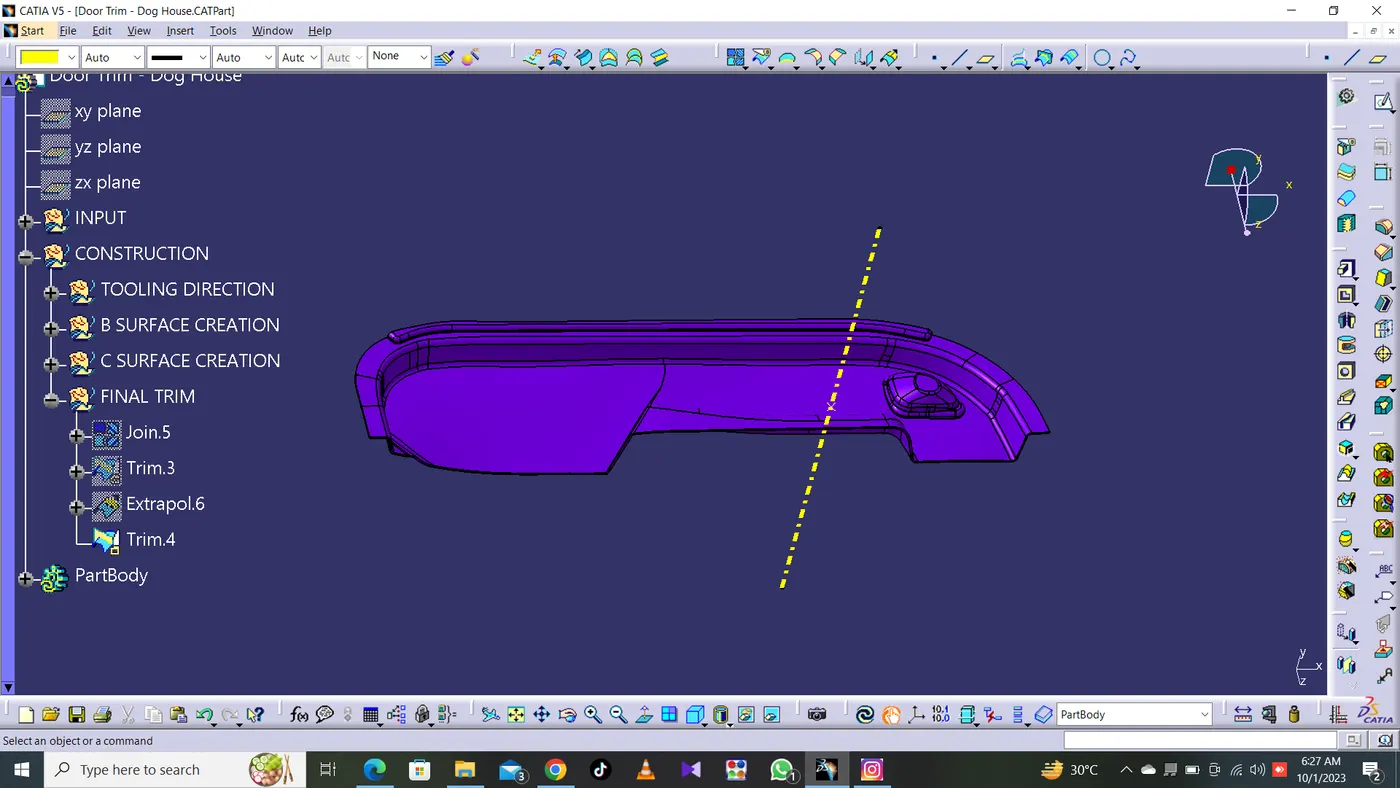
All the surfaces (A,B,C) are joined together to form a closed body.
Boundary is selected and the body is picked. Since an error popped up it can be understood that all surfaces are joined with each other to form a proper closed surface body.
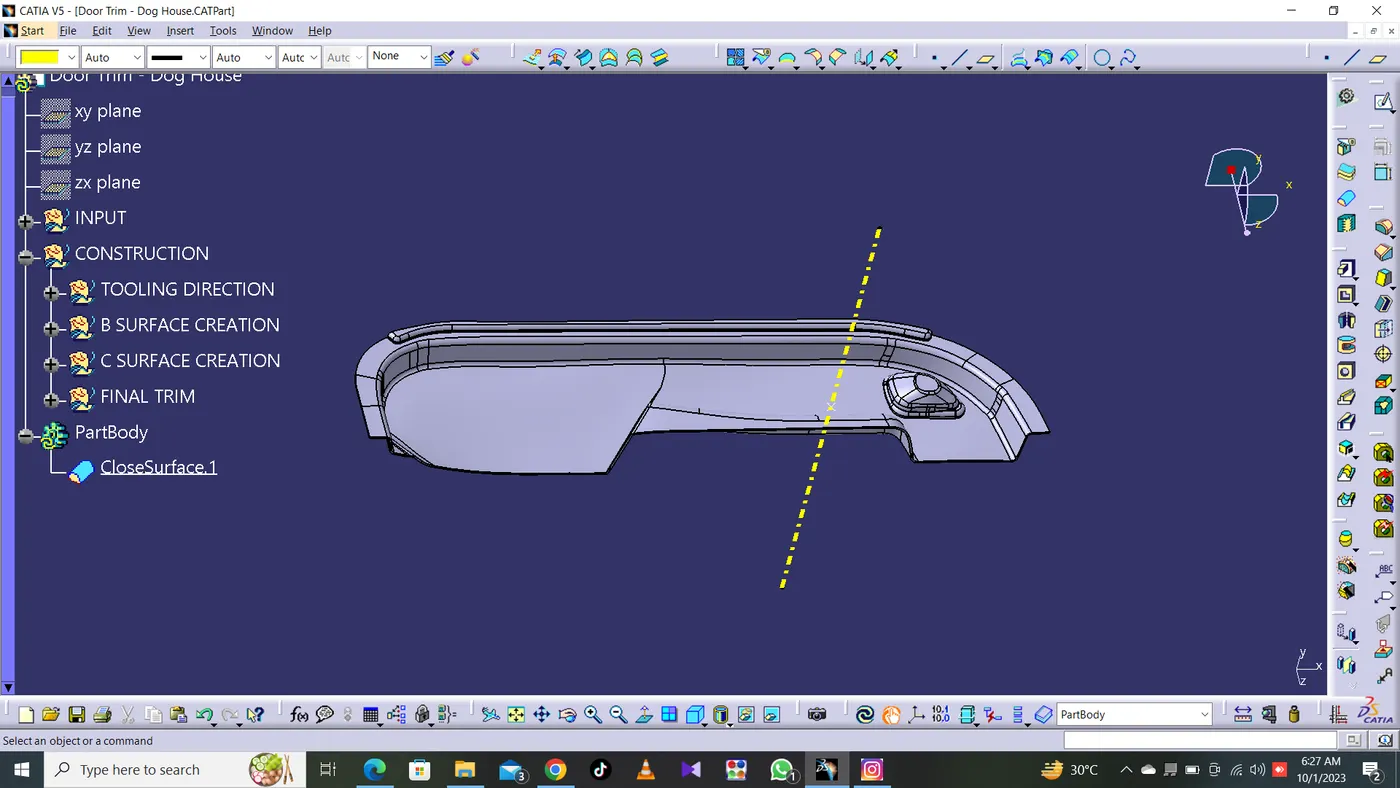
Finally, we'll go to the Part Workbench and use the option 'Closed Surface' from the 'Surface-based Features' toolbar to convert the final trimmed body into a solid body as shown below:
DOG HOUSE
-
Doghouse wall thickness at the intersection of the part wall ( C ) should be 40% or less than the main wall stock ( T ).
- The height of ( B ) should be between 3.0 – 6.0 mm
- From the sketch, we can see that the width of the doghouse is more than 12mm which is one of the design rules. We cannot go below that value.
- Then, we'll use the Sweep Command with the Draft Direction to provide a draft angle of 3 degrees with respect to the Main Tooling Axis as shown below:
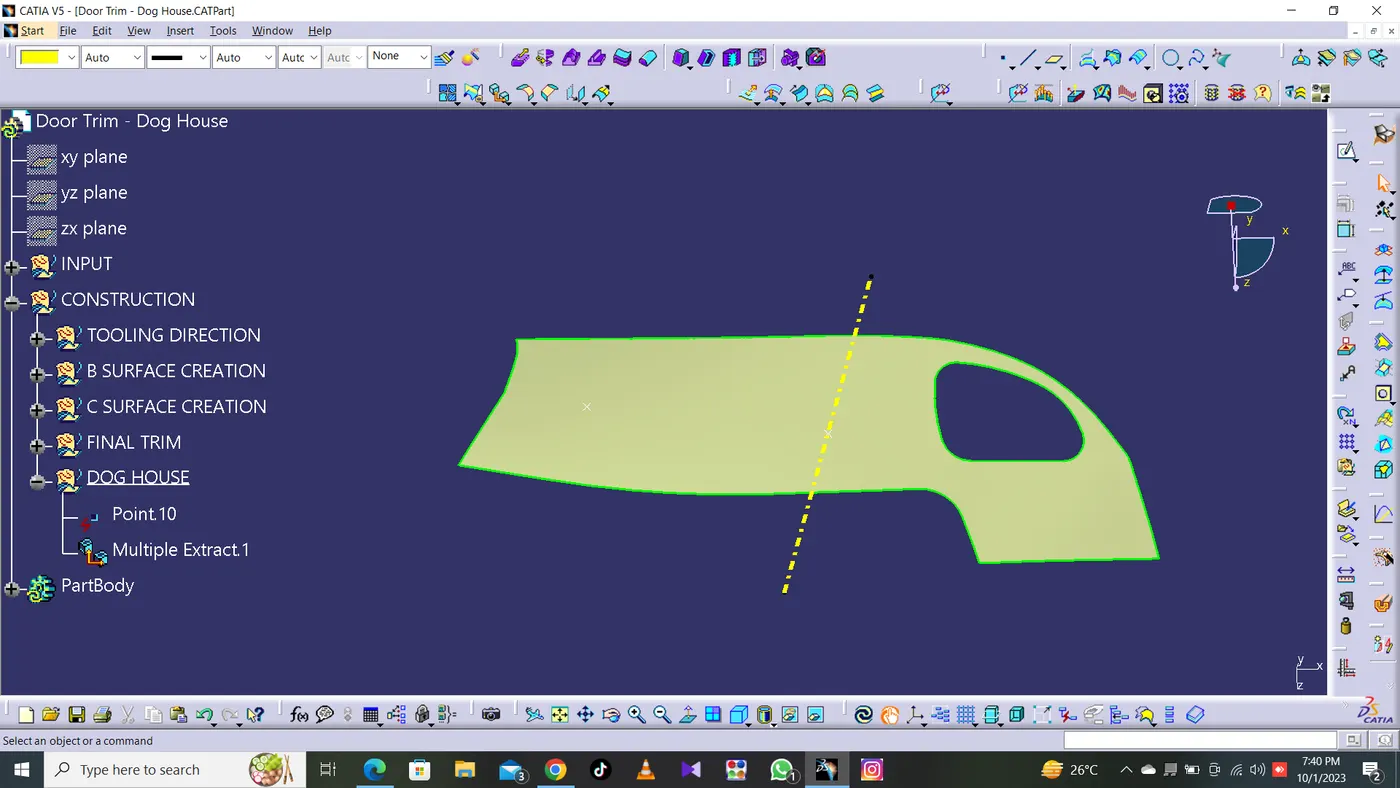
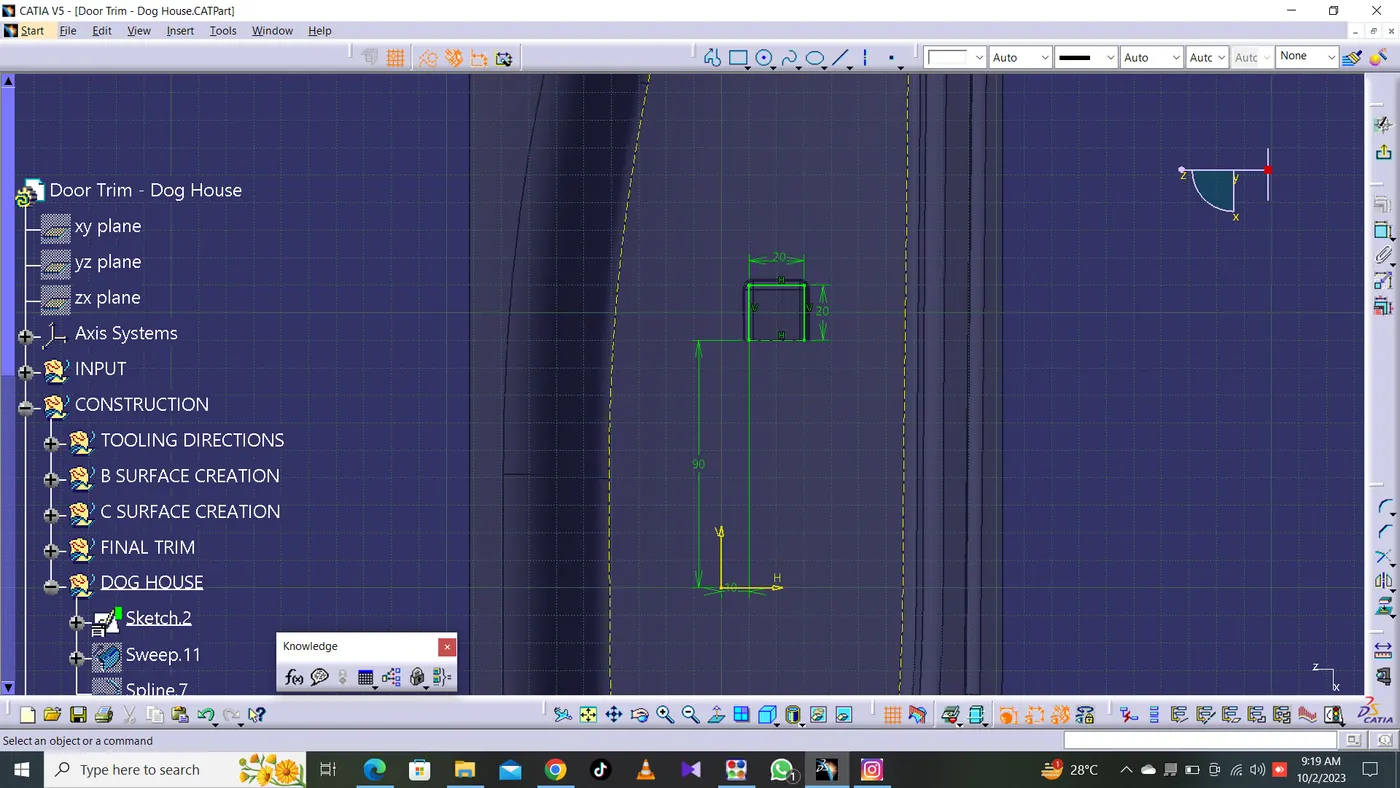
Now we're going to move on to the Part Workbench and use the Thick Surface command from the Surface-based Features toolbar to thicken the surfaces by 2mm as shown below:
Then we're going to provide a draft angle of 1.5 degrees to all the adjacent faces as shown below using the Draft Command in the Part Workbench:
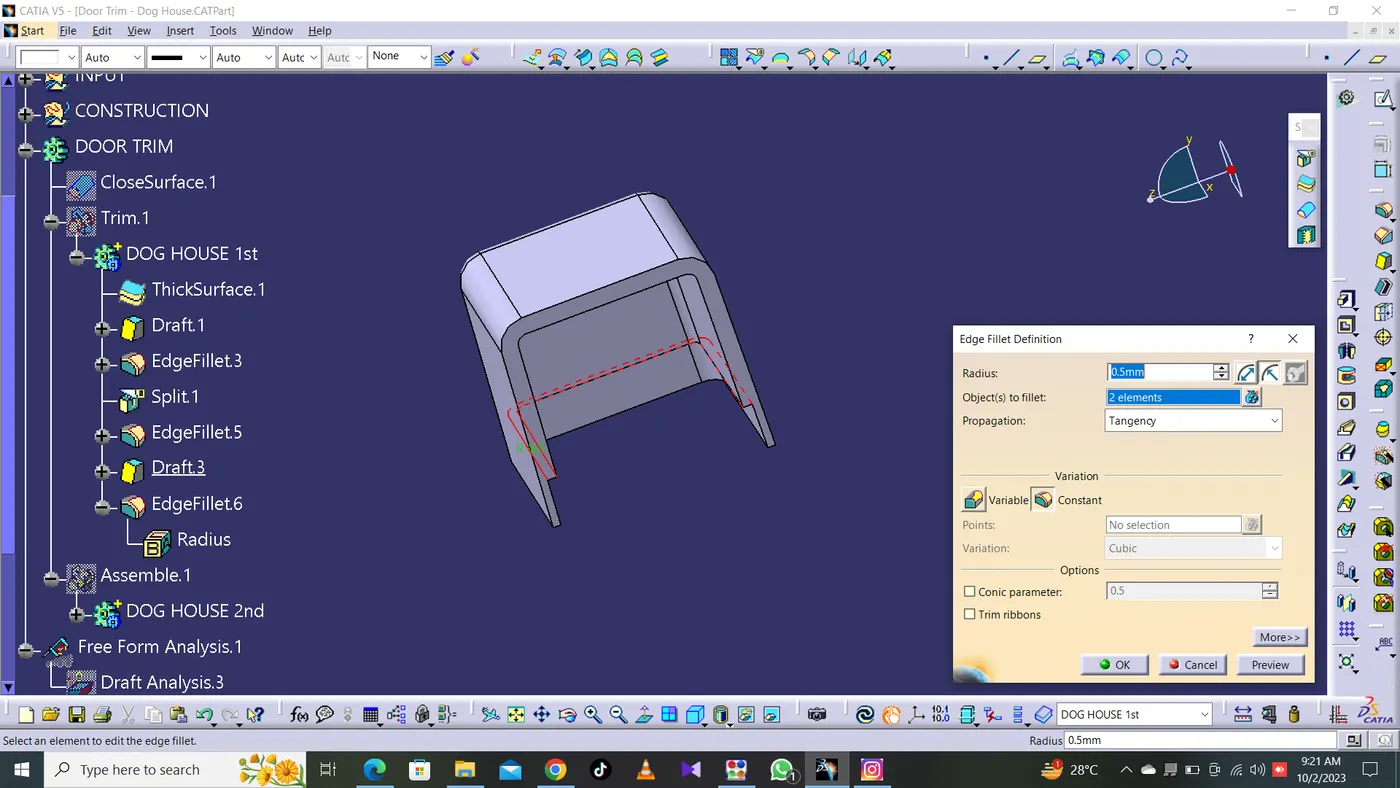
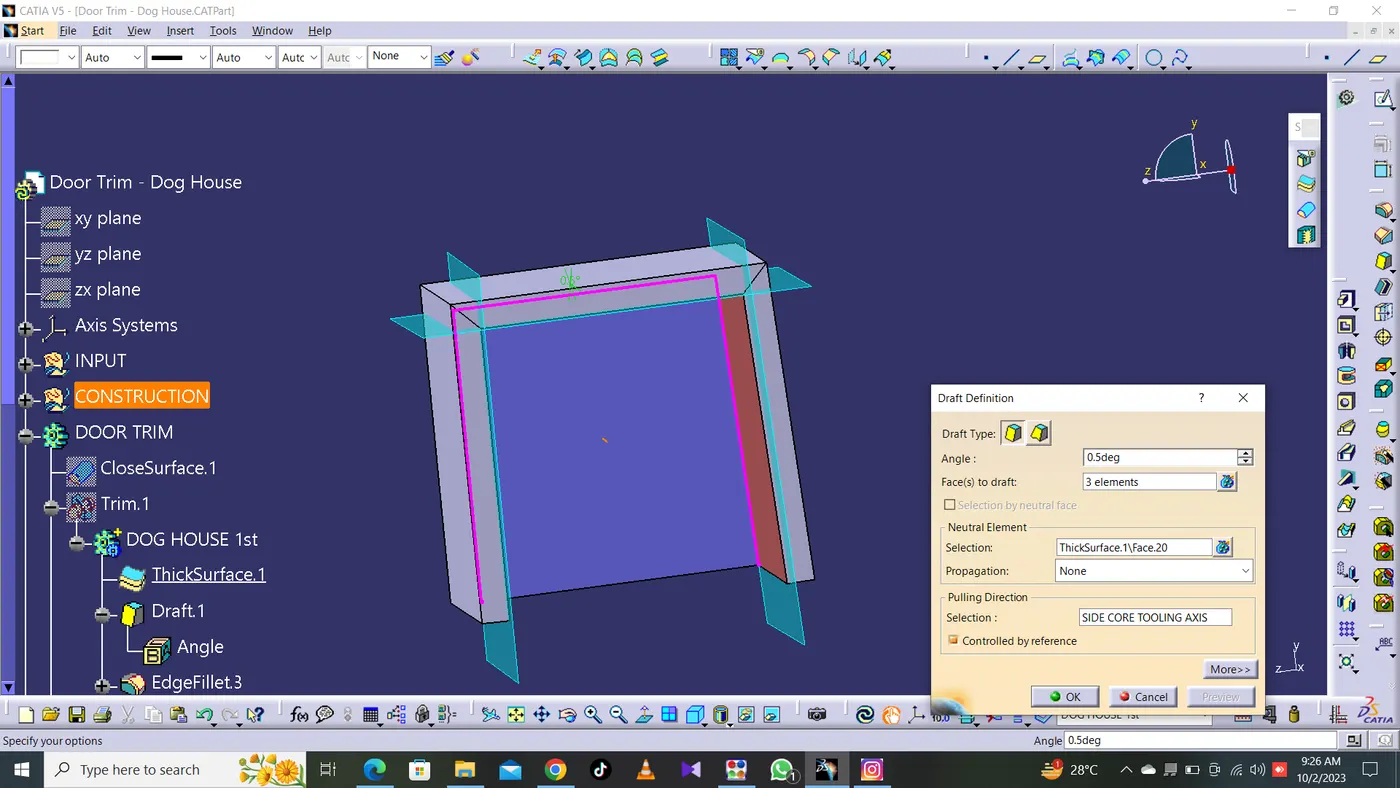
DRAFT ANALYSIS WITH RESPECT TO THE SIDE CORE AXIS:
Now, the inner section of the doghouse is needed to clear along the side core axis and hence now we'll place the compass on the Side Core Axis and perform the draft analysis as
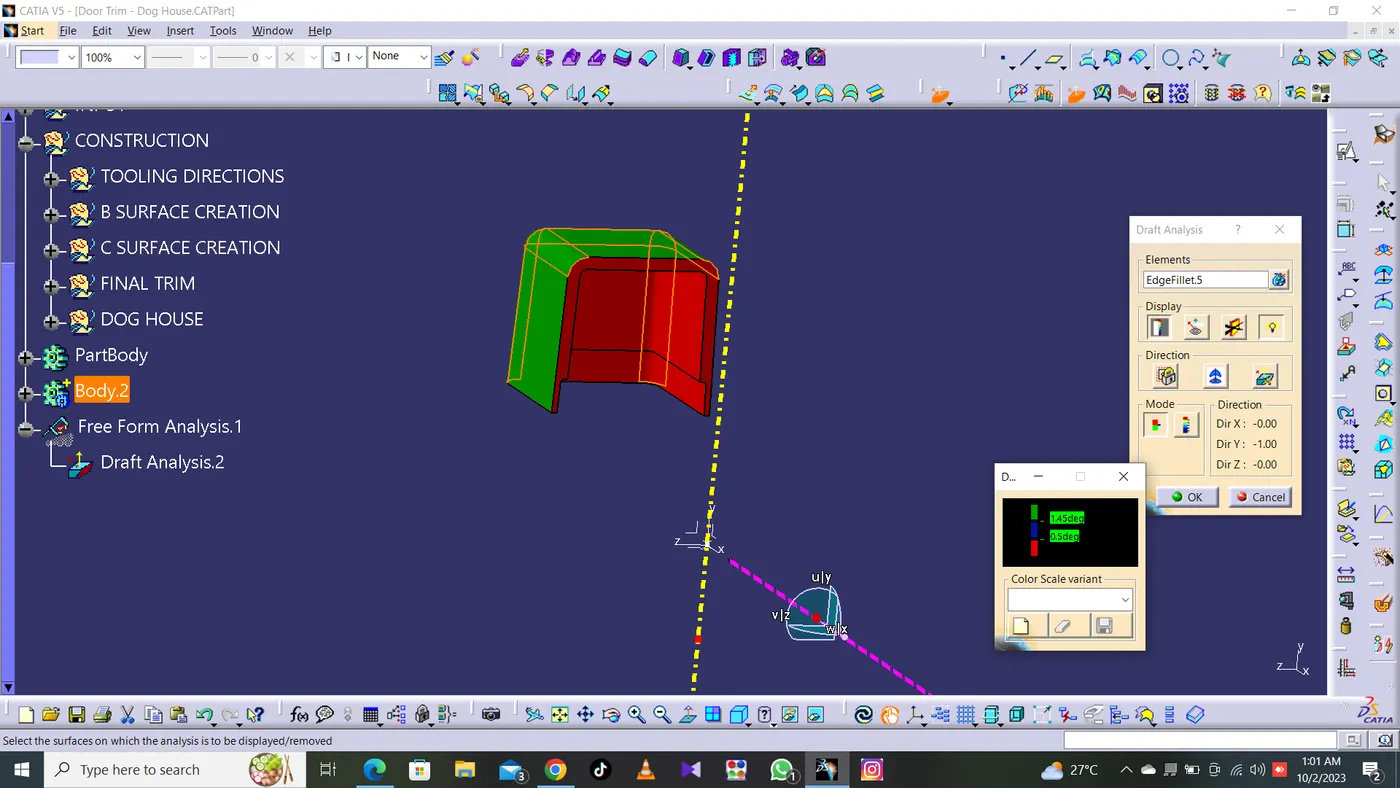
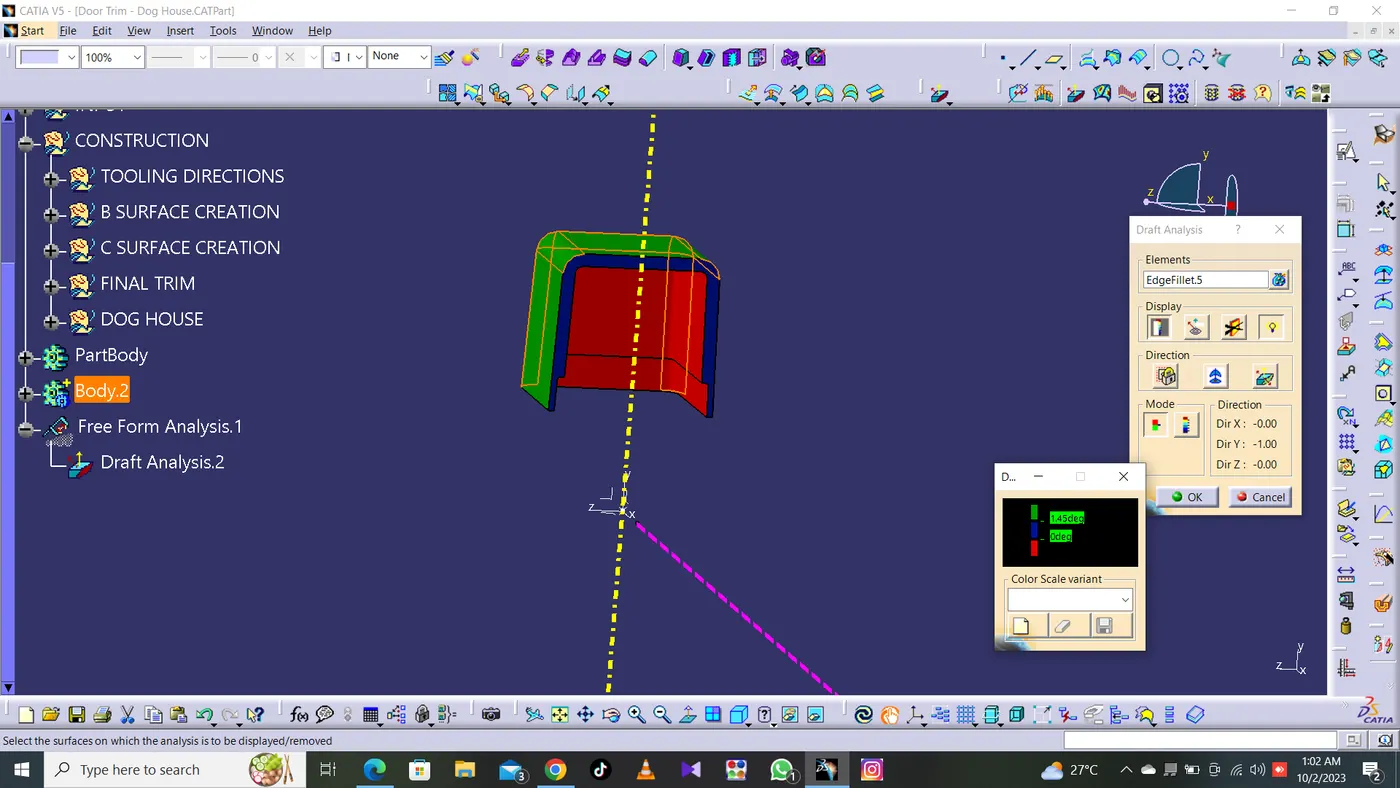
From the above image, we can see that the draft analysis was successful and hence our doghouse will get cleared along both the Main Tooling Axis as well as the Side Core Axis.
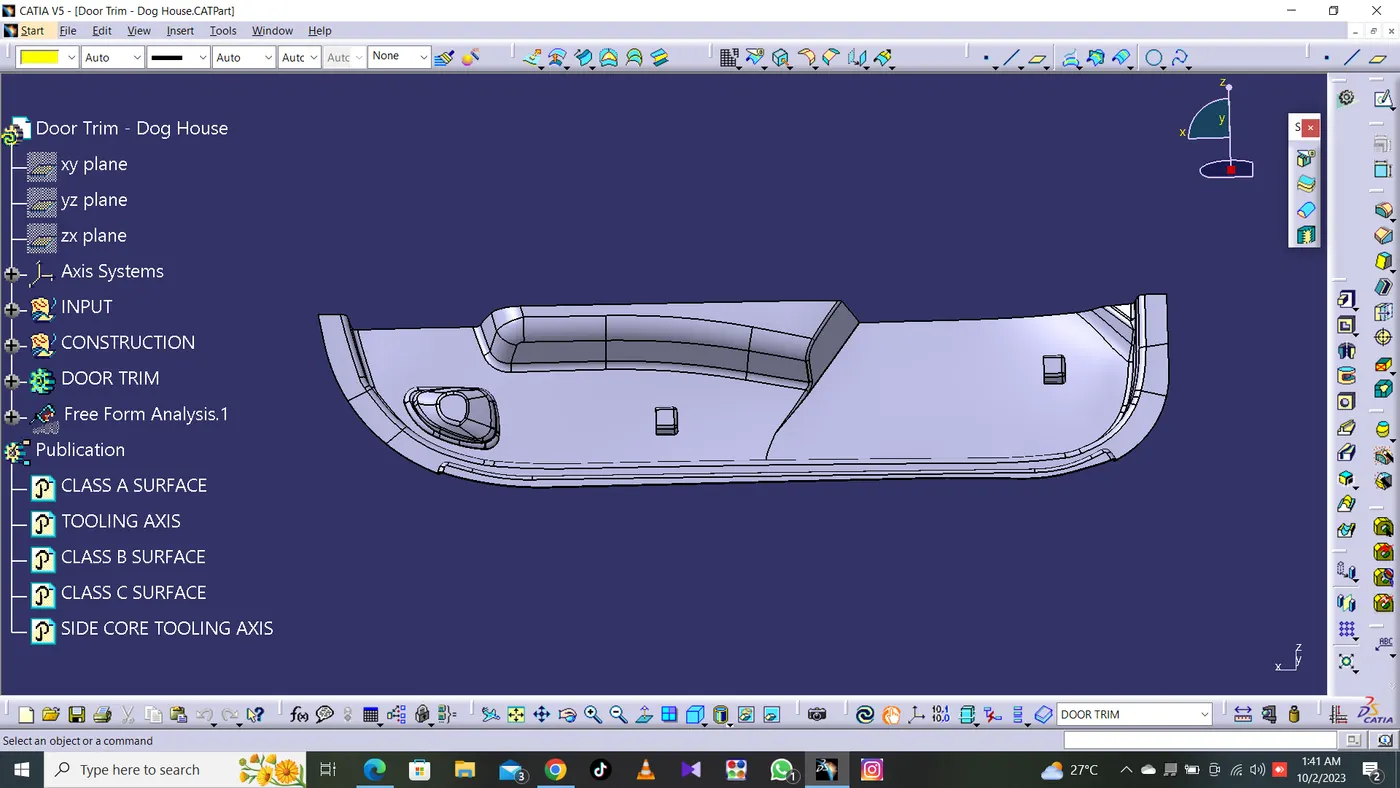
Now, using Boolean Operations, we're going to assemble these doghouses with our main plastic component and create the final part as shown below:
DRAFT ANALYSIS ON THE FINAL PLASTIC COMPONENT WITH ATTACHMENT FEATURES:
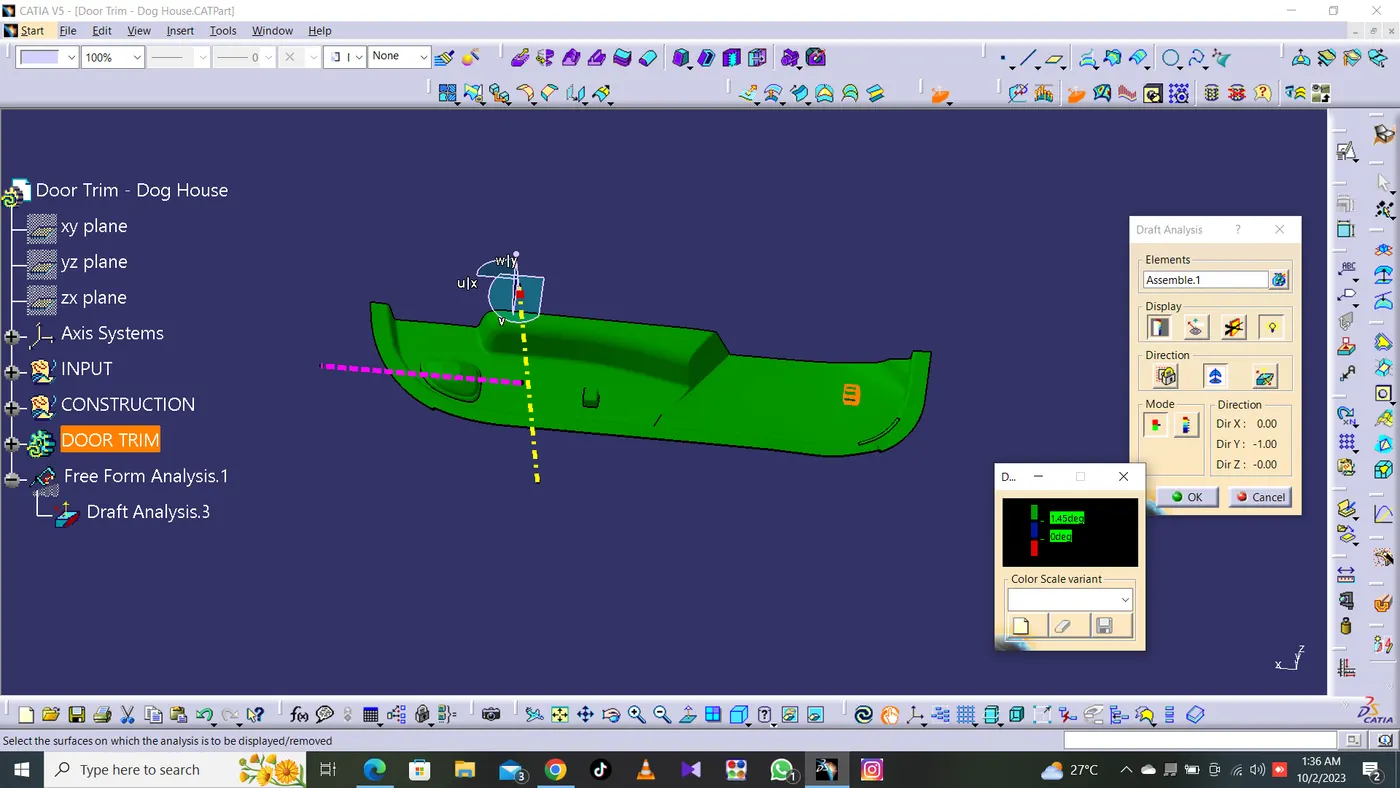
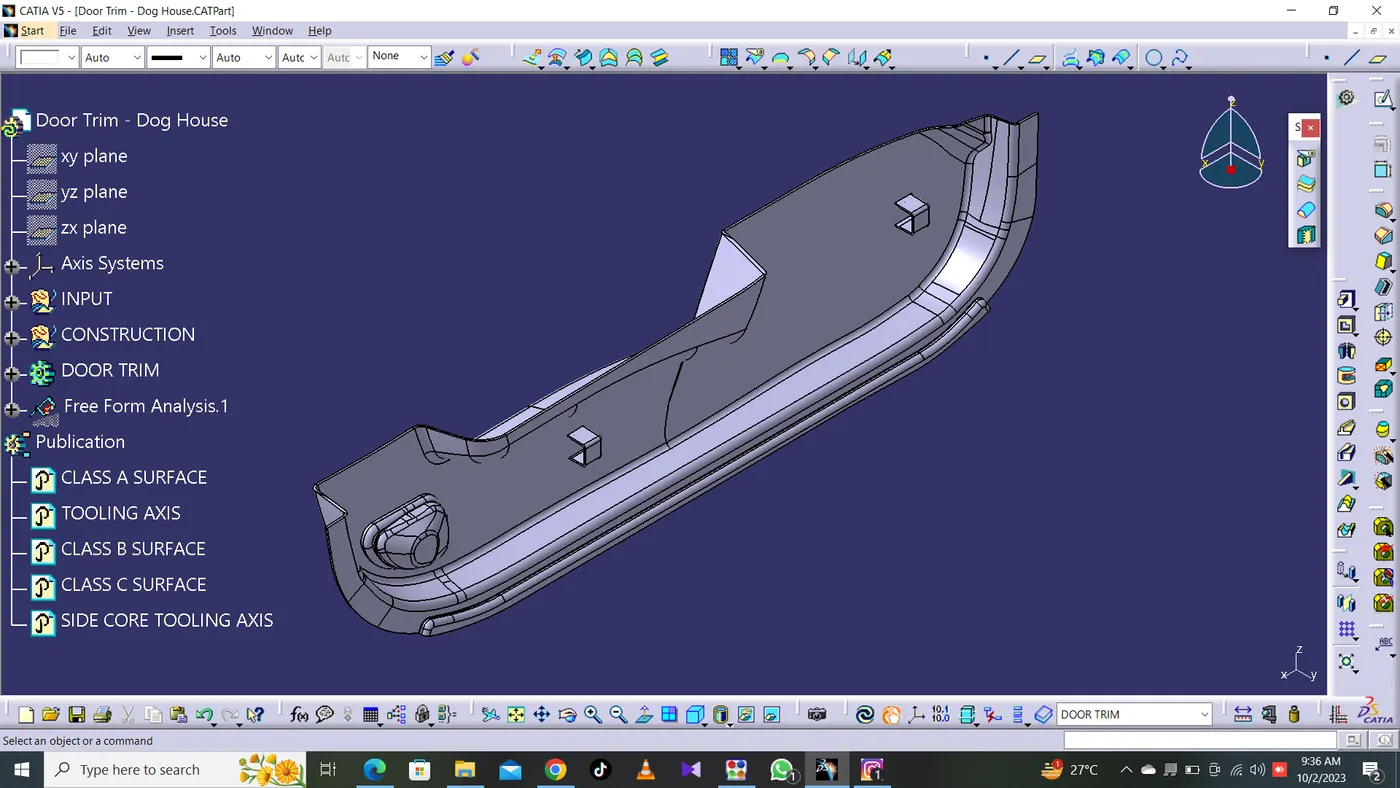
Final Component With Dog House In Various Orientations
Isometric View
Right Side View
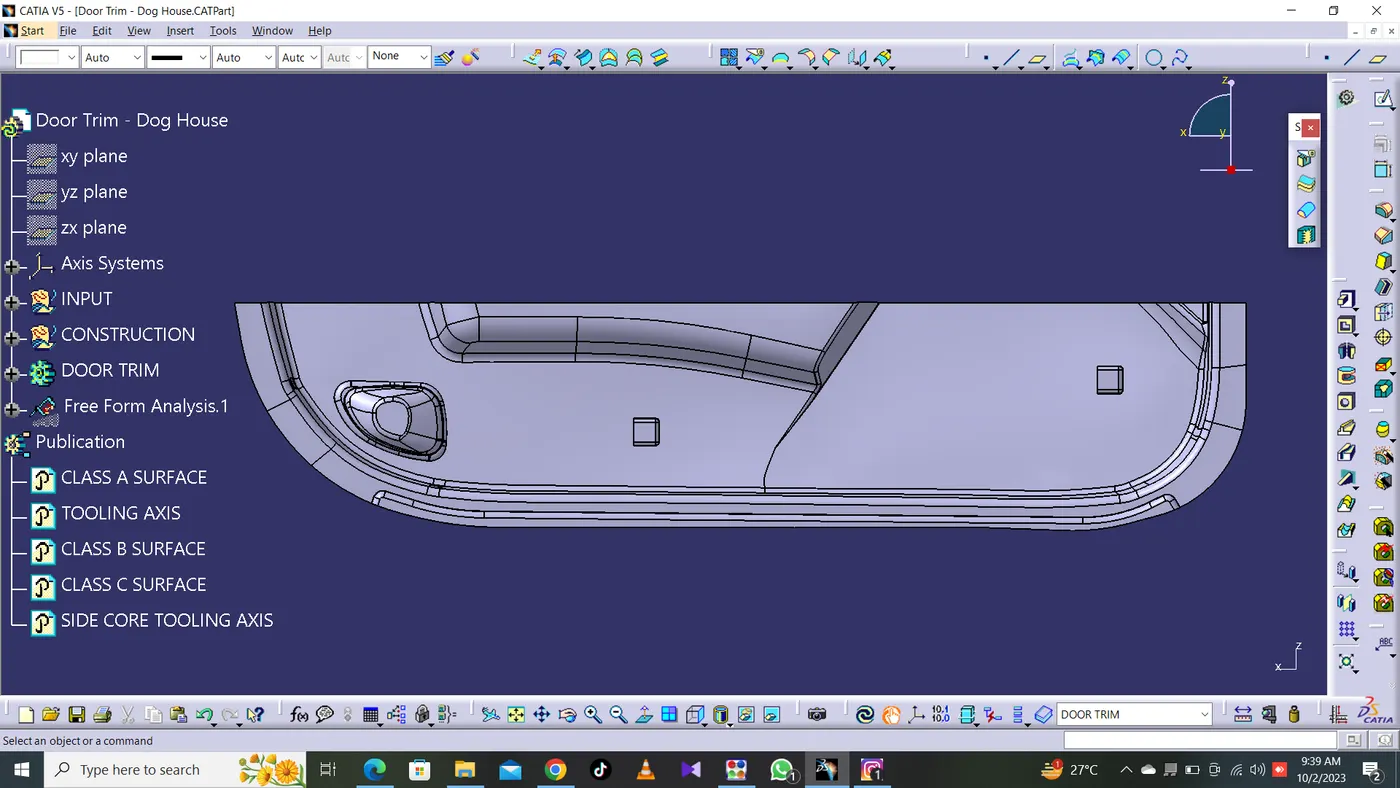
Front View