Week 10- Assembly Workbench
REPORT :-
1) OBJECTIVE :- To create 2 assemblies, create the individual part files and to create a complete assembly of those part files in the assembly workbench. After creating the assembly create a 2D drawing.
2) what is :-
- PART WORKBENCH :- The Part Design Workbench provides advanced tools for modelling complex solid parts. It is mostly focused on creating mechanical parts that can be manufactured and assembled into a finished porduct.
- ASSEMBLY WORKBENCH :- This workbench helps managing large, complex assebly.
- DRAFTING WORKBENCH :- The Generative Drafting Application allows you to create engineering drawings from parts or assemblies. Generative Drafting automatically lays out orthographic projections of a part onto a drawing sheet. Drawings are stored in files with the extension .CATDrawing
3) PROCEDURE :-
For creating the Assemblies of the component Sketch given, 1st create the parts of ech models separately and then assembled them in Product Workbench for assembly. Then draft the Parts and Assemblies made in the Drafting Workbench same as the given module.
4) CONCLUSION :-
- Two models are created which can function properly.
- The two models are created using part and assembly workbench.
- The Drafting drawings of the two models is properly done.
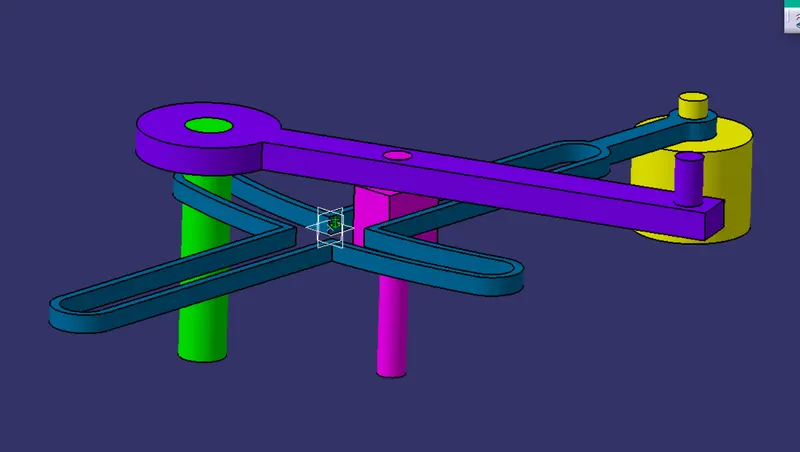
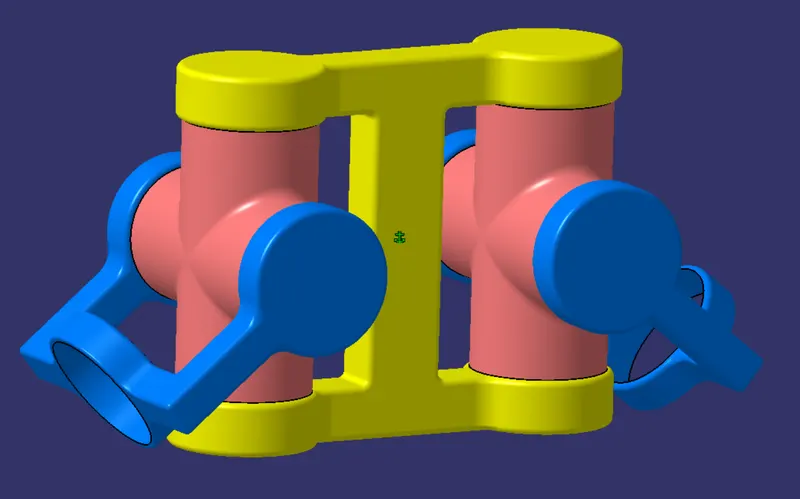
Below are the Images of the models :-
- Iso-contrained Sketches of the Models :-
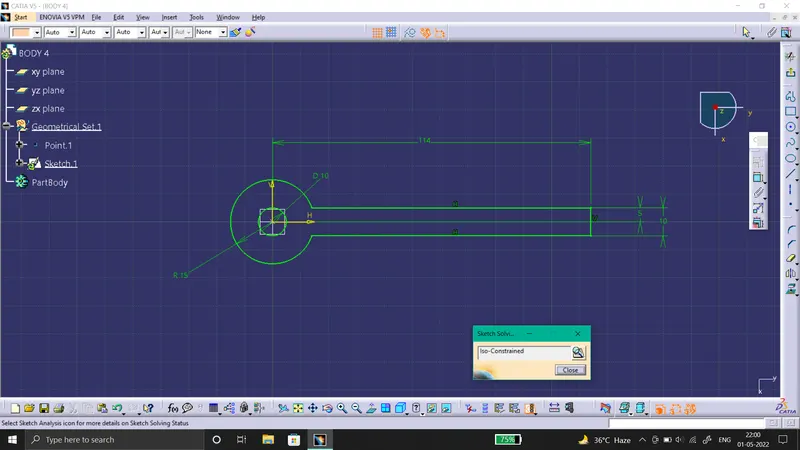
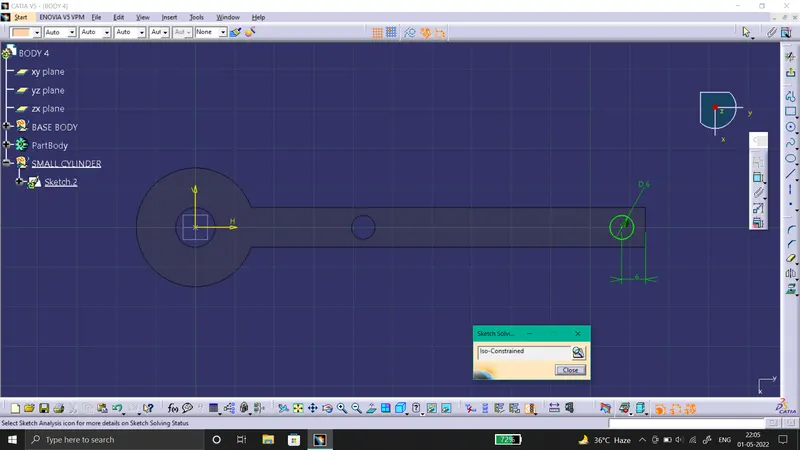
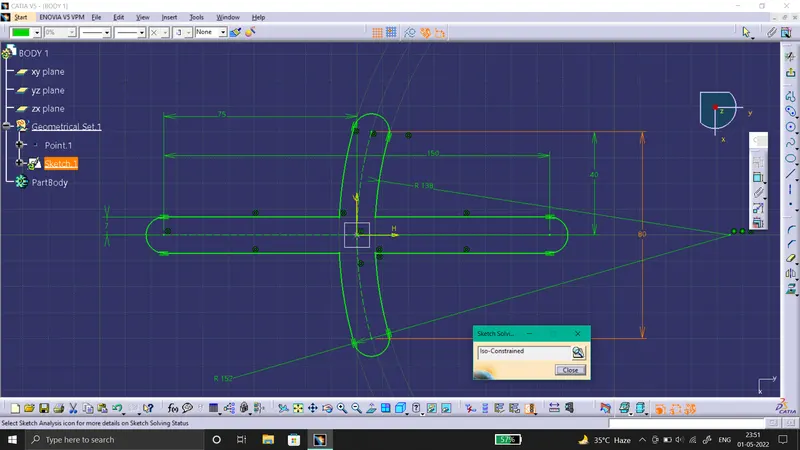
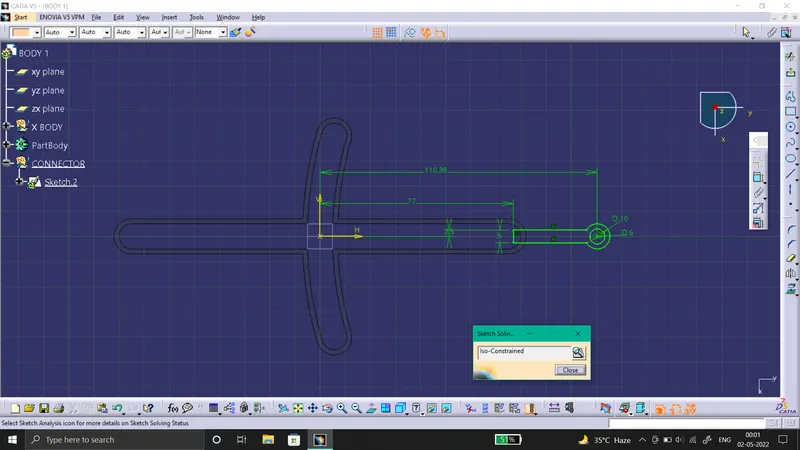
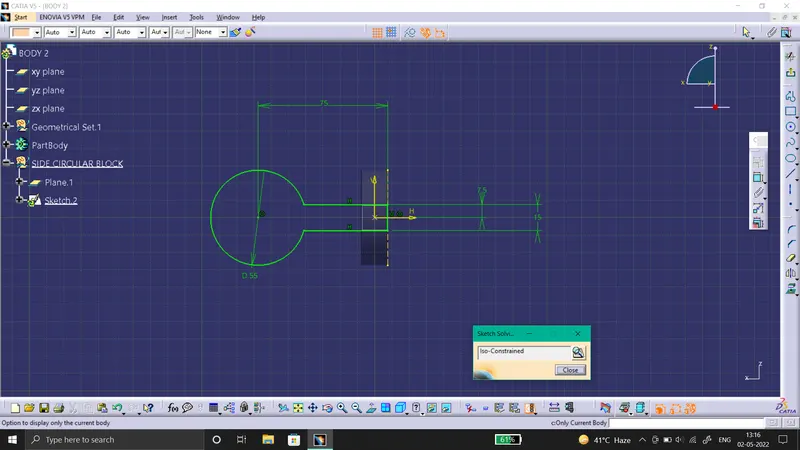
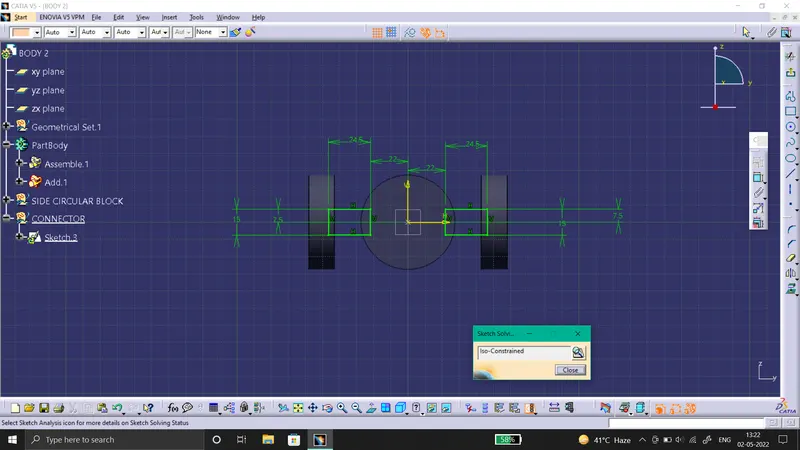
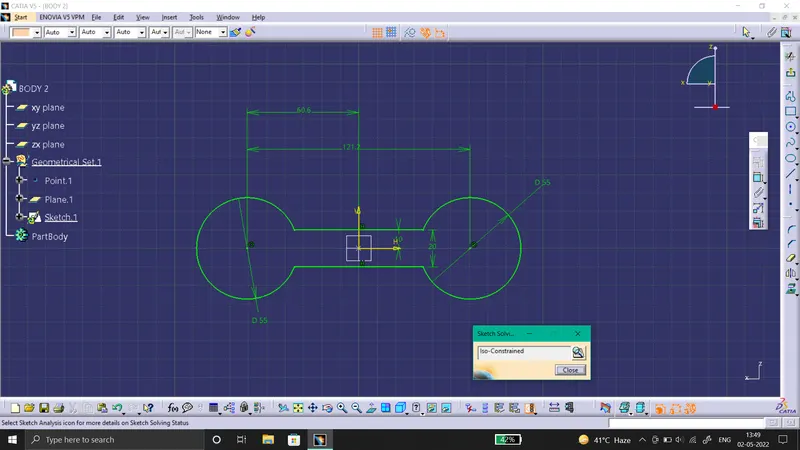
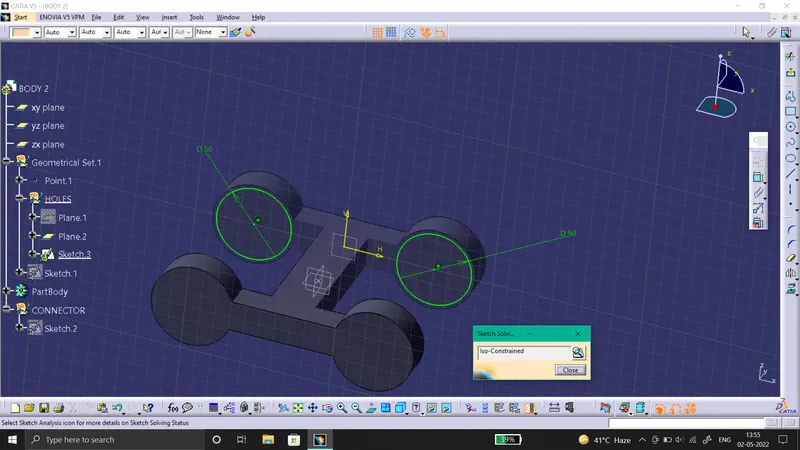
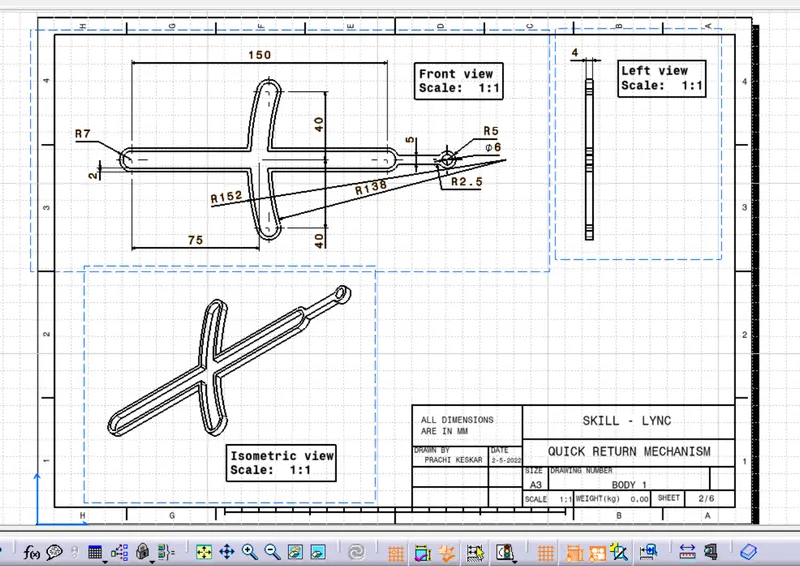
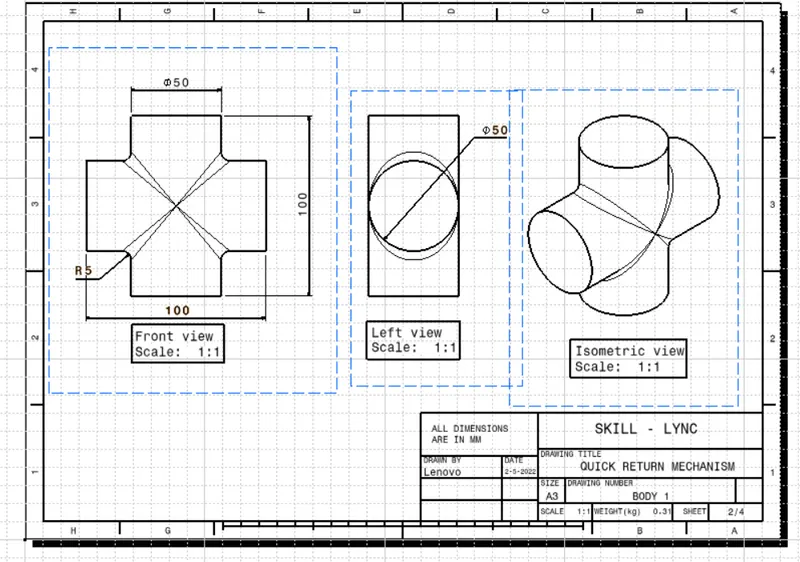
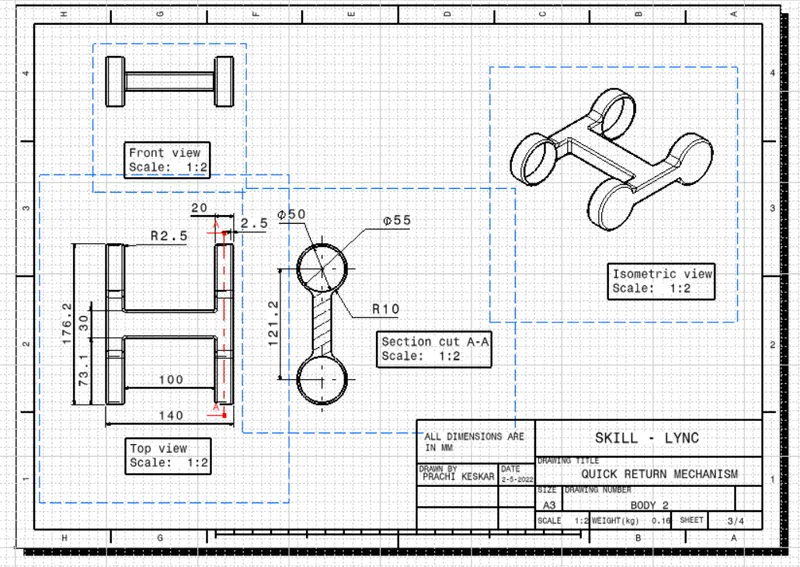
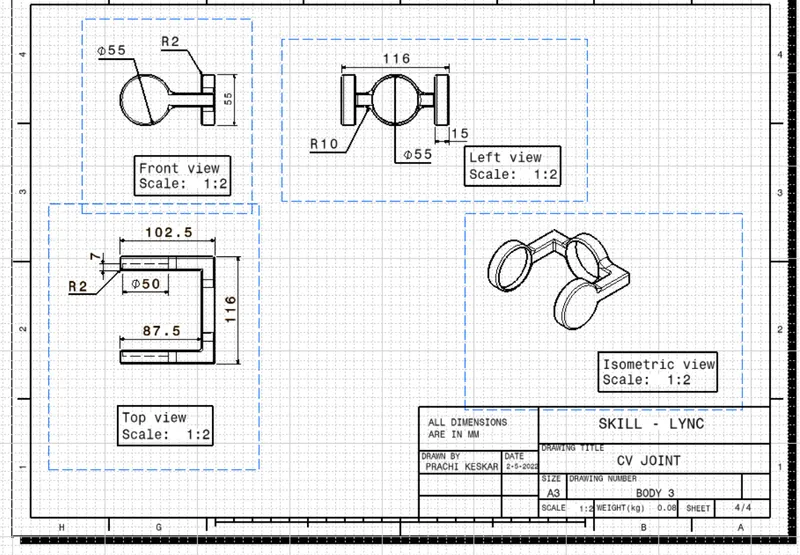
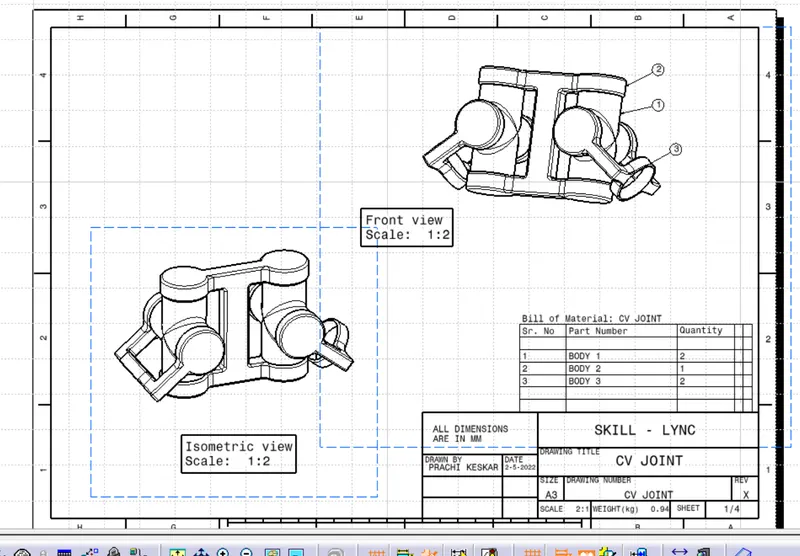
- Drafting Drawing of the 2 models with its parts and assembly :-
1 MODEL :-
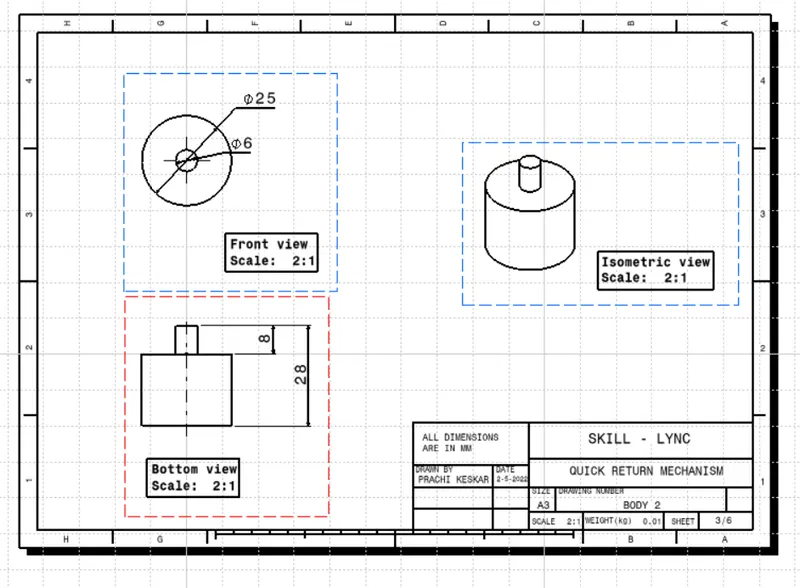
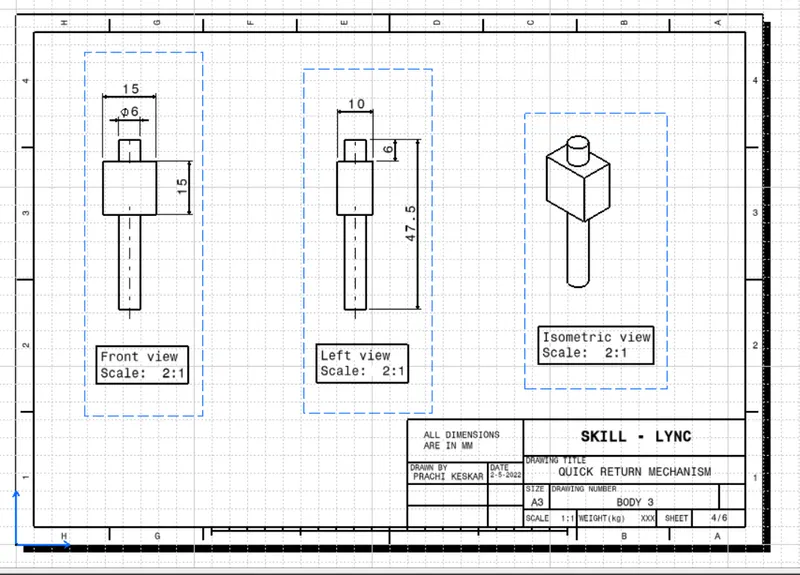
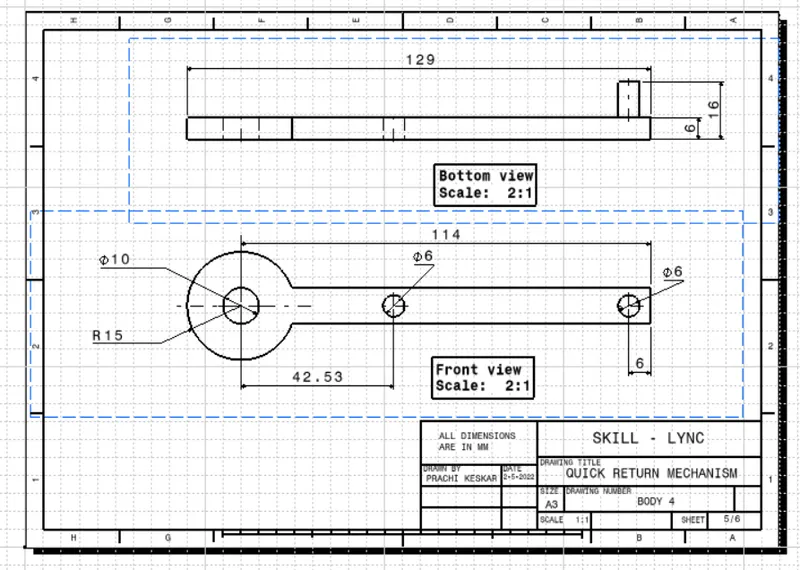
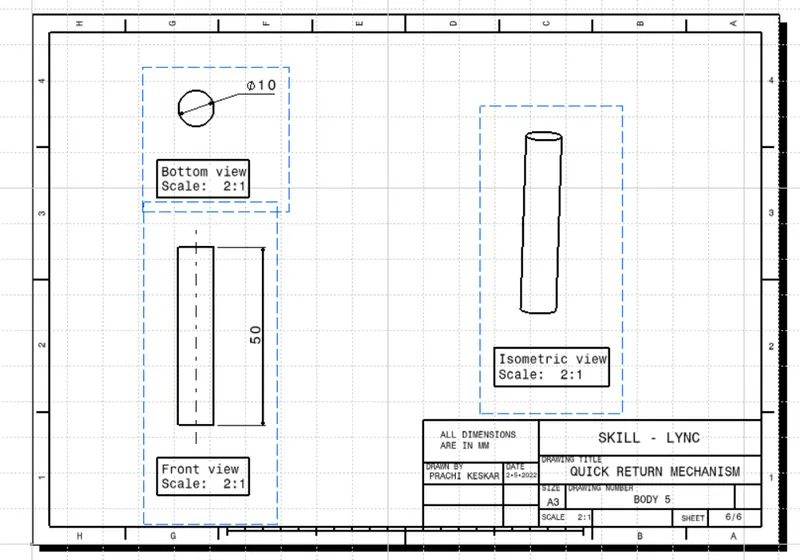
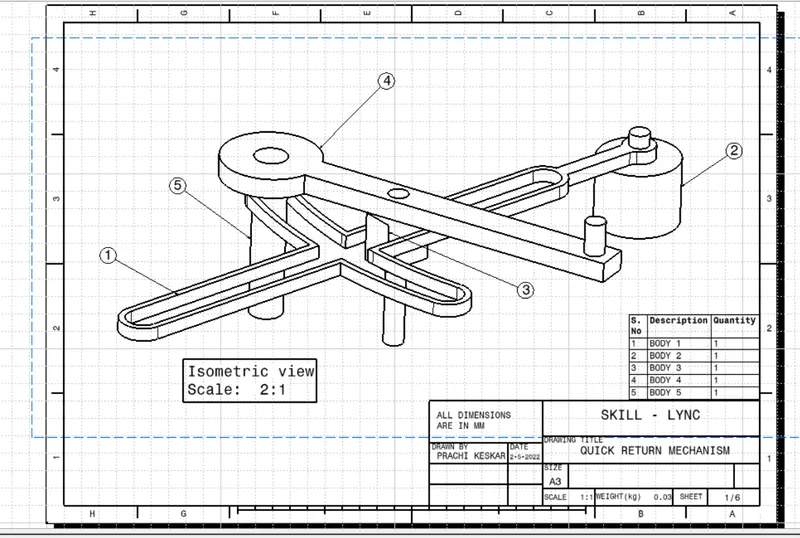
2 MODEL :-
- Assemblies of the 2 Models :-