Week 1- Mixing Tee
Aim:
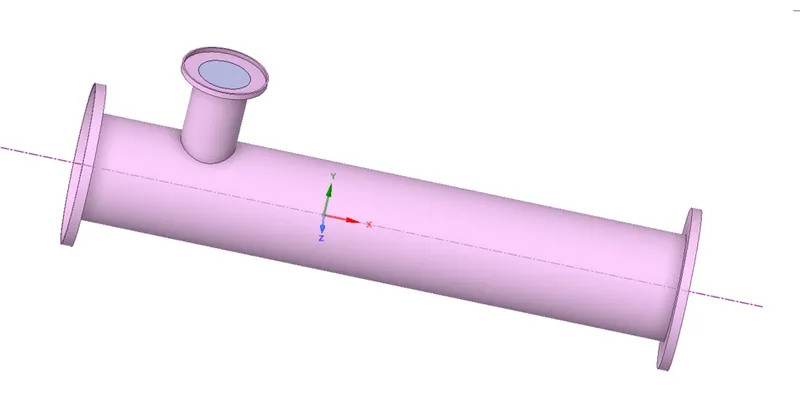
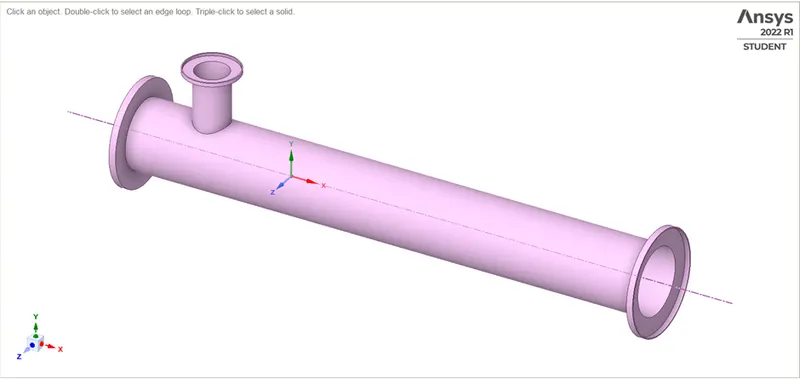
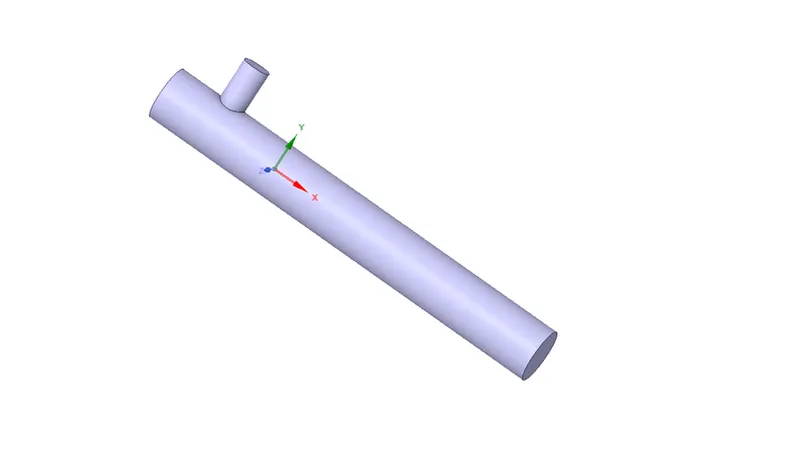
For this challenge, we have created two versions of the mixing tee. One of them is longer than the other.
Your job is to set up steady-state simulations to compare the mixing effectiveness when hot inlet temperature is 360C & the Cold inlet is at 190C.
Use the k-epsilon and k-omega SST model for the first case and based on your judgment use the more suitable model for further cases. Giving the reason for choosing a suitable model is compulsory.
- Case 1
- Short mixing tee with a hot inlet velocity of 3m/s.
- Momentum ratio of 2, 4.
- Case 2
- Long mixing tee with a hot inlet velocity of 3m/s.
- Momentum ratio of 2, 4.
Momentum ratio = velocity at cold inlet / velocity at hot inlet
In a table, compare the following values from the 2 cases.
- Cell count
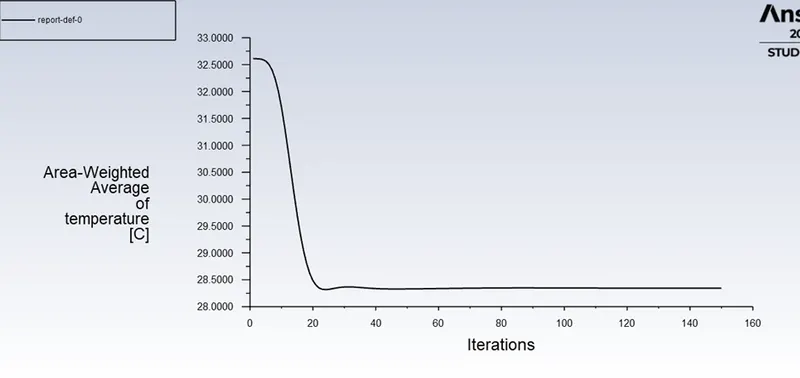
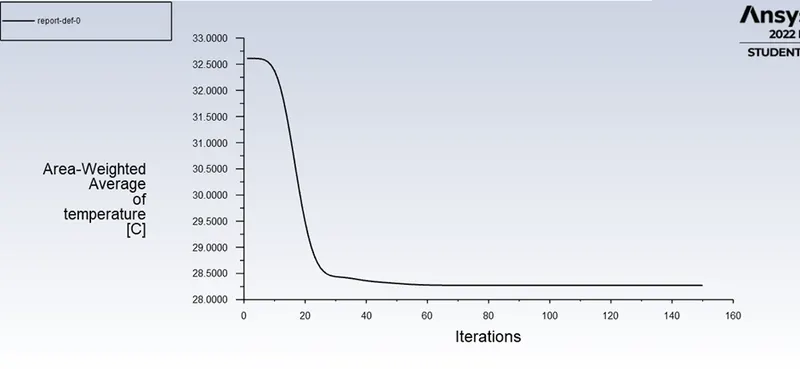
- Average outlet temperature
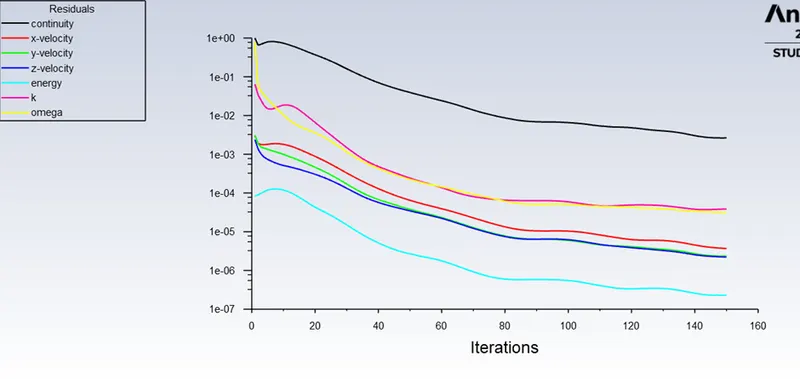
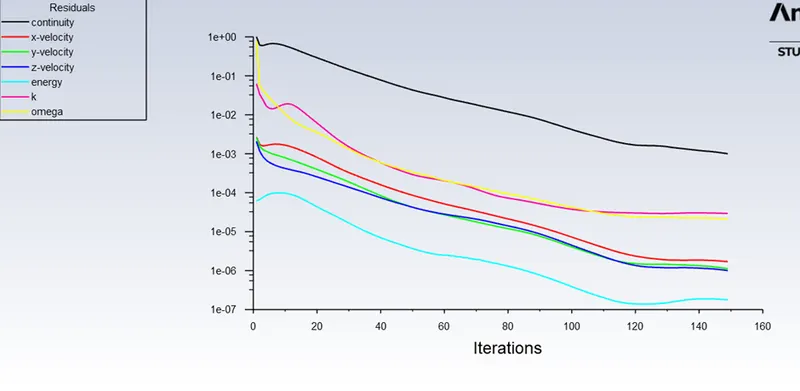
- Number of iterations for convergence
Procedure:
Creating Geometry:
- Importing the geometry to Ansa geometry work bench.
- Now click on Prepare then choose the volume extractor.
- After click on volume extractor click on select edges.
- Now select some of the round edges of the mixing Tee.
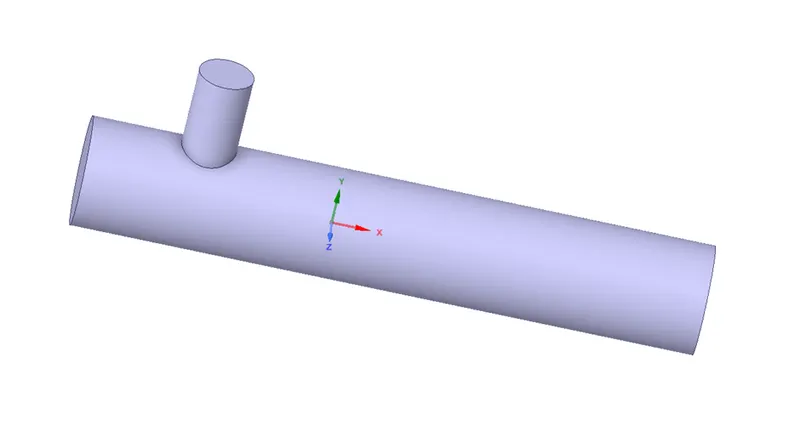
- As you have extracted the volume solid.
- Close the geometry module.
Creating Mesh:
- Open the Mesh module.
- Model will automatically load then go to geometry.
- Select the faces option or click ctl + f to select the faces.
- Select the round faces and click N to name the face.
- Name all the mixing tee faces as inlet, outlet, walls.
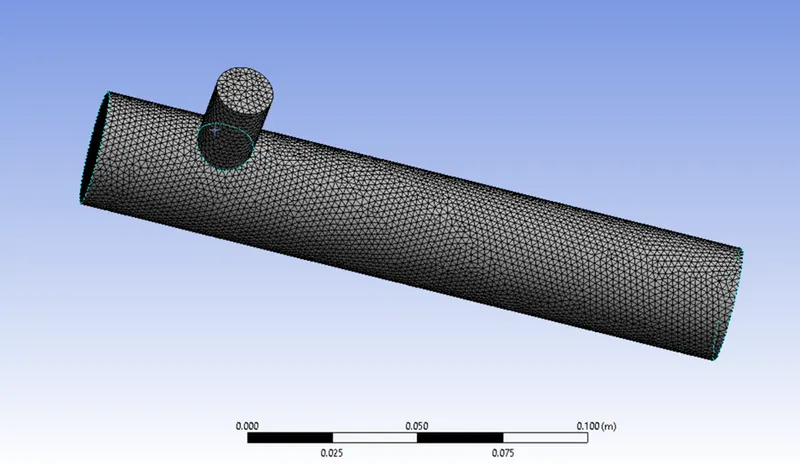
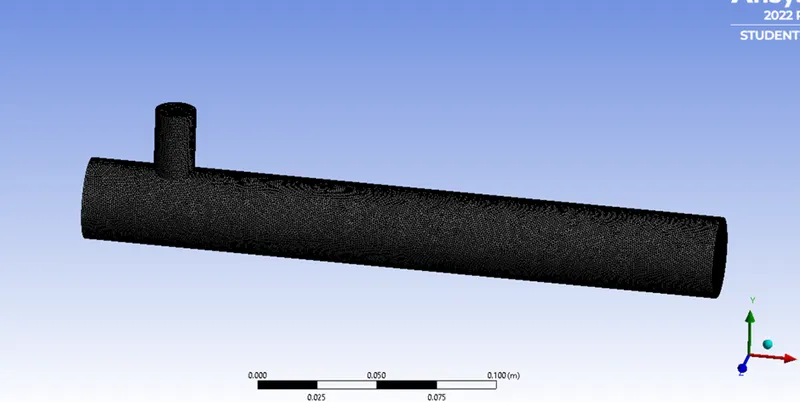
- Then go to Mesh option select the Default and go to element size and type mesh = 0.002m.
- Now right click on Mesh option and click Generate the mesh.
- The Mesh will be generated.
- Now As we have generated the mesh close the mesh module.
Creating Setup:
- Opening the Setup module.
- Model will automatic load.
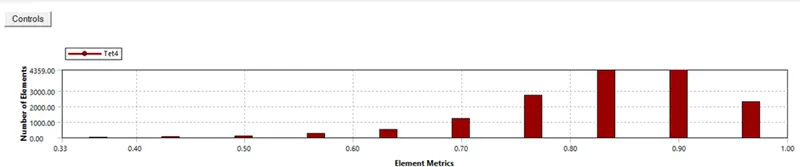
- Check for the quality optional.
- Now select the Physics option check on the energy option.
- Click on viscosity and check the K epsilon method and check Realized and hit OK.
- Now go to Cell zone check for the fluid as Air.
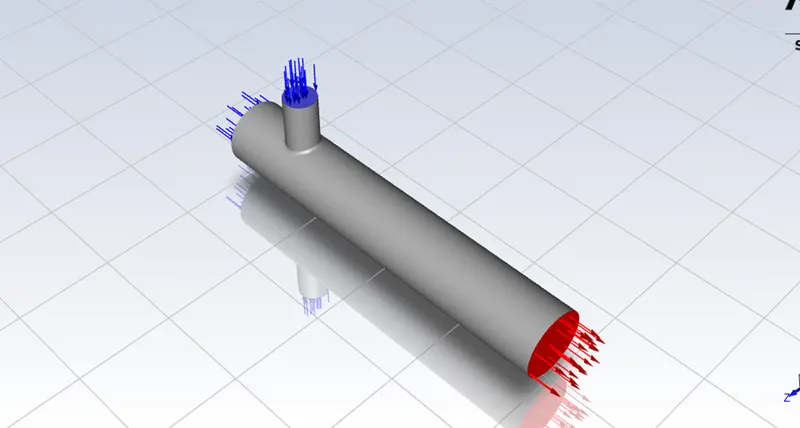
- Then go to Boundary condition and set inlet-x and inlet-y ratios and momentum condition.
- Go to solver select the pressure-based, Absolute and steady.
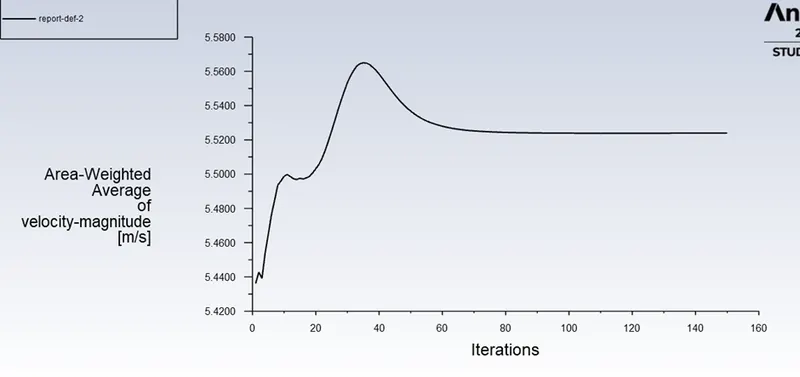
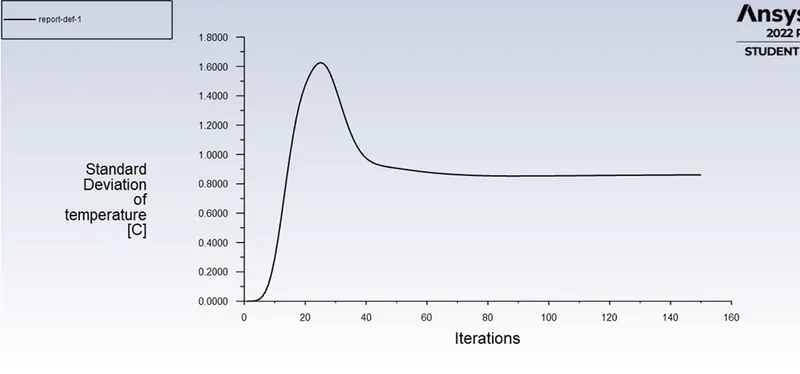
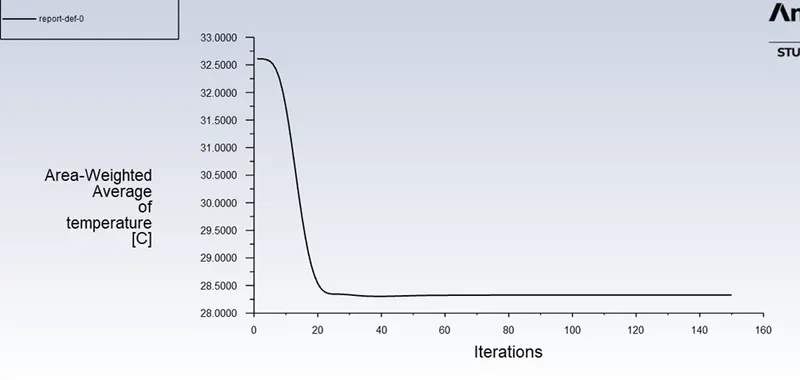
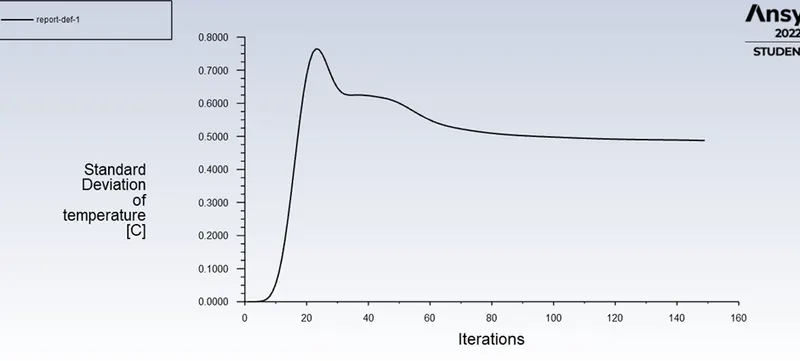
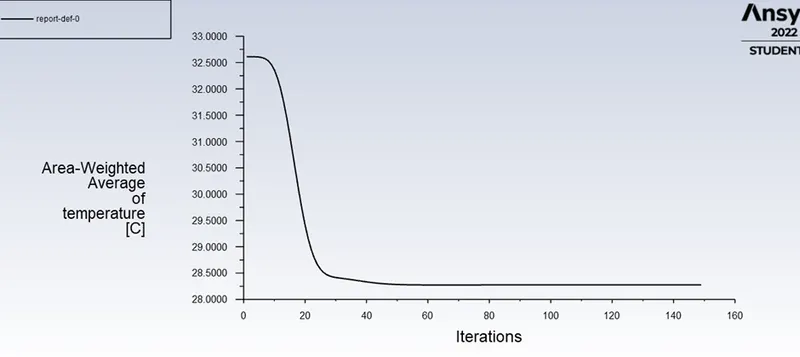
- Now go to definition and set the area weighted average as pressure and velocity report and standard deviation report click ok.
- Now by setting and the option go to initialize and initialize the data.
- It will give u 10 iteration value.
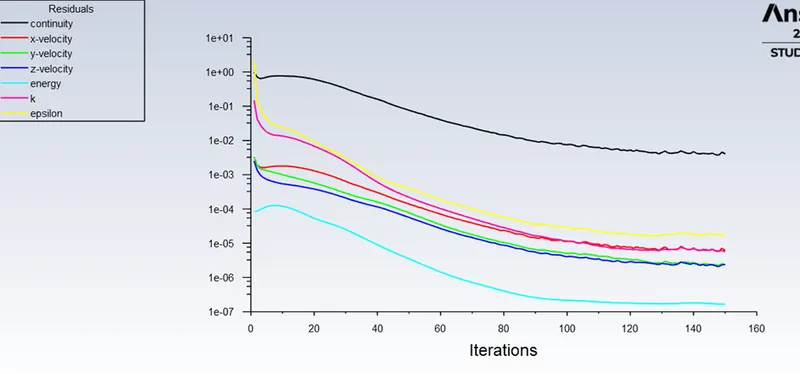
- Now set the no of iterations as 150 and Hit the RUN option.
- Now it will take some time depends on the no of mesh cell are there.
- Our graph and report will generated.
Creating Result:
- Opening the Result module.
- Checking the walls and inserting a plane1.
- Making the walls transparent to see the flow.
- Selecting the XY plane and creating Z axis as 0.
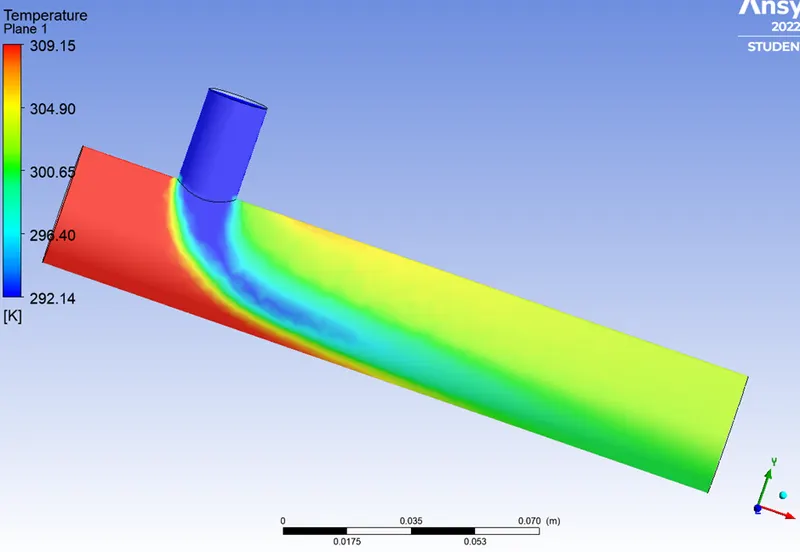
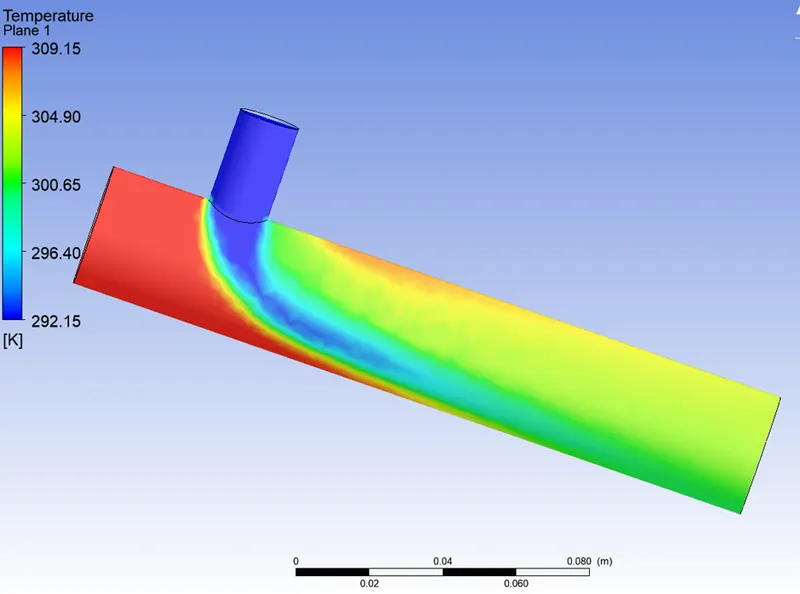
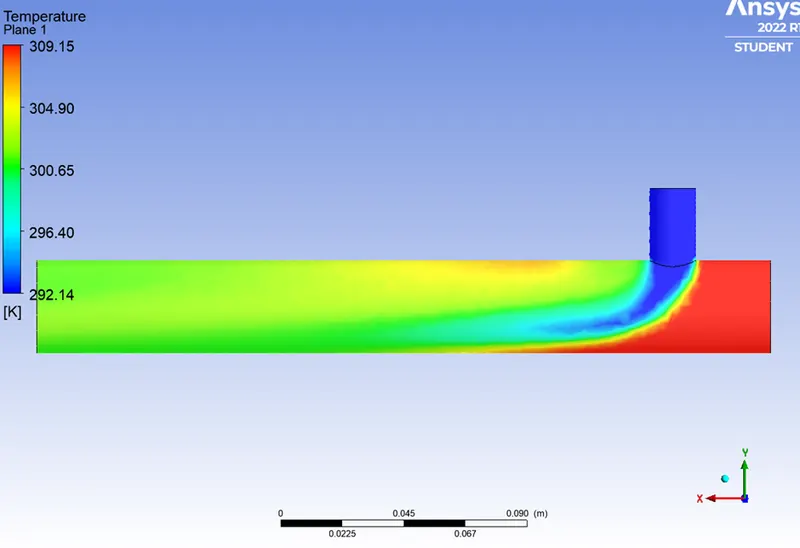
- Now enabling the Temperature in colors and apply.
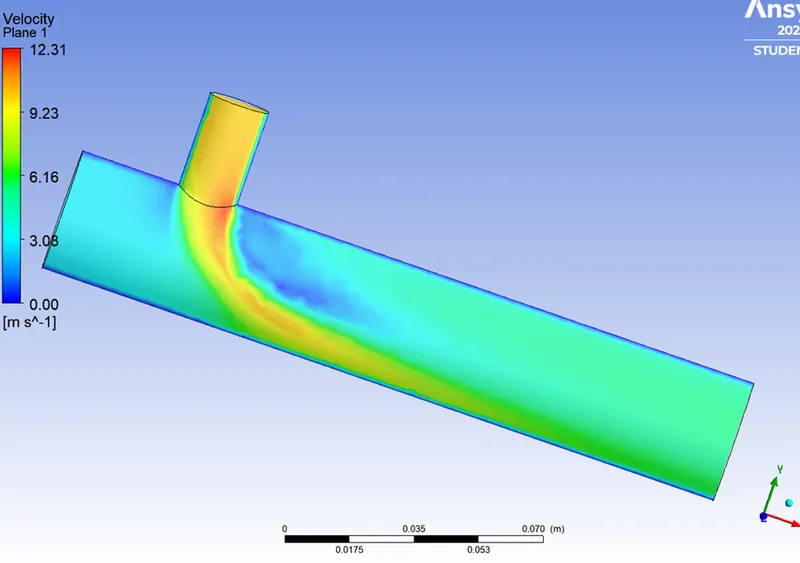
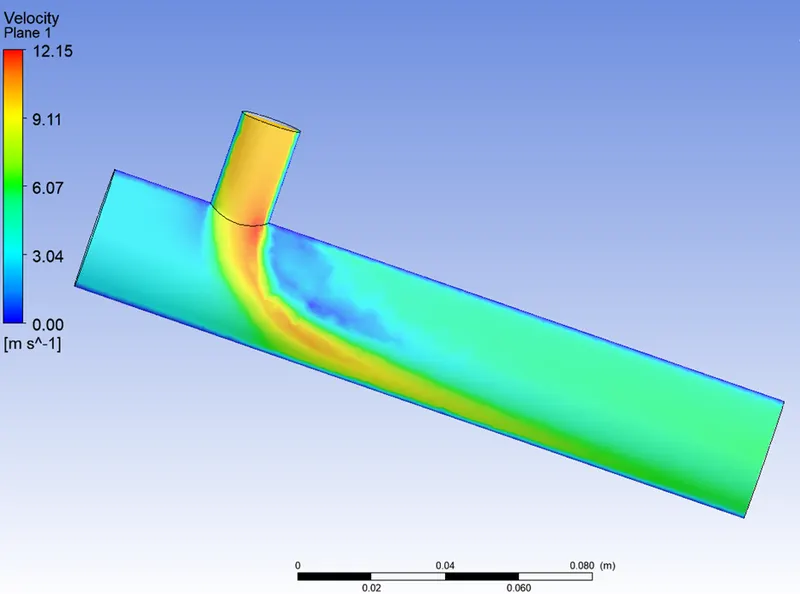
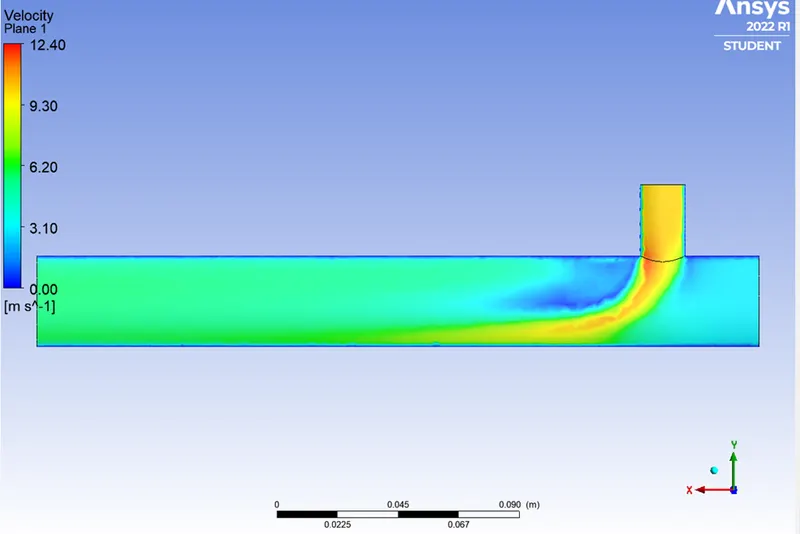
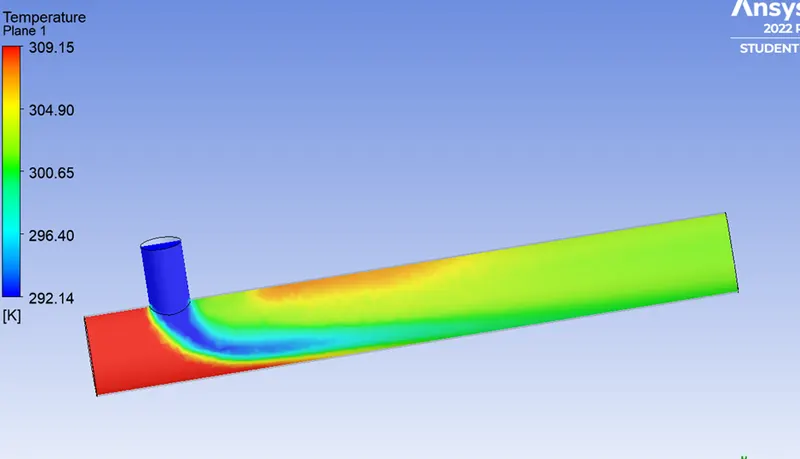
- Now we can see the flow distribution on the plane.
- By checking the fixed option and setting the value to 2 decimal points.
- By checking the velocity option and setting the value to 2 decimal points.
- We have generated the flow in Mixing Tee.
MIXING TEE SHORT:
Meshing:
Fluent Setup:
Residuals:
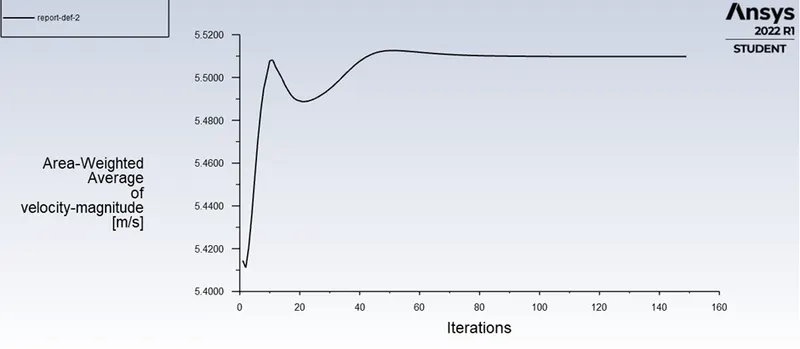
Velocity:
Temperature:
Flow Result:
Temperature
Velocity:
Momentum = 4
Temperature:
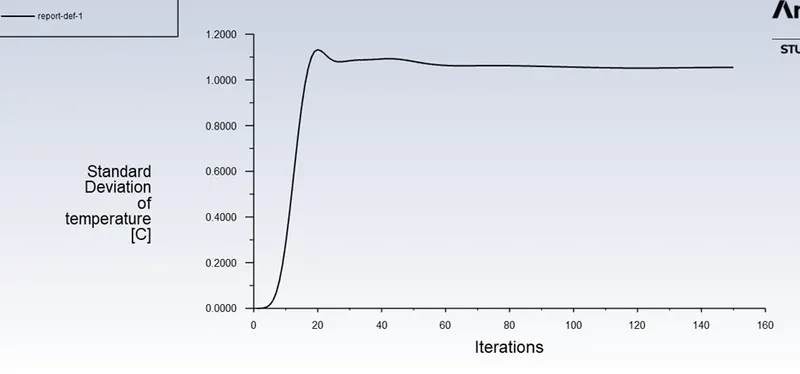
Velocity:
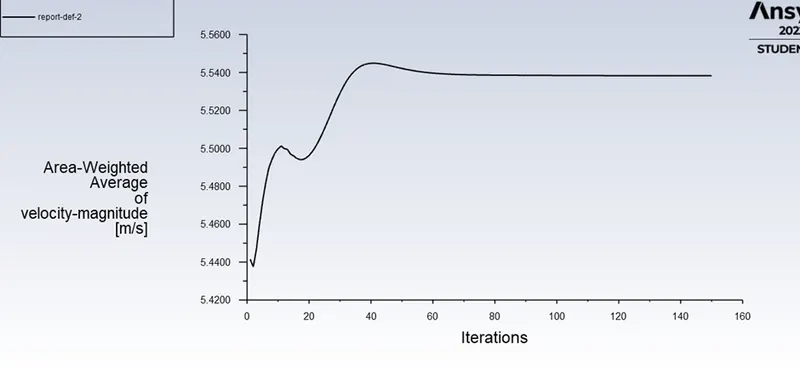
Flow Result:
Temperature:
Velocity:
As shown in the above similarly we have to do for Mixing Tee long.
MIXING TEE LONG:
Geometry:
Meshing:
Fluent Setup:
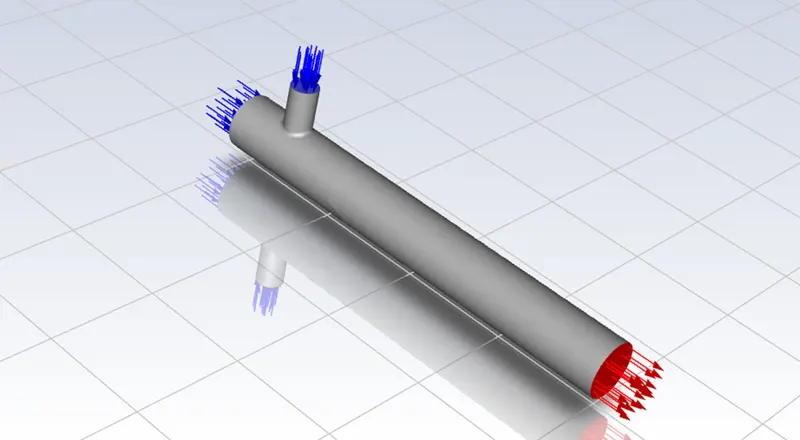
Momentum = 2
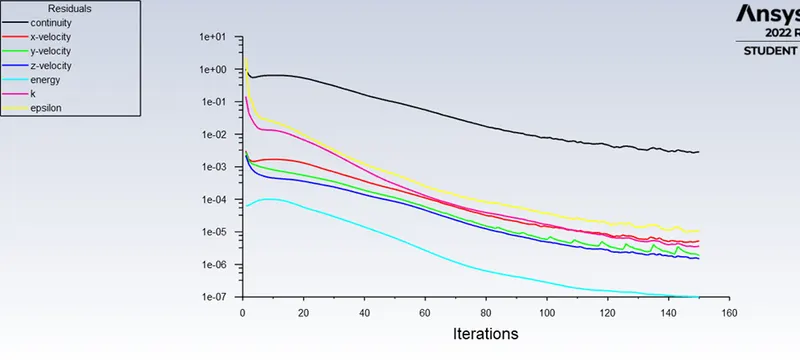
Velocity:
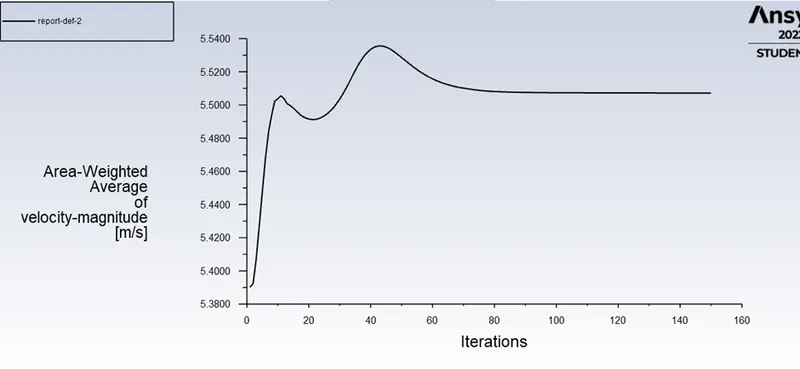
Temperature:
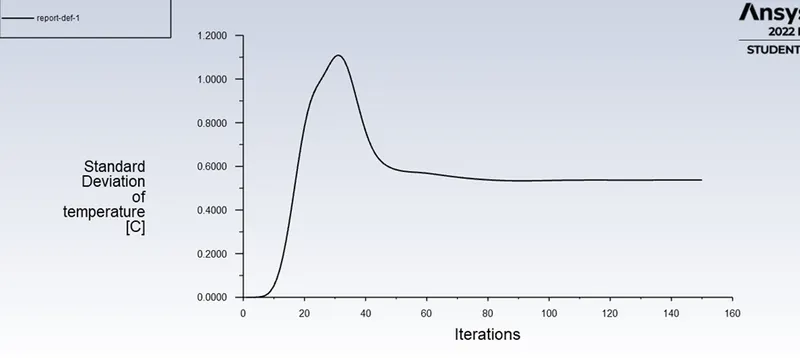
Flow result:
Tmeperature:
Velocity:
Momentum = 4:
Velocity:
Temperature:
Flow Result:
Temperature
Flow velocity:
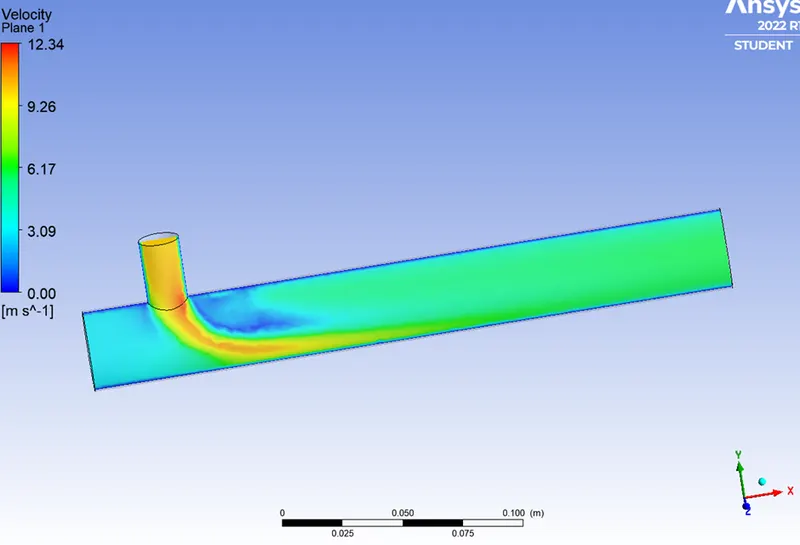
Conclusion:
Hence for this challenge, we have created two versions of the mixing tee. One of them is longer than the other.
so we prefer K-epsilon method is better for free flow in mixing tee because it doesn't effected by walls.