Week 1 : Exploring the GUI of GT-POWER
1. Explore the GUI of GT SUITE and list down modules available with brief description.
The Modules in GT Suite which are available:
1) COOL 3D
This is a CAD-based pre-processing tool with GT-COOL to simulate 3D modules integrated with 1D
cooling circuits. It can be used to understand the airflow through heat exchangers, fans and engine
blocks.
2) GEM 3D
This is a feature which is used to build complete exhaust or intake systems including multiple muffler, pipes and
airboxes.
3) GT ISE (Integrated)
This is the main interface where models are built and simulation is done. This is an environment where all the
elements are brought into a map and linked together to connect the model.
4) GT POST
This is used to view the results obtained from the simulation. The GT POST is used to generate 2d and
3d plots. It can combine the different test cases in single plots.
5) VT DESIGN
This feature can be used to design valvetrain and cam. This can be used to create cam design/ profiles,
dimensions, valvetrain mechanism is run and viewed directly by the VT design interface.
6) GT SPACECLAIM
This uses in-built tools to import common CAD format into GT-SUITE. This Simplifies the geometry to
prepare a model for simulation and extracts the inner/fluid core of solid models.
2. Locate following settings:
- Time control flag
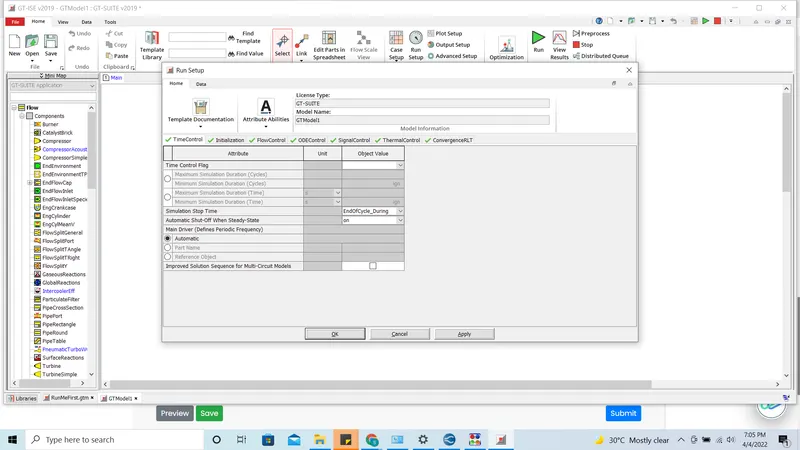
- Time step and solution control
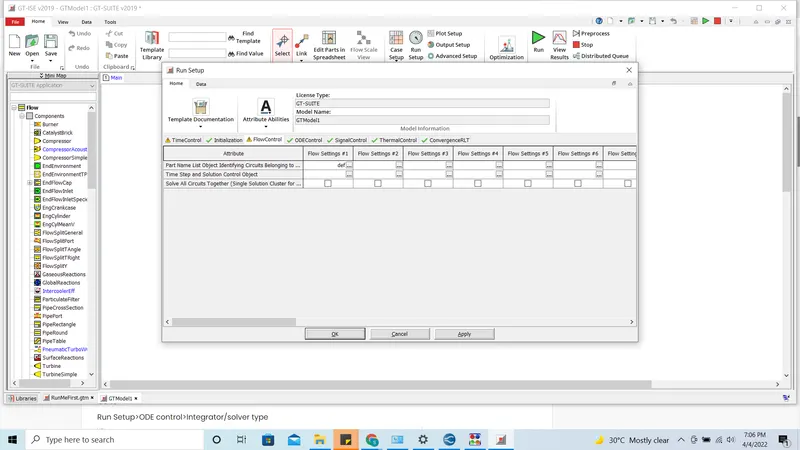
- Integrator/Solver type
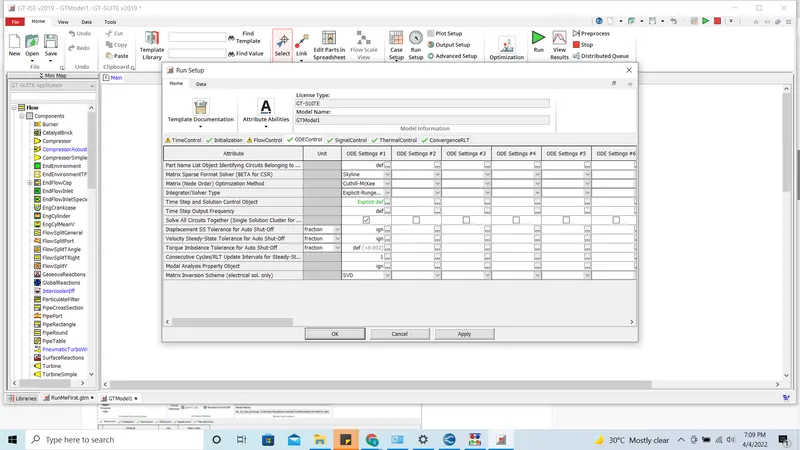
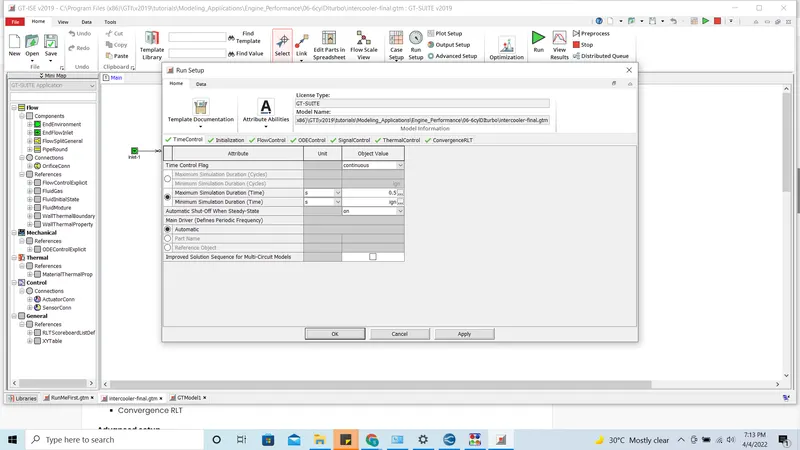
3. Explore intercooler tutorial and note down all settings of:
- Run setup
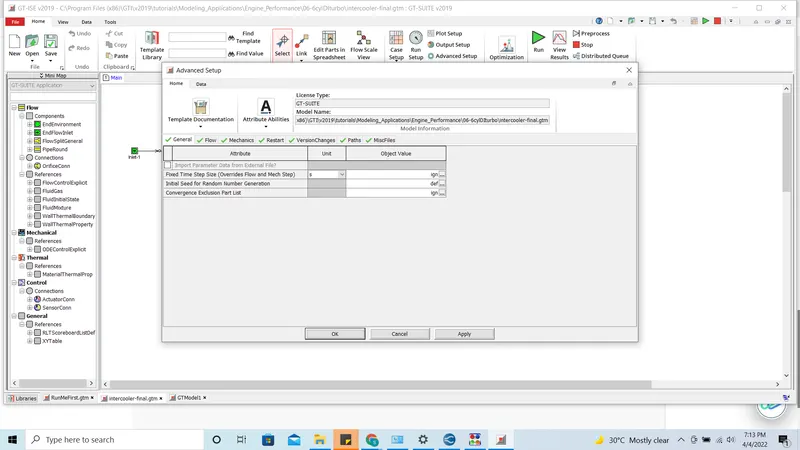
- Advanced setup
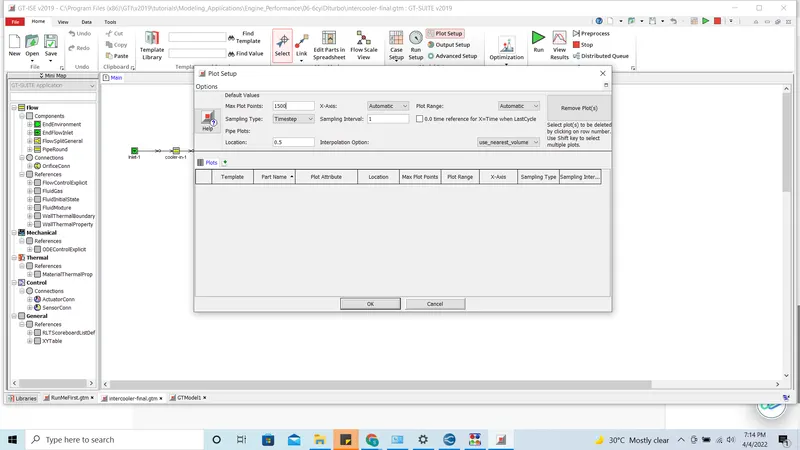
- Plot setup
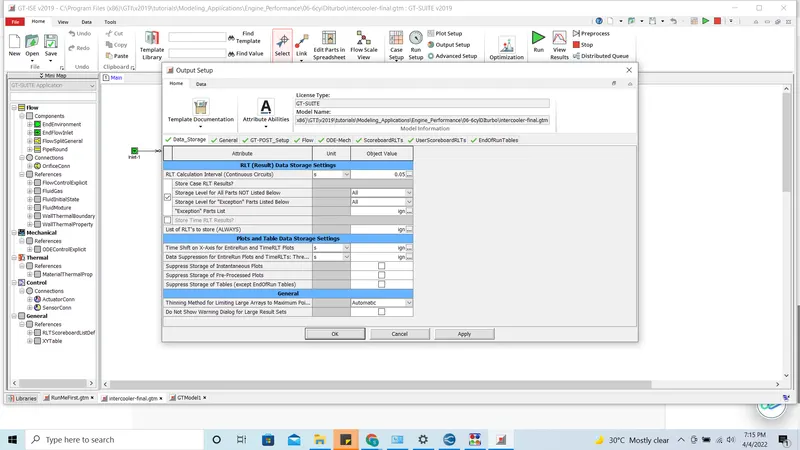
- Output setup
Given
The following parameters were entered.
- Diameter of cooler inlet and outlet pipe= 50 mm
- Length of the CAC= 1000 mm
- Inlet mass flow rate = 1200 kg/ h at 100 degC
- Outlet pressure 2 bar at 30 deg C
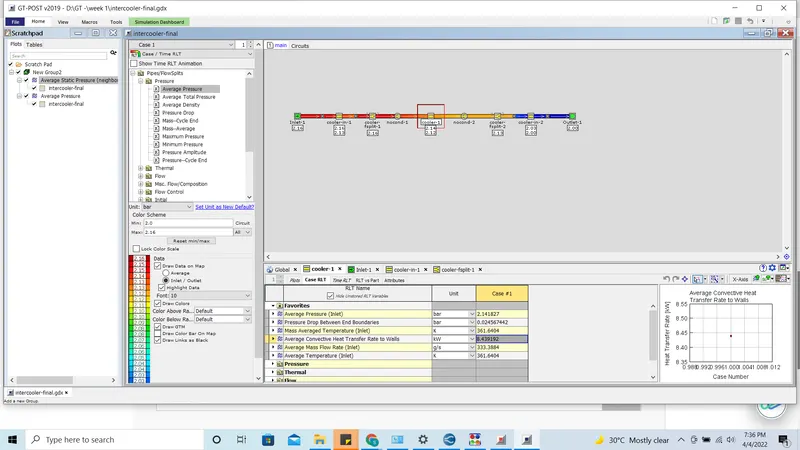
- Calculate the Average heat transfer at Charge air cooler (CAC)
- 8.439192 kW
- Calculate pressure drop across CAC
- 0.024567442 bar