Week 1 Challenge
1. Write the steps involved to upload a .std file through web mail?
- Open the staad software adn locate the share option available in the screen.
- Select the send mail option.
- Then use the upload option and search for .std file and upload.
2. Name the different materials that can be designed using STAAD Pro.
The materials designed using STAAD Pro are listed below,
- Concrete
- Aluminium
- Steel
- Composite sections.
- Timber
3. Is it possible to capture images in STAAD Pro? If yes how?
Yes, Using take picture option in utility panel it is possible to capture image.
4. Name the three ways by which you can create a model.
The three ways whih we can create a model are,
- Analytical model
- Building planner model
- Physical model
5. Write the steps followed to assign properties in a model.
- Use the properties panel and select materials
- Select the appropriate material from the list
- Then assign it for the chosen member
- Assign the property for the model
2. 1. Name any six design parameters involved in RCC design.
- Fy
- Ast
- Fc
- Fck
- Fu
- Mx
2. What are the different cursor types available in STAAD Pro?
- Nodes cursor
- Solids cursor
- Loads cursor
- Plates cursor
- Geometry cursor
3. How will you generate different views for a model? State the steps involved.
By using the views option we can generate different view of a model.
4. Explain the procedure to define a “Simply Supported” condition in STAAD Pro
- Use the support option create a simply supported beam by selecting the pinned option
- Assign the same for the nodes.
5. Name any five topics that you will include while creating DBR.
- Name and project number
- Introduction / Aim
- Layout
- Analysis methods
- Result
6. Describe the term “Multi-material design” of STAAD Pro.
The term Multi-material design refers the option to use more than one material in designing a structure.
3. 1. Name the structure systems in STAAD Pro? Explain each system?
Space frames - These frames have six degrees of freedom and have 3D global axes x,y & z.
Plane frames - These frames have axial, shear and bending moments in 2D Xand Y axes.
Trusses - These are created using the elements in triangle forms, loaded in both compression adn tension.
2. Explain the coordinate system adopted in STAAD Pro software.
The three coordinate system in STAAD Pro are X,Y and Z.
3. Elaborate on DBR and its uses.
A detailed structural study report which defines the integrity of the structure with recommendation / suggestions to maintain the stability of the structure. This is used to study the movement of the structure and for maintenance purposes.
4. Explain the different types of analysis options in STAAD pro.
- P-delta analysis
- Geometric analysis
- Pushover analysis
- Buckling analysis
5. Explain the difference between Fixed and Fixed But conditions.
- Fixed condition restricts all the movement and it is an end condition
- Fixed but condition is that we can release some movement as per the preferences.
5. Explain the difference between Fixed and Fixed But conditions.
- Fixed is the end condition where all degrees of freedom that are horizontal, vertical, and moment are restricted.
- On the other hand, fixed but is a customized end condition where you can release some of the required degrees of freedom.
Practical:
Aim:
1. Create a STAAD Model with the following Specification
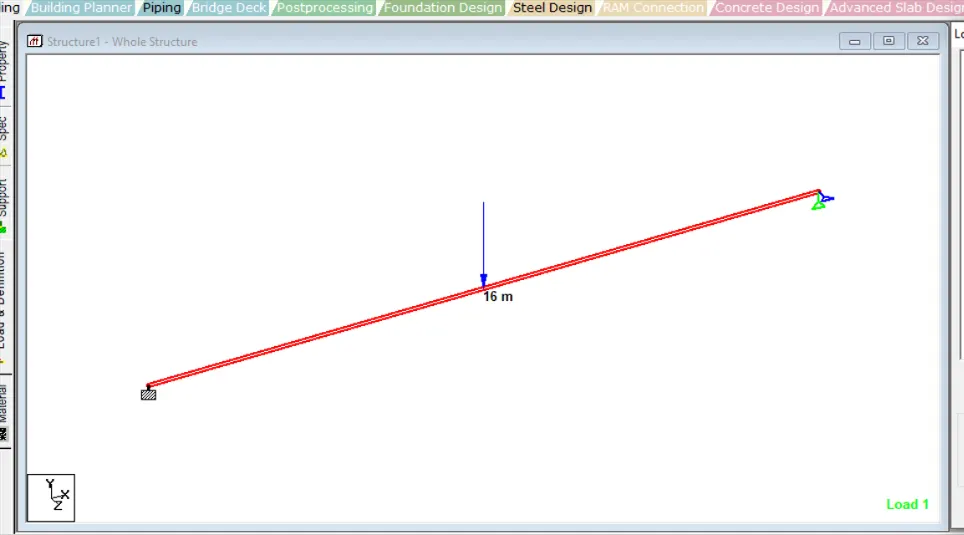
a. A beam of span 16m
b. Support : Fixed on one end and Roller support(Horizontal) on the other end
c. A point load of 50 kN at the mid-point
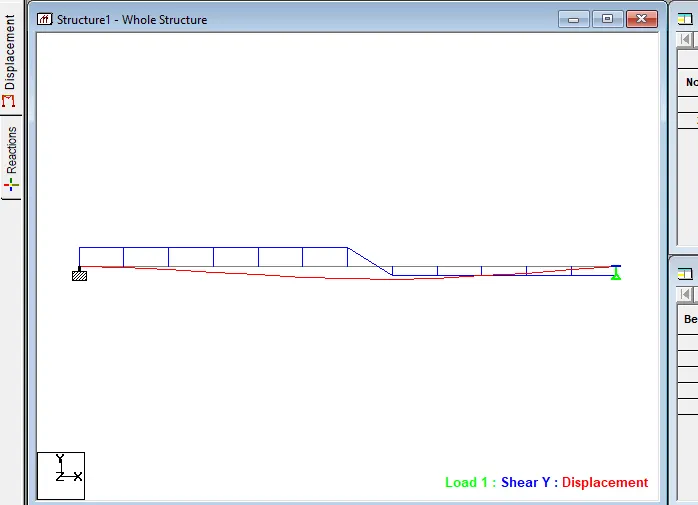
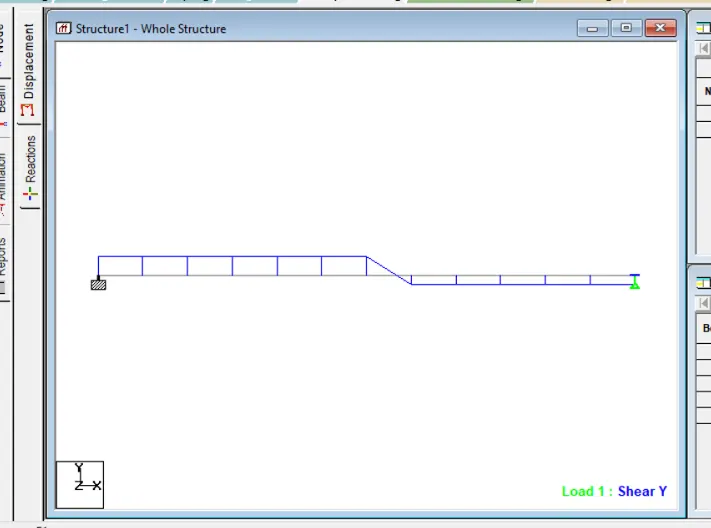
d. Draw SFD and BMD using software
Introduction:
By using the staad pro software and the following the model is created,
- Create the nodes for the beam length 16m.
- Apply the point load 50KN by using assign loads command.
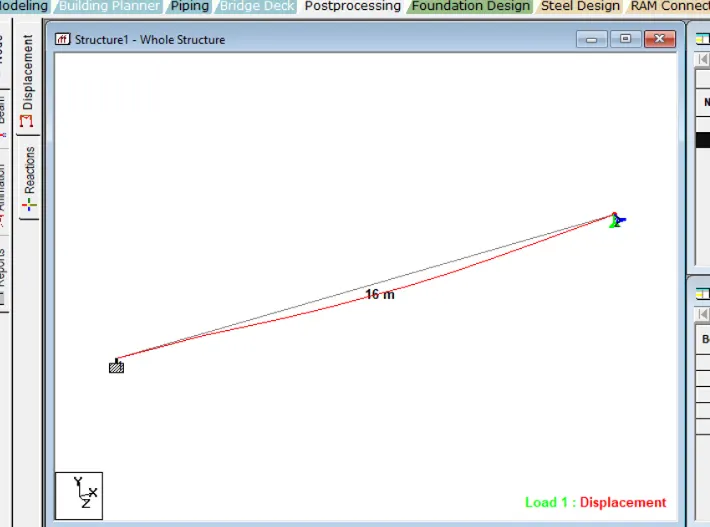
- Run the analysis without the error and warnings.
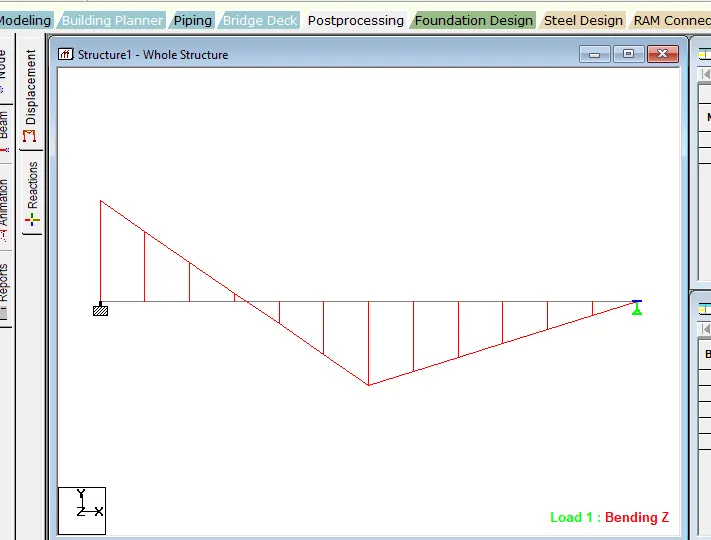
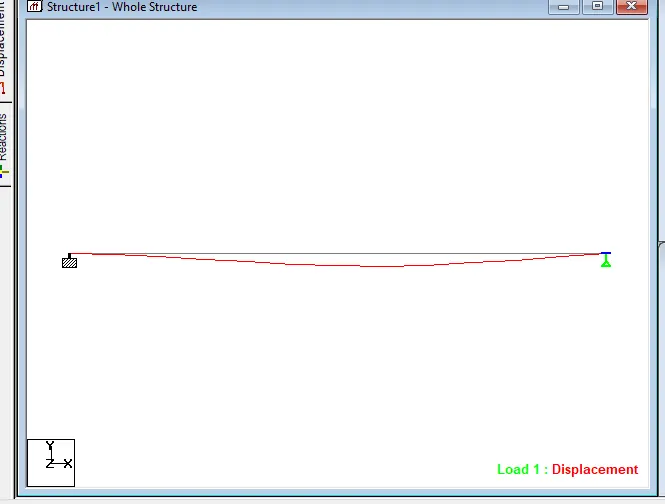
- Then take SFD and BMD results from the software.
The screenshots are shared below,
Result:
Hence the SFD and BMD drawings are created.