Week 1 Challenge
1. 1. Write the steps involved to upload a .std file through web mail?
2. Name the different materials that can be designed using STAAD Pro.
3. Is it possible to capture images in STAAD Pro? If yes how?
4. Name the three ways by which you can create a model.
5. Write the steps followed to assign properties in a model.
Write the steps involved to upload a .std file through web mail
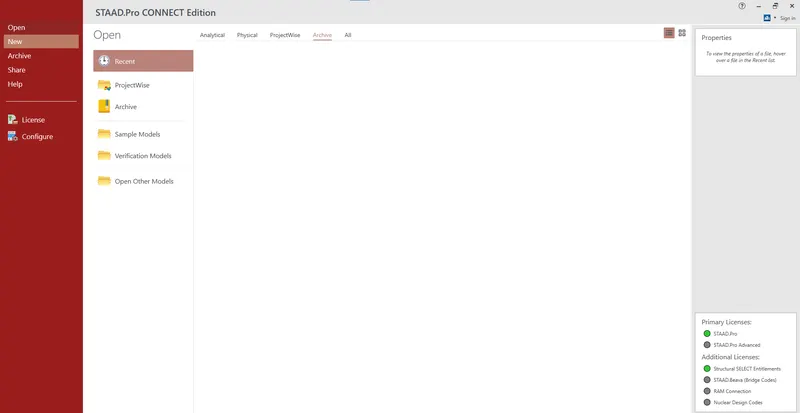
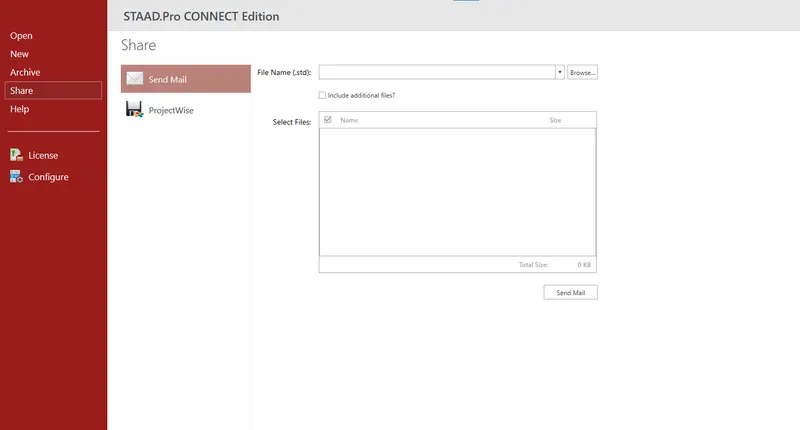
- Open the STAAD pro software and find the share option available on the introduction screen.
- Click on the share button, select send mail option.
- Browse for the Std file on your systen & send it.
Name the different materials that can be designed using STAAD Pro.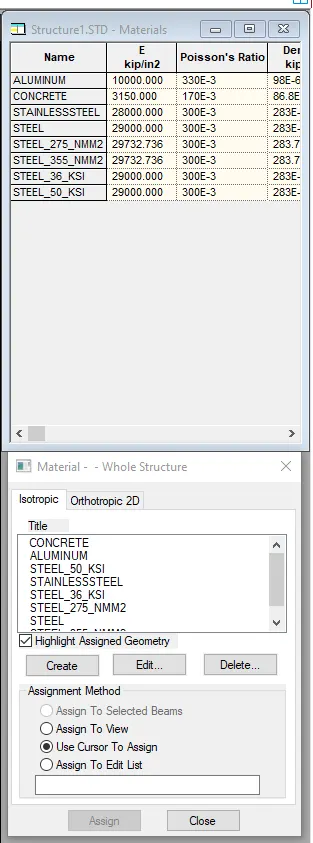
Concrete, Aluminum, Steel, Stainless steel, Timber
Is it possible to capture images in STAAD Pro? If yes how?
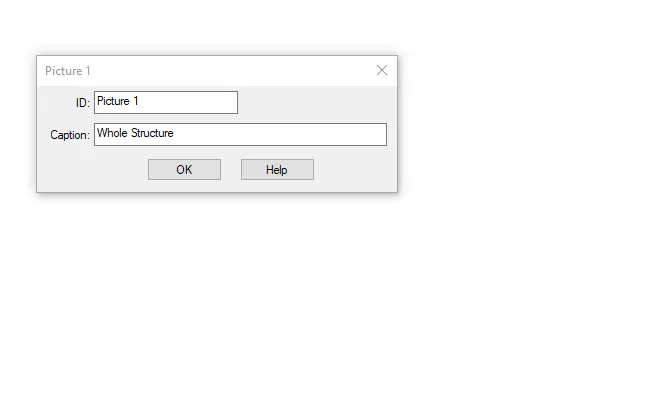
Yes, It is possible to capture images in STAAD Pro using,
Utilities > Take picture >Ok
Name the three ways by which you can create a model
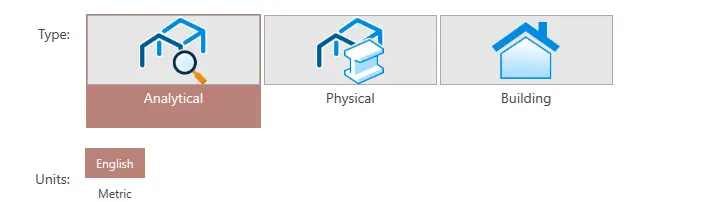
- Analytical model
- Physical model
- Building planner model

Write the steps followed to assign properties in a model
- Go to properties panel.

- Click on materials.
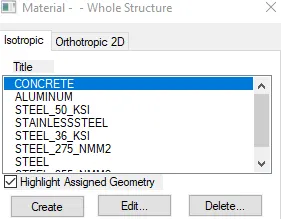
- Select any material from the list (Concrete / steel / aluminum / stainless steel etc)
- Then check the assignment method based on your preference like use assign to select / assign to edit / use cursor to assign / assign to view
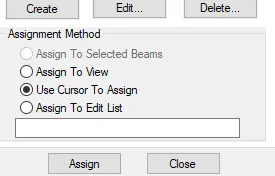
- After choosing, go ahead and assign the material property to your model.
2. 1. Name any six design parameter involved in RCC design.
2. What are the different cursor types available in STAAD Pro?
3. How will you generate different views for a model? State the steps involved.
4. Explain the procedure to define a “Simply Supported” condition in STAAD Pro
5. Name any five topics that you will include while creating DBR.
6. Describe the term “Multi material design” of STAAD Pro.
1. Name any six design parameter involved in RCC design
- Clear cover
- Fc compressive strength of concrete
- Fy (Yield)Tensile Strength of steel
- Maximum/ minimum main Diameter of bar
- Code of practice
- End conrete design
2. What are the different cursor types available in STAAD Pro?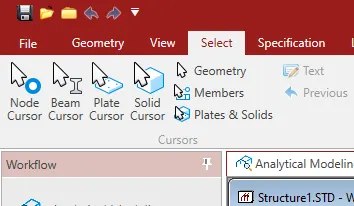
- Node Cursor
- Beam Cursor
- Solid Cursor
- Plate Cursor
- Plates & Solids Cursor
- Geometry Cursor
- Members Cursor
3. How will you generate different views for a model? State the steps involved.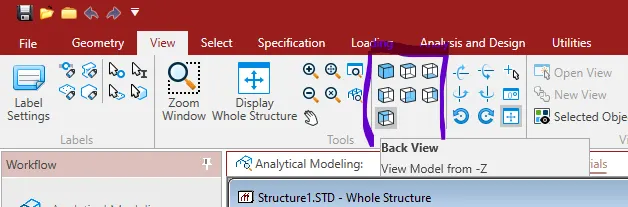
- Isometric view
- Top view
- Back view
- Bottom view
- Front view
- Left View
- Right view
4. Explain the procedure to define a “Simply Supported” condition in STAAD Pro - go to support command in toolpalet
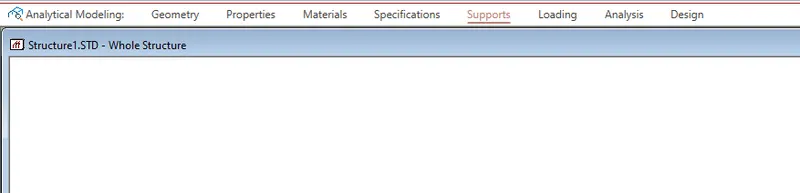
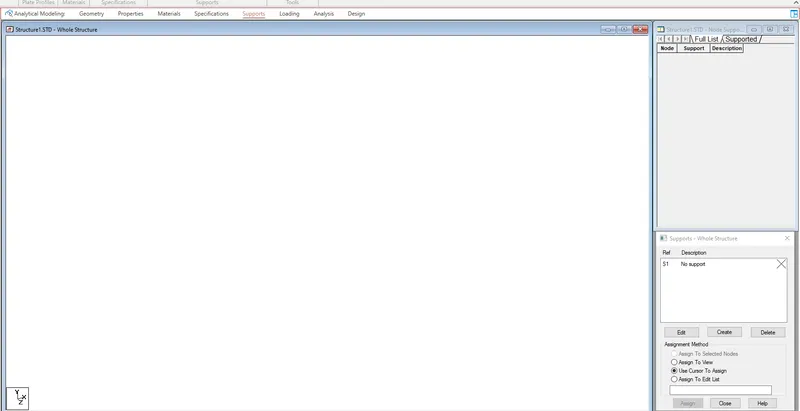
- Click create support command
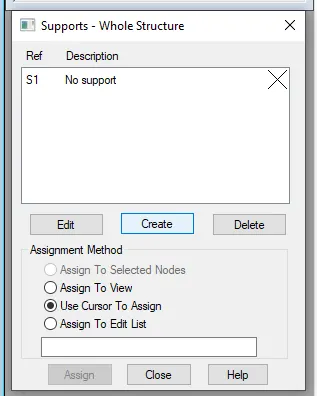
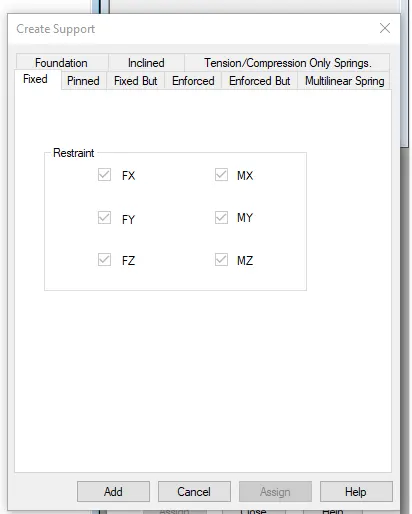
- Choose any option like fixed support , pinned support , Fixed but, Enforced But, Enforced, Inclined, Foundation Tension / Compression Only springs, Multilnear Spring
5. Name any five topics that you will include while creating DBR.
DBR is Design Basis Report which is used to specify and compile the data required for analysis and design of structural elements of the project. It clearly depicts the assumption and specifications that are used to develop the documents for a project. It will also help to avoid the Scope creep that can derail the project schedule and lead to budget overrun. It basically transforms the "WHAT" into the "HOW"
- Name of the project and location details
- Introduction to the construction methodology
- Structural Layout
- Loads and combination
- Analysis and design Methodology
- Quality Assurance plan and Quality Control
- Budget of the Project
6. Describe the term “Multi material design” of STAAD Pro.
- Multi material design used for 3D model generation, analysis and multi-material design
- The STAAD .Pro supports several materials like steel , concrete and timber material in a separate member
- This separate member will cordinate and formed in to a structure which is safe and stable against the load acting
3. 1. Name the structure systems in STAAD Pro? Explain each system?
2. Explain the coordinate system adopted in STAAD Pro software.
3. Elaborate DBR and its uses.
4. Explain the different types of analysis options in STAAD pro.
5. Explain the difference between Fixed and Fixed But condition.
1. Name the structure systems in STAAD Pro? Explain each system?
- Space Frames
The space frames are the 3D truss like structures that is designed to carry loads for the longer spans without any intermediate supports. The space frame structures are ligh-weight and rigid in nature and it is structurally effective adn stable. - Plane Frames
Plane frames are Reinforced cement concrete or steel framed structures. It is a two-dimensional structure which is constructed with straight elements which are conected by the rigid or the hinged connections.
- Trusses
Trusses are build by arranging the structural elements in the triangle forms.The elements named as purlins, rafters, struts, plates etc.. The elements can take loads in both compression and tension.
2. Explain the coordinate system adopted in STAAD Pro software.
X,Y and Z co-ordinates are the coordinate system that is adopted in STAAD Pro software.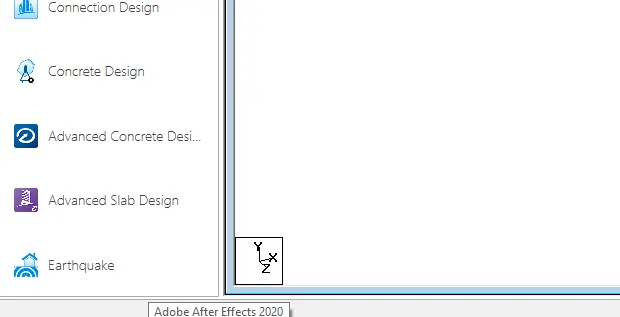
The co-ordinate system adopted in STAAD Pro software are:
- Global Axis:- Mainly global axis are fixed in the co-ordinate system and we can not change it. It is fixed one.
- Local Axis :- We can change the local axis but not the global axis. Local axis is variable in nature.
It is basically use a conventional cartesian co-ordinate system and in this system Y is a global axis which is in upward direction. We can say that the height of the building is always parallel to the global Y-axis just as shown in the below given,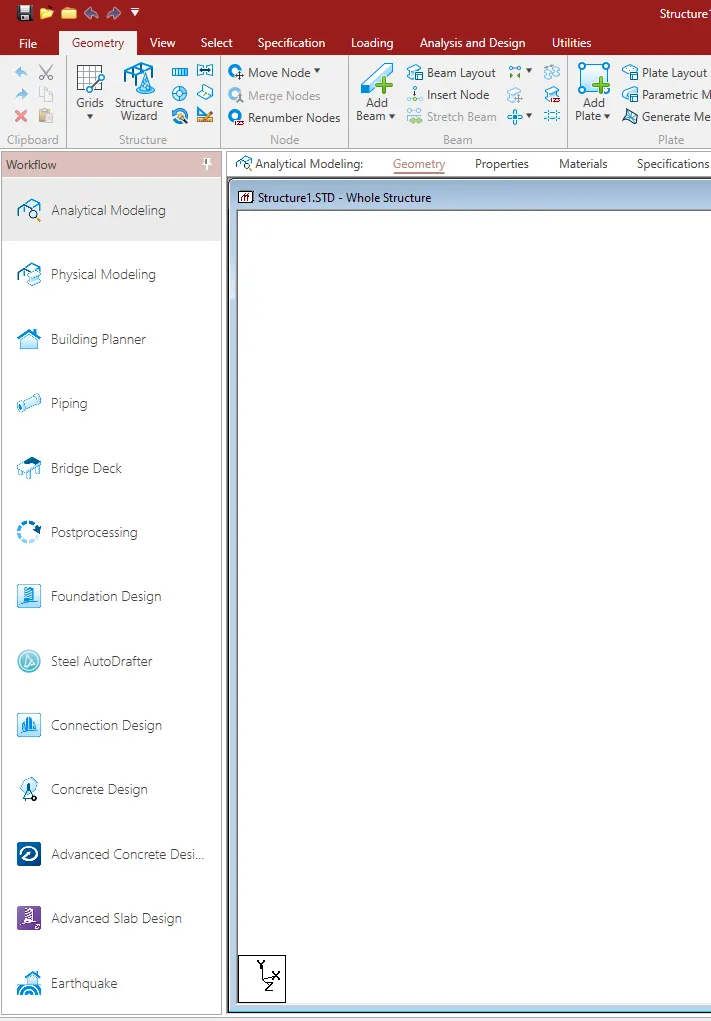
3. Elaborate DBR and its uses.
DBR is Design Basis Report which is used to specify and compile the data required for analysis and design of structural elements of the project. It clearly depicts the assumption and specifications that are used to develop the documents for a project. It will also help to avoid the Scope creep that can derail the project schedule and lead to budget overrun. It basically transforms the "WHAT" into the "HOW". DBR includes name of the project and project location details, Introduction to the constructio methodology, structural layout, loads and combinations, quality assurance and quality control budget of the project etc.. It gives complete detailed reports on all these sections.
4. Explain the different types of analysis options in STAAD pro.
- Buckling analysis
- Linear Elastic analysis
- P-Delta analysis
Push-over analysis
5. Explain the difference between Fixed and Fixed But condition.
Fixed condition:
Fixed condition in the STAAD Pro is the condition where all the degrees of freedom ie, horizontal or vertical or moment are fixed. These movements are restrained, so that it cannot change accordingly. This type of condition is called the fixed condition.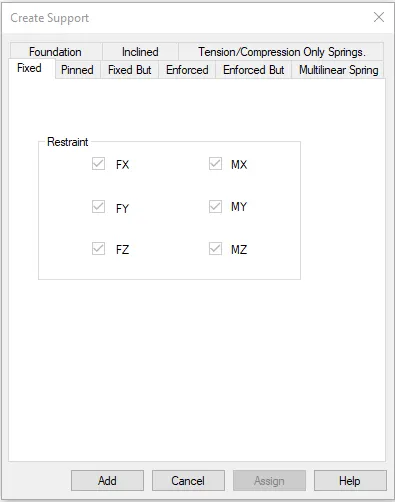
Fixed-But condition:
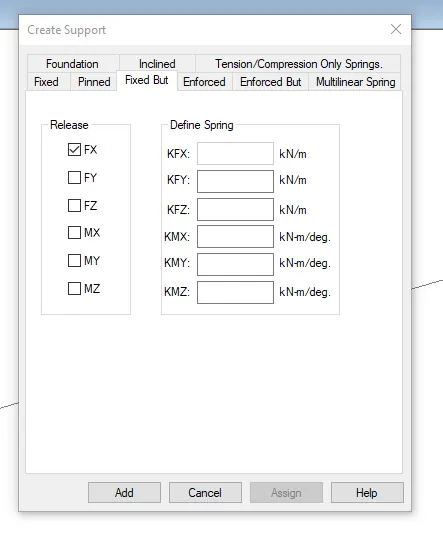
Fixed-But can be customized its end conditions accordingly. In this condition we can change the end condition which is not restrained. We can release some of the required degree of freedom as given in image,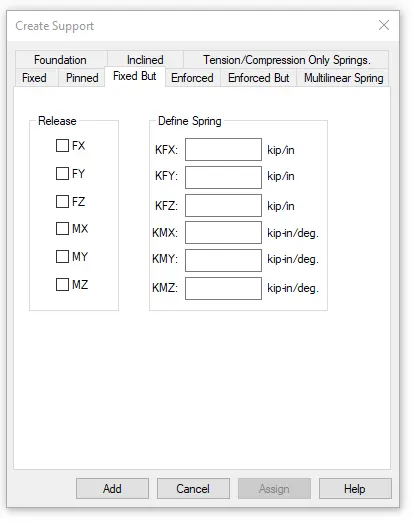
Practical
1. Create a STAAD Model with the following Specification
a. A beam of span 16m
b. Support : Fixed on one end and Roller support(Horizontal) on the other end
c. A point load of 50 kN at the mid-point
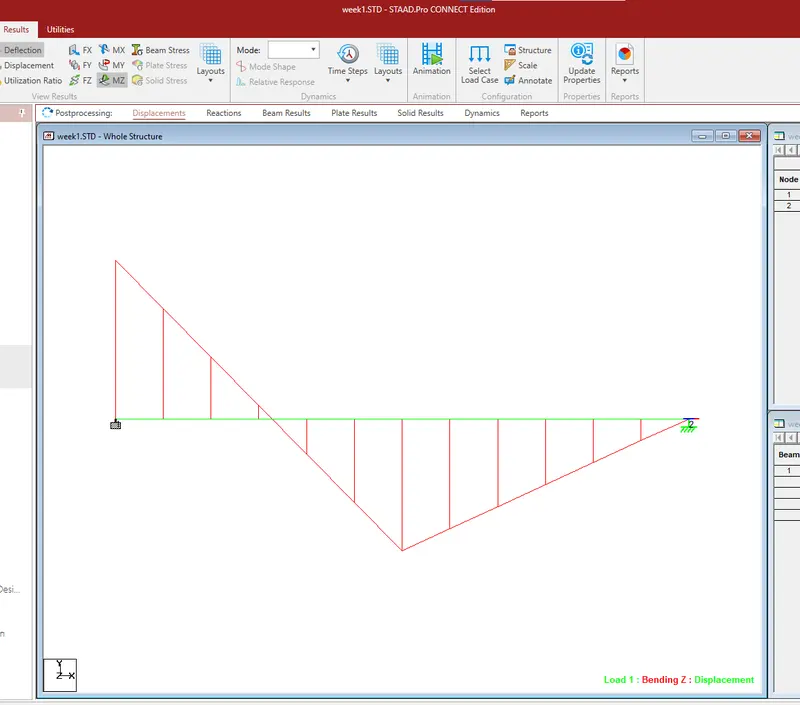
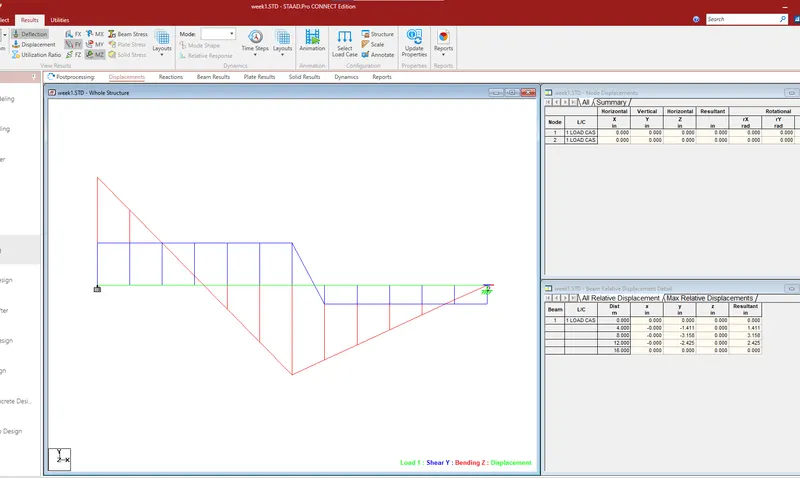
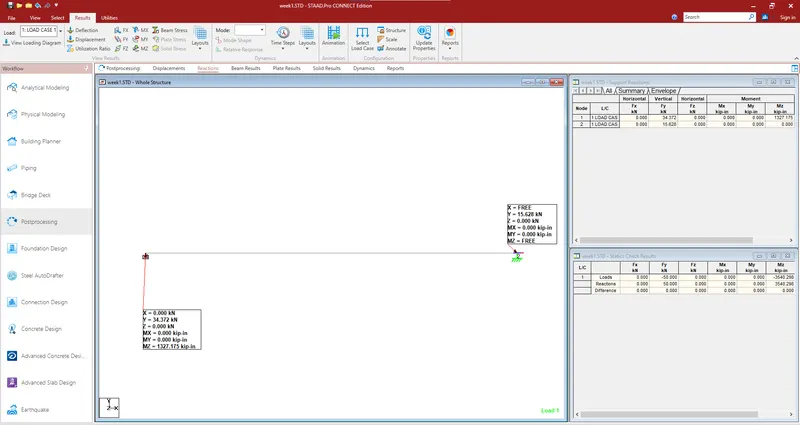
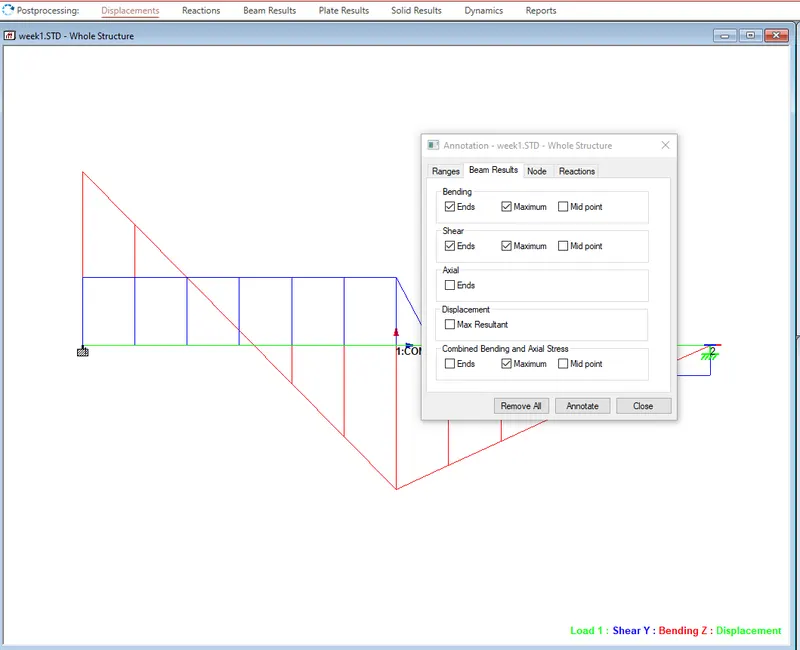
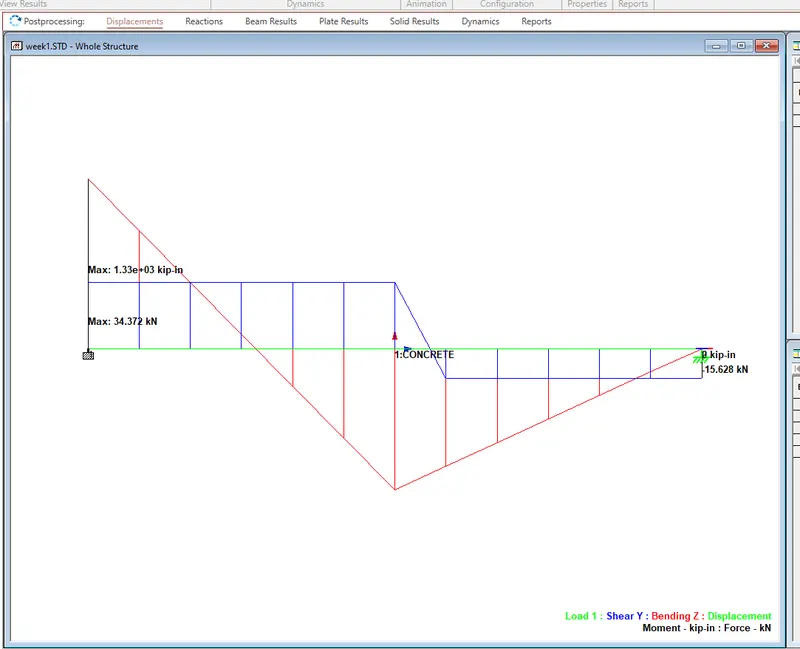
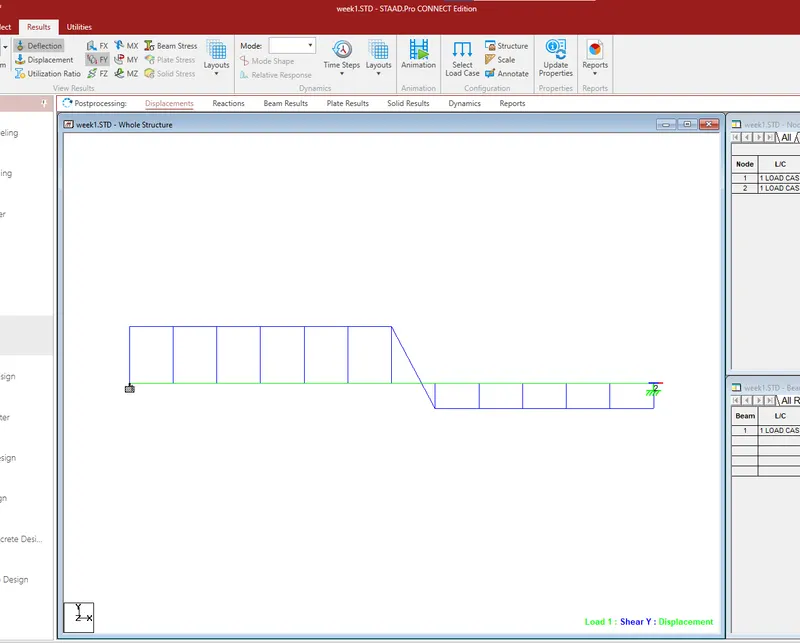
d. Draw SFD and BMD using softwar
Aim : To create a practical model using STAAD Pro
Procedure :
Open STAAD PRO > New> Input the location and name of project > Create
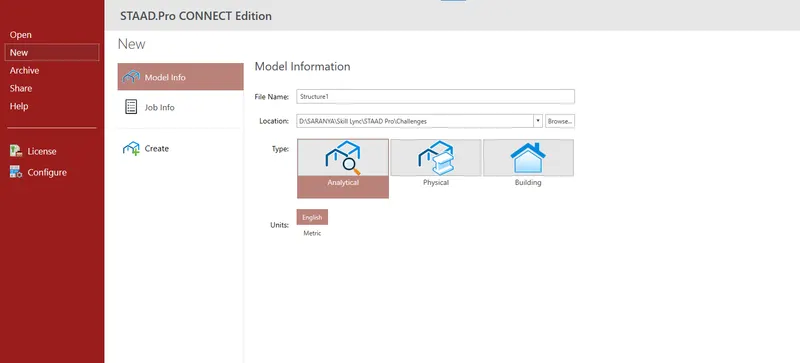
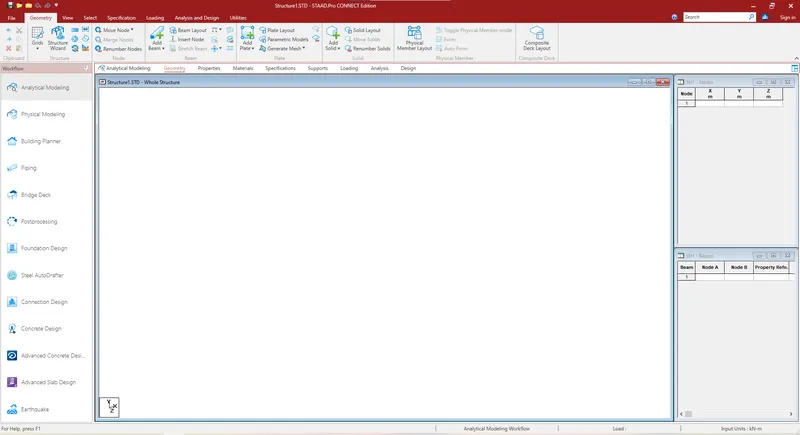
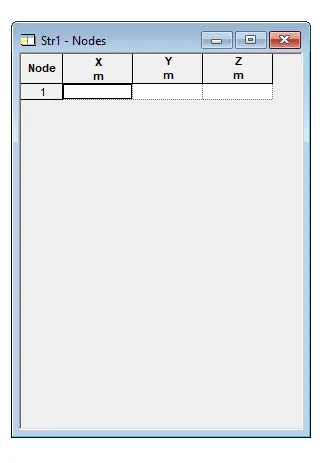
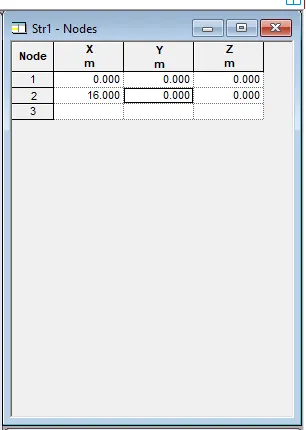
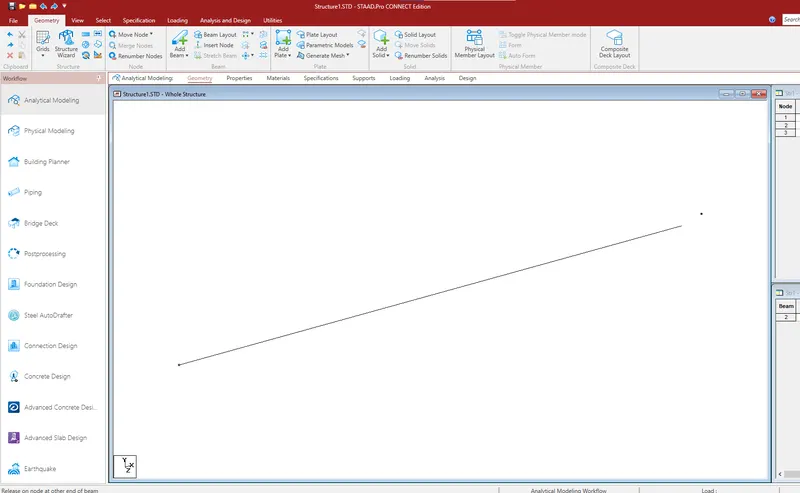
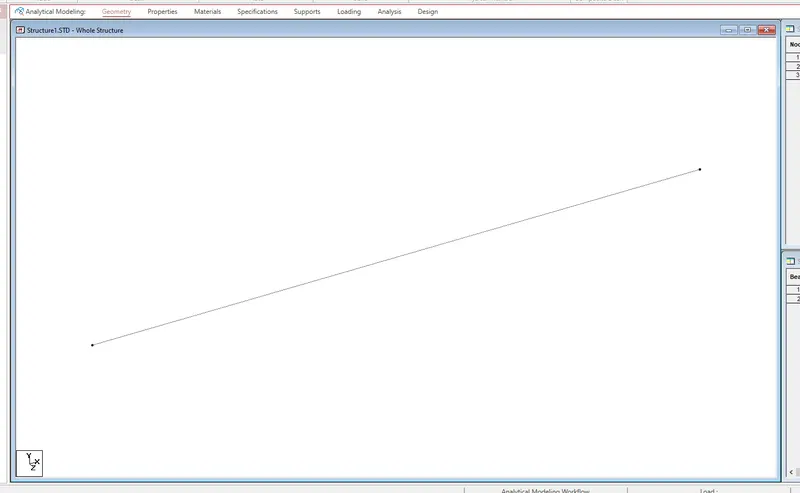
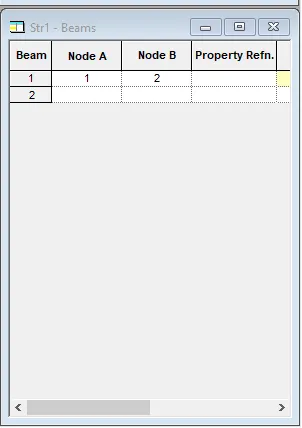
For the required nodes Input the values. Since the beam is 16m span the node distance will be 16.
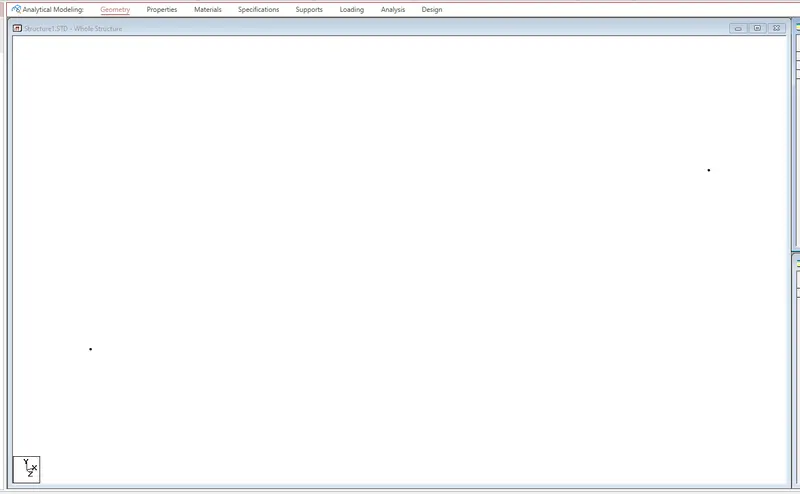
For creating beam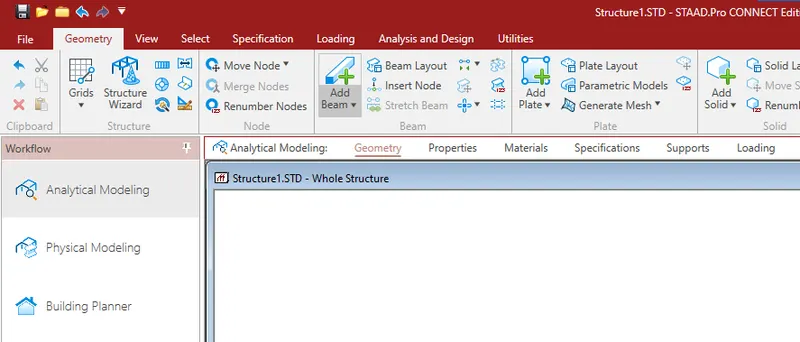
b. Support : Fixed on one end and Roller support(Horizontal) on the other end
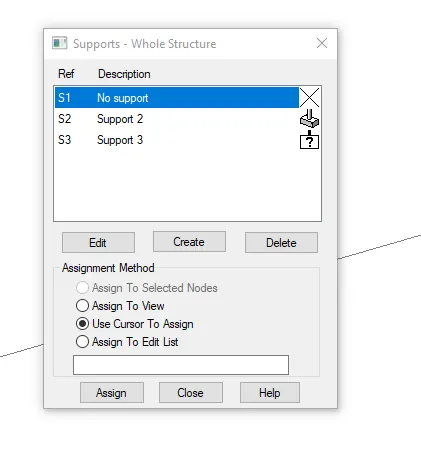
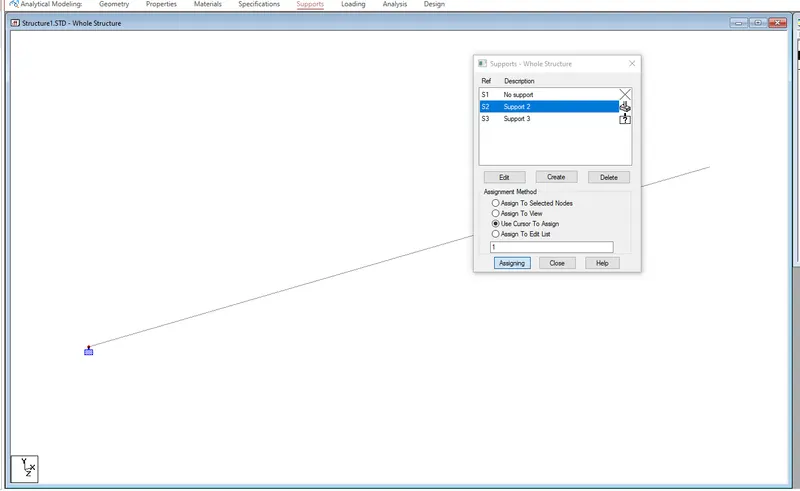
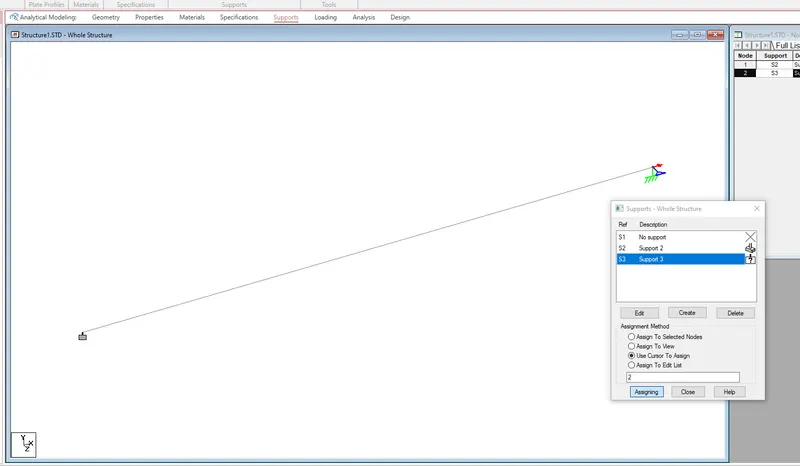
For input the supports
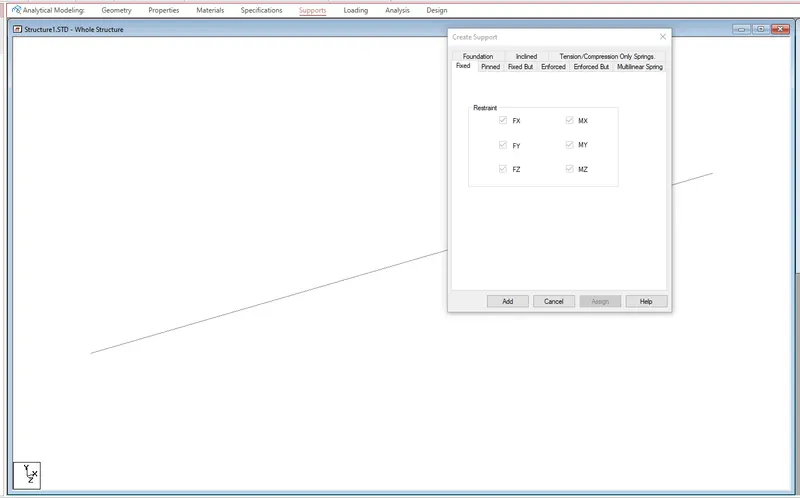
Supports > Create> select fixed > Add
Once again click create > Fixed But >Tick Fx & Mz> Add
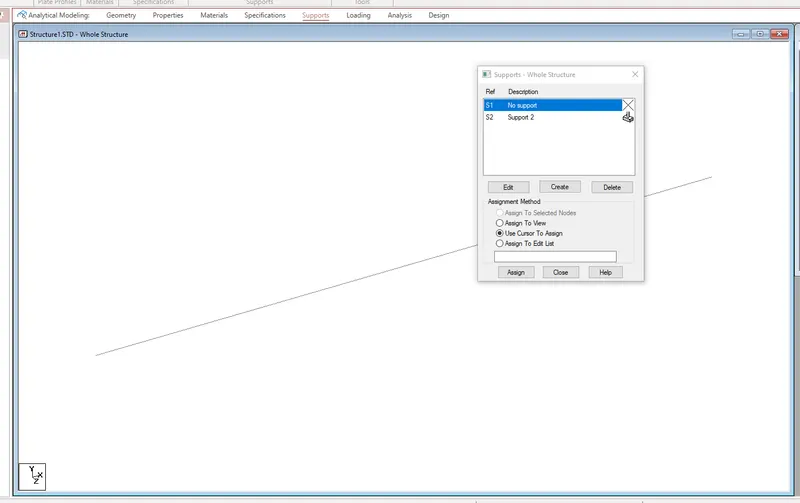
Select Support S2> Click Cursor to Assign > Assign to one node
Same like that assign the other support also (Support S3)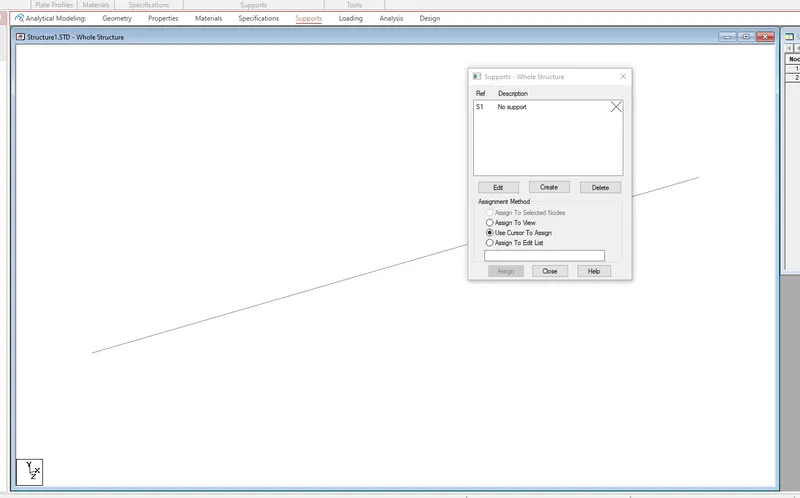
Assign Property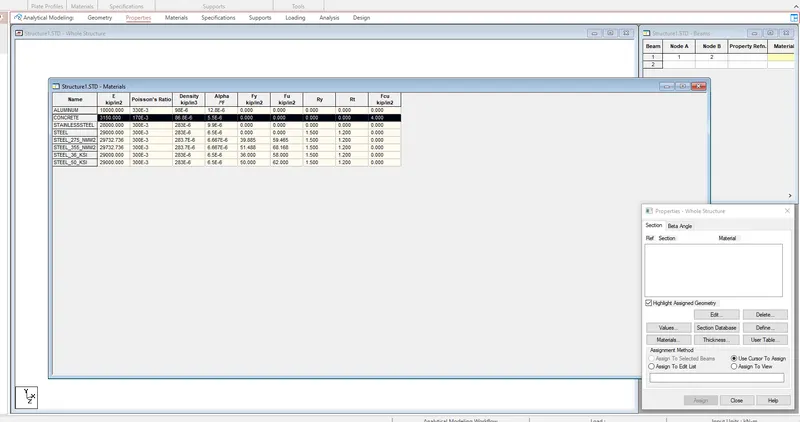
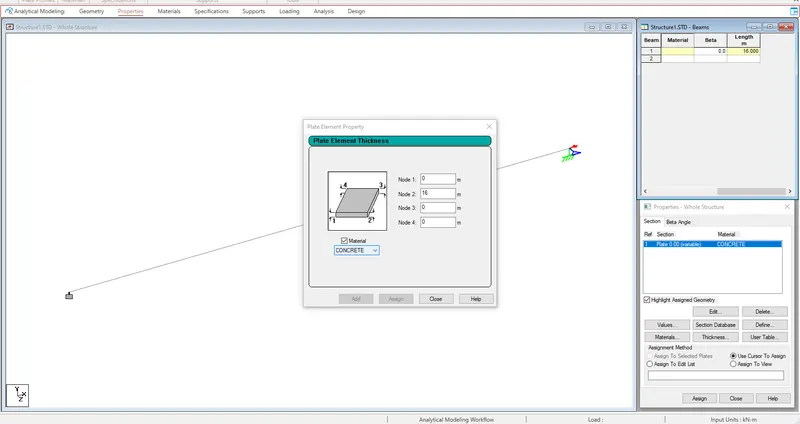
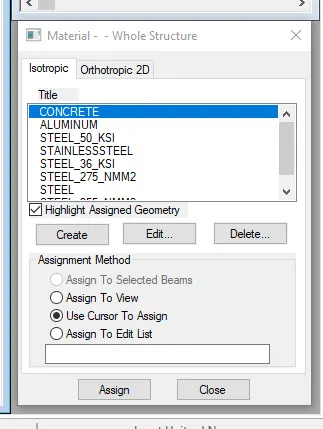
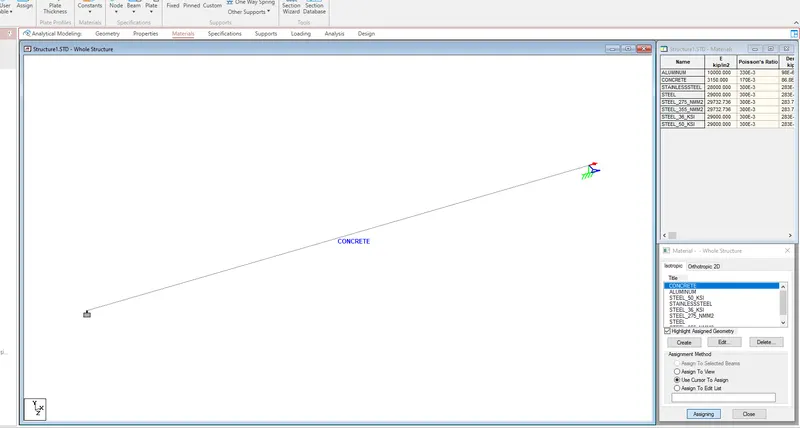
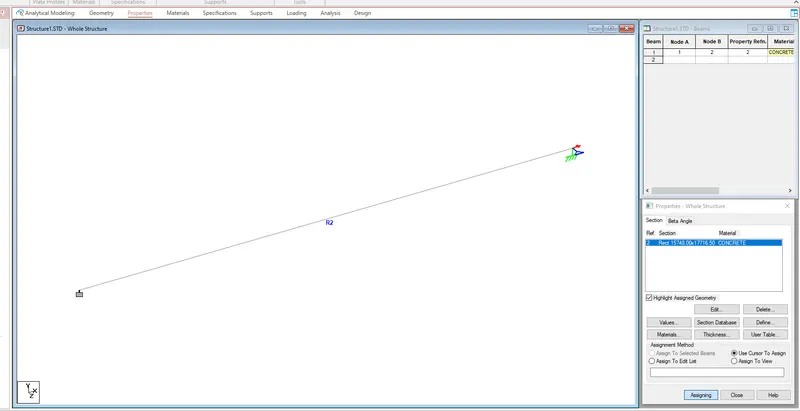
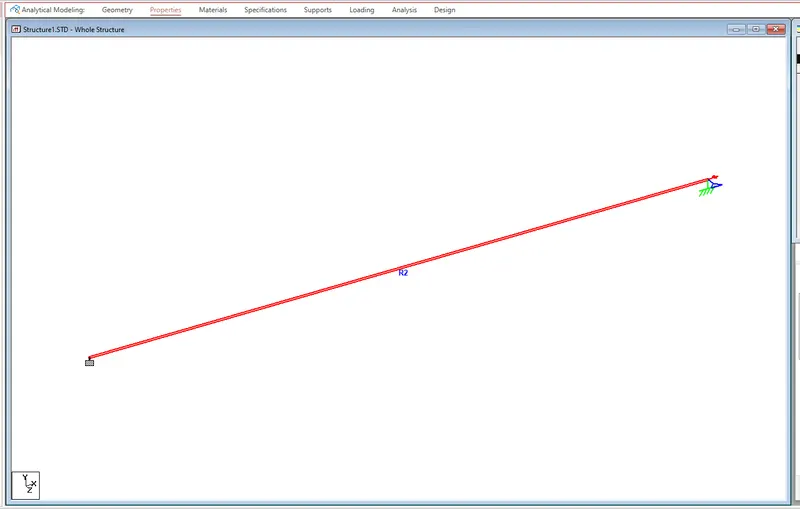
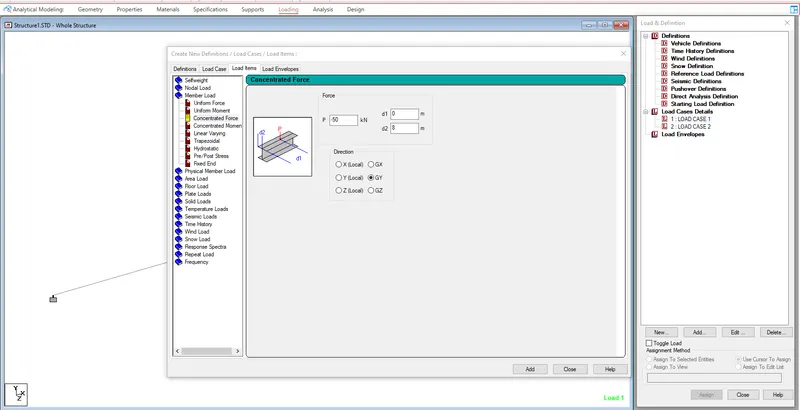
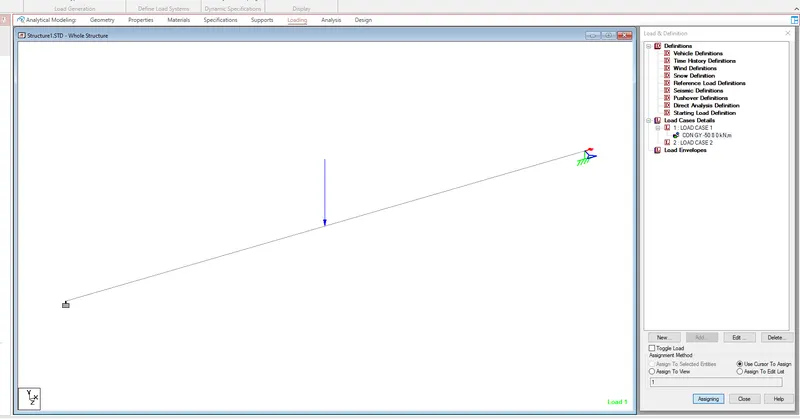
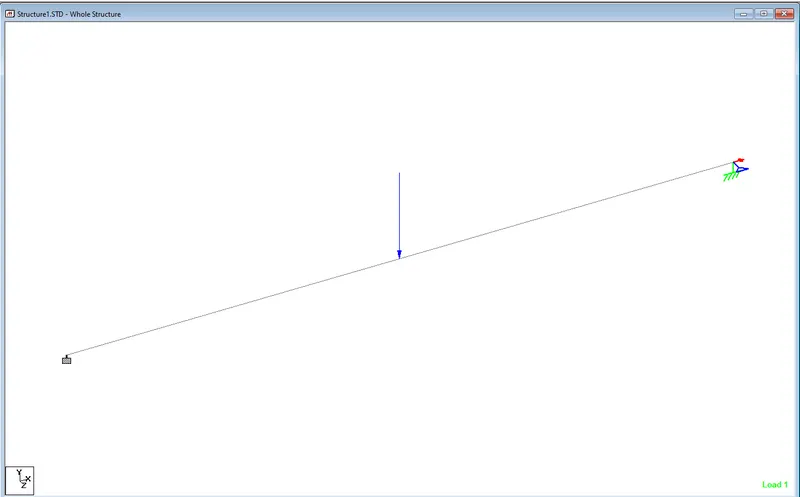
c. A point load of 50 kN at the mid-point
For assiging the load
Loading > load cases details > New> load case > primary
Add dead load and live load
Select dead load > load beams > Member load > imput the values>Add
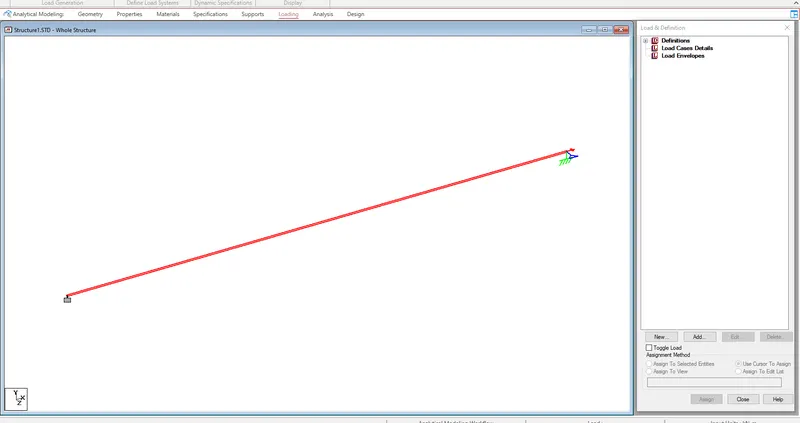
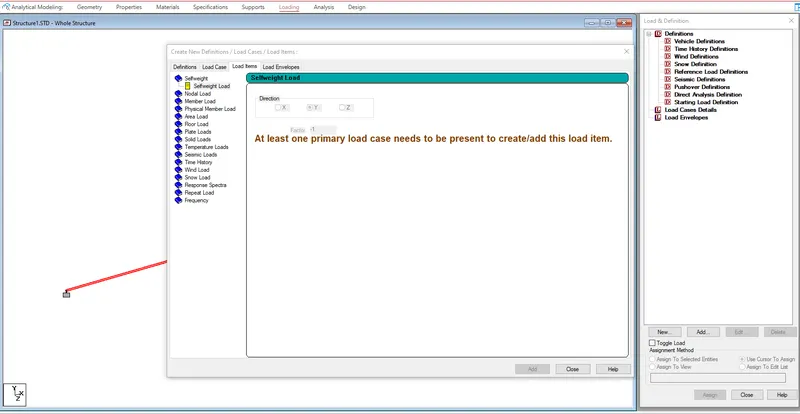
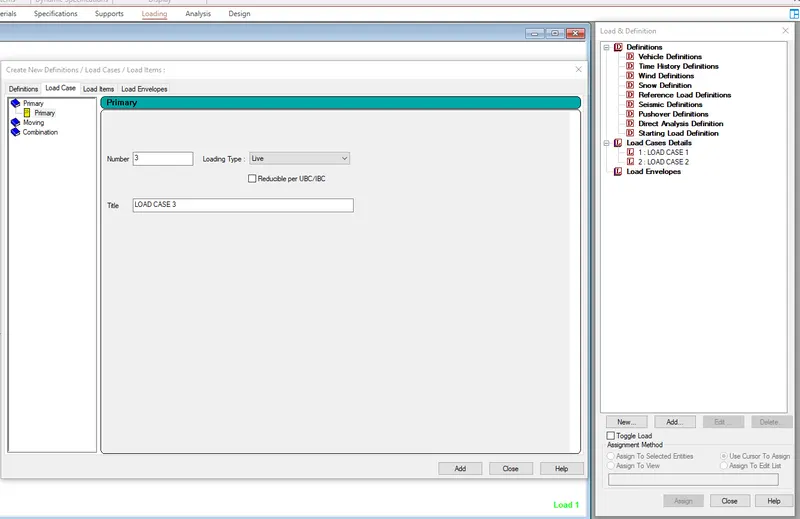
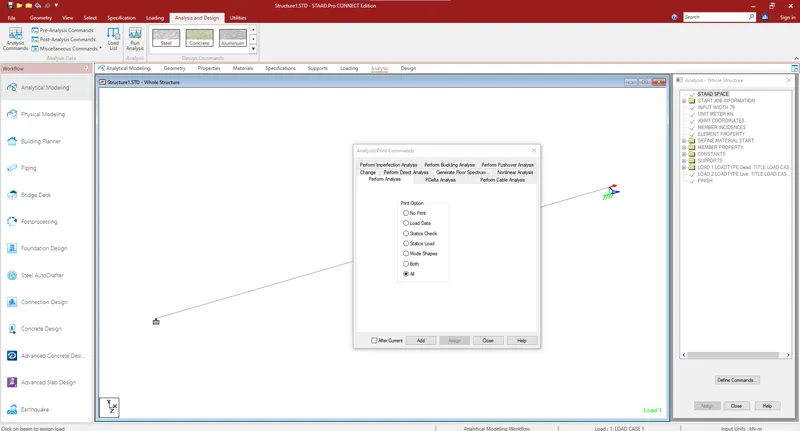
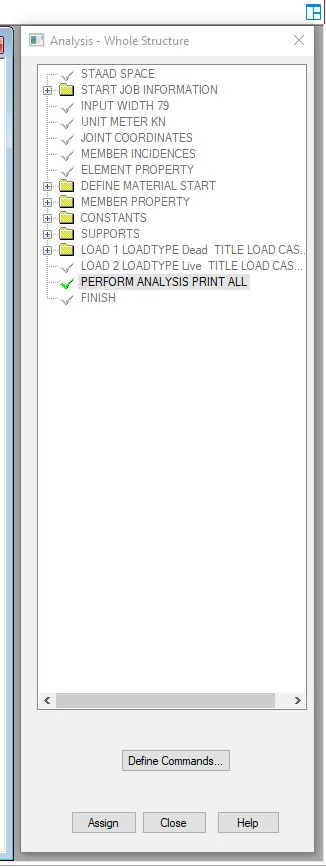
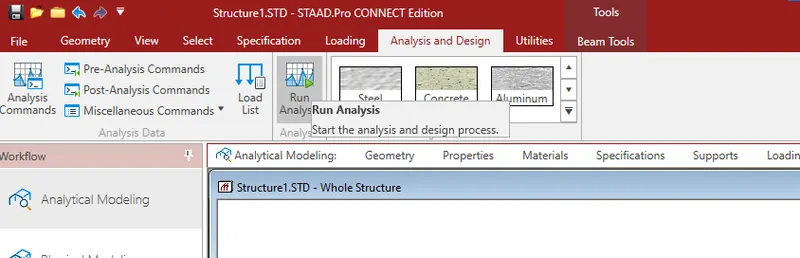
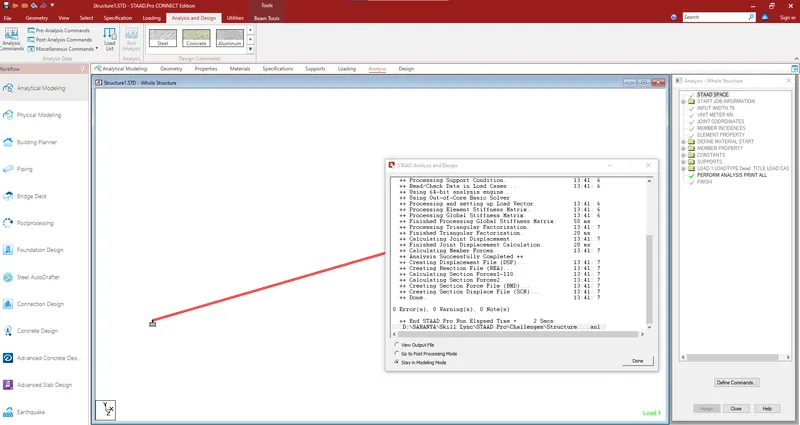
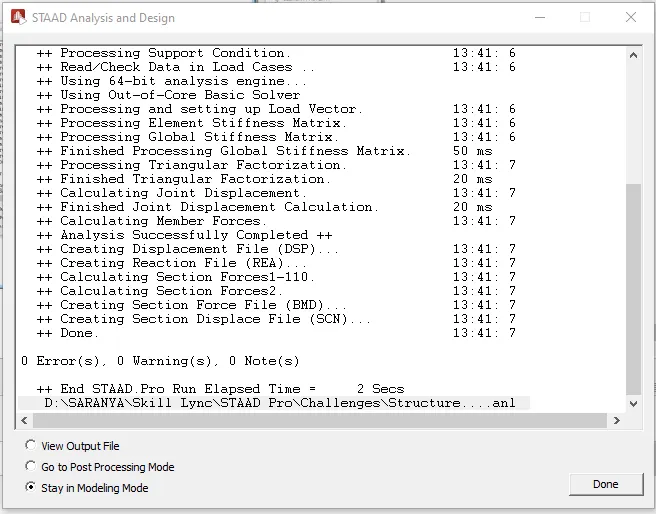
For Running the analysis
d. Draw SFD and BMD using softwar
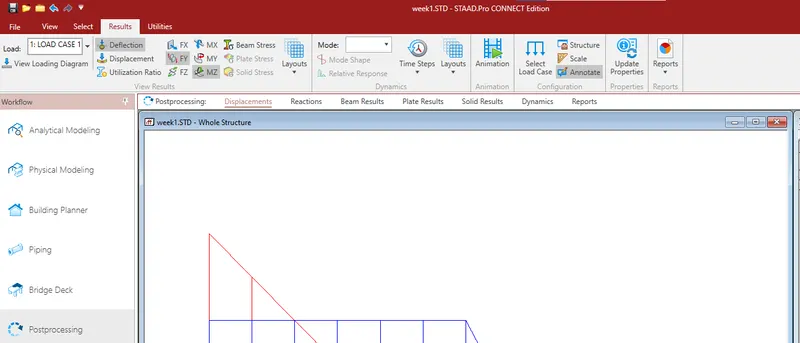
Postprocessing >select the load cases>click apply>ok
Shear Force Diagram
Bending moment Diagram