Week 1 Challenge
1. 1. Write the steps involved to upload a .std file through web mail?
Steps involved to upload a .std file through web mais are as follows :
- Open the STAAD Pro software and and locate the share option available on the introduction screen.
- Clicking on the share button,select send mail option.
- Then browse for the .std file and send it.
2. Name the different materials that can be designed using STAAD Pro.
The different materials that can be designed using STAAD Pro are as below
- Concrete
- Steel
- Aluminium
- Timber
- Composite sections
3. Is it possible to capture images in STAAD Pro? If yes how?
- Yes it is possible to capture images in STAAD Pro.
- We can take picture of models and structural results in STAAD Pro by using the Take picture command which is available in the utility Panel.
4. Name the three ways by which you can create a model.
The three ways by which you can create a model is as below
- Analytical model
- Physical Model
- Building Planner Model
5. Write the steps followed to assign properties in a model.
The steps followed to assign properties in a model is as below
- Go to the properties model
- Click on the materials
- Select a desired materials from the list
- Then check the assignment method based on the preference like use cursor/Assign to view.
- After checking the button go ahead and assign the material properties to the model.
2. 1. Name any six design parameter involved in RCC design.
The six design parameter involved in RCC design is as follows
- Clear cover
- Fc Compressive strength of concrete
- Fy Tensile strength of steel
- Max Main Dia of the bar
- Code of practice
- End concrete design
2. What are the different cursor types available in STAAD Pro?
The different cursor types available in STAAD Pro are
- Nodes cursor
- Plate cursor
- Beam cursor
- Plates and solid cursor
- LOads cursor
- Solid cursor
- Geometry cursor
3. How will you generate different views for a model? State the steps involved.
- Go to the view option
- Top view
- Isometric view
- Bottom view
- Front view
- Left view
- Right view
4. Explain the procedure to define a “Simply Supported” condition in STAAD Pro
- Go to the support command
- Click on create support command
- There the options like Fixed,Pinned Fixed But commands are seen
- Cable support
- Inclined support
5. Name any five topics that you will include while creating DBR.
Dbr is the Design Brief Report.It is a short brief of what you are going to make,Why you are going to make and where you are going to make.
- Name and Location of the project
- Structural layout
- Introduction to the construction methodology
- Quality Assurance
- Budget of the project
6. Describe the term “Multi material design” of STAAD Pro.
- Used for 3D model generation and analysis
- The STAAD Pro supports several steel,concrete and timber material in seperate member
- The seperate member will coordinate and formed into a structure
3. 1. Name the structure systems in STAAD Pro? Explain each system?
The structure systems in STAAD Pro are
1.SPACE FRAMES :
These are three dimensional truss like structures that is designed to carry loads for the longer spans without any intermediatesupports.They are rigid and light in weight and structurally effective.It has low transportation cost.
2.PLANE FRAMES :
They areRCC steel Frame structures.It is a two dimensional sructure which is constructed with straight ellementsvwhich are cinnected by the rogid or the hinged connections.
3.TRUSSES :
These are creatd by assigning the structural elements in the triamngle forms which can takeloads from both compression and Tension.
2. Explain the coordinate system adopted in STAAD Pro software.
GLOBAL AXIS :
They are fixed in the coordinate system.
LOCAL AXIS :
Local axis is variable in nature .we can change the Local axis but not the Global axis
3. Elaborate DBR and its uses.
DBR is a project management document which consists of various informations regarding the construction of the structure.The DBR is a detailed report which tells the minute details of the ongoing construction work.It defines the final stage in the process of designing the Clints Requirements for the construction work.This report consists of manly the major and important structural details that is relevant to the project description of the clint,site informationany technical equirements.
4. Explain the different types of analysis options in STAAD pro.
- Linear plastic analysis
- P-Delta Analysis
- Buckling Analysis
- Pushover Analysis
5. Explain the difference between Fixed and Fixed But condition.
FIXED CONDITION :
Is the condition Where all degrees f freedom that is horizontal and vertical are fixed and cannot change accordingly.Those conditions we can say as the fixed conditions.
FIXED-BUT CONDITIONS :
This condition cn be customised its end conditions accordingly.In this end condition can be changedbut not its restrained.We can release some of te degrees of freedoml
Practical
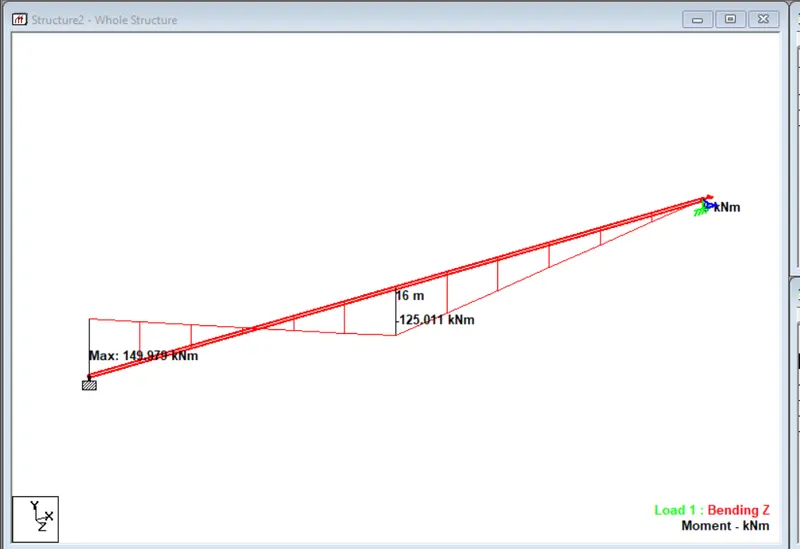
1. Create a STAAD Model with the following Specification
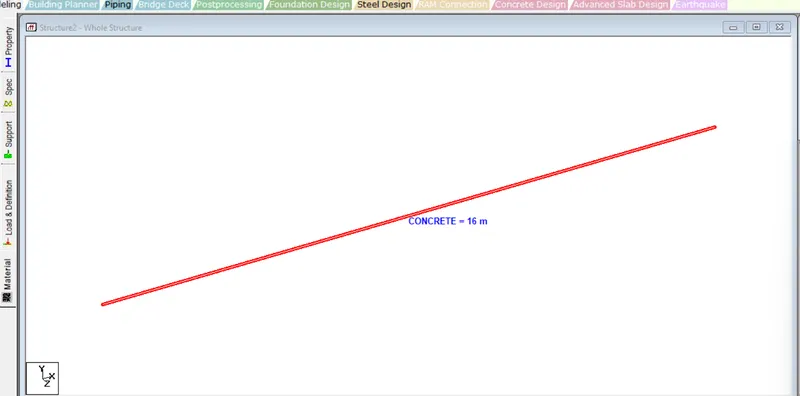
a. A beam of span 16m
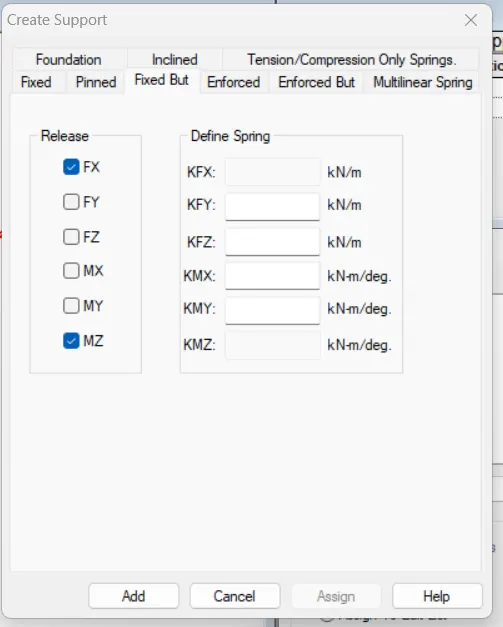
b. Support : Fixed on one end and Roller support(Horizontal) on the other end
c. A point load of 50 kN at the mid-point
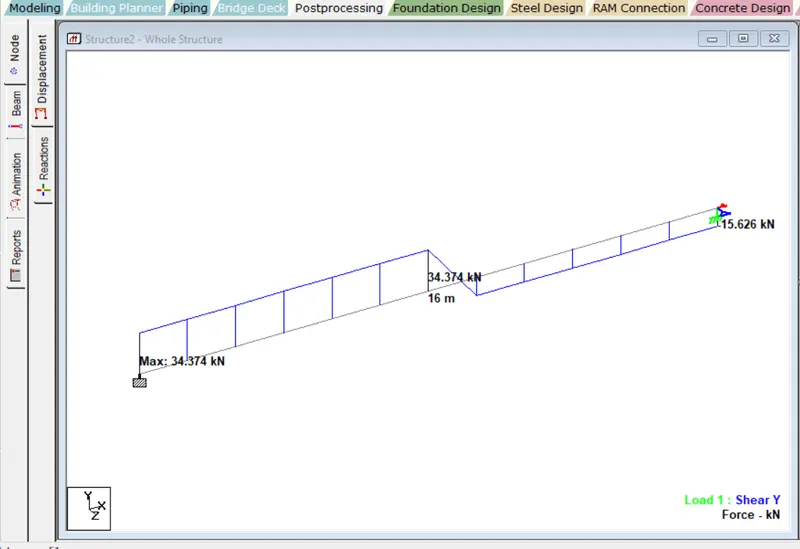
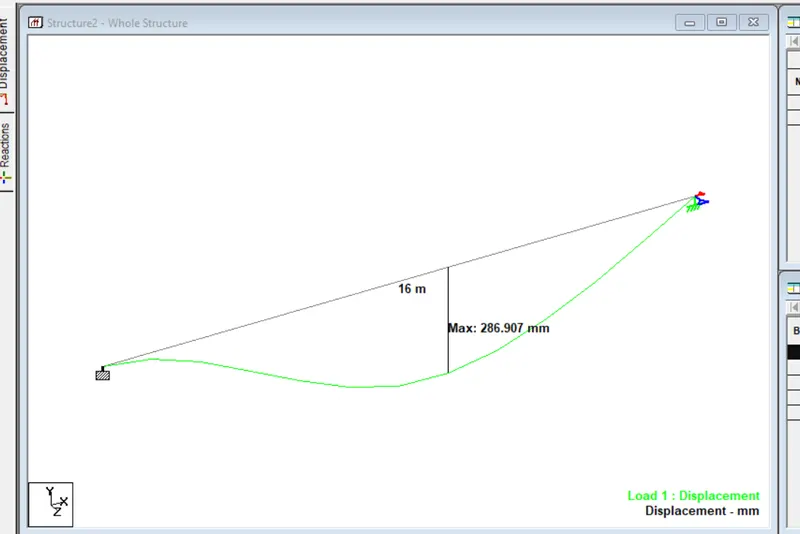
d. Draw SFD and BMD using software
PROCEDURE :
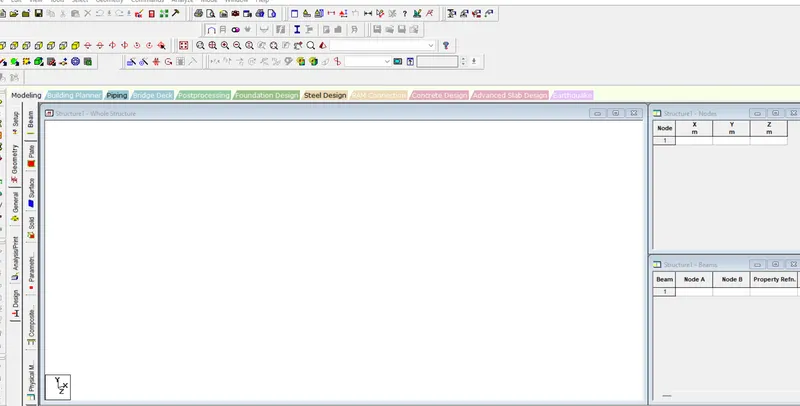
- By clicking the new option the model is opened
- clickstart ti open the tab
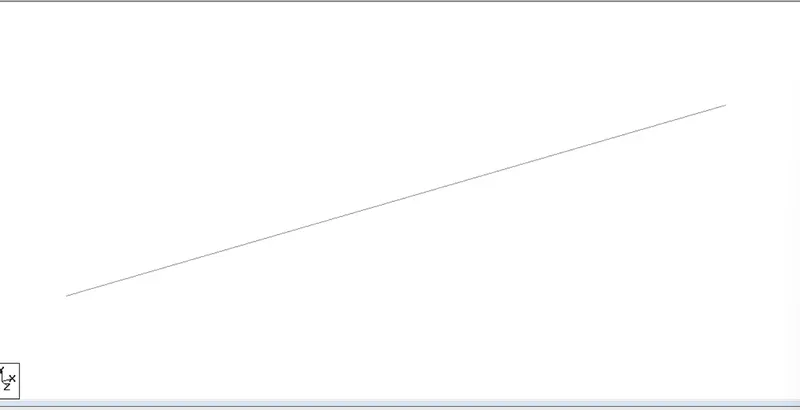
- Now draw the beam of required span
- Draw the beam of span on the grid
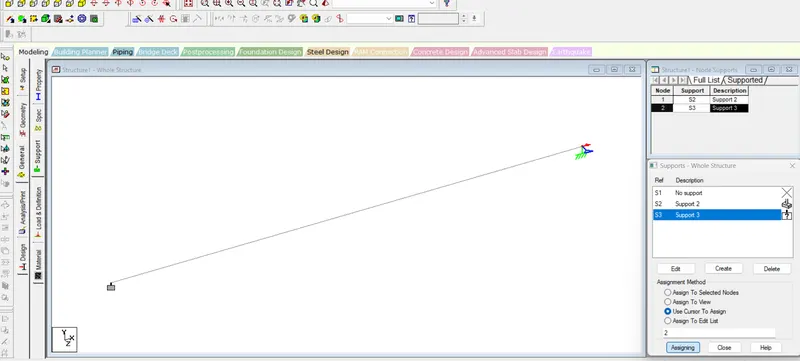
Assign support conditions
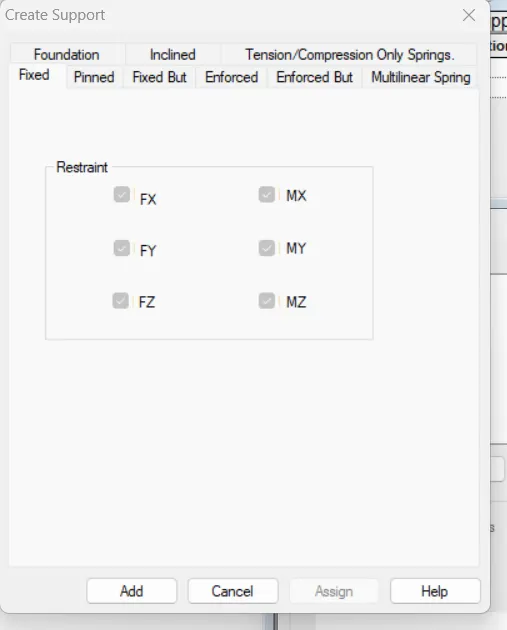
- Go to support>add>fixed>select one node>assign to selected node>enter
- similarly create another node Fixed but and assign
Assign the proposed load
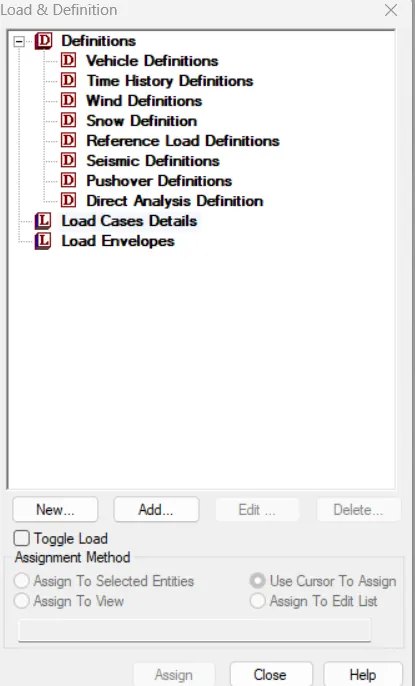
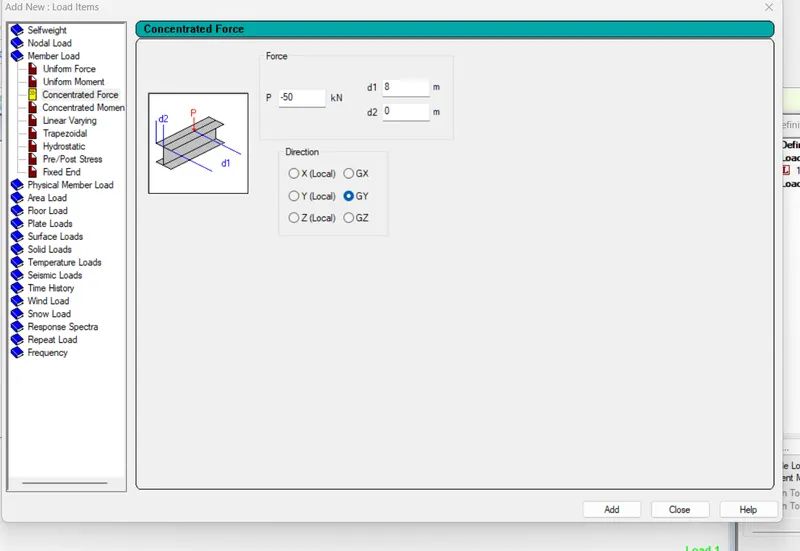
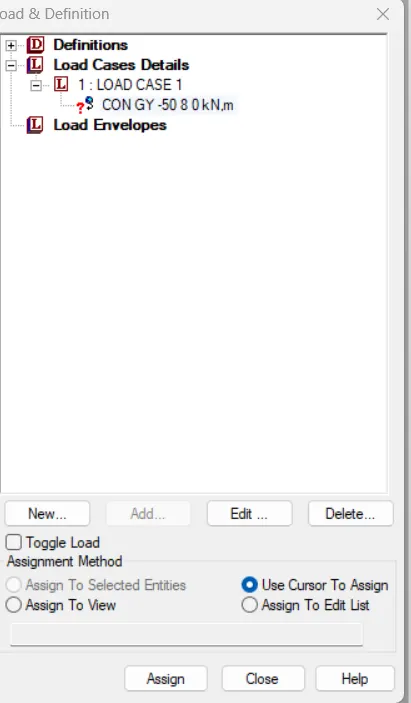
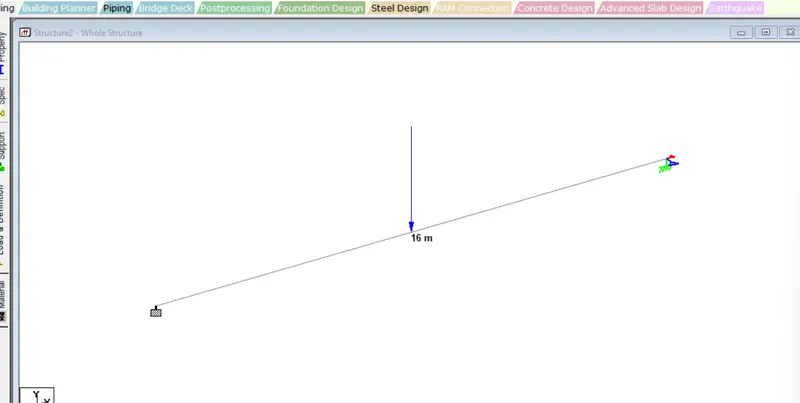
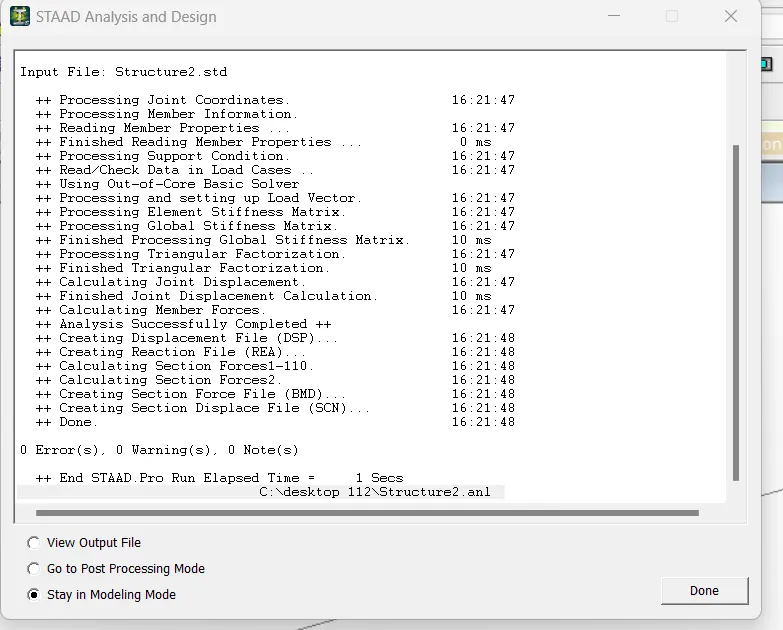
Run Analysis
Bending moment Diagram
Shear Force Diagram