Week 1 Challenge
1.
1.1
- Select STAAD Import from the backstage.
- The Import from STAAD.Pro dialog opens.
- Click [...] in General settings to browse and select a STAAD.Pro (*.std) file to import.
- Select Use Mapping File in Section Mapping settings, and then click [...] to browse and select a mapping file to import.
- Note: Mapping files are delivered with AECOsim Building Designer, and are named using analysis program names. Their function is to compare two lists of section data, and to map the STAAD.Pro sections to the corresponding sections in AECOsim Building Designer. They are located in the active configuration \\Configuration\Datasets\[active dataset]\Datadata folder
- Set the catalog type and catalog instance assignments for the imported member types. This data is used by AECOsim Building Designer to rebuild the members' structural data as defined in the structural member catalogs.
- In Steel settings, select a section definition that is to be designated as the Default Section Name. This section definition is applied to imported members whose section data is not available in AECOsim Building Designer.
- Check Verify to scan the imported file for unknown sections.
- The Unknown Sections dialog appears providing an opportunity to write the unknown sections to the active XML section definition file before importing.
- In Revision Tracking, check Use Design History. Design History tracks changes to a DGN file. Viewing details about the revision by using the controls on this tool.
- Click Import.
- The update design dialogue appears. Review detailed information about each imported member and select which ones you want to import before accepting them into the target DGN file.
- Note: Update Design Results contains Load Case and Load Combination data imported from the STAAD.Pro (*.std) file.
- Click Update to complete the import process.
- The structure is updated.
1.2
To create a new isotropic material definition for use with your model,use the following procedure
you may want set the input units to a familiar set of units for defining materials before creating a new material definition
STAAD.Pro includes a set of predefined materials for concrete,aluminum,steel and stainless steel
1.3
yes, it is possible to capture image in STAAD.Pro
1.4
Modeling is the heart of structural design in STAAD Pro if you have done the modelling right half the road is travelled let us learn how to do modelling in STAAD Pro
Let's first learn how to create a 3D space frame model
For creating a new model open STAAD Pro and select New project
1.5
In STAAD Pro physical modeler the general order of operation is that you first select physical object and then assign properties or perform some operation on the selection
This differs from STAAD Pro where are many tasks in which you select the operation property or specifiction first and then assign that to some list of model objects
2.
2.1
Concrete
Aluminium
Steel
Staineless steel
Steel 36
Steel 275
2.2
Nodes cursor
Beam cursor
Plate cursor
Solid cursor
Geometry cursor
Membr cursor
Plate & Solid cursor
2.3
You need to prepare the geometry tab
Then specify the properties tab
Then assign the material tab
Run design tab
Assign specifications tab and run analysis
2.4
Starting the program
Generating the model geometry
Specify member properties
Specify support types
2.5
Add Beam
Add Plate
Add Solid
Open structure Wizard
Open STAAD Editor
Open Building Planner Mode
Edit Job Information
2.6
After analysis a structure has to be designed tp carry loads acting on it considering a certain factor of safety
In India structure are designed by using various indian codes for both concrete and steel structure
3.
3.1
Space
Plane
Truss
Floor
3.2
Global Coordinate System
Local Coordinate System
3.3
To specify and compile the data required for analysis and design of structural elements of the project
It clearly depicts the assumptions and specifications that are being used to develop the documents for a project
It will also help aoid the scope creep that can derail the project schedule and lead to budget overruns
3.4
Pre analysis
Post analysis
miscellaneous
3.5
When the FIXED or FIXED BUT type of support is specified for those degree of freedom which are to be treated as fully restrained Staad assumes the displacement to be known quantities whose value is zero hence those degree of freedom are not considered for the stiffness matrix and their value is not calculated
PRACTICAL
Aim:
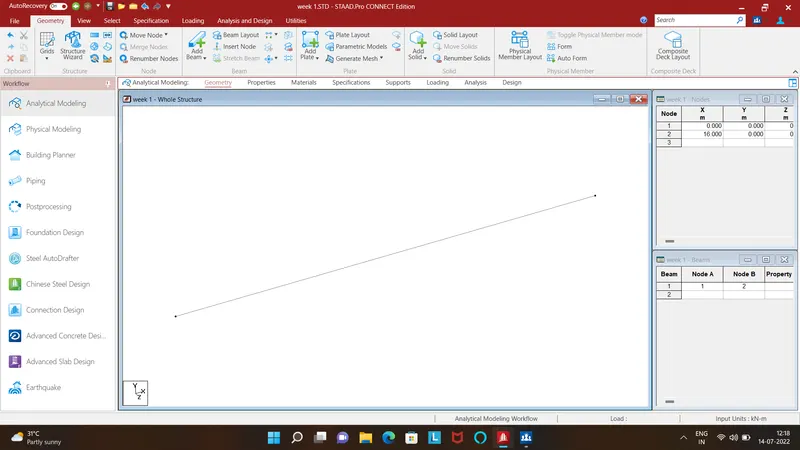
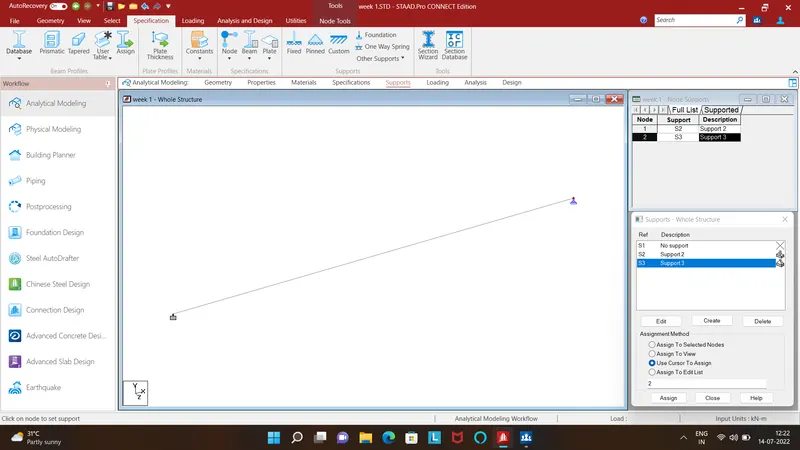
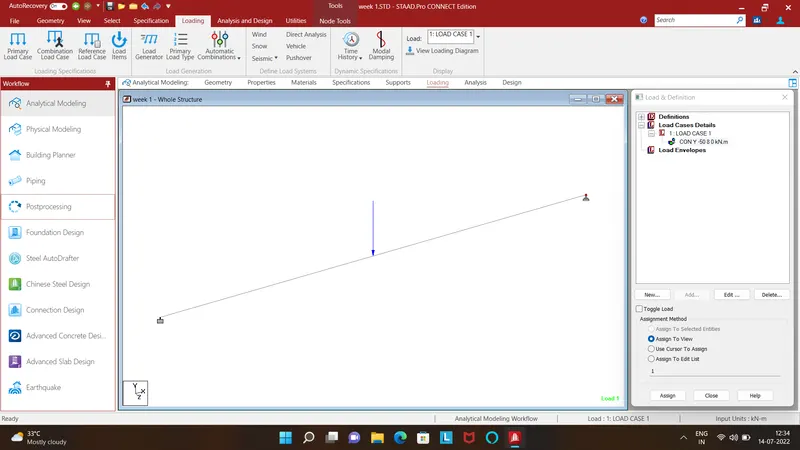
To create a STAAD Pro model following given procedure
Procedure:
Result:
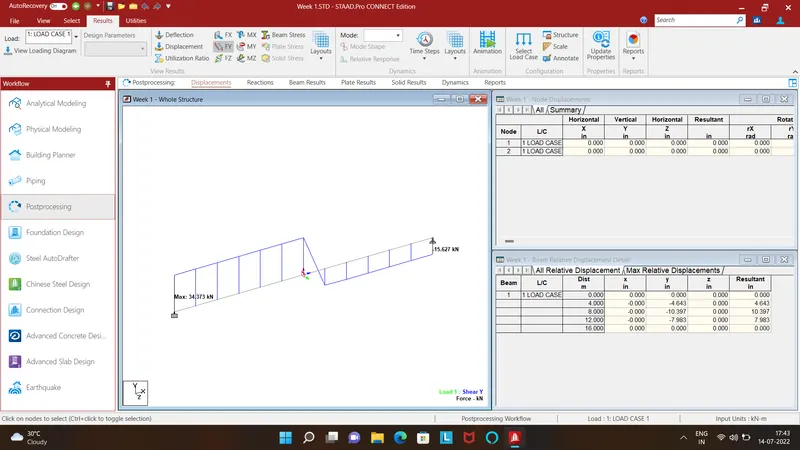
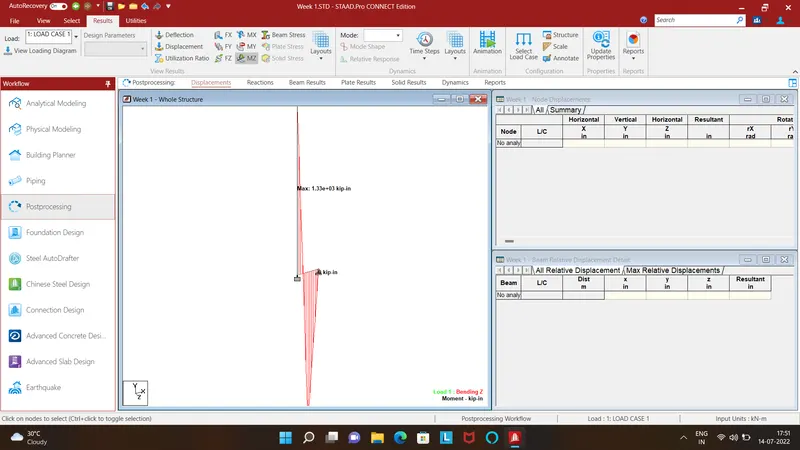
SFD and BMD of the above beam in shown