Usage of Navigation tool , Timeliner and Clash Detection test using Naviswork
Q.1
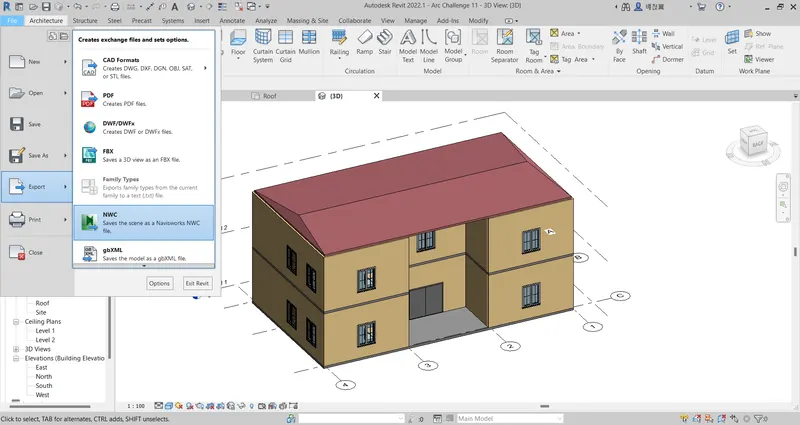
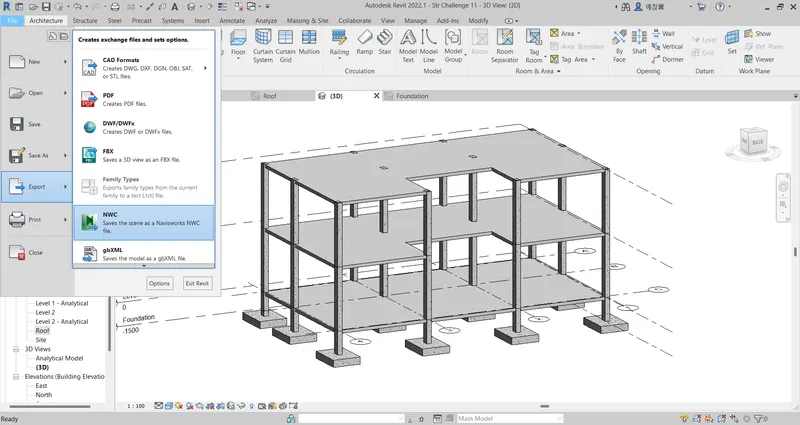
Open both the Architectural & the Structural files
File --> Export --> NWC
Q.2
Open the exported architectural file from inside the Navisworks
File --> Open
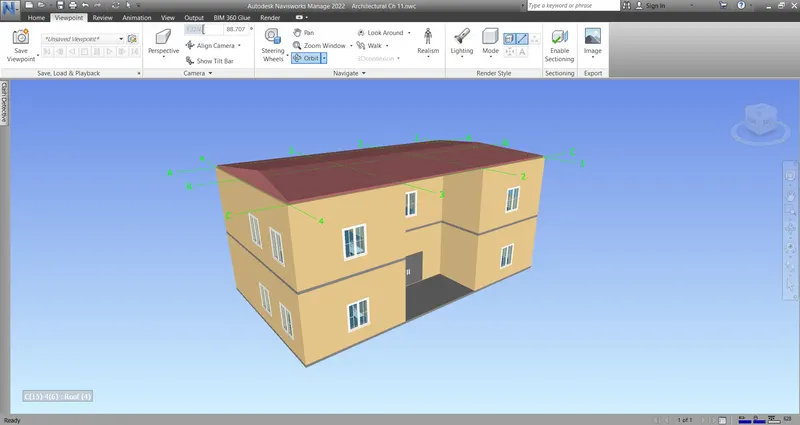
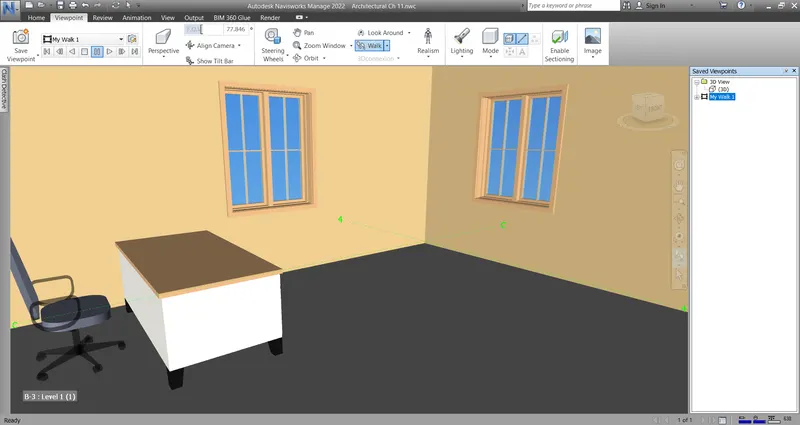
To make a walkthrough --> Viewpoint --> Walk
To record the walkthrough --> Viewpoint --> Save Viewpoint --> Record
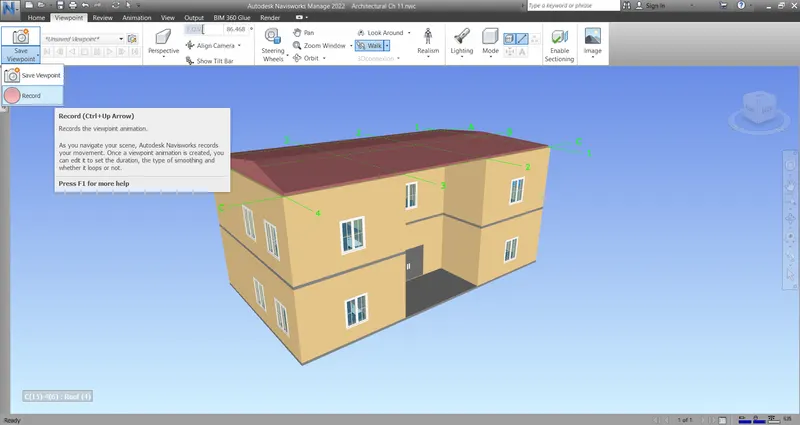
Use the mouse cursor or the arrow keys to walk through & navigate inside the building
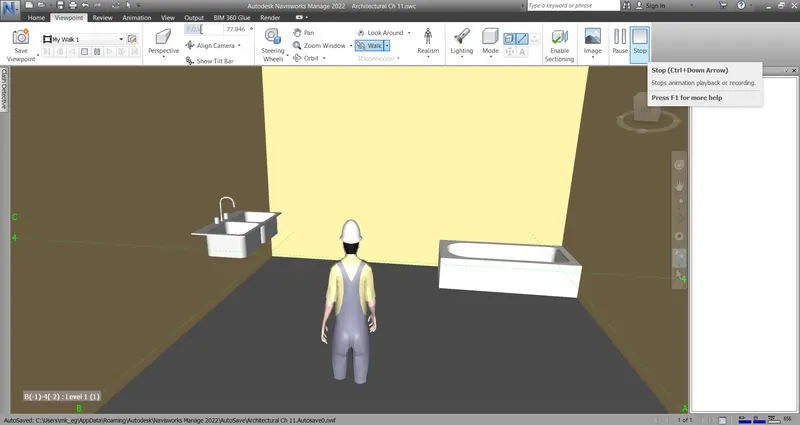
To finish the walkthrough --> Stop
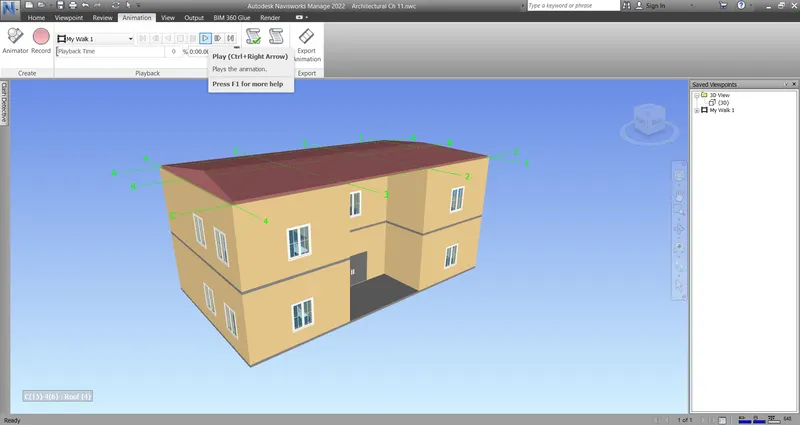
To replay the animation --> Animation --> Play
Q.3
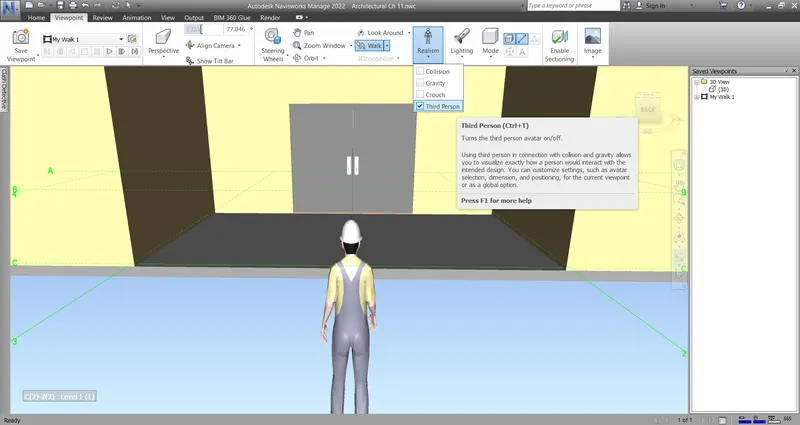
To use the Realism feature --> Realism--> Tick the "Third Person" checkbox
Use the same previous steps to make & record a walkthrough
Q.4
While the Architectural file is opened in Navisworks --> Home --> Append --> Browse to the Structural Cache file --> Open
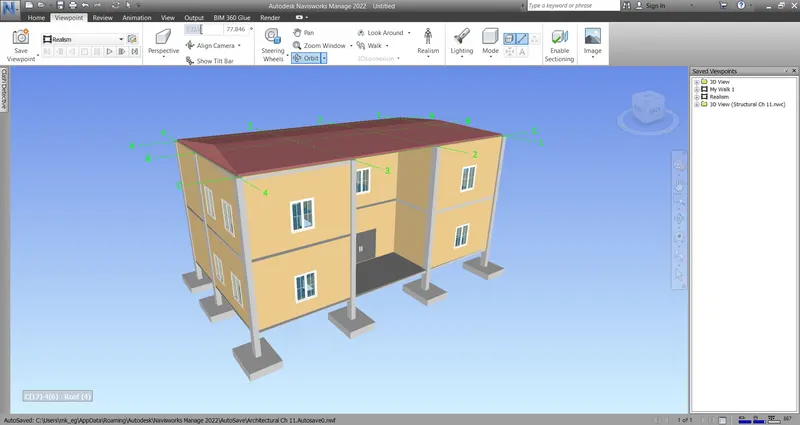
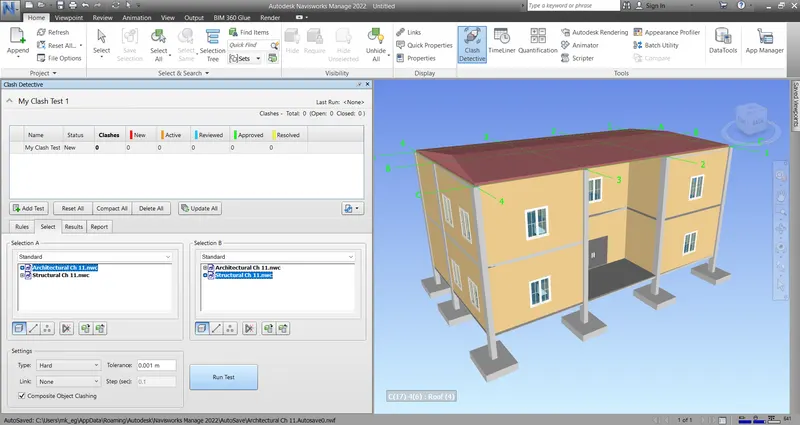
To detect the clashes between the Architectural & the Structural files
Home --> Clash Detective --> Add Test --> Architectural file as Selection A --> Structural file as Selection B --> Run Test
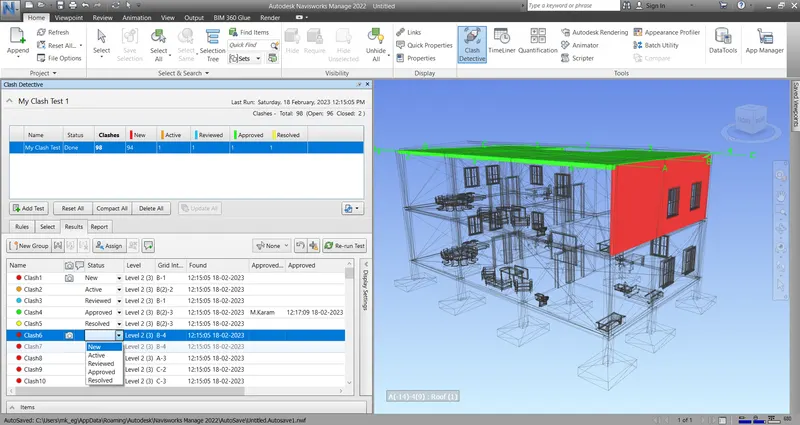
All clashes are tabulated with a status of New
Changing the status of a clash could be done from the drop-down menu under the "Status" column
To save a view of a clash --> right click on the "Viewpoint" column next to the clash--> Save Viewpoint
To add a comment to a clash --> right click on the "Comment" column next to the clash --> Add Comment
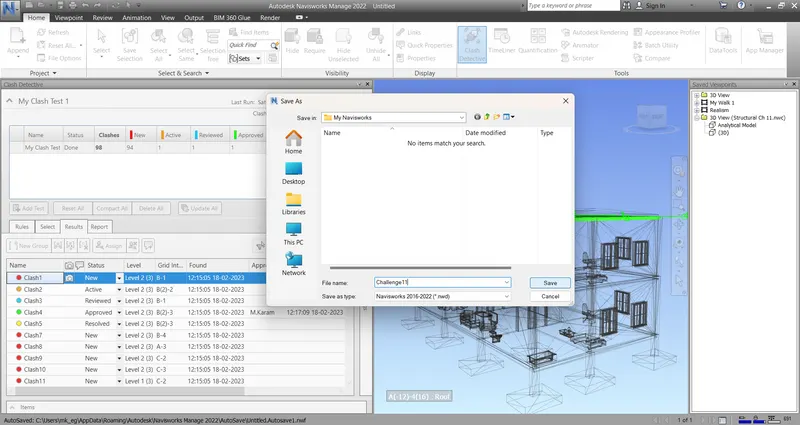
To save the file as Navisworks file --> File --> Save As --> Challenge11.nwd
Q.5
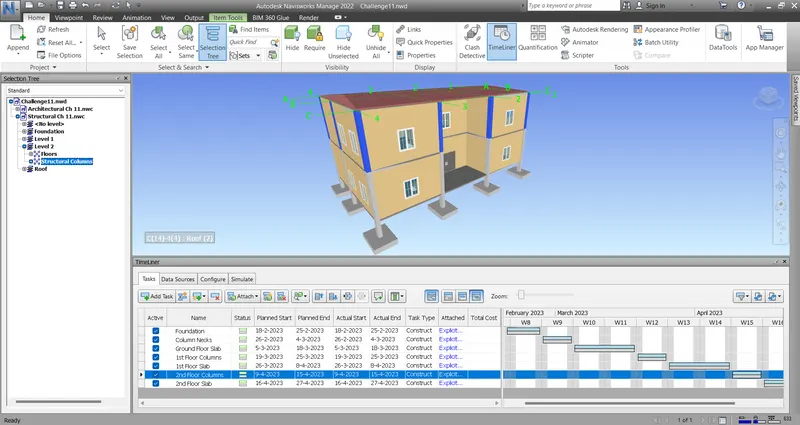
Using the TimeLiner feature --> Home --> TimeLiner --> Click the "Selection Tree"
Assign the Structural File as a source of selection for the TimeLiner
Add proper activities with proper Start & End Dates
Attach a proper selection of elements to each task
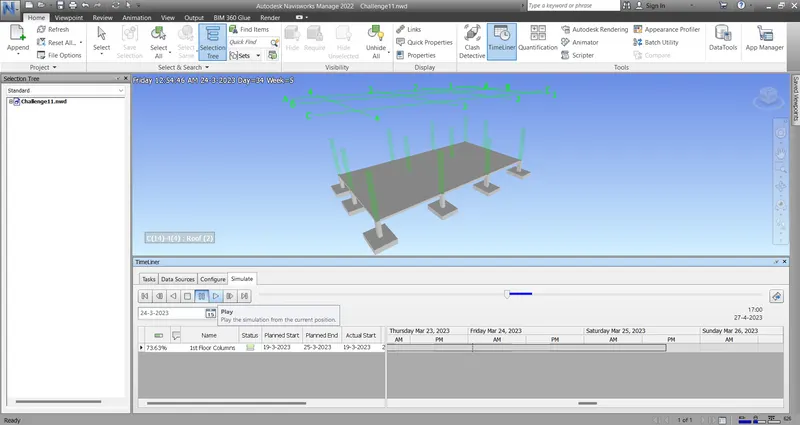
To run a construction video --> Click the "Simulate" tab --> Play
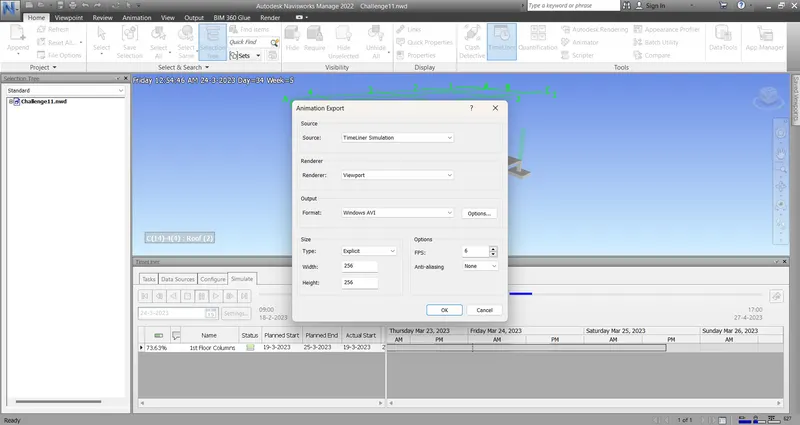
To save the video --> Click the "Export Animation" button
Attached are the used files.
===========================================================================