Usage of Navigation tool , Timeliner and Clash Detection test using Naviswork
1)
aim:the main aim of this question is to export the architectural and structural template to navisworks manage application from revit
introduction:
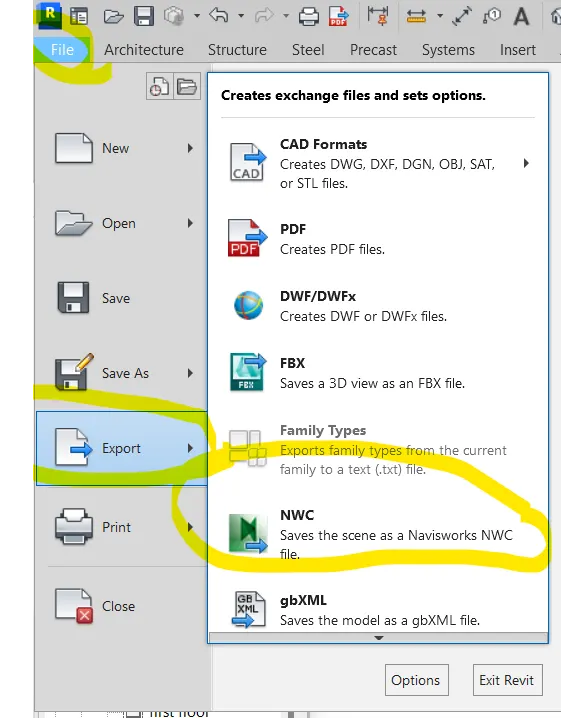
in this, i am gonna use the export option from file option.To export the files,we need to get the NWC file exporter from autodesk according to the version.Autodesk navisworks manage application is also downloaded through autodesk according to the version.
procedure:
- starting with the models of architectural and structural template
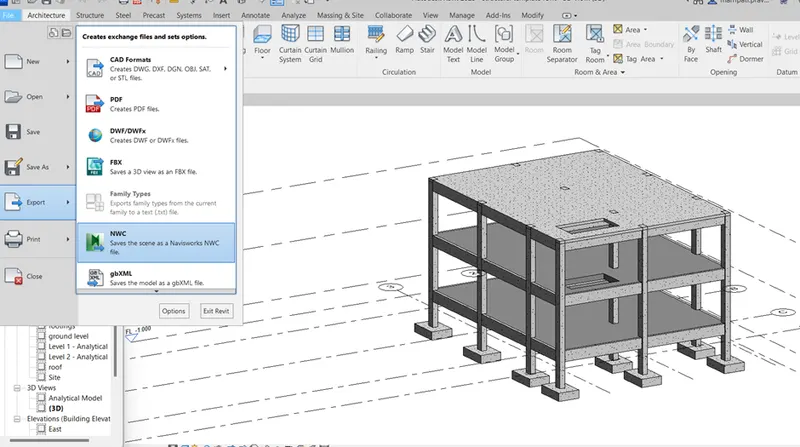
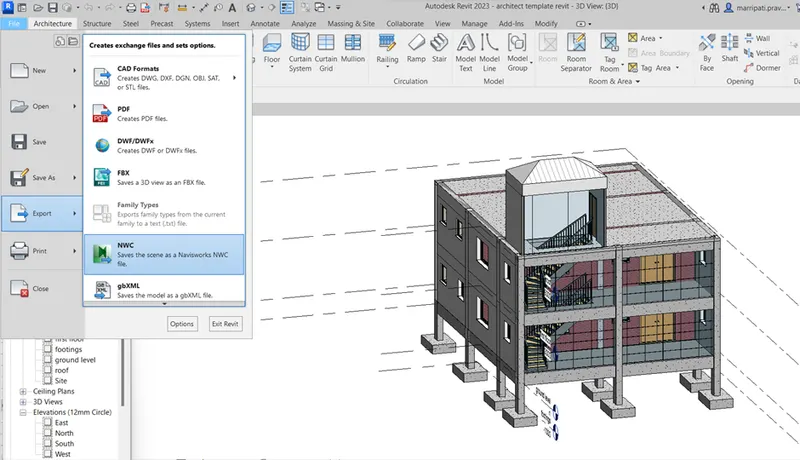
- after opening the files, using the option export from file panel, the files exported to NWC files
result:
the result of the above procedure is as follows
2)
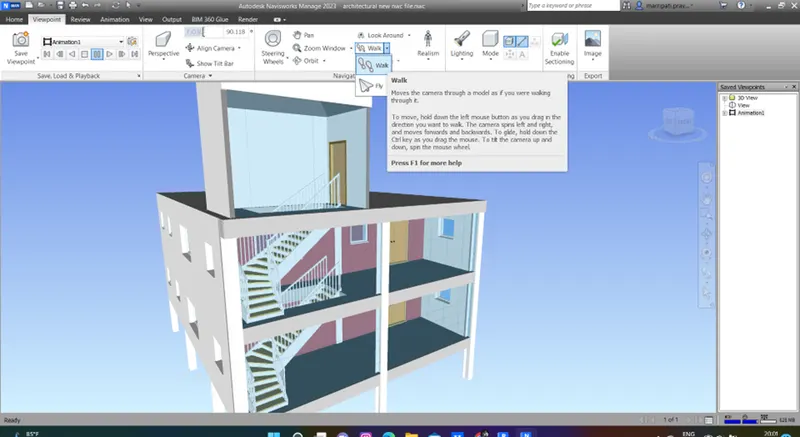
aim:the main aim of this question is to use walkthrough and record the walkthrough using navisworks manage application
Introduction:
in this, i am gonna use the walkthrough option from viewpoint panel in navisworks manage
procedure:
- starting with the architectural model in navisworks manage application
- from viewpoint panel, using walkthrough option, the model is recorded entirely
- the recorded animation vedio is exported to gallery from animation panel
Result:
the result of the above procedure is as follows
3)
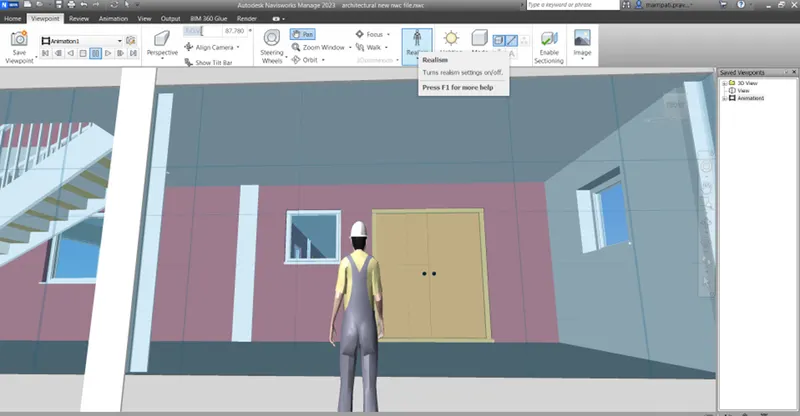
Aim:the main aim of this question is to make the animation vedio of model using realism option
introduction:
in this, i am gonna use the realism by third person option from viewpoint panel in navisworks manage application
Procedure:
- starting with the model to be opened in navisworks manage application
- using the realism by third person from viewpoint panel, the model is recorded
- the animation vedio is also exported through animation panel
Result:
the result of the above procedure is as follows
4)
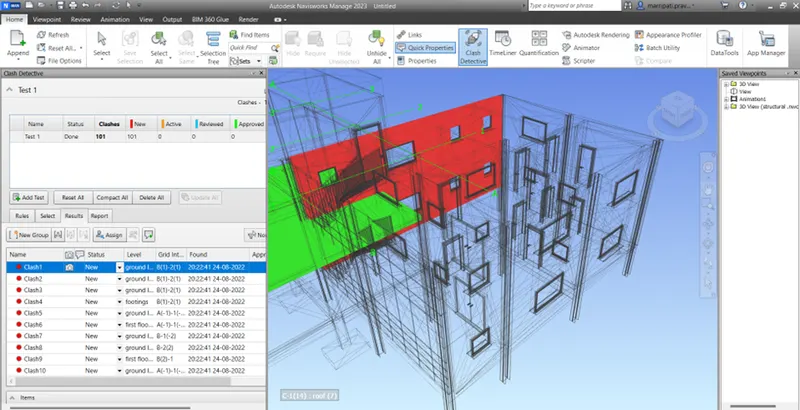
Aim:the main aim of this question is to make the clash detection test for a model
Introduction:
in this, i am gonna use the clash detective option from home tab. for the test, the structural template is also opened through append option from home tab.
procedure:
- starting with the models to be opened in navisworks manage application
- the model contains both architectural and structural template
- using the option clash detective from home tab, the test is performed
- for part A- the architectural template and for part B- the structural template is selected for test run
- the clash points will be displayed in a new tab
- the clash points status are checked for active,resolved, reviewed and approved
Result:
the result of the above procedure is as follows
5)
Aim:the main aim of this question is to make the schedule of model using navisworks manage application
Introduction:
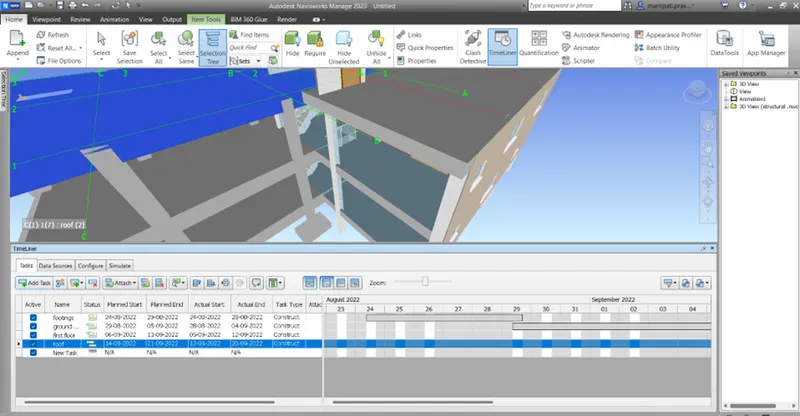
in this, i am gonna use the timeliner option from home tab to make the schedule for a model
procedure:
- starting with the model to be opened in navisworks manage application
- using the option timeliner from home tab, the schedule is done for a model
- in that timeliner tab, the tasks are entered using selection tree from starting to ending of model
- for each task, the start date and end date is given manually
- using the data given as tasks is reflected with the animation vedio from starting construction to completion of model
Result:
the result of the above procedure is as follows