To model columns for industrial steel structure using TSD
- Create column properties for different types of pedestal members and model in the grids created as per the assignment 1
- Create column properties for steel columns and model columns in the grid created as per assignment 1.
- Create beam properties and model primary and secondary beams on the ground floor
Solution :
Aims & Introduction :
1-Column properties for different types of pedestal are to be created and to be modelled in the grids created as per the assignment 1
2- Column properties for steel columns to be created and columns are required to be modelledi n the grid created as per assignment 1.
3- Primary and secondary beams properties to be st and to be modelled on the ground floor
Procedure in detail :
Modelling Grid lines :
1. Create a new Tekla file
2 Go to Model tab
3. Click the grid line
4 On clicking grid line then there will be several option to model grid lines
5. Select grid line option
6. Click at any point on the window and then click at anothe point , first grid line will be created.
Result :
7. Press Esc button
8. Go back to the Grid line option
9 . Select parallel option for grid modelling
10. Select first grid line as a reference line then press F2 and edit distance as required , press Enter key , click first point then then clicl 2nd point , Second grid line is created , press Esc button to exit this mode
10. In this way through other options under grid line , perpendicular grid lines at specified distace are created as shown below:
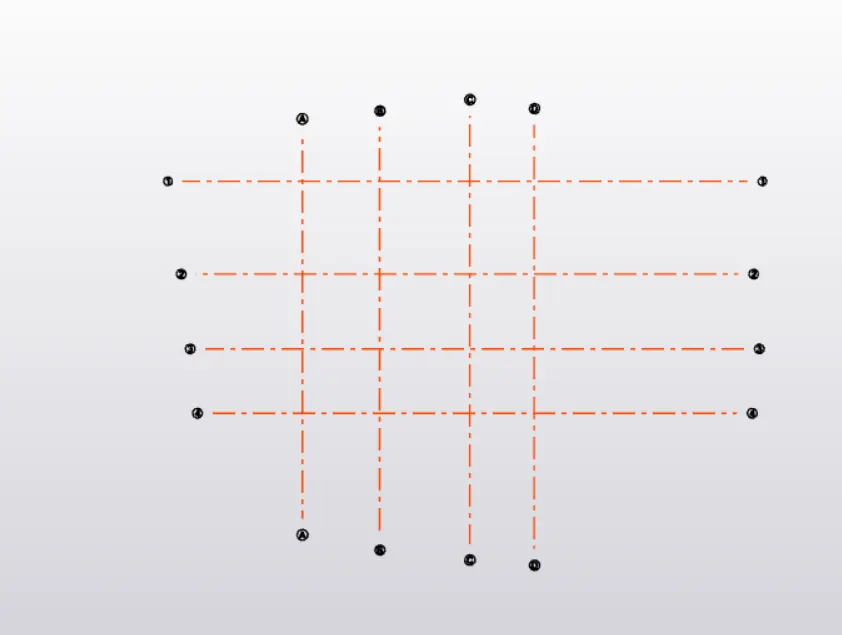
Modelling Levels :
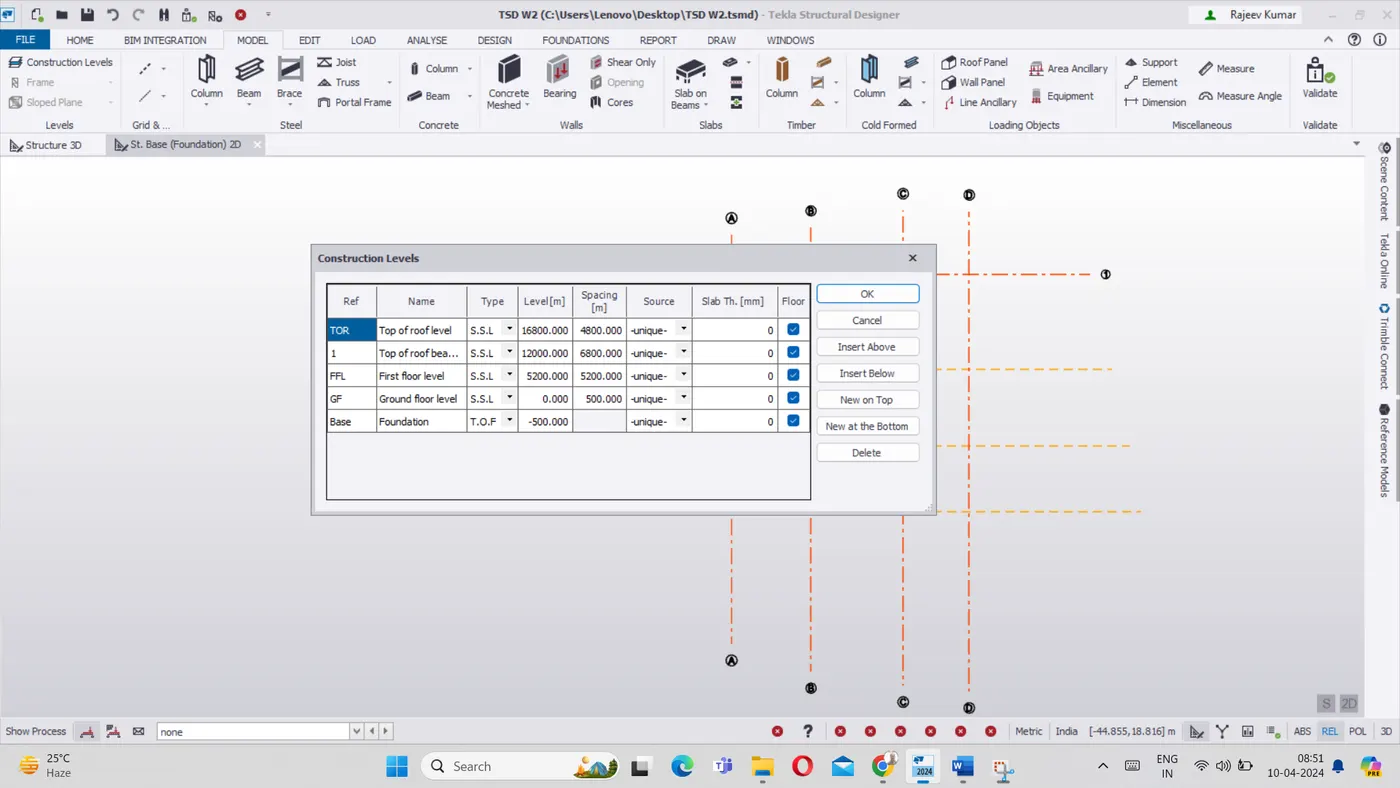
- Go to the Model Tab
- Click on construction level
- We add level and assign their names as required as shown below-
- Go to setting
- Set design code as India
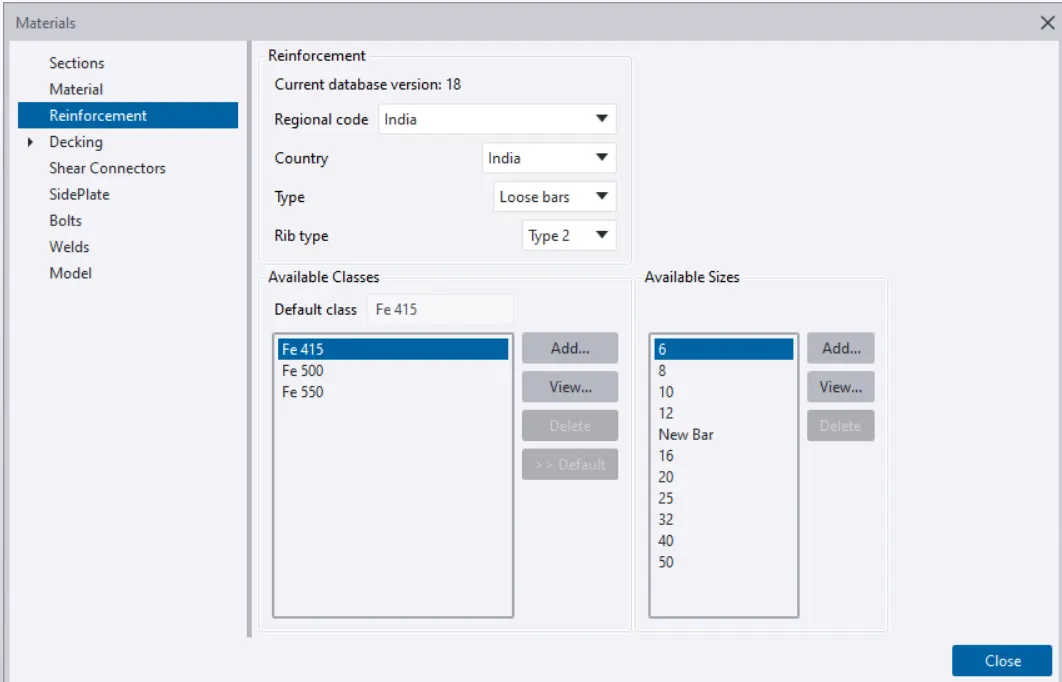
- Go to Material Tab
- Select Reinforcement grade as Fe415 as shown below-
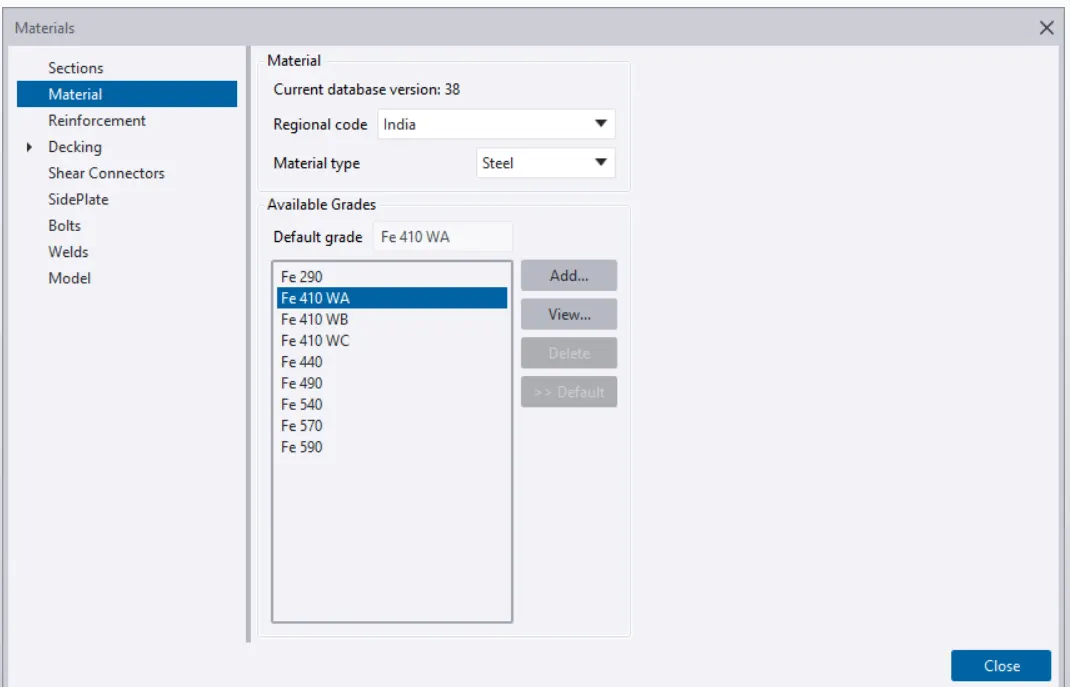
Select Material type as steel and its grade as Fe 415 as shown below:
Modelling Concrete Pedestal :
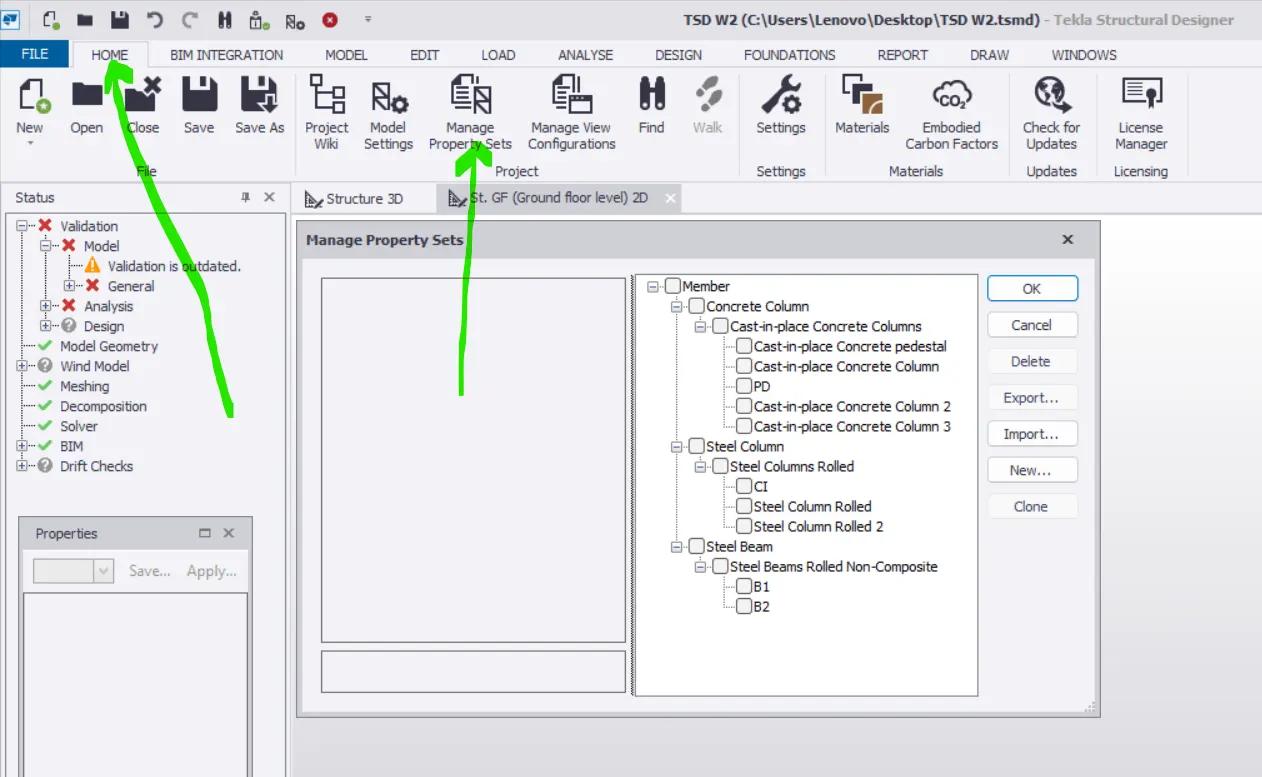
- Go to Home Tab
- Go to Manage property set
- Go to Manage property set
- Select New `arrow``rarr` Member `rarr`concrete column
- Edit the name of column by double clicking
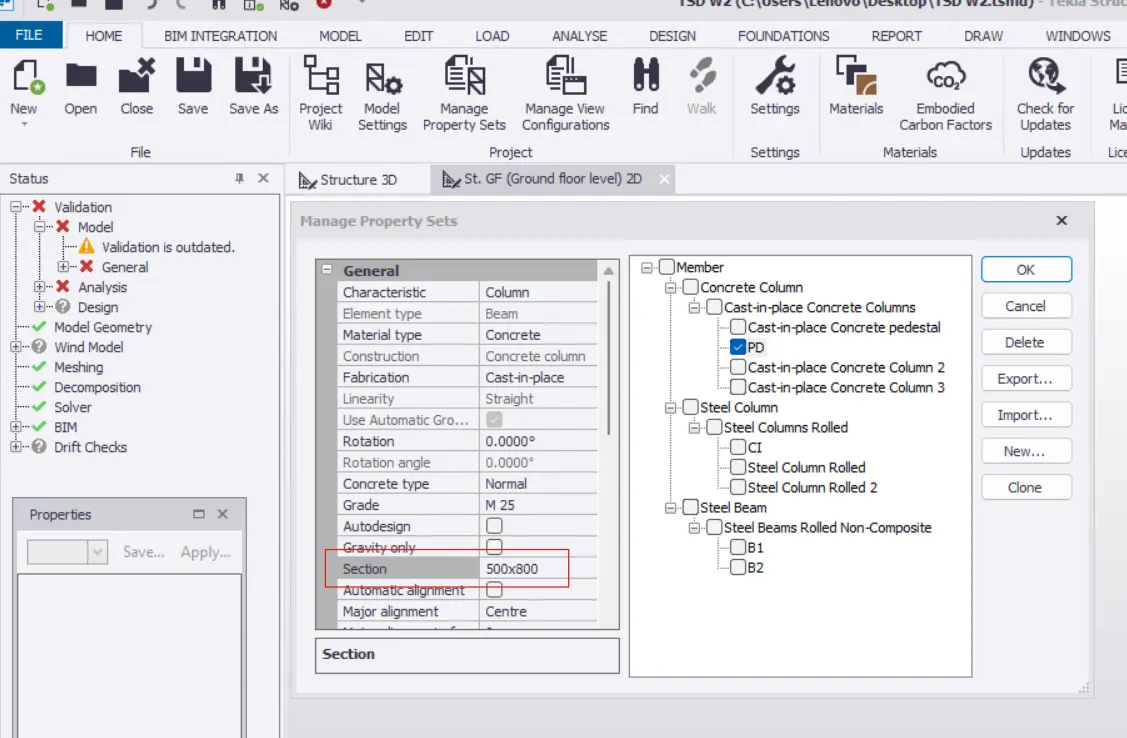
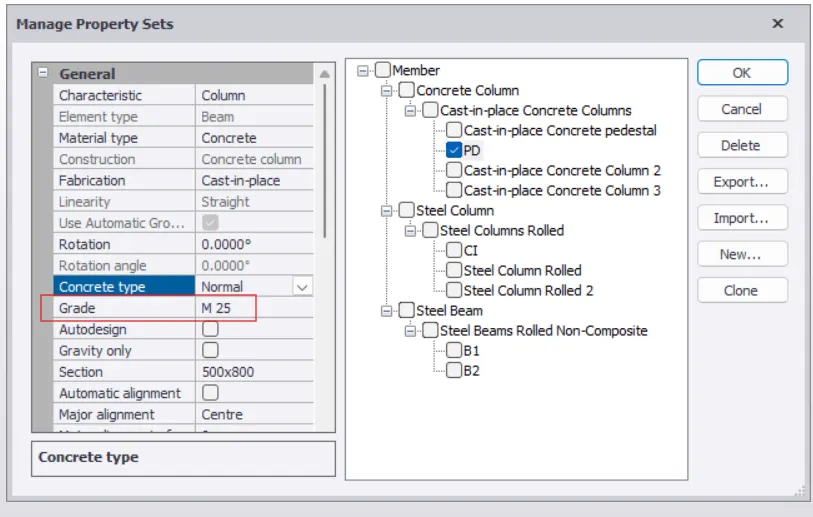
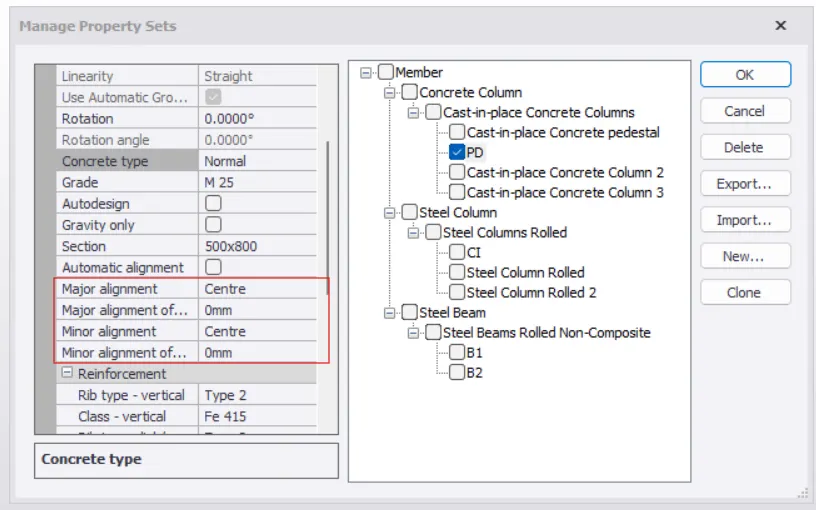
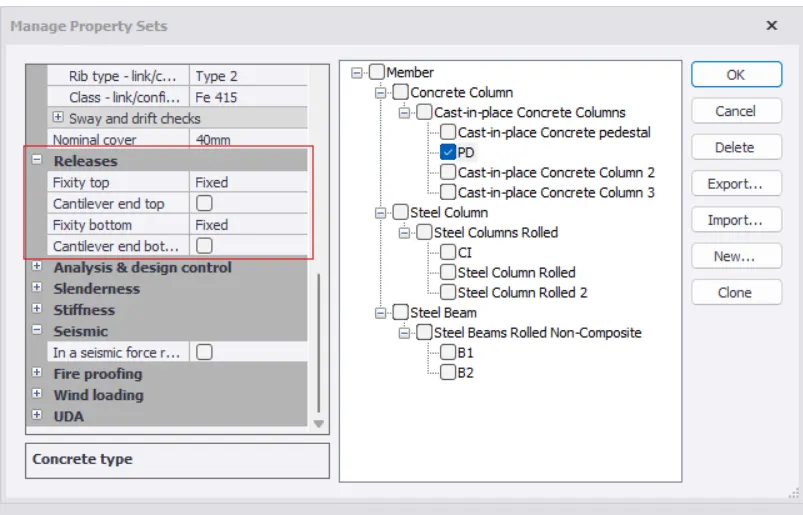
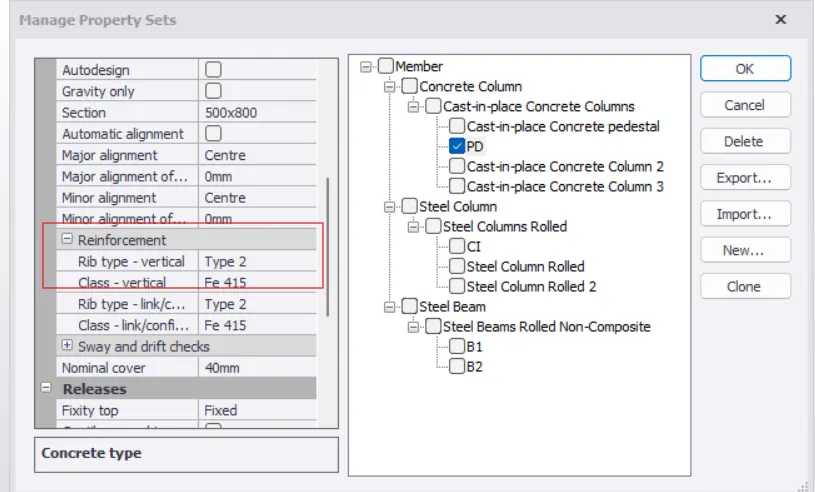
- Setting the column properties such as dimension, rebar grade, allignment, cover, concrete grade , releases, fixity etc
- Press OK
- Go to the Model tab then cilck concrete column
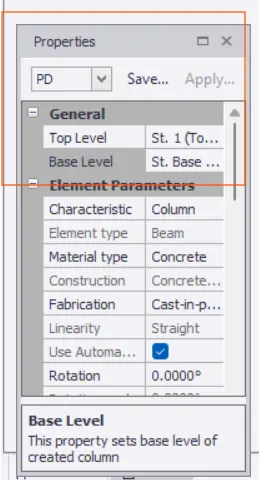
- In property change the Level from Base Level to Ground Level
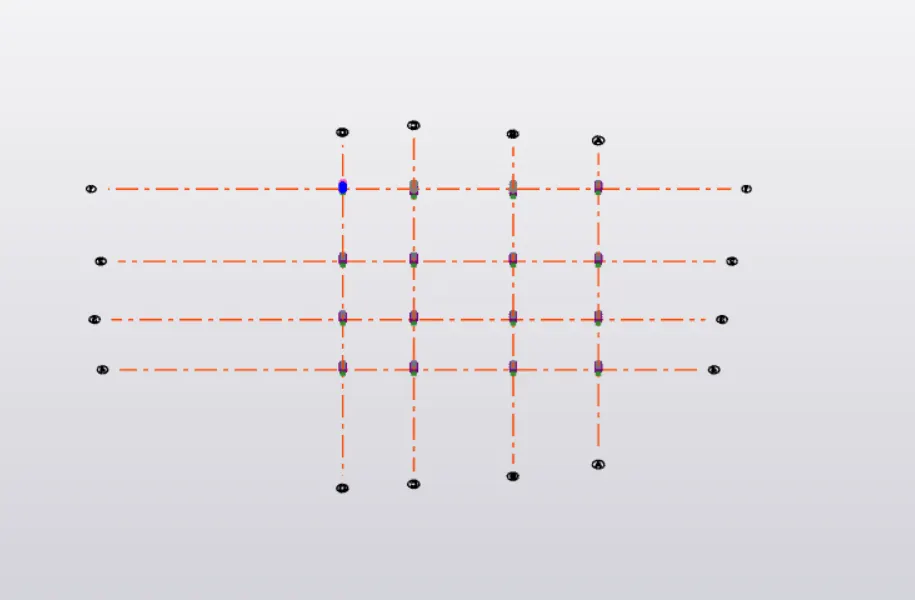
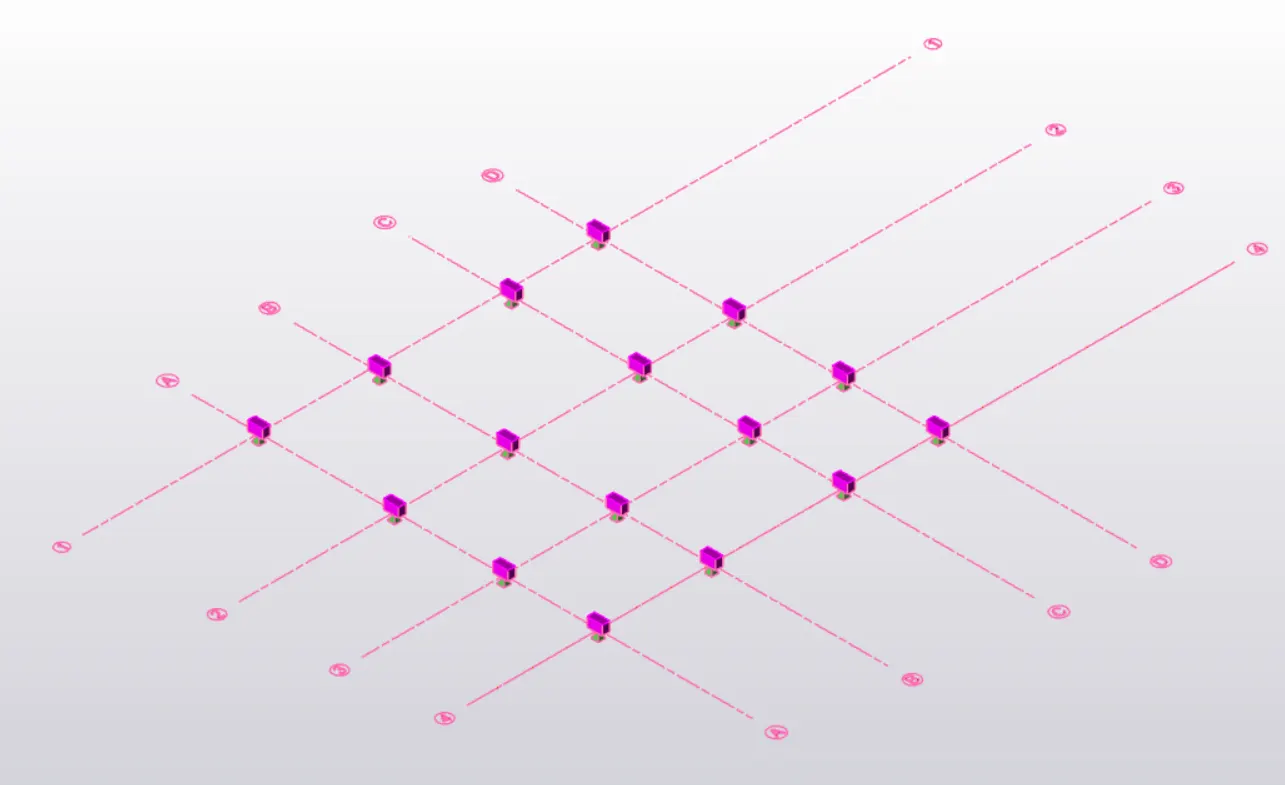
- Place the column at appropriat location on grids by clicking intersection points of grid line
Home tab and manage property set options have been shown below :
Assigning size of footing :
Assigning Concrete grade :
Assigning allignment :
Assigning Fixity condition :
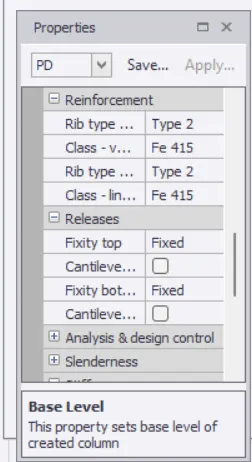
Assigning r/f property :
Various properties assigned to pedestal can be set from property windows asa shown below :
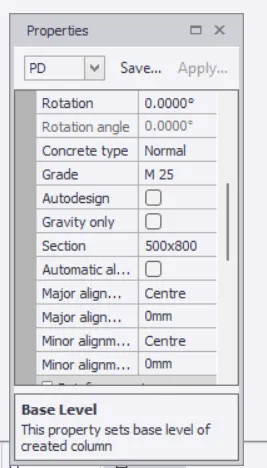
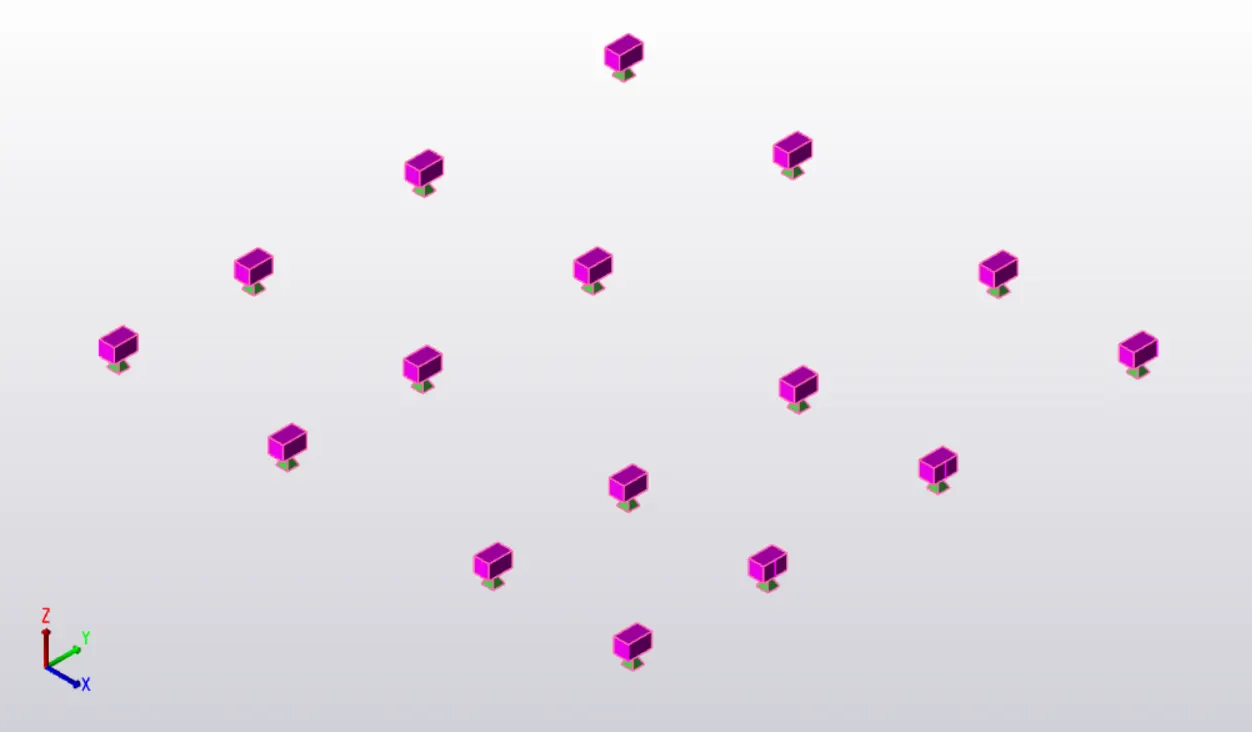
Pedestals 3 d view withot grid lines :
Modelling Steel columns:
- Go to Home Tab again
- Go to the Manage property set
- Create New
- Click on Member
- Click on steel column
- Rename steel column as C1
- Select ISMB
- Then select section MB 500
- Sellect allignment as center
- Select Releases as Pin
Some steel col properties assignment :
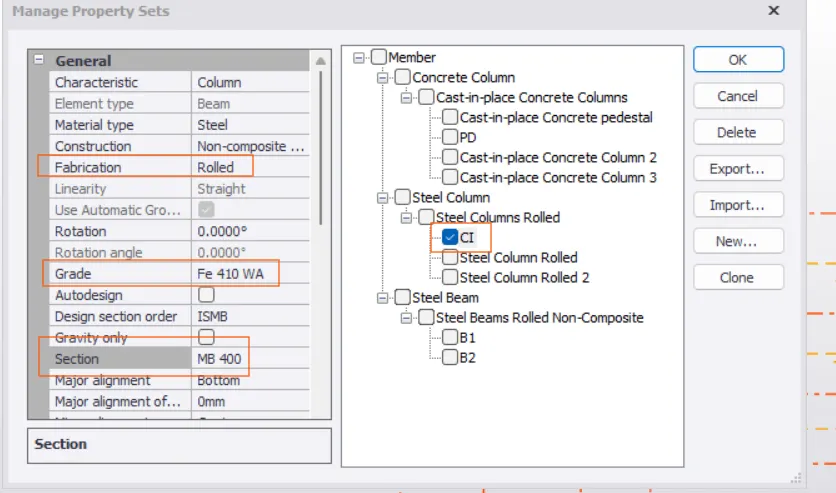
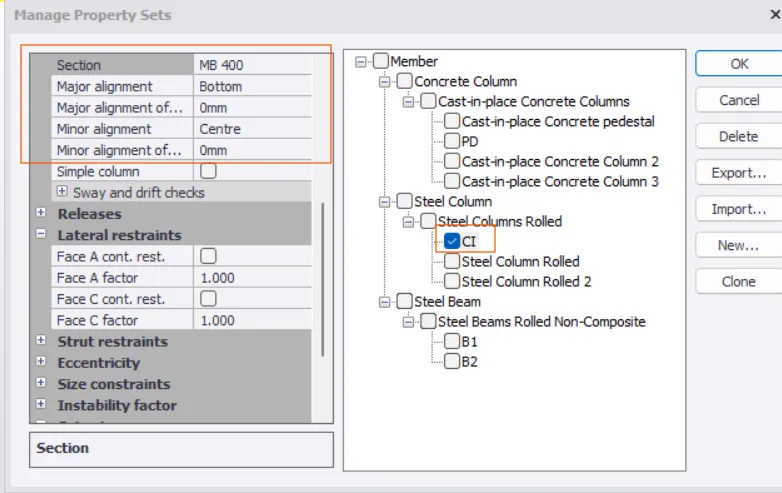
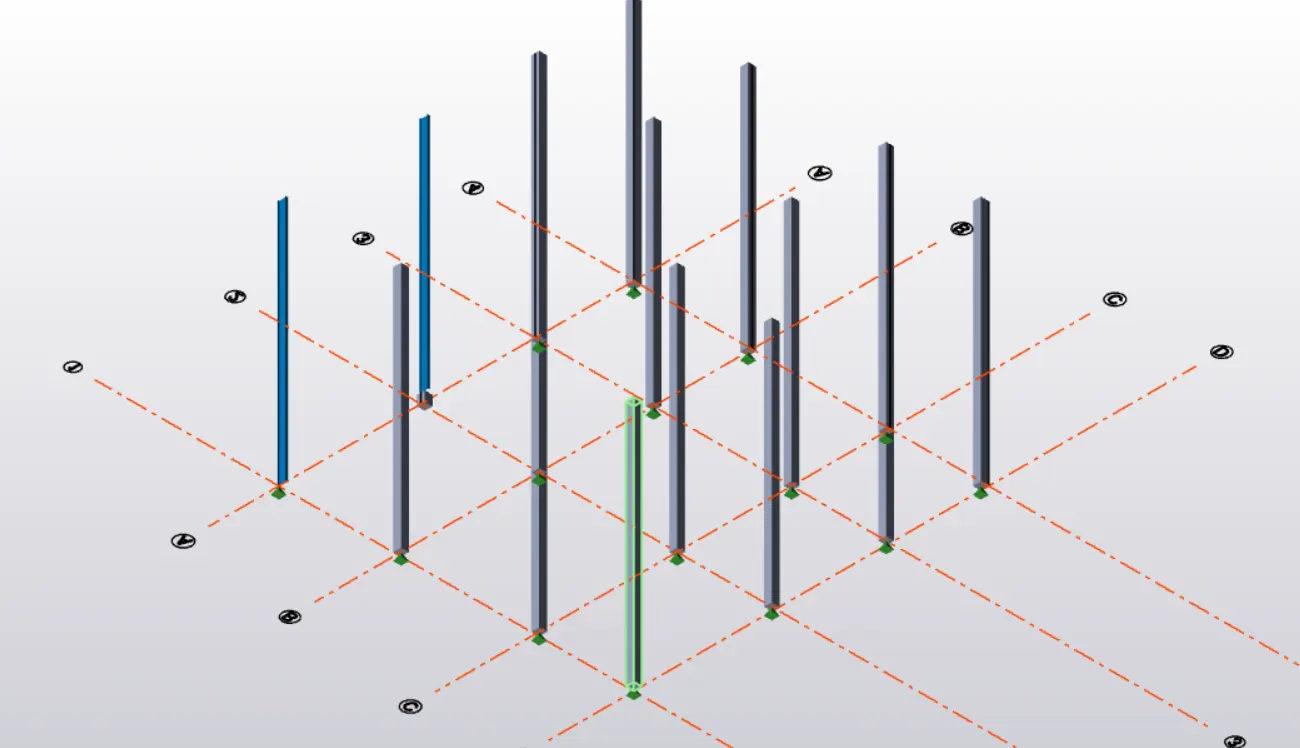
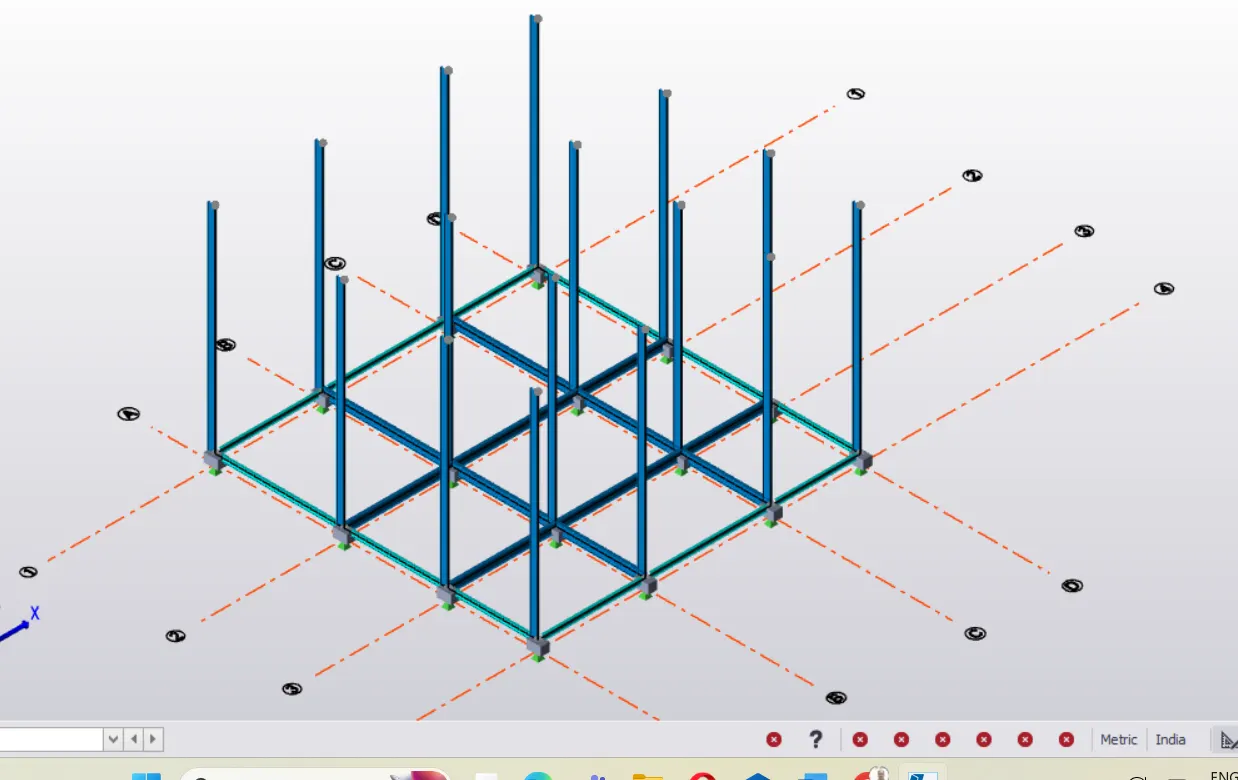
Modelling of Primary Beams at Ground level :
- Got to the Home Tab
- Click on Manage property set
- Set New property
- Select steel Beam from the Member
- Reaname the Beam as B1 ( Primary Beam which will connect column to column)
- Settting the property Beams such as Grade, Design section, Allignment then click OK
- Go to the Model
- Click on steel Beam
- Click at junction of Ground floor and bottom of Steel columns , Primary Beam will be modelled as shown below :
Assigning Primary Beam property :
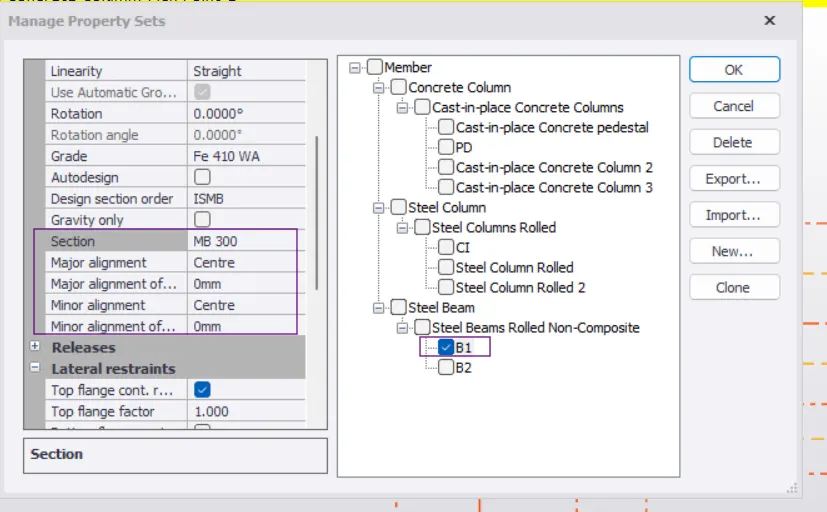
Modelling of Secondory Beam at Ground Level :
- Now again Go to Home Tab
- Click on Manage property set
- Select New property
- Click on Steel Beam from the Member
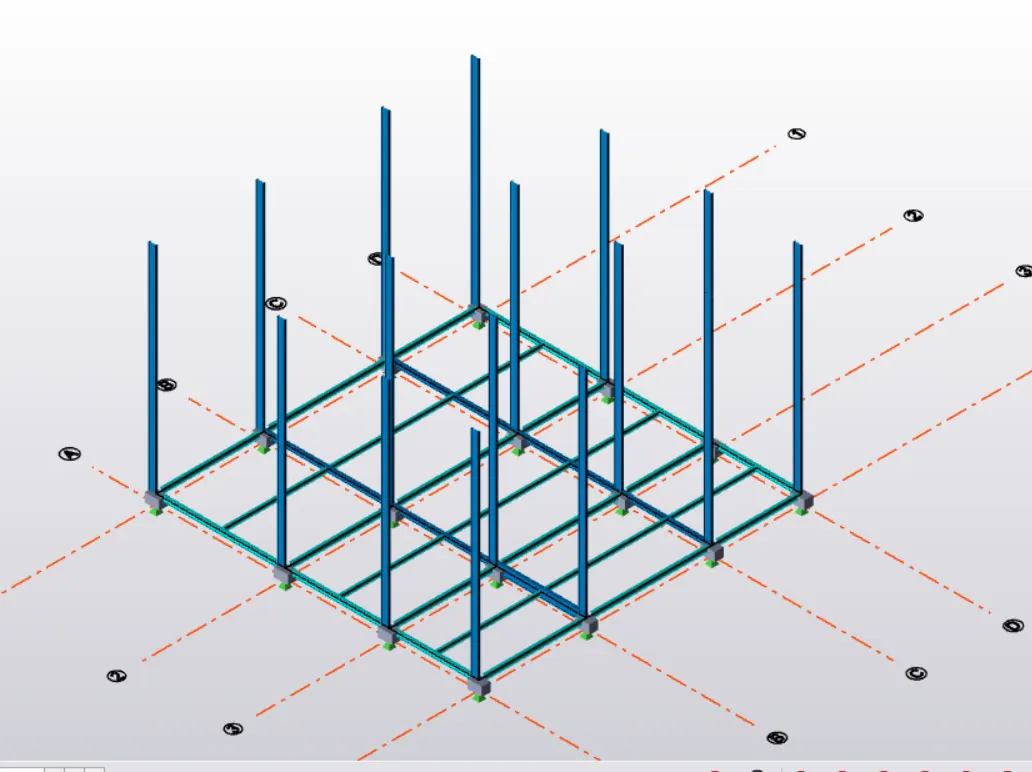
- Rename Beam as B2 ( Beam which will connect to Primary Beams will be Secondory Beams)
- Setting the properties of Secondary Beams as in explained in the above steps then click OK.
- Go to the bModel and click steel Beam option
- Model the Secondary Beams joining mid points of the Primary Beams as shown below :
Result : Thus it is concluded that :
1-Column properties for different types of pedestal are created and modelled in the grids created as per the assignment 1 as desired.
2- Column properties for steel columns are created and columns are r modelledi in the grid created as per assignment
3- Primary and secondary beams properties are created and modelled on the ground floor as above.
---------------------xxxxxxxxxxxxxxxxxx-----------------xxxxxxxxxx----------------