To model columns for industrial steel structure using TSD
QUE .1 Create column properties for different types of pedestal members and model in the grids created as per the assignment
ANS - 1. Start a new project.
before creating a grid property assigning the level to the modal of the structure.
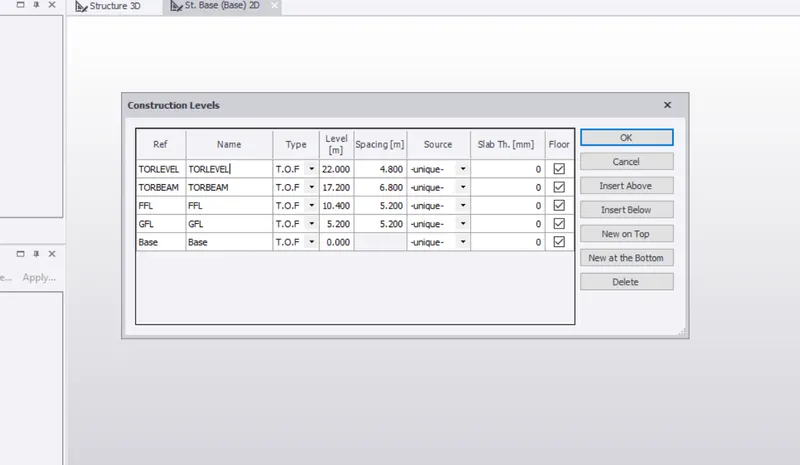
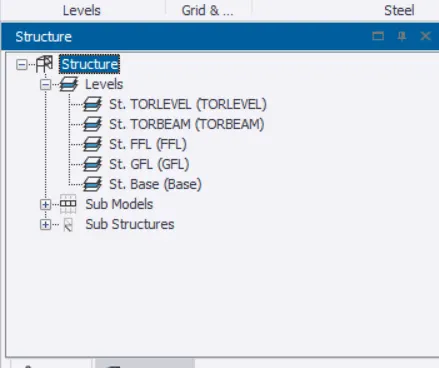
after clicking on ok. levels will be created on the structural template.
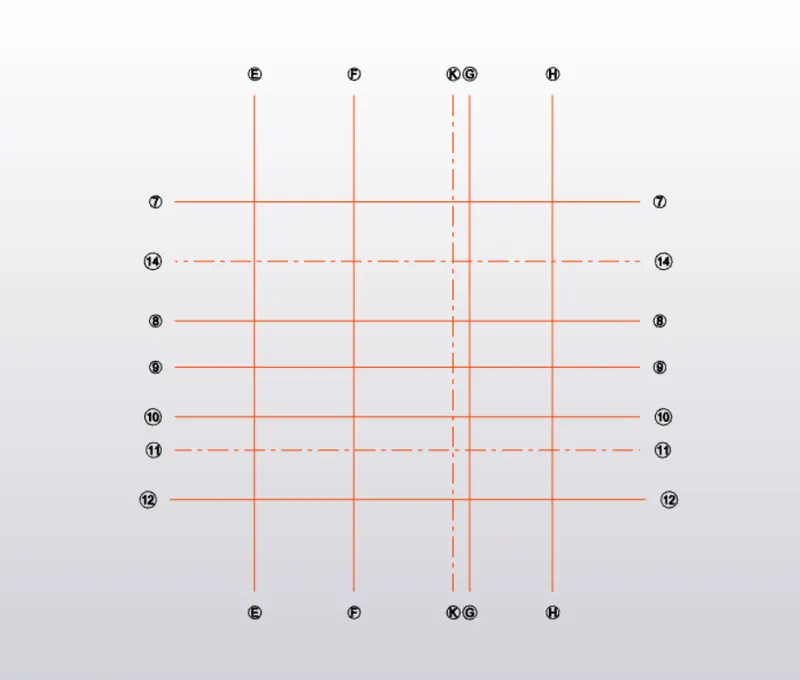
after that create a grid lines and construction line for column positioning and for secondary beam also. according to this grid line placing a concrete base column above that steel column.
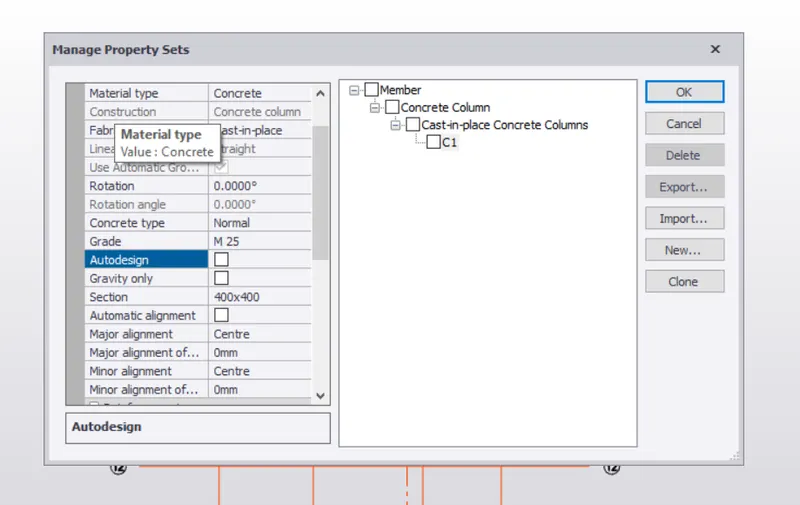
modal property set - to set the model property to our modal select a home tab in that select a modal property set.
1. Concrete Column -
Create concrete column C1 for the base foundation and select a M25 grade of concrete provide a section 400x400 off the autodesign. set major alignment to the center.
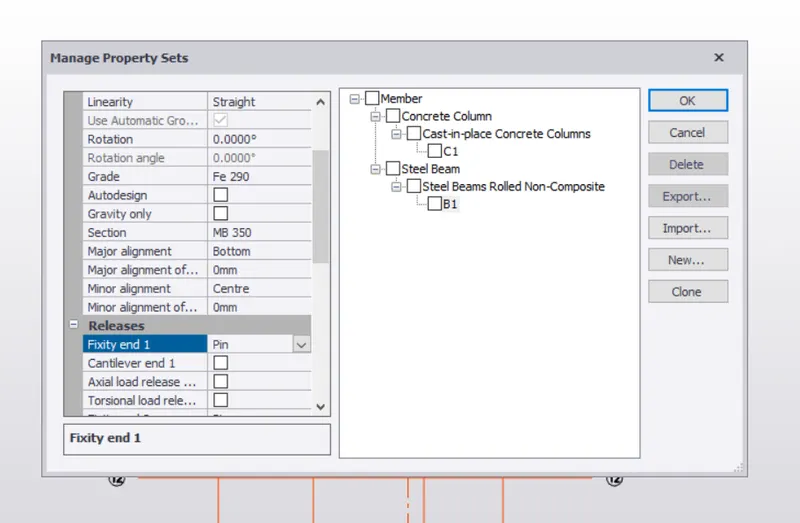
2. Primary Beam - (B1) create a steel beam and provide an ISMB 350 section. set a major alignment to a bottom
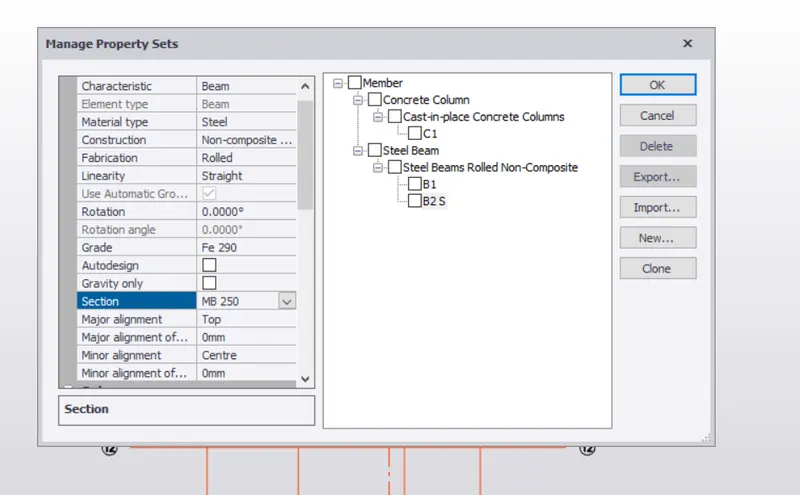
3. Secondary Beam - provide a name B2 S for a secondary beam grade 290. and provide a steel section ISMB 250
QUE.2 Create column properties for steel columns and model columns in the grid created as per assignment 1
ANS -
CREATING COLUMN PROPERTIES -
To create column properties of the steel column. clicking on the home tab and clicking on the manage property set.
and set a steel property for column.
IN That select a steel property as a ISMB 350 and set a C2 ST for a steel column.
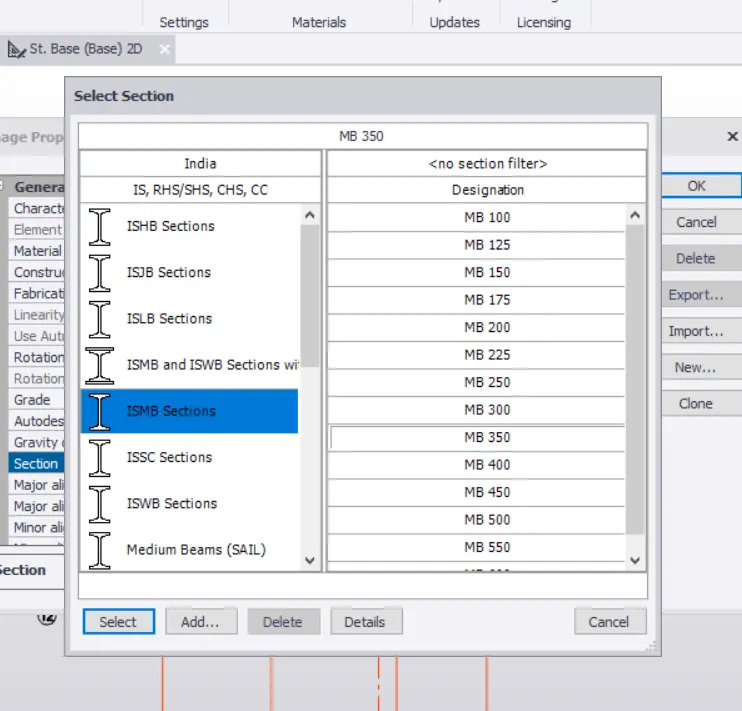
off the auto design option and select major alignment to the center and select a 290 grade of steel. after that click on ok.
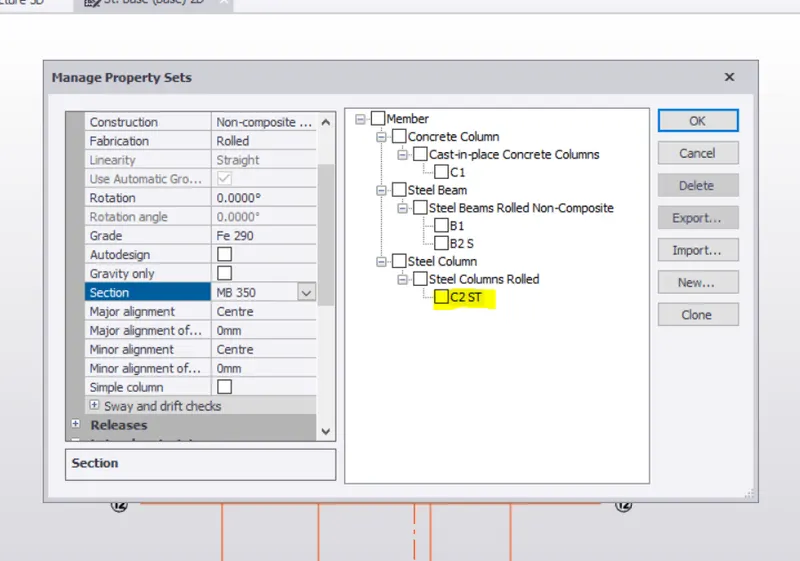
Modelling Column - before modeling the column of steel needs to provide a base concrete column to the structure.
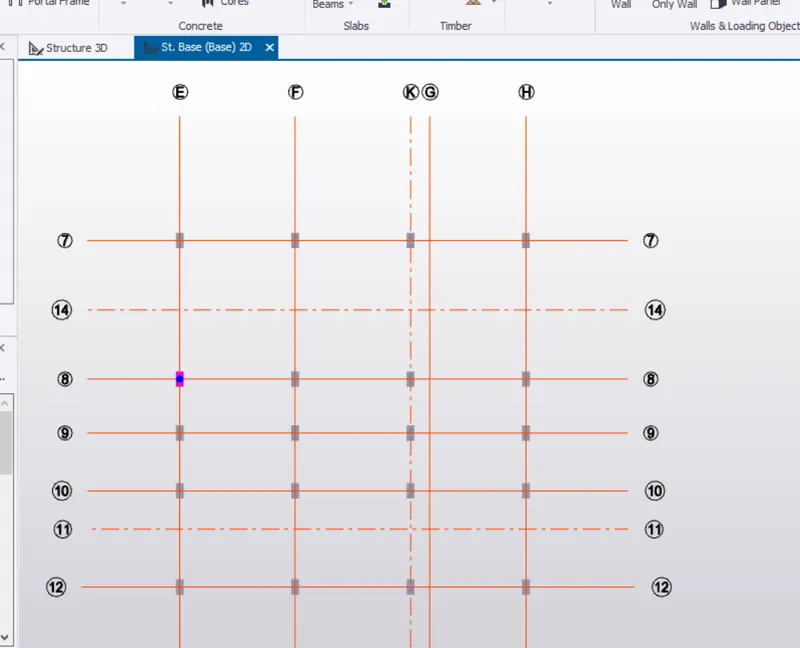
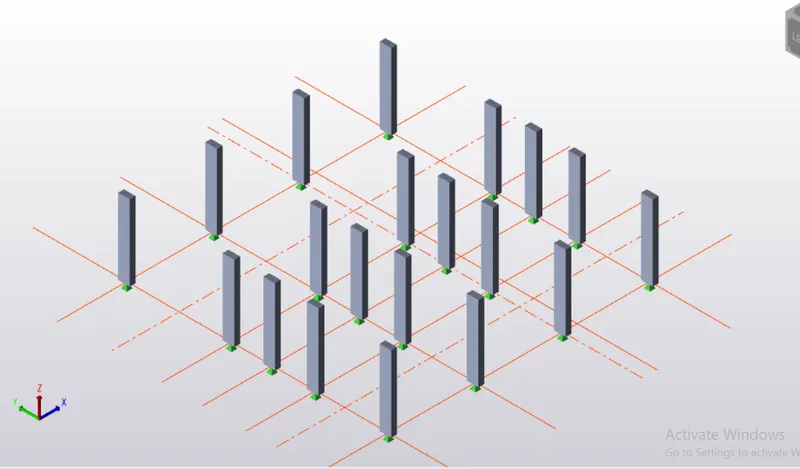
3d view
After Modelling a base foundation to the ground floor level. assigning a steel column.
steel column -
select a steel column from the model after that select a column manage property assigned and set column height is base to top floor which is st Tor level.
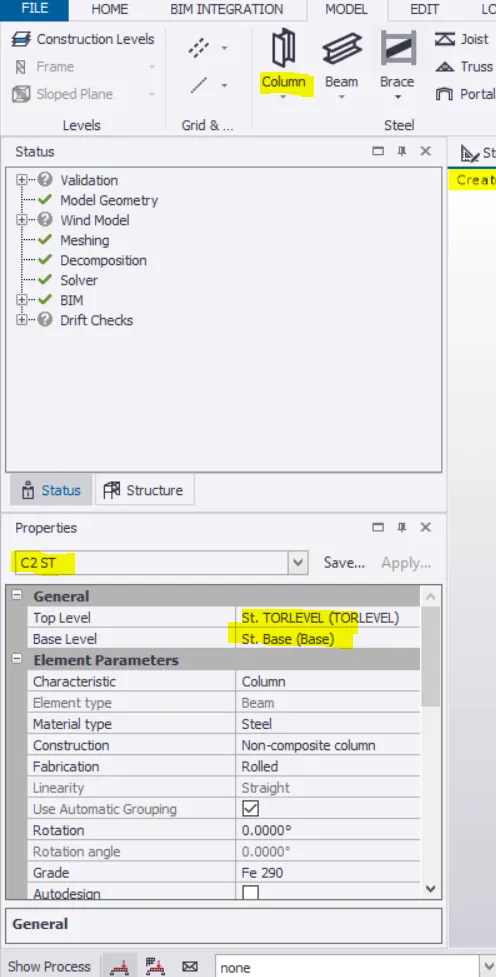
after that select a grid point where i need to assign a steel column.
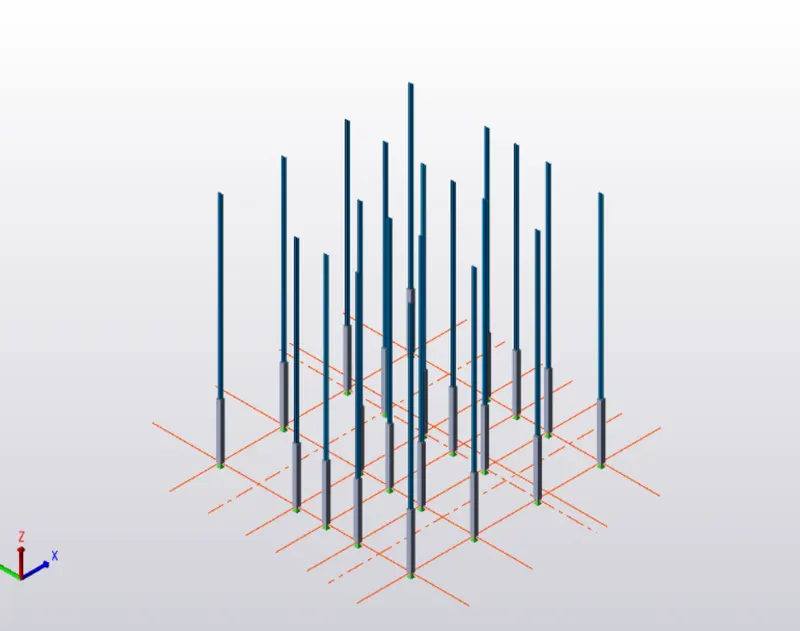
QUE .3 Create beam properties and model primary and secondary beams on the ground floor
ANS -
modal property set - to set the model property to our modal select a home tab in that select a modal property set.
To create beam properties . clicking on the home tab and clicking on the manage property set.
and set a steel property for beam
2. Primary Beam - (B1) create a steel beam and provide an ISMB 350 section. set a major alignment to a bottom
3. Secondary Beam - provide a name B2 S for a secondary beam grade 290. and provide a steel section ISMB 250
Modelling a primary and secondary beam on the ground floor -
to modelling a beam on the ground floor set a ground floor and double click on the ground floor and open a view in that view design a beams.
select a primary beam and design to the ground level which is B1.
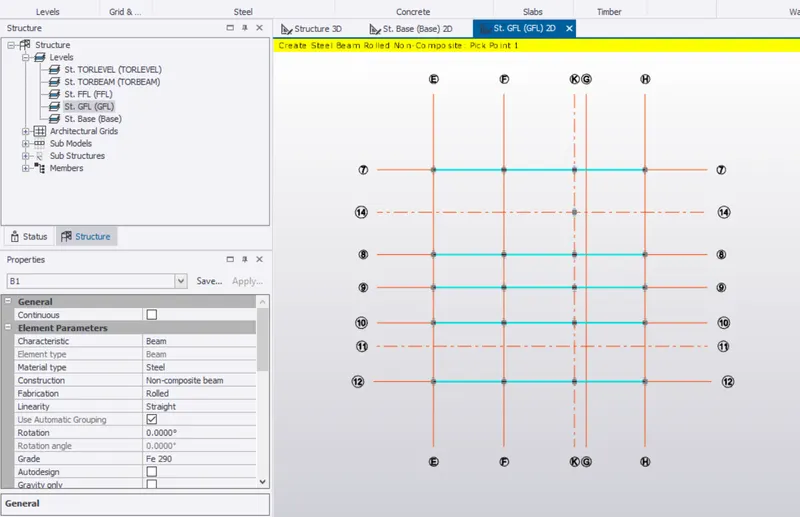
secondary beam - selecting B2 s which is secondary beam and modeling on the ground floor.
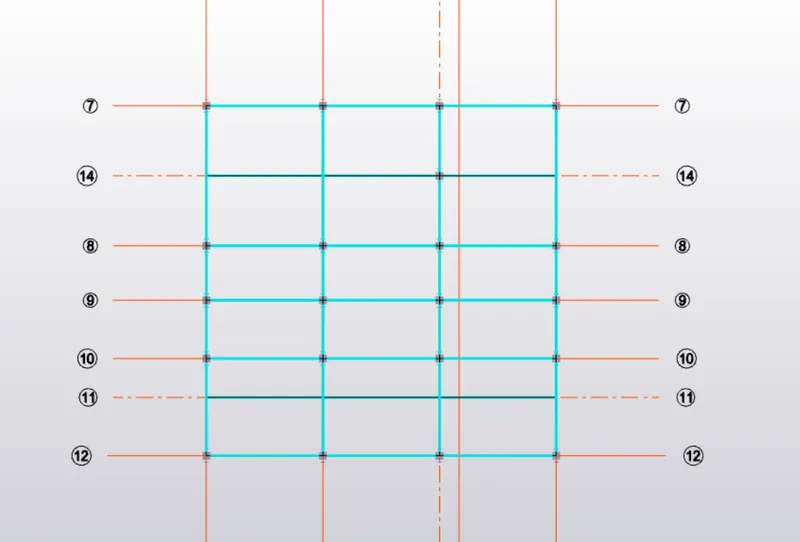
all secondary and primary beam are designed into a ground floor.