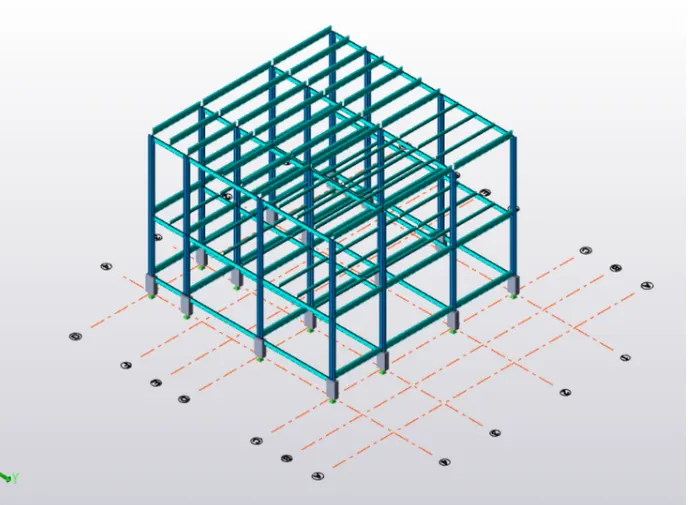
To model columns for industrial steel structure using TSD
QUE 1 ]
aim-to Create column properties for different types of pedestal members and model in the grids created as per the assignment 1
procedure-
1.Open new file
2.In browser right click o levels
3.Select construction level
4.Inputs value as below pic
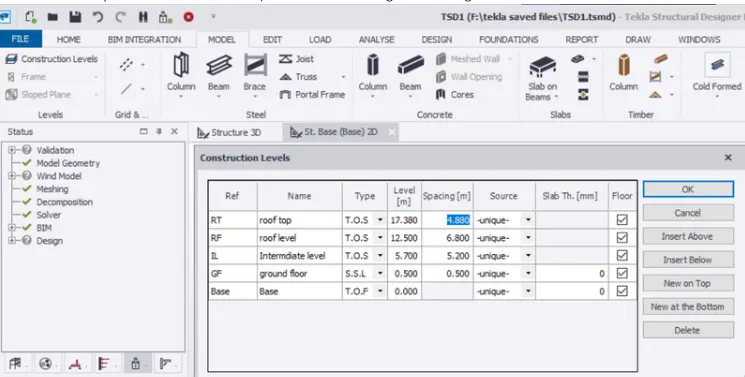
5. Go to model ta
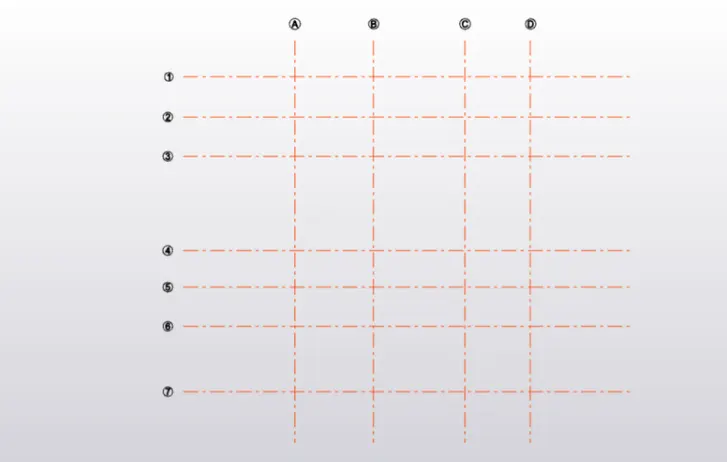
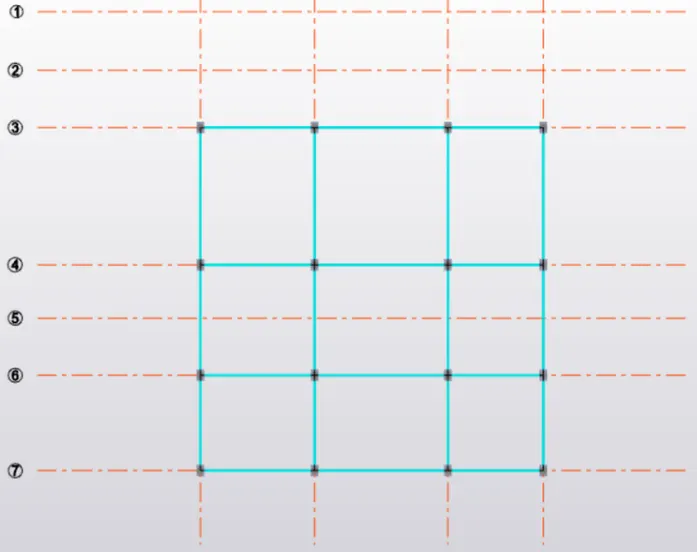
6.select grid option
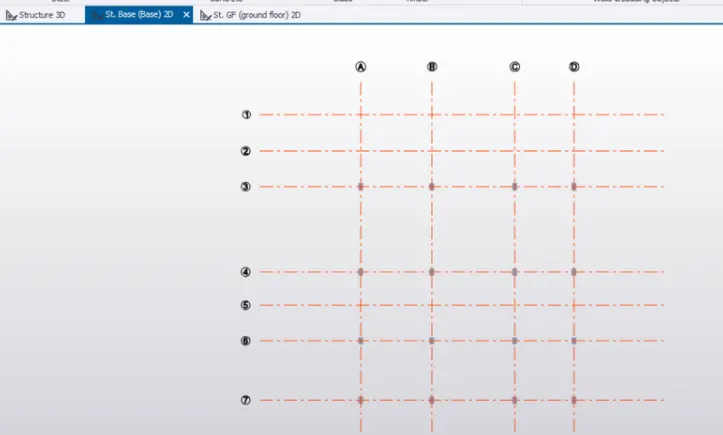
7.Drow grid
8.select parallel grid for quick
9.similar to others directions
Go to home
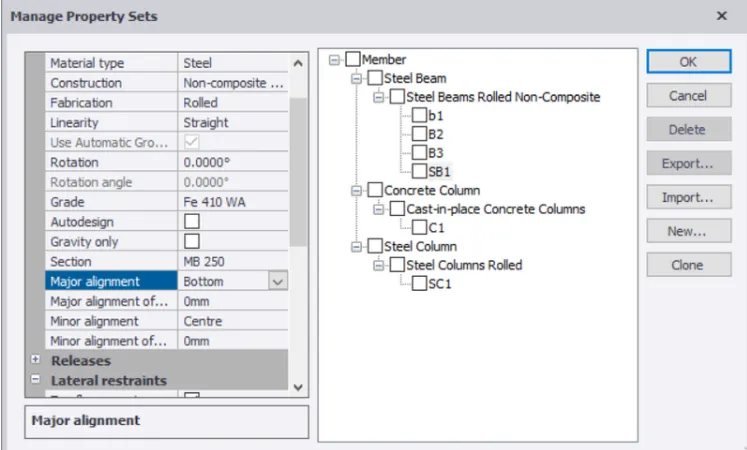
Here select manage property set
Click new members
Add the required member as shown below
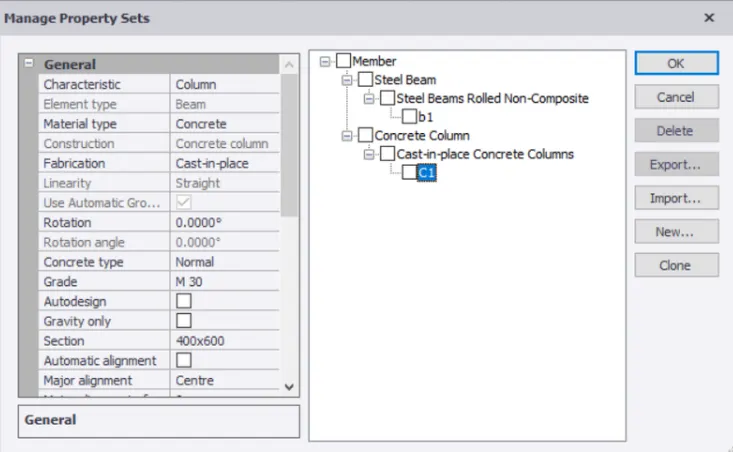
Here edit required property
Go to model select column
Edit the required level property to ta add select the required column
SIMILARly apply steel coloumns also
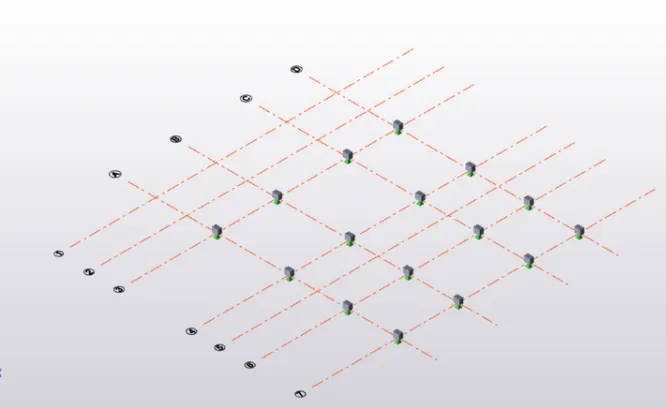
que 2 ]
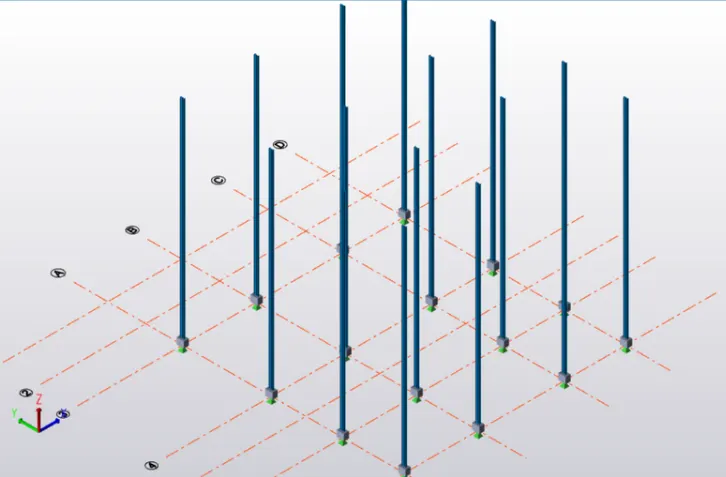
AIM-TO Create column properties for steel columns and model columns in the grid created as per assignment 1.
PROCEDURE-
Open the saved tekla file
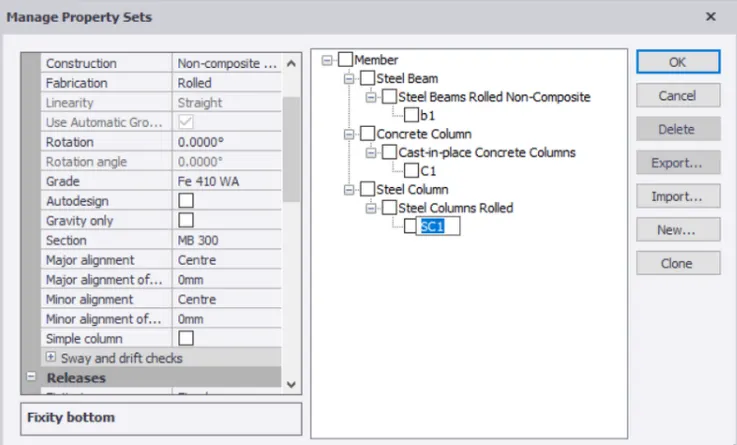
now go to the home tab and select manage property set
Now at the properties of the Steel column and steel beam and click okay
Now again at the steel column applying the caloumn properties which is already added in the manage property set
que 3 ]
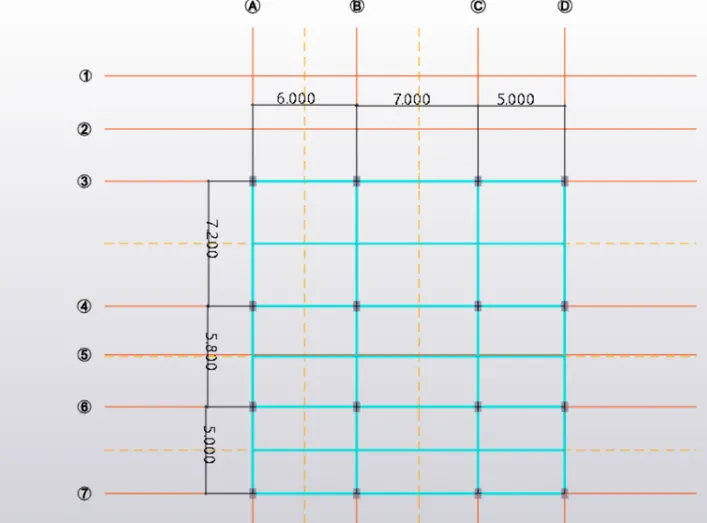
AIM=TO Create beam properties and model primary and secondary beams on the ground floor
PROCEDURE-
Open the tekla saved file
select the beam properties which we have already added in the manage property set
RESULT -