To Generate seismic loading based on IS code and to run the analysis using TSD
Q1-
aim-To generate seismic loading based IS coded provision and zone II
Procedure
open the previously save the tekla model
now go to the load cases and add the loads case and click ok
now go to seismic Wizard and select code Spectra and click ok
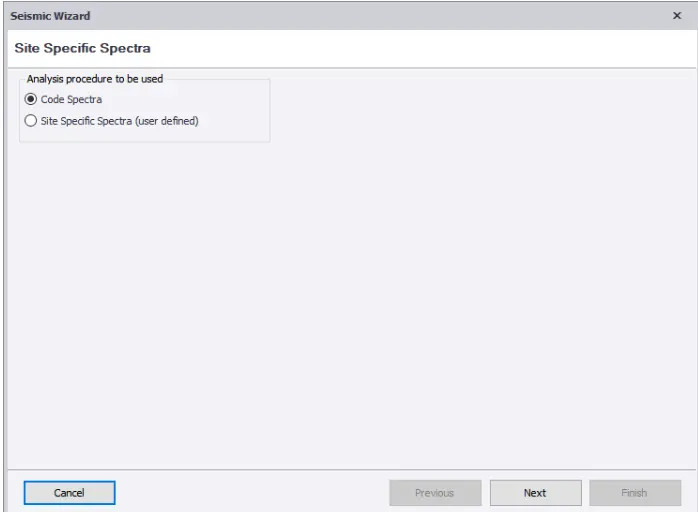
now enter the zone and click ok
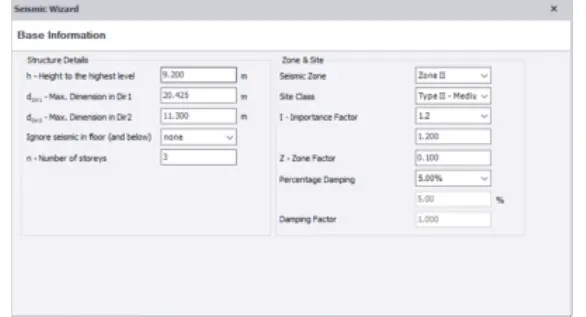
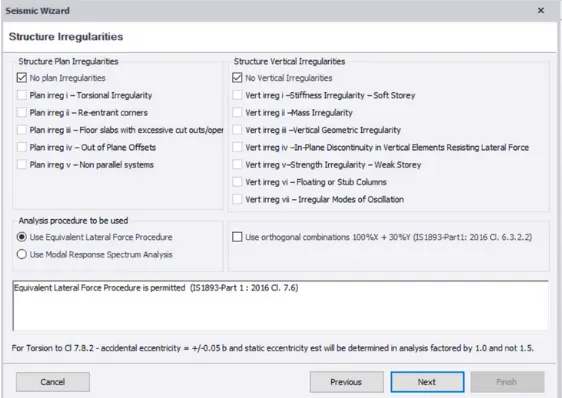
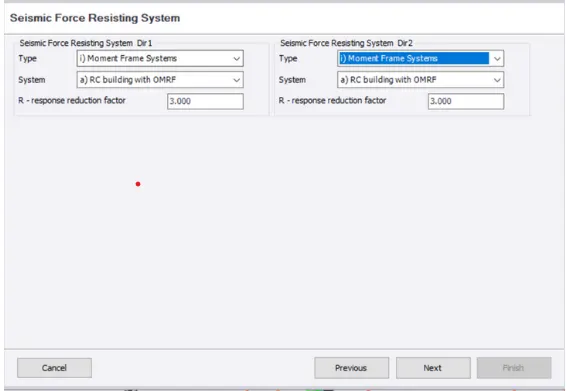
Now we have to enter the structure type as RC MRF of building and click OK
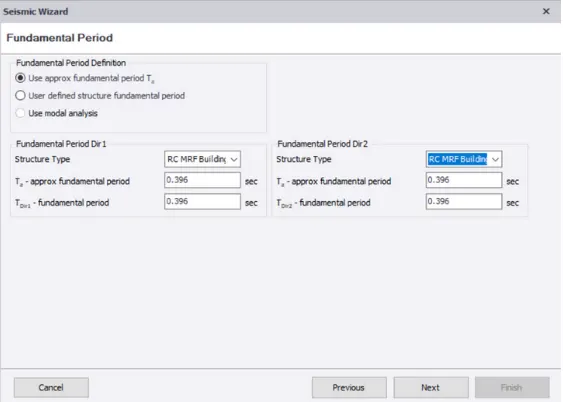
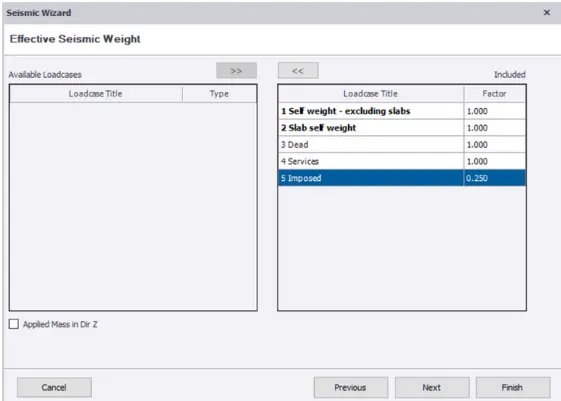
now includes a load cases and click next
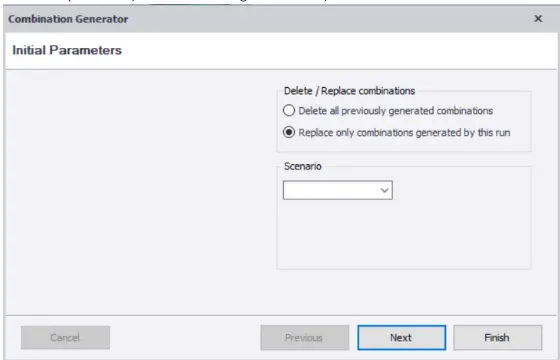
select replace only combination generated by this run and click OK
Now all the load cases are generated
suitable lower cases can be selected and applied on the model and click ok
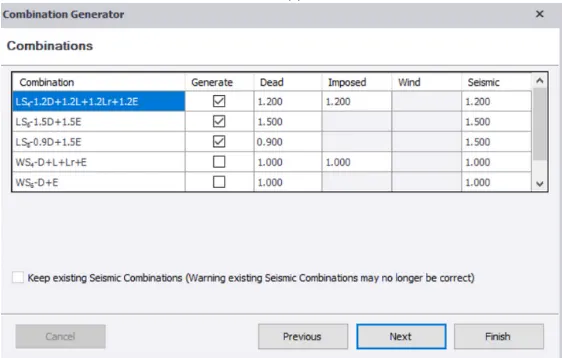
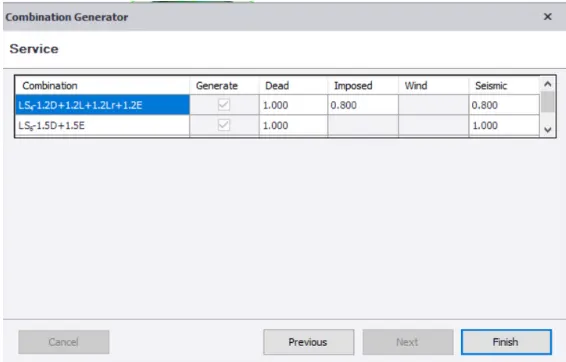
Now prOVIdE the combination and click finish
Q2
Aim-To run analysis and understand the analysis
procedure
1.after providing the loads and load cases click on analyse and select to first order linear
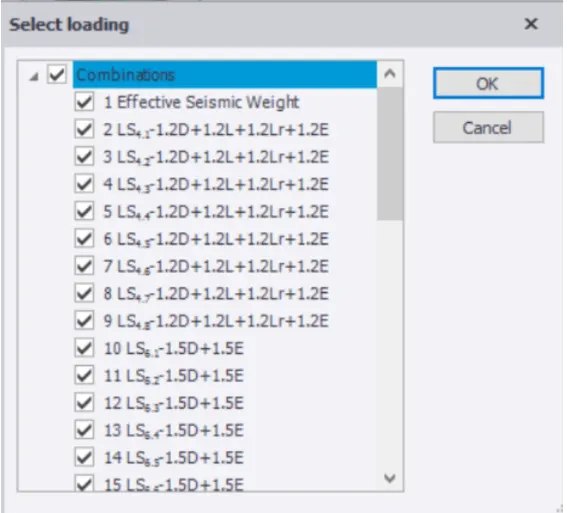
2. After the analysis go to the result and select to share for sir check the result
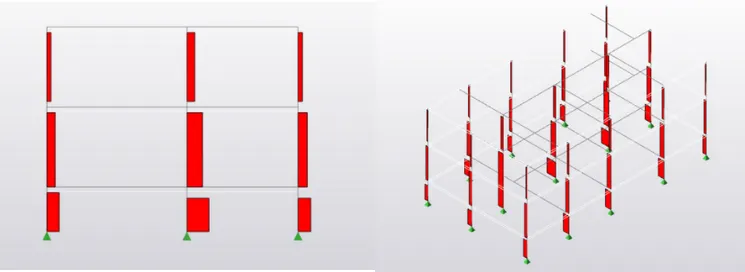
3. we got a descending ascending value from bottom to top which embark it to be correct
4. now we have to check the moment and here we can find the member Momentum major as-40.98/28.03 KNm
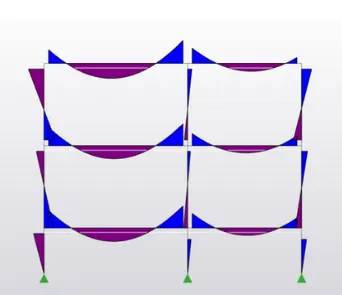
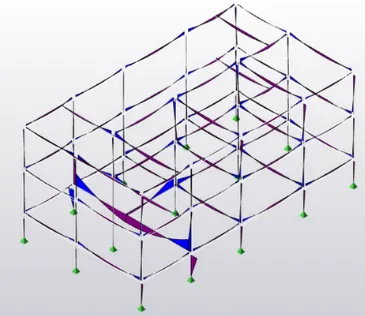
5.From the moments we can say that this is correct
6. now who are to check for deflection
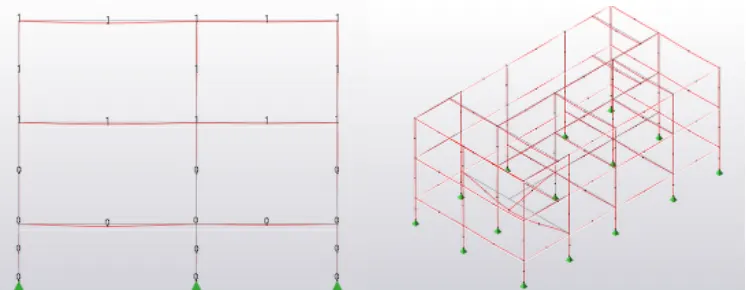
7.when checking the deflection we can see that the second beam at the ground floor is undergoing more deflection as compared to the others .
7.this can be corrected by improving the concrete grade