To Generate seismic loading based on IS code and to run the analysis using TSD
1. Generate seismic loading based IS codal provisions and zone II. Any other data you can assume and input accordingly
AIM : To generate seismic loading on the model based on IS codal provisions
INTRODUCTION :
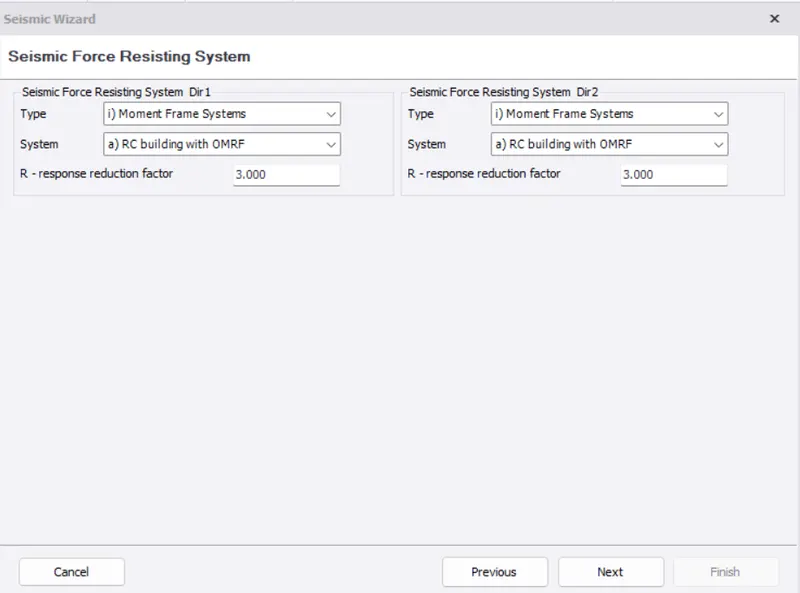
Seismic loads are generated according to IS 1893 codal provisions. Moment frame systems is taken for RC building with OMRF. It is an assembly of beams and columns that resist induced and externally applied forces primarily by flexure.
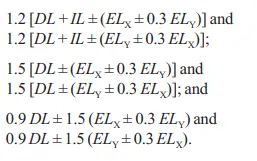
Design for horizontal earthquake load generated (IS 1893) as
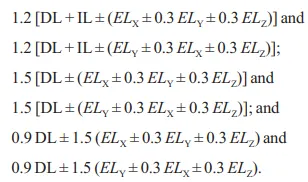
Design for vertical earthquake load (IS 1893) as
PROEDURE :
- Open the model in tekla software.
- Select seismic wizard under seismic loads
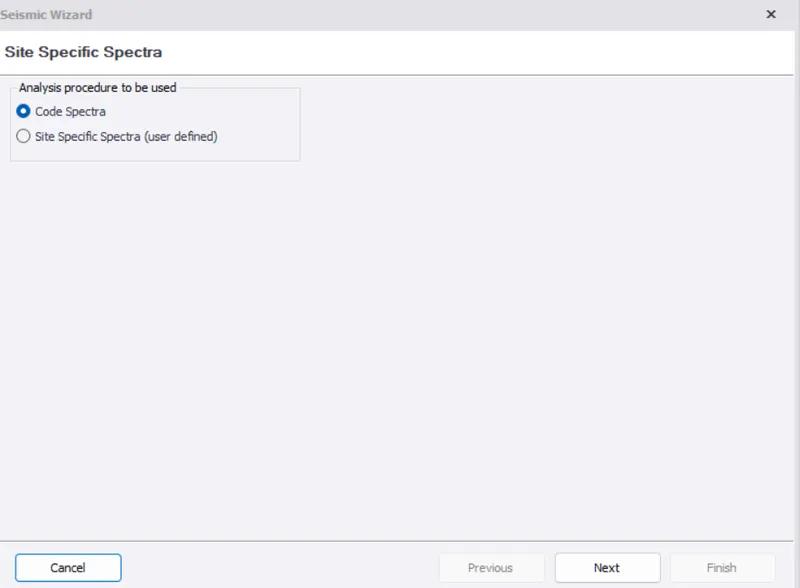
- Select code spectra and click on next
- Check the dimensions of the building and other details
- Zone is set as Zone II, site class a TypeII medium, Importance factor as 1.2
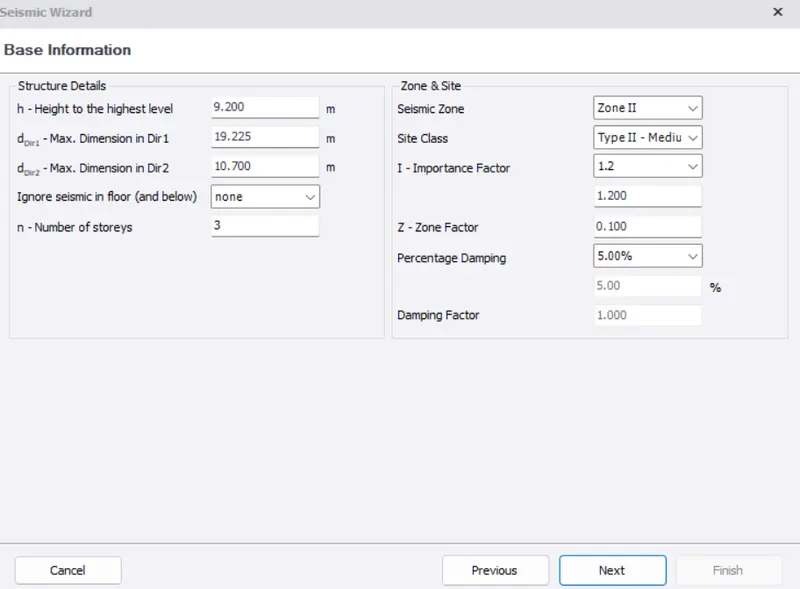
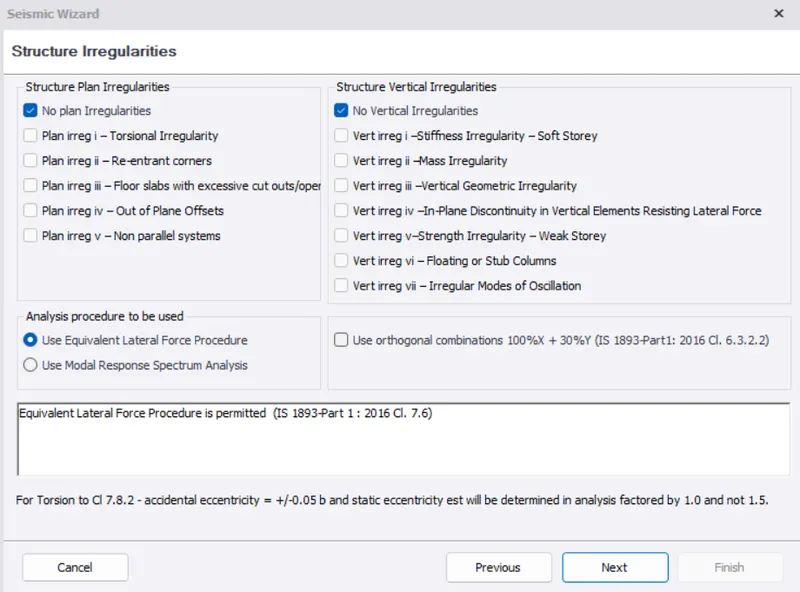
- Set structure irregularities and use equivalent lateral force procedure
- Use 'Moment frame systems' for RC building with OMRF in Seismic force resisting system
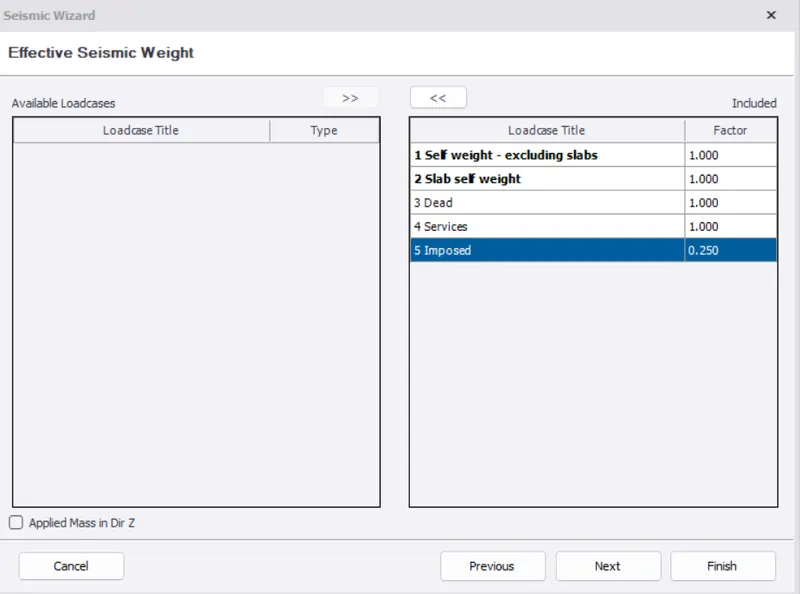
- Include all the loadcases : Self weight- excluding slabs, Slab self weight, Dead, Services and Imposed
- Select 'Delete all previously generated combinations in combination generator
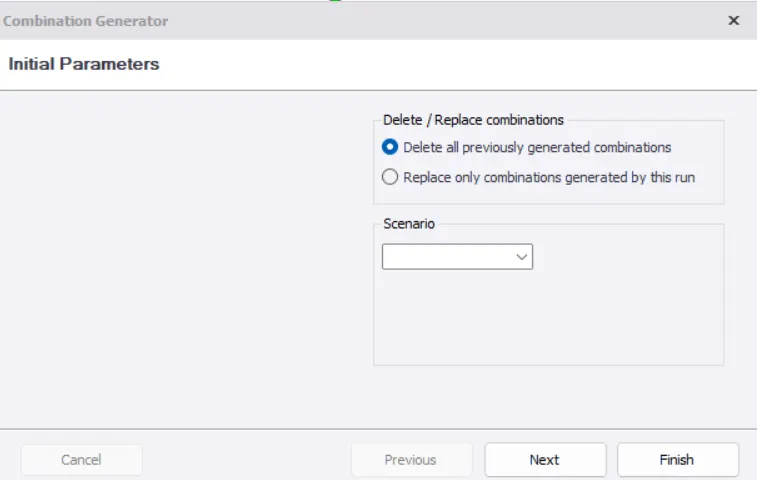
- Select finish
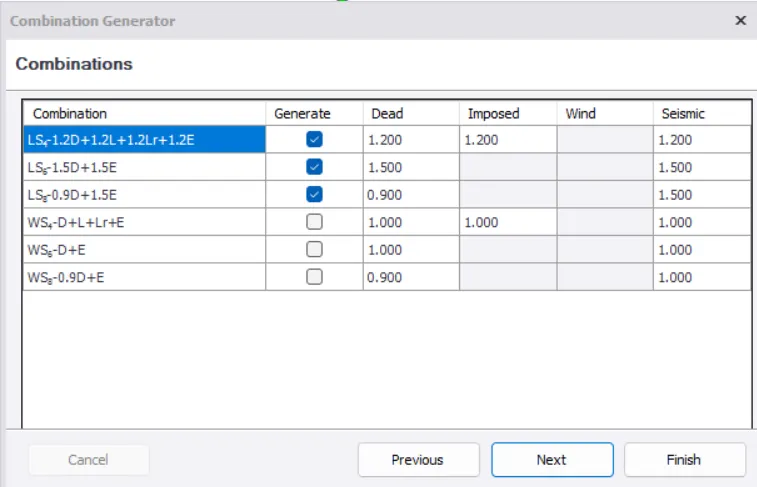
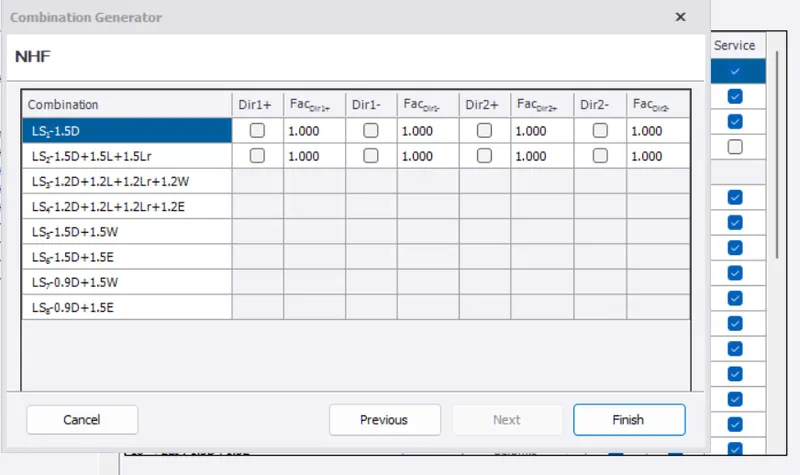
- Click Combinations on load tab to check the generation of seismic loads and then click generate
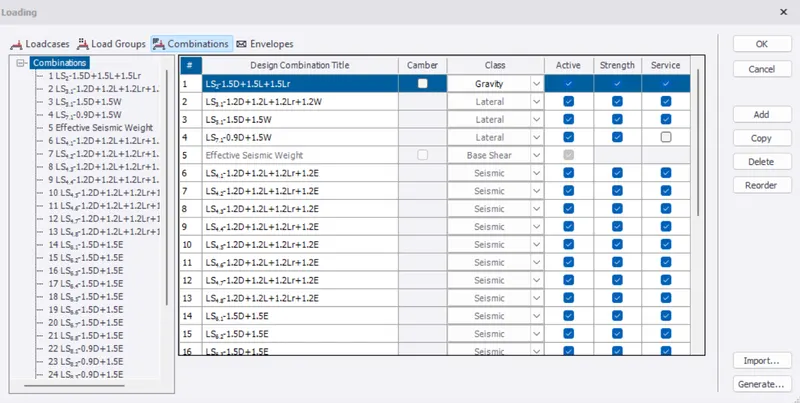
- Check and select next
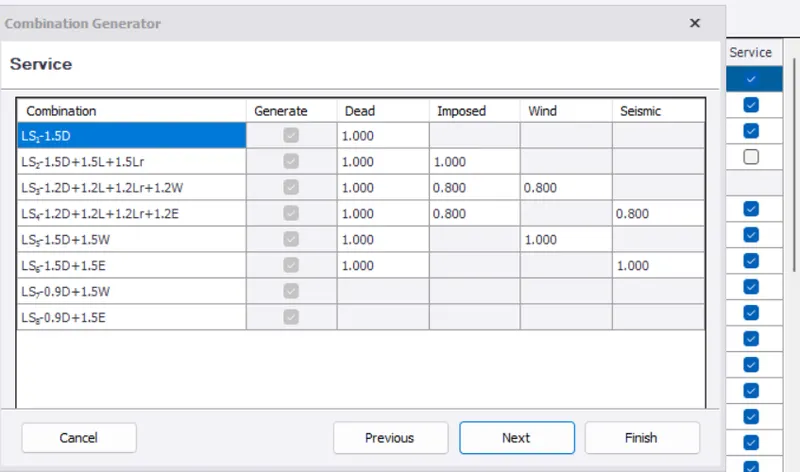
- Select finish
- Then we get Pass/Fail/ any warning, errors
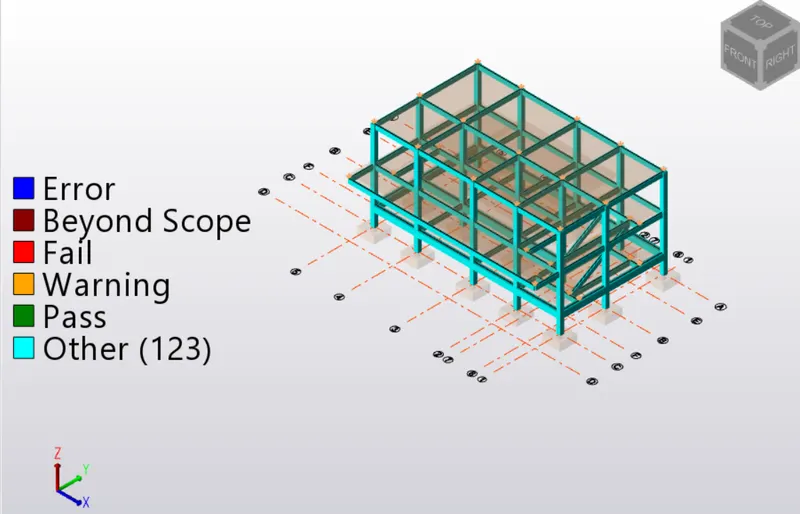
- Select Review and click on "Auto design check"
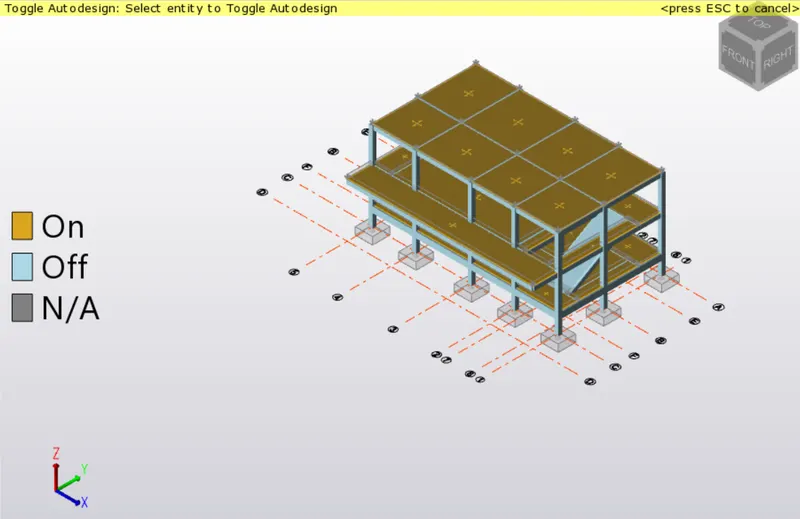
- Select "Show/Alter state"
- Now click on Entity type as "ANY" in properties and Remove from autodesign of members
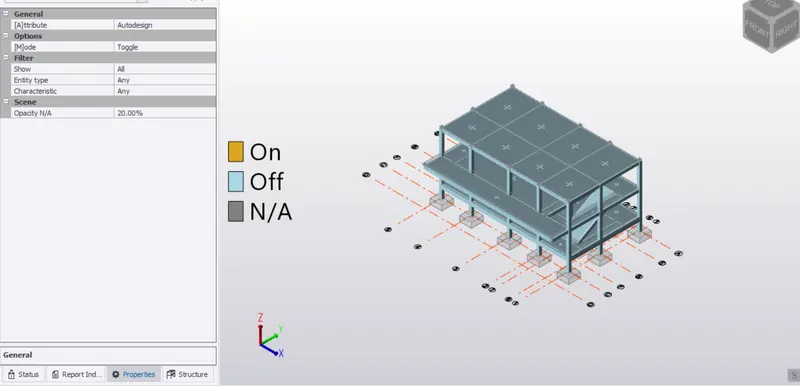
- Select Fixed/Pinned option
- Change members to Fixed
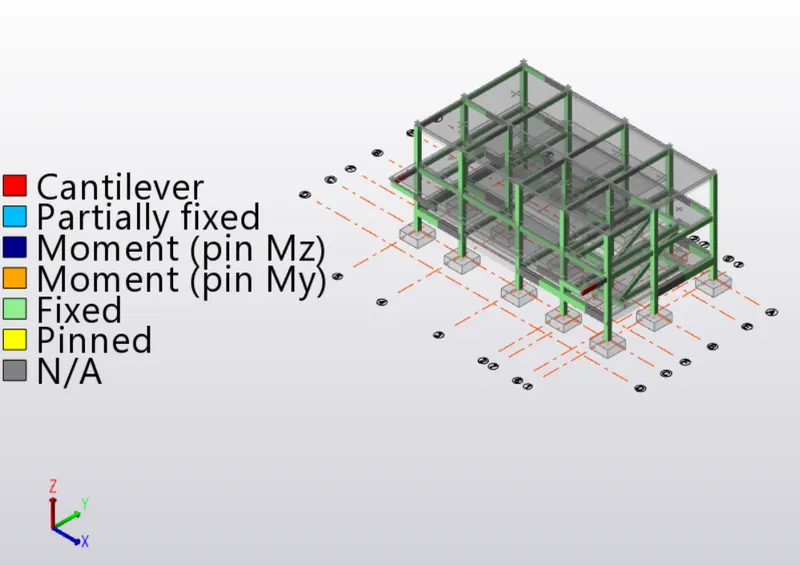
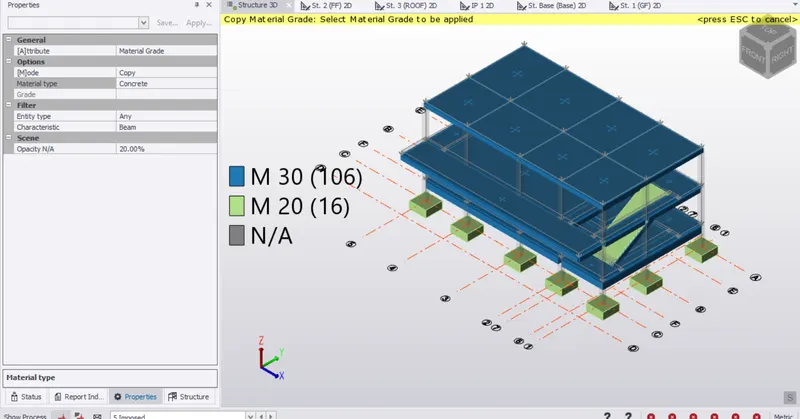
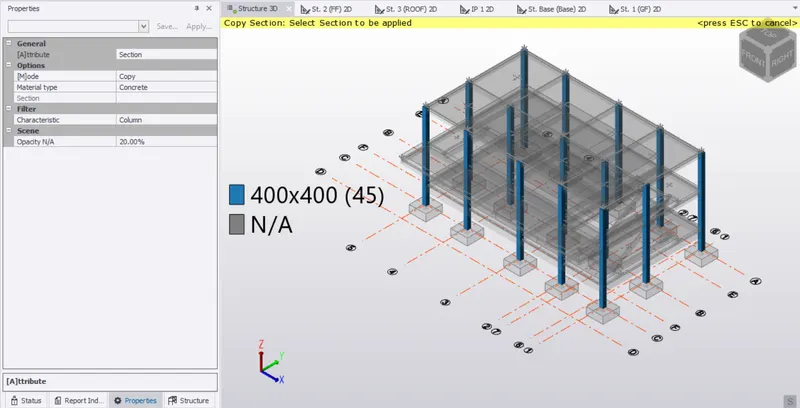
- Select Section/Material grade
- Change "Material grade" in attribute(proprties)
- Change mode as copy and material type as concrete
- Now If there is a need to change properties of beam, then select a beam which we want to copy to the other beam properties and select a beam that need to be changed
- Similary check and change column properties if necessary
RESULTS:
2. Run the analysis. Summarize your understanding of the analysis results
AIM : To run analysis on the model and summarize the analysis of results
INTRODUCTION :
Analysis method is taken as Equivalent static method. Equivalent static is a simplification method to design earthquake loads that must be calculated in the structural design. This method is practical and easy to apply, but only appropriate for low structures with high rigidity.
The static analysis is based on several assumptions are:
(i) The structure assumed to be rigid,
(ii) The fixed bond between the structure and foundation is assumed perfect,
(iii) Every section of structure experience the same accelerations during ground motion,
(iv) Effect of an earthquake is assumed as a horizontal force on certain loading point
(v) The base shear force is approximately determined as the total of horizontal force on the structure
PROEDURE :
- Go to analyse tab and click on 1st order linear analysis
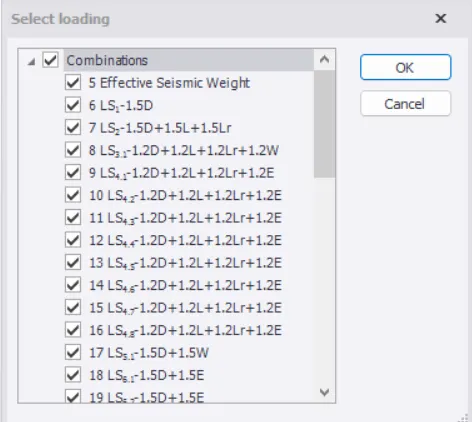
- Click ok and select "RESULTS"
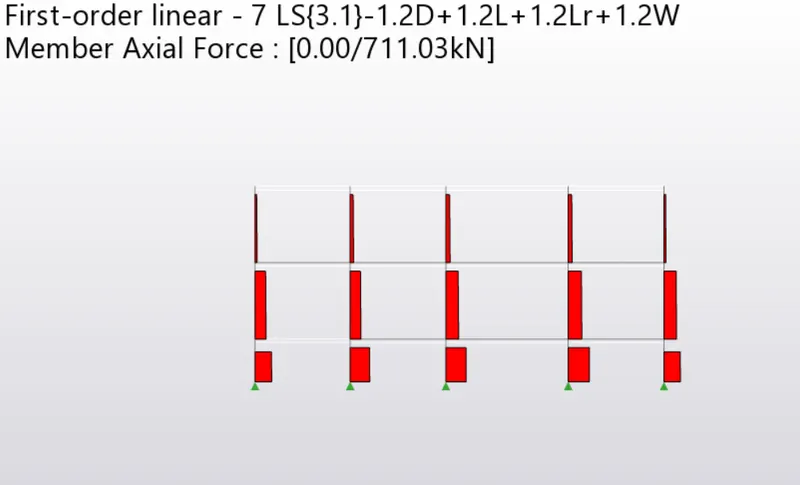
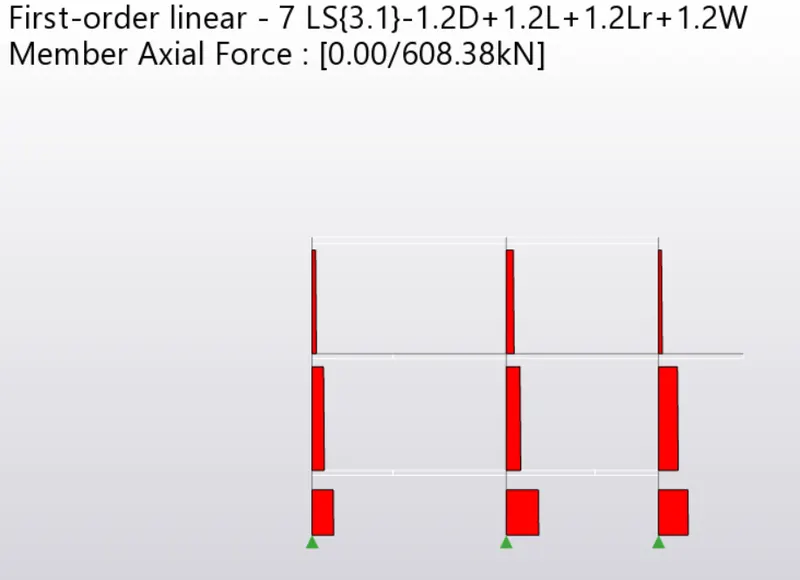
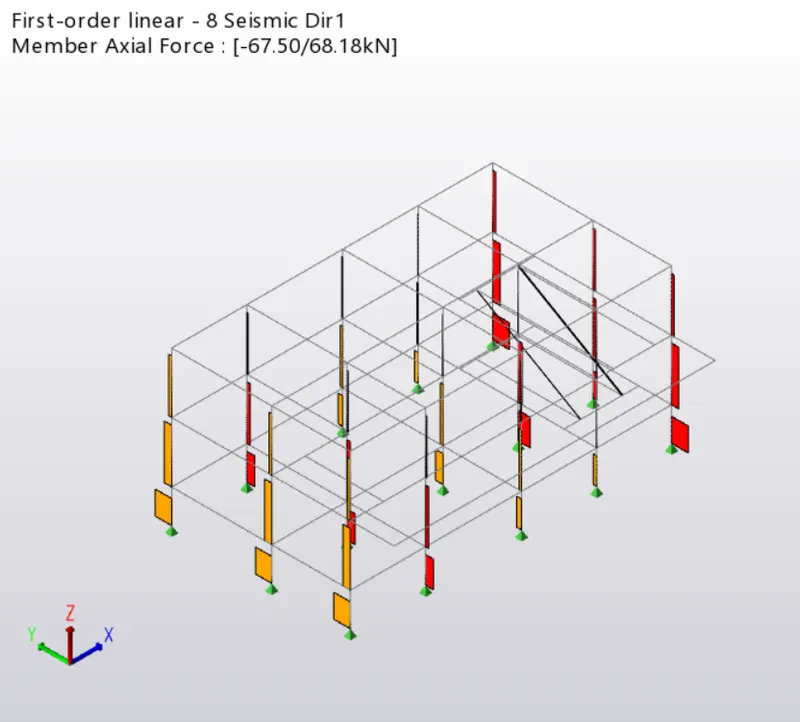
- Select "Axial force" in the results tab to get diagrams under axial loads and check under various combinations
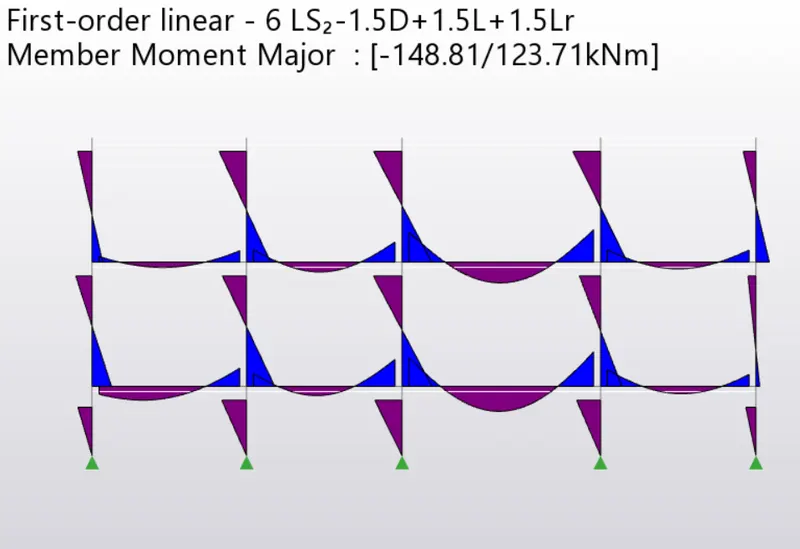
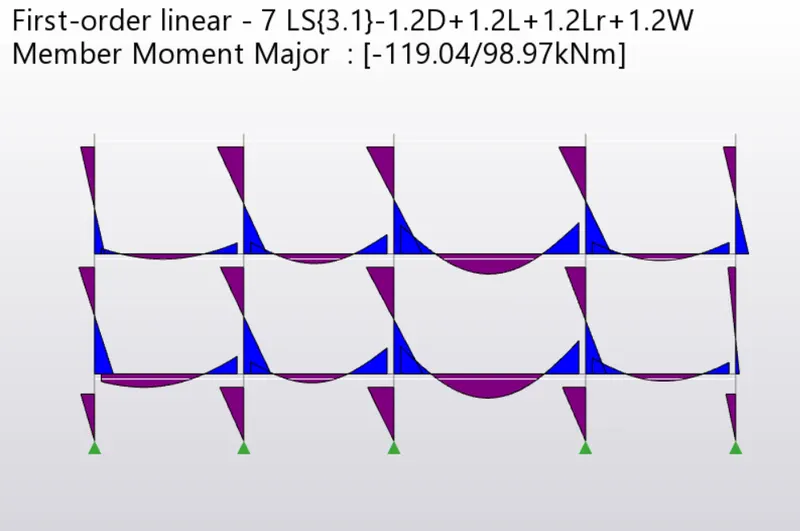
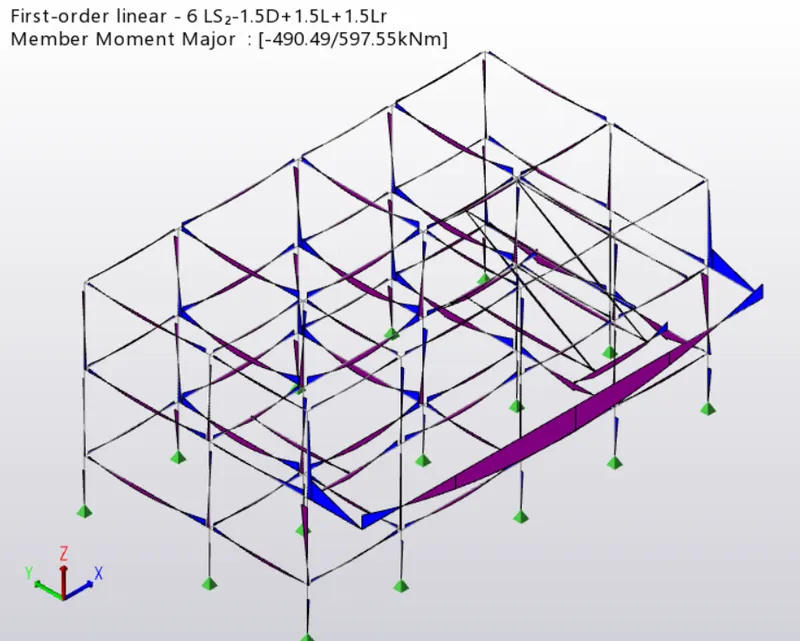
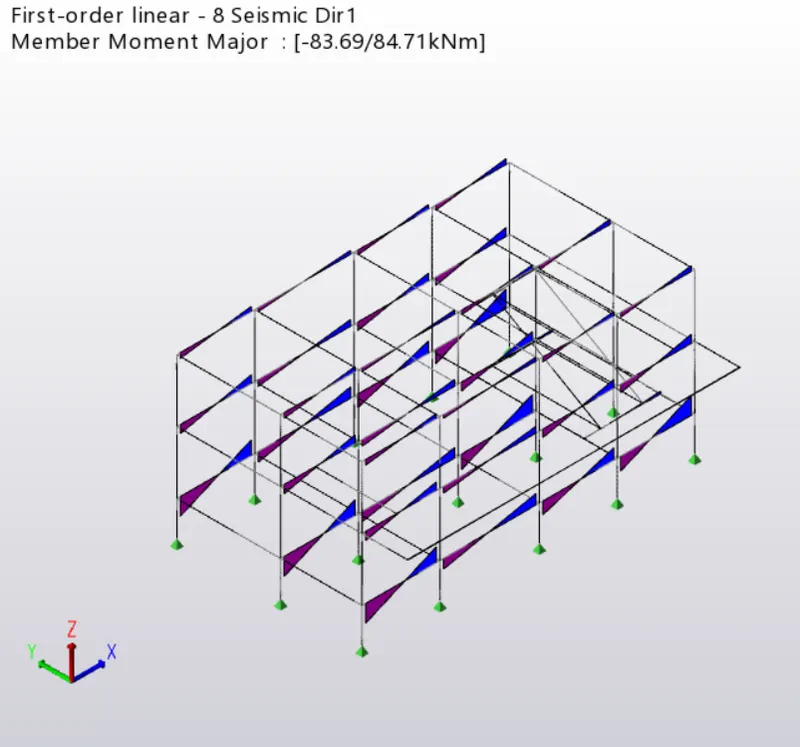
- Select "Moment major" in the results tab to get diagrams under moment and check under various combinations
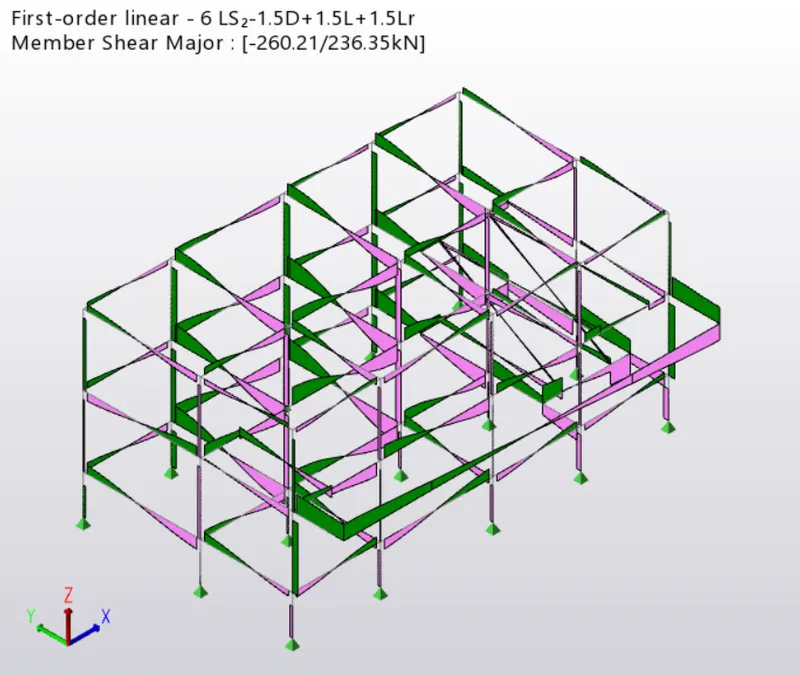
- Select "Shear major" in the results tab to get diagrams under moment and check under various combinations
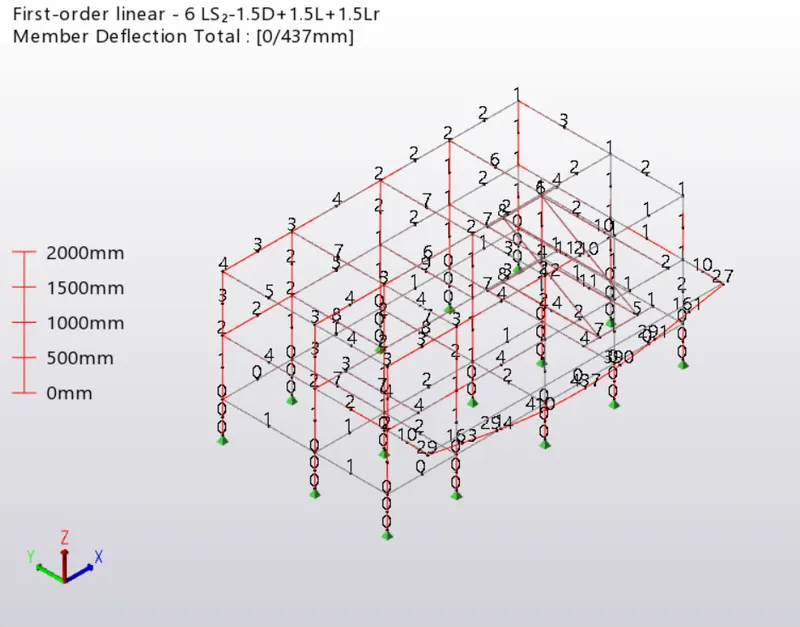
- Select "Deflections" in the results tab to get diagrams under moment and check under various combinations
RESULTS :
Axial load is more at the bottom (Direction 1)
Axial load is more at the bottom (Direction 2)
Moment diagram is also as per lateral loading
Shear major :
Seismic loading diagrams
Deflections