Structural analysis of a buidling using Robot Structural Analysis
Ans.1
AIM-: Describe the HVAC System in Buildings
HVAC Stands for Heating, Venilation and Air Conditioning
It is the technology of indoor envionment comfort its goal is to provide thermal comfort and acceptable indoor air quality.
- HVAC system used for controlling the overall climate if the building
- it enhancee the productivuty
- it improves the air quality of the buuidling indoor
- Acieving the energy efficiency of the building
Ans.2
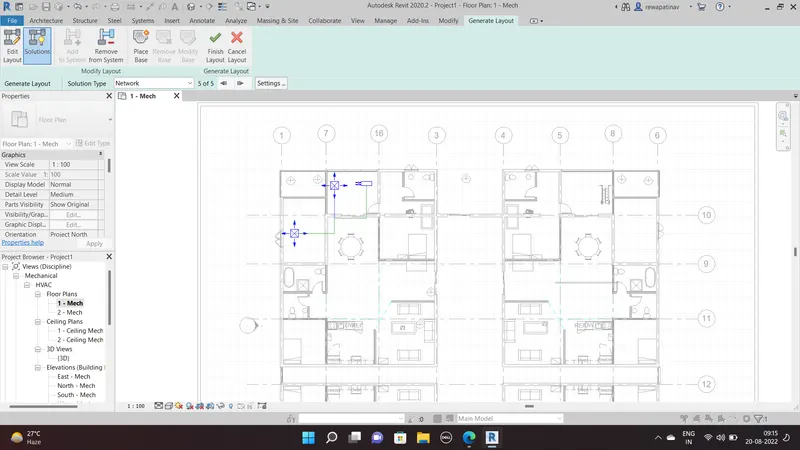
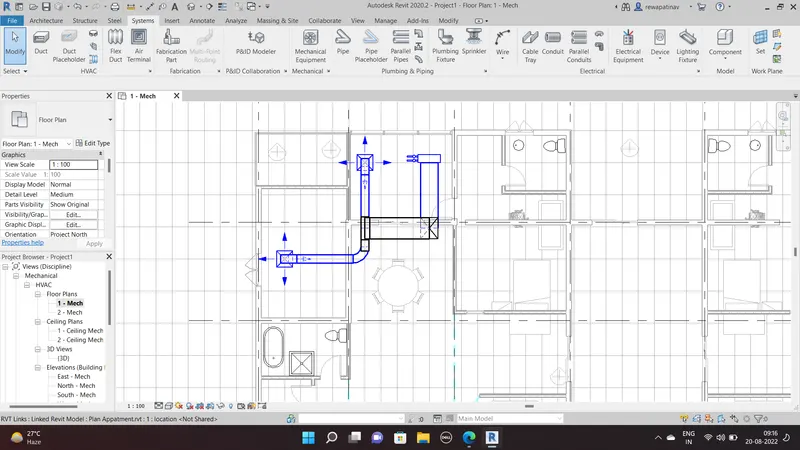
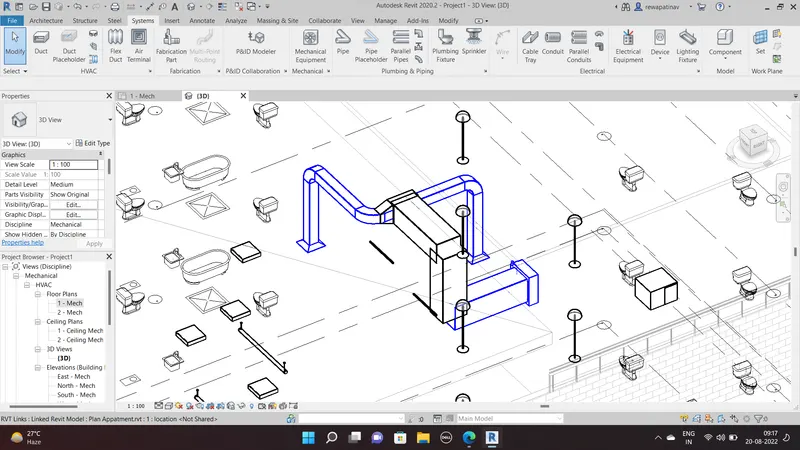
AIM- design HVAC System for the building model created in the week 7 challange by arrangement of diffuser blower and duct unitts
Procedure-
- Open New file as Mechanical or system templete
- LInk Revit file of model Week 7 Challange
- Than Go to Mech Floor plan 1
- Go to system Tab and Select the Air Terminal and Place on the layout
- Than go to the Go to the mechanical Equipment option under system tab and Laod Family and select a air diffuser
- Than Duct and than Generate layout
- Select layout from different options
- and than Finish The HVAC System is generated
Ans.3
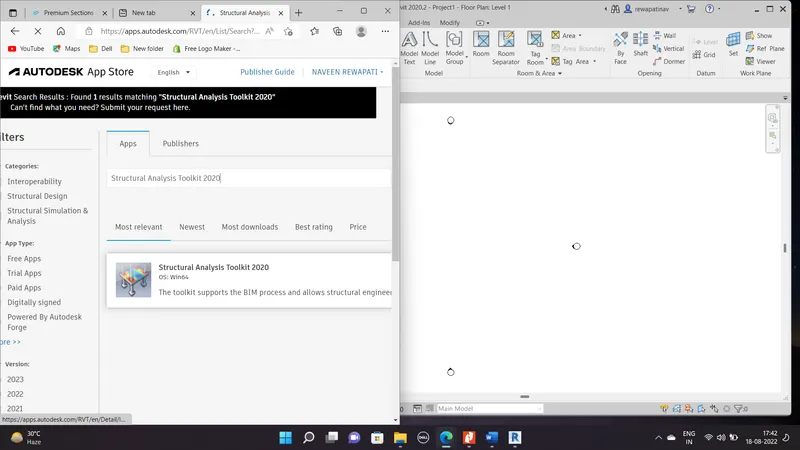
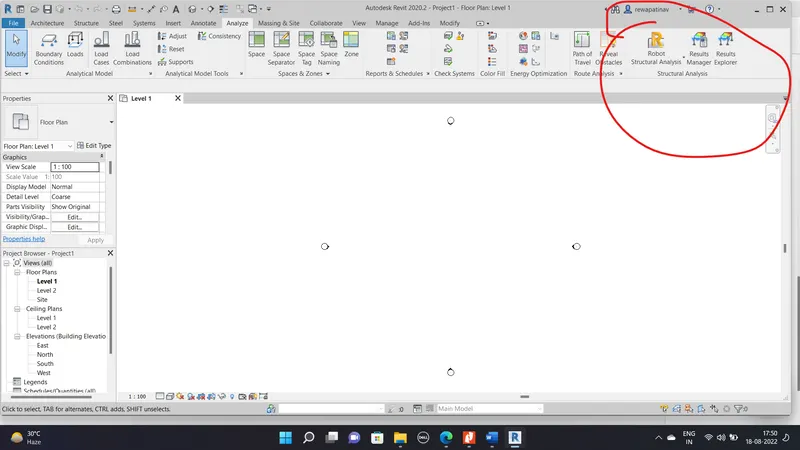
AIM- Add in tab in the ROBOT Structural analysis Softwere
Procedure-
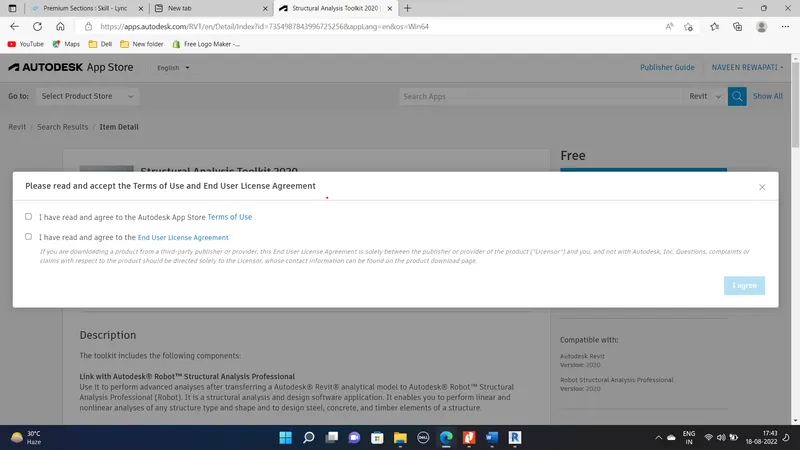
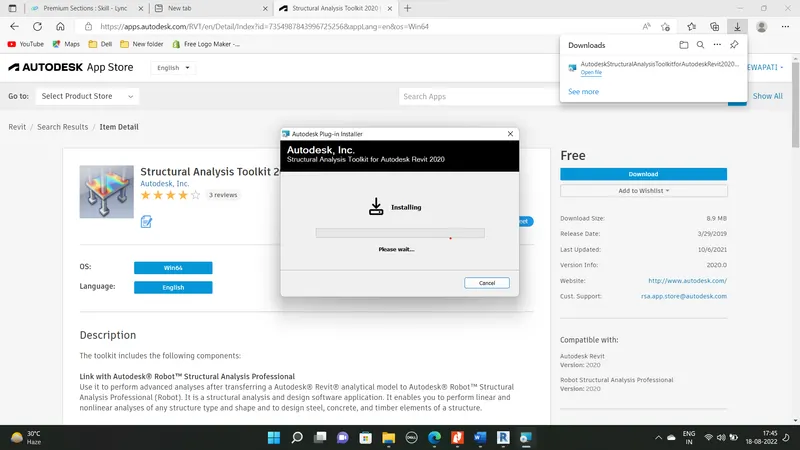
- Go to the option Autodesk APP store
- Than Search for the Structural Analysis Toolkit
- Than Select the version 2020 As my version of Revit
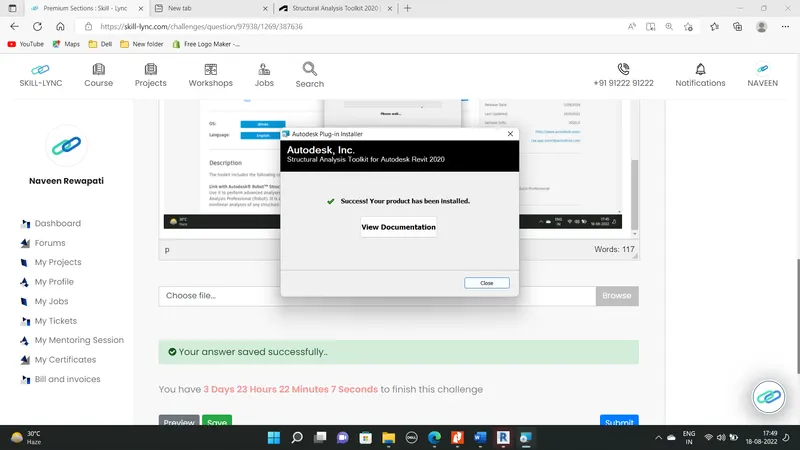
- Than Download the installation File setup than Install the Toolkit
Ans.4
AIM-: Proving the clerification of why the building analysis is essential in Modelling of the Buildidng
- It helps to calculating the Load and internal Forces of the strcuture which are generated due to teh applying load combinations on the Buildings as per the codal provisions
- its very helpfull in check the engineering design and efficient model
- Can Perform during the design
- Can analyse each and every structural element
Ans.5
AIM- export the complete analytical model to the ROBOT Structural ANALYSIS
- Open the structural Templete Created for the week 7 challange
- Than goto the analyse tab
- Load option > area Load>rectangle > Select all beams in rectangle
- Than Finish
- Load Cases option in analyse tab than default load case appears
- to create own delete default and add new
- i created the DL and LL
- Than Go to laod Combinations
- And add new combination and named as load Case 1
- on the formula place 1.0DL+1.5LL
- than Ok
- now Got to Analytical model option
- select Boundary condition as point
- And Apply at all column bases
- Now Got to Robot structural analysis option and Link
Ans.6
AIM-
Define energy analysis and why do we need to consider it while modeling in Revit?Clearify how the factor of sustainability improve the quality of your design
it is the traditional method of assessing the way the energy used in an operation involving the physical and chemical processing of the materials and the transfer nad convsion of energy
Four General principles
- Calculating heat loss Gain
- Calculating the energy
- Determining the Fuel Requirement
- Evaluating the costs
Factors of sustainability that improve the quality of the design
- Lower Energy
- impact of Climate change
- Resource consumption
- Quality and durability of price
- Non Toxic material