Reinforcement Detailing of Beams from ETABS output
Aim: To give the detailing of a beam in Etabs
Procedure:
- Open the downloaded file in Etabs
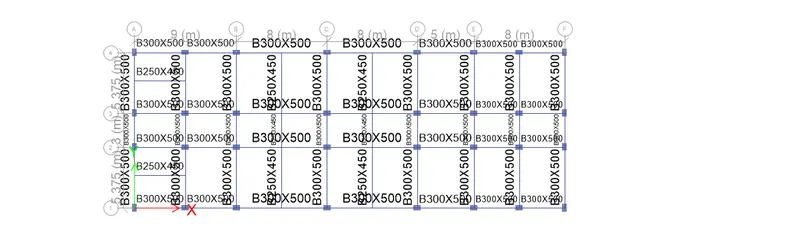
- Now check the model
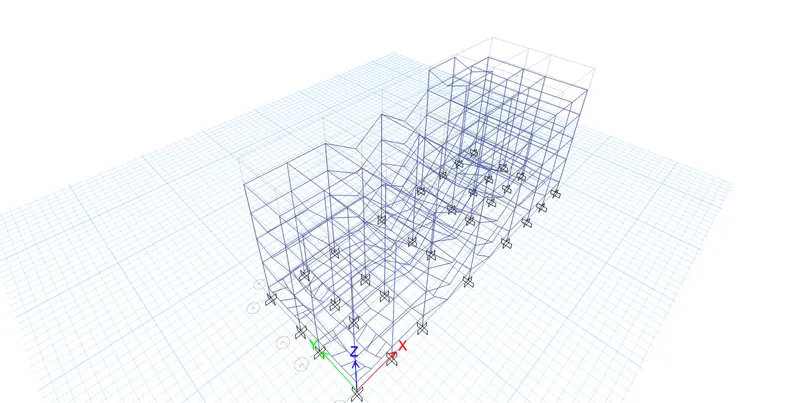
- Now run analysis
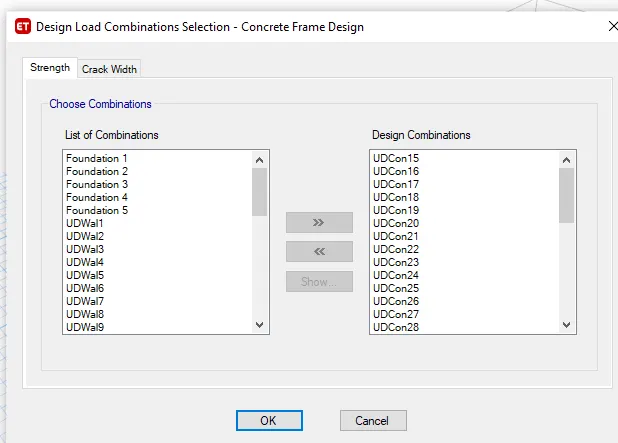
- Now check the Design load combinations
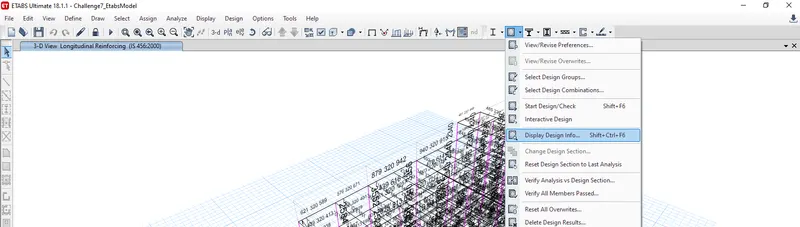
- Now select start beam design or click shift+f6
- Now click on Display design info
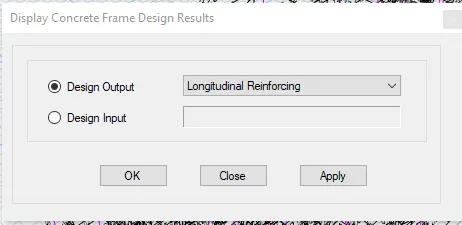
- Now select the longitudinal reinforcement
- Now we get model as shown below
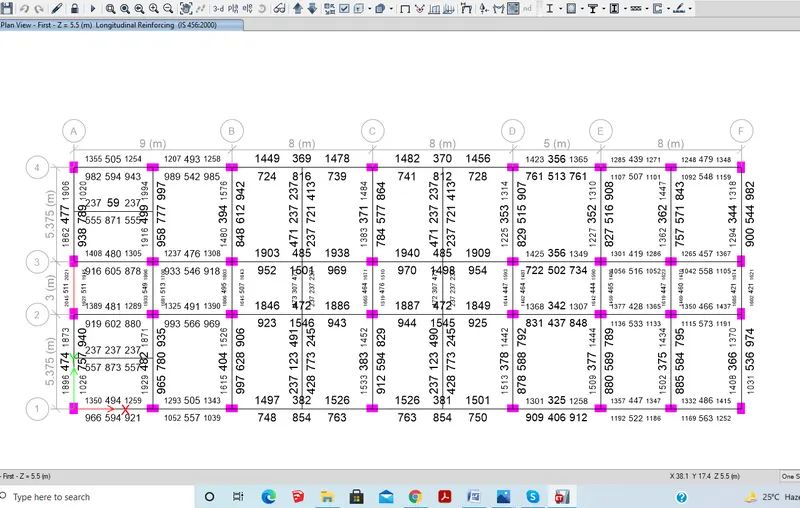
Reinforcement diagrams:
- Select the beam along the grid A
- Maximum Ast for the bottom support 1925 and bottom middle 789
- Maximum Ast for the top support 2045 and top middle 511
- Here provide the 3 bars of 20mm (942) and 5 bars of the 16mm (1004) at the bottom
- And provide the 4 bars of 20mm (1256) and 4 bars of 16 mm at the top (804)
- Next right click on the beam and check the sear details
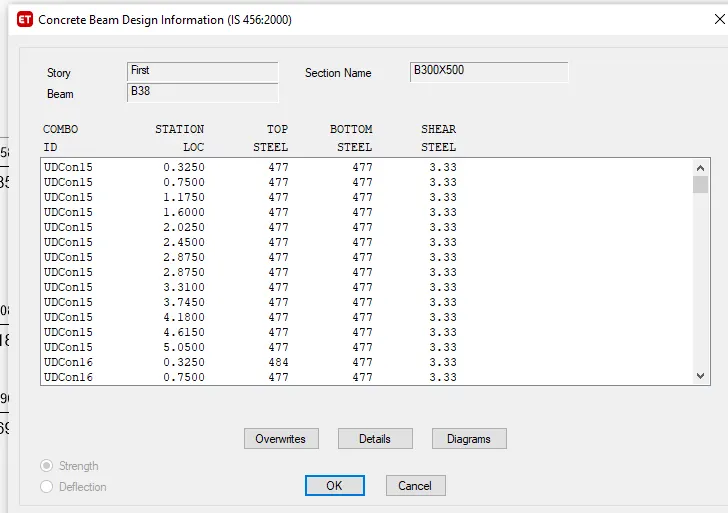
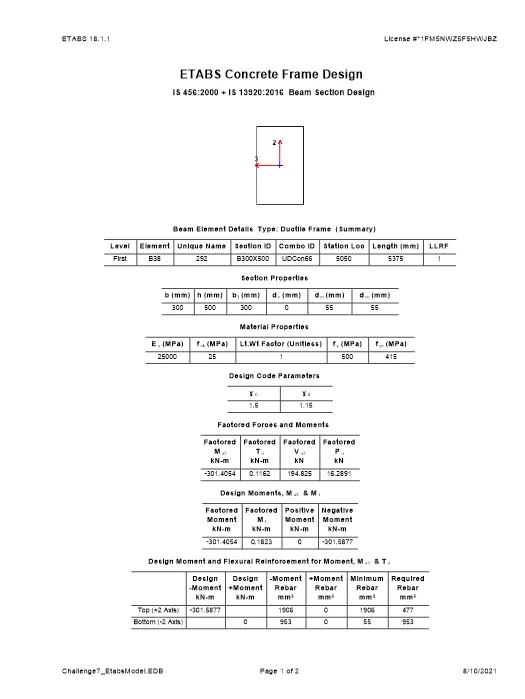
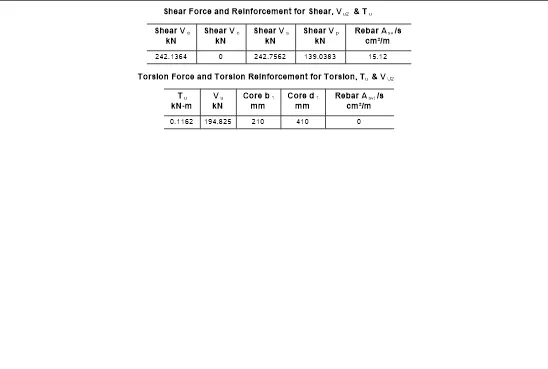
- Select the beam along grid 3
- Maximum Ast for the bottom support 1042 and bottom middle 1501
- Maximum Ast for the top support 1940 and top middle 485
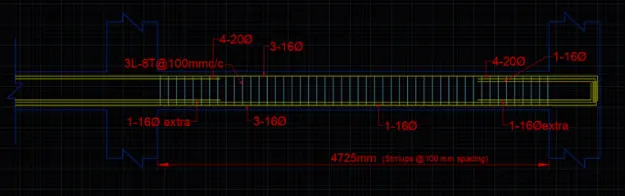
- Here provide the 2 bars of 12mm (226) and 4 bars of the 16mm (804) at bottom
- And provide the 3 bars of 20mm (942) and 5 bars of the 16mm (1004) at top
- Next right click on the beam and check the sear details
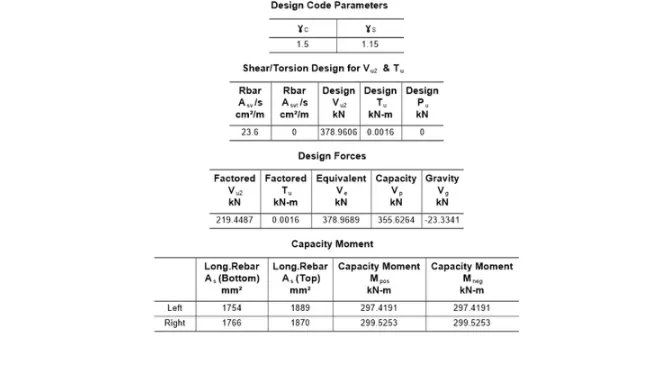
- From the Etabs results, we can observe that the shear demand is 378.9687KN
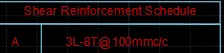
- So as per clause 6.3.3 provide 3 legged stirrups of diameter 10mm with spacing 95mm
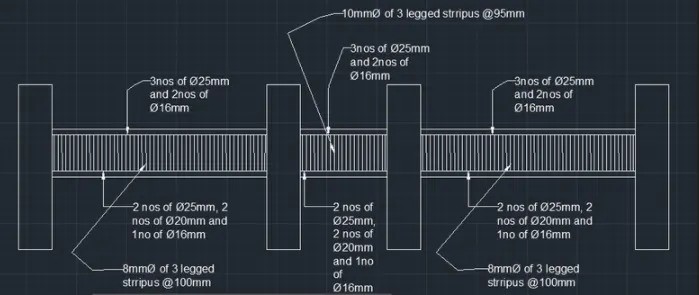
Result:
The task of detailing the beam is done successfully