Radar Mast & Final Assembly of Yacht
Radar Mast
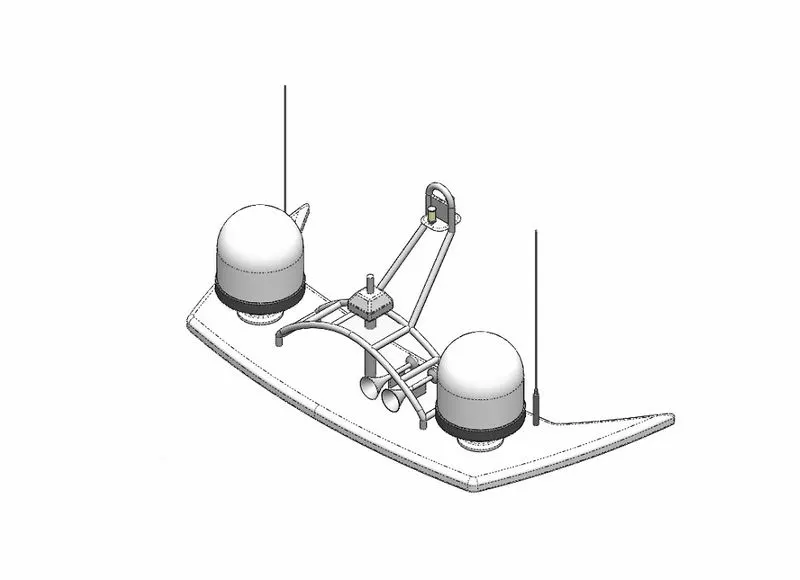
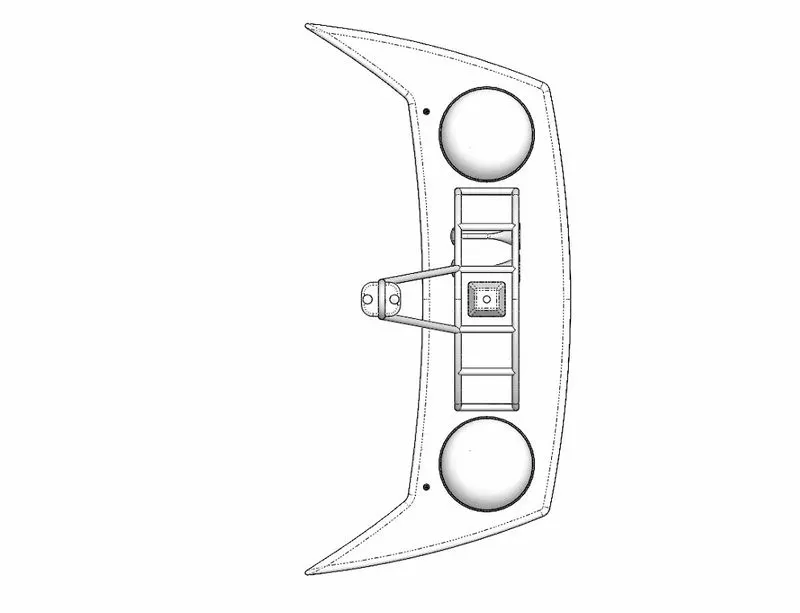
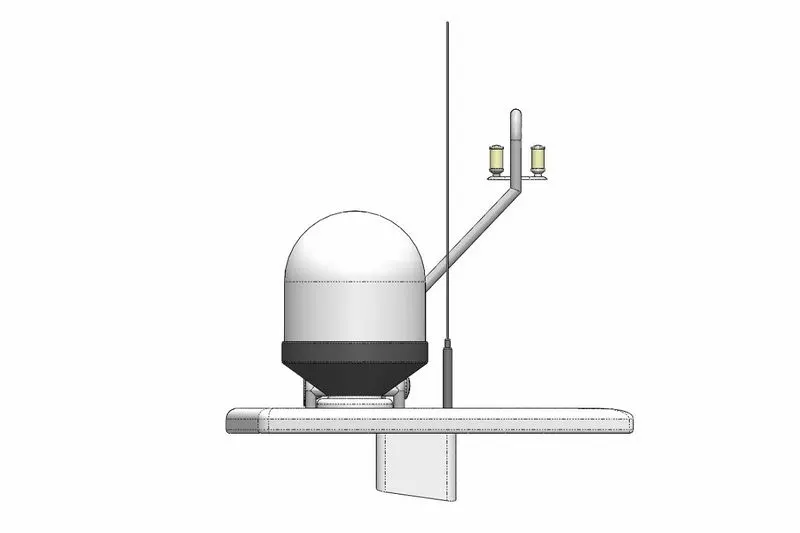
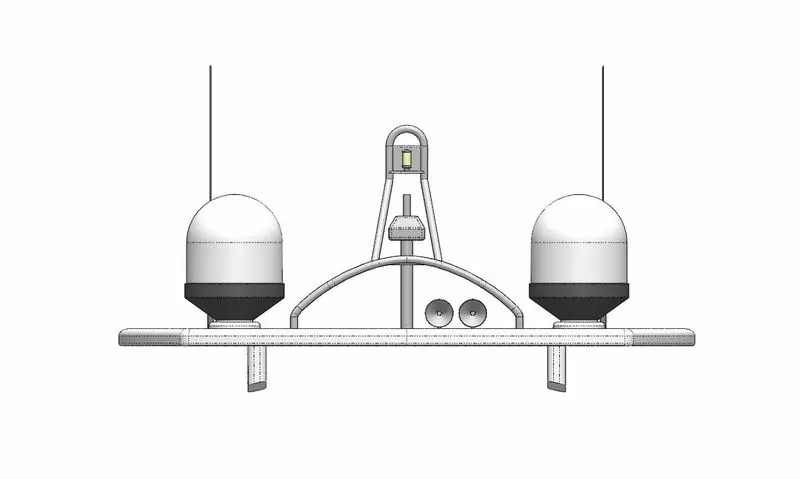
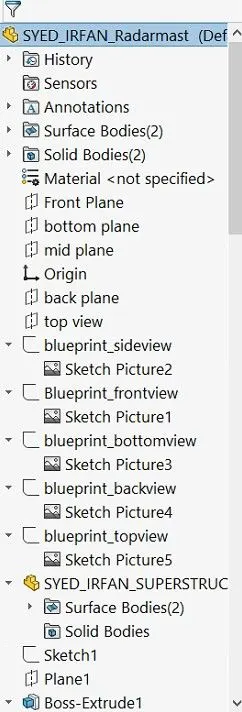
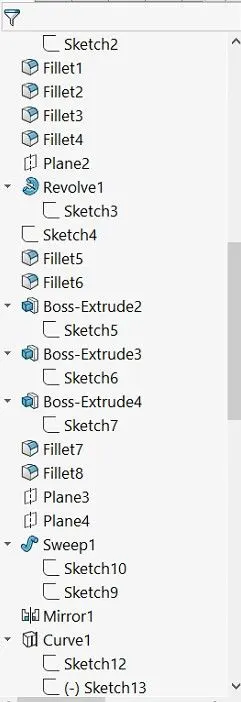
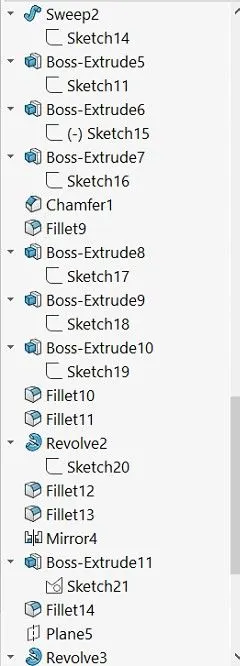
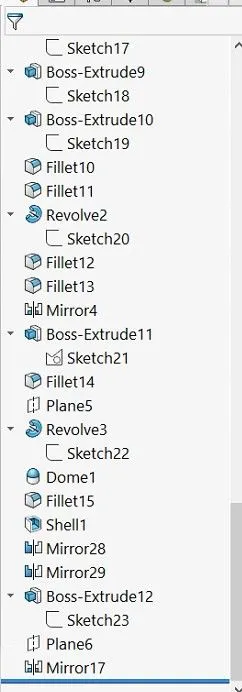
Yacht Assembly
DESIGN OF SUNSEEKER PREDATOR YACHT USING SOLIDWORKS
INTRODUCTION
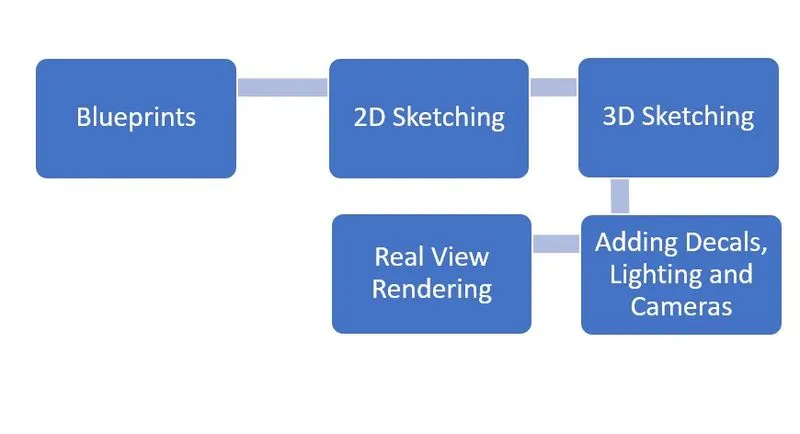
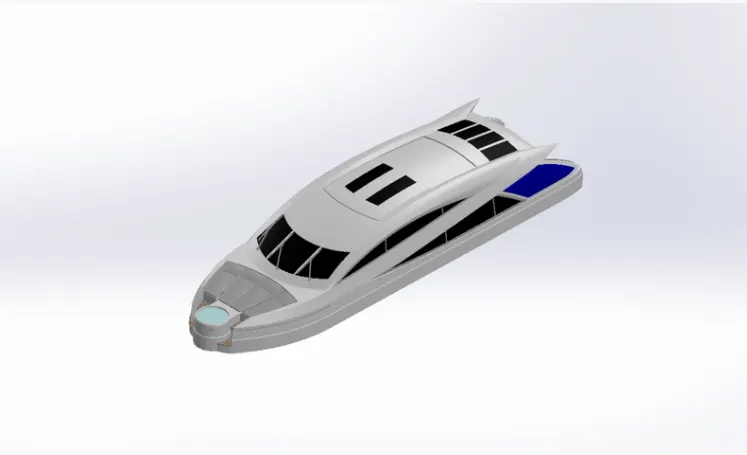
The Designing of sunseeker predator yacht is explained in this report. It includes Final assembly and rendering. this project designed with help of blueprints projection.
OBJECTIVE
To Understand,
- Blue Print
- Picture Frame
- 2d sketching
- 3d Sketching
- Assembly
- Real view Rendering
METHODOLOGY
COMPONENTS OF SUNSEEKER PREDATOR YACHT
They are,
- Propeller
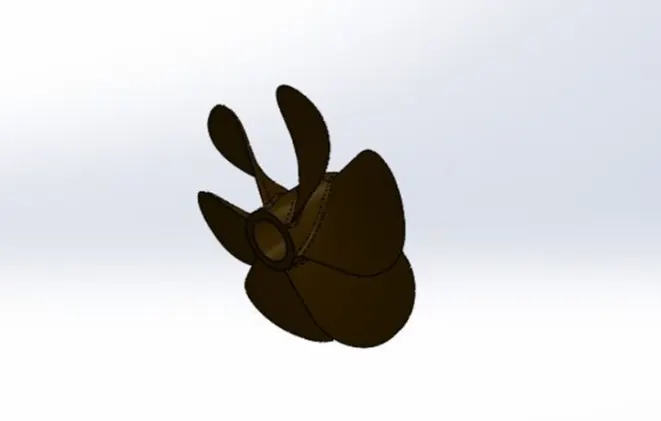
- Radar
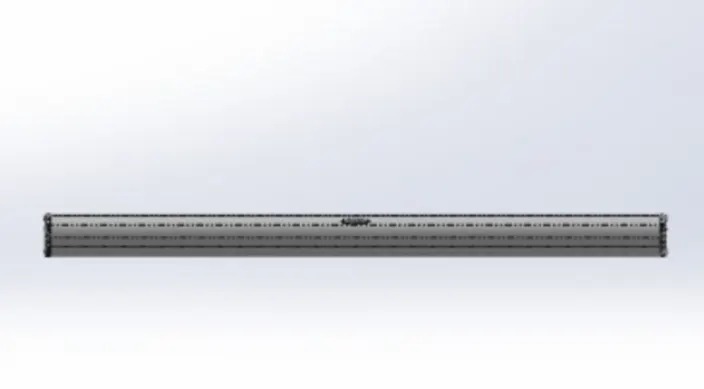
- Garage Door
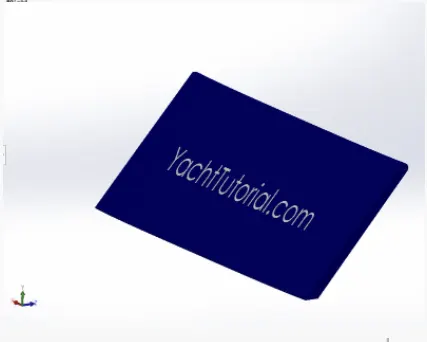
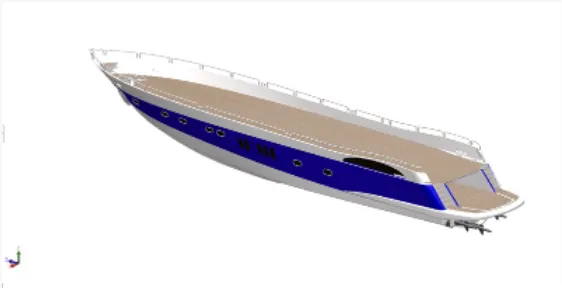
- Hull
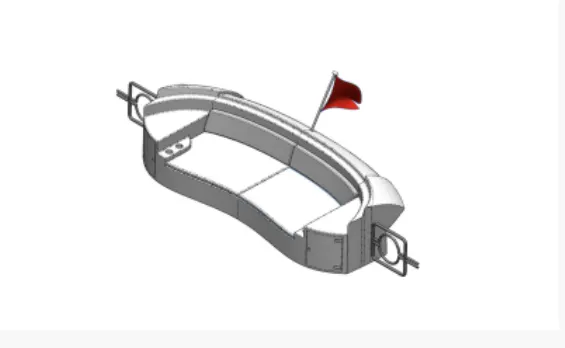
- Rear Seat
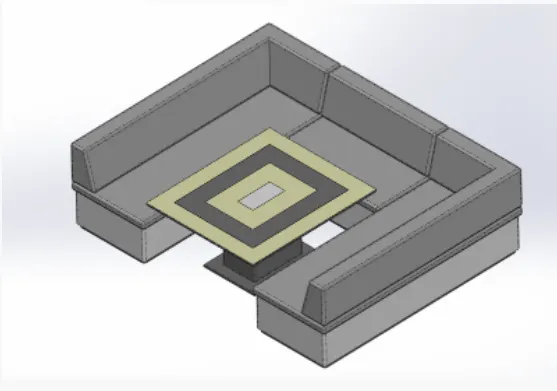
- Middle Seat
- Front Seat
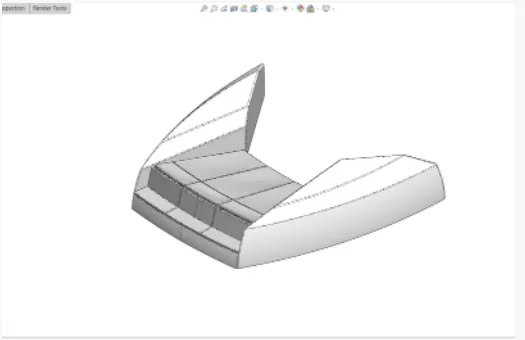
- Superstructure
DESCRIPITION
Above parts created by using following Features and tools.
Blueprint Setup:
Features:
Plane- Reference geometry defines the shape or form of a surface or a solid. Reference geometry includes items such as plane,axes coordinate
systems and points
Tools:
Sketch Picture-Use pictures as an underlay for creating 2D sketches. Convert raster data to vector data using Autotrace.
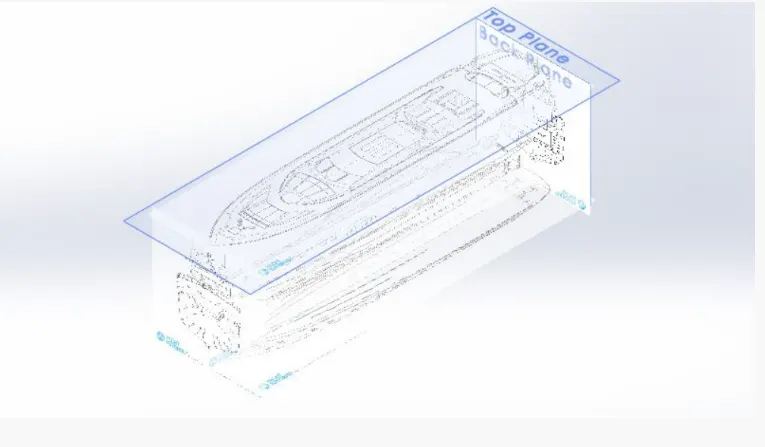
fig: Using plane feature to add blueprint
Propeller:
Tools:
Elipse- used to make the elliptical shape as per dimension.
Spline- used to make a spline cureve and curved line with complex geometry.
Smart Dimension- Create dimesnion for one or more selected entitites.
Line- Used to draw stright and tangent arcs.
Circle- to create a center of circle and set radius.
Features:
Plane- Reference geometry defines the shape or form of a surface or a solid. Reference geometry includes items such as plane,axes coordinate systems and points.
Revovle- it used for sketching contours around an axis to create a solid feature.
Fillet- Fillet id a feature used for making round edge to avoid sharp edges.
Mirror- Craeate a Copy of a feature(or multiple features), mirrored about a face or a plane
Cut extrude- Cuts a solid model by extruding a sketch profile in one to two directions.
Loft-The loft feature is an important tool for (surface) modeling in SolidWorks.
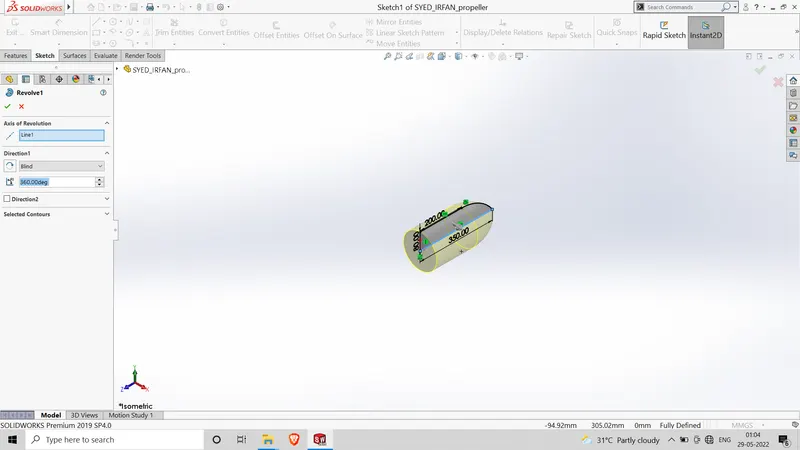
Fig: using feature revovle
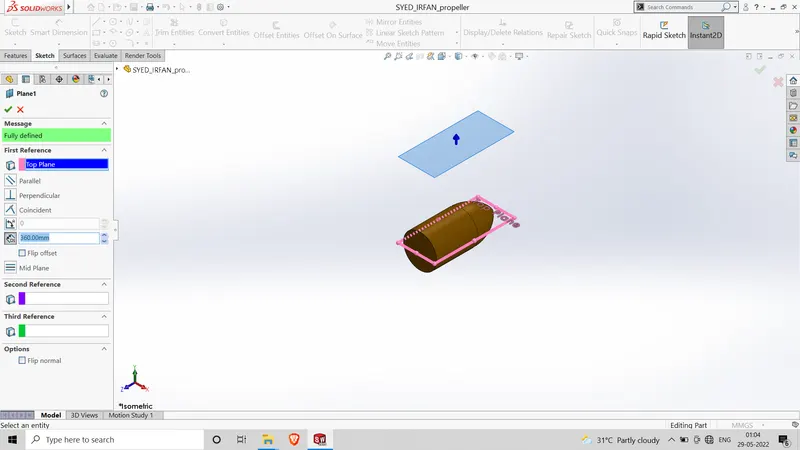
Fig: using Plane feature
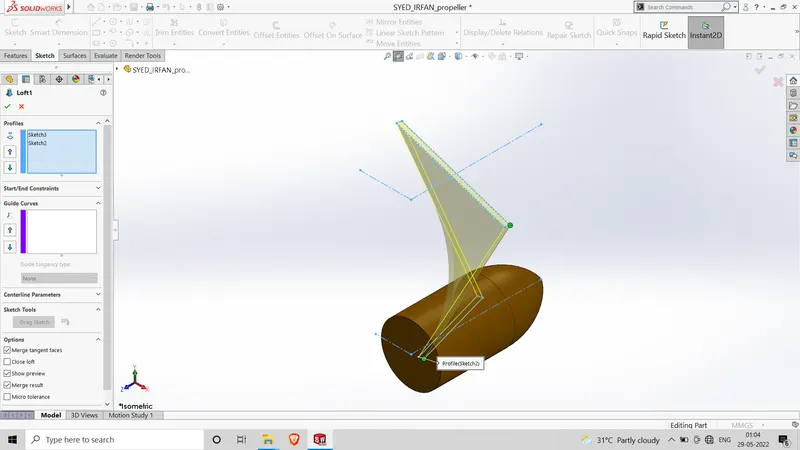
fig: Using Loft feature
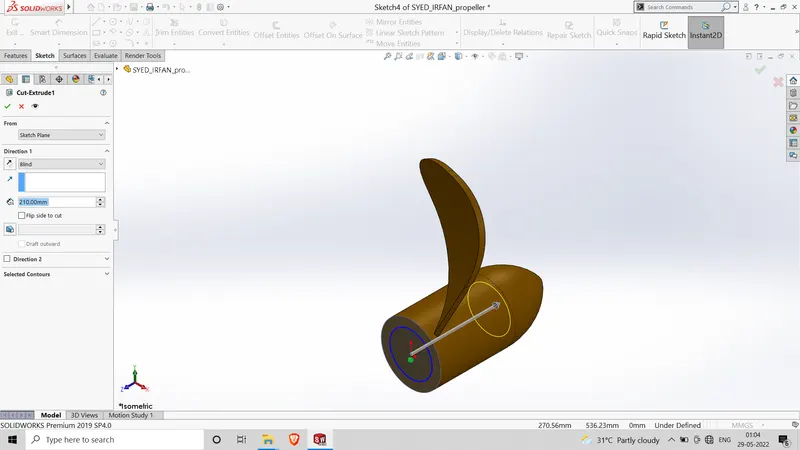
Fig: using cut extruded feature
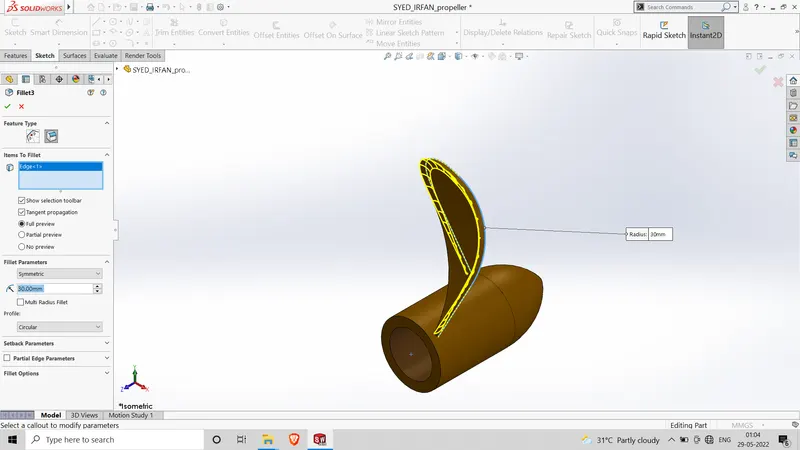
Fig: Using Feature fillet.
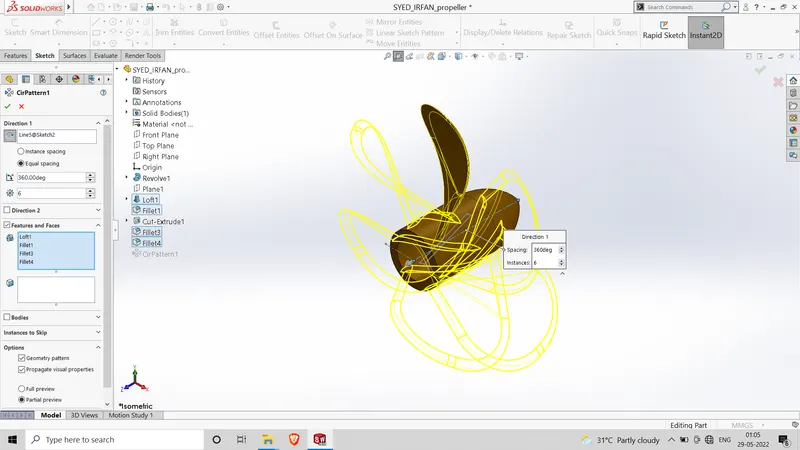
Fig: Using Feature mirror
Radar:
Tools:
Elipse- used to make the elliptical shape as per dimension.
Spline- used to make a spline cureve and curved line with complex geometry.
Smart Dimension- Create dimesnion for one or more selected entitites.
Line- Used to draw stright and tangent arcs.
Circle- to create a center of circle and set radius.
Sketch text- Sketch text on any set of continuous curves or edges
Features:
Fillet- Fillet id a feature used for making round edge to avoid sharp edges.
Mirror- Craeate a Copy of a feature(or multiple features), mirrored about a face or a plane
Cut extrude- Cuts a solid model by extruding a sketch profile in one to two directions.
boss extrude- Used to expand the object in 3dm according to sketch plane.
Sketch pattern- Using sketch points within a sketch, you can specify a feature pattern. The seed feature propagates throughout the pattern to each point in the sketch.
split Tool- tool projects an entity (sketch, solid, surface, face, plane, or surface spline) to surfaces, or curved or planar faces.
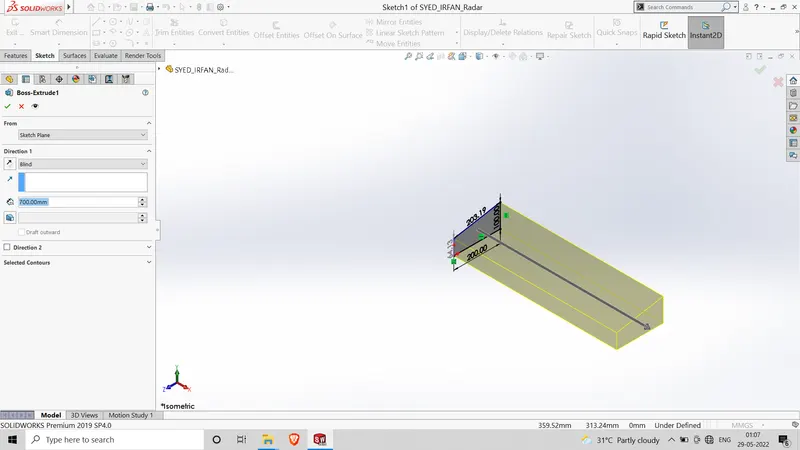
Fig: using boss-extrude feature
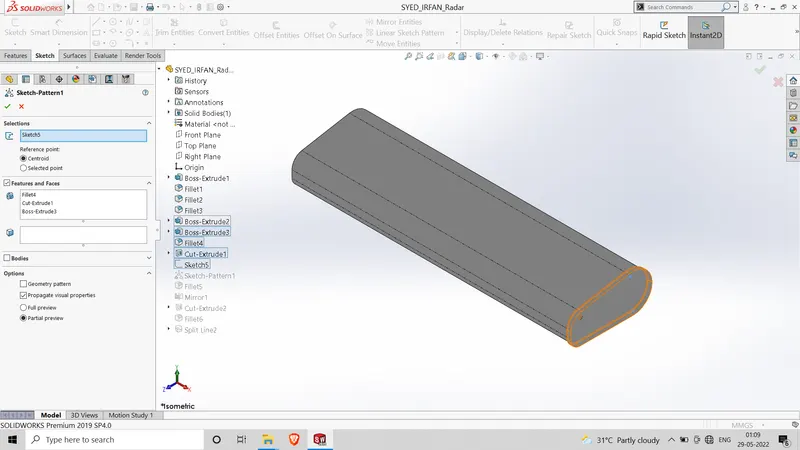
Fig: using sketch-pattern feature
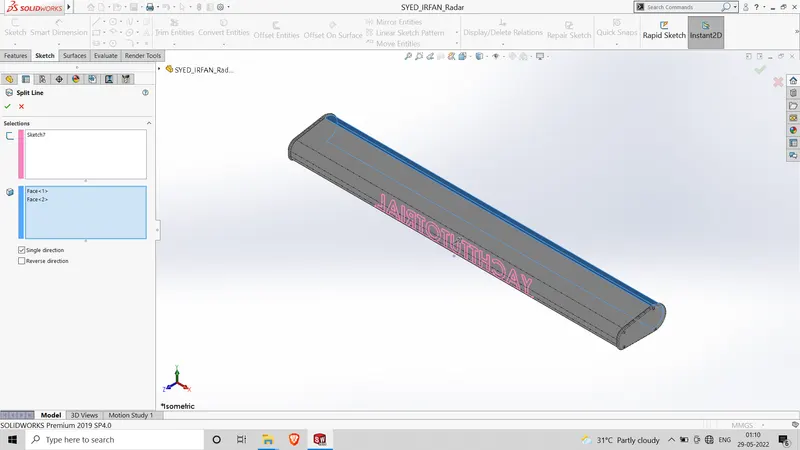
Fig: Using split tool feature
Garage Door:
Tools:
Elipse- used to make the elliptical shape as per dimension.
Spline- used to make a spline cureve and curved line with complex geometry.
Smart Dimension- Create dimesnion for one or more selected entitites.
Line- Used to draw stright and tangent arcs.
Circle- to create a center of circle and set radius.
Features:
Plane- Reference geometry defines the shape or form of a surface or a solid. Reference geometry includes items such as plane,axes coordinate systems and points.
Revovle- it used for sketching contours around an axis to create a solid feature.
Fillet- Fillet id a feature used for making round edge to avoid sharp edges.
Mirror- Craeate a Copy of a feature(or multiple features), mirrored about a face or a plane
Cut extrude- Cuts a solid model by extruding a sketch profile in one to two directions.
Loft-The loft feature is an important tool for (surface) modeling in SolidWorks.
Shell-The shell tool hollows out a part, leaves open the faces you select, and creates thin-walled features on the remaining faces.
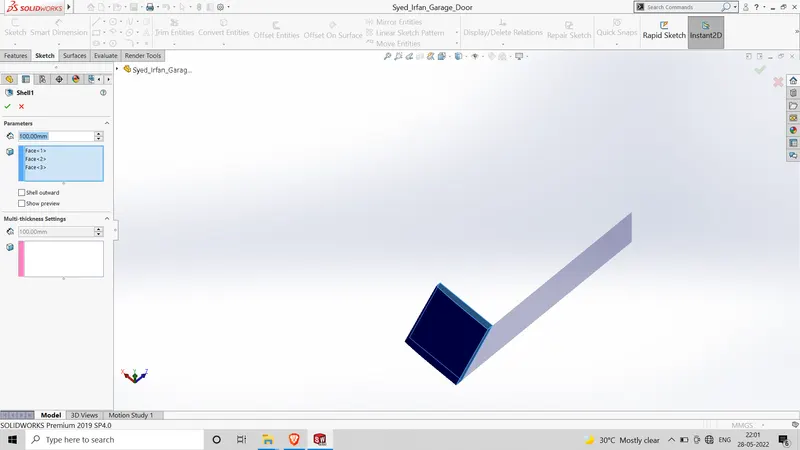
fig: Using shell feature.
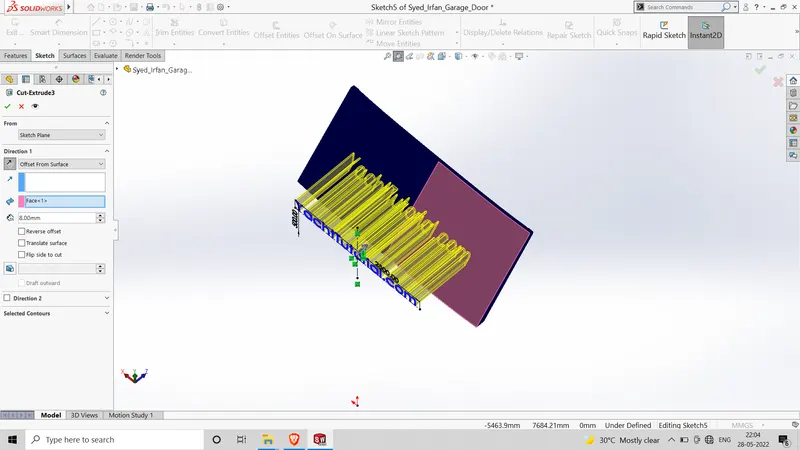
Fig: using cut-extrude feature
Hull:
Tools:
Elipse- used to make the elliptical shape as per dimension.
Spline- used to make a spline cureve and curved line with complex geometry.
Smart Dimension- Create dimesnion for one or more selected entitites.
Line- Used to draw stright and tangent arcs.
Circle- to create a center of circle and set radius.
convert entities- create one or more curves in a sketch by projecting an eged,loop,face,curve or external sketch contours, set of edges or set of sketch curves onto the sketch plane.
offset entities-Offset entities takes a copy of your existing geometry and copies it at an offset.
Line construction- used to make refernce geometry.
trim entities- used to trim a sketch entity to be coincident with another.
Features:
Plane- Reference geometry defines the shape or form of a surface or a solid. Reference geometry includes items such as plane,axes coordinate systems and points.
Revovle- it used for sketching contours around an axis to create a solid feature.
Fillet- Fillet id a feature used for making round edge to avoid sharp edges.
Mirror- Craeate a Copy of a feature(or multiple features), mirrored about a face or a plane
Cut extrude- Cuts a solid model by extruding a sketch profile in one to two directions.
Loft-The loft feature is an important tool for (surface) modeling in SolidWorks.
Shell-The shell tool hollows out a part, leaves open the faces you select, and creates thin-walled features on the remaining faces.
Revove- it used for sketching contours around an axis to create a solid frature.
Linear pattern- Use Linear patterns to create multiple instances of one or more features that you can space uniformly along one or two linear paths.
Project curve-You can project a sketched curve onto a model face to create a 3D curve. You can also create a 3D curve that represents the intersection of two extruded surfaces generated by creating sketches on two intersecting planes.
split Tool- tool projects an entity (sketch, solid, surface, face, plane, or surface spline) to surfaces, or curved or planar faces.
Surface Loft- when we loft a solid or surface feature using more than two sketch profiles, we generate a loft (or blend) surface, instead of a ruled surface.
Surface Trim- Trim surface includes the following options: To trim a surface Create two or more surfaces that intersect at one or more points, or create a surface that intersects with a plane or has a sketch on its face.
Surface extrude- Allows you to set different extrude thicknesses for Direction 1 Thickness and Direction 2 Thickness.
Surface Fill-The Filled Surface feature constructs a surface patch with any number of sides, within a boundary defined by existing model edges, sketches, or curves, including composite curves.
Surface Knit- Use the Knit Surface tool to combine two or more faces and surfaces into one.
Dome- The software calculates the distance using the radius of the arc as a basis for the dome. It creates a dome that is tangent to the adjacent cylindrical or conical face.
Helix/Spiral-Creates a spiral defined by Pitch and Revolutions.
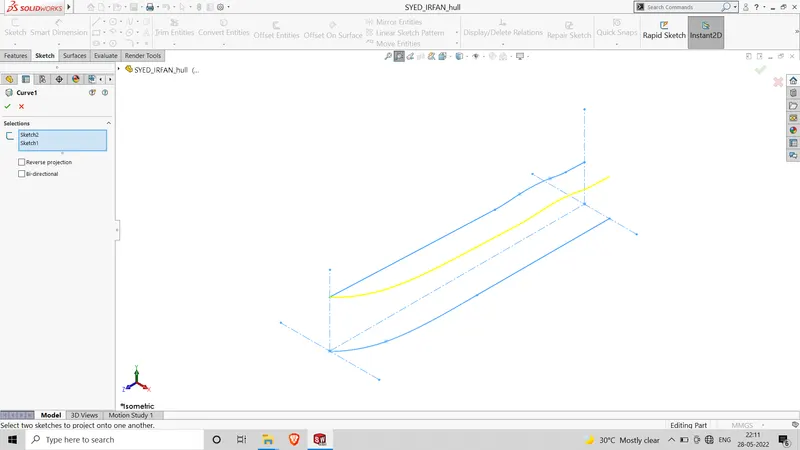
Fig: Using feature curve
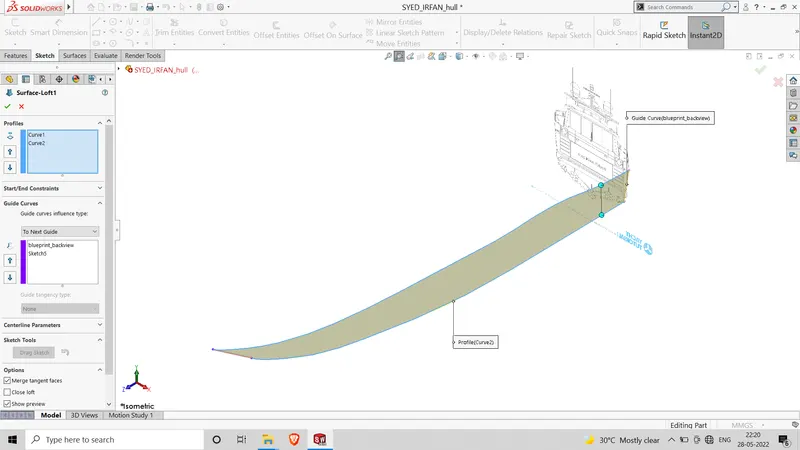
Fig: Using feature Surface loft
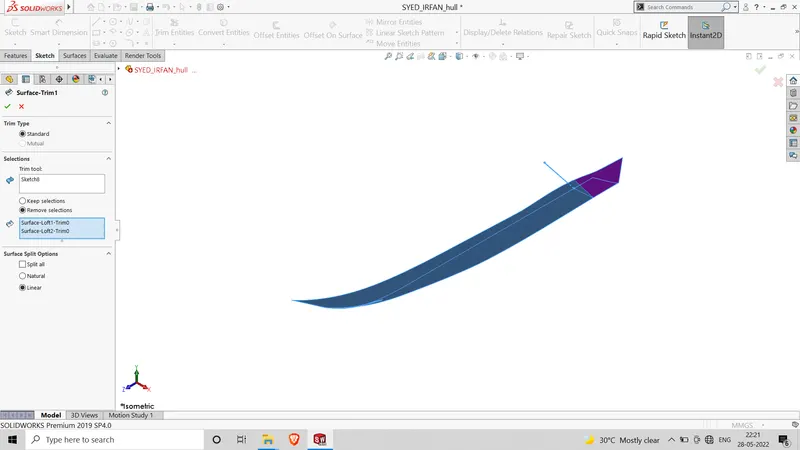
Fig: Using feature surface trim
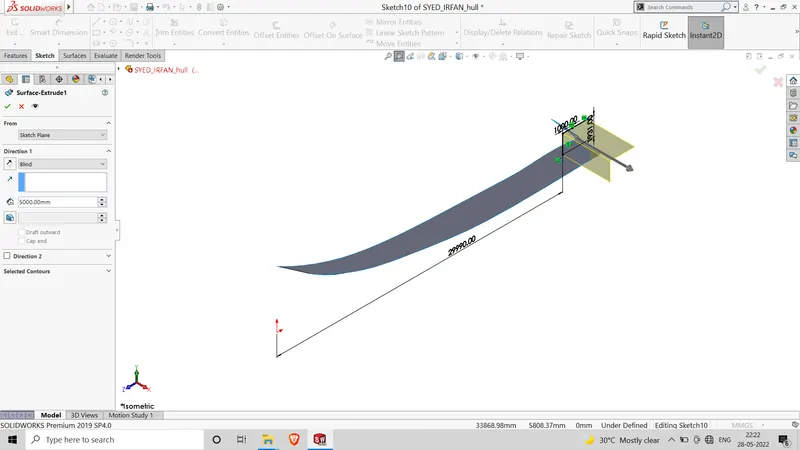
FIg: Using feature surface extrude
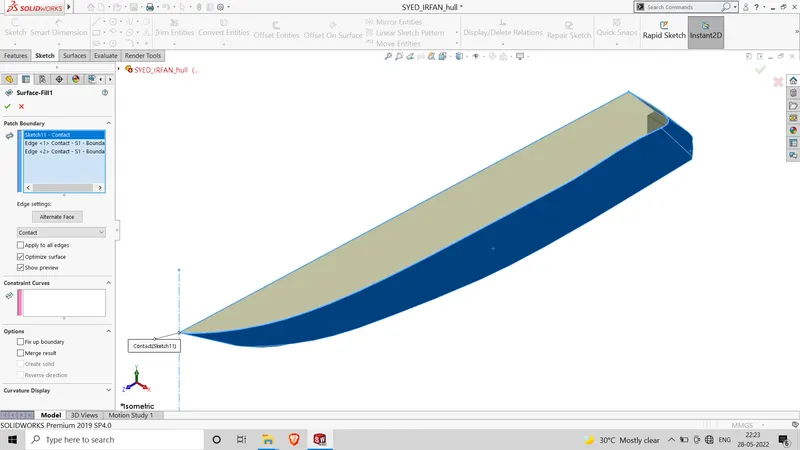
Fig: Using feature surface fill
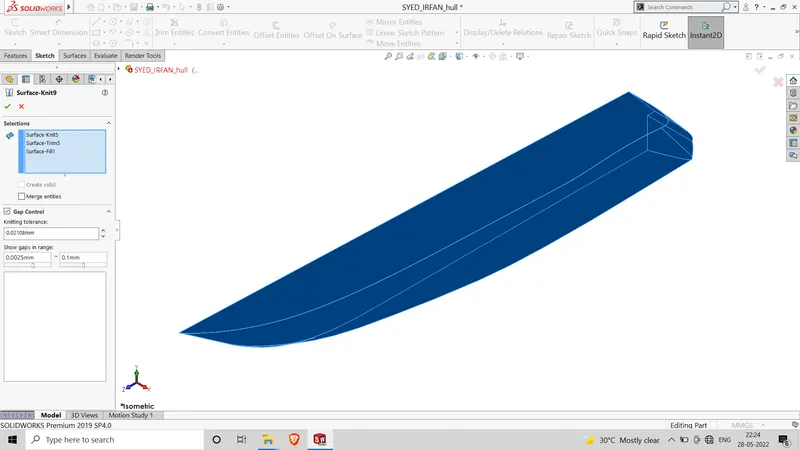
Fig: Using Feature surface knit
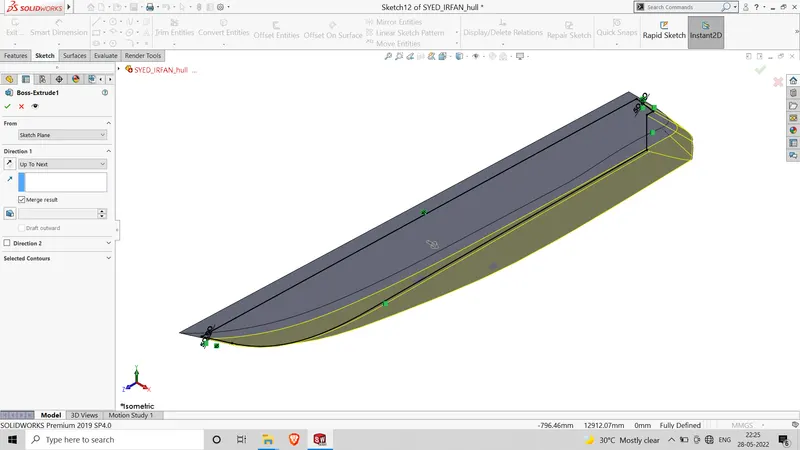
Fig: Using feature boss extrude
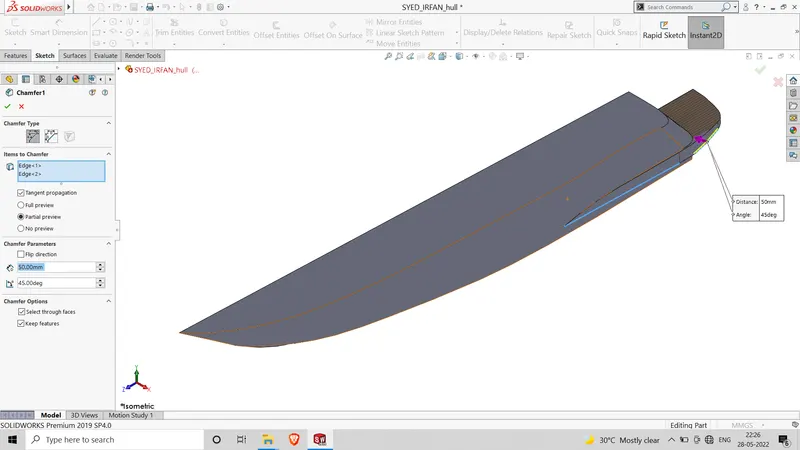
Fig: Using Feature chamfer
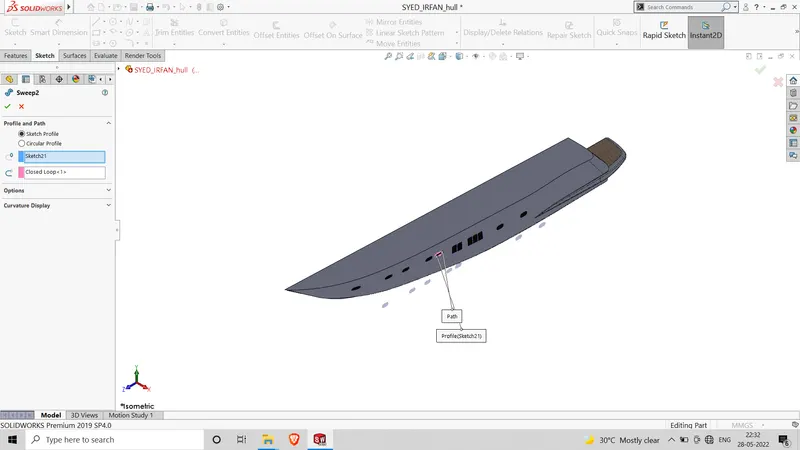
Fig: Using Feature Sweep
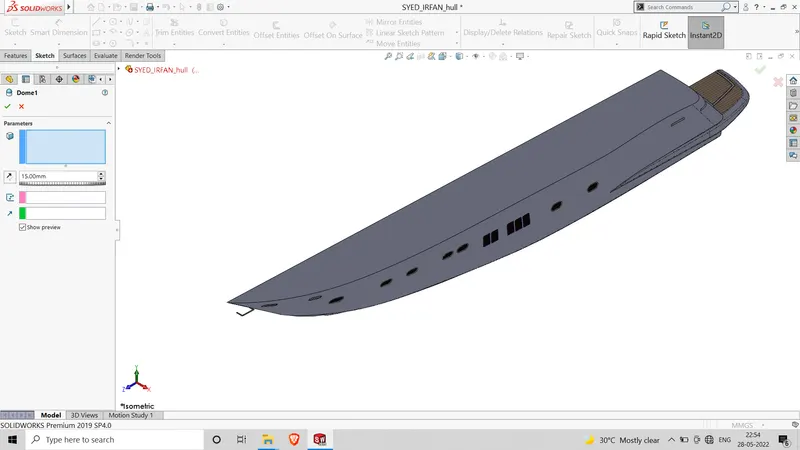
Fig: using Feature Dome
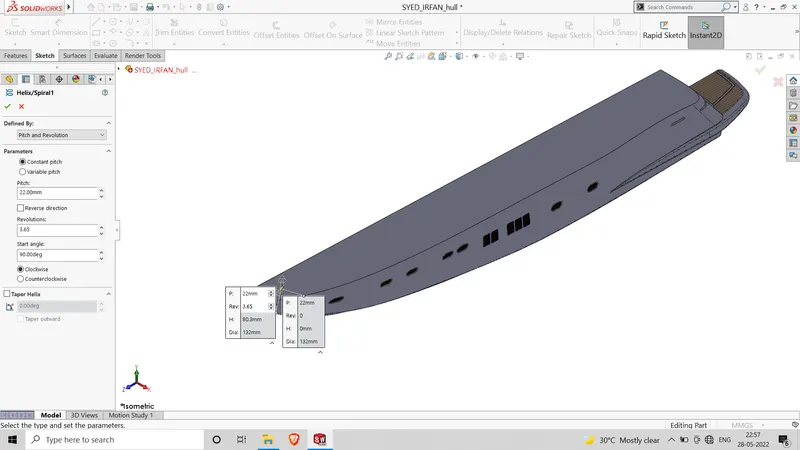
Fig: Using Feature Helix/spiral
Rear Seat :
Tools:
Elipse- used to make the elliptical shape as per dimension.
Spline- used to make a spline cureve and curved line with complex geometry.
Smart Dimension- Create dimesnion for one or more selected entitites.
Line- Used to draw stright and tangent arcs.
Circle- to create a center of circle and set radius.
convert entities- create one or more curves in a sketch by projecting an eged,loop,face,curve or external sketch contours, set of edges or set of sketch curves onto the sketch plane.
offset entities-Offset entities takes a copy of your existing geometry and copies it at an offset.
Line construction- used to make refernce geometry.
trim entities- used to trim a sketch entity to be coincident with another.
Features:
Plane- Reference geometry defines the shape or form of a surface or a solid. Reference geometry includes items such as plane,axes coordinate systems and points.
Revovle- it used for sketching contours around an axis to create a solid feature.
Fillet- Fillet id a feature used for making round edge to avoid sharp edges.
Mirror- Craeate a Copy of a feature(or multiple features), mirrored about a face or a plane
Cut extrude- Cuts a solid model by extruding a sketch profile in one to two directions.
Loft-The loft feature is an important tool for (surface) modeling in SolidWorks.
Shell-The shell tool hollows out a part, leaves open the faces you select, and creates thin-walled features on the remaining faces.
Revove- it used for sketching contours around an axis to create a solid frature.
Linear pattern- Use Linear patterns to create multiple instances of one or more features that you can space uniformly along one or two linear paths.
Project curve-You can project a sketched curve onto a model face to create a 3D curve. You can also create a 3D curve that represents the intersection of two extruded surfaces generated by creating sketches on two intersecting planes.
split Tool- tool projects an entity (sketch, solid, surface, face, plane, or surface spline) to surfaces, or curved or planar faces.
Surface Loft- when we loft a solid or surface feature using more than two sketch profiles, we generate a loft (or blend) surface, instead of a ruled surface.
Surface Trim- Trim surface includes the following options: To trim a surface Create two or more surfaces that intersect at one or more points, or create a surface that intersects with a plane or has a sketch on its face.
Surface extrude- Allows you to set different extrude thicknesses for Direction 1 Thickness and Direction 2 Thickness.
Surface Fill-The Filled Surface feature constructs a surface patch with any number of sides, within a boundary defined by existing model edges, sketches, or curves, including composite curves.
Surface Knit- Use the Knit Surface tool to combine two or more faces and surfaces into one.
Dome- The software calculates the distance using the radius of the arc as a basis for the dome. It creates a dome that is tangent to the adjacent cylindrical or conical face.
Helix/Spiral-Creates a spiral defined by Pitch and Revolutions.
Ruled Surface - creates surfaces that extend out in a specified direction from selected edges.
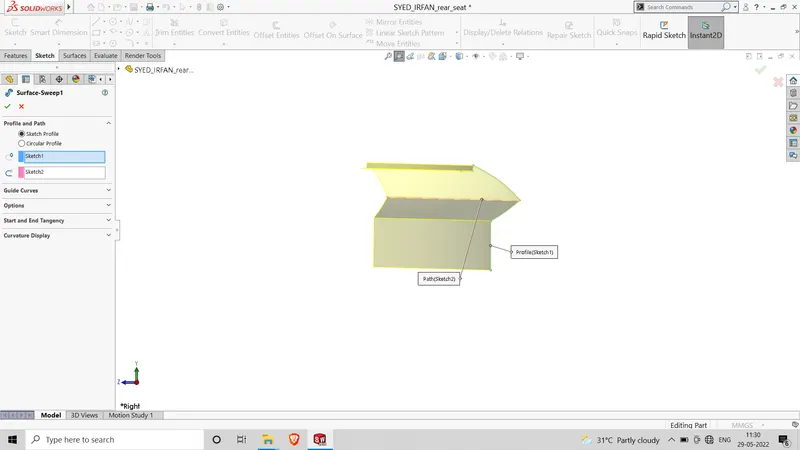
Fig: using Feature Surface sweep
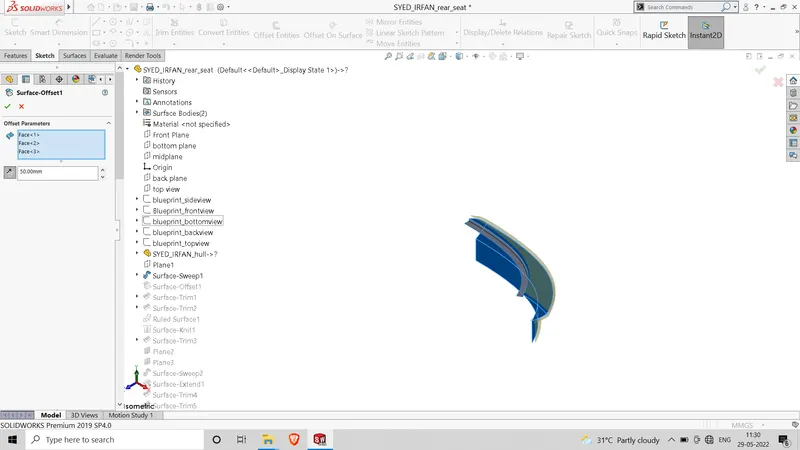
Fig: Using Feature Surface offset
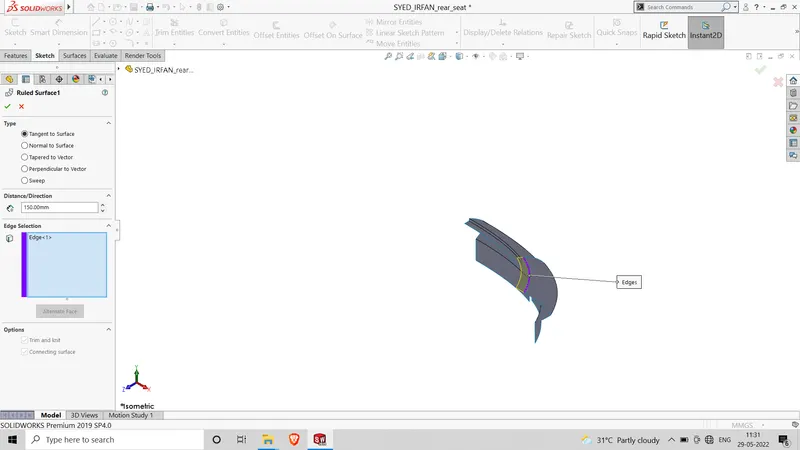
Fig: Using Feature Ruled surface
Middle Seat:
Tools:
Spline- used to make a spline cureve and curved line with complex geometry.
Smart Dimension- Create dimesnion for one or more selected entitites.
Line- Used to draw stright and tangent arcs.
Circle- to create a center of circle and set radius.
convert entities- create one or more curves in a sketch by projecting an eged,loop,face,curve or external sketch contours, set of edges or set of sketch curves onto the sketch plane.
offset entities-Offset entities takes a copy of your existing geometry and copies it at an offset.
Line construction- used to make refernce geometry.
trim entities- used to trim a sketch entity to be coincident with another.
Features:
Plane- Reference geometry defines the shape or form of a surface or a solid. Reference geometry includes items such as plane,axes coordinate systems and points.
Fillet- Fillet id a feature used for making round edge to avoid sharp edges.
Mirror- Craeate a Copy of a feature(or multiple features), mirrored about a face or a plane
Cut extrude- Cuts a solid model by extruding a sketch profile in one to two directions.
Shell-The shell tool hollows out a part, leaves open the faces you select, and creates thin-walled features on the remaining faces.
Revove- it used for sketching contours around an axis to create a solid frature.
Linear pattern- Use Linear patterns to create multiple instances of one or more features that you can space uniformly along one or two linear paths.
split Tool- tool projects an entity (sketch, solid, surface, face, plane, or surface spline) to surfaces, or curved or planar faces.
Surface Loft- when we loft a solid or surface feature using more than two sketch profiles, we generate a loft (or blend) surface, instead of a ruled surface.
Surface Trim- Trim surface includes the following options: To trim a surface Create two or more surfaces that intersect at one or more points, or create a surface that intersects with a plane or has a sketch on its face.
Surface extrude- Allows you to set different extrude thicknesses for Direction 1 Thickness and Direction 2 Thickness.
Surface Fill-The Filled Surface feature constructs a surface patch with any number of sides, within a boundary defined by existing model edges, sketches, or curves, including composite curves.
Surface Knit- Use the Knit Surface tool to combine two or more faces and surfaces into one.
Dome- The software calculates the distance using the radius of the arc as a basis for the dome. It creates a dome that is tangent to the adjacent cylindrical or conical face.
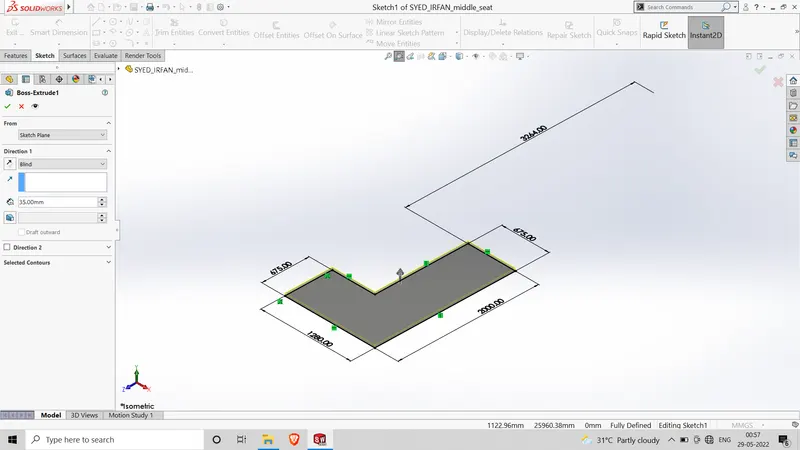
Fig: Using Feature Boss Extrude
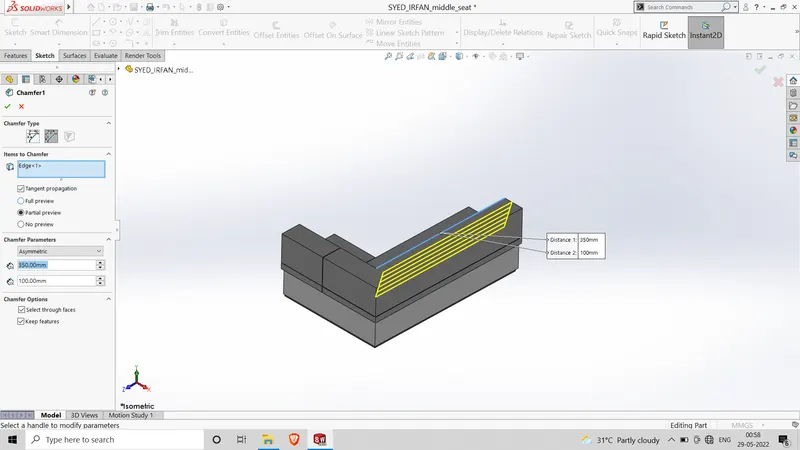
Fig: Using Feature Chamfer
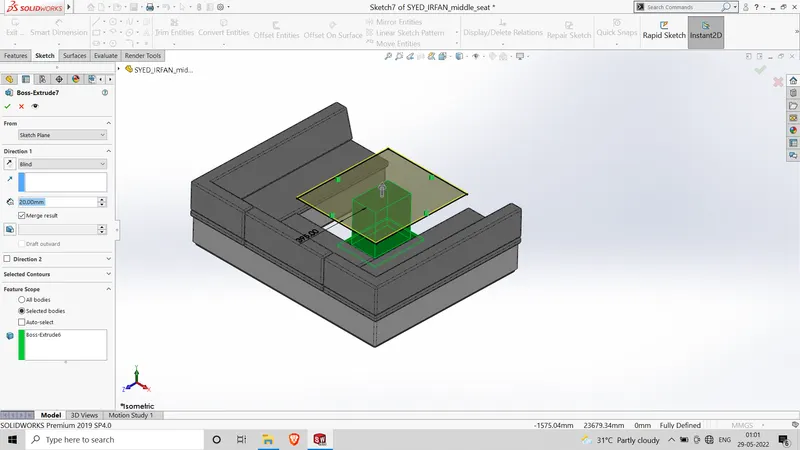
Fig: Using Feature boss extrude
Front Seat:
Tools:
Spline- used to make a spline cureve and curved line with complex geometry.
Smart Dimension- Create dimesnion for one or more selected entitites.
Line- Used to draw stright and tangent arcs.
Circle- to create a center of circle and set radius.
convert entities- create one or more curves in a sketch by projecting an eged,loop,face,curve or external sketch contours, set of edges or set of sketch curves onto the sketch plane.
offset entities-Offset entities takes a copy of your existing geometry and copies it at an offset.
Line construction- used to make refernce geometry.
trim entities- used to trim a sketch entity to be coincident with another.
Features:
Plane- Reference geometry defines the shape or form of a surface or a solid. Reference geometry includes items such as plane,axes coordinate systems and points.
Fillet- Fillet id a feature used for making round edge to avoid sharp edges.
Mirror- Craeate a Copy of a feature(or multiple features), mirrored about a face or a plane
Cut extrude- Cuts a solid model by extruding a sketch profile in one to two directions.
Shell-The shell tool hollows out a part, leaves open the faces you select, and creates thin-walled features on the remaining faces.
Revove- it used for sketching contours around an axis to create a solid frature.
Linear pattern- Use Linear patterns to create multiple instances of one or more features that you can space uniformly along one or two linear paths.
split Tool- tool projects an entity (sketch, solid, surface, face, plane, or surface spline) to surfaces, or curved or planar faces.
Surface Loft- when we loft a solid or surface feature using more than two sketch profiles, we generate a loft (or blend) surface, instead of a ruled surface.
Surface Trim- Trim surface includes the following options: To trim a surface Create two or more surfaces that intersect at one or more points, or create a surface that intersects with a plane or has a sketch on its face.
Surface extrude- Allows you to set different extrude thicknesses for Direction 1 Thickness and Direction 2 Thickness.
Surface Fill-The Filled Surface feature constructs a surface patch with any number of sides, within a boundary defined by existing model edges, sketches, or curves, including composite curves.
Surface Knit- Use the Knit Surface tool to combine two or more faces and surfaces into one.
Dome- The software calculates the distance using the radius of the arc as a basis for the dome. It creates a dome that is tangent to the adjacent cylindrical or conical face.
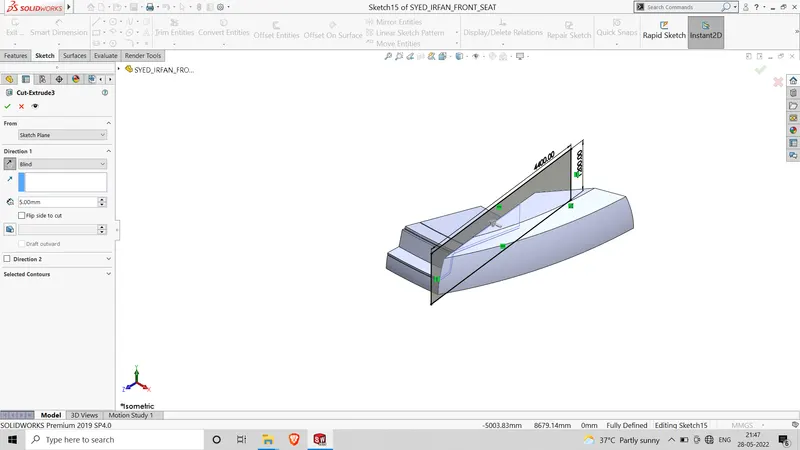
Fig: using feature cut extrude
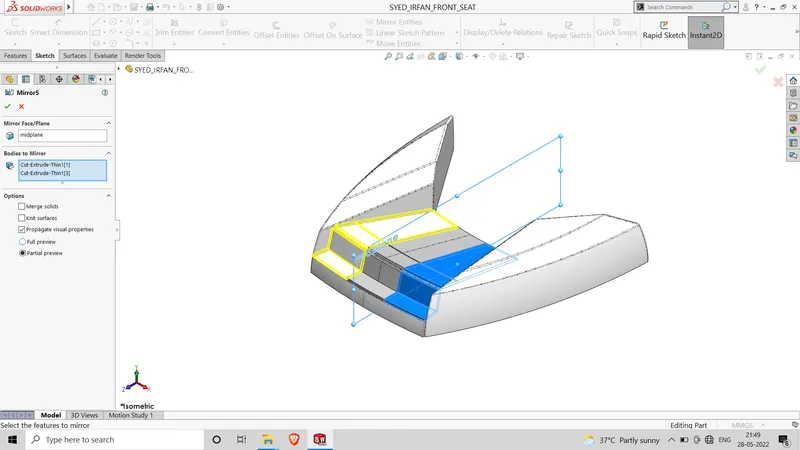
Fig: Using feature mirror
Superstructure:
Tools:
Elipse- used to make the elliptical shape as per dimension.
Spline- used to make a spline cureve and curved line with complex geometry.
Smart Dimension- Create dimesnion for one or more selected entitites.
Line- Used to draw stright and tangent arcs.
Circle- to create a center of circle and set radius.
convert entities- create one or more curves in a sketch by projecting an eged,loop,face,curve or external sketch contours, set of edges or set of sketch curves onto the sketch plane.
offset entities-Offset entities takes a copy of your existing geometry and copies it at an offset.
Line construction- used to make refernce geometry.
trim entities- used to trim a sketch entity to be coincident with another.
Features:
Plane- Reference geometry defines the shape or form of a surface or a solid. Reference geometry includes items such as plane,axes coordinate systems and points.
Revovle- it used for sketching contours around an axis to create a solid feature.
Fillet- Fillet id a feature used for making round edge to avoid sharp edges.
Mirror- Craeate a Copy of a feature(or multiple features), mirrored about a face or a plane
Cut extrude- Cuts a solid model by extruding a sketch profile in one to two directions.
Loft-The loft feature is an important tool for (surface) modeling in SolidWorks.
Shell-The shell tool hollows out a part, leaves open the faces you select, and creates thin-walled features on the remaining faces.
Revove- it used for sketching contours around an axis to create a solid frature.
Linear pattern- Use Linear patterns to create multiple instances of one or more features that you can space uniformly along one or two linear paths.
Project curve-You can project a sketched curve onto a model face to create a 3D curve. You can also create a 3D curve that represents the intersection of two extruded surfaces generated by creating sketches on two intersecting planes.
split Tool- tool projects an entity (sketch, solid, surface, face, plane, or surface spline) to surfaces, or curved or planar faces.
Surface Loft- when we loft a solid or surface feature using more than two sketch profiles, we generate a loft (or blend) surface, instead of a ruled surface.
Surface Trim- Trim surface includes the following options: To trim a surface Create two or more surfaces that intersect at one or more points, or create a surface that intersects with a plane or has a sketch on its face.
Surface extrude- Allows you to set different extrude thicknesses for Direction 1 Thickness and Direction 2 Thickness.
Surface Fill-The Filled Surface feature constructs a surface patch with any number of sides, within a boundary defined by existing model edges, sketches, or curves, including composite curves.
Surface Knit- Use the Knit Surface tool to combine two or more faces and surfaces into one.
Dome- The software calculates the distance using the radius of the arc as a basis for the dome. It creates a dome that is tangent to the adjacent cylindrical or conical face.
Helix/Spiral-Creates a spiral defined by Pitch and Revolutions.
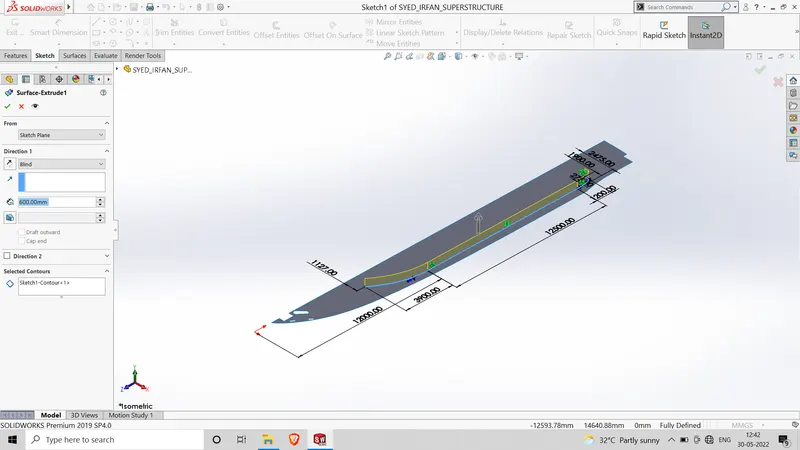
Fig: Using feature surface extrude
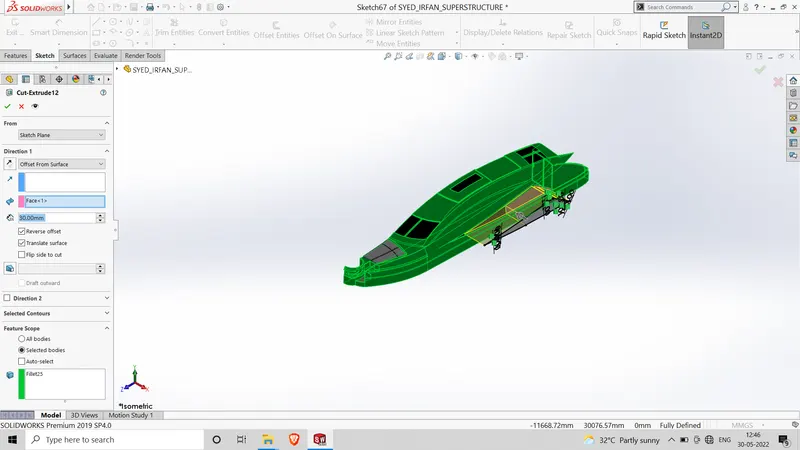
Fig: using cut exturde feature
ASSEMBLY OF SUNSEEKER PREDATOR YACHT
An assemblly opens with the insert component property manager active. clickin the graphics area toadd the part to the assembly. first, mainly insert all parts by using insert components feature.
make sure every part has as per axis, with using mate part will be fixed.
Mate: Mates are constraints that hold componets together in soldworks assemblies.
Decals: Decals are used to do the artwork. on parts and assemblies.
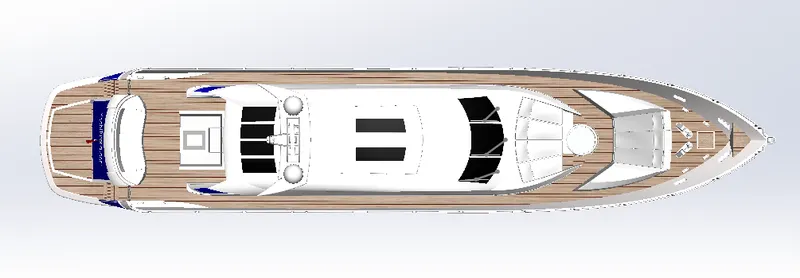
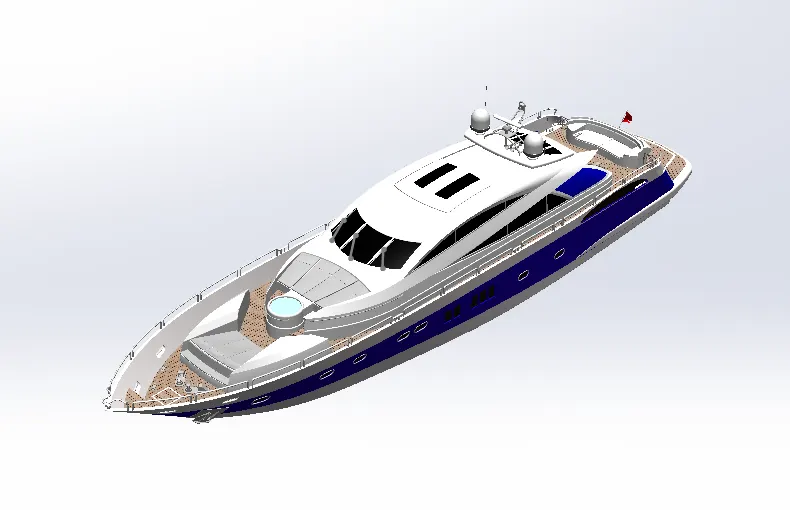
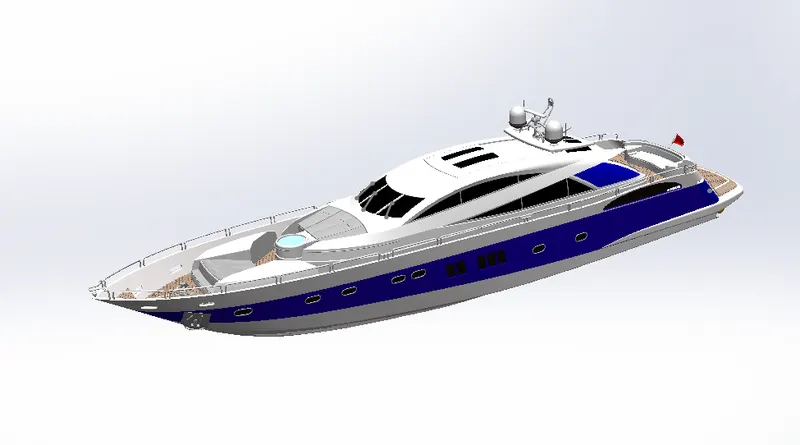
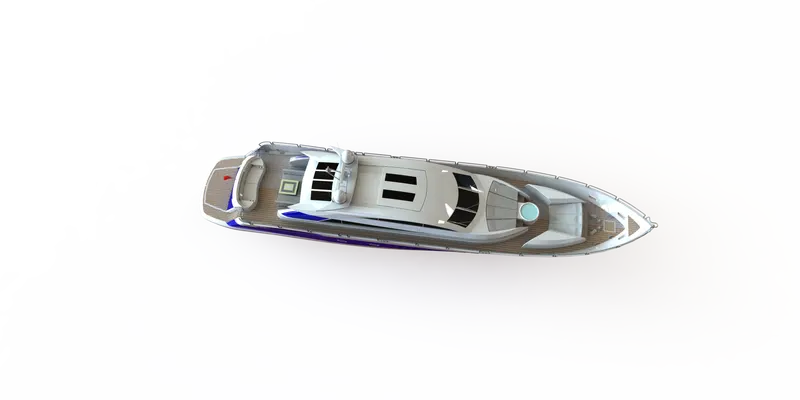
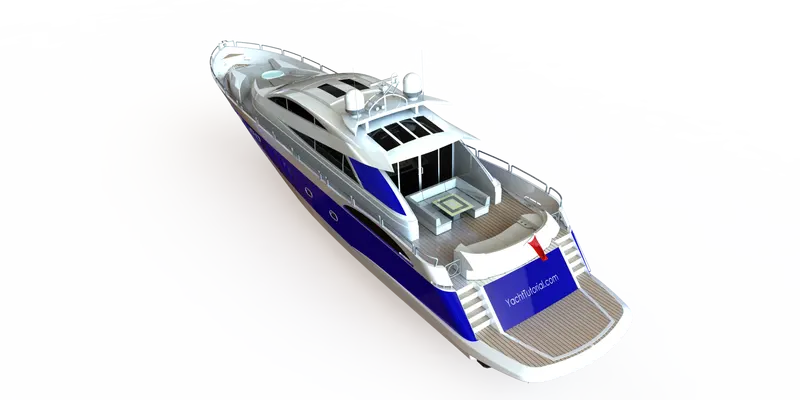
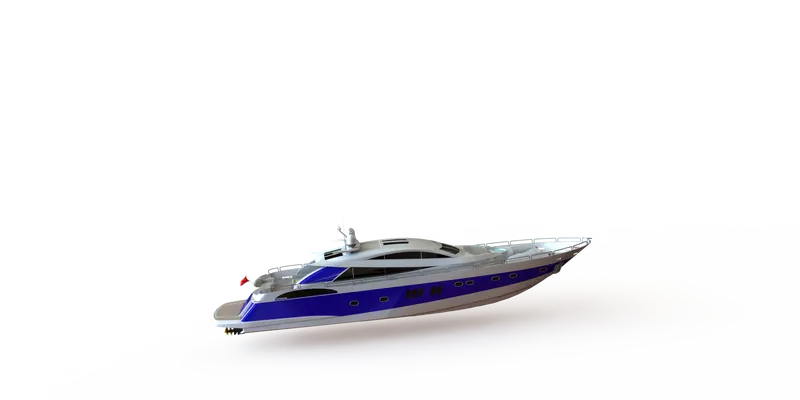
Images(front view,side view,top view, isometric view, camera view)
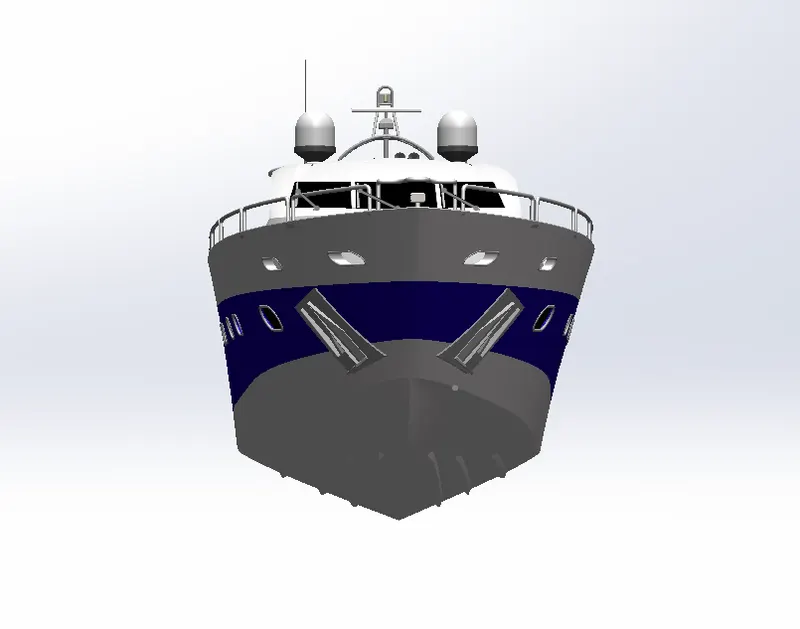
front view
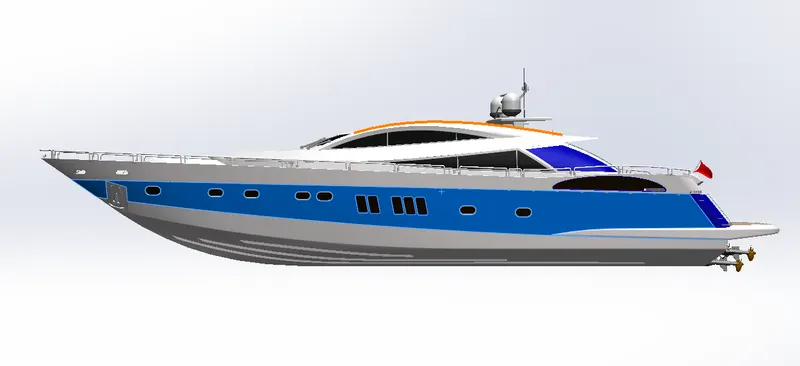
side view
top view
isometric view
camera view
RENDERING OF AMERICAN CHOPPER
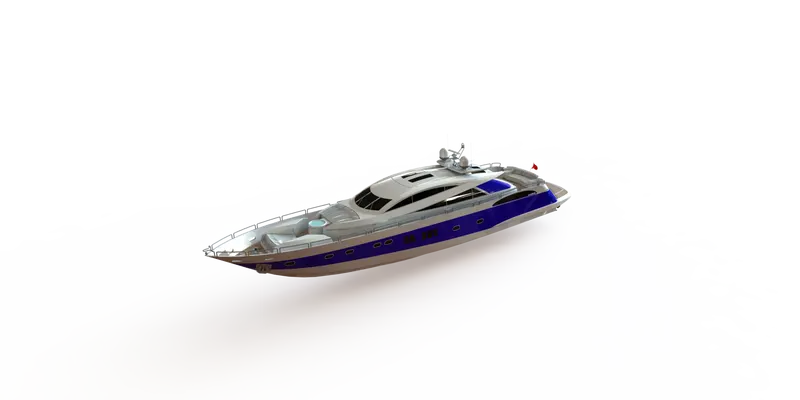
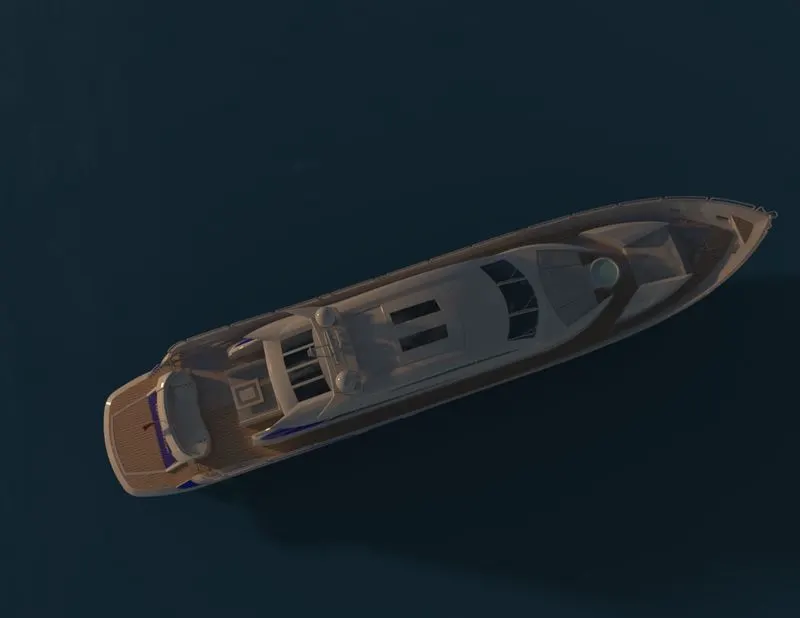
Rendering is the process to make a real-time image
Rendering considers the following features
- environment setup
- light settings
- camera setting
- colours and material settings
- scence composition
Rendering Images


CONCLUSION
with this project, we get to know how solidworks software works, with the help of solidworks design can do easy with friendly user interface, with this project we understand wireframe, surface design and to convert surface to solid.