Photo Realistic Rendering
DESIGN OF AMERICAN CHOPPER USING SOLIDWORKS
INTRODUCTION
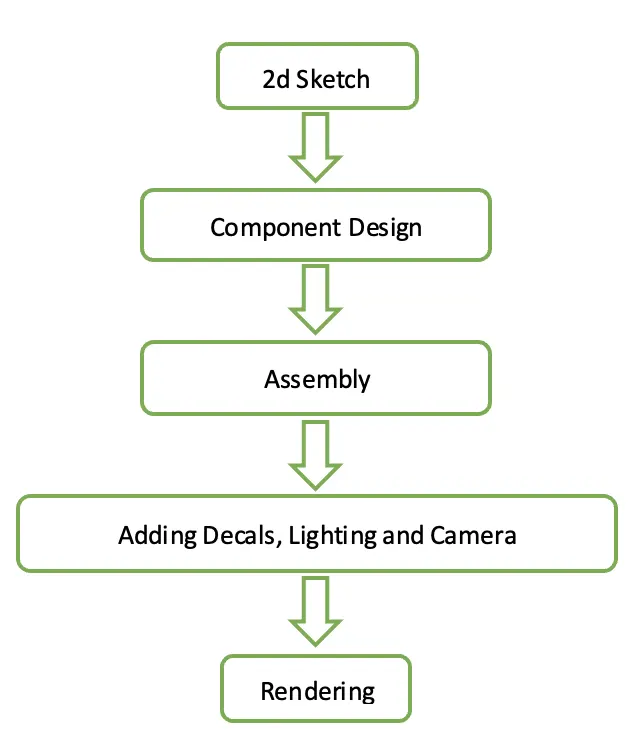
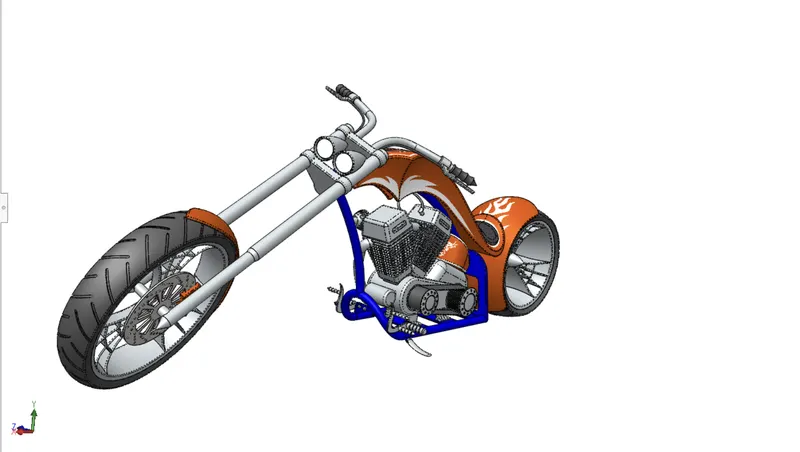
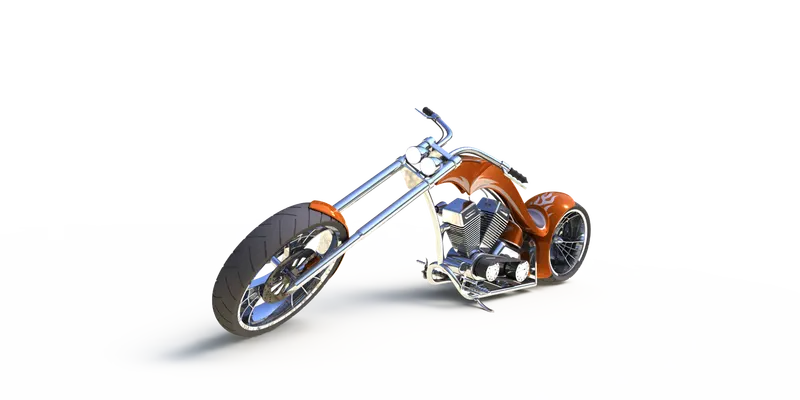
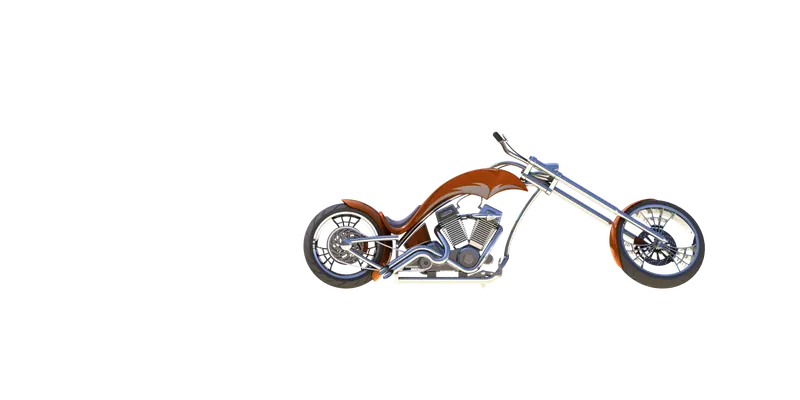
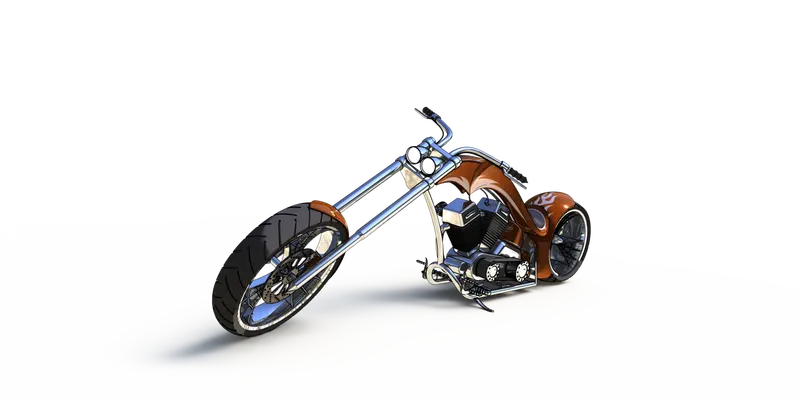
The designing and modelling of an American Chopper in Solidworks are explained in this report. This includes the Final Assembly of each component and photorealistic rendering of each part with the whole assembly using Photoview 360 and Solidworks Visualize.
OBJECTIVE
To understand,
- 2D Sketching
- 3D Modeling
- Assembly
- Real view rendering
METHODOLOGY
COMPONENTS OF AMERICAN CHOPPER
In This project, there are 13 parts are designed to do assembly
They are,
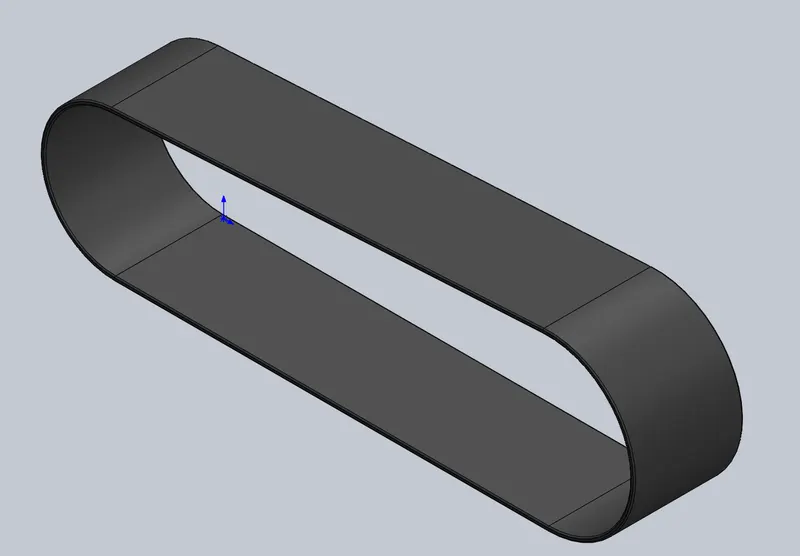
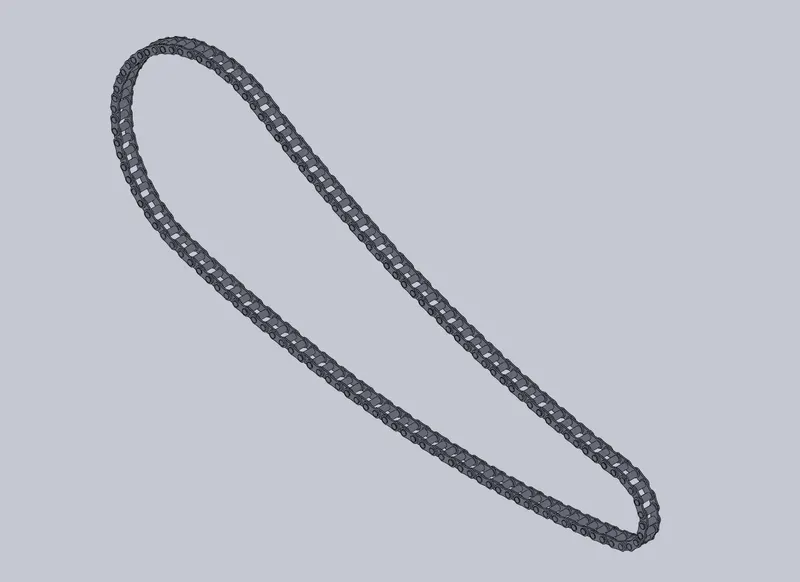
- Transmission Belt
- Kick Stand
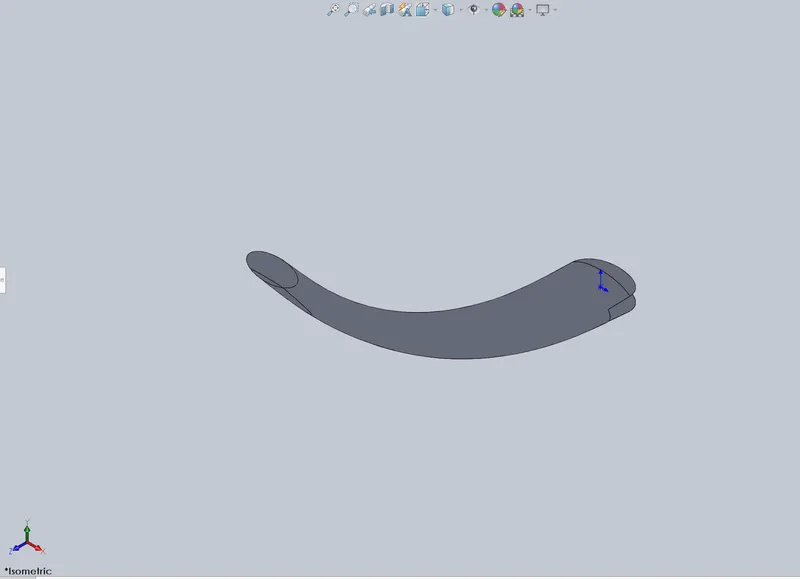
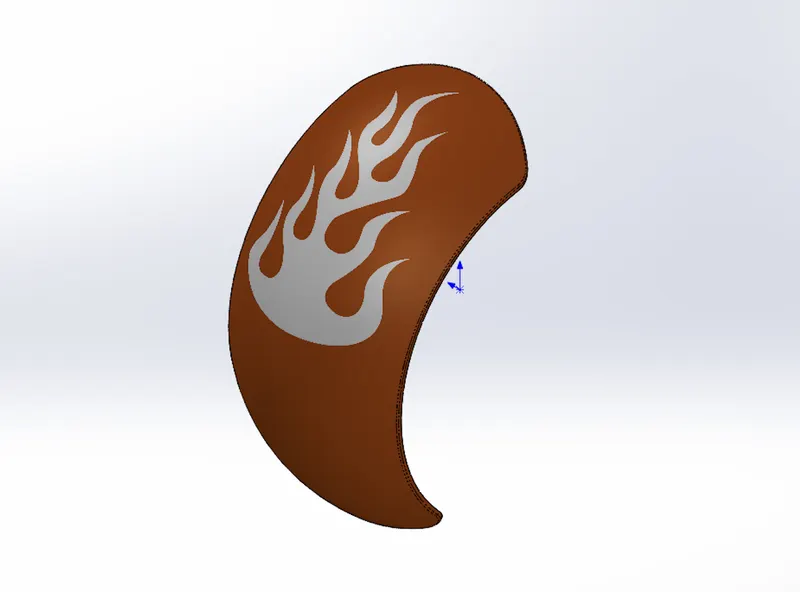
- Front Fender
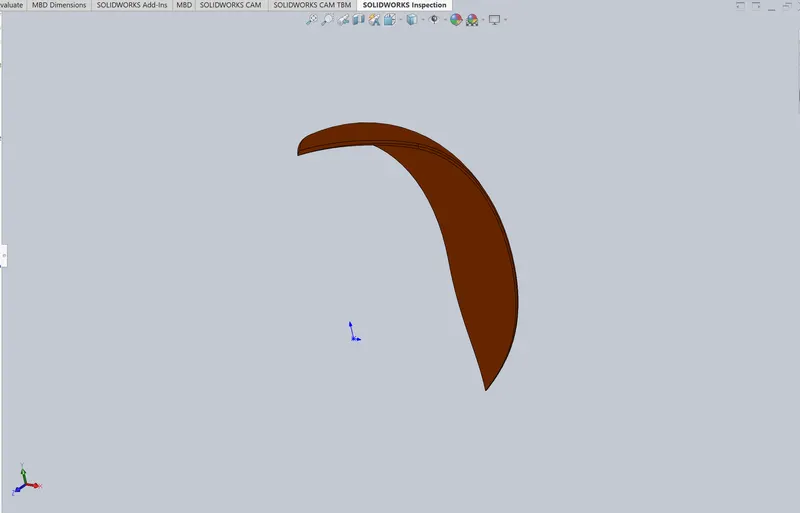
- Rear Fender
- Chain
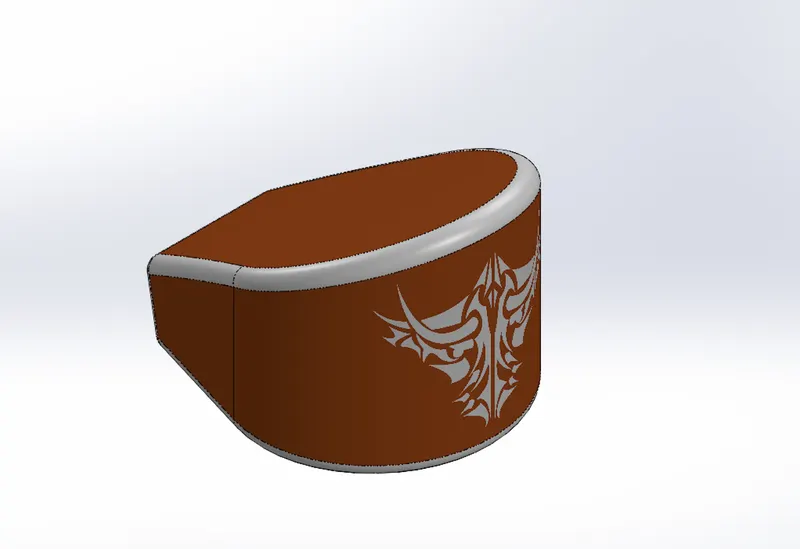
- Oil Tank
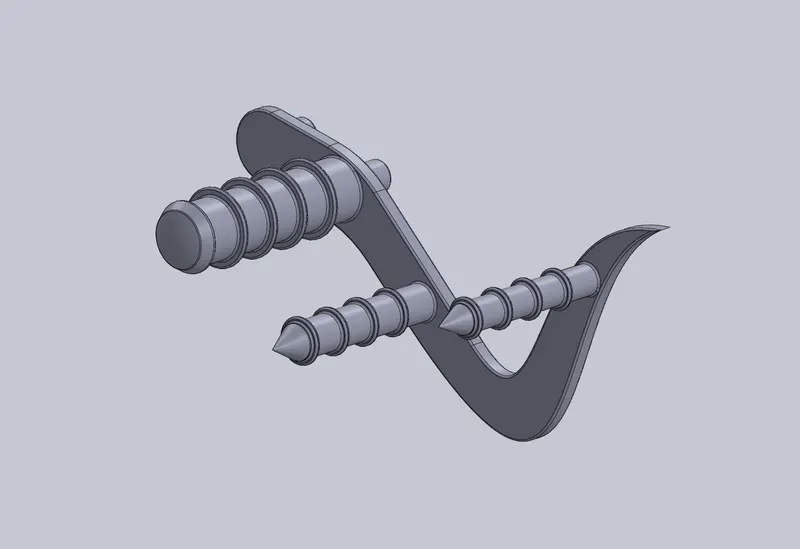
- Pedal
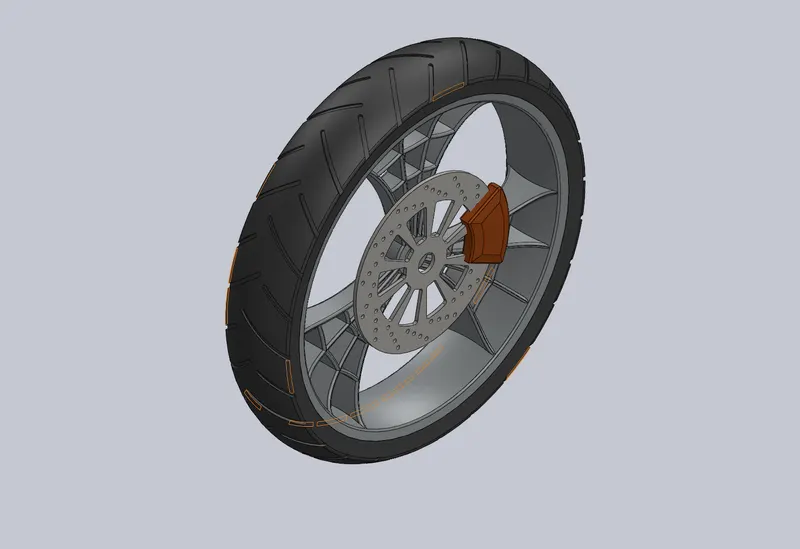
- Front Wheel
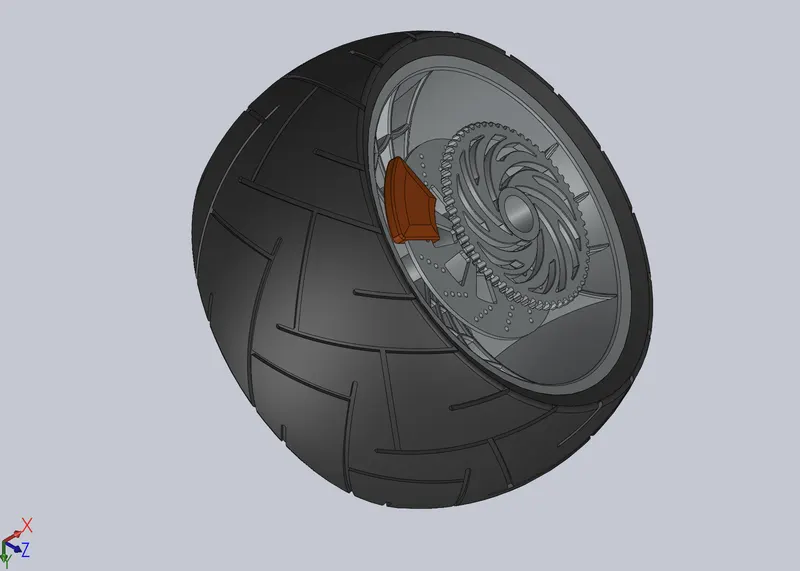
- Rear Wheel
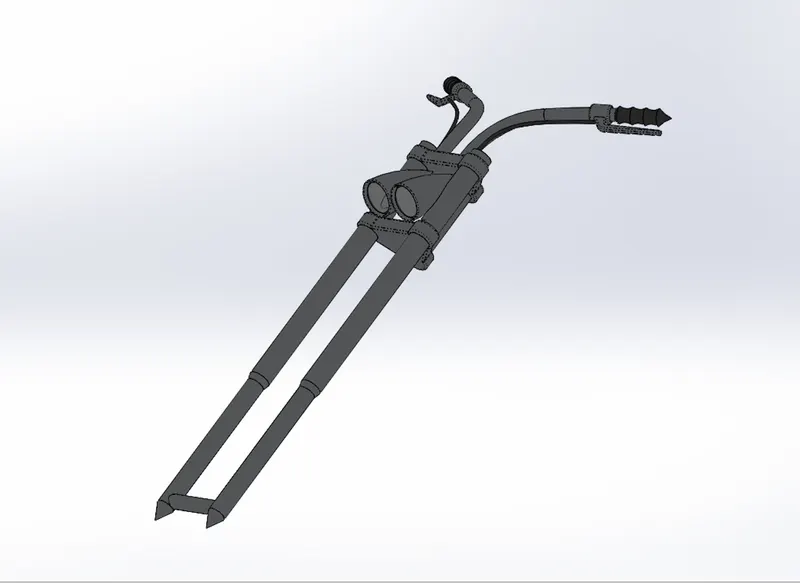
- Front fork
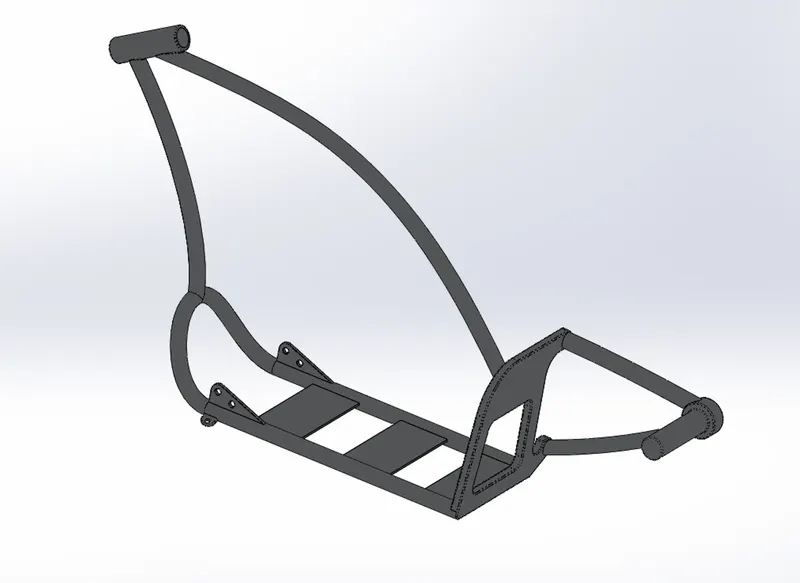
- Chasis
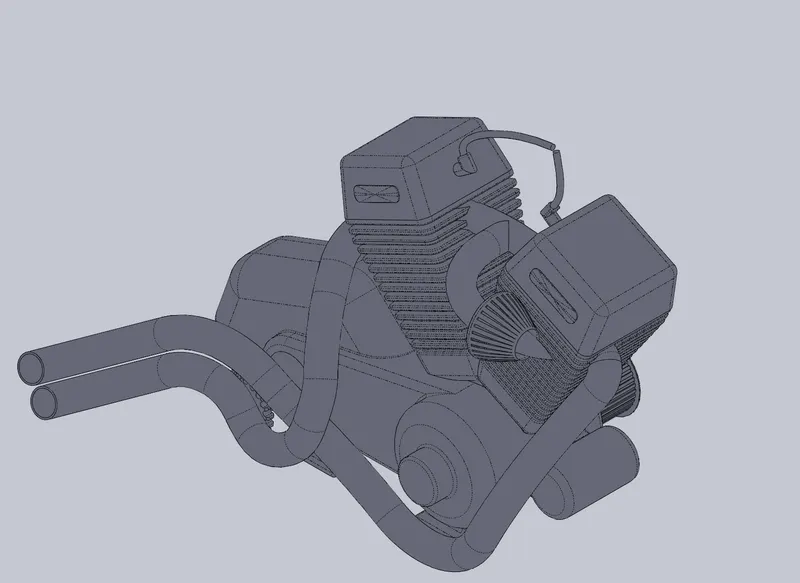
- Engine
- Gas tank
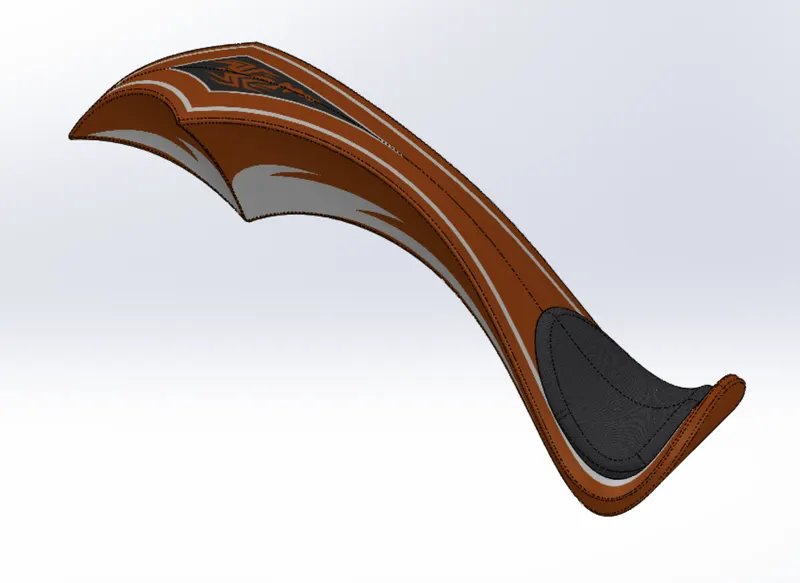
DESCRIPTION
Above parts created by Using the following features.
Transmission Belt:
Tools:
Line-Used to draw straight and tangent arcs.
smart Dimension- create a dimension for one or more selected entities.
Offset Entities- Adds sketch entitled by offsetting faces, edges, curves, or sketch entities a specified distance
Features:
Boss-Extrude- Used to expand the object in 3dm according to sketch plane.
Fillet- Fillet is a feature used for making round edges to avoid sharp edges.
Images:
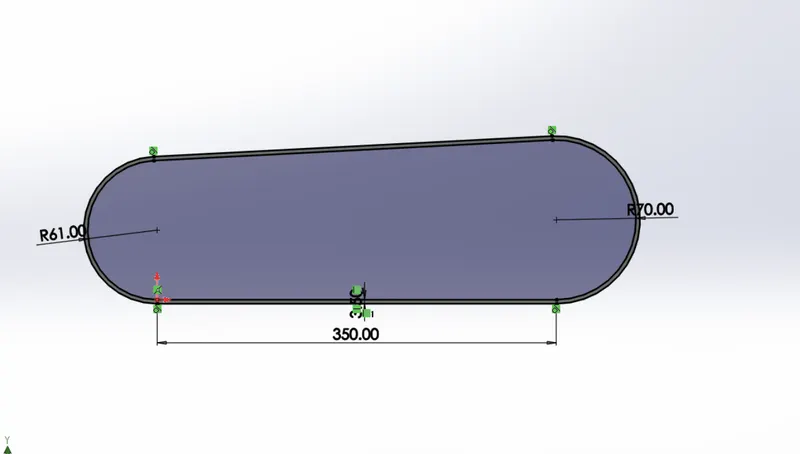
Fig: using tools Line, smart dimension, offset entities
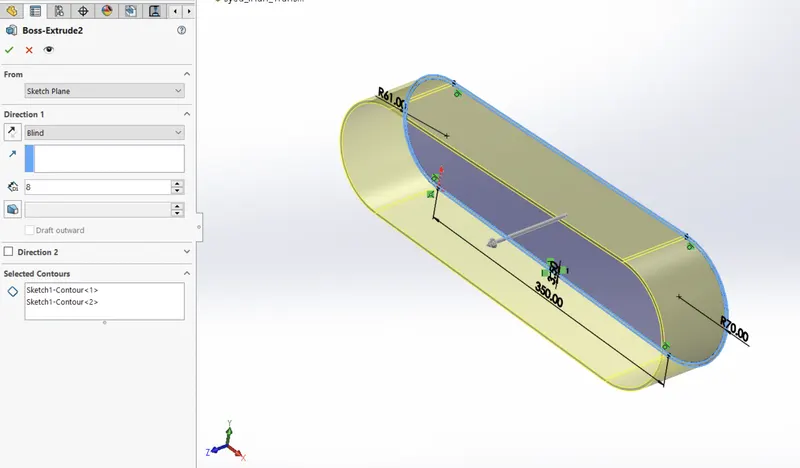
Fig: Using Boss extrude
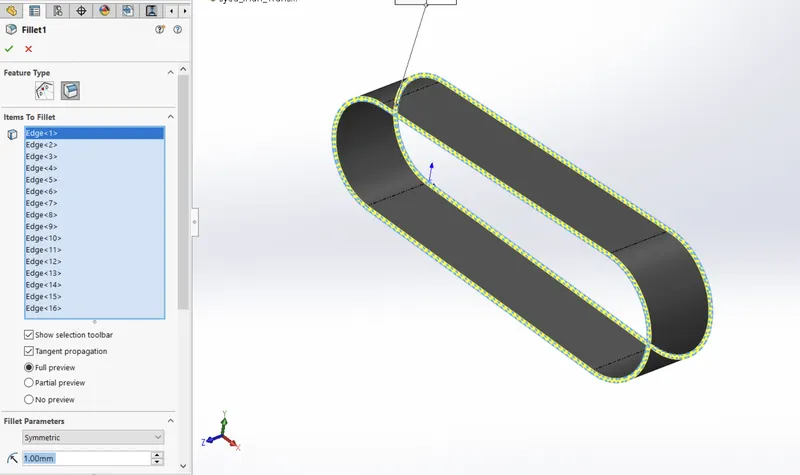
Fig: Using Fillet
Kickstand:
Tools:
Ellipse-Used to make the elliptical shape as per dimension.
Spline- used to make a spline curve and curved lines with complex geometry.
smart Dimension- create a dimension for one or more selected entities.
Features:
Reference geometry- defines the shape or form of a surface or a solid. Reference geometry includes items such as planes, axes, coordinate systems, and points.
Loft- adds material between two or more profiles to create a solid feature.
Dome-It creates a dome that is tangent to the adjacent cylindrical or conical face.
Cut extrude- cuts a solid model by extruding a sketch profile in one to two directions.
Split- divides a selected face into multiple separate faces.
Boss-Extrude- Used to expand the object in 3dm according to sketch plane.
Images:
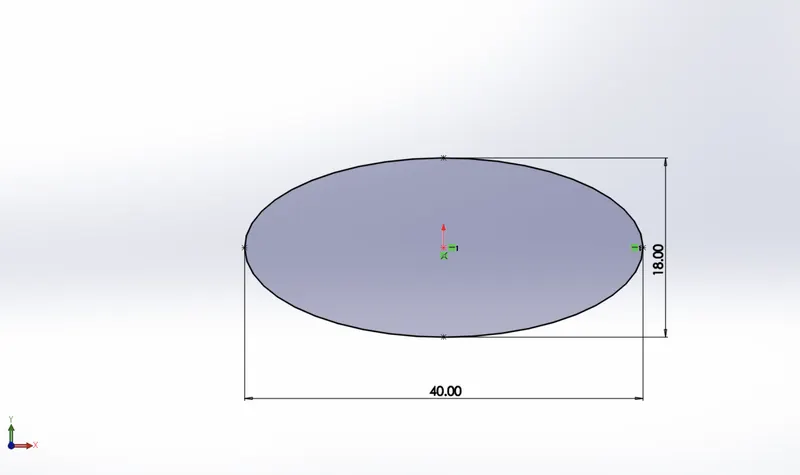
Fig: Using the Ellipse tool
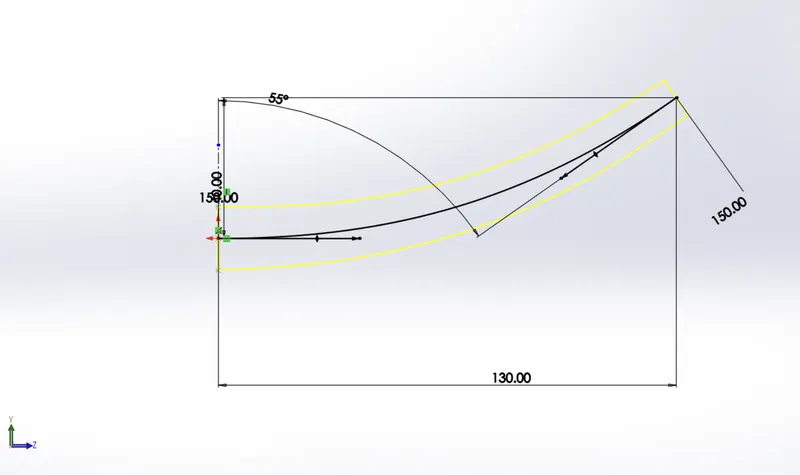
Fig: Using the spline tool
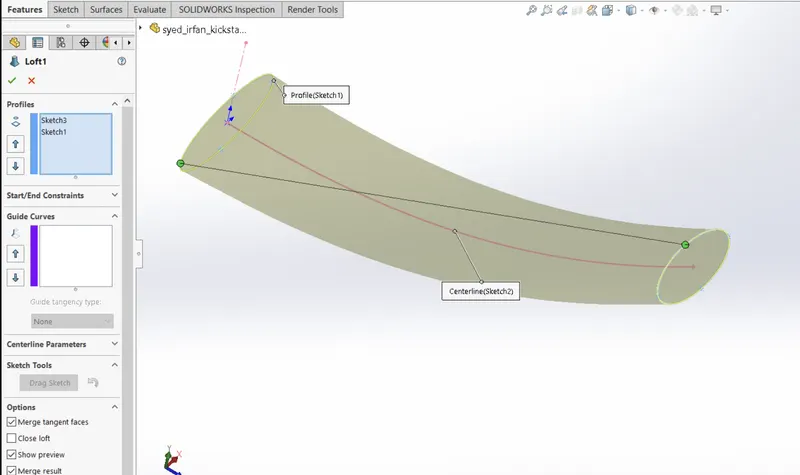
Fig: Using the Loft
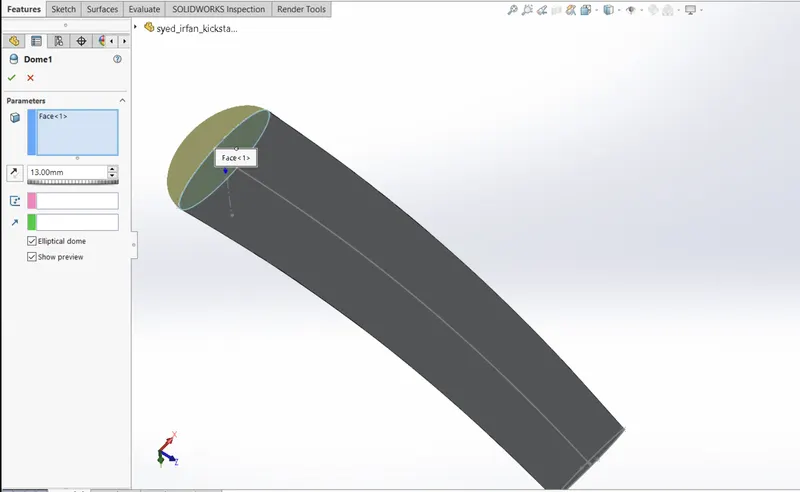
Fig: Using the Dome
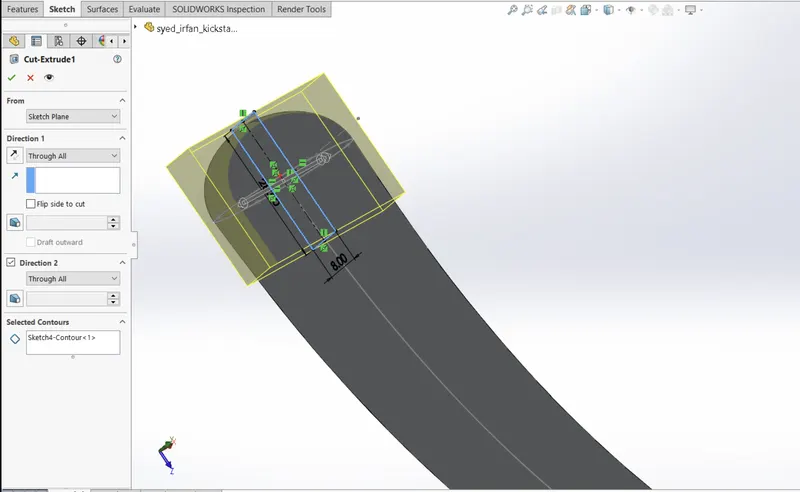
Fig: Using the cut-extrude
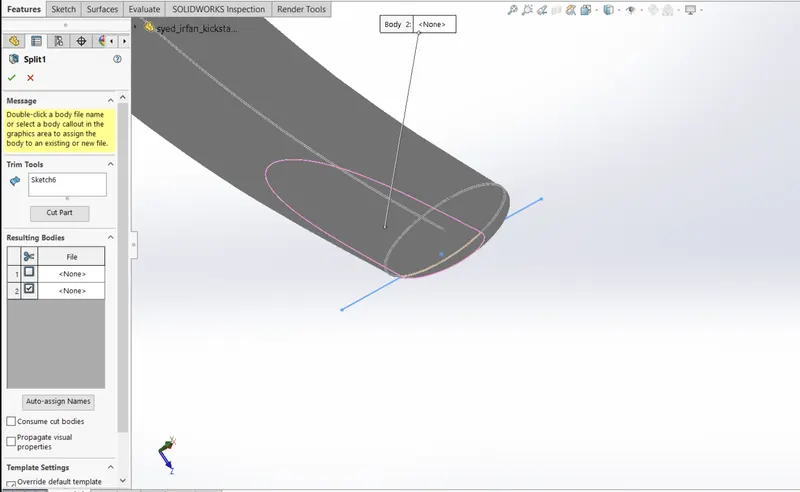
Fig: Using the split
Front fender:
Tools:
3 point Arc-Used to make an arc to set the radius or to reverse the arc as per dimension.
Line construction- used to make reference geometry.
smart Dimension- create a dimension for one or more selected entities.
Features:
Reference geometry- defines the shape or form of a surface or a solid. Reference geometry includes items such as planes, axes, coordinate systems, and points.
Revolve-It used for sketching contours around an axis to create a solid feature.
Fillet- Fillet is a feature used for making round edges to avoid sharp edges.
Split- divides a selected face into multiple separate faces.
Images:
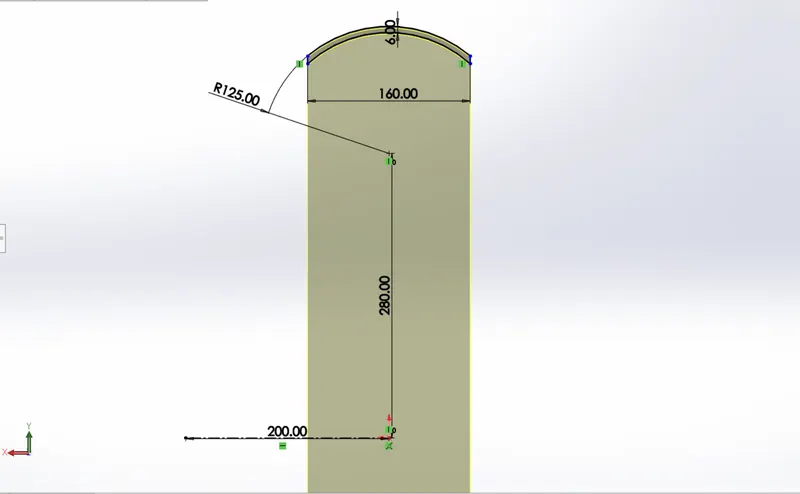
fig: using 3 point arc
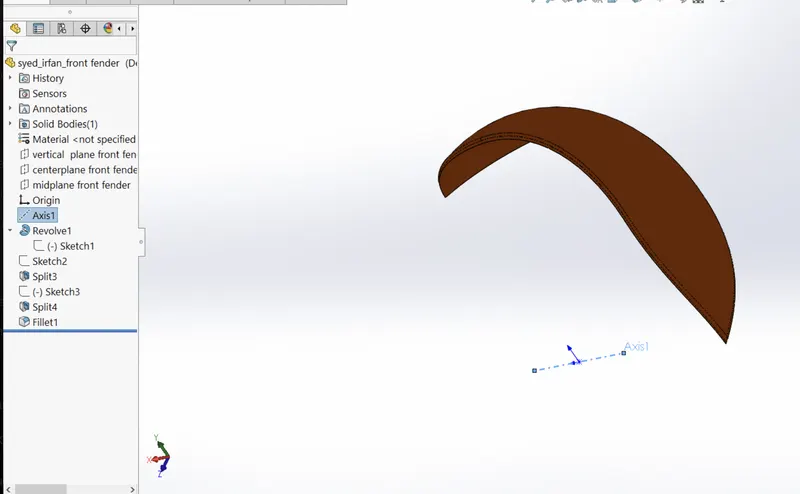
FIg: reference axis
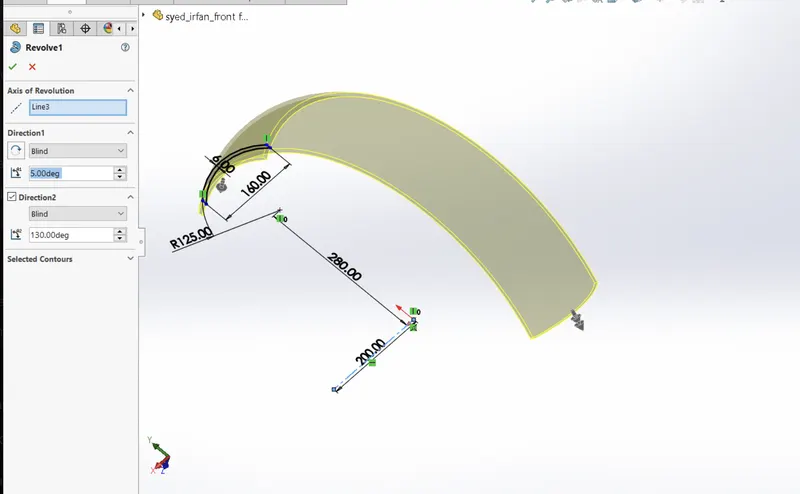
Fig: using Revolve
Rear fender:
Tools:
3 point Arc-Used to make an arc to set the radius or to reverse the arc as per dimension.
Line construction- used to make reference geometry.
smart Dimension- create a dimension for one or more selected entities.
Features:
Revolve-It used for sketching contours around an axis to create a solid feature.
Fillet- Fillet is a feature used for making round edges to avoid sharp edges.
Split- divides a selected face into multiple separate faces.
Shell- used to Remove material from a solid body to create a thin-walled feature.
Images:
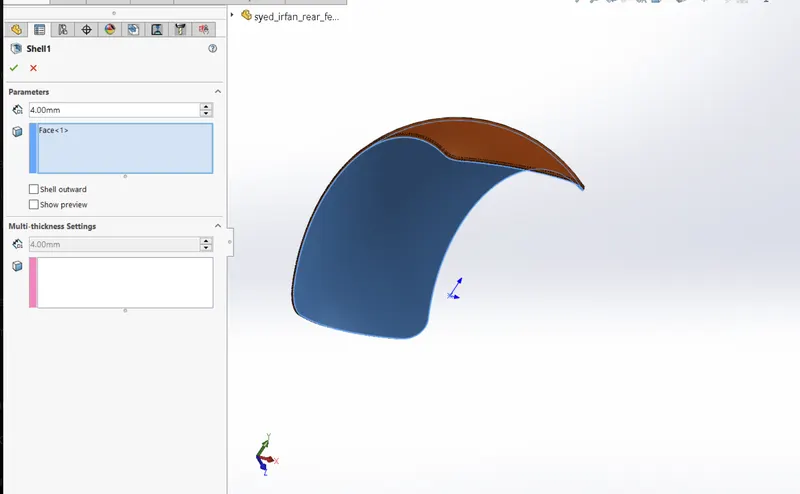
Fig: using shell Feature
Chain:
Tools:
Line-Used to draw straight and tangent arcs.
3 point Arc-Used to make an arc to set the radius or to reverse the arc as per dimension.
Line construction- used to make reference geometry.
smart Dimension- create a dimension for one or more selected entities.
circle- to create a centre of the circle and set its radius.
Trim Entities- used to trim a sketch entity to be coincident with another.
Features:
Fillet- Fillet is a feature used for making round edges to avoid sharp edges.
Split- divides a selected face into multiple separate faces.
Boss-Extrude- Used to expand the object in 3dm according to sketch plane.
Curve Driven pattern- The Curve Driven Pattern tool allows you to create patterns along a planar or 3D curve. To define the pattern, you can use any sketch segment, or the edge of a face (solid or surface), that lies along the plane.
Mirror- Creates a copy of a feature, (or multiple features), mirrored about a face or a plane.
Images:
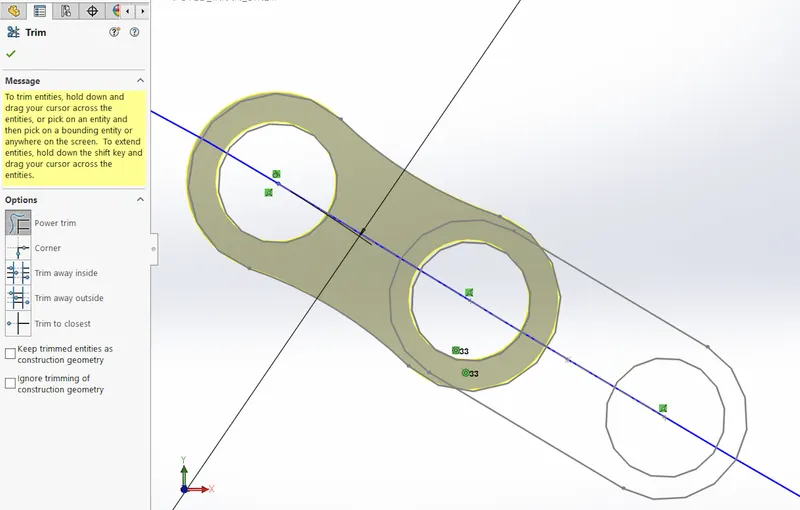
Fig: using power trim, circle
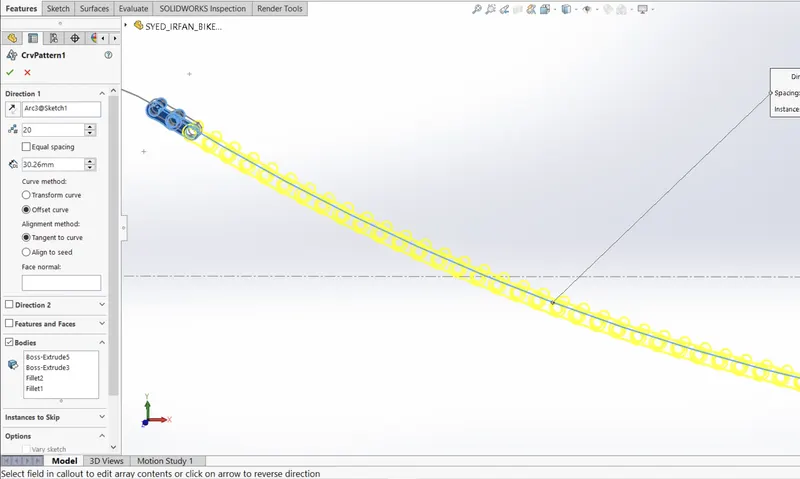
Fig: using Curve driven pattern
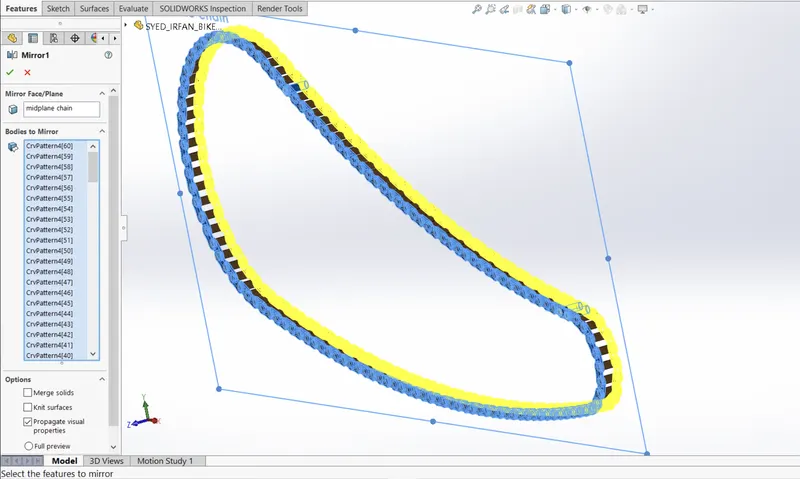
Fig: Using a mirror
Oil Tank:
Tools:
Line-Used to draw straight and tangent arcs.
Line construction- used to make reference geometry.
smart Dimension- create a dimension for one or more selected entities.
3 point Arc-Used to make an arc to set the radius or to reverse the arc as per dimension.
Mirror- Creates a copy of a feature, (or multiple features), mirrored about a face or a plane.
Features:
Fillet- Fillet is a feature used for making round edges to avoid sharp edges.
Split- divides a selected face into multiple separate faces.
Shell- used to Remove material from a solid body to create a thin-walled feature.
Boss-Extrude- Used to expand the object in 3dm according to sketch plane.
Combine- The common function allows you to add two bodies together, and keep the area that is common to them.
Images:
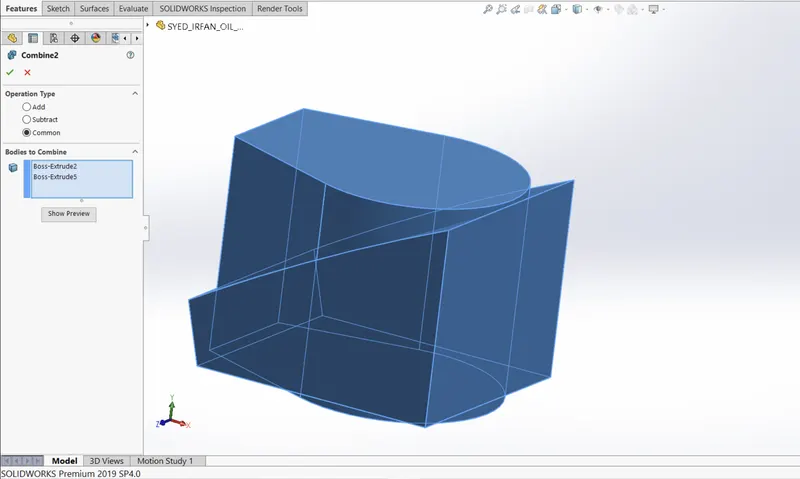
Fig: using Combine Feature
PEDAL:
Tools:
Line-Used to draw straight and tangent arcs.
Line construction- used to make reference geometry.
smart Dimension- create a dimension for one or more selected entities.
circle- to create a centre of the circle and set its radius.
Spline- used to make a spline curve and curved lines with complex geometry.
Features:
Fillet- Fillet is a feature used for making round edges to avoid sharp edges.
Boss-Extrude- Used to expand the object in 3dm according to sketch plane.
Dome-It creates a dome that is tangent to the adjacent cylindrical or conical face.
Revolve-It used for sketching contours around an axis to create a solid feature.
Chamfer-The chamfer tool creates a bevelled feature on selected edges, faces, or a vertex.
Linear Pattern- Use linear patterns to create multiple instances of one or more features that you can space uniformly along one or two linear paths.
Images:
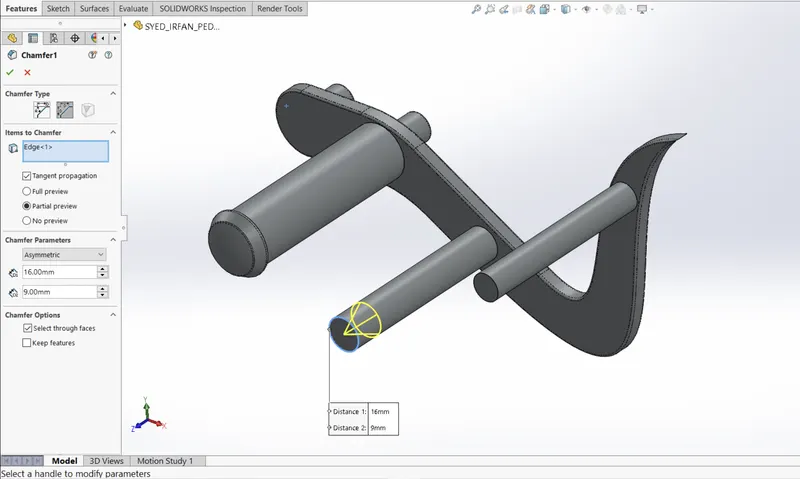
Fig: using the chamfer feature
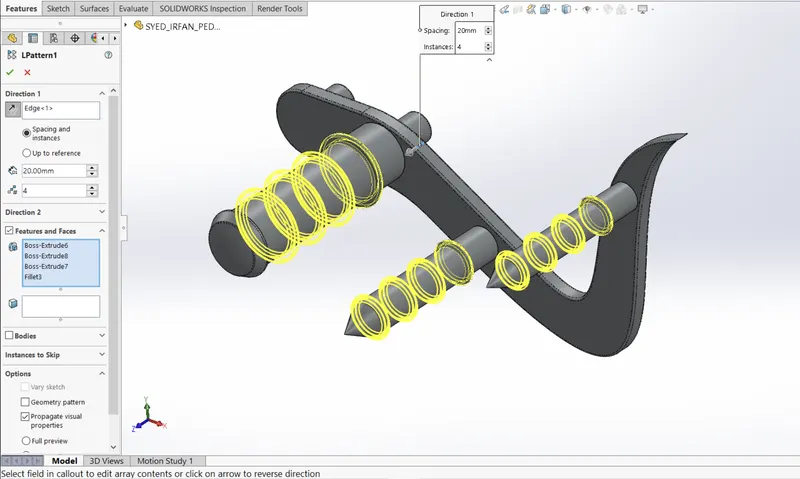
Fig: Using the Liner pattern
Front Wheel:
Tools:
Line-Used to draw straight and tangent arcs.
Line construction- used to make reference geometry.
smart Dimension- create a dimension for one or more selected entities.
circle- to create a centre of the circle and set its radius.
3 point Arc-Used to make an arc to set the radius or to reverse the arc as per dimension.
Mirror- Creates a copy of a feature, (or multiple features), mirrored about a face or a plane.
Trim Entities- used to trim a sketch entity to be coincident with another.
3 point Center Rectangle-used to the centre of the rectangle.
Spline- used to make a spline curve and curved lines with complex geometry.
Liner Sketch Pattern adds a liner pattern of the sketch.
Convert Entities-create one or more curves in a sketch by projecting an edge, loop, face, curve, or external sketch contour, set of edges, or set of sketch curves onto the sketch plane. Original part.
Features:
Fillet- Fillet is a feature used for making round edges to avoid sharp edges.
Boss-Extrude- Used to expand the object in 3dm according to sketch plane.
Revolve-It used for sketching contours around an axis to create a solid feature.
Chamfer-The chamfer tool creates a bevelled feature on selected edges, faces, or a vertex.
Linear Pattern- Use linear patterns to create multiple instances of one or more features that you can space uniformly along one or two linear paths.
Cut extrude- cuts a solid model by extruding a sketch profile in one to two directions.
Cut Revolve-used to Cut a Solid model by revolving a sketched profile around an axis.
combine-The common function allows you to add two bodies together, and keep the area that is common to them.
Circular pattern-used to pattern one-two circular directions.
Images:
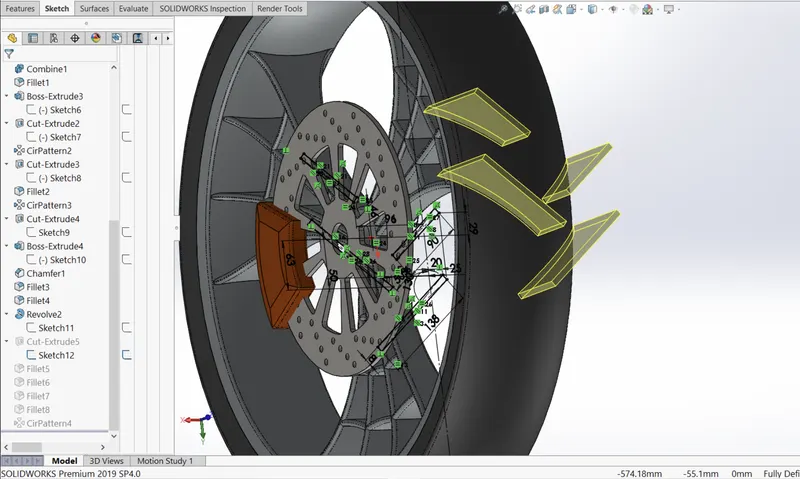
Fig: using 3 point Center Rectangle
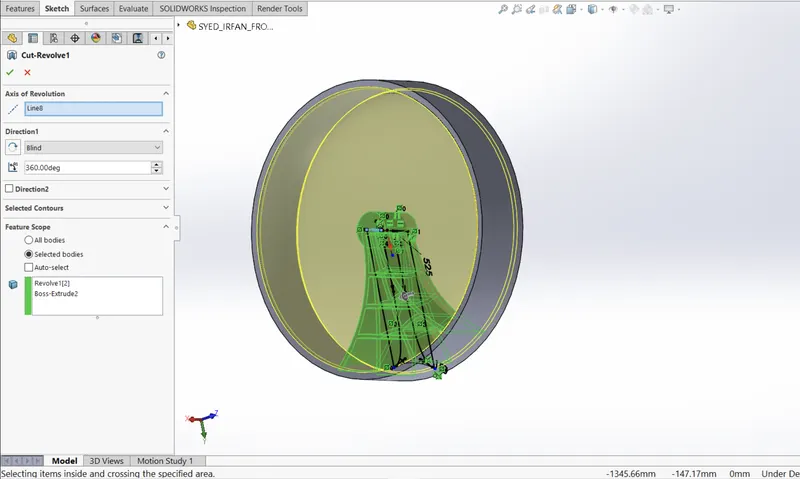
Fig: using Cut Revolve Feature
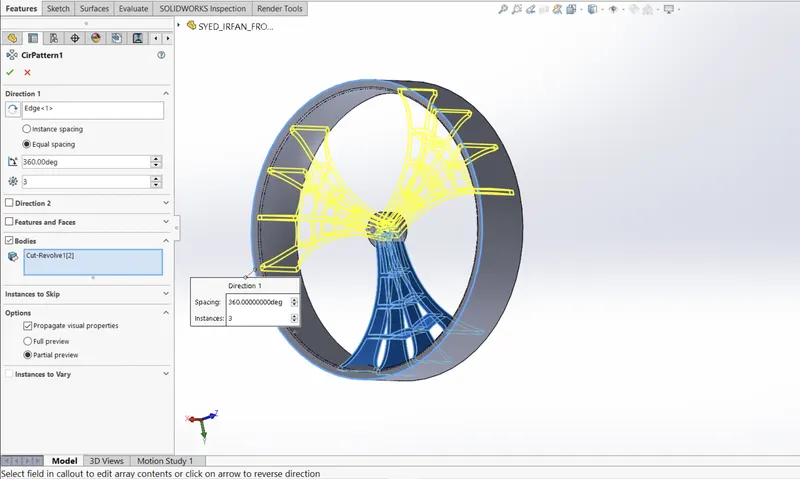
Fig: using Circular pattern
Rear Wheel:
Tools:
Line-Used to draw straight and tangent arcs.
Line construction- used to make reference geometry.
smart Dimension- create a dimension for one or more selected entities.
circle- to create a centre of the circle and set its radius.
3 point Arc-Used to make an arc to set the radius or to reverse the arc as per dimension.
Mirror- Creates a copy of a feature, (or multiple features), mirrored about a face or a plane.
Trim Entities- used to trim a sketch entity to be coincident with another.
3 point Center Rectangle-used to the centre of the rectangle.
Spline- used to make a spline curve and curved lines with complex geometry.
Liner Sketch Pattern adds a liner pattern of the sketch.
Convert Entities-create one or more curves in a sketch by projecting an edge, loop, face, curve, or external sketch contour, set of edges, or set of sketch curves onto the sketch plane. Original part.
Features:
Fillet- Fillet is a feature used for making round edges to avoid sharp edges.
Boss-Extrude- Used to expand the object in 3dm according to sketch plane.
Revolve-It used for sketching contours around an axis to create a solid feature.
Chamfer-The chamfer tool creates a bevelled feature on selected edges, faces, or a vertex.
Linear Pattern- Use linear patterns to create multiple instances of one or more features that you can space uniformly along one or two linear paths.
Cut extrude- cuts a solid model by extruding a sketch profile in one to two directions.
Cut Revolve-used to Cut a Solid model by revolving a sketched profile around an axis.
combine-The common function allows you to add two bodies together, and keep the area that is common to them.
Circular pattern-used to pattern one-two circular directions.
Images:
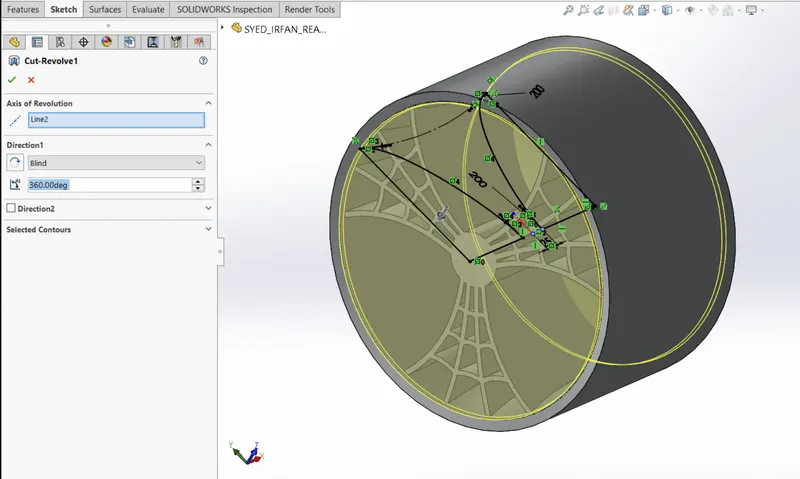
Fig: Using Cut Revolve
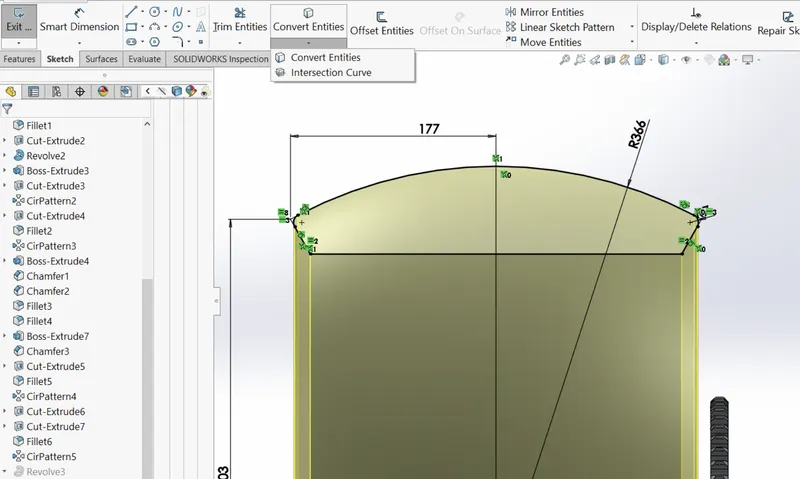
Fig: Using Convert Entities
Front Fork:
Tools:
Line-Used to draw straight and tangent arcs.
Line construction- used to make reference geometry.
smart Dimension- create a dimension for one or more selected entities.
circle- to create a centre of the circle and set its radius.
3 point Arc-Used to make an arc to set the radius or to reverse the arc as per dimension.
Mirror- Creates a copy of a feature, (or multiple features), mirrored about a face or a plane.
Trim Entities- used to trim a sketch entity to be coincident with another.
3 point Center Rectangle-used to the centre of the rectangle.
Spline- used to make a spline curve and curved lines with complex geometry.
Liner Sketch Pattern adds a liner pattern to the sketch.
Convert Entities-create one or more curves in a sketch by projecting an edge, loop, face, curve, or external sketch contour, set of edges, or set of sketch curves onto the sketch plane. Original part.
Features:
Fillet- Fillet is a feature used for making round edges to avoid sharp edges.
Boss-Extrude- Used to expand the object in 3dm according to sketch plane.
Dome-It creates a dome that is tangent to the adjacent cylindrical or conical face.
Revolve-It used for sketching contours around an axis to create a solid feature.
Chamfer-The chamfer tool creates a bevelled feature on selected edges, faces, or a vertex.
Linear Pattern- Use linear patterns to create multiple instances of one or more features that you can space uniformly along one or two linear paths.
Cut extrude- cuts a solid model by extruding a sketch profile in one to two directions.
Cut Revolve-used to Cut a Solid model by revolving a sketched profile around an axis.
combine-The common function allows you to add two bodies together, and keep the area that is common to them.
Circular pattern-used to pattern one-two circular directions.
Project Curve- project a sketched curve onto a model face to create a 3D curve. can also create a 3D curve that represents the intersection of two extruded surfaces generated by creating sketches on two intersecting planes. create multiply closed or open-contour projected curves from a single sketch.
Body-Move/Copy-used to move or copy body.
plane-to create a section view of a model, for a neutral plane in a draft feature.
Sweep- sweep is a tool that creates a solid, a cut or a surface feature by moving a profile along a path.
Mirror-Creates a copy of a feature, (or multiple features), mirrored about a face or a plane.
Images:
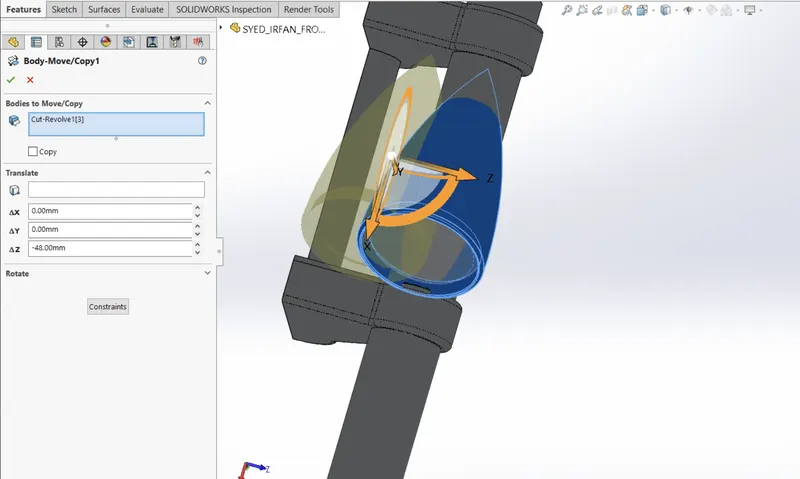
Fig: Using Body-move/copy Feature
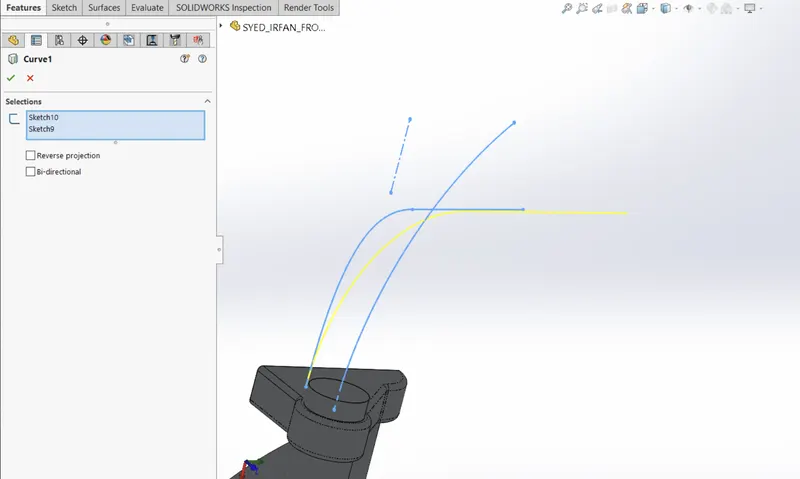
Fig: Using curve and projecting feature
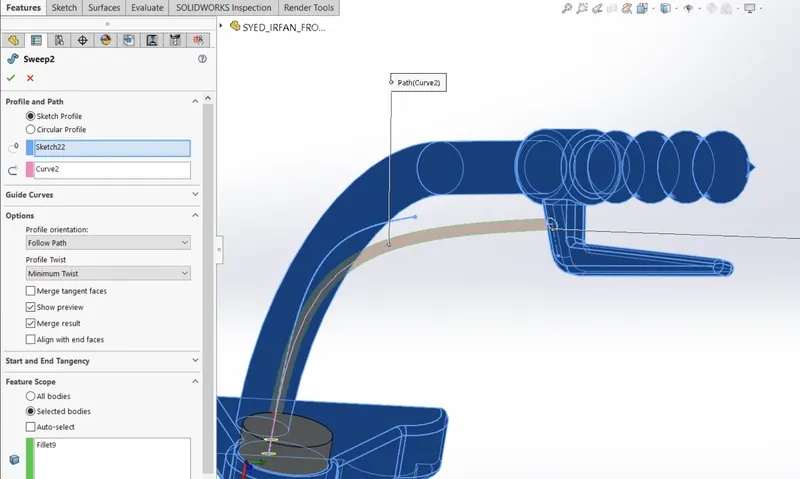
Fig: Using the Sweep feature
Chassis:
Tools:
Line-Used to draw straight and tangent arcs.
Line construction- used to make reference geometry.
smart Dimension- create a dimension for one or more selected entities.
circle- to create a centre of the circle and set its radius.
3 point Arc-Used to make an arc to set the radius or to reverse the arc as per dimension.
Mirror- Creates a copy of a feature, (or multiple features), mirrored about a face or a plane.
Trim Entities- used to trim a sketch entity to be coincident with another.
3 point Center Rectangle-used to the centre of the rectangle.
Spline- used to make a spline curve and curved lines with complex geometry.
Liner Sketch Pattern-adds a liner pattern of sketch.
Convert Entities-create one or more curves in a sketch by projecting an edge, loop, face, curve, or external sketch contour, set of edges, or set of sketch curves onto the sketch plane. Original part.
Features:
Fillet- Fillet is a feature used for making round edges to avoid sharp edges.
Boss-Extrude- Used to expand the object in 3dm according to sketch plane.
Dome-It creates a dome that is tangent to the adjacent cylindrical or conical face.
Revolve-It used for sketching contours around an axis to create a solid feature.
Chamfer-The chamfer tool creates a bevelled feature on selected edges, faces, or a vertex.
Linear Pattern- Use linear patterns to create multiple instances of one or more features that you can space uniformly along one or two linear paths.
Cut extrude- cuts a solid model by extruding a sketch profile in one to two directions.
Cut Revolve-used to Cut a Solid model by revolving a sketched profile around an axis.
combine-The common function allows you to add two bodies together, and keep the area that is common to them.
Circular pattern-used to pattern one-two circular directions.
Project Curve- project a sketched curve onto a model face to create a 3D curve. can also create a 3D curve that represents the intersection of two extruded surfaces generated by creating sketches on two intersecting planes. create multiply closed or open-contour projected curves from a single sketch.
Body-Move/Copy-used to move or copy body.
plane-to create a section view of a model, for a neutral plane in a draft feature.
Sweep- sweep is a tool that creates a solid, a cut or a surface feature by moving a profile along a path.
Mirror-Creates a copy of a feature, (or multiple features), mirrored about a face or a plane.
Split- divides a selected face into multiple separate faces.
Images:
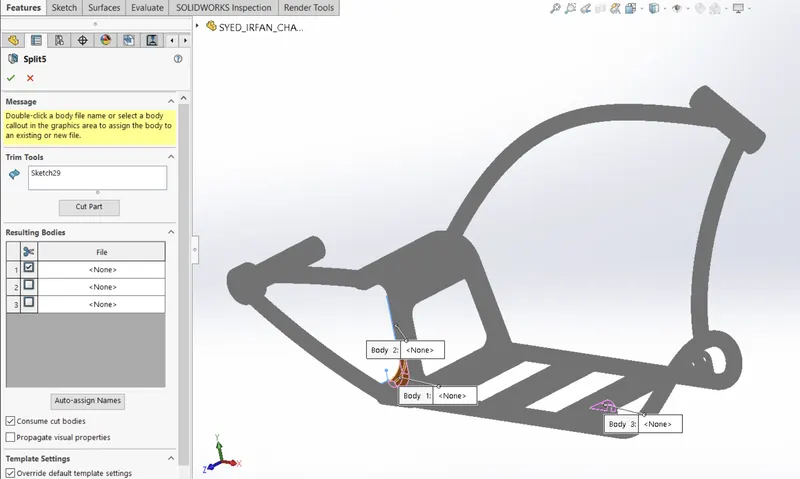
Fig: Using split feature
Engine:
Tools:
Line-Used to draw straight and tangent arcs.
Line construction- used to make reference geometry.
smart Dimension- create a dimension for one or more selected entities.
circle- to create a centre of the circle and set its radius.
3 point Arc-Used to make an arc to set the radius or to reverse the arc as per dimension.
Mirror- Creates a copy of a feature, (or multiple features), mirrored about a face or a plane.
Trim Entities- used to trim a sketch entity to be coincident with another.
3 point Center Rectangle-used to the centre of the rectangle.
Spline- used to make a spline curve and curved lines with complex geometry.
Liner Sketch Pattern adds a liner pattern of the sketch.
Convert Entities-create one or more curves in a sketch by projecting an edge, loop, face, curve, or external sketch contour, set of edges, or set of sketch curves onto the sketch plane. Original part.
Features:
Fillet- Fillet is a feature used for making round edges to avoid sharp edges.
Boss-Extrude- Used to expand the object in 3dm according to sketch plane.
Dome-It creates a dome that is tangent to the adjacent cylindrical or conical face.
Revolve-It used for sketching contours around an axis to create a solid feature.
Chamfer-The chamfer tool creates a bevelled feature on selected edges, faces, or a vertex.
Linear Pattern- Use linear patterns to create multiple instances of one or more features that you can space uniformly along one or two linear paths.
Cut extrude- cuts a solid model by extruding a sketch profile in one to two directions.
Cut Revolve-used to Cut a Solid model by revolving a sketched profile around an axis.
combine-The common function allows you to add two bodies together, and keep the area that is common to them.
Circular pattern-used to pattern one-two circular directions.
Project Curve- project a sketched curve onto a model face to create a 3D curve. can also create a 3D curve that represents the intersection of two extruded surfaces generated by creating sketches on two intersecting planes. create multiply closed or open-contour projected curves from a single sketch.
Body-Move/Copy-used to move or copy body.
plane-to create a section view of a model, for a neutral plane in a draft feature.
Sweep- sweep is a tool that creates a solid, a cut or a surface feature by moving a profile along a path.
Mirror-Creates a copy of a feature, (or multiple features), mirrored about a face or a plane.
Split- divides a selected face into multiple separate faces.
Chamfer- The chamfer tool creates a bevelled feature on selected edges, faces, or a vertex.
Images:
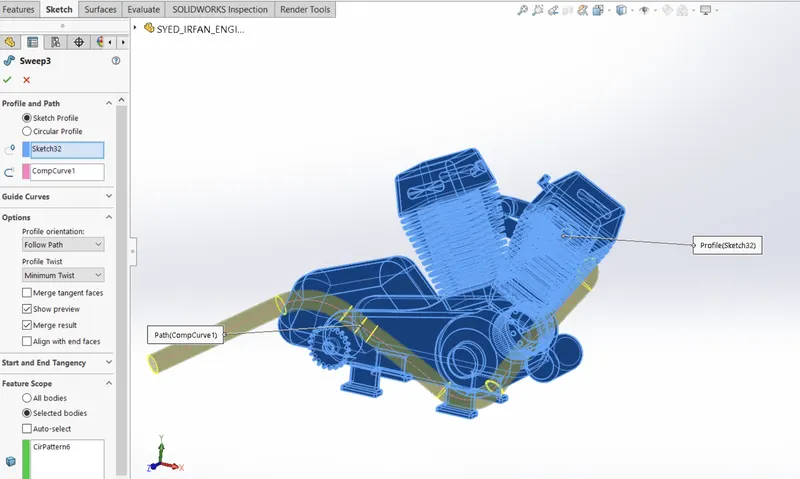
Fig: Sweep Feature
Gas tank:
Tools:
Line-Used to draw straight and tangent arcs.
Line construction- used to make reference geometry.
smart Dimension- create a dimension for one or more selected entities.
circle- to create a centre of the circle and set its radius
3 point Arc-Used to make an arc to set the radius or to reverse the arc as per dimension
Mirror- Creates a copy of a feature, (or multiple features), mirrored about a face or a plane.
Trim Entities- used to trim a sketch entity to be coincident with another
3 point Center Rectangle-used to the centre of the rectangle
Spline- used to make a spline curve and curved lines with complex geometry
Liner Sketch Pattern-adds a liner pattern of sketch
Convert Entities-create one or more curves in a sketch by projecting an edge, loop, face, curve, or external sketch contour, set of edges, or set of sketch curves onto the sketch plane. Original part.
Features:
Fillet- Fillet is a feature used for making round edges to avoid sharp edges.
Boss-Extrude- Used to expand the object in 3dm according to sketch plane.
Dome-It creates a dome that is tangent to the adjacent cylindrical or conical face.
Revolve-It used for sketching contours around an axis to create a solid feature.
Chamfer-The chamfer tool creates a bevelled feature on selected edges, faces, or a vertex.
Linear Pattern- Use linear patterns to create multiple instances of one or more features that you can space uniformly along one or two linear paths.
Cut extrude- cuts a solid model by extruding a sketch profile in one to two directions.
Cut Revolve-used to Cut a Solid model by revolving a sketched profile around an axis
combine-The common function allows you to add two bodies together, and keep the area that is common to them.
Circular pattern-used to pattern one-two circular directions
Project Curve- project a sketched curve onto a model face to create a 3D curve. can also create a 3D curve that represents the intersection of two extruded surfaces generated by creating sketches on two intersecting planes. create multiply closed or open-contour projected curves from a single sketch.
Body-Move/Copy-used to move or copy body
plane-to create a section view of a model, for a neutral plane in a draft feature
Sweep- sweep is a tool that creates a solid, a cut or a surface feature by moving a profile along a path.
Mirror-Creates a copy of a feature, (or multiple features), mirrored about a face or a plane.
Split- divides a selected face into multiple separate faces.
Chamfer- The chamfer tool creates a bevelled feature on selected edges, faces, or a vertex.
Cut-sweep- cuts a solid model by sweeping a closed profile along an open or closed path.
Images:
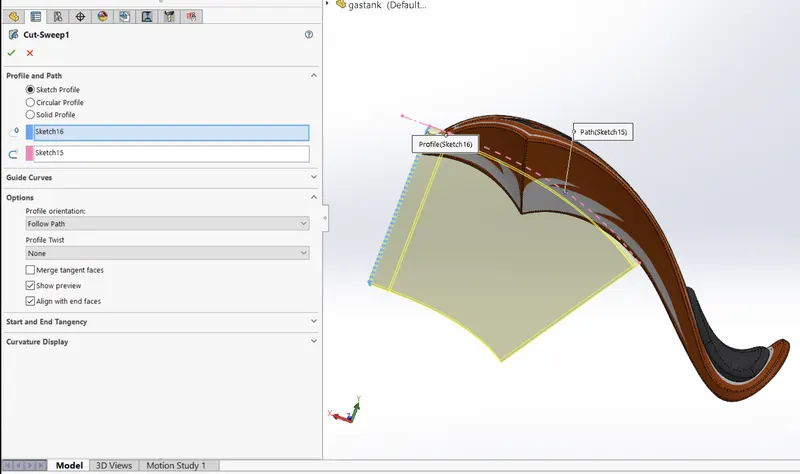
Fig: using the cut-sweep feature
ASSEMBLY OF AMERICAN CHOPPER
An assembly opens with the Insert Component Property Manager active. Click in the graphics area to add the part to the assembly. First, mainly insert all parts by using inset components feature.
make sure every part has as per axis, with using mate part will be fixed
Mate: Mates are constraints that hold components together in SOLIDWORKS assemblies.
Decals: Decals are used to do the artwork. on parts and assemblies.
Images (front view, side view, top view, isometric view, camera view)
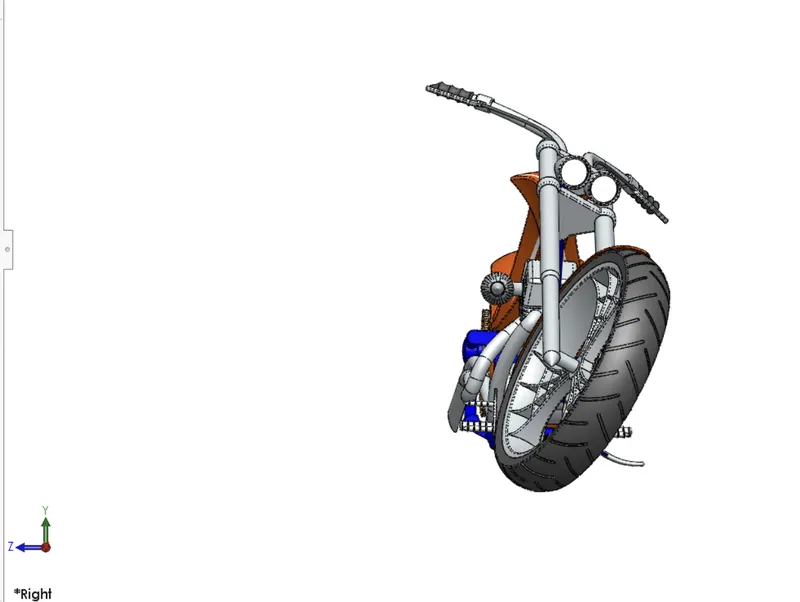
Front view
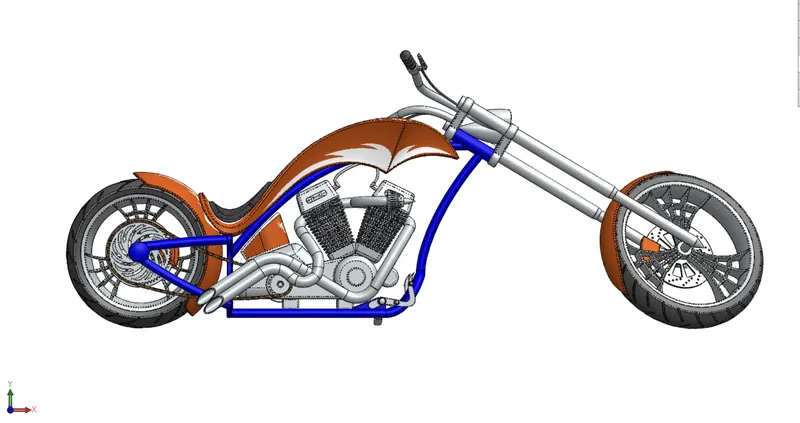
side view
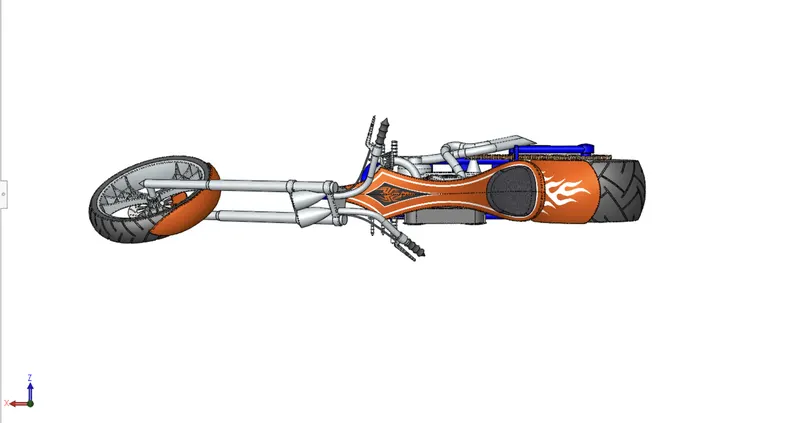
Top view
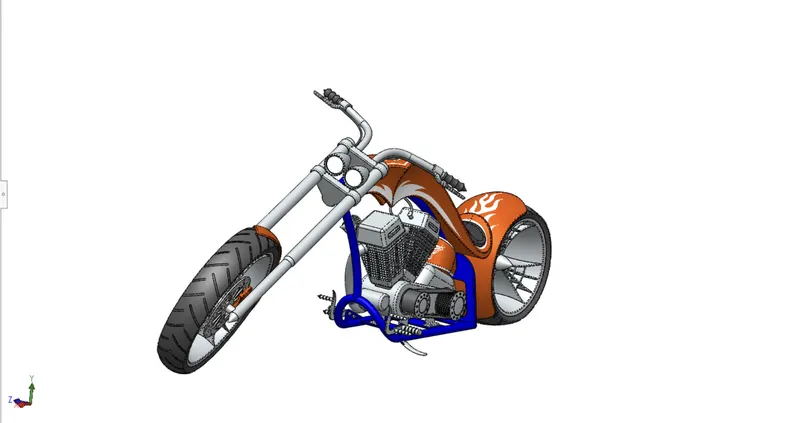
isometric view
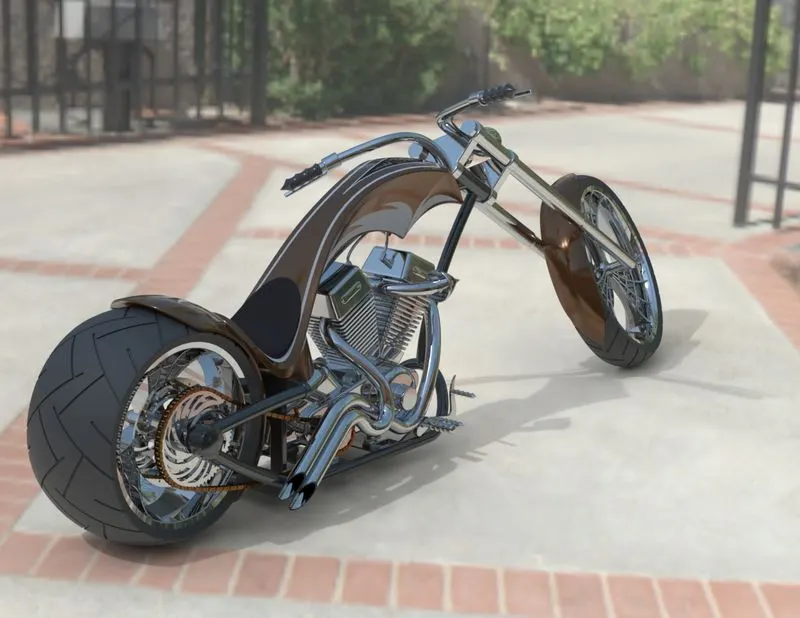
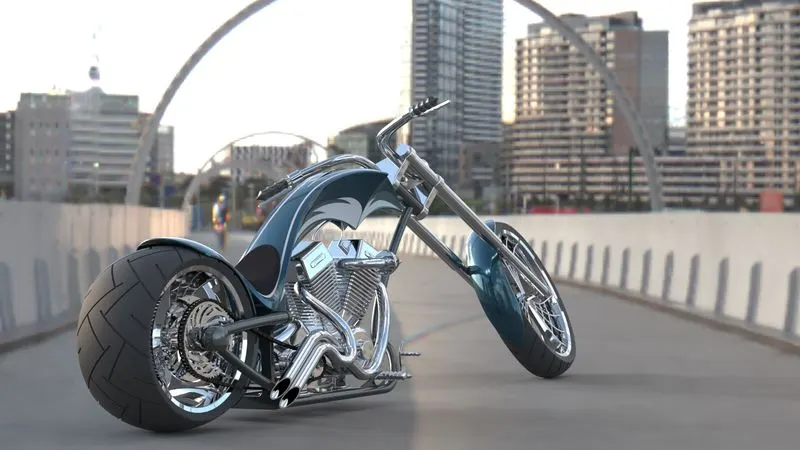
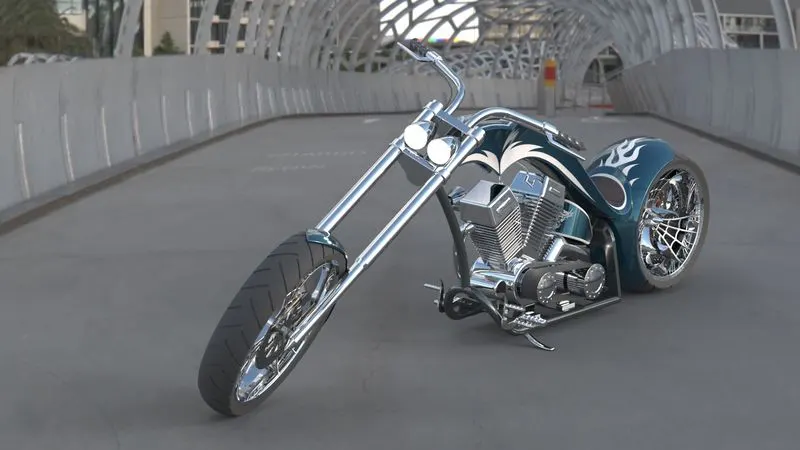
RENDERING OF AMERICAN CHOPPER
Rendering is the process to make a real-time image.
Rendering considers the following features
- environment setup
- light settings
- camera setting
- colours and material settings
- scene composition
setup is done by using solidworks photoview 360 with the above features
solid works visualize used to get a real-time image
Rendering Images
CONCLUSION
With this project, we get to know how Solidworks software works, By Using Solidworks software has many advantages and with tools and features, projects can finish in time and the tools and features user interface is very friendly. with the American chopper, the project gets to know new features and news techniques setup and decals plates.