Radar Mast & Final Assembly of Yacht
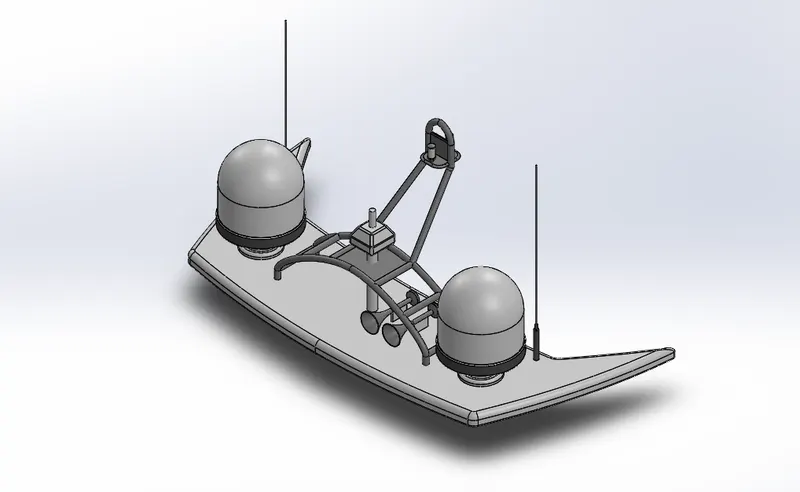
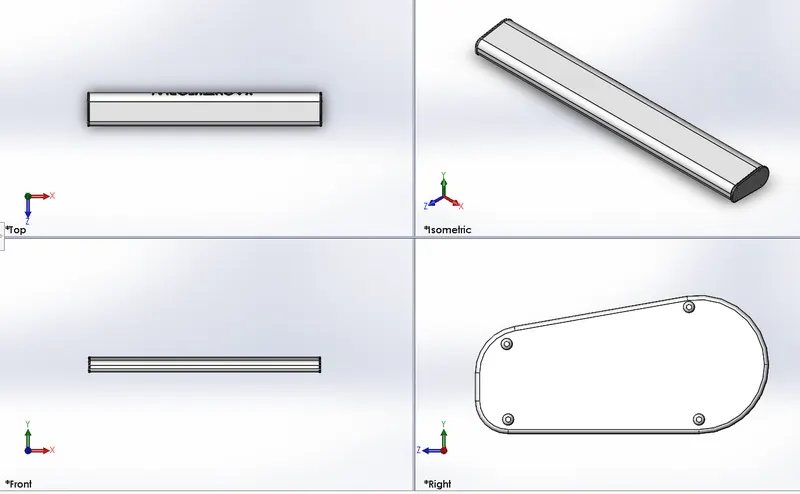
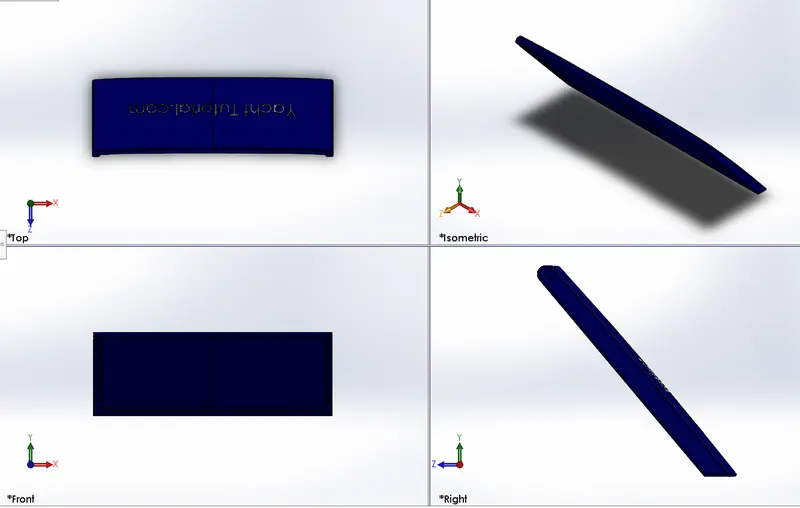
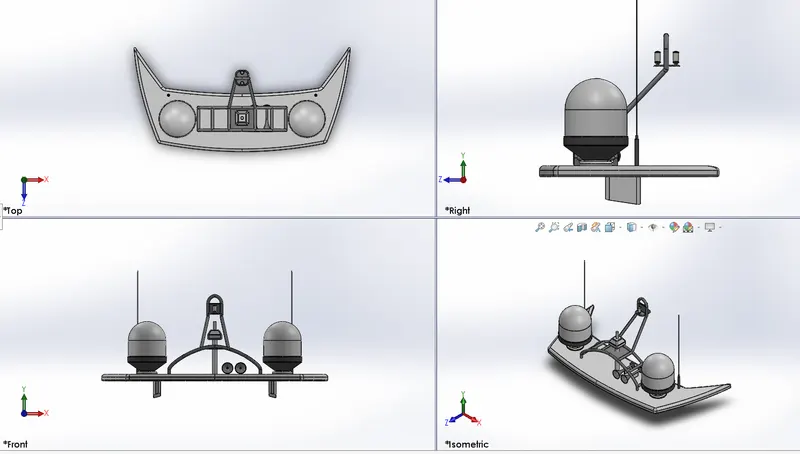
COMPONENT : RADAR MAST
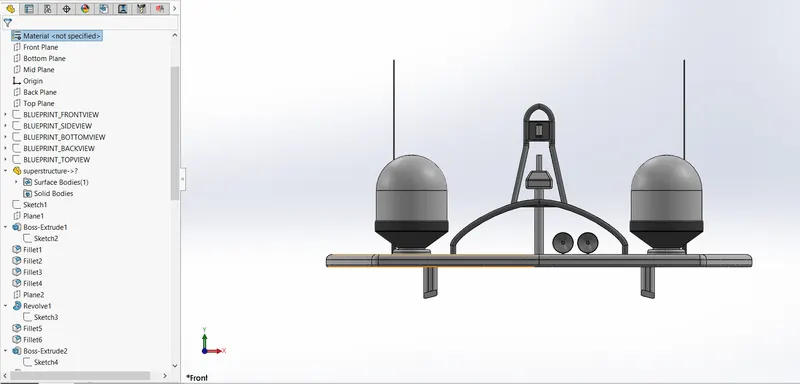
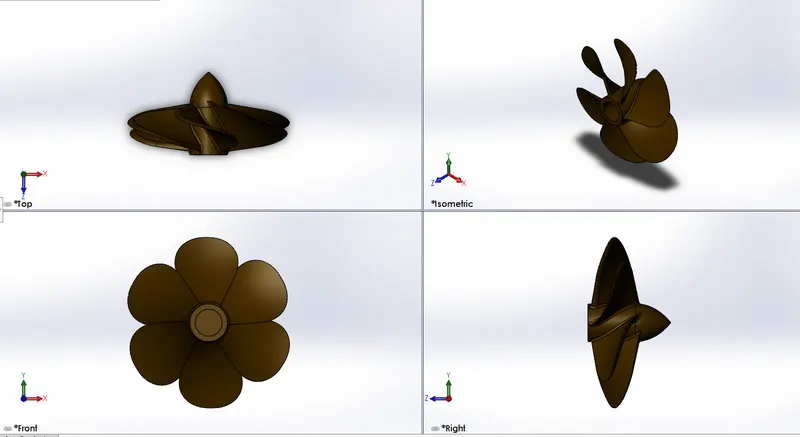
- Front View :
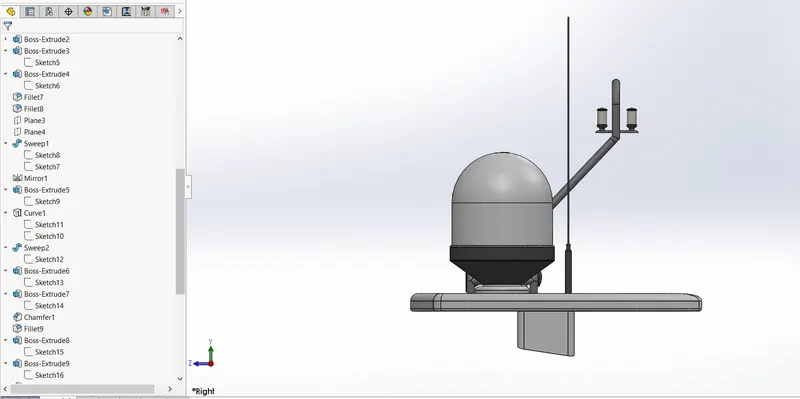
- Right View :
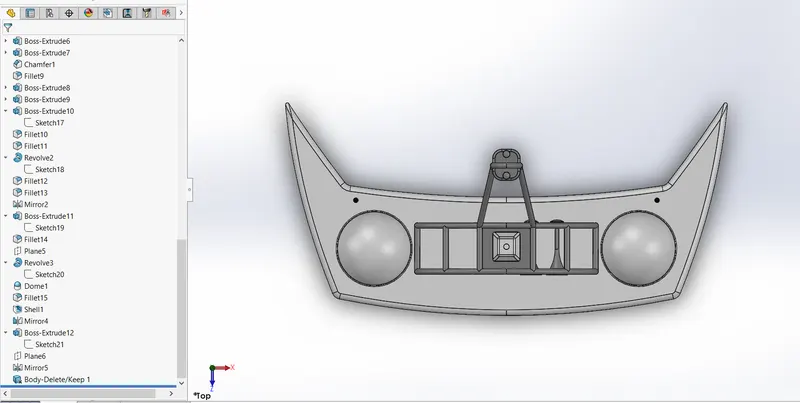
- Top View :
- Link of Model :https://1drv.ms/u/s!Aly1TzhZu9aOkE8QXAnnES7R8NUN?e=b3kF1Z
PROJECT :
MODELING AND RENDERING OF SUNSEEKER PREDATOR YACHT USING SOLIDWORKS
1) OBJECTIVE :
The main objective of this project is understanding the different tools and features used in the design sunseeker predator yacht in solidworks
- Design of the individual parts.
- Assembly of the yacht.
- Application of decals, setting up scenes, lights and cameras.
- Final Rendering of th yacht.
2) INTRODUCTION :
Part Modeling : The 3D part is the basic building block of any large scale design. Features are the individual Shapes that, when combined, make up the part. you can also add some types of features to assembles. Part document can contain multiple solid bodies that you can manipulate the same way as single solid bodies.
Surface Modeling : surface modeling is an alternative to solid body modeling. Essentially, its just another tab at top of the Solidworks User interface.
3) FEATURES USED IN MODELING
- SKETCH : Sketch is a 2-dimensional representation of the model with the respect to the plane/view from the outerside of the model. In solidworks there are different sketch tools options available to create a 2D sketch. These are known as Entities in solidworks. The following are the entities available such as line, spline, retangle, circles, ect.
- OFFSET : An offset entities relation created between new sketch entity and selected entity. If original sketch changes , the entity updates to maintaine the offset.
- EXTRUDED Boss/Base : The feature is used to conversion of 2D sketch into 3D model.
- FILLET : The feature is used to create rounded internal or exteranl face on the boby.
- LOFTED Boss/Base: This Feature is used create or added the material two or more profile to create solid feature.
- SWEPT Boss/Base : This feature is used to create sweep closed profile along open or closed path.
- REVOLVE Boss/Base : To create a revolve feature : create a sketch that contains one or more profiles and a centerline, line, or edge to use as the axis around which the feature revolves.
- EXTRUDED CUT : Extrude cut is another cool feature in solidworks. This feature is used to remove the unwanted material from model.
- DOME : Select one or more planar or non-planar faces. You can apply dome to faces whose centroid lies outside the face. Its allows you to apply domes to irregularly shaped contours.
- SPLIT : Split is used to project an entity (sketch, solid, surface, face, plane, or surface spline) onto other surfaces or curved/planar faces. You are also able to split face on multiple bodies with one command.
- TRIM ENTITIES : Select the trim type based on the entities you want to trim or extend. Trim one or more sketch entities to the nearest intersecting enity as you drag the pointer and cross the entity.
- MIRROR : Mirroring is another way that solidworks can creat a copy of an existing object.Additionally , you must choose a plane or face to mirror parts.
- COMBINE : Combine is a type of feature is avaliable in solidworks to manually combine two bodies.
- SHELL : The shell tool hollows out a part, leaves open the faces you select, and creates thin-walled features on the remaining face. If you do not select any face on the model, you can shell a solid part, creating a closed , hollow model. You can also shell a model using multiple thicknesses.
- CHAMFER : The chamfer tool create a beveled feature on selected edges, face, or a vertex.
- LINEAR PATTERN : The linear pattern command is used to drive feature, face, or a body in linear direction.
- LOFTED SURFACE : Lofted surface are surface generated by multiple 3D curves or existing edges creating a smooth tangency between the selected curves.
- SWEPT SURFACE : A swept surface are surfaces that are generated from a section curve positioned along a path.
- FILLED SURFACE : A filled surface feature constructs a surface patch with any number of sides, within a boundery defined by existing model edges, sketchs, or curves, including composite curves.
- TRIM SURFACE : Surface trim tool is used to remove unwanted material from surface, and proviedes two modes : standarad and manual.
- EXTEND SURFACE : The command is used to extend the edges, multiple edges or the face on surface, base on end condition and extension type.
- KNIT SURFACE : Surface knit is used to combines two or more adjacent, non-intersecting surface together.
4) DESIGN METHODOLOGY :
Designing in solidworks Start with a 2-dimensional sketch. From a 2D sketch one can create 3- dimensional objects using built-in tools called "features". Features are simply different ways of converting 2D outlines into 3D objects. All the designed components are taken into the assembly section in solidworks. After that parts are inserted in the assembly is taken into the Photo view-360 and Solid viusalize for Final rendering.
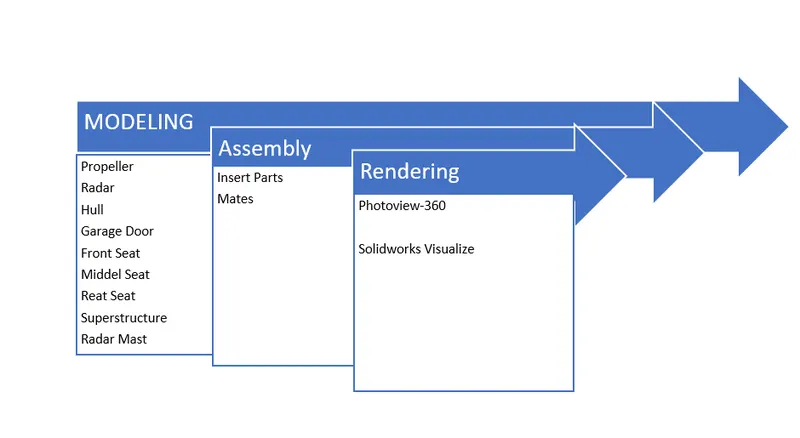
Part Modeled For Yacht :
- Propeller
- Radar
- Hull
- Garage Door
- Front Seat
- Middel Seat
- Rear Seat
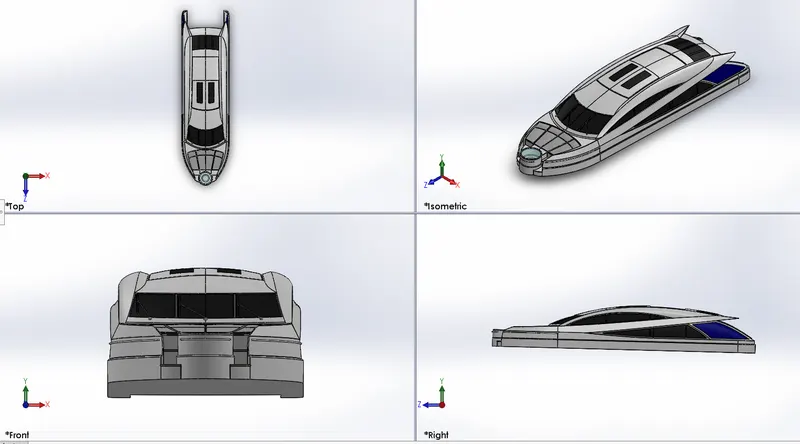
- Superstructure
- Radar Mast
Description of Parts And Features Used :
a) PROPELLER :
- Propeller include blades that turn on a shaft, which is powered by the motor. A propeller blades displace water, to create the forces that move a yacht forward.
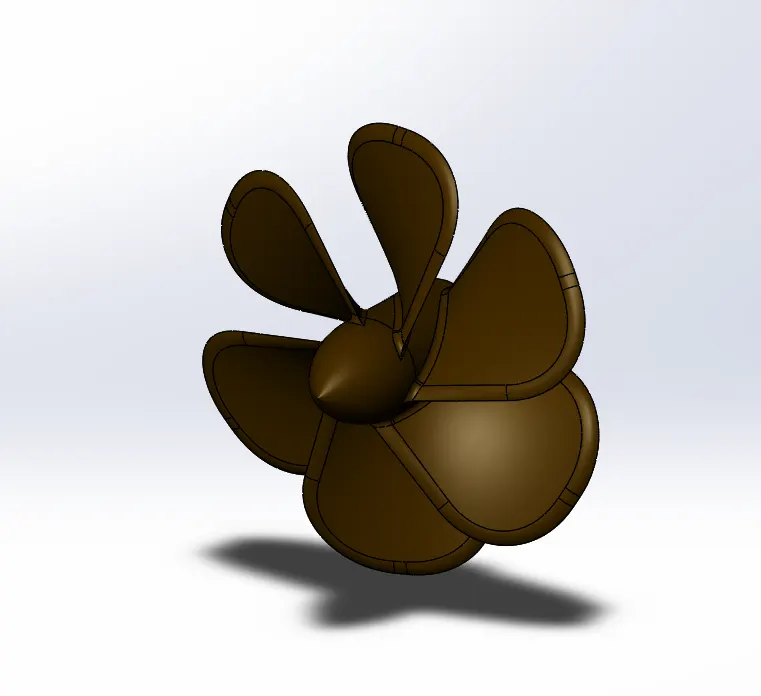
Features Used :
- Revolved Boss/Base
- Loft
- Extruded cut
- Fillet
- Circular Pattern
b) RADAR :
- Radar is a divice which detecting other ship and land obstacles, to give bearing and distance for collision aviodance and navigation while on water.
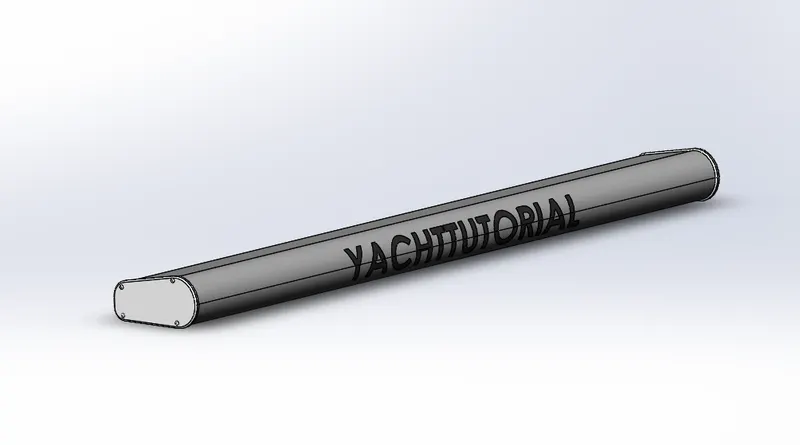
Features Used :
- Extruded Boss/Base
- Fillet
- Extruded Cut
- Split
- Sketch Driven Pattern
- Mirror
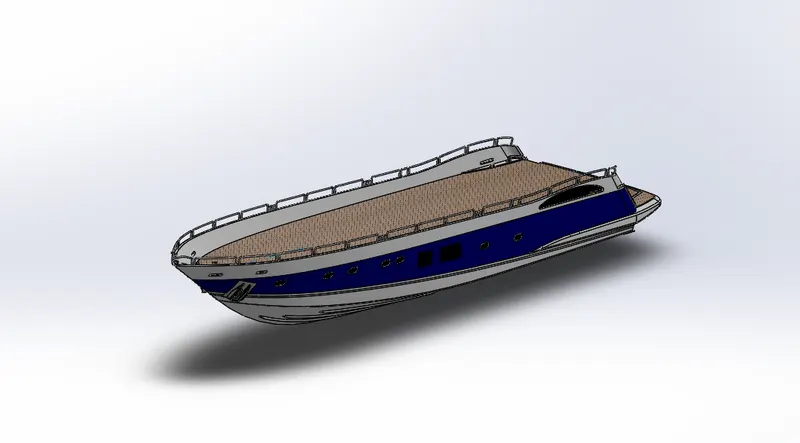
c) HULL :
- A hull is the watertight body of a ship, boat, or flying boat. It protects the cargo and the machinery of the yacht. It is the part of the Vessel which meets the ocean.
Features Used :
- Projected Curve
- Lofted Surface
- Trim Surface
- Extruded Surface
- Knit Surface
- Filled Surface
- Shell
- Extruded Boss/Base
- Extrude Cut
- Fillet
- Swept Boss/Base
- Chamfer
- Helix and Spiral
- Reference Plane
- Linear Pattern
- Delete Face
- Curved Driven Pattern
- Combine
- Revolved Boss/Base
- Linear Pattern
- Mirror
- Split
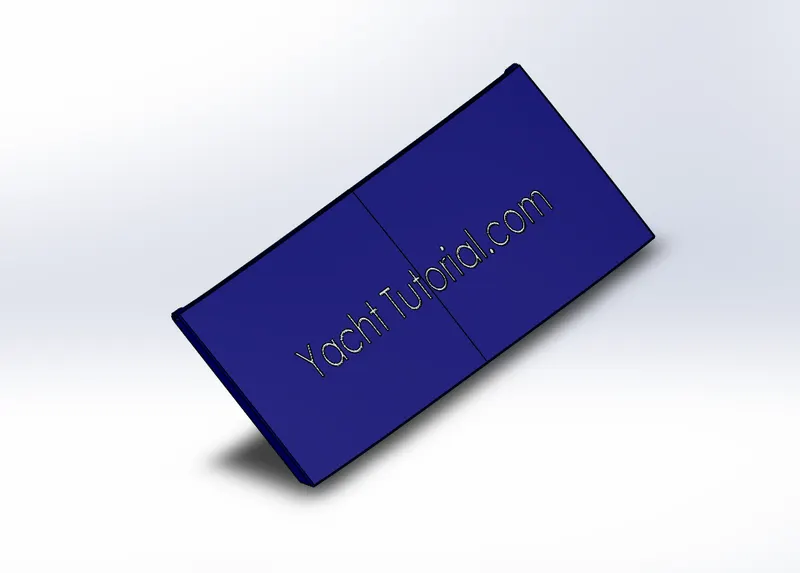
d) GARAGE DOOR :
- A Garage door is a large door on a garage that open either manually or by an electric motor. Garage doors are frequently large enough to accommodate automobiles and other vehicles.
Features Used :
- Shell
- Extruded Cut
- Fillet
- Reference Plane
- Mirror
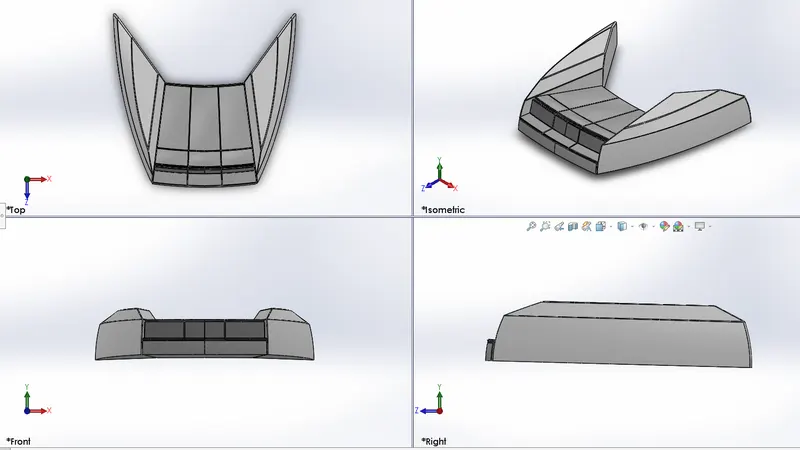
e) FRONT SEAT :
- Seating area located at the front part of the hull right before the SuperStructure
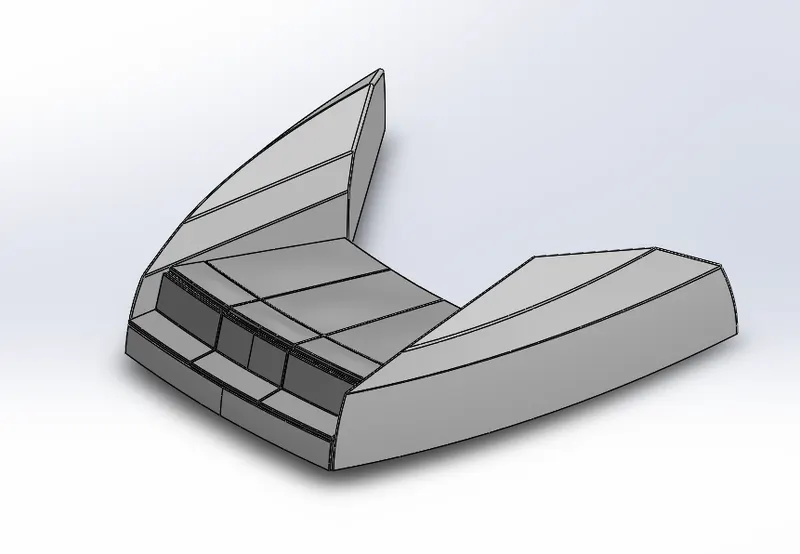
Features Used :
- Trim
- Extruded Surface
- Knite Surface
- Filled surface
- Swept surface
- Extruded Cut
- Fillet
- Chamfer
- Revolved Boss/Base
- mirror
f) MIDDEL SEAT :
- Seating area Located under the Superstructure which consists of a table and a sofa set
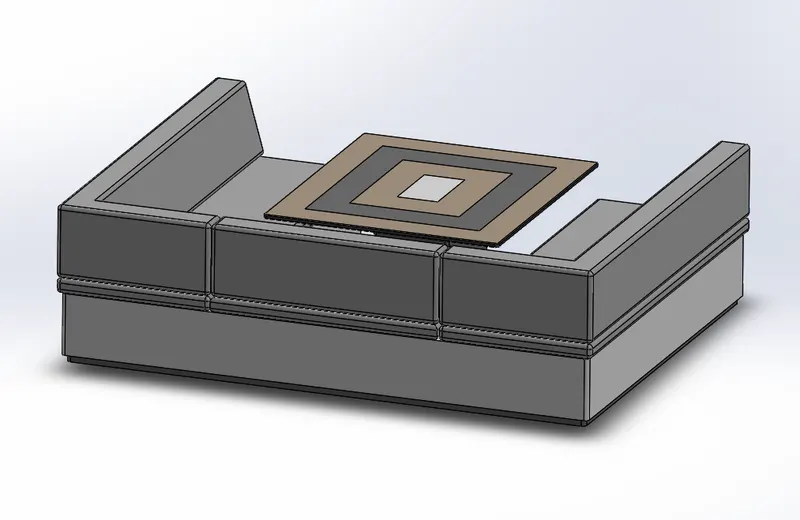
Fatures Used :
- Extrude Boss/Base
- Extruded Cut
- Fillet
- Chamfer
- Mirror
- Reference Plane
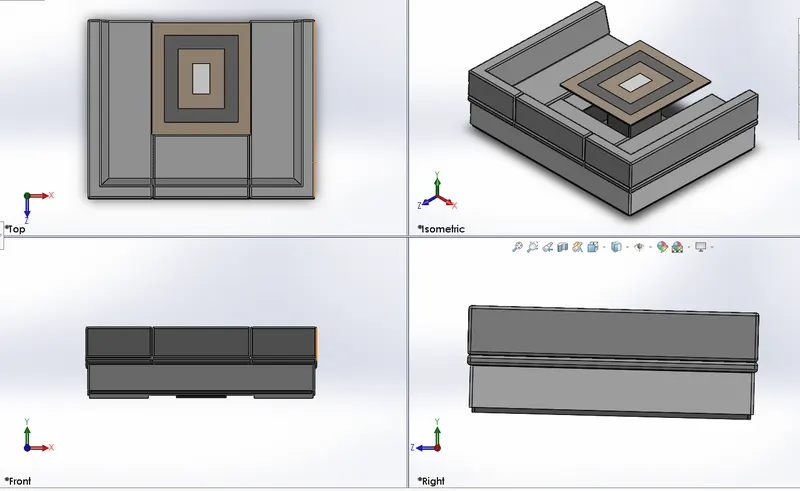
g) REAR SEAT :
- Seat area located at the end of the secound deck floor which also has the gates to enter the secound deck area.
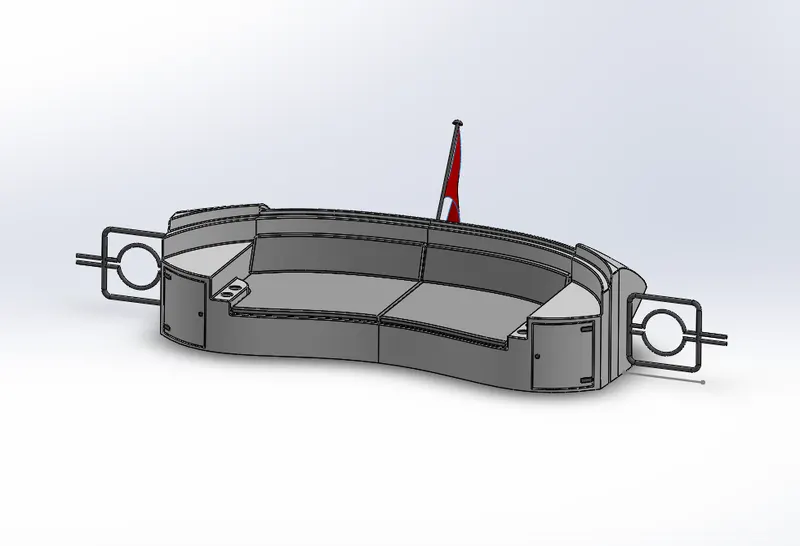
Features Used :
- Extruded Boss
- Fillet
- Revolved Boss
- Dome
- Chamfer
- Linear Pattern
h) SUPERSTRUCTURE :
- Superstructure is an upward extension of an existing structure which is the hull which holds yacht Navigation and captain cabin.
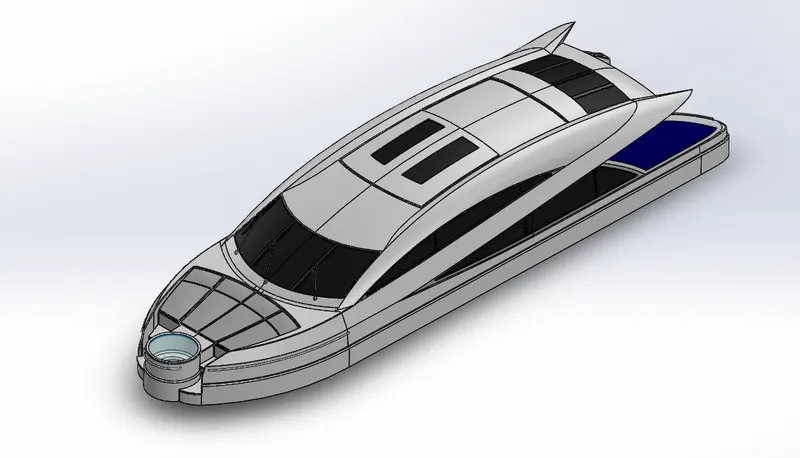
Features Used :
- Projected curve
- Lofted Surface
- filled Surface
- Trim Surface
- Extruded Surface
- Knit Surface
- Shell
- Extruded Boss/base
- Extruded Cut
- Fillet
- Swept Boss/Base
- Reference Plane
- Delete Face
- Mirror
- Split
- Ruled Surface
- Extend Surface
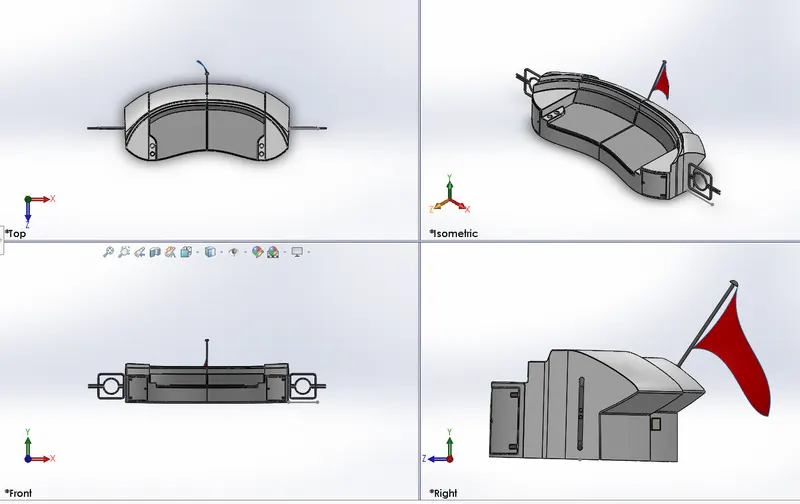
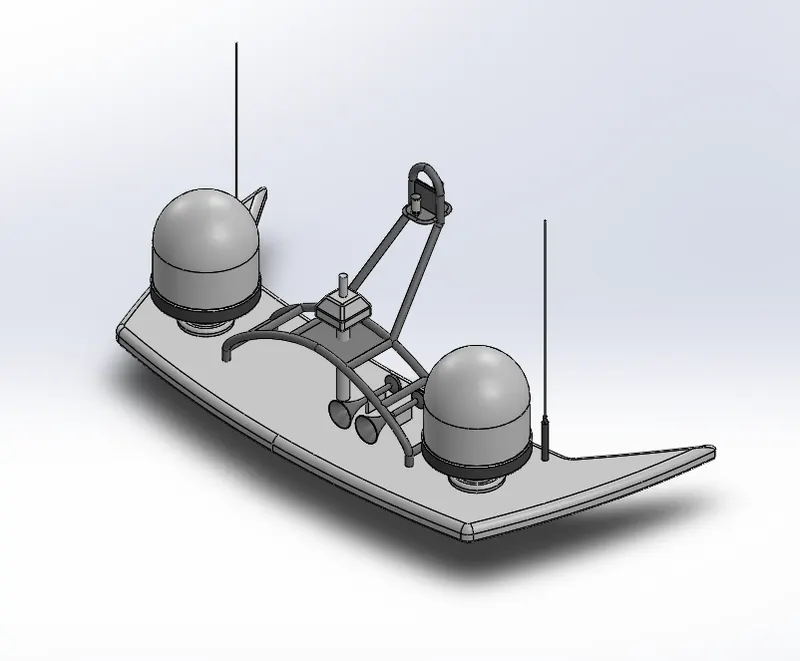
i) RADAR MAST :
- Radar mast is used to detect objects and their position relative to your current Location.
Features Used :
- Shell
- Revolved Boss/Base
- Dome
- Projected Curve
- Trim Surface
- Extruded surface
- Extrude Boss/Base
- Fillet
- Swept Boss/Base
- Reference Plane
- Mirror
5) ASSEMBLY OF SUNSEEKER PREDATOR YACHT :
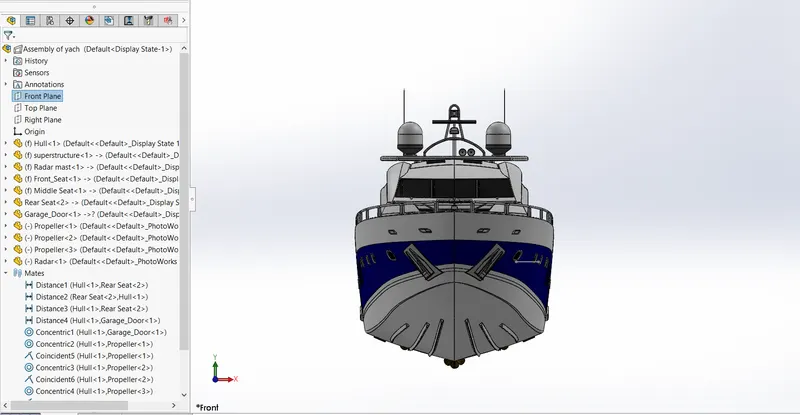
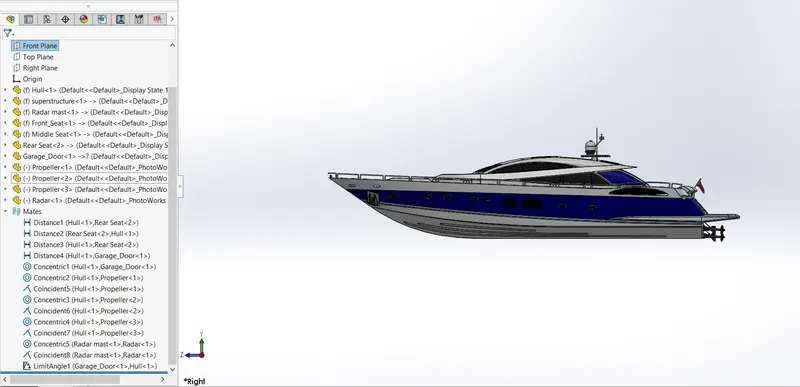
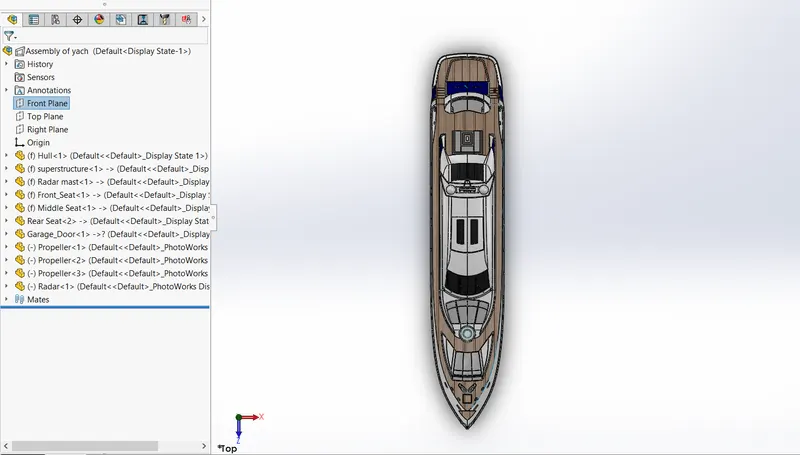
All the designed components are taken into the assembly section in solidworks and using different mating features such as concentric, coincident, parallel, etc., The entire assembly of yacht is created. Initially, the hull part is inserted in the assembly by using insert parts in the option. After that the parts is inserted in the assembly.
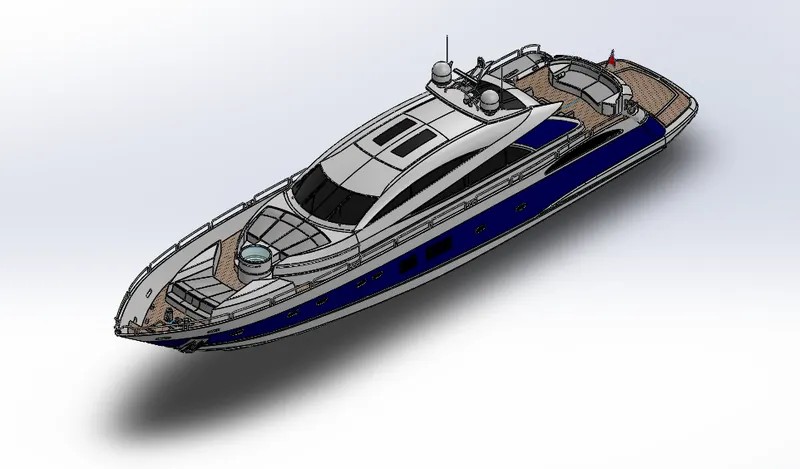
Features Used For Assembly :
- Mates
- Insert Parts
a) Mates :
- Mates create geometric relatonships between assembly components. As you add mates, You define the allowable directions of linear or rotational motion of the components. You can move a component within its degrees of freedom, visualizing the assembly's behavior.
b) Insert Part :
- We can insert the other components which need to be mated with the prime fixed component.
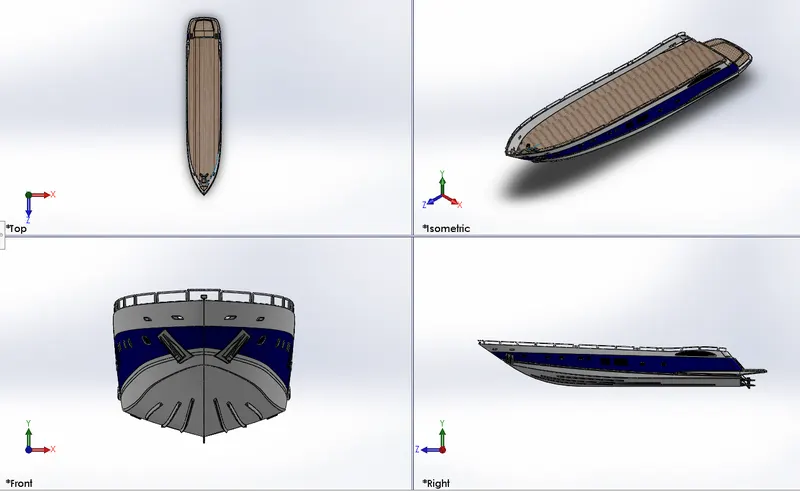
- Front View of Yacht Assembly :
- Right View of Yacht Assembly :
- Top View of Yacht Assembly :
- Link of Yacht Assembly : https://1drv.ms/u/s!Aly1TzhZu9aOkFAitbbaUSqYGT2i?e=ynLD34
6) RENDERING :
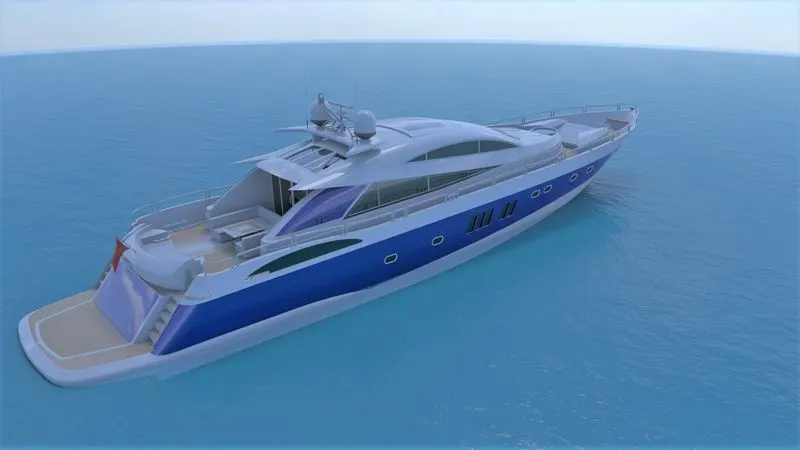
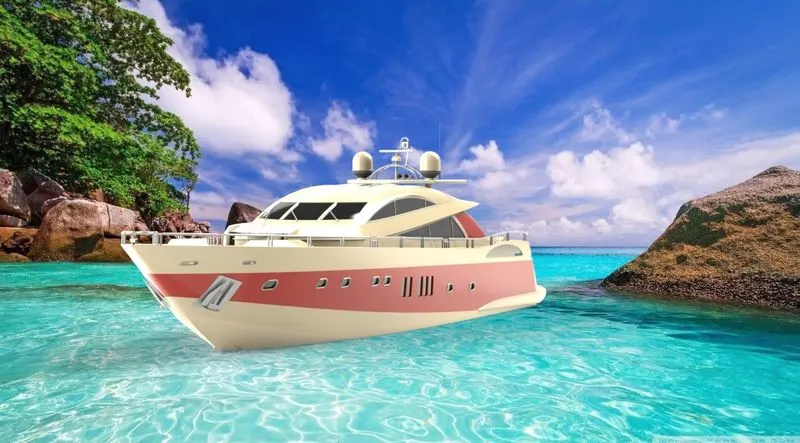
Once the application of decals is finished, the assembly of yacht is taken into the Photoview-360 and Solidworks Visualize. Here various aspects such as camera, external lighting, background scenes, etc., are taken into consideration before the creation of the Final rendering. The final rendered images of the Sunseeker predator yacht are derived.
- Render on Photoview-360.
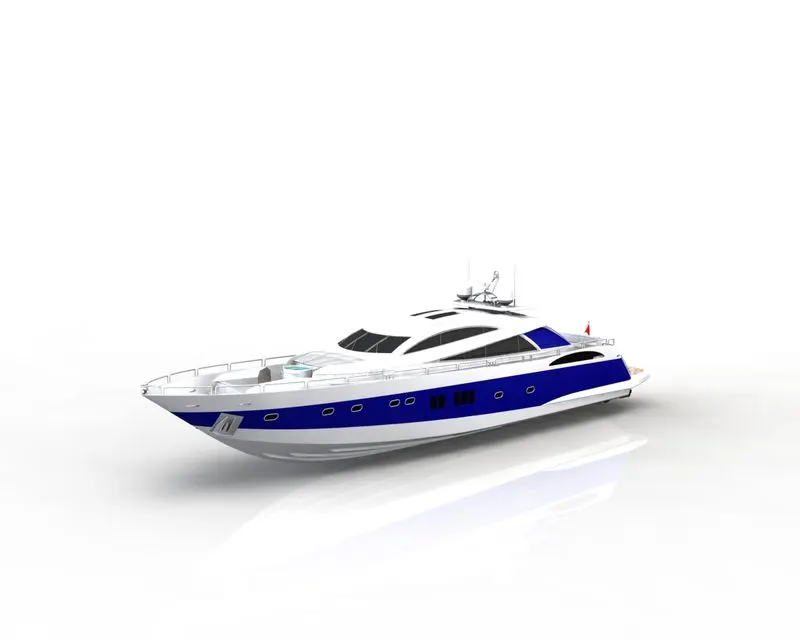
- Render on Solidworks Visualize.
7) CONCLUSION :
- The part of the yacht are sketched and modelled in the solidworks.
- The parts are inserted into assembly environment and by applying mates yacht is assembled.
- The realistic image was rendered with the use of photoview-360 and Solidworks Visualize.