Projefct 1_Comparative study of different storey buildings for Seismic forces
Aim:
To find the Factors influencing the Natural Period of a building and Factors influencing the Mode shape of oscillations.
Building A:
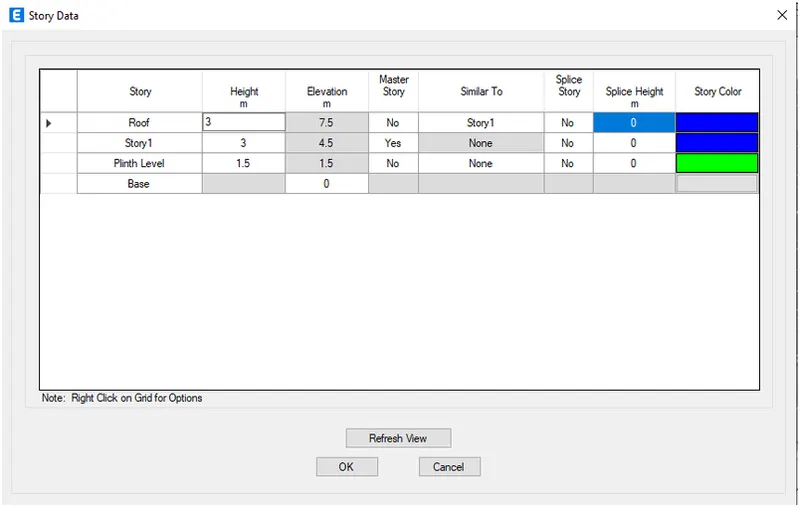
Click the Edit tab and choose edit story.Add 2 story and make 1st story as Master and all other as similar to 1st story.
Click ok.
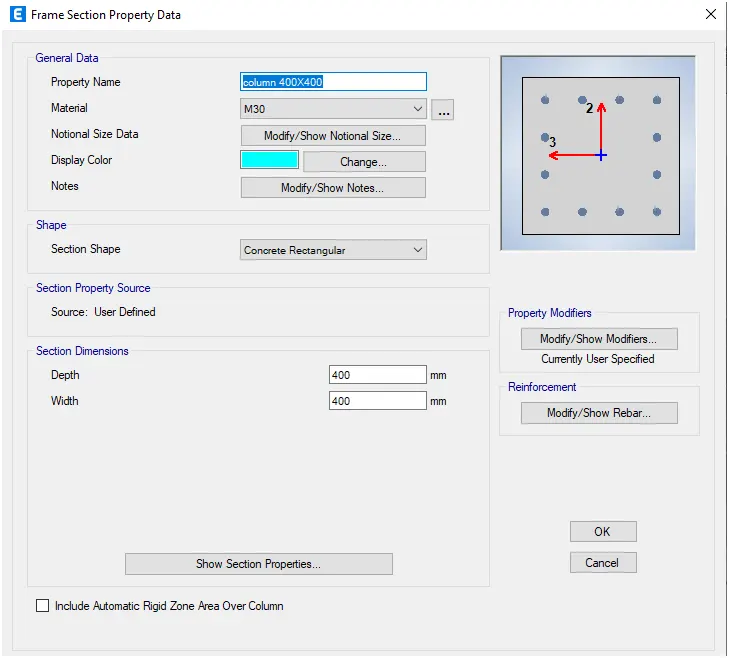
Click the Define tab and click section properties.Select Add new property and choose Rectangular
Add the new column dimension of 400 x 400.Click ok.
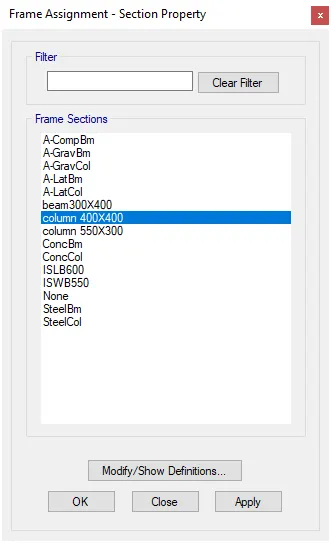
Click the select tab and select the columns.
Click assign tab and choose frame assignment as 400 x 400 dimension column.Click ok.
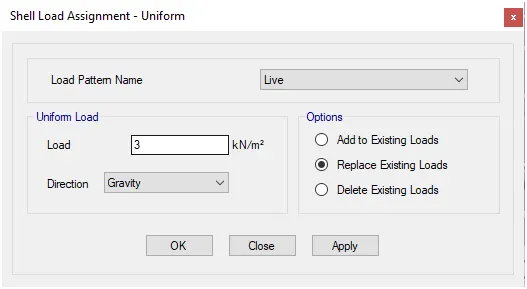
Click the Select tab and choose floors.Click assign tab and choose shell loads then uniform load.
Create live load and load pattern name and input 3kn/sq.m.Click Ok.
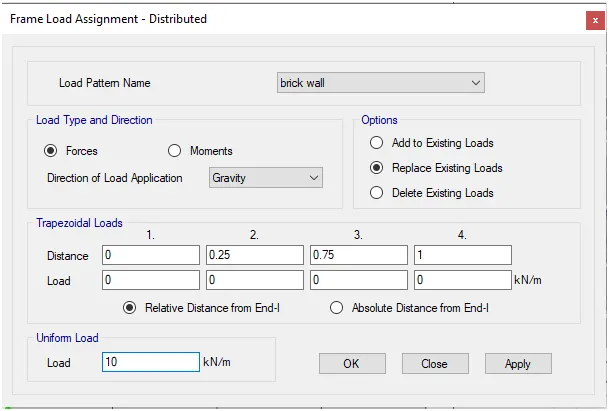
Click the Select tab and choose beams.Click assign tab and choose frame loads then distribute
Create a brick wall load as input 10kn/sq.m for load value.Click Ok
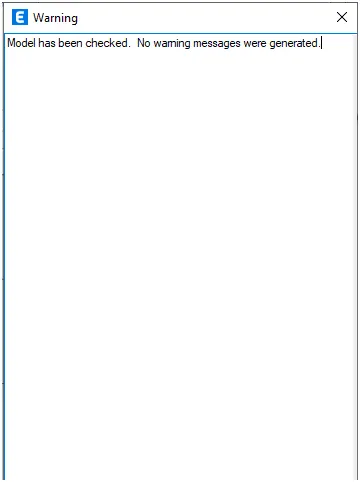
After assigning loads of each frame Check the model.Run the analysis.
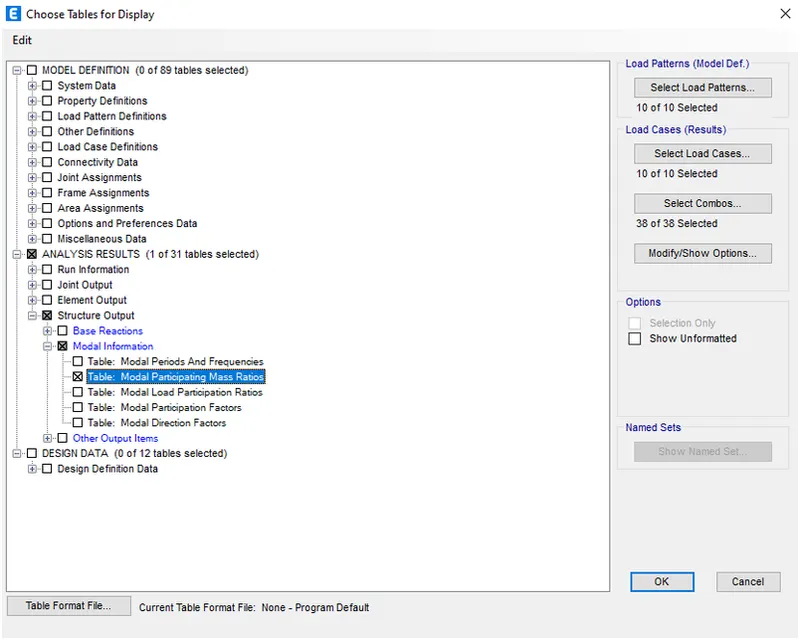
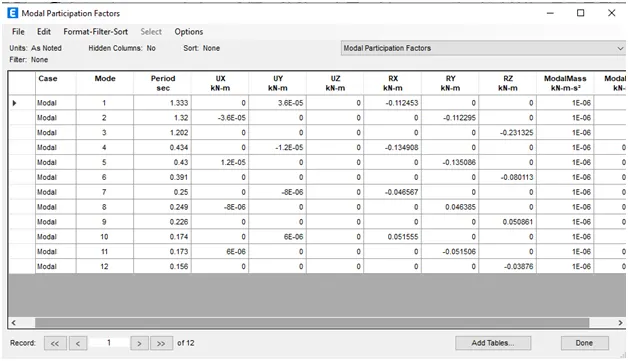
Click Display and choose the show table option.Select Modal participating ratio from Structural output.Click ok.
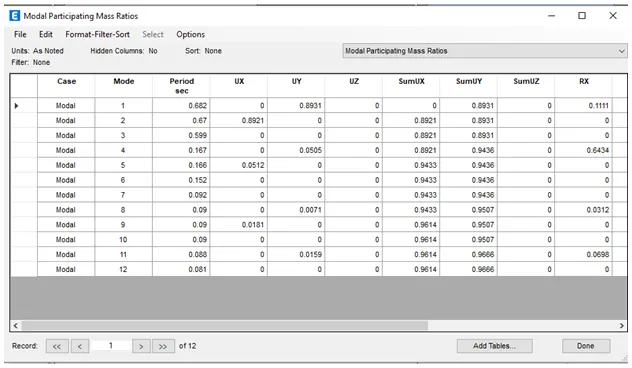
Result:
Building B:
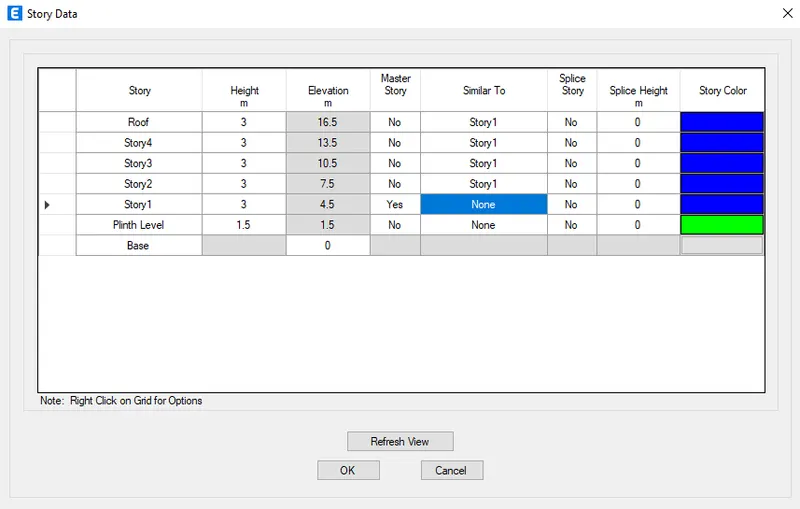
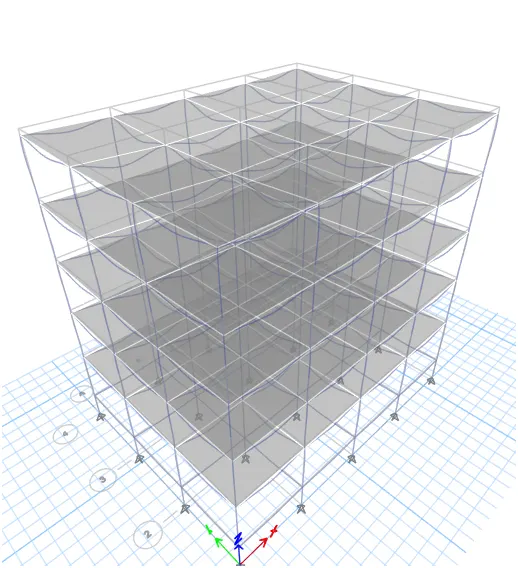
Click the Edit tab and choose edit story.Add 5 story and make 1st story as Master and all other as similar to 1st story.
Click ok.
Click the Define tab and click section properties.Select Add new property and choose Rectangular
Add the new column dimension of 400 x 400.Click ok.
Click the select tab and select the columns.
Click assign tab and choose frame assignment as 400 x 400 dimension column.Click ok.
Click the Select tab and choose floors.Click assign tab and choose shell loads then uniform load.
Create live load and load pattern name and input 3kn/sq.m.Click Ok.
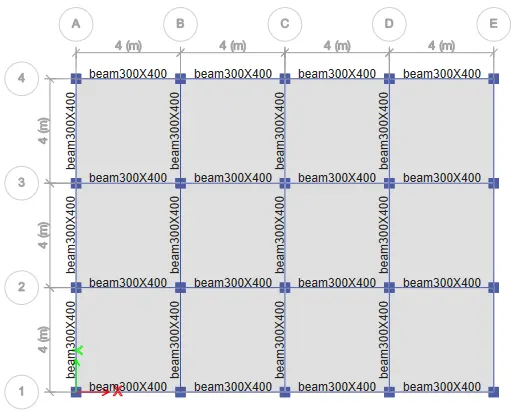
Click the Select tab and choose beams.Click assign tab and choose frame loads then distribute
Create a brick wall load as input 10kn/sq.m for load value.Click Ok
After assigning loads of each frame Check the model.Run the analysis.
Click Display and choose the show table option.Select Modal participating ratio from Structural output.Click ok.
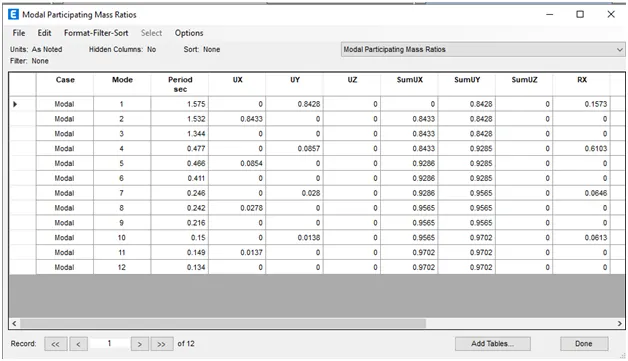
Result:
Building C:
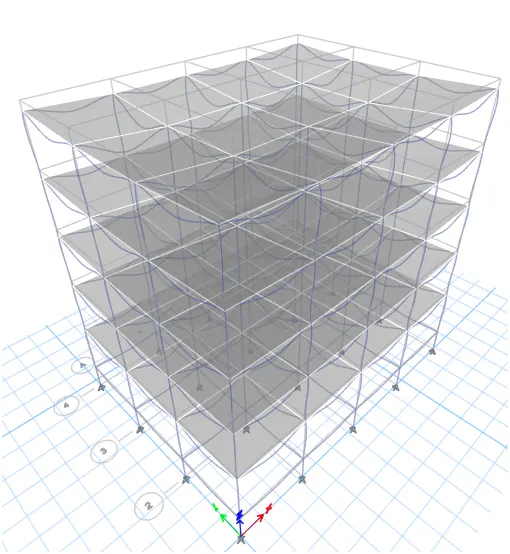
Click the Edit tab and choose edit story.Add 5 story and make 1st story as Master and all other as similar to 1st story.
Click ok.
Click the Define tab and click section properties.Select Add new property and choose Rectangular
Add the new column dimension of 550 x 300.Click ok.
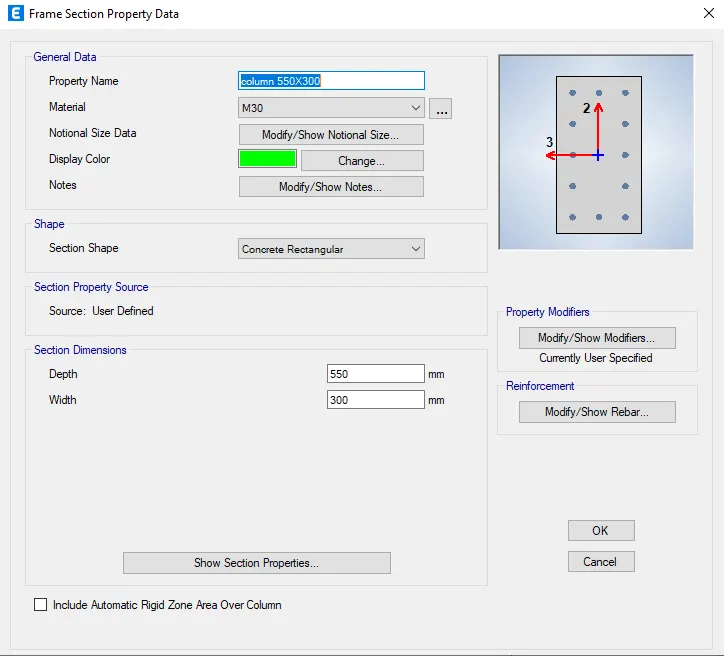
Click the select tab and select the columns.
Click assign tab and choose frame assignment as 550 x 300 dimension column.Click ok.
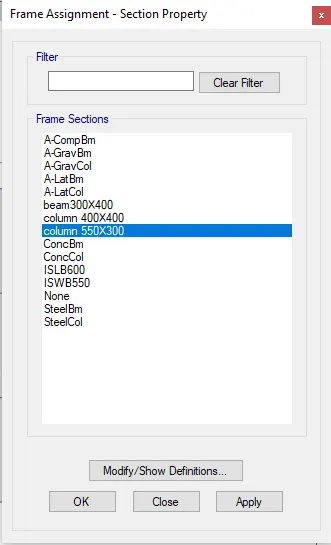
Click the Select tab and choose floors.Click assign tab and choose shell loads then uniform load.
Create live load and load pattern name and input 3kn/sq.m.Click Ok.
Click the Select tab and choose beams.Click assign tab and choose frame loads then distribute
Create a brick wall load as input 10kn/sq.m for load value.Click Ok
After assigning loads of each frame Check the model.Run the analysis.
Click Display and choose the show table option.Select Modal participating ratio from Structural output.Click ok.
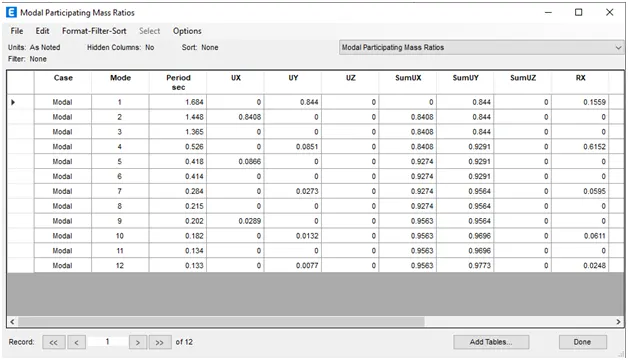
Result:
Building D:
Click the Define tab and click section properties.Select Add new property and choose Rectangular
Add the new column dimension of 300 x 550.Click ok.
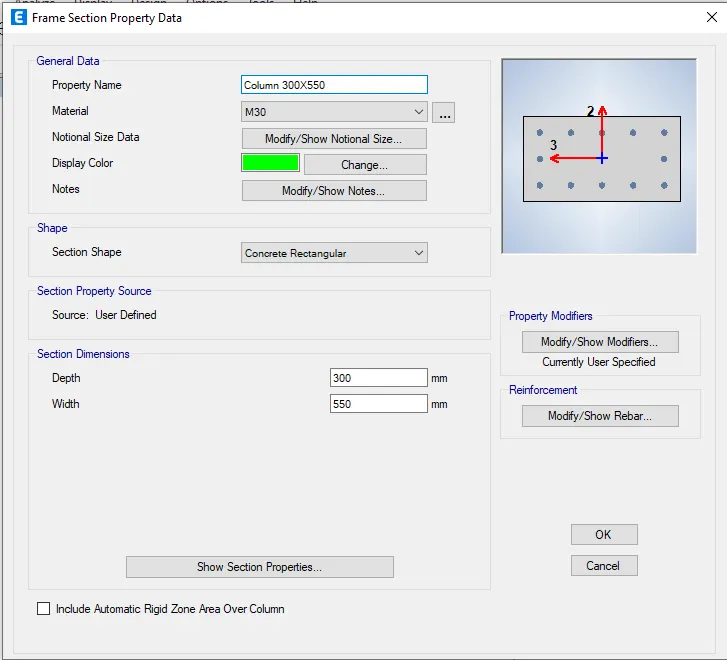
Click the select tab and select the columns.
Click assign tab and choose frame assignment as 300 x 550 dimension column.Click ok.
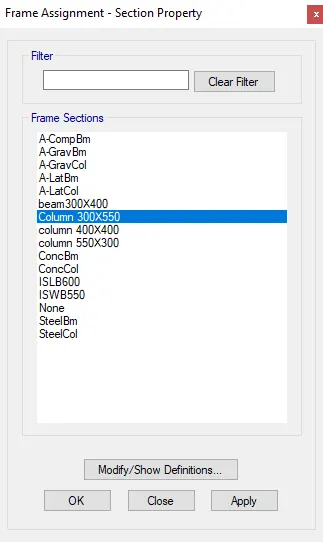
Click the Select tab and choose floors.Click assign tab and choose shell loads then uniform load.
Create live load and load pattern name and input 3kn/sq.m.Click Ok.
Click the Select tab and choose beams.Click assign tab and choose frame loads then distribute
Create a brick wall load as input 10kn/sq.m for load value.Click Ok
After assigning loads of each frame Check the model.Run the analysis.
Click Display and choose the show table option.Select Modal participating ratio from Structural output.Click ok.
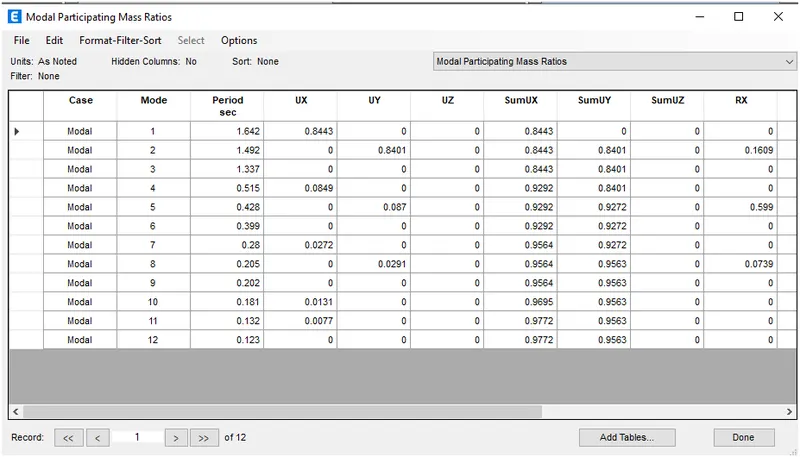
Result:
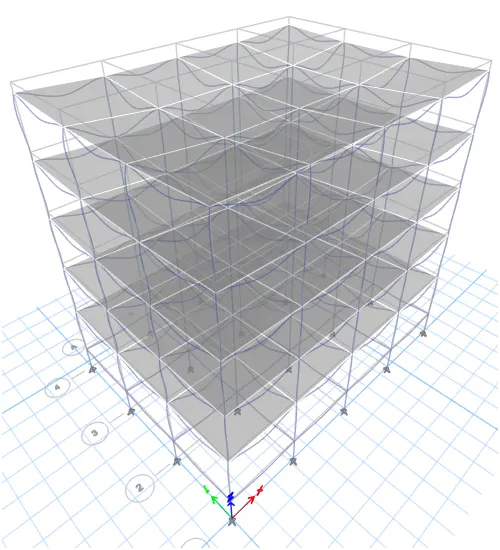
Building E:
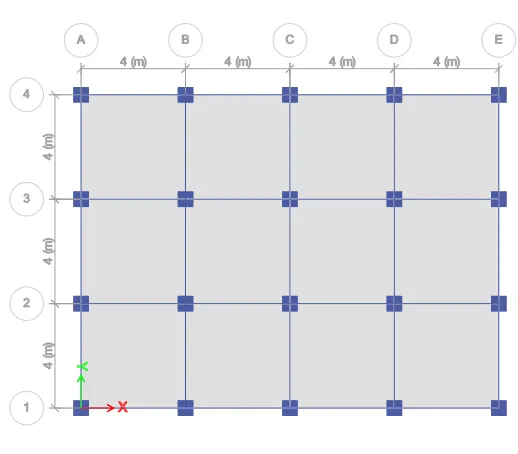
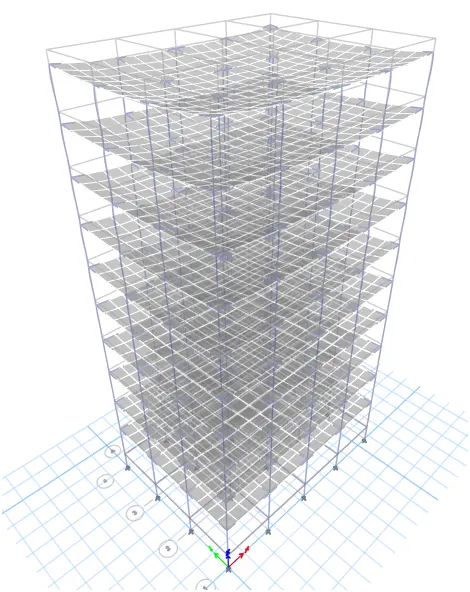
Click the Edit tab and choose edit story.Add 10 story and make 1st story and 6th story as Master and make 2-5 story similar to 1st story and 7- roof similar to 6th syory.
Click ok.
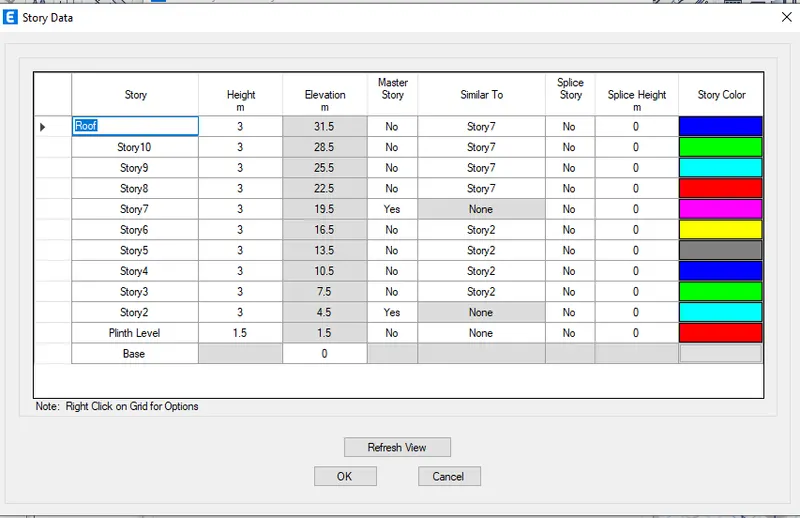
Click the Define tab and click section properties.Select Add new property and choose Rectangular
Add the new column dimension of 400X400.Add the new column dimension of 600X600.Click ok.
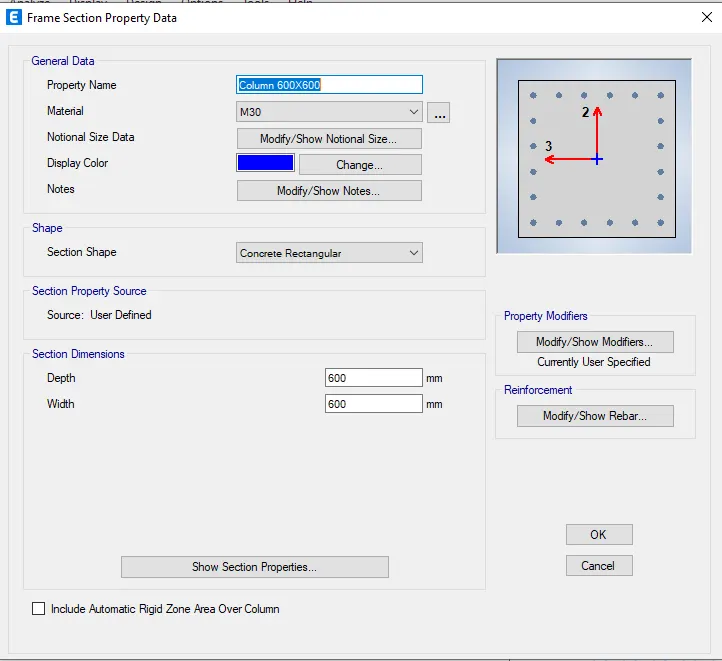
Select similar stories.In the plan select 1 floor .Select the columns.
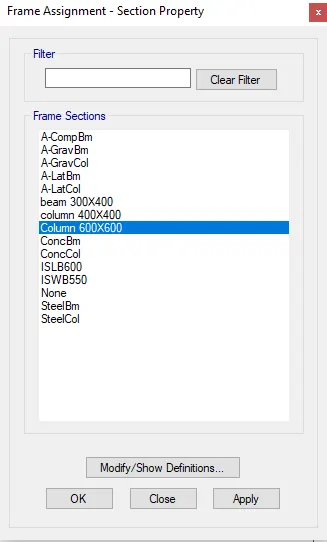
Click assign tab and choose frame assignment as 400X400 dimension column.Click ok.
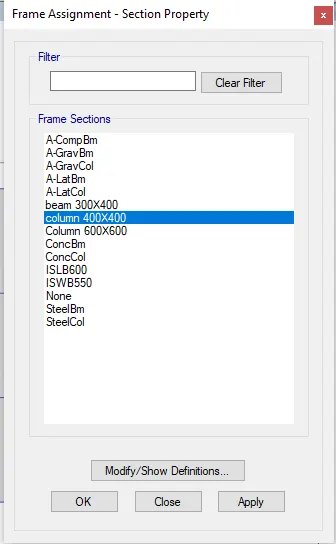
Select similar stories.In the plan select 6 floor .Select the columns.
Click assign tab and choose frame assignment as 600X600 dimension column.Click ok.
Click the Select tab and choose floors.Click assign tab and choose shell loads then uniform load.
Create live load and load pattern name and input 3kn/sq.m.Click Ok.
Click the Select tab and choose beams.Click assign tab and choose frame loads then distribute
Create a brick wall load as input 10kn/sq.m for load value.Click Ok
After assigning loads of each frame Check the model.Run the analysis.
Click Display and choose the show table option.Select Modal participating ratio from Structural output.Click ok.
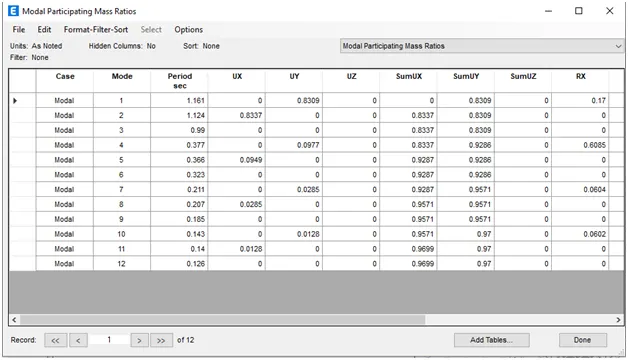
Result:
Building F:
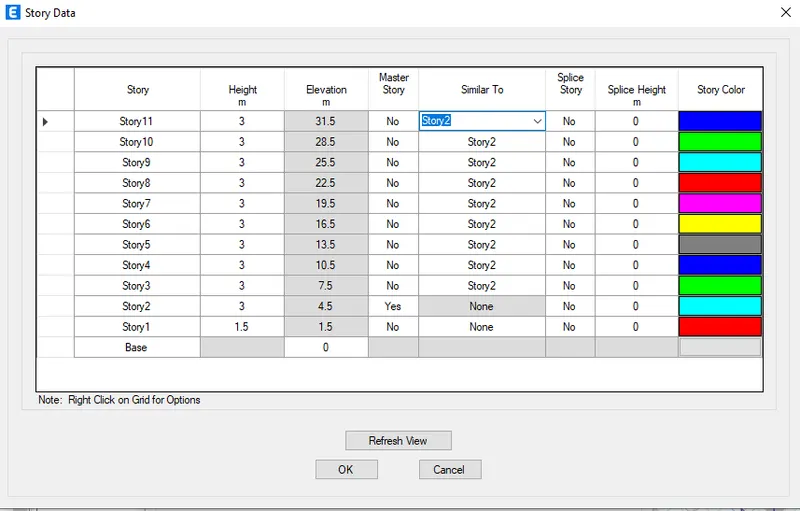
Click the Edit tab and choose edit story.Add 10 story and make 1st story as Master and all other as similar to 1st story.
Click ok.
Click the Define tab and click section properties.Select Add new property and choose Rectangular
Add the new column dimension of 600 x 600.Click ok.
Click the select tab and select the columns.
Click assign tab and choose frame assignment as 600 x 600 dimension column.Click ok.
Click the Select tab and choose floors.Click assign tab and choose shell loads then uniform load.
Create live load and load pattern name and input 3kn/sq.m.Click Ok.
Click the Select tab and choose beams.Click assign tab and choose frame loads then distribute
Create a brick wall load as input 10kn/sq.m for load value.Click Ok
After assigning loads of each frame Check the model.Run the analysis.
Click Display and choose the show table option.Select Modal participating ratio from Structural output.Click ok.
Result:
Building G:
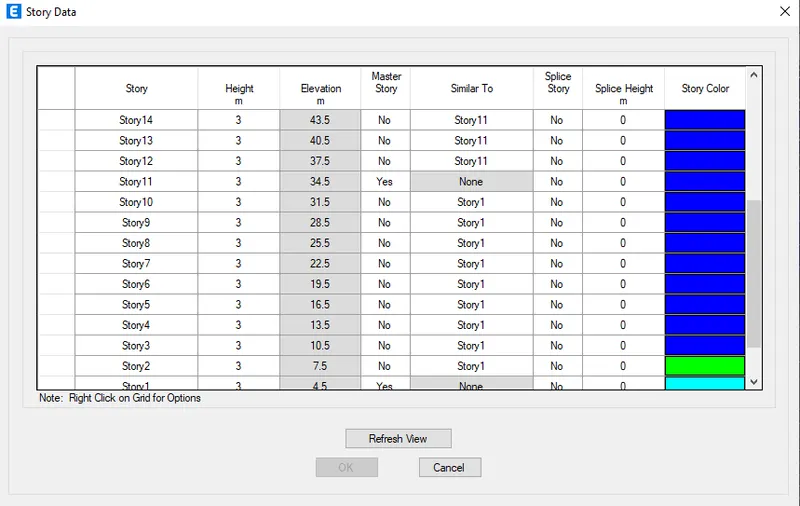
Click the Edit tab and choose edit story.
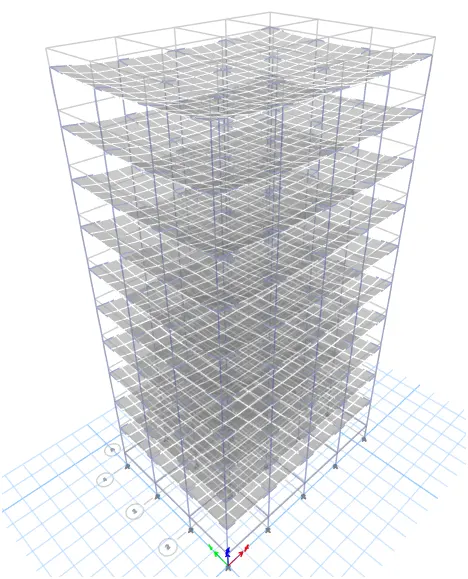
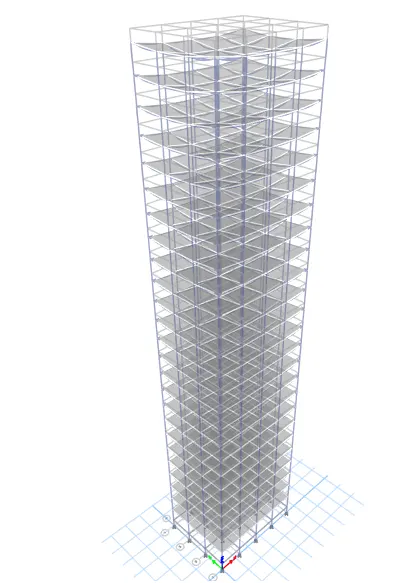
Add 25 story and make 1st story, 11th story and 21 story as Master and make 2-10 story similar to 1st story and 12-20, similar to 11th syory, 22-roof similar to 21st story.
Click the Define tab and click section properties.Select Add new property and choose Rectangular
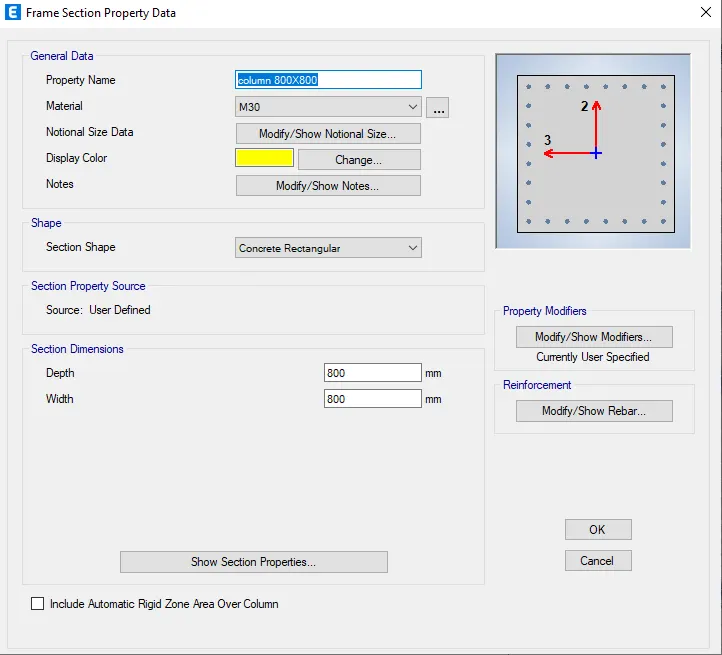
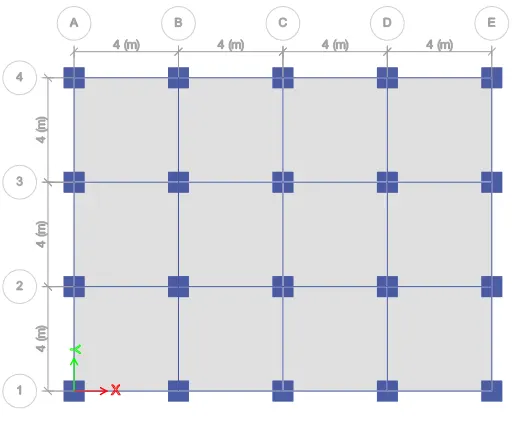
Add the new column dimension of 400X400.Add the new column dimension of 600X600.Add the new column dimension of 800X800.Click ok.
Select similar stories.In the plan select 1 floor .Select the columns.
Click assign tab and choose frame assignment as 400X400 dimension column.Click ok.
Select similar stories.In the plan select 11 floor .Select the columns.
Click assign tab and choose frame assignment as 600X600 dimension column.Click ok.
Select similar stories.In the plan select 21 floor .Select the columns.
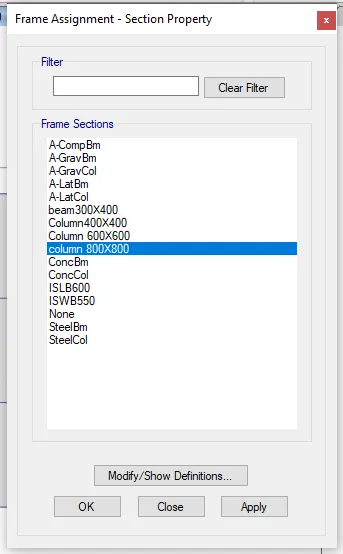
Click assign tab and choose frame assignment as 800X800 dimension column.Click ok.
Click the Select tab and choose floors.Click assign tab and choose shell loads then uniform load.
Create live load and load pattern name and input 3kn/sq.m.Click Ok.
Click the Select tab and choose beams.Click assign tab and choose frame loads then distribute
Create a brick wall load as input 10kn/sq.m for load value.Click Ok
After assigning loads of each frame Check the model.Run the analysis.
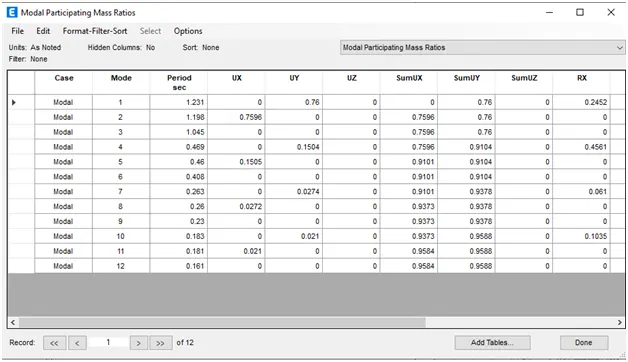
Click Display and choose the show table option.Select Modal participating ratio from Structural output.Click ok.
Result:
Building H:
Click the Edit tab and choose edit story.
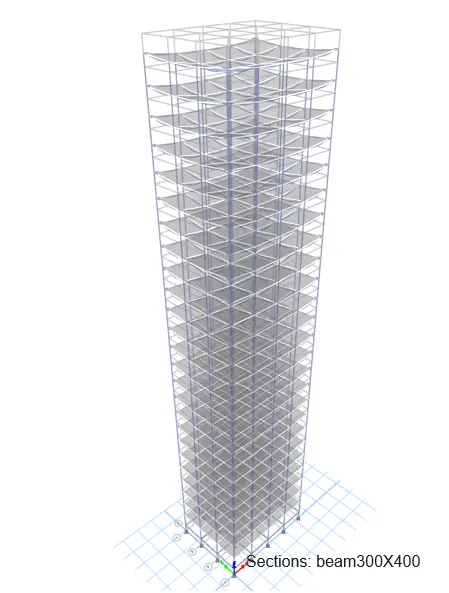
Add 25 story and make 1st story as Master and make all the sotry similar to 1st story. 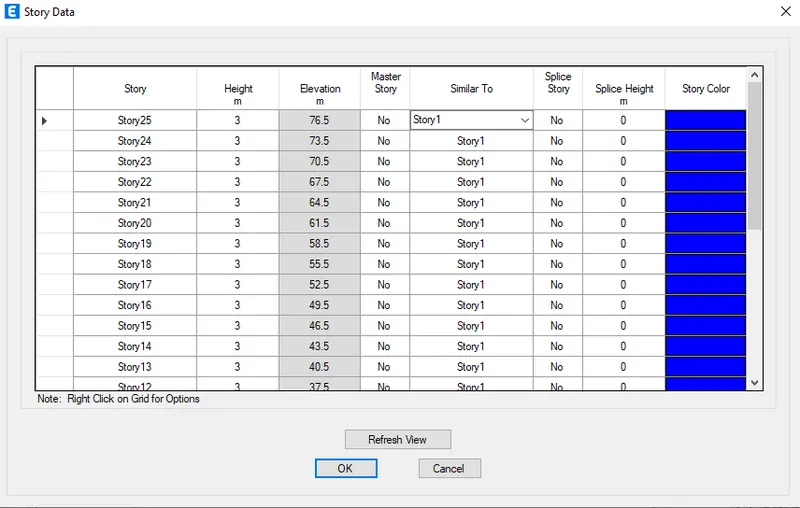
Click the Define tab and click section properties.Select Add new property and choose Rectangular
Add the new column dimension of 800X800.Click ok.
Select All stories.In the plan select 1 floor .Select the columns.
Click assign tab and choose frame assignment as 800X800 dimension column.Click ok.
Click the Select tab and choose floors.Click assign tab and choose shell loads then uniform load.
Create live load and load pattern name and input 3kn/sq.m.Click Ok.
Click the Select tab and choose beams.Click assign tab and choose frame loads then distribute
Create a brick wall load as input 10kn/sq.m for load value.Click Ok
After assigning loads of each frame Check the model.Run the analysis.
Click Display and choose the show table option.Select Modal participating ratio from Structural output.Click ok.
Result:
Building J:
Click the Edit tab and choose edit story.
Add 25 story and make 1st story as Master and make all the sotry similar to 1st story.
Click the Define tab and click section properties.Select Add new property and choose Rectangular
Add the new column dimension of 800X800.Click ok.
Select All stories.In the plan select 1 floor .Select the columns.
Click assign tab and choose frame assignment as 800X800 dimension column.Click ok.
Click the Select tab and choose floors.Click assign tab and choose shell loads then uniform load.
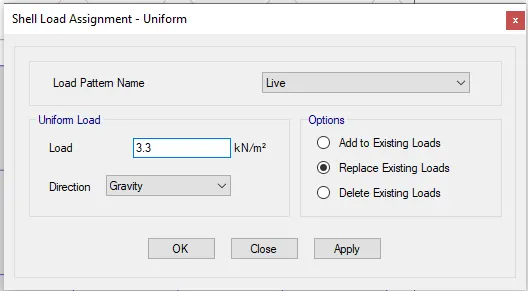
Create live load and load pattern name and input 3.3 Kn/sq.m.Click Ok.
Click the Select tab and choose beams.Click assign tab and choose frame loads then distribute
Create a brick wall load as input 10kn/sq.m for load value.Click Ok
After assigning loads of each frame Check the model.Run the analysis.
Click Display and choose the show table option.Select Modal participating ratio from Structural output.Click ok.
Result:
Building K:
Click the Edit tab and choose edit story.
Add 25 story and make 1st story as Master and make all the sotry similar to 1st story.
Click the Define tab and click section properties.Select Add new property and choose Rectangular
Add the new column dimension of 800X800.Click ok.
Select All stories.In the plan select 1 floor .Select the columns.
Click assign tab and choose frame assignment as 800X800 dimension column.Click ok.
Click the Select tab and choose floors.Click assign tab and choose shell loads then uniform load.
Create live load and load pattern name and input 3.6 Kn/sq.m.Click Ok.
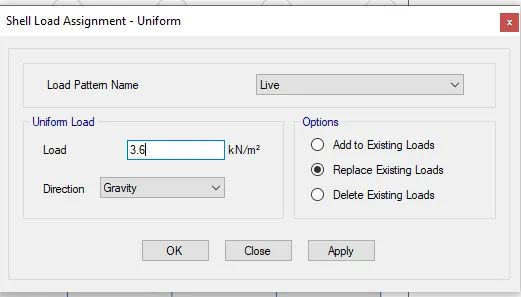
Click the Select tab and choose beams.Click assign tab and choose frame loads then distribute
Create a brick wall load as input 10kn/sq.m for load value.Click Ok
After assigning loads of each frame Check the model.Run the analysis.
Click Display and choose the show table option.Select Modal participating ratio from Structural output.Click ok.
Result:
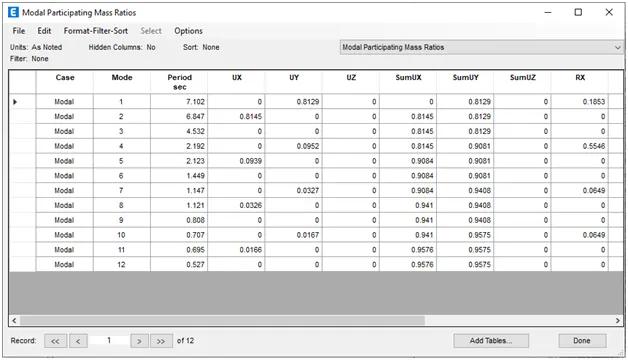
Effect of stiffness on T: Compare fundamental natural periods of buildings E & F as well as G & H. Why is there a marginal or significant difference in the fundamental natural periods?
Building E:
Building F:
There a marginal or significant difference in the Fundamental Natural period of vibration after comparing Buildings E and F
For E mode1 T=1.161
For F mode1 T= 1.231
For E the columns dimensions vary for top 5 and bottom 5 storeys which causes reduction in the stiffness.
For F the columns dimensions are uniform for all the 10 storeys therefore the stiffness is more.
Building G:
Building H:
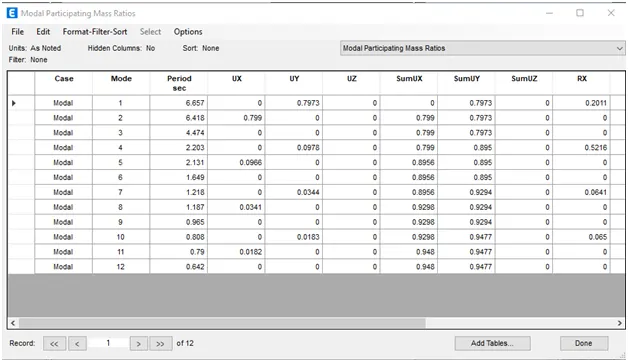
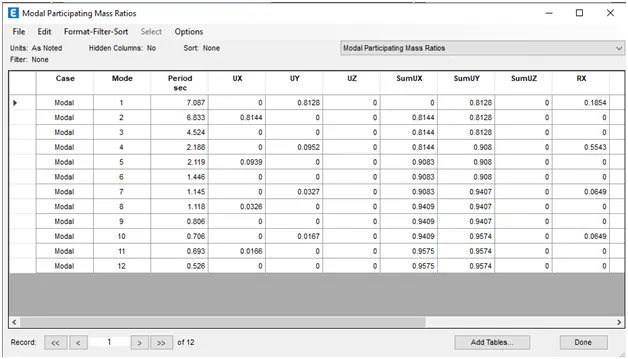
For G mode1 T= 6.657
For H mode1 T= 7.067
For G the columns dimensions vary for top 5, middle 10, bottom 10 storeys which cause reduction in the stiffness
For H the columns dimensions are uniform for all the storeys therefore the stiffness is more.
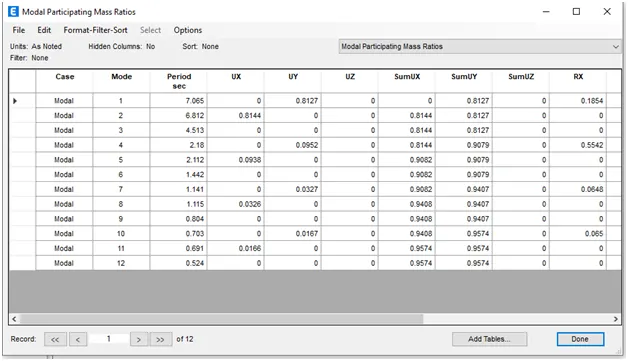
Effect of mass on T: Compare fundamental natural periods of buildings H, J and K. Have the buildings become more flexible or stiff due to change in mass
Building H:
Building J:
Building K:
The Buildings H,J,K have same dimensions for Beam, columns but
Building J has mass 10% higher than Building H and
Building K has mass 20% higher than Building H
This resulted in increase of the Fundamental Natural period of Vibration for the Buildings J and K
Due to this increase in mass the Building K is more flexible than J and Building J is more flexible than H
T (Fundamental Natural period of vibration) is INVERSELY proportional to (Stiffness) K
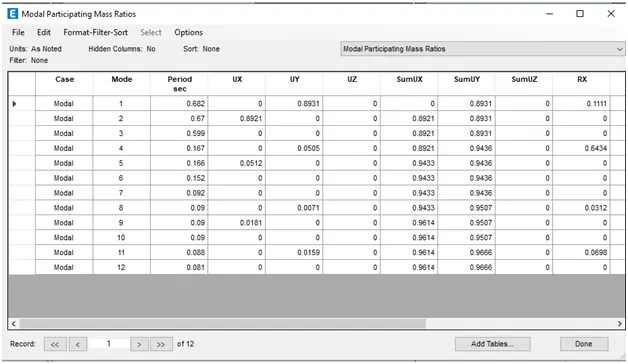
Effect of Building Height on T: How does the fundamental natural periods of Buildings A, B, F and H change with change in building height
Building A:
Building B:
Building F:
Building H:
For A mode1 T= 0.682 No of storeys = 2
For B mode1 T= 1.575 No of storeys = 5
For F mode1 T= 1.231 No of storeys = 10
For H mode1 T=7.065 No of storeys = 25
Therefore the story height changes the fundamental naturalm period of vibration changes gradually.
Effect of Column Orientation on T: How does the fundamental natural periods of Buildings B, C and D change with change in column orientation
Building B:
Building C:
Building D:
For B mode1 T= 1.575 Column size 400mmX400mm.
For C mode1 T= 1.684 Column size 550mm*300mm Orientation towards X-axis (Longer Direction)
For D mode1 T= 1.642 Column size 300mm*550mm Orientation towards Y-axis (Longer Direction)
For Building B the Columns are square which has the Lesser Fundamental natural period of Vibration.
For Building C the Columns are Orientened towards X-axis (Longer Direction) therefore it has almost same Fundamental Natural period of Vibration when compared to Building D for which Columns are Orientened towards Y-axis (Longer Direction)
Effect of Flexural Stiffness of Structural Elements on mode shapes:
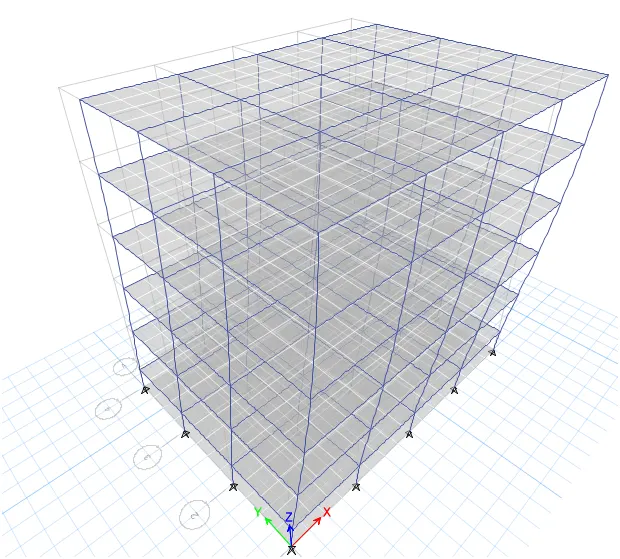
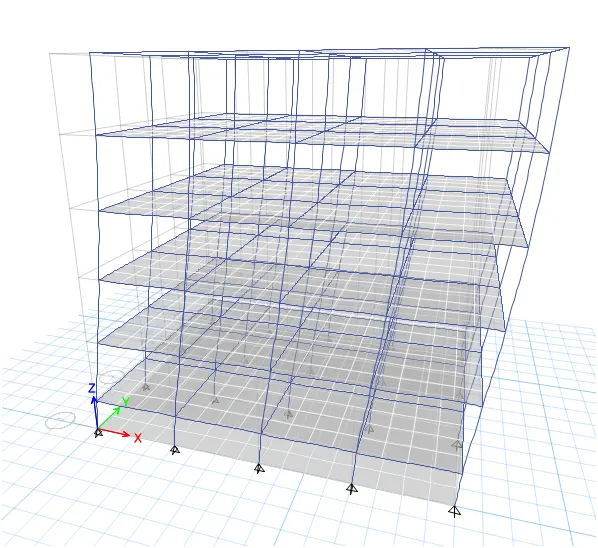
Compare fundamental mode shape of Building B in two situations when flexural stiffness of beams relative to that of adjoining columns is very small versus when it is large.
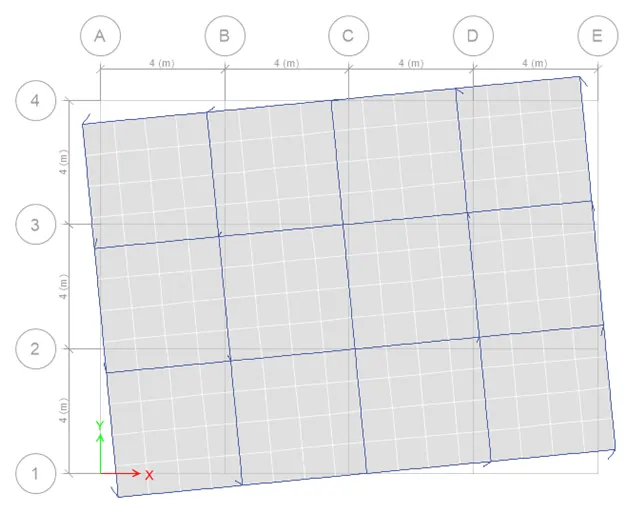
When beam size is 300X400 mm and the column size is constant.
Mode 1:
Mode 2:
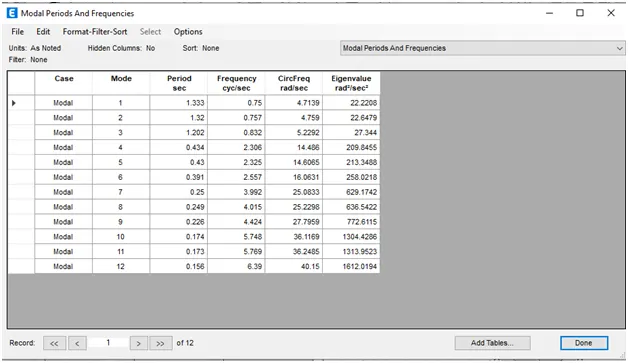
Columns When the beam size is 1000X1000mm.
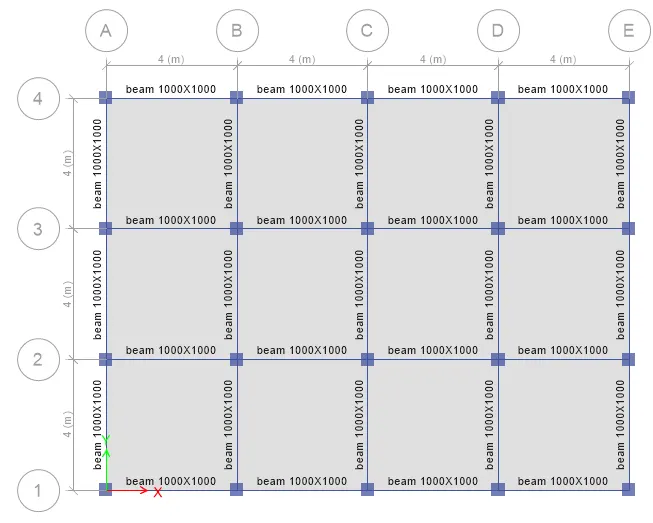
Mode 1:
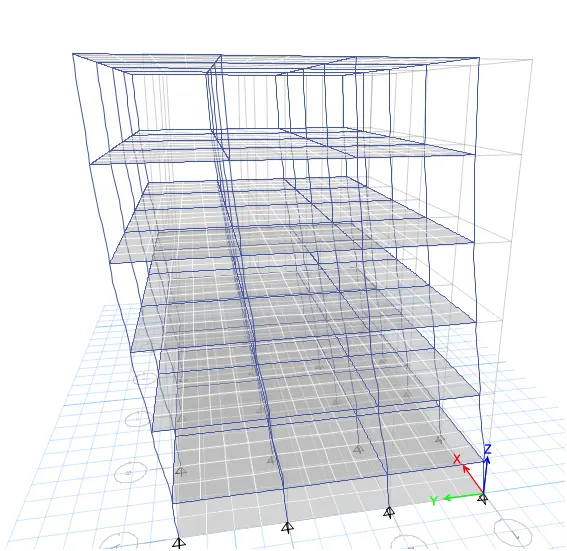
Mode 2:
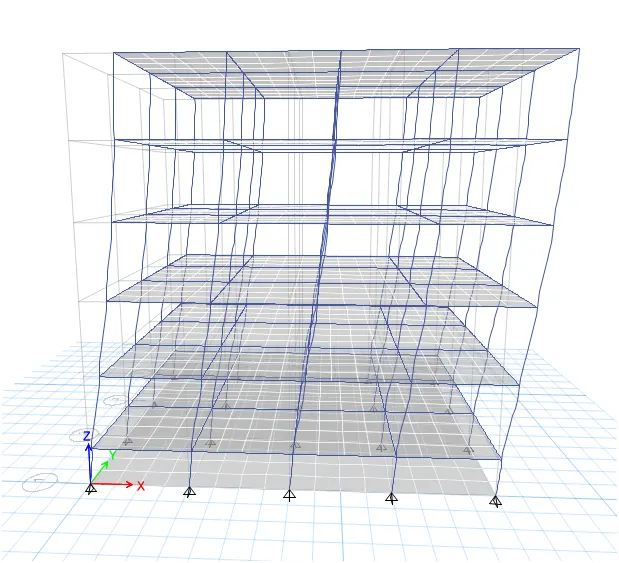
Mode 3:
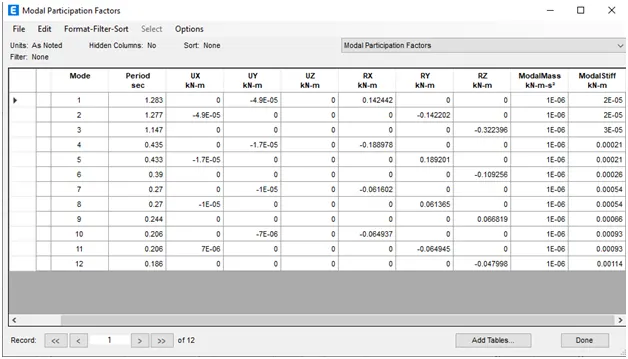
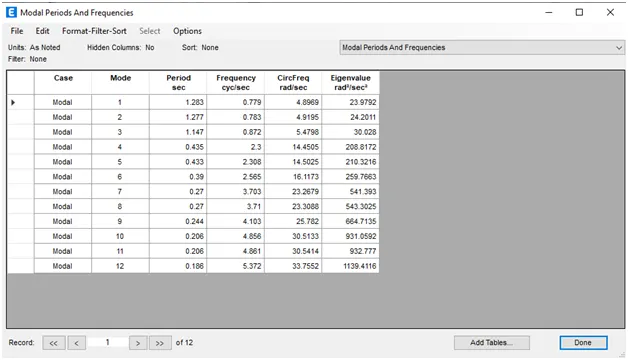
Effect of relative flexural stiffness of structural elements:
Fundamental translational mode shape changes from flexural-type to shear-type with increase in beam flexural stiffness relative to that of column.
Effect of Axial Stiffness of Vertical Members on mode shapes:
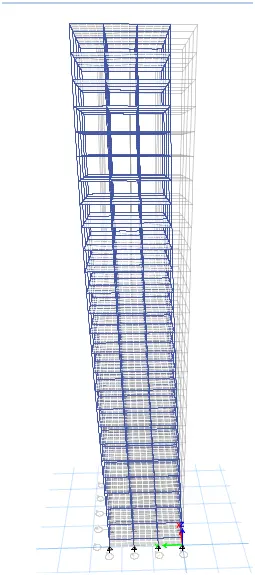
Compare fundamental mode shape of Building H in two situations when axial cross-sectional area of columns is very small versus when it is large:
When the colmuns size is 800mmX800mm and beams size is constant.
Mode 1:
Mode 2:
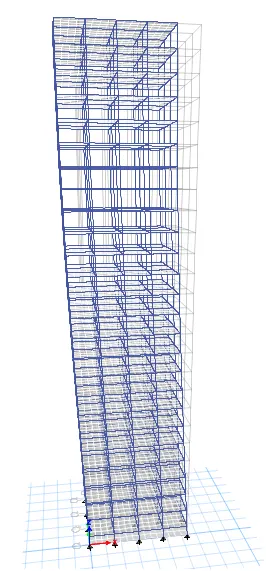
Mode 3:
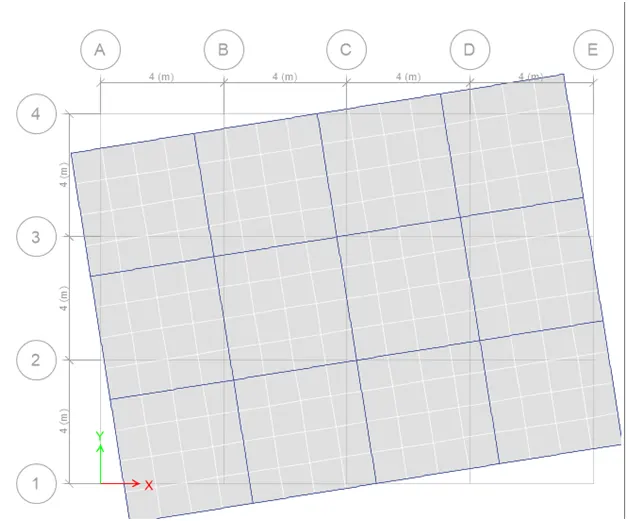
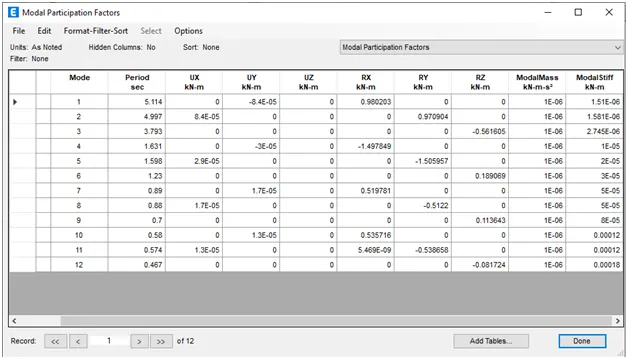
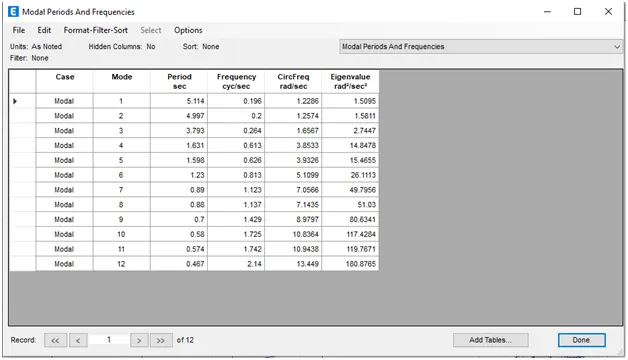
Column size is 2000X2000:
Mode 1:
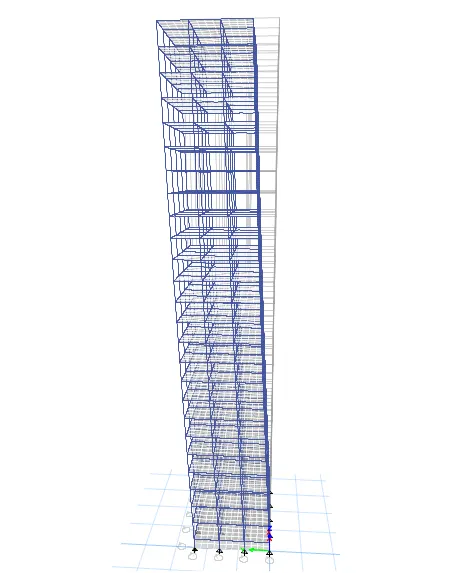
Mode 2:
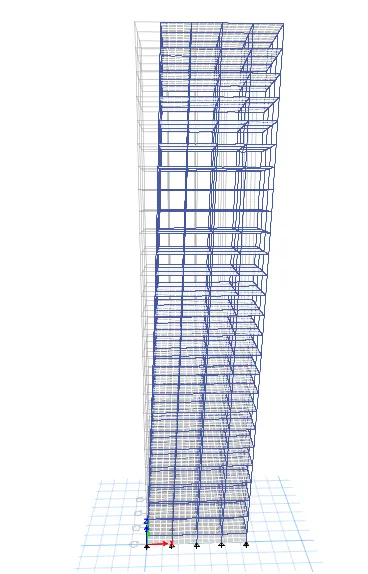
Mode 3:
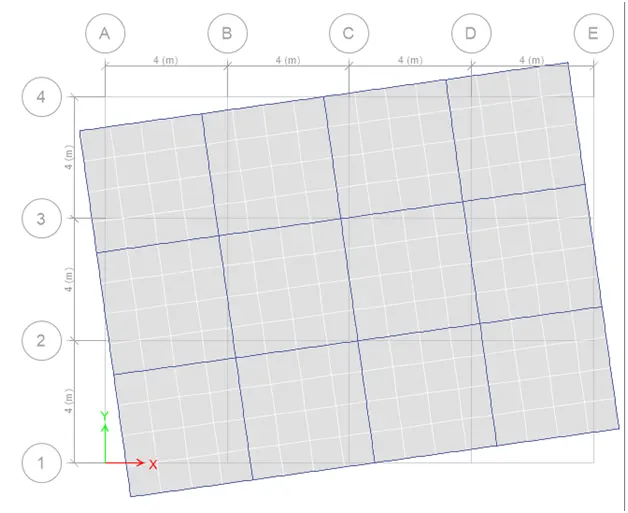
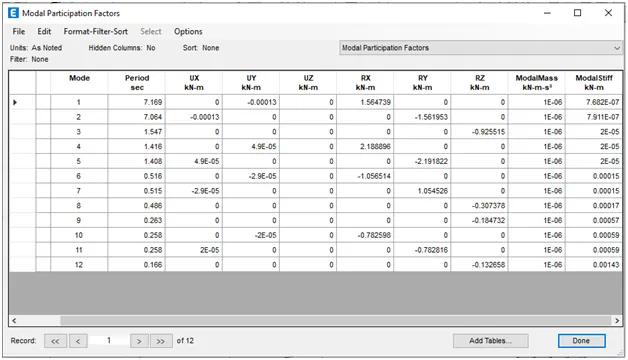
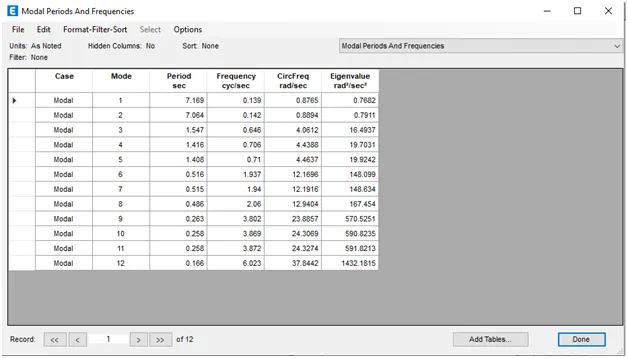
Effect of axial stiffness of vertical members: Fundamental translational mode shape changes from flexure-type to shear-type with increase in axial stiffness of vertical members.
Effect of Degree of Fixity at column bases on mode shape:
Compare fundamental mode shape of Building B in two situations when base of columns is pinned versus when it is fixed.
Mode 1:
Mode 2:
When the supports are fixed for Building B:
Mode 1:
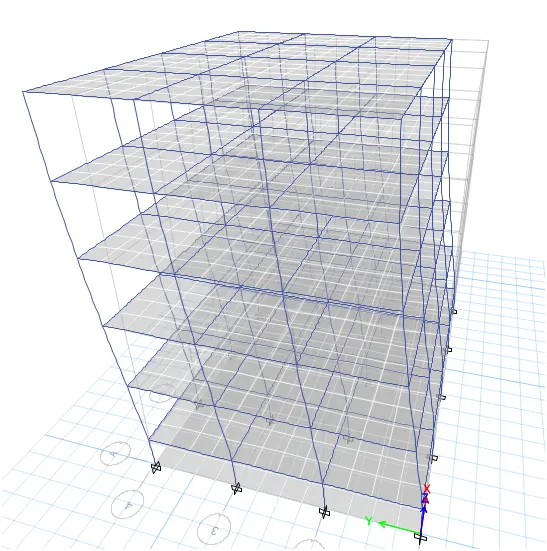
Mode 2:
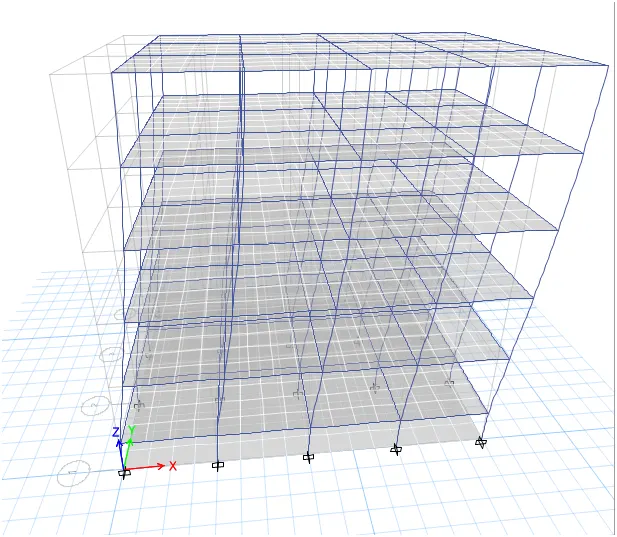
Mode 3:
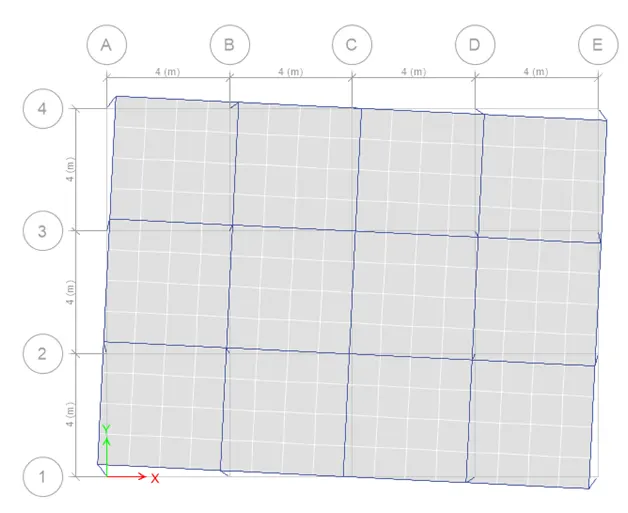
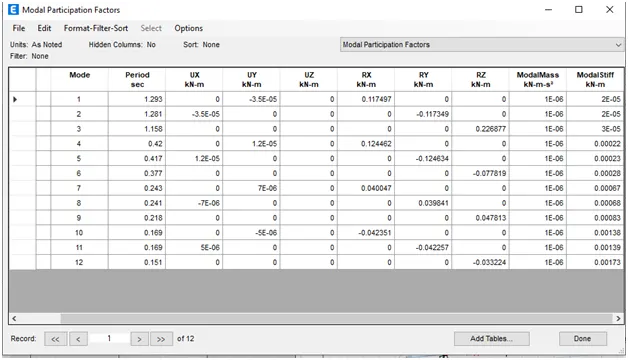
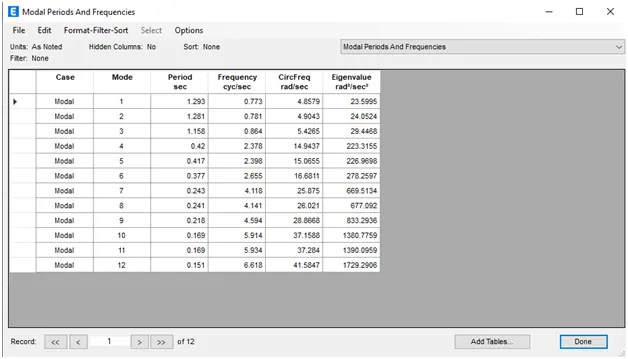
Effect of degree of fixity at member ends: Lack of fixity at beam ends induces flexural-type behaviour, while the same at column bases induces shear-type behaviour to the fundamental translational mode of oscillation.