Projefct 1_Comparative study of different storey buildings for Seismic forces
Project-1
Comparison 1:
Aim: To compare the effect of stiffness on the natural period of buildings E&F and G&H using ETABS
Building E:
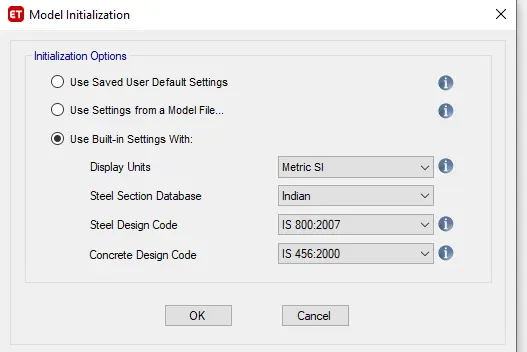
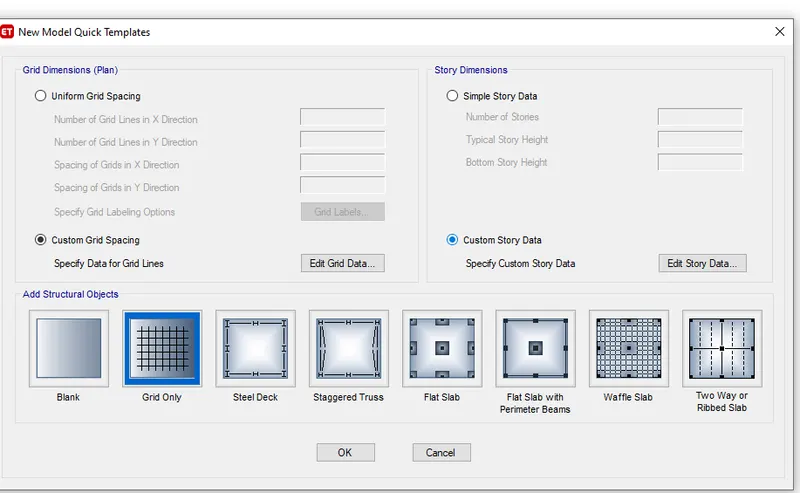
- Open New model
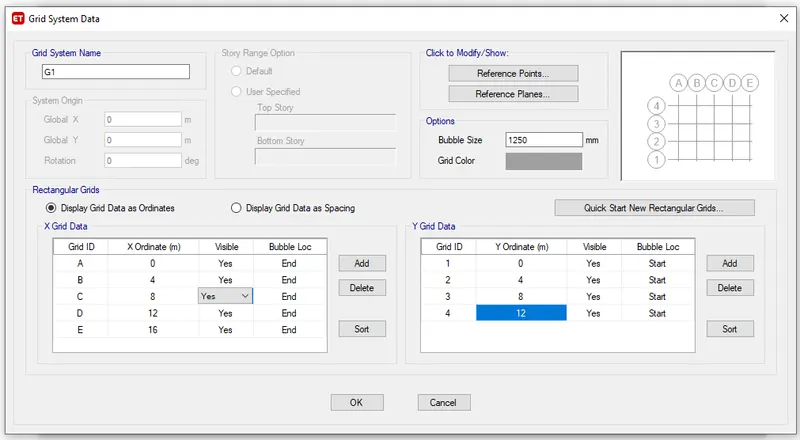
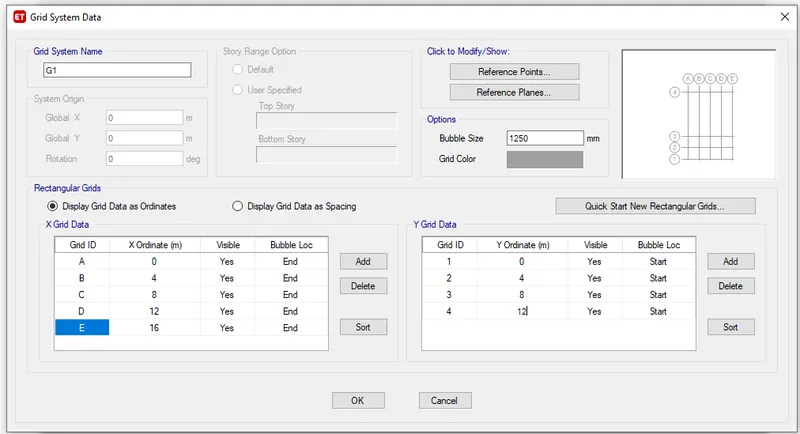
- Set the building E story as 10 and the number of bays in the X direction as 4 and in Y direction as 3.
- Defining the section property of column as 400x400mm for upper 5 stories and bottom 5 stories as 600x600mm.
- Now define the section properties of beam300X400mm and slab 150mm
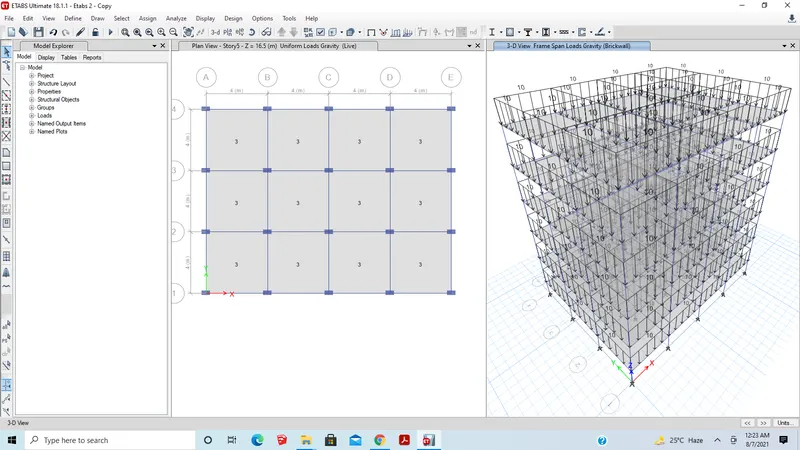
- Assign the live load as 3kN/m2.
- Assign Dead Load on beams from infill wall as 10 kN/m
- Check the project
- Run analysis
- Now go to the Display tab and select the show table option
- Check the model participation ratio
- Done
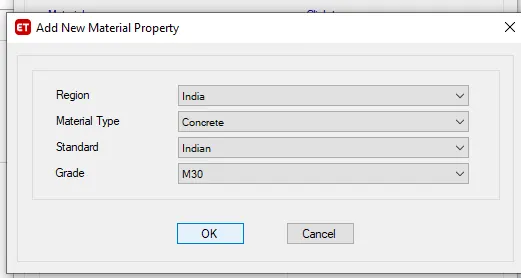
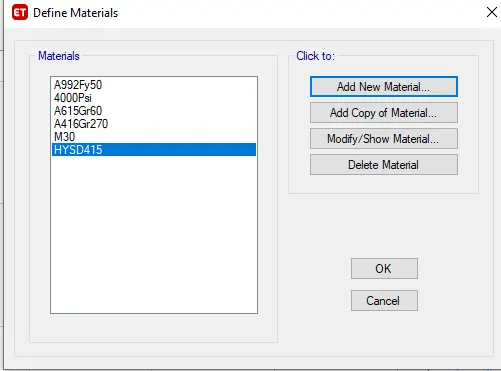
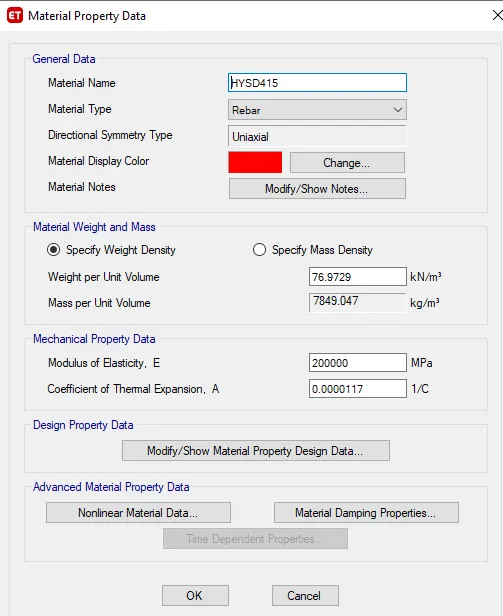
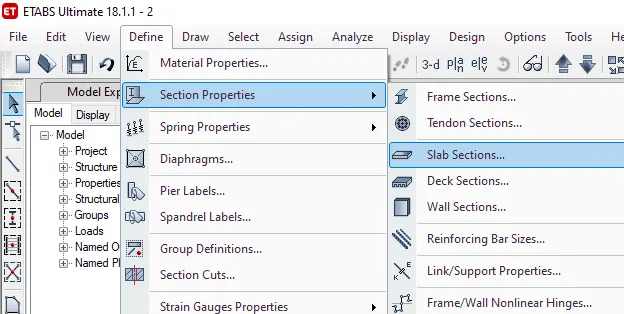
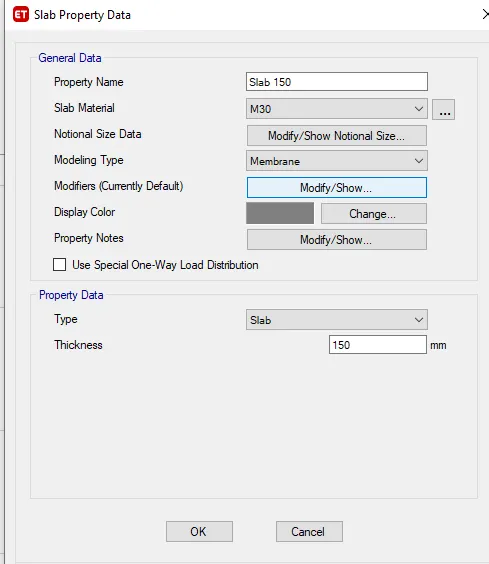
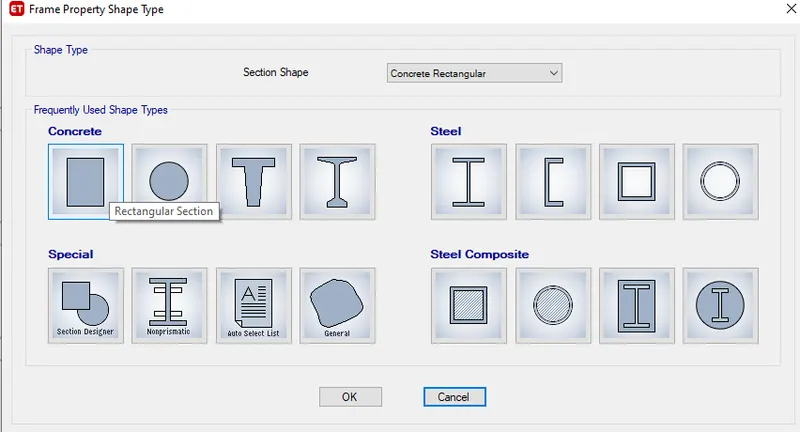
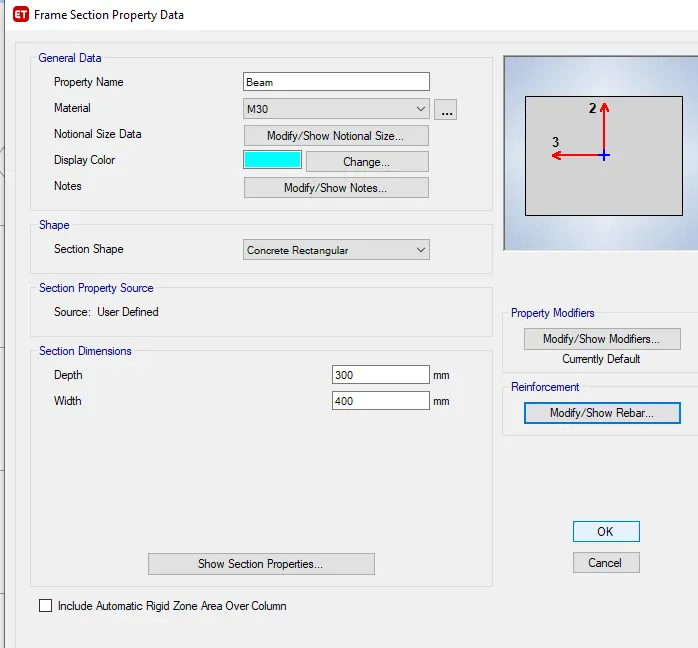
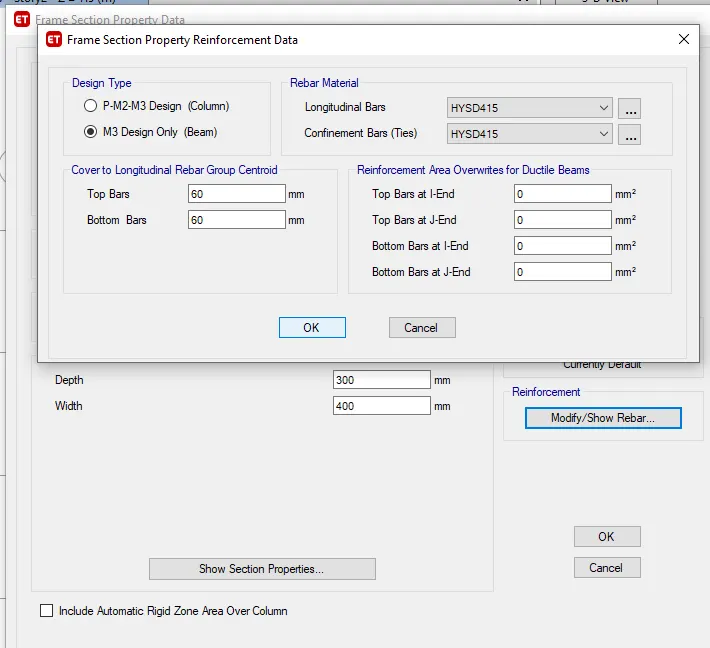
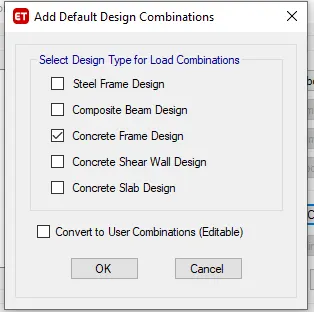
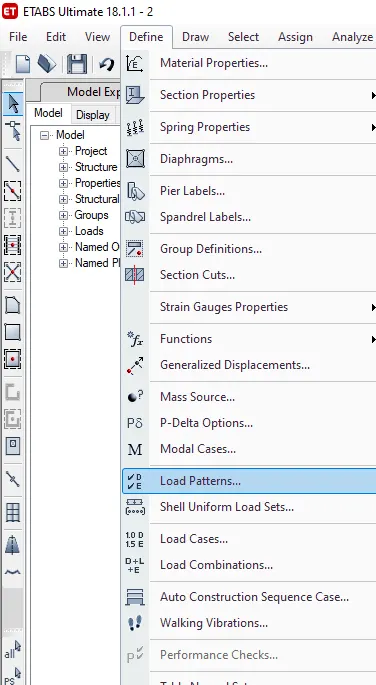
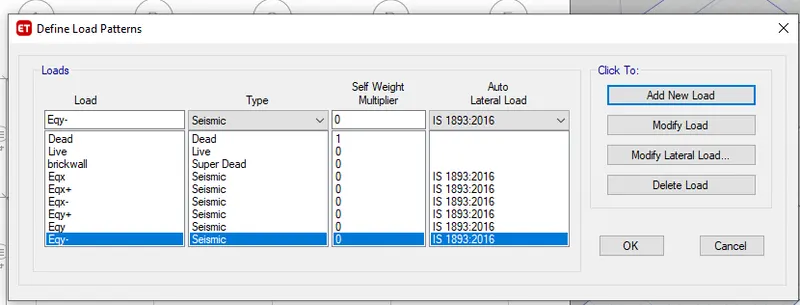
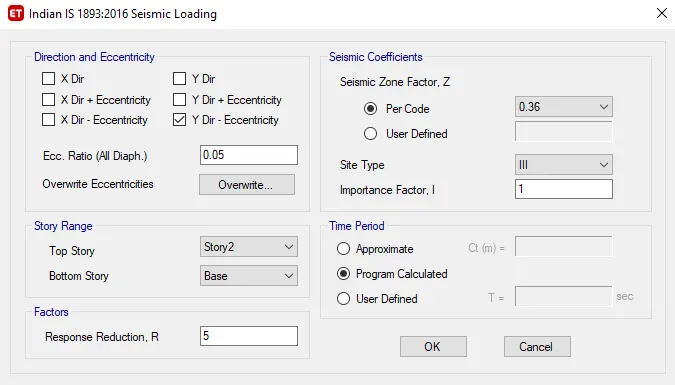
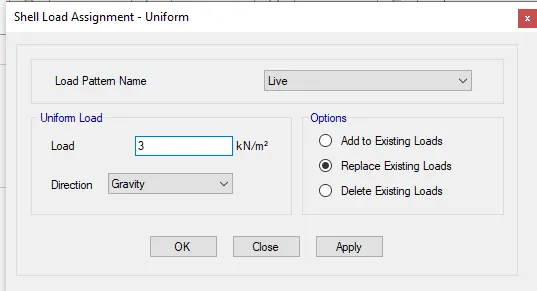
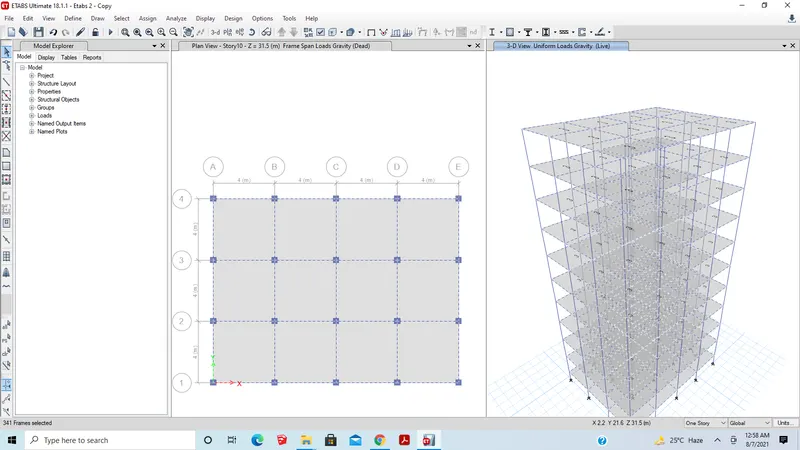
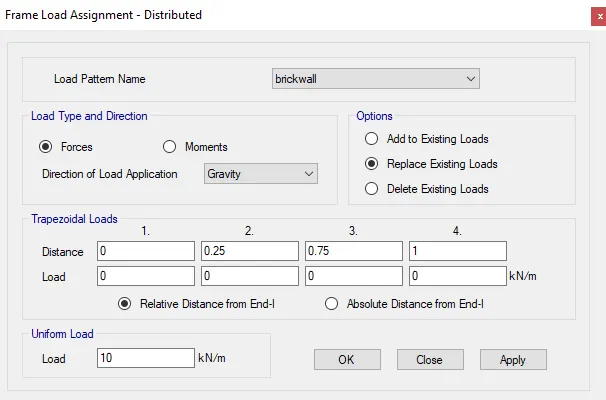
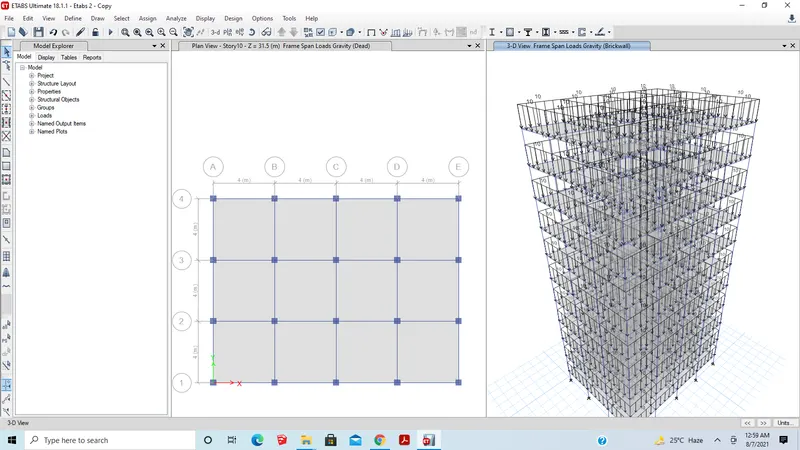
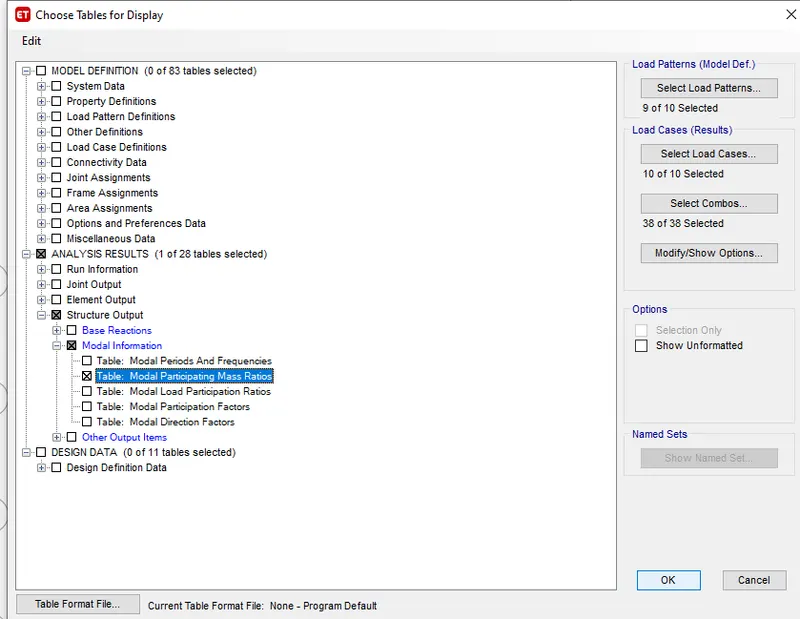
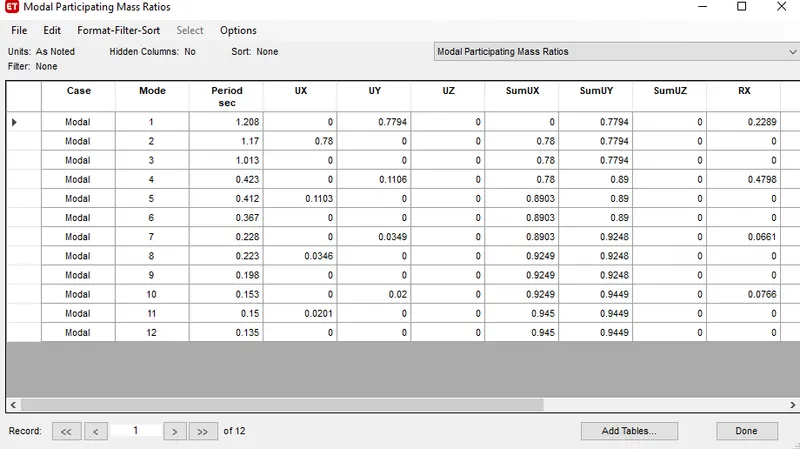
Here we got Building E Modal participating ratios.
Building F:
- Open New model
- Set the building F story as 10 and the number of bays in the X direction as 4 and in Y direction as 3.
- Defining the section property of column as 600x600mm.
- Now define the section properties of beam300X400mm and slab 150mm
- Assign the live load as 3kN/m2.
- Assign Dead Load on beams from infill wall as 10 kN/m
- Check the project
- Run analysis
- Now go to the Display tab and select the show table option
- Check the model participation ratio
- Done
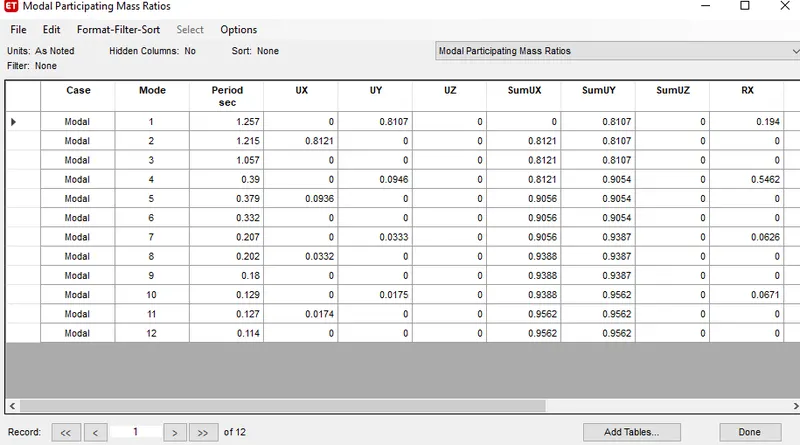
Here we got Building F Modal participating ratios.
Building G:
- Open New model
- Set the building G story as 25 and the number of bays in the X direction as 4 and in Y direction as 3.
- Defining the section property of column as 400x400mm for upper 5 stories and bottom 10 stories as 800x800mm and middle stories as 600x600mm
- Now define the section properties of beam300X400mm and slab 150mm
- Assign the live load as 3kN/m2.
- Assign Dead Load on beams from infill wall as 10 kN/m
- Check the project
- Run analysis
- Now go to the Display tab and select the show table option
- Check the model participation ratio
- Done
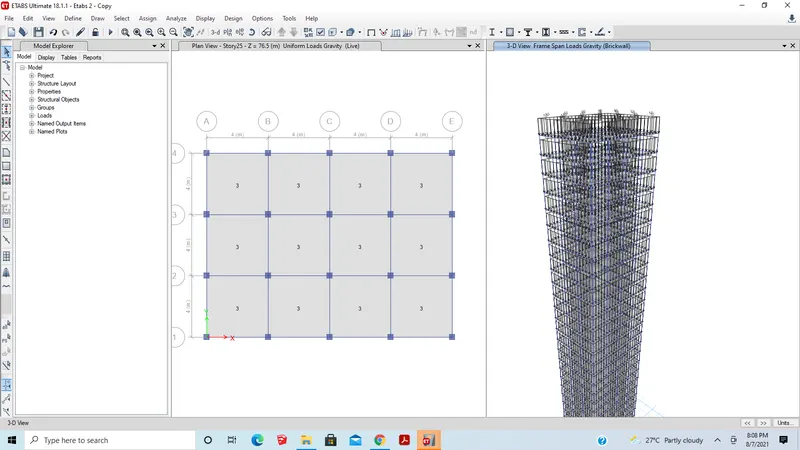
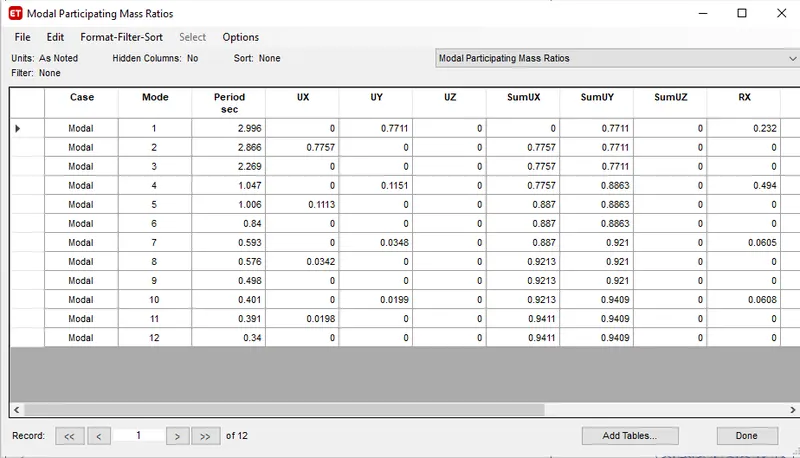
Here we got Building G Modal participating ratios.
Building H:
- Open New model
- Set the building H story as 25 and the number of bays in the X direction as 4 and in Y direction as 3.
- Defining the section property of column as 800x800mm
- Now define the section properties of beam300X400mm and slab 150mm
- Assign the live load as 3kN/m2.
- Assign Dead Load on beams from infill wall as 10 kN/m
- Check the project
- Run analysis
- Now go to the Display tab and select the show table option
- Check the model participation ratio
- Done
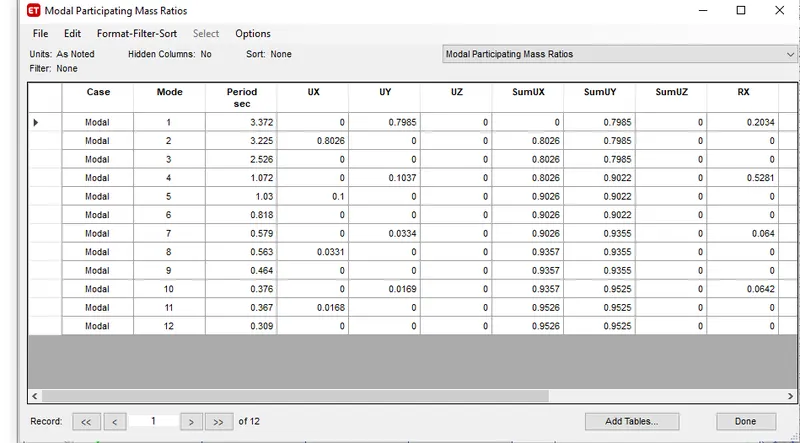
Here we got Building H Modal participating ratios.
Conclusion:
- The time period of E=1.208
- The time period of F=1.257
- The time period of G=2.996
- The time period of H=3.372
As the height of the building and the sectional dimensions of the column and building change, the time period also varies.
Comparison 2:
Aim: To compare the effect of mass on the natural period of buildings H,J and K using ETABS
Building H:
- Open New model
- Set the building H story as 25 and the number of bays in the X direction as 4 and in the Y direction as 3.
- Defining the section property of column as 800x800mm
- Now define the section properties of beam300X400mm and slab 150mm
- Assign the live load as 3kN/m2.
- Assign Dead Load on beams from infill wall as 10 kN/m
- Check the project
- Run analysis
- Now go to the Display tab and select the show table option
- Check the model participation ratio
- Done
Here we got Building H Modal participating ratios.
Building J:
- Open New model
- Set the building H story as 25 and the number of bays in the X direction as 4 and in Y direction as 3.
- Defining the section property of column as 800x800mm
- Now define the section properties of beam300X400mm and slab 150mm
- Assign the live load as 3.3kN/m2.
- Assign Dead Load on beams from infill wall as 10 kN/m
- Check the project
- Run analysis
- Now go to the Display tab and select the show table option
- Check the model participation ratio
- Done
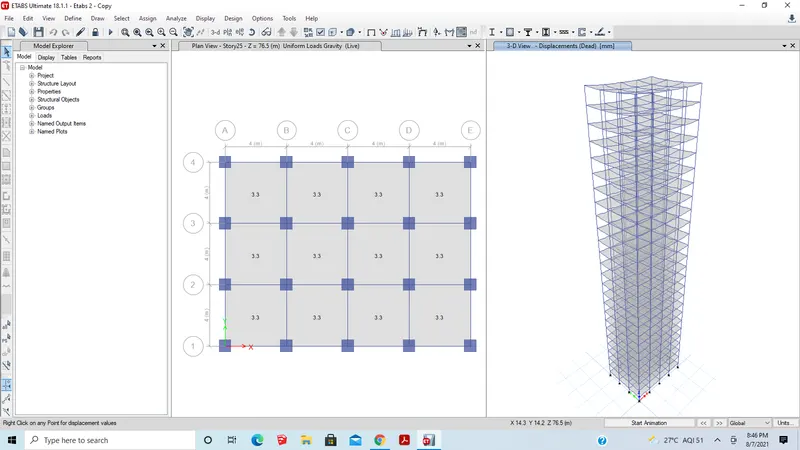
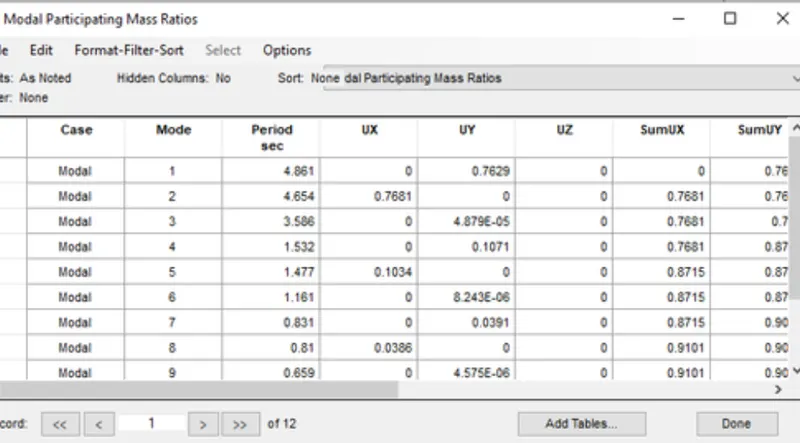
Here we got Building J Modal participating ratios.
Building k:
- Open New model
- Set the building K story as 25 and the number of bays in the X direction as 4 and in Y direction as 3.
- Defining the section property of column as 800x800mm
- Now define the section properties of beam300X400mm and slab 150mm
- Assign the live load as 3.6kN/m2.
- Assign Dead Load on beams from infill wall as 10 kN/m
- Check the project
- Run analysis
- Now go to the Display tab and select the show table option
- Check the model participation ratio
- Done
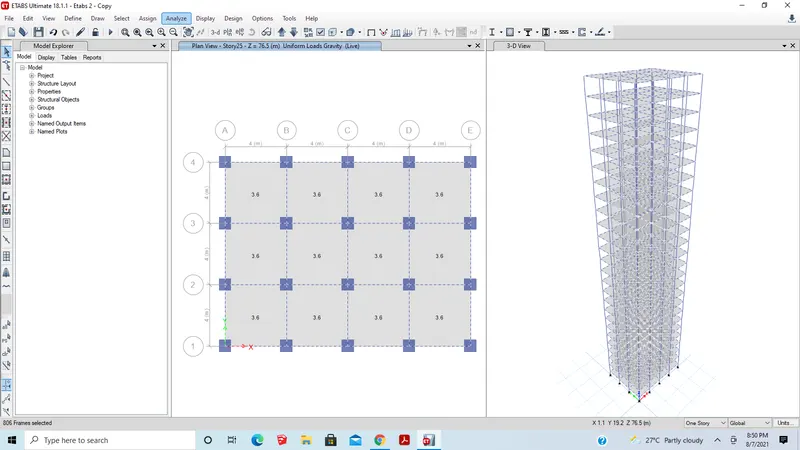
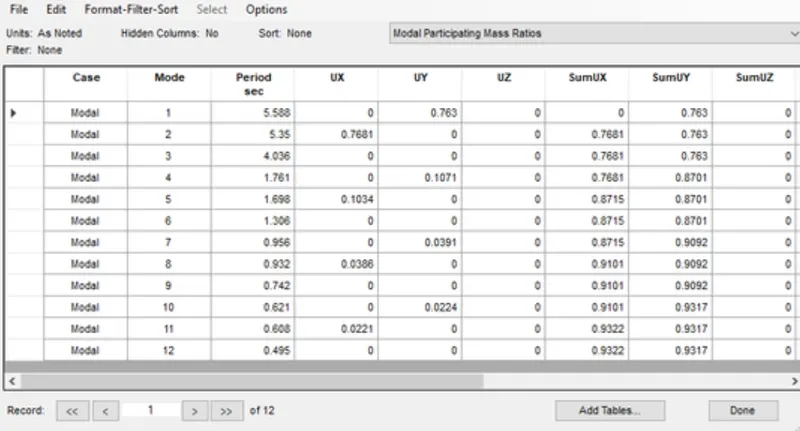
Here we got Building K Modal participating ratios.
Conclusion:
- The time period of H=3.372
- The time period of J=4.861
- The time period of K=5.588
As the mass of the building is gradually increased that is the loads is incremented 10% and 20% so the natural period also varies.
Comparison 3:
Aim: To compare the effect of height on the natural period of buildings A, B, F, and H using ETABS
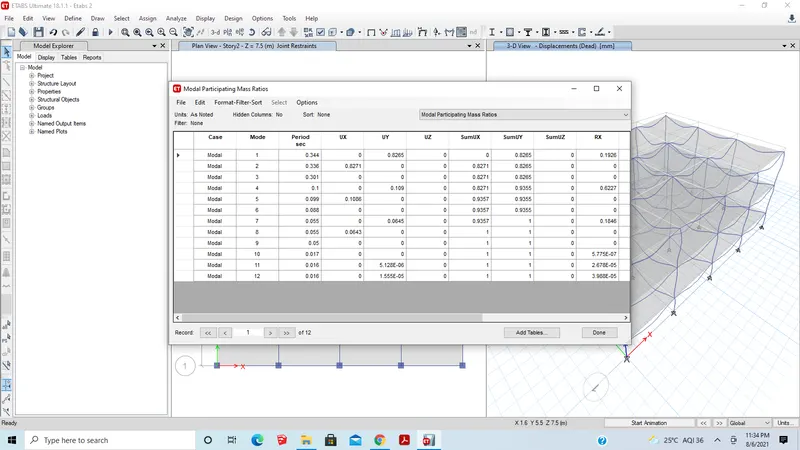
Building A:
- Open New model
- Set building A story as 2 and the number of bays in the X direction as 4 and in Y direction as 3.
- Defining the section property of column as 400x400mm
- Now define the section properties of beam300X400mm and slab 150mm
- Assign the live load as 3kN/m2.
- Assign Dead Load on beams from infill wall as 10 kN/m
- Check the project
- Run analysis
- Now go to the Display tab and select the show table option
- Check the model participation ratio
- Done
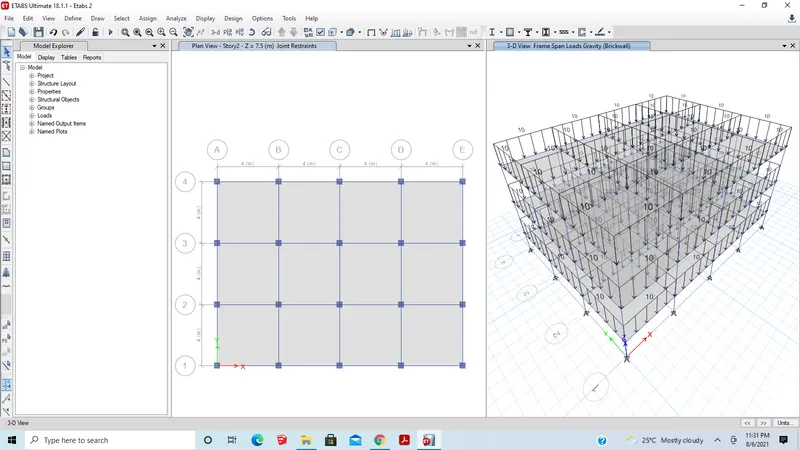
Building B:
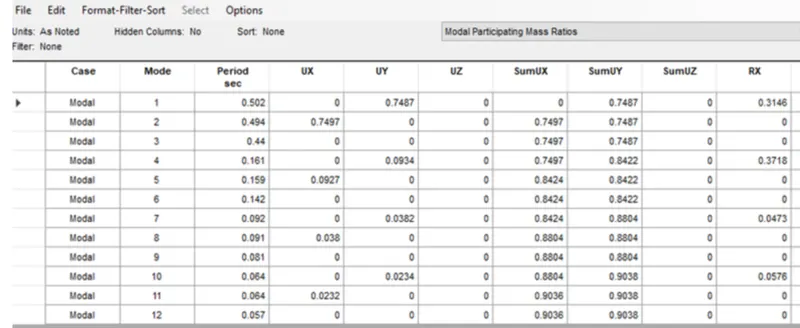
- Open New model
- Set the building B story as 5 and the number of bays in the X direction as 4 and in Y direction as 3.
- Defining the section property of column as 400x400mm
- Now define the section properties of beam300X400mm and slab 150mm
- Assign the live load as 3kN/m2.
- Assign Dead Load on beams from infill wall as 10 kN/m
- Check the project
- Run analysis
- Now go to the Display tab and select the show table option
- Check the model participation ratio
- Done
Building F:
- Open New model
- Set the building F story as 10 and the number of bays in the X direction as 4 and in Y direction as 3.
- Defining the section property of column as 600x600mm.
- Now define the section properties of beam300X400mm and slab 150mm
- Assign the live load as 3kN/m2.
- Assign Dead Load on beams from infill wall as 10 kN/m
- Check the project
- Run analysis
- Now go to the Display tab and select the show table option
- Check the model participation ratio
- Done
Here we got Building F Modal participating ratios.
Building H:
- Open New model
- Set the building H story as 25 and the number of bays in the X direction as 4 and in the Y direction as 3.
- Defining the section property of column as 800x800mm
- Now define the section properties of beam300X400mm and slab 150mm
- Assign the live load as 3kN/m2.
- Assign Dead Load on beams from infill wall as 10 kN/m
- Check the project
- Run analysis
- Now go to the Display tab and select the show table option
- Check the model participation ratio
- Done
Here we got Building H Modal participating ratios.
Conclusion:
- The time period of A=0.344
- The time period of B=0.502
- The time period of F=1.257
- The time period of H=3.372
Comparison 4 :
Aim: To compare the effect of height on the natural period of buildings B, C, and D using ETABS
Building B:
- Open New model
- Set the building B story as 5 and the number of bays in the X direction as 4 and in Y direction as 3.
- Defining the section property of column as 400x400mm
- Now define the section properties of beam300X400mm and slab 150mm
- Assign the live load as 3kN/m2.
- Assign Dead Load on beams from infill wall as 10 kN/m
- Check the project
- Run analysis
- Now go to the Display tab and select the show table option
- Check the model participation ratio
- Done
Building C:
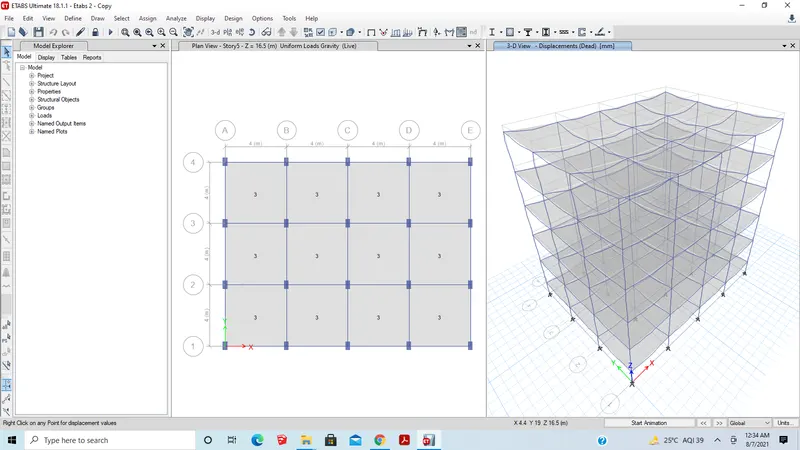
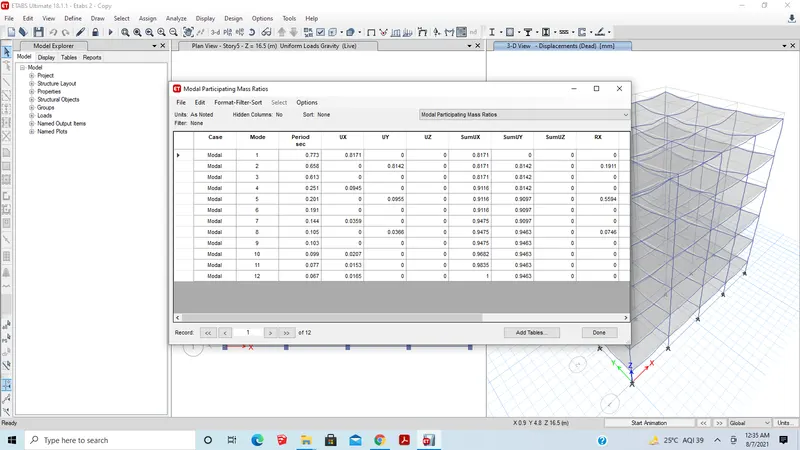
- Open New model
- Set the building C story as 5 and the number of bays in the X direction as 4 and in Y direction as 3.
- Defining the section property of column as550x300mm
- Now define the section properties of beam300X400mm and slab 150mm
- Assign the live load as 3kN/m2.
- Assign Dead Load on beams from infill wall as 10 kN/m
- Check the project
- Run analysis
- Now go to the Display tab and select the show table option
- Check the model participation ratio
- Done
Building D:
- Open New model
- Set the building C story as 5 and the number of bays in the X direction as 4 and in Y direction as 3.
- Defining the section property of column as300x550mm
- Now define the section properties of beam300X400mm and slab 150mm
- Assign the live load as 3kN/m2.
- Assign Dead Load on beams from infill wall as 10 kN/m
- Check the project
- Run analysis
- Now go to the Display tab and select the show table option
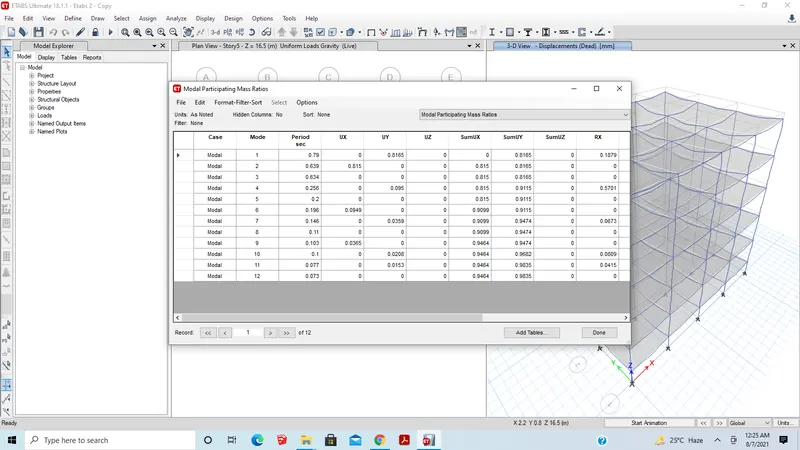
- Check the model participation ratio
- Done
Conclusion:
- The time period of B=0.502
- The time period of C=0.773
- The time period of D=0.790