Project 2 - V&V SW Analysis II
static code analysis:
Steps performed for performing Unit Testing using Black Box Testing:
- opened LDRA tool.
- clicked on source.
- clicked on single file
- selected the Ggroceries.c file from Documents-> LDRAEE -> LDRA_Workarea-> Examples-> C_tbrun_examples
- created a new sequence by the name newseq4
- Selected Blackbox testing option in the file window
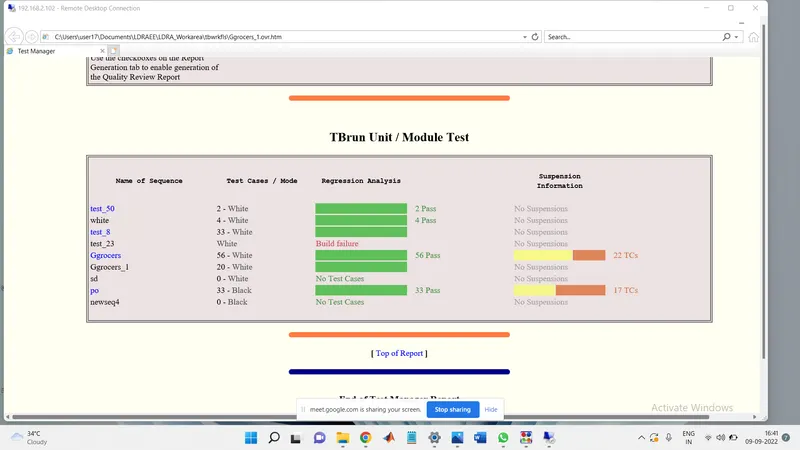
- The Static code analysis is done and the reports from the test manager view is opened.
- following is the screen shot of the result
for creation of test case files in tcf format.. the following steps are performed:
- Clicked on Run Tabular extreme test case
- All test cases created (40).
- clicked source
- clicked on Save file or set to TCF
- saved the file to desktop and the same is uploaded by the name Ggrocers_10_ram.tcf