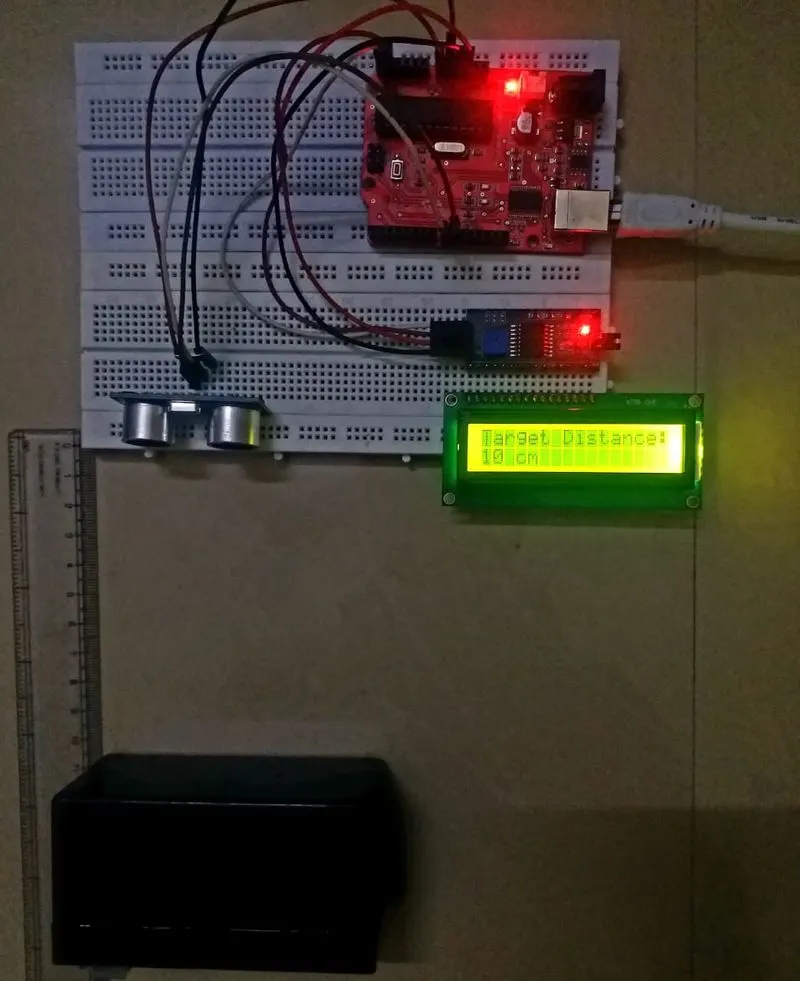
Project 2 - Measuring distance of an object using ultrasonic sensor (HC-SR04)
Topic: The implementation of code for “Measuring distance of an object using ultrasonic distance sensor (HC-SR04)
Aim of the project:
In this project “The implementation of code for “Measuring distance of an object using ultrasonic distance sensor (HC-SR04)”.
Hardware Requirements:
- Arduino UNO board
- USB cable connecter for Arduino UNO
- 16X2 LCD Screen
- I2C Controller
- Ultra Sonic Sensor HC-SR04
- Jumper wires Male/Female
Software requirements:
- Arduino software(Arduino IDE)
Explanation:
The ultrasonic sensor emits a high-frequency sound pulse and calculates the distance depending upon the time taken by the echo signal to travel back after reflecting from the desired target. The speed of sound is 341 meters per second in air. After the distance is calculated, it will be displayed on the LCD display.
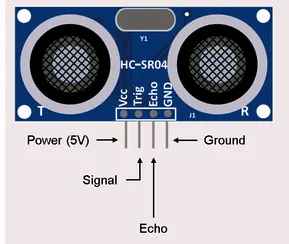
Pin Configuration of ULTRASONIC SENSOR:
16X2 LCD SCREEN PIN DETAILS:
- LCD PIN 1-GND
- LCD PIN 2-VCC
- LCD PIN 3-VEE
- LCD PIN 4-RS (Register Select)
- LCD PIN 5-RW (Read/Write)
- LCD PIN 6-E (Enable)
- LCD PIN 7 to PIN 14-Data Bits
- LCD PIN 15-LED Positive
- LCD PIN 16-LED Negative
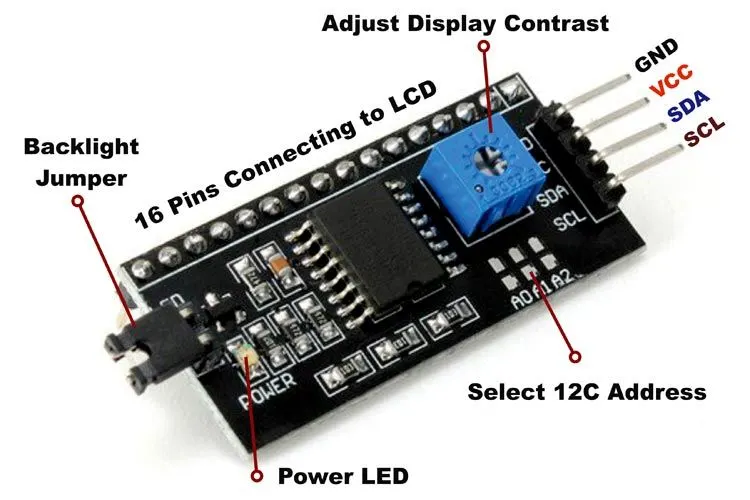
I2C SERIAL INTERFACE CONTROLLER:
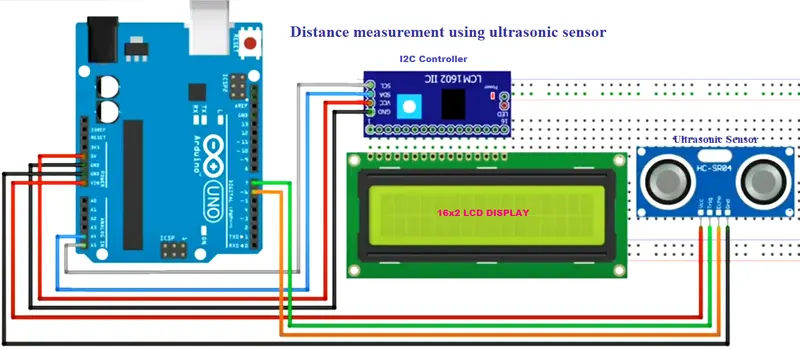
CIRCUIT CONNECTION:
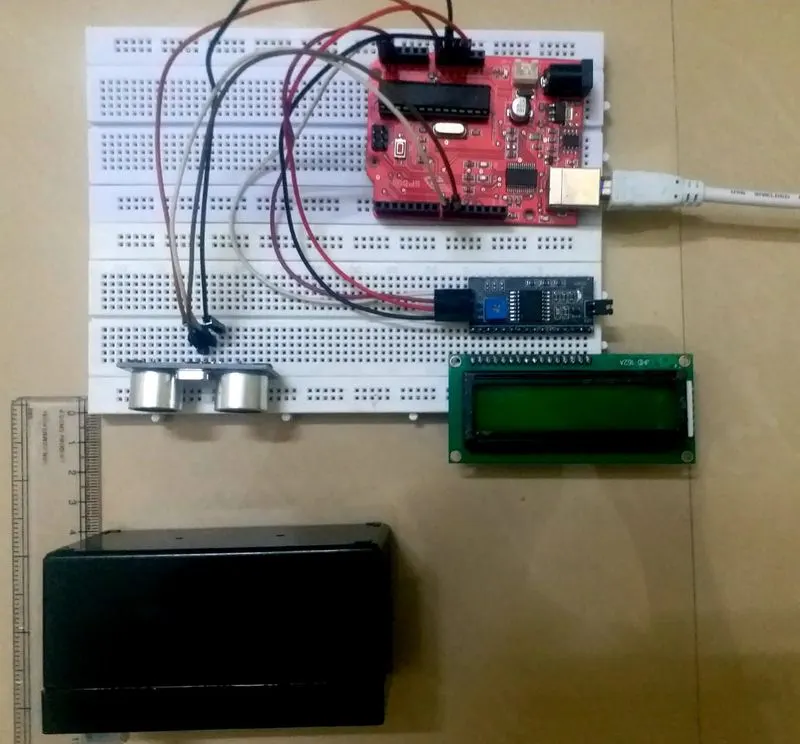
HARDWARE CONNECTION SETUP:
CODING:
#include <Wire.h> // Include the header Files
#include <LiquidCrystal_I2C.h>
LiquidCrystal_I2C lcd(0x27, 16, 2);
#define trigPin 9 //Trig pin connected to pin 9
#define echoPin 8 //Echo pin connected to pin 8
void setup()
{
pinMode(trigPin, OUTPUT);
pinMode(echoPin, INPUT);
lcd.begin();
lcd.backlight();
lcd.clear();
lcd.setCursor(4,0);
lcd.print("Skill Lync");
delay(1500);
lcd.setCursor(0,0); //Set LCD cursor
lcd.print("Target Distance:"); //Print the given Message
}
void loop()
{
long duration, distance; // Initialize duration and distance
digitalWrite(trigPin, LOW);
delayMicroseconds(2);
digitalWrite(trigPin, HIGH);
delayMicroseconds(10);
digitalWrite(trigPin, LOW);
duration = pulseIn(echoPin, HIGH);
distance = (duration/2) / 29.1;
lcd.setCursor(0,1); //Set cursor(0,1)
lcd.print(" "); //Print blanks to clear the row
lcd.setCursor(0,1); //Set Cursor again (0,1)
lcd.print(distance); //Print measured distance
lcd.print(" cm"); //Print units.
delay(400); //pause to let things settle
}
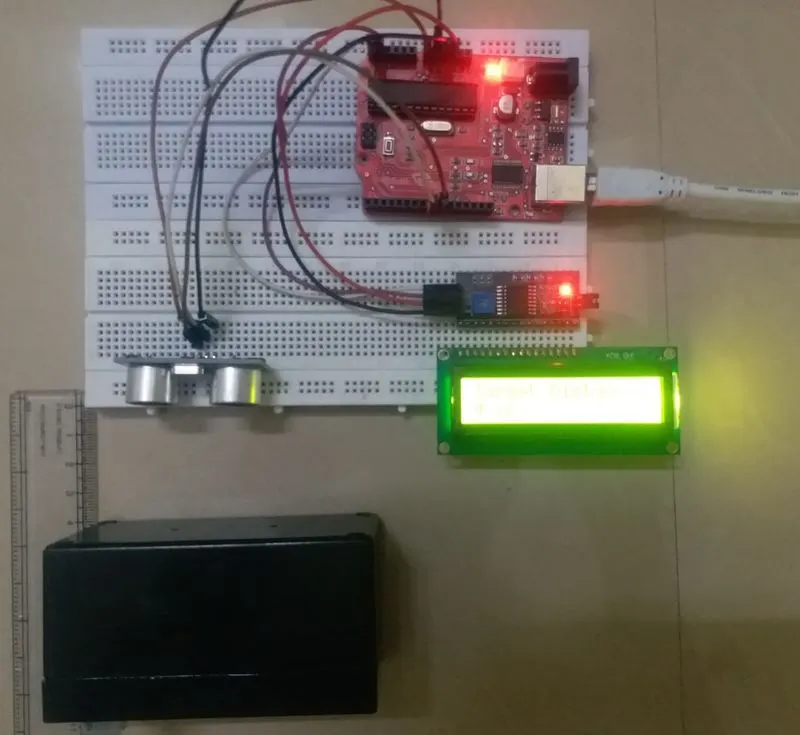
OUTPUT:
Distance Measureed-4cm
Distance Measureed-8cm
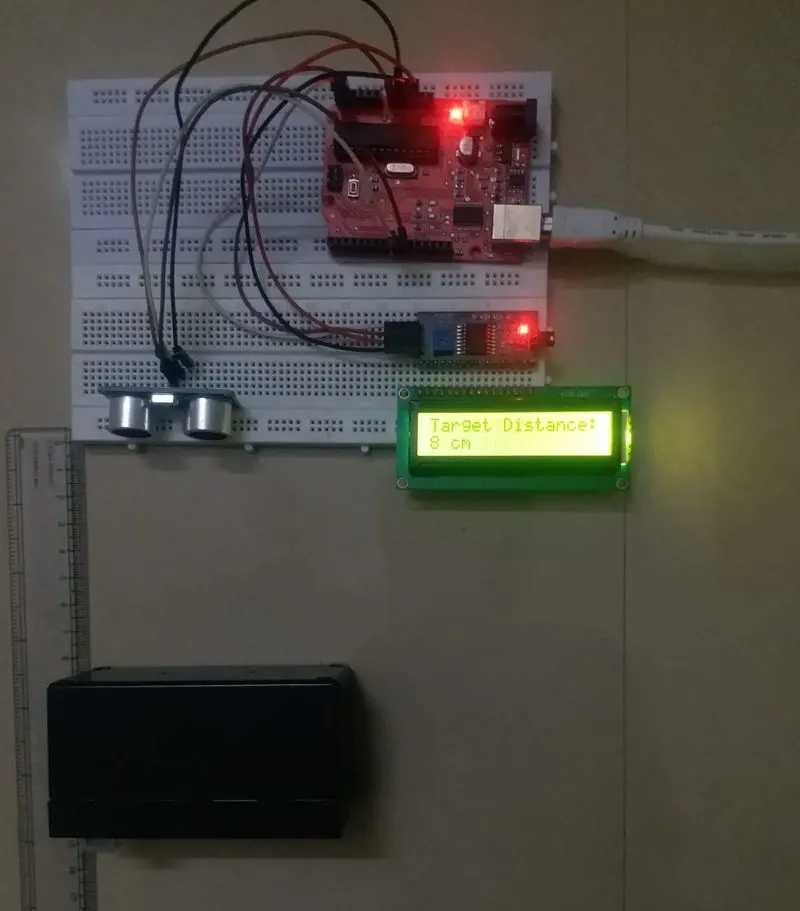
Distance Measureed-10cm