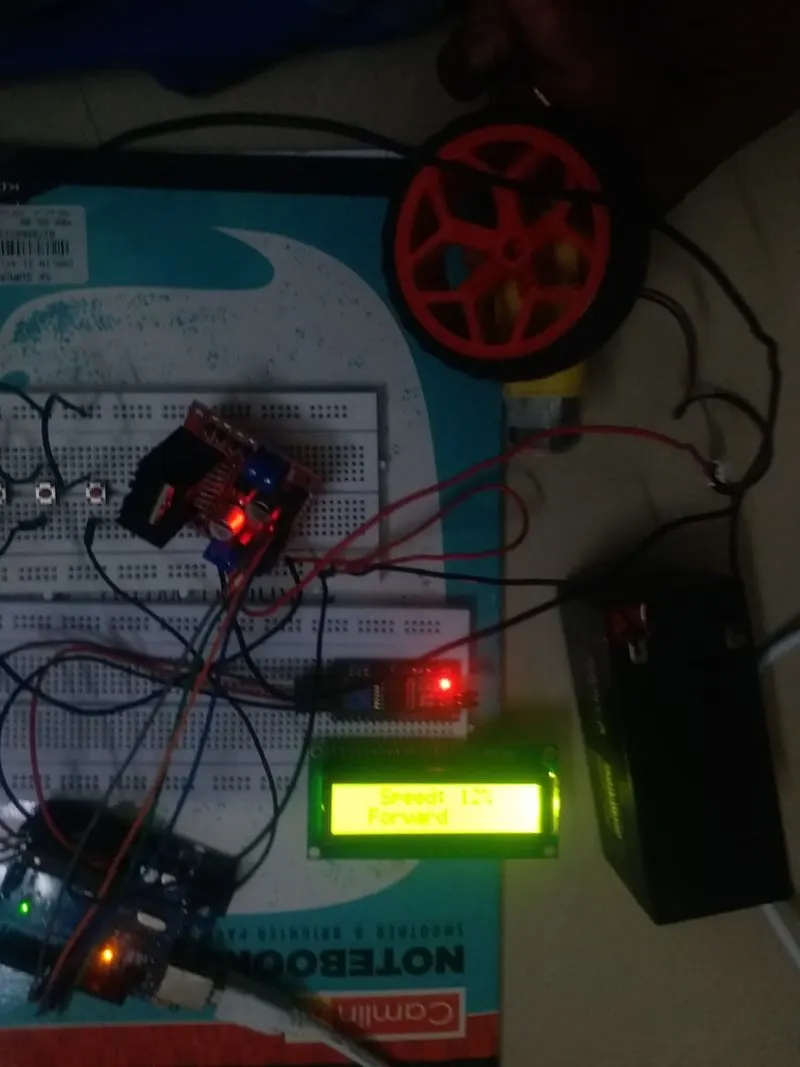
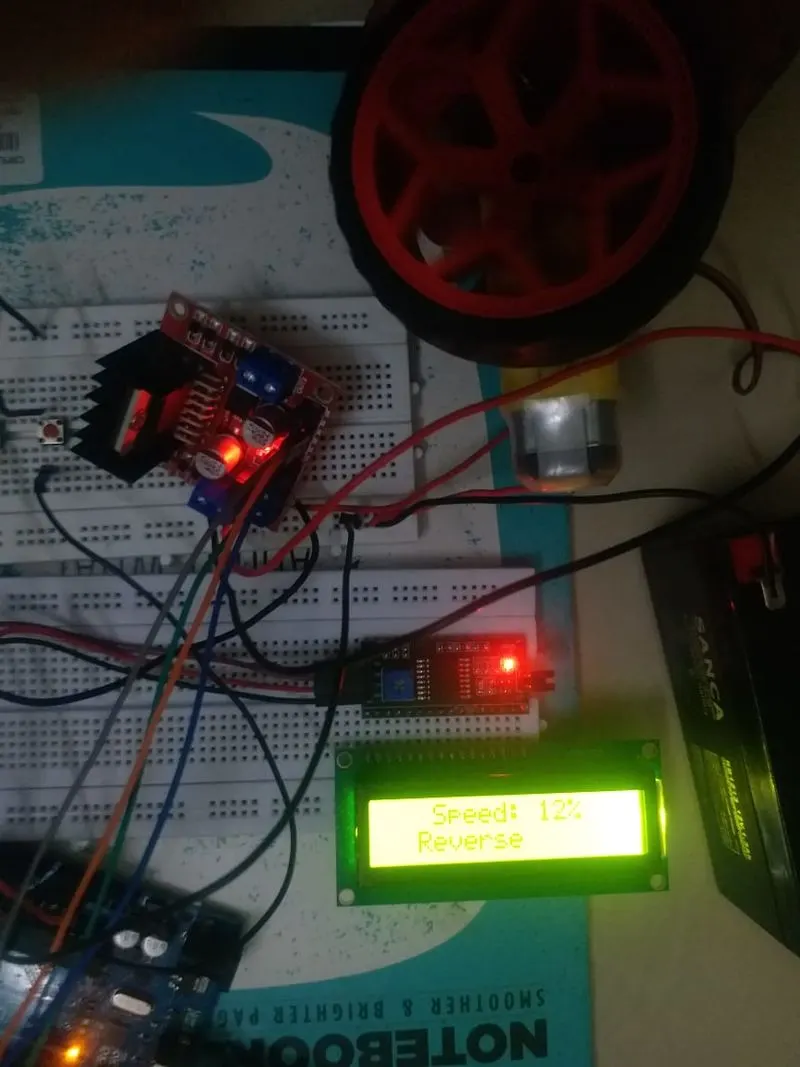
Project 1 - Controlling a DC motor using PWM and monitoring its Running status
Topic: Implement a system on the simulator for controlling a DC motor using L293 motor driver, monitor its status and print the running status of motor on the LCD Display.
Aim of the project:
To Implement a system on the simulator for controlling a DC motor using L293 motor driver, monitor its status and print the running status of motor on the LCD Display.
Hardware Requirements:
- Arduino UNO board
- USB cable connecter for Arduino UNO
- 16X2 LCD Screen
- L293D Motor Driver
- Battery(12v)
- Jumper wires Male/Female
Software requirements:
- Arduino software(Arduino IDE)
16X2 LCD SCREEN PIN DETAILS:
- LCD PIN 1-GND
- LCD PIN 2-VCC
- LCD PIN 3-VEE
- LCD PIN 4-RS (Register Select)
- LCD PIN 5-RW (Read/Write)
- LCD PIN 6-E (Enable)
- LCD PIN 7 to PIN 14-Data Bits
- LCD PIN 15-LED Positive
- LCD PIN 16-LED Negative
CICUIT CONNECTION:
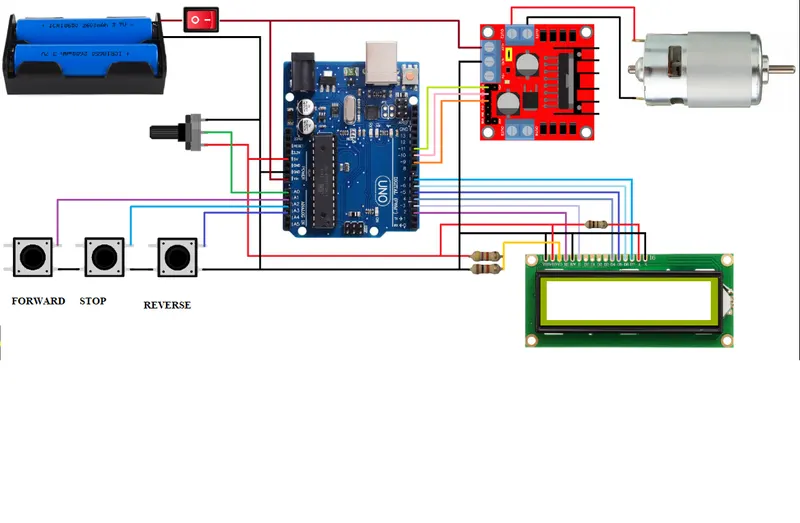 CODING:
#include <LiquidCrystal.h>
#include <Wire.h> // Include the header Files
#include <LiquidCrystal_I2C.h>
LiquidCrystal_I2C lcd(0x27, 16, 2);
#define potentiometer A0
#define bt_F A1 // Forward Button
#define bt_S A2 // Stop Button
#define bt_B A3 // Reverse Button
#define in1 11 //Motor L298 Pin in1
#define in2 10 //Motor L298 Pin in2
#define in3 9 //Motor L298 Pin in3
#define in4 8 //Motor L298 Pin in4
int read_ADC;
int Speed_LCD;
int Speed;
int Step;
int Mode=0;
void setup() { // put your setup code here, to run once
pinMode(potentiometer, INPUT); // declare potentiometer as input
pinMode(bt_F, INPUT_PULLUP); // declare bt_F as input
pinMode(bt_S, INPUT_PULLUP); // declare bt_S as input
pinMode(bt_B, INPUT_PULLUP); // declare bt_B as input
pinMode(in1, OUTPUT); // declare as output for L298 Pin in1
pinMode(in2, OUTPUT); // declare as output for L298 Pin in2
pinMode(in3, OUTPUT); // declare as output for L298 Pin in3
pinMode(in4, OUTPUT); // declare as output for L298 Pin in4
lcd.begin();
lcd.setCursor(0,0);
lcd.print(" WELCOME ");
lcd.setCursor(0,1);
lcd.print("Skill Lync");
delay(2000); // Waiting for a while
lcd.clear();
}
void loop() {
read_ADC = analogRead(potentiometer); // read analogue to digital value 0 to 1023
Speed = map(read_ADC, 0, 1023, 100, 0);
Speed_LCD = map(read_ADC, 0, 1023, 0, 100);
lcd.setCursor(0,0);
lcd.print(" Speed: ");
lcd.print(Speed_LCD);
lcd.print("% ");
if(digitalRead (bt_F) == 0){Mode = 1;} //For Forward
if(digitalRead (bt_S) == 0){Mode = 0;} //For Stop
if(digitalRead (bt_B) == 0){Mode = 2;} //For Reverse
lcd.setCursor(0,1);
if(Mode==0){ lcd.print(" Stop ");}
if(Mode==1){ lcd.print(" Forward ");}
if(Mode==2){ lcd.print(" Reverse ");}
if(Speed_LCD>0){
if(Mode==1){
Step = Step+1;
if(Step>3){Step=0;}
call_Step(Step);// Stepper motor rotates(Forward Direction)
}
if(Mode==2){
Step = Step-1;
if(Step<0){Step=3;}
call_Step(Step);// Stepper motor rotates(Reverse Direction)
}
delay(Speed);
}
}
void call_Step(int i){
switch (i) {
case 0:
digitalWrite(in1, HIGH);
digitalWrite(in2, LOW);
digitalWrite(in3, HIGH);
digitalWrite(in4, LOW);
break;
case 1:
digitalWrite(in1, LOW);
digitalWrite(in2, HIGH);
digitalWrite(in3, HIGH);
digitalWrite(in4, LOW);
break;
case 2:
digitalWrite(in1, LOW);
digitalWrite(in2, HIGH);
digitalWrite(in3, LOW);
digitalWrite(in4, HIGH);
break;
case 3:
digitalWrite(in1, HIGH);
digitalWrite(in2, LOW);
digitalWrite(in3, LOW);
digitalWrite(in4, HIGH);
break;
}
}
OUTPUT: