Project 1 - Interfacing a 16*2 LCD with Arduino using I2C protocol
Topic: Interfacing a 16*2 LCD with Arduino using I2C protocol.
Aim of the project:
In this project implementing the Code for “Interfacing a 16*2 LCD with two Arduino’s (one for Master and one for Slave) using Inter-Integrated Circuit (I2C) communication protocol” by sending the message to LCD using I2C communication protocol and display the message on LCD screen.
COMPONENTS required:
- ARDUINO UNO- 2 Nos.
- I2C SERIAL INTERFACE ADAPTER
- 16X2 LCD SCREEN- 2 Nos.
- BREADBOARD
- 10KΩ POTENTIOMETER- 4 Nos.
- JUMPER WIRES(MALE/FEMALE)
-
EXPLANATION:
In this project use I2C communication between two arduino boards and send (0 to 127) values to each other by using potentiometer. Values will be displayed on the 16x2 LCD connected to each of the Arduino. Here one Arduino act as Master and another one act as Slave.
The input analog value at arduino pin A0 from (0 to 5V) by using potentiometer and convert into analog to digital value (0 to 1023). Then these ADC values are further converted into (0 to 127) as we can send only 7-bit data through I2C communication. The I2C communication takes place through two wires at pin A4 & A5 of both arduino.
-
16X2 LCD SCREEN PIN DETAILS:
-
- LCD PIN 1-GND
- LCD PIN 2-VCC
- LCD PIN 3-VEE
- LCD PIN 4-RS (Register Select)
- LCD PIN 5-RW (Read/Write)
- LCD PIN 6-E (Enable)
- LCD PIN 7 to PIN 14-Data Bits
- LCD PIN 15-LED Positive
- LCD PIN 16-LED Negative
-
-
I2C Communication in Arduino:
I2C Line
Pin in Arduino
SDA (Serial Data)
A4
SCL (Serial Clock)
A5
-
Pin Configuration of POTENTIOMETER:
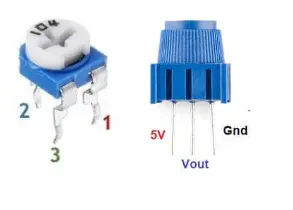
- PIN 1: VCC
- PIN2: OUTPUT
- PIN3: GND
-
CODING:
Master Arduino Programming:
//I2C MASTER CODING
//I2C Communication between Two Arduino
#include<Wire.h> //Library Functions
#include<LiquidCrystal.h> //Library Function for LCD display
LiquidCrystal lcd(2, 7, 8, 9, 10, 11); //Define LCD Module Pins (RS,EN,D4,D5,D6,D7)
void setup()
{
lcd.begin(16,2); //Initilize LCD display
lcd.setCursor(0,0); //Sets Cursor at 1st line of Display
lcd.print("Skill Lync"); //Print the given data
lcd.setCursor(0,1); //Sets Cursor at 2nd line of Display
lcd.print("I2C 2 ARDUINO "); //Print I2C 2 ARDUINO in LCD
delay(6000); //Delay for 6 seconds
lcd.clear(); //Clears LCD display
Serial.begin(9600); //Begins Serial Communication at 9600 baud rate
Wire.begin(); //Begins I2C communication at pin (A4,A5)
}
void loop()
{
Wire.requestFrom(8,1); // request 1 byte from slave arduino (8)
byte MasterReceive = Wire.read(); // receive a byte from the slave arduino and store in MasterReceive
int potvalue = analogRead(A0); // Reads analog value from POT (0-5V)
byte MasterSend = map(potvalue,0,1023,0,127); //Convert digital value (0 to 1023) to (0 to 127)
Wire.beginTransmission(8); // start transmit to slave arduino (8)
Wire.write(MasterSend); // sends one byte converted POT value to slave
Wire.endTransmission(); // stop transmitting
lcd.setCursor(0,0); //Sets Currsor at line one of LCD
lcd.print(">> Master <<"); //Print >> Master << at LCD
lcd.setCursor(0,1); //Sets Cursor at line two of LCD
lcd.print("SlaveVal:"); //Prints SlaveVal: in LCD
lcd.print(MasterReceive); //Prints MasterReceive in LCD received from Slave
Serial.println("Master Received From Slave"); //Prints in Serial Monitor
Serial.println(MasterReceive);
delay(600);
lcd.clear();
}
Slave Arduino Programming :
//I2C SLAVE CODING
//I2C Communication between Two Arduino
#include<Wire.h> //Library for I2C Communication functions
#include<LiquidCrystal.h> //Library for LCD display function
LiquidCrystal lcd(2, 7, 8, 9, 10, 11); //Define LCD Module Pins (RS,EN,D4,D5,D6,D7)
byte SlaveReceived = 0;
void setup()
{
lcd.begin(16,2); //Initilize LCD display
lcd.setCursor(0,0); //Sets Cursor at 1st line of Display
lcd.print("Skill Lync"); //Print the given statement
lcd.setCursor(0,1); //Sets Cursor at 2nd line of Display
lcd.print("I2C 2 ARDUINO"); //Print I2C ARDUINO in LCD
delay(6000); //Delay for 6 seconds
lcd.clear(); //Clears LCD display
Serial.begin(9600); //Begins Serial Communication at 9600 baud rate
Wire.begin(8); //Begins I2C communication with Slave Address as 8 at pin (A4,A5)
Wire.onReceive(receiveEvent); //Function call when Slave receives value from master
Wire.onRequest(requestEvent); //Function call when Master request value from Slave
}
void loop(void)
{
lcd.setCursor(0,0); //Sets Currsor at line one of LCD
lcd.print(">> Slave <<"); //Print >> Slave << at LCD
lcd.setCursor(0,1); //Sets Cursor at line two of LCD
lcd.print("MasterVal:"); //Print MasterVal: in LCD
lcd.print(SlaveReceived); //Print SlaveReceived value in LCD received from Master
Serial.println("Slave Received From Master:"); //Print in Serial Monitor
Serial.println(SlaveReceived);
delay(600);
lcd.clear();
}
void receiveEvent (int howMany) //This Function is called when Slave receives value from master
{
SlaveReceived = Wire.read(); //Used to read value received from master and store in variable SlaveReceived
}
void requestEvent() //This Function is called when Master wants value from slave
{
int potvalue = analogRead(A0); // Reads analog value from POT (0-5V)
byte SlaveSend = map(potvalue,0,1023,0,127); // Convert potvalue digital value (0 to 1023) to (0 to 127)
Wire.write(SlaveSend); // sends one byte converted POT value to master
}
CIRCUIT CONNECTION: 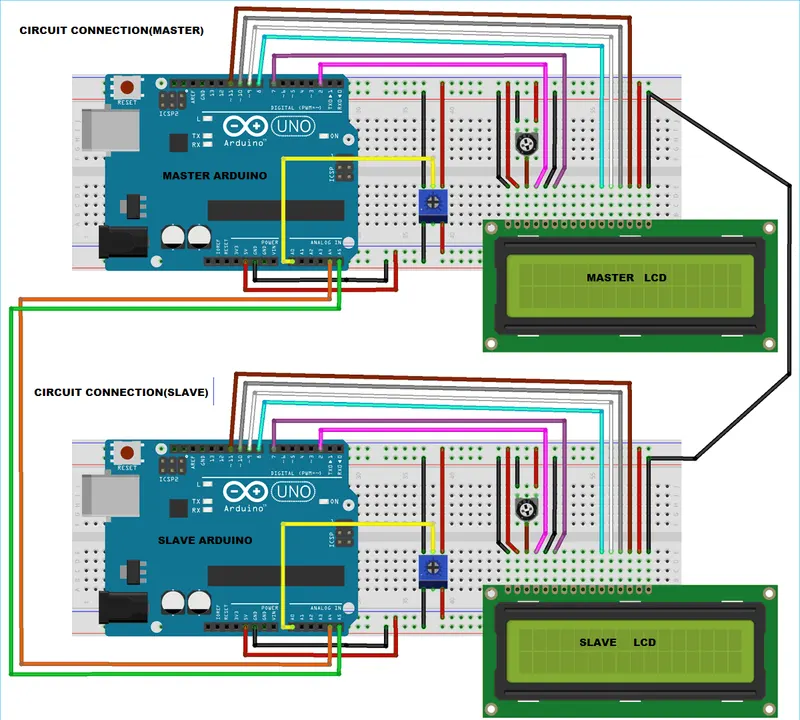
EXPERIMENTAL SETTING UP:
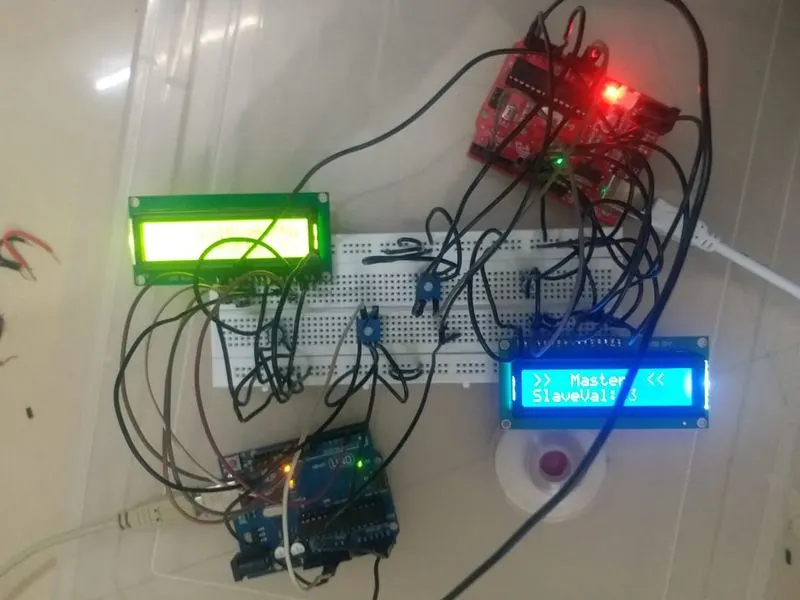
OUTPUT- POT variation 1:
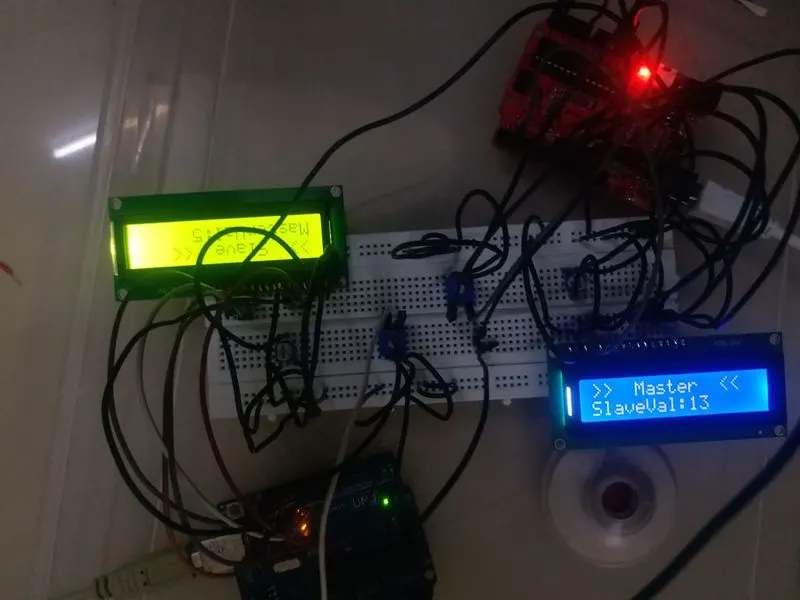
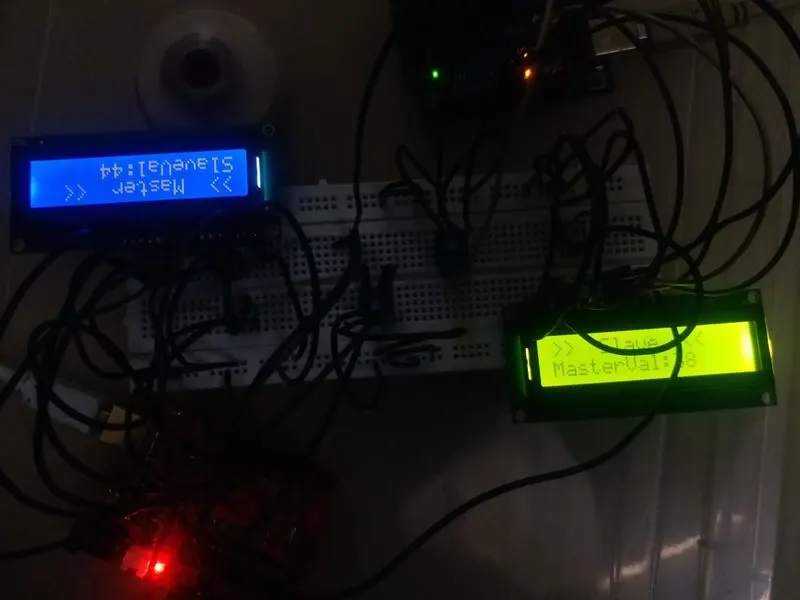
OUTPUT- POT variation 2:
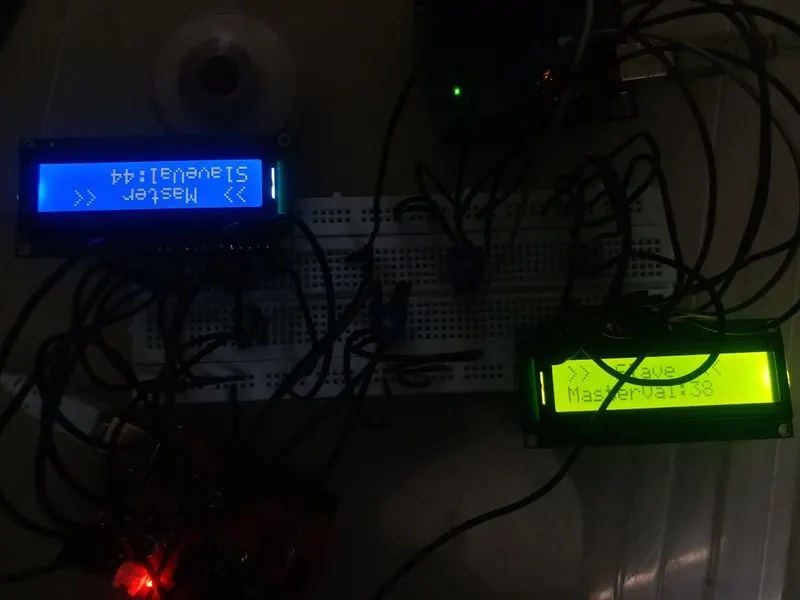
OUTPUT- POT variation 3:
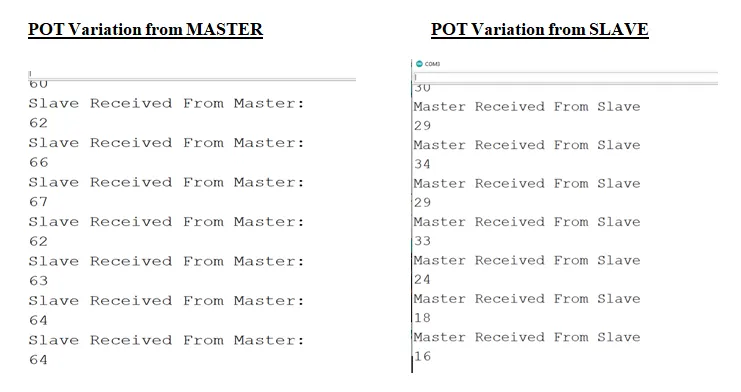
OUTPUT in Serrial Monitor: POT Variation from MASTER and SLAVE
RESULT:
Thus the project implemented the Code for “Interfacing a 16*2 LCD with two Arduino’s (one for Master and one for Slave) using Inter-Integrated Circuit (I2C) communication protocol” by sending the message to LCD using I2C communication protocol and display the message on LCD screen.