Project 2 - Development of TFT Cluster Speedometer Software Component
Develop the Simulink model based on the given requirements and also create SLDD file and link the same to the model.
Perform the complete V and V workflow for the obtained model
Development of TFT Cluster Speedometer Software Component
Cluster Instrument receives the signals from other ECU via CAN bus interface. It also receives commands from the driver via steering wheel buttons. The signals are then processed by the Cluster ECU, after which the Cluster ECU may send the vehicle information to the LCD or light the LEDs and so forth, according to the results. Therefore, the Cluster ECU can be viewed as a carrier of the information flow.
SOLUTION
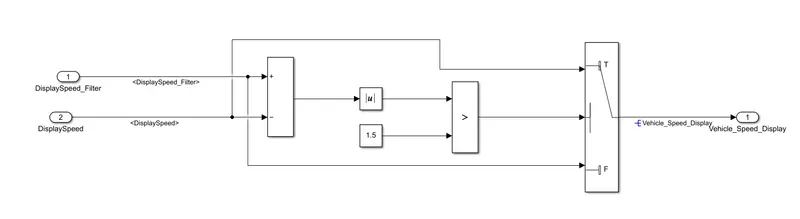
FINAL SIMULINK MODEL
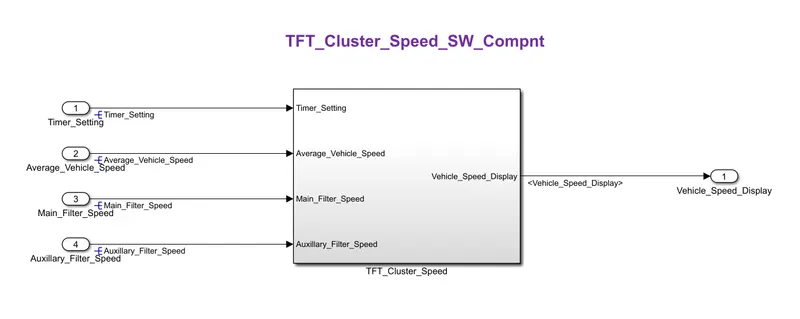
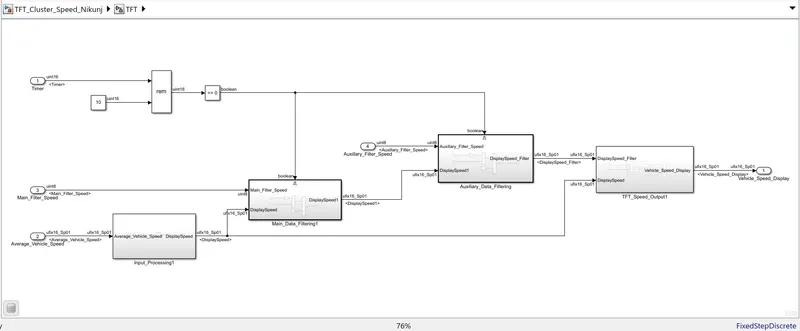
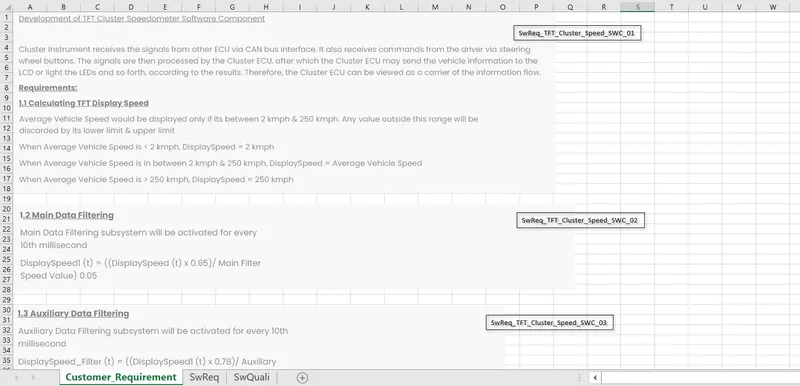
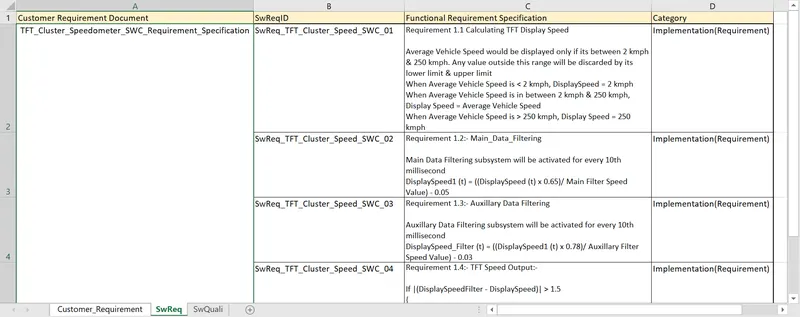
Requirement 1.1 Calculating TFT Display Speed
Average Vehicle Speed would be displayed only if its between 2 kmph & 250 kmph. Any value outside this range will be discarded by its lower limit & upper limit
When Average Vehicle Speed is < 2 kmph, DisplaySpeed = 2 kmph
When Average Vehicle Speed is in between 2 kmph & 250 kmph, Display Speed = Average Vehicle Speed
When Average Vehicle Speed is > 250 kmph, Display Speed = 250 kmph

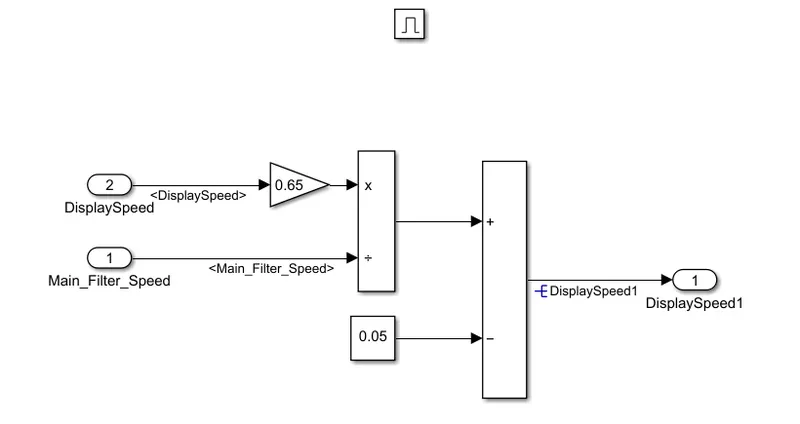
Requirement 1.2:- Main_Data_Filtering
Main Data Filtering subsystem will be activated for every 10th millisecond
DisplaySpeed1 (t) = ((DisplaySpeed (t) x 0.65)/ Main Filter Speed Value) - 0.05
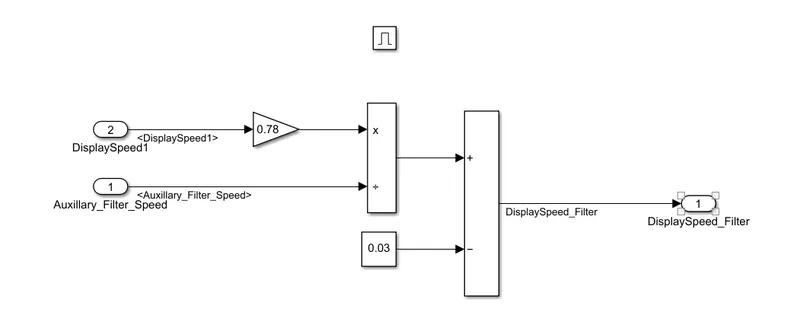
Requirement 1.3:- Auxillary Data Filtering
Auxillary Data Filtering subsystem will be activated for every 10th millisecond
DisplaySpeed_Filter (t) = ((DisplaySpeed1 (t) x 0.78)/ Auxillary Filter Speed Value) - 0.03
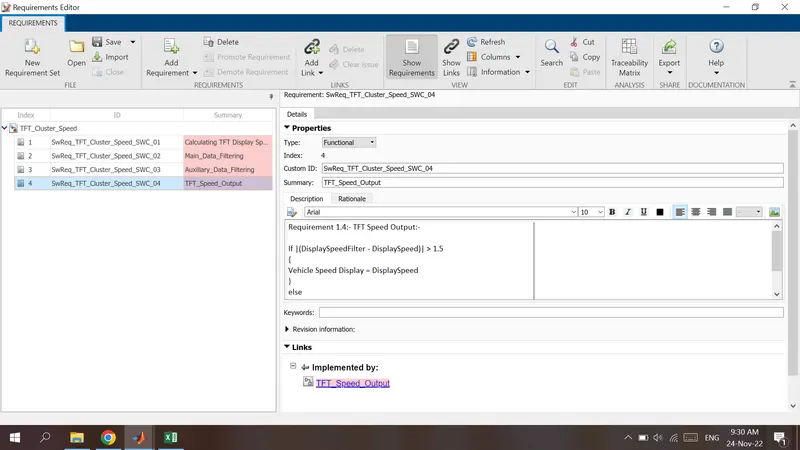
Requirement 1.4:- TFT Speed Output:-
If |(DisplaySpeedFilter - DisplaySpeed)| > 1.5
{
Vehicle Speed Display = DisplaySpeed
}
else
{
Vehicle Speed Display = DisplaySpeed Filter
}
REQUIREMENT TAGGING & REPORT
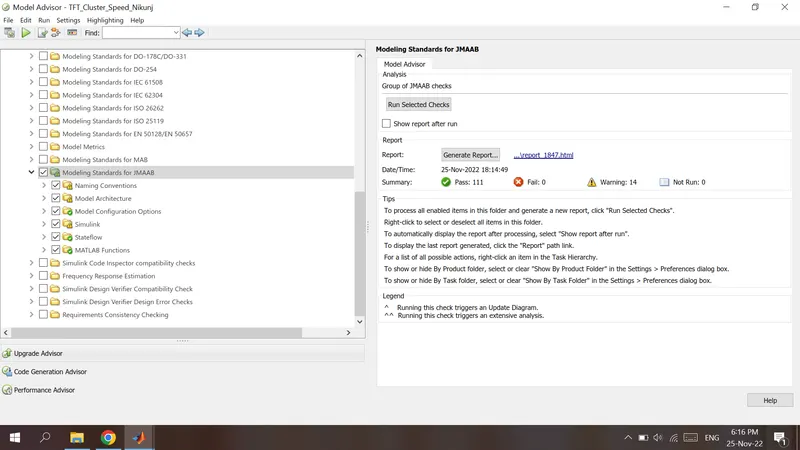
Model Advisor - JMAAB compliance report
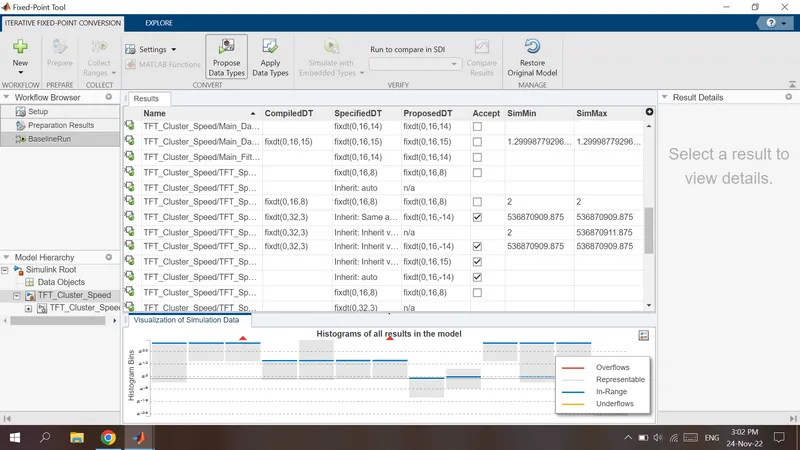
FIXED POINT TOOL
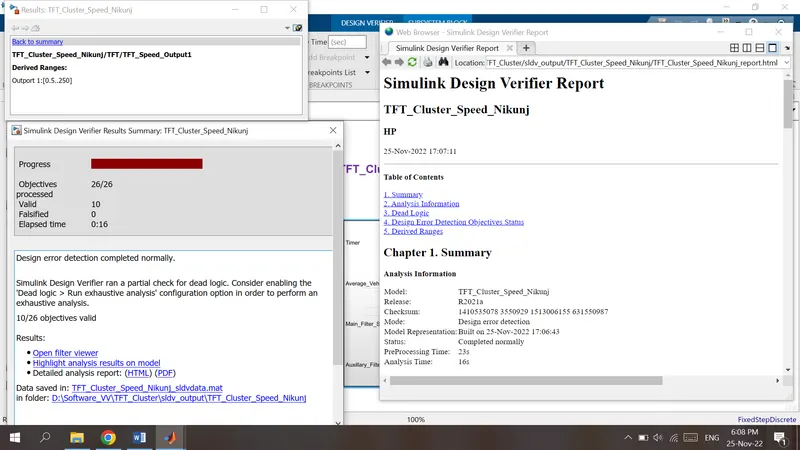
SLDV Design error detection report
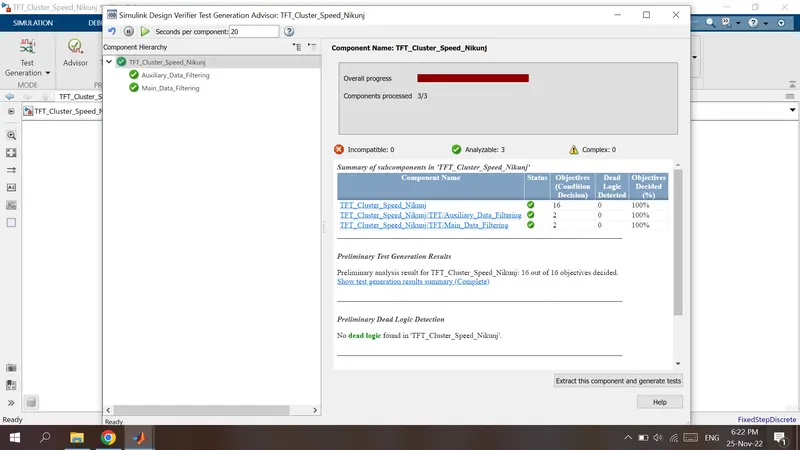
SLDV Test Generation Report
ADVISOR
REPORT
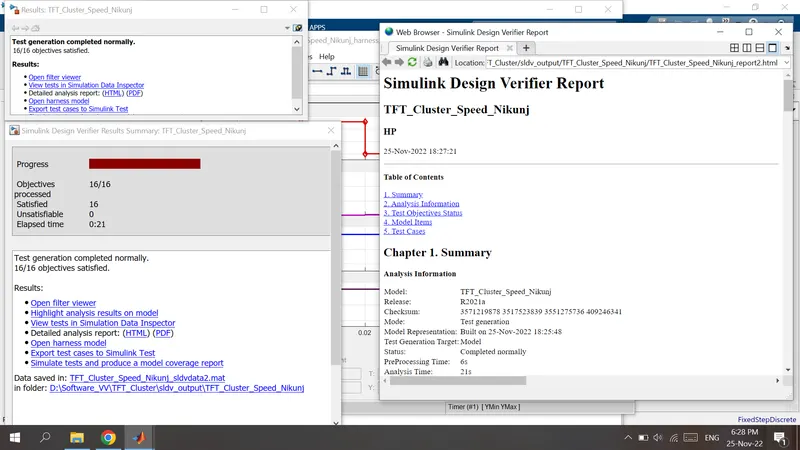
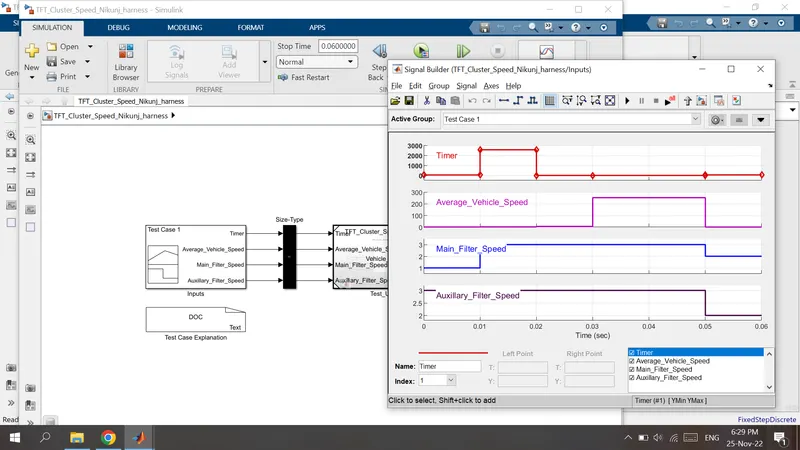
GENERATED HARNESS AND TEST CASES
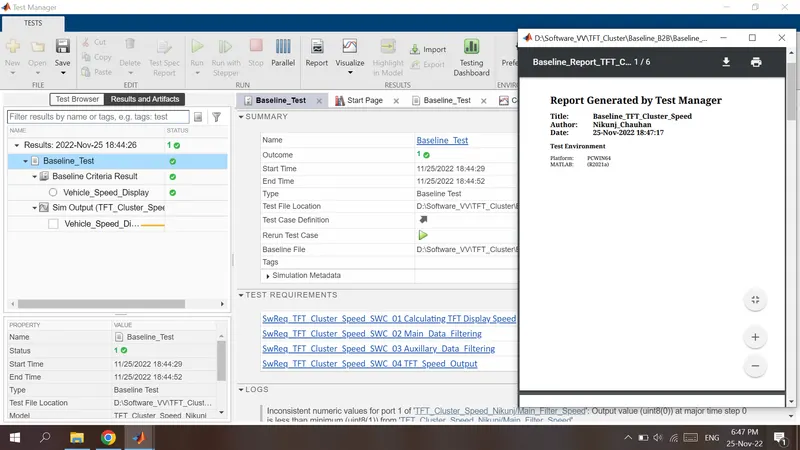
SIMULINK TEST MANAGER REPORT
BASELINE TEST
Tested okk
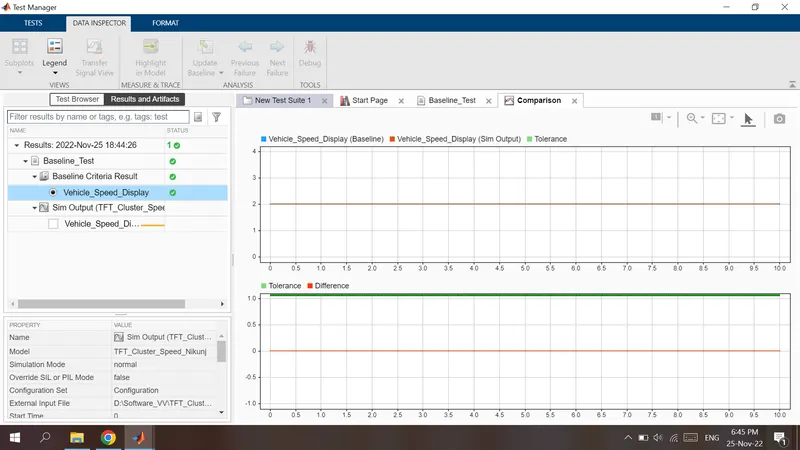
Test Report
BACK TO BACK TEST
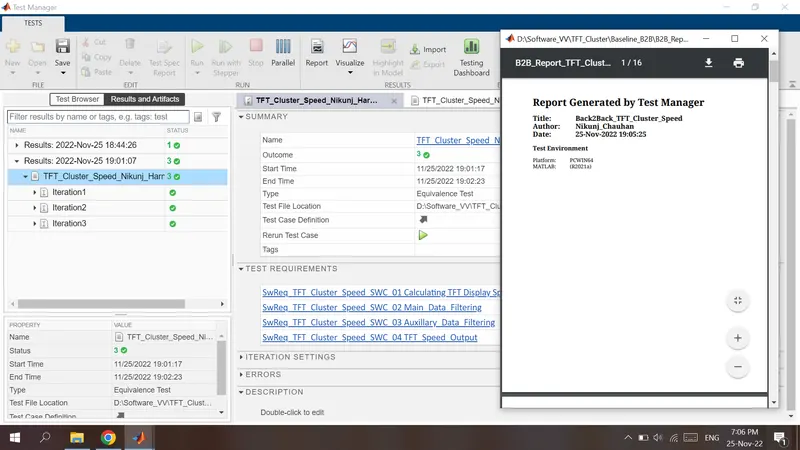
Total 3 Iterations are Executed.
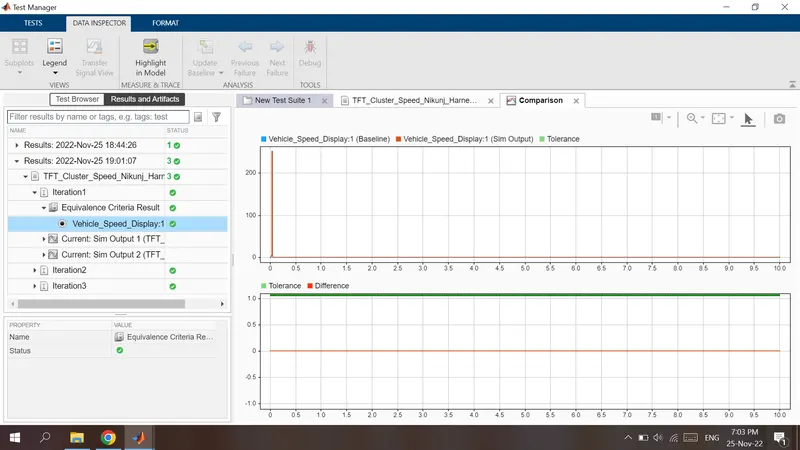
Report
Automatically MIL and SIL Models are Generated
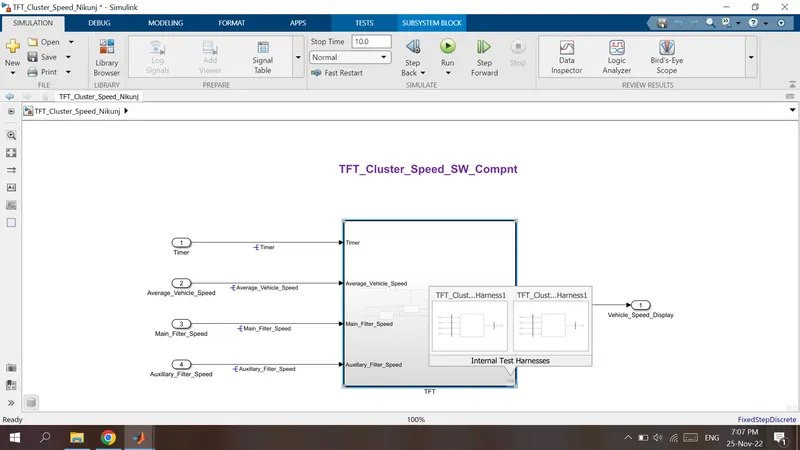
MIL MODEL
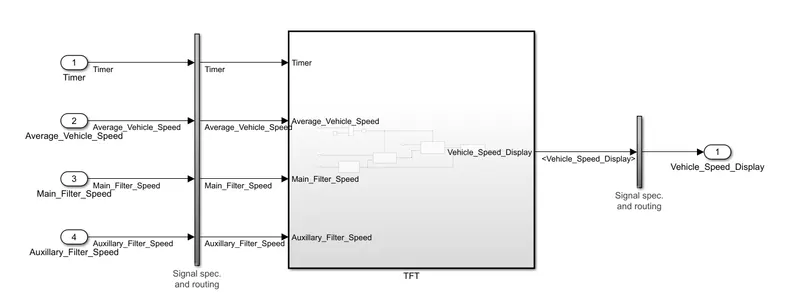
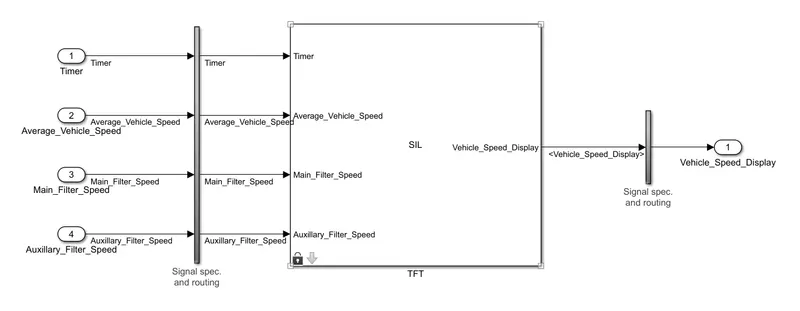
SIL MODEL
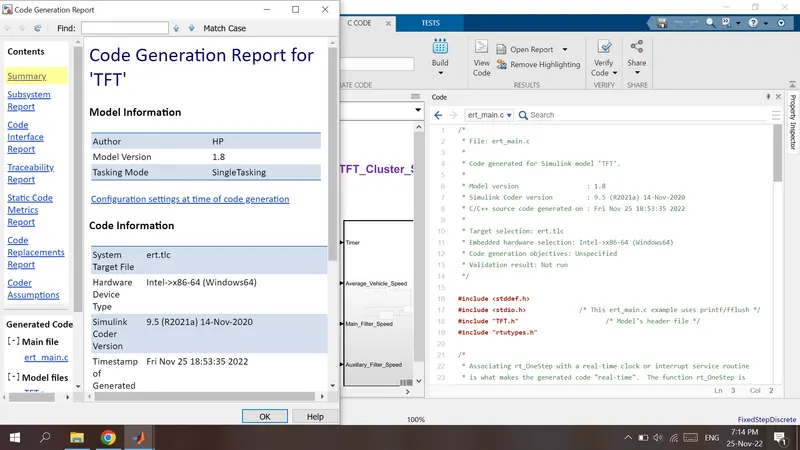
AUTO CODE GENERATION REPORT
POLYSPACE STATIC ANALYSIS REPORT
We have to Purchase the PolySpace Licence Seperately to Get the full Execution.
Steps :
- Open Polyspace Software
- Start new Project and give name and set storage location
- Project Include Folders >> Select the folder where project(.c) files are saved...
Then, Ensure the Parameter Settings
- Target & Compiler >> Target Processor Type >> x86_64
- Coding Standards and Code Metrices >> Check MISRA C : 2004
- Bug Finder Analysis >> Default
- Reporting >> Generate Report
..................................THANK..YOU..................................