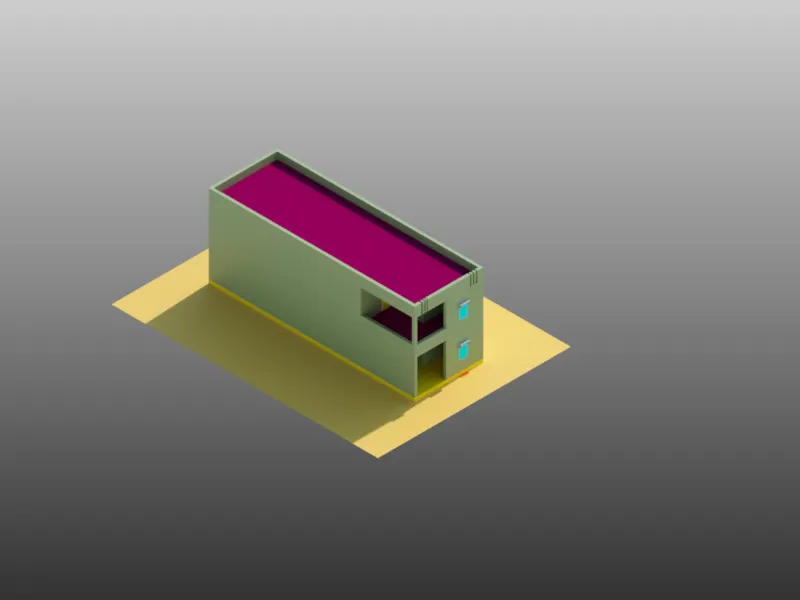
Project 2_Creating a 3D rendered model for a Residential Building in AutoCad
1.
Aim:
To draw the 3d view and rendering using autocadd
Procedure:
Step 1
Already existing plan
copy the object
paste the object
Step 2
change the view
Step 3
join the all line
selet the object
join the the object
Step 4
create the layer
create the new layer
select the colour
Step 5
select the object
shade the object
Step 6
use command extrude
select the object
extrude the line at 10'
Step 7
create the rectangular
select the object
extrude the line 3'
Step 8
all the extrude at window and door
select the object
extrude the below line at -3'
extrude the above line at 3'
Step 9
draw the rectangular
select the object
extrude the line at 1'
move the object
below the object at wall roof
Step 10
Window
copy the window
use command boundary
select the region
choose the colour at layer
paste the colour
Step 11
Door
use command boundary
select the region
choose the colour at layer
paste the colour
Step 12
copy the window
select the object
select the basepoint
paste the object
Step 13
copy the door
select the object
select the basepoint
paste the object
Step 14
use command 3drotate
select the axial point
select the rotate point
select the rotate degree 90
Step 15
copy the door
select the object
select the basepoint
paste the object
Step 16
draw the inner rectangular
select the rectangular
extrude the line at 1'
Step 17
draw the rectangular
select the boundary
select the colour layer
set the colour
Step 18
copy the layout
select the object
extrude the line at 10'
Step 19
copy the window
select the object
paste the object
Step 20
copy the window
select the object
paste the object
Step 21
change the 2d wireframe
Step 22
copy the whole object
select the object
select the basepoint
paste the object
Step 23
draw the inner rectangular
select the object
etrude the line at 1'
Step 24
copy the layout
Step 25
extrude the line at 3'
Step 26
copy the object
select the object
select the basepoint
paste the object
Step 27
select the whole object
use command union
select the object
union the object
Step 28
use command material browser
select the wall paint
select the object
assign the object to
Step 29
change the shaded option
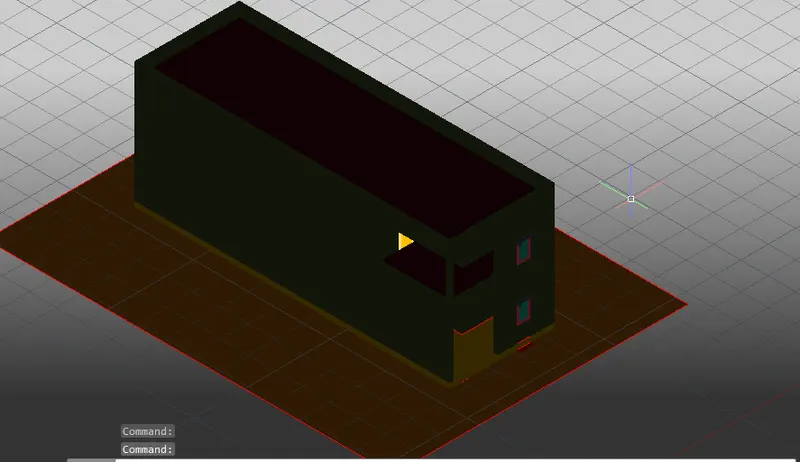
Step 30
use command rendering