Project 2 Adaptive Cruise Control
Aim of Challenge:-
- Developing Adaptive Cruise Control feature.
Description:-
Step 1:- Do a Requirement Analysis by following the Objective of the Project.
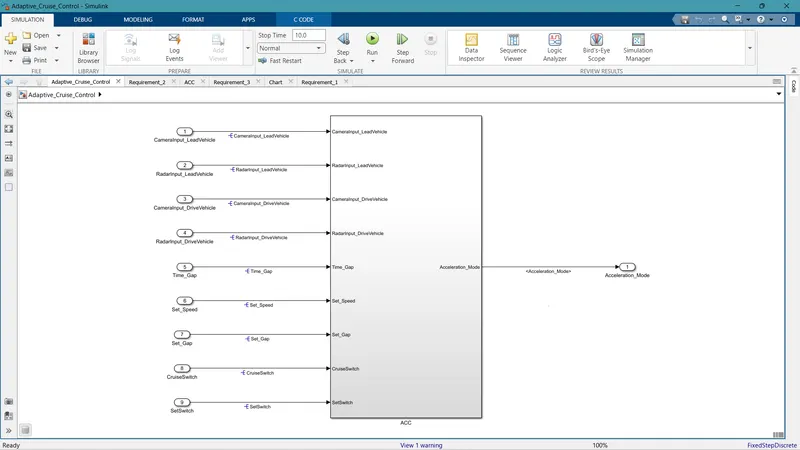
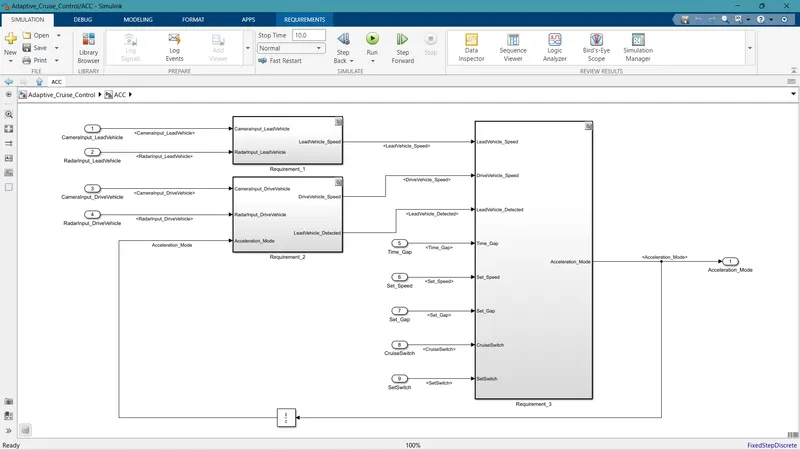
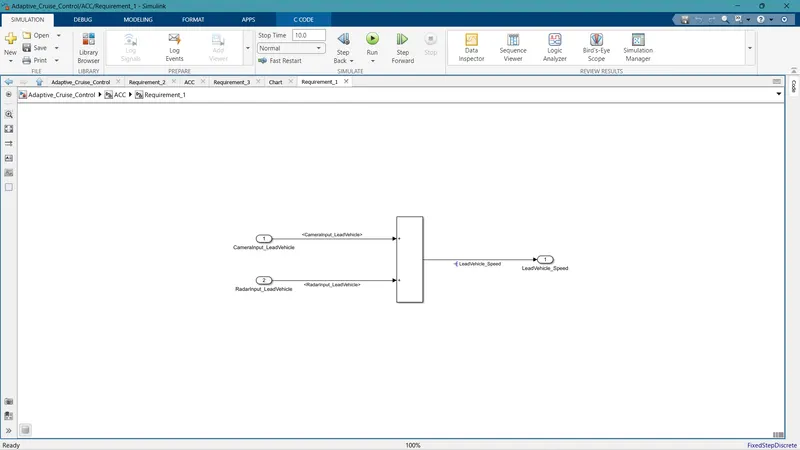
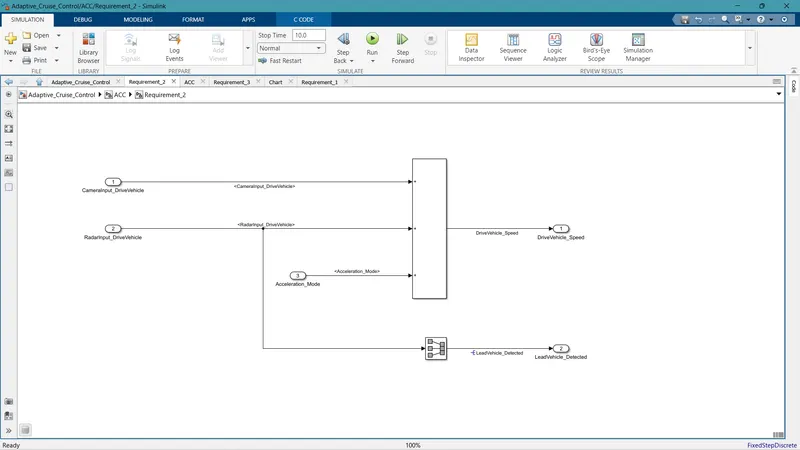
Step 2:- Open a new tab on Simulink and start the modeling with requirements 1, 2, and 3.
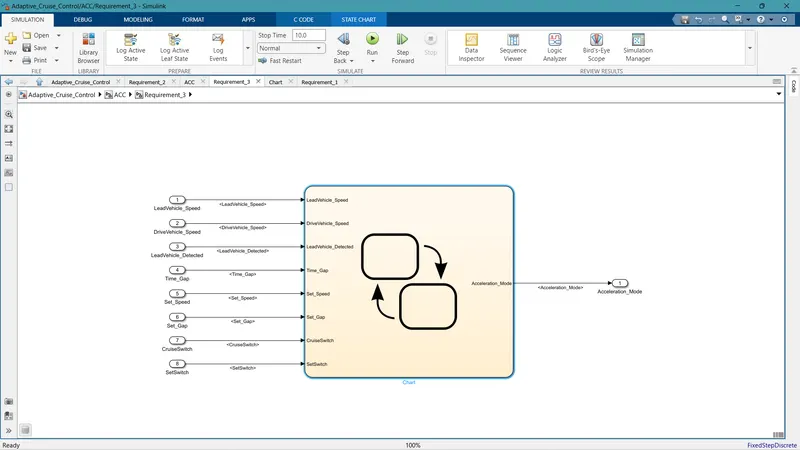
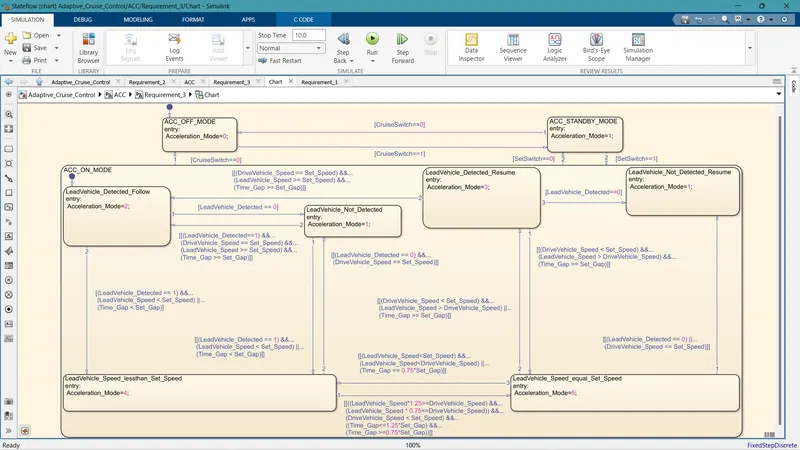
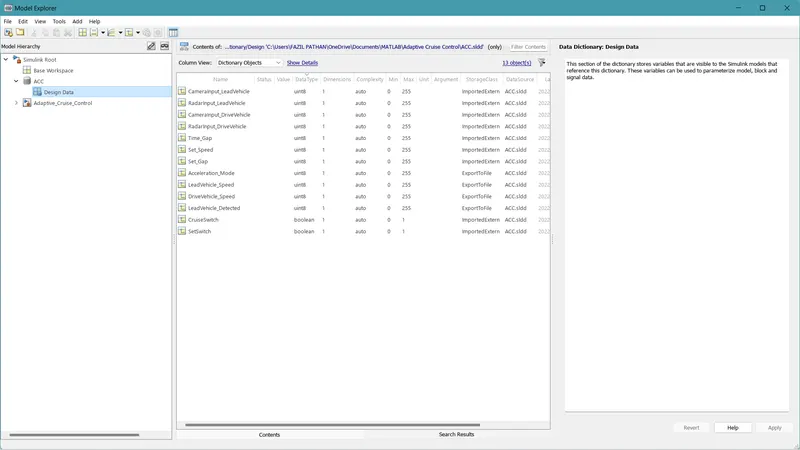
Step 3:- Start the SLDD creation by going to the Modeling -> model explorer -> File -> New -> Data Dictionary
Add the Inport and Outport Signal and update it as per the given Data List.
After Creating the SLDD link it with the Simulink Model.
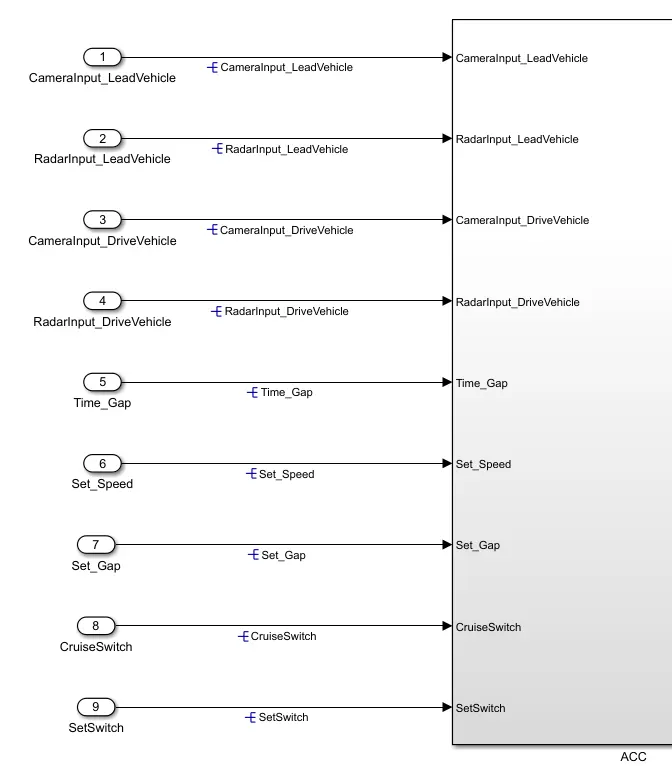
Step 4:-Do the Signal Resolving for Inputs and Outputs by right-clicking on the signal label and clicking on resolve signals.
Step 5:- Do the Requirement Tagging and Traceability.
Open the word folder with the Requirements, Select the required requirements to be tagged, Now Right click on the Subsystem, Go to the Requirements Section, and Select Link to Selection in word.
Go to Requirement Manager -> Click Simulink Model -> Presence of requirement tagged with the model can be seen at the top right corner of the model.
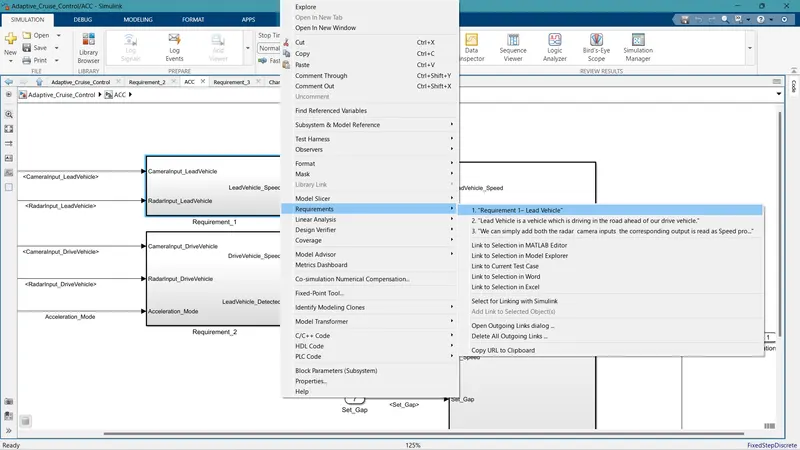
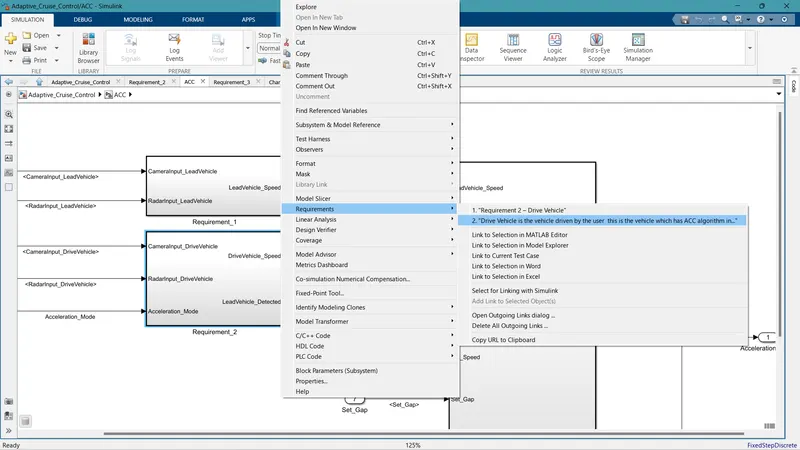
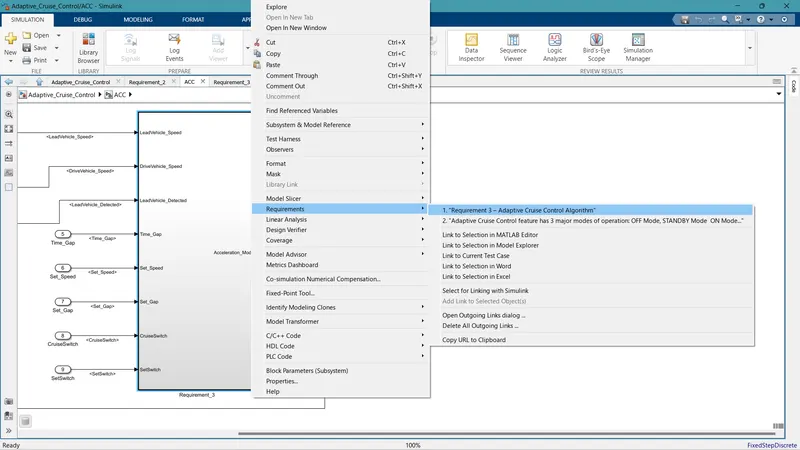
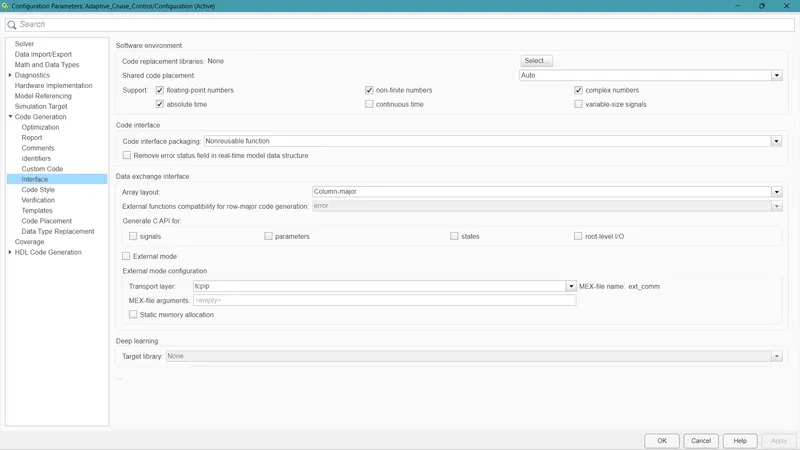
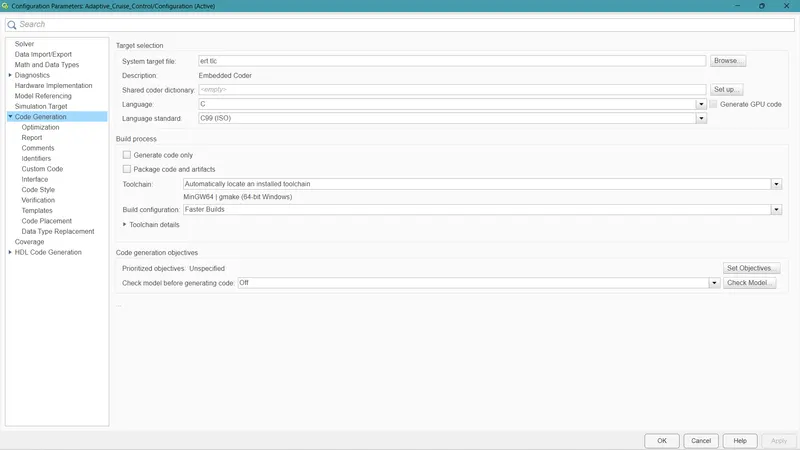
Step 6:- Update the Configuration Parameter, Set the ''Sample Time'' as 0.01s, Enable ''Support Floating Numbers'' under Code Generation settings, and Use ''Embedded Coder'' to generate the code and update other parameters.
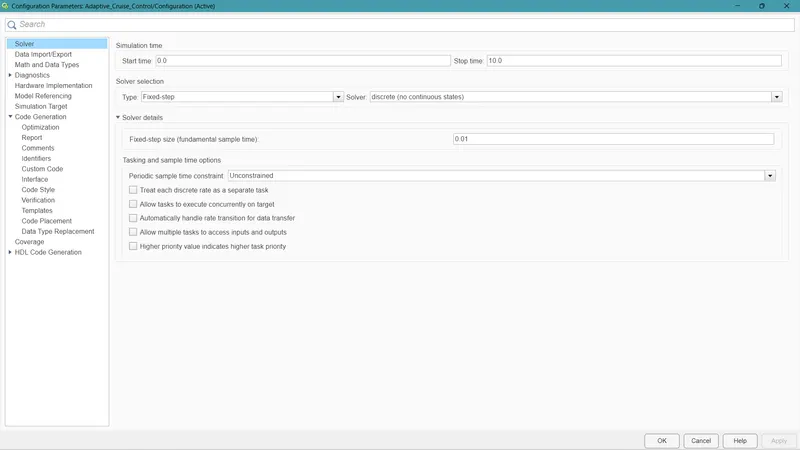
Step 7:- Now Open the Model Advisor.
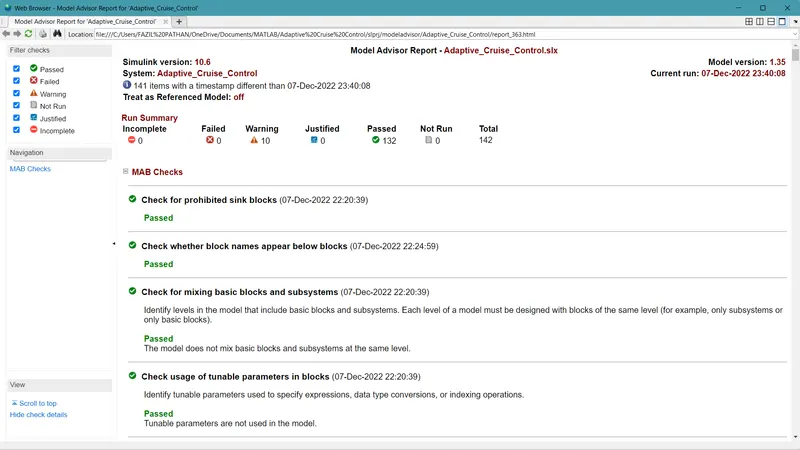
Modeling -> Model Advisor -> Select Checks to be performed -> Run Model Advisor Checks.
In this project, I have selected Maab Guidelines in checks.
Resolve If any warnings or Incomplete Tests are Detected.
A model Advisor Report will be generated.
Step 8:- Do the Code Generation.
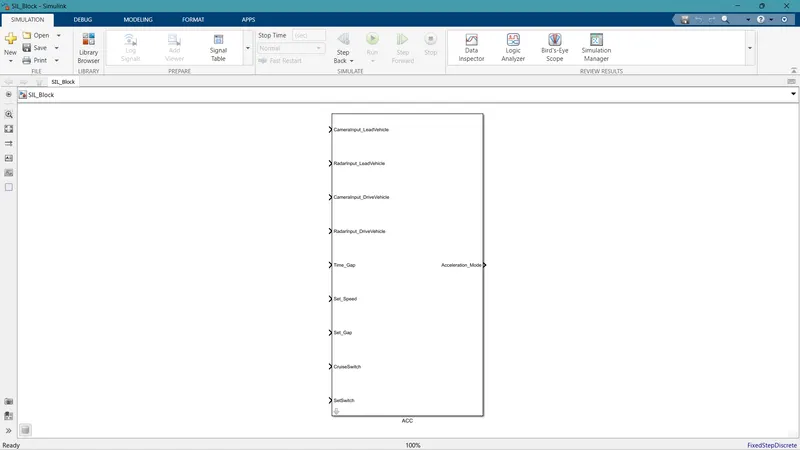
Right click on the subsystem and click on C/C++ code option and click S-function generation block.
Now the S-function block will be created and will appear on a new Simulink model.
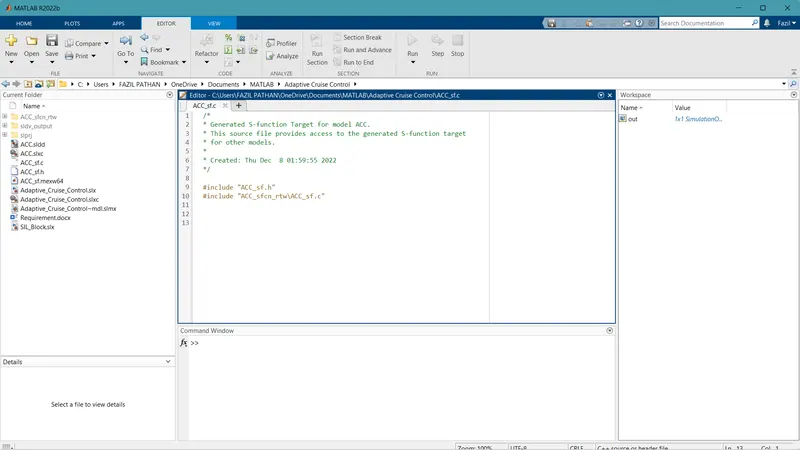
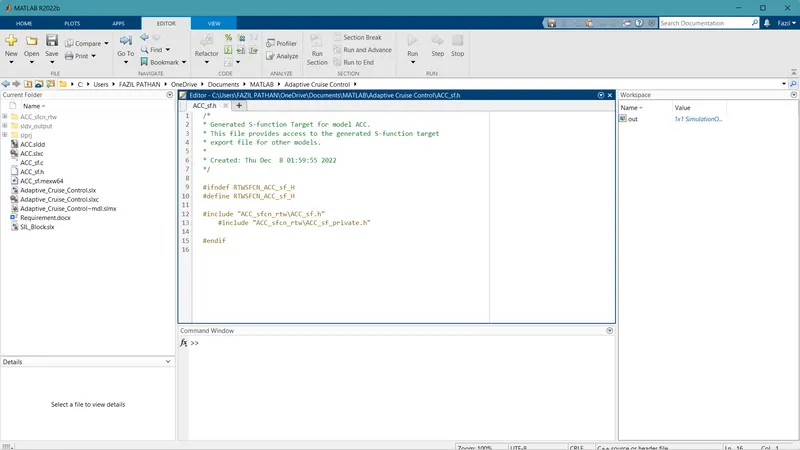
Code will be generated in terms of .c and .h files.
Step 9:- The Adaptive_Cruise_Control Project has been completed.