Project 2
Aim
Route the Wiring Harness on given Car body and prepare flatten view drawing in Catia V5
Objective
The objective of this project is to route the wiring harness and prepare flatten view drawing for the tailgate of the car. All types of packaging rules have to be considered while routing the harness and industry based practices shall be demonstrated in harness design. All necessary details like clearance, clipping/clamping selection, harness fixing requirements, harness continuity should be provided in order to design the wiring harness.
Creating Context Assembly
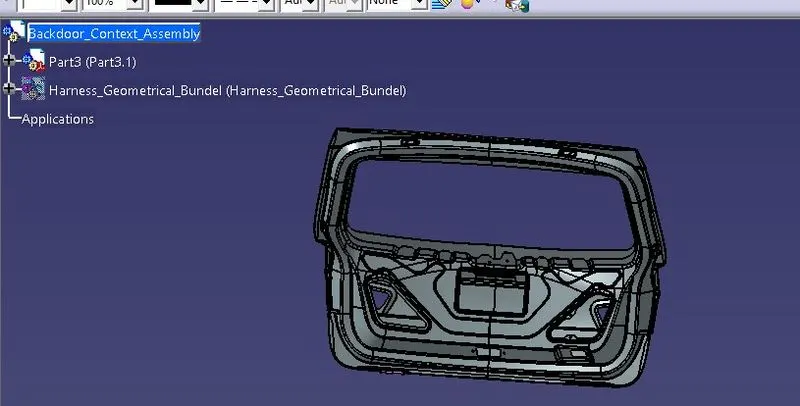
- We have created context assembly for the tail gate of the car as main assembly as shown in above figure.
- This context assembly contains the 3D cad data for the tail gate of the car and car tail gate harness geometrical bundle.
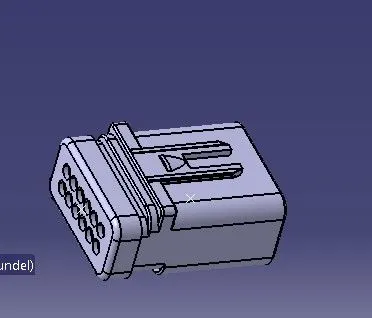
Difining the connectors electrically
- Here, we have defined 12-Pole connector electrically for two number plate lights of the car as shown in above figure
Adding connectors to the 2 tail lights and 2 number plate lights
- We have added both 12-pole connectors inside the tail gate harness geometrical bundle assembly.
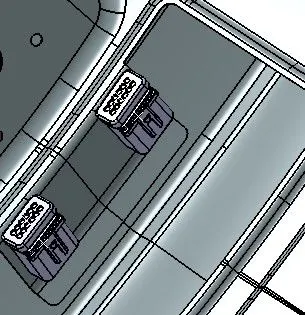
- We have used commands like manipulation, compass, snap and smart move to place all the 4 connectors to their desired location.
- We have placed all the connectors at their desired position as shown in below figures.
Bundle routing
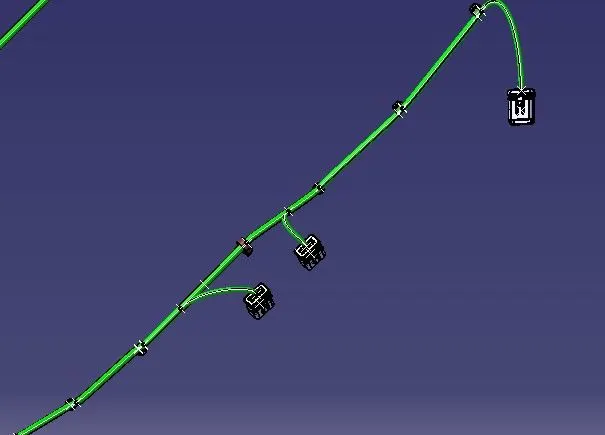
- Let, we have started bundle routing from interconnection connector and assumed diameter of main trunk is 10mm.
- The diameter of bundle leading to 2 tail lights and 2 number plate lights is 8mm and 5mm respectively.
- The bend ratio is assumed to be 1.4 and appropriate slack between 1-10% is given wherever needed.
Adding protective covering to the harness bundle
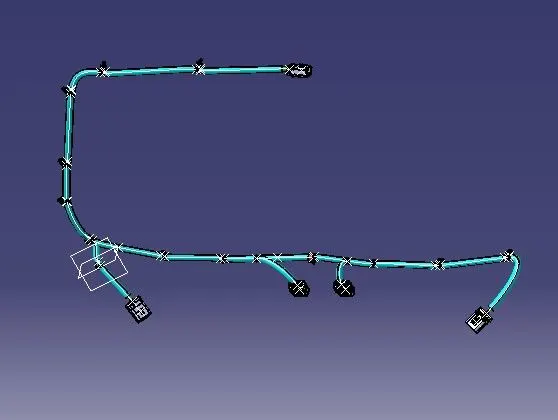
- After bundle routing, we have to add protective covering to the harness bundle so that it will get protected from the damage.
- Here, we have used PVC tape for the current harness assembly.
- We have given start and end extremity wherever needed for the PVC tape as shown in below image.
Create flatten view of the wiring harness bundle
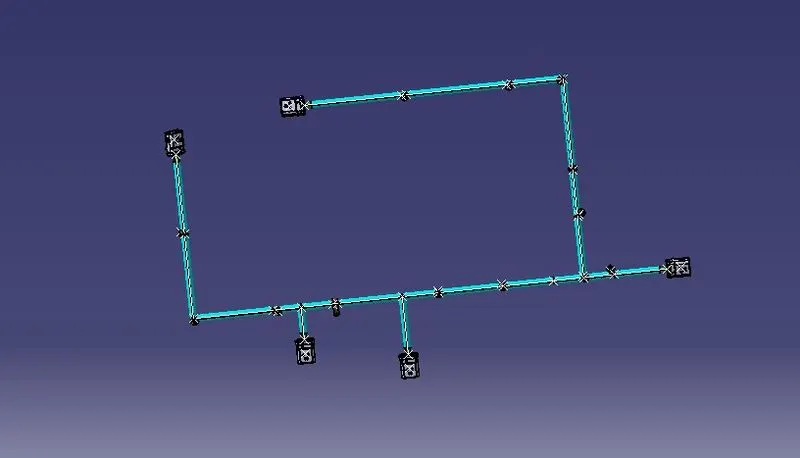
- To create a flatten view of the harness assembly, we have to work in Electrical Harness Flattening workbench in Catia V5.
- Also, we have to make sure that the flattening file is saved into the same folder where we have all the parts of the harness assembly.
- As shown in below image, while defining the wiring harness flattening parameters make sure to select Single line for bundle segment and Double line for protective covering
- After that, we have to extract and bring the bundle assembly into the car tail gate flattening product file.
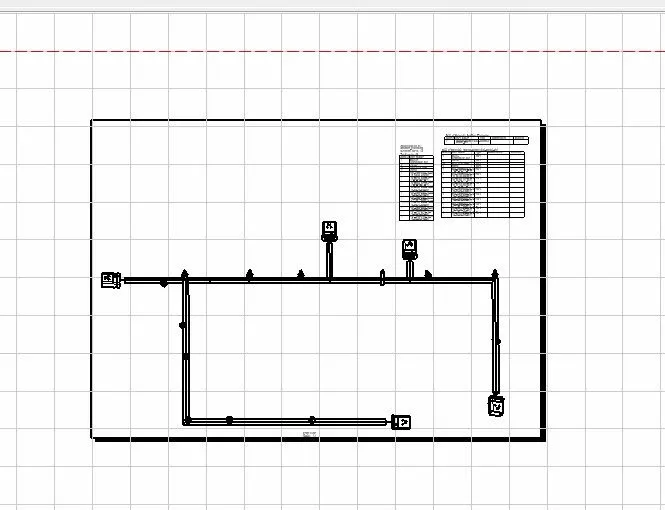
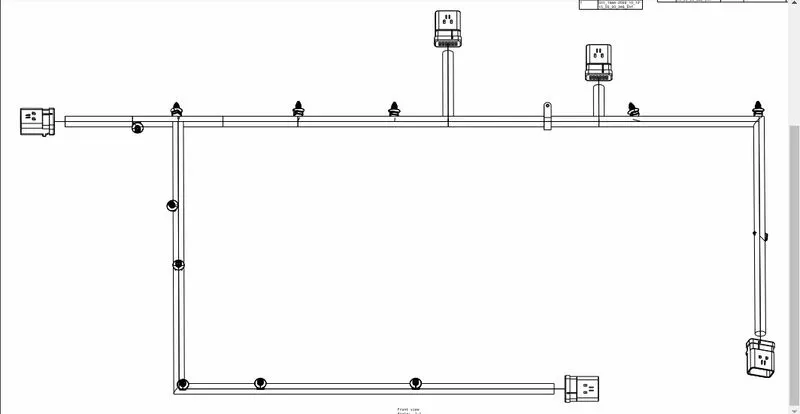
- Now, we have a flatten view of the wiring harness geometrical bundle assembly as shown in below image
Final drawing of the flatten view for the car tail gate wiring harness assembly with all the components
Conclusion
Routing of the wiring harness for the car tail gate assembly has done and prepared flatten-view drawing in Catia V5. Applied all the packaging rules while routing the wiring harness, implemented industry best practices in the harness design. Also, provided details like clearance, clipping selection, harness fixing requirements, harness continuity in order to design the harness.