2D meshing On Floor Pannel
AIM:
To Mesh The Given Floor pannel Component With Given Quality Criteria and Assign Thickness.
PROCEDURE:
1. A new hyper-mesh file was opened in Optistruct Format and The Given Geometry is Imported Using Import Geometry Option.
2.Necessary Geometry Clean Up Was performed Over the Componenet
3.The surface fillets where the element might fail are trimmed using defeauture Option.
4.midsurface was created using Auto midsurface Option In the Geometry Pannel
5.Geometry cleanup was performed over the midsurface such as trimming lines and joining etc using quickedit menu.
6.2D mesh was generated part by part and element quality was checked.
7. Quality check was done Like if its failing for minimum or not and cleanup was done once again.
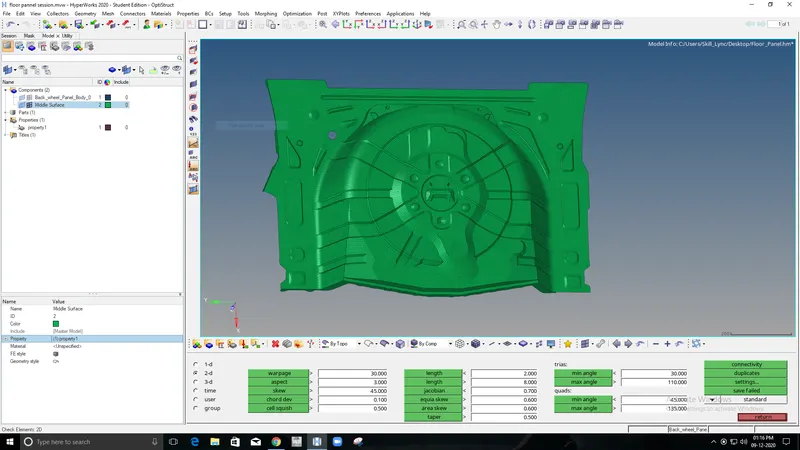
8.After quality check up The thickness was assigned by creating New property and Giving Thickness value.
CONCLUSION:
From the above challenge i've able to gain knowledge in Extracting Manual Midsurface for the complex geometry and How to mesh the geometry And Assigning Property And Thickness to it.