Project 2 - 2D meshing on the instrumental Panel
2D meshing on the instrumental Panel - ANSA Project 2 Challenge
1. Aim
- To Generate a mesh on a given instrumental Panel model after a proper geometry cleanup and mid-surface generation using 'ANSA' Preprocessing Software.
- Ensure the generated mesh obeys the mentioned quality criteria and the corresponding thickness of each surface assigned to the mesh.
2. Objective
- Import and clean up geometry on the given model using ANSA GUI.
- Generate a Proper mid-surface with the proper technique.
- Mesh the generated mid-surface with a suitable mesh flow and reconstruct the mesh to satisfy the following quality criteria.
- Complete the PID and thickness assignment of the model
Quality Criteria
|
Sl No. |
Quality Criteria |
Value |
|
1 |
Target/Average length |
4 |
|
2 |
Minimum Length |
2 |
|
3 |
Maximum Length |
6 |
|
4 |
Aspect |
3 |
|
5 |
Warpage |
15 |
|
6 |
Skewness |
45 |
|
7 |
Jacobian |
0.7 |
|
8 |
Minimum Quad Angle |
45 |
|
9 |
Maximum Quad Angle |
135 |
|
10 |
Minimum Tria Angle |
30 |
|
11 |
Maximum Tria Angle |
120 |
|
12 |
Tria Percentage |
15 |
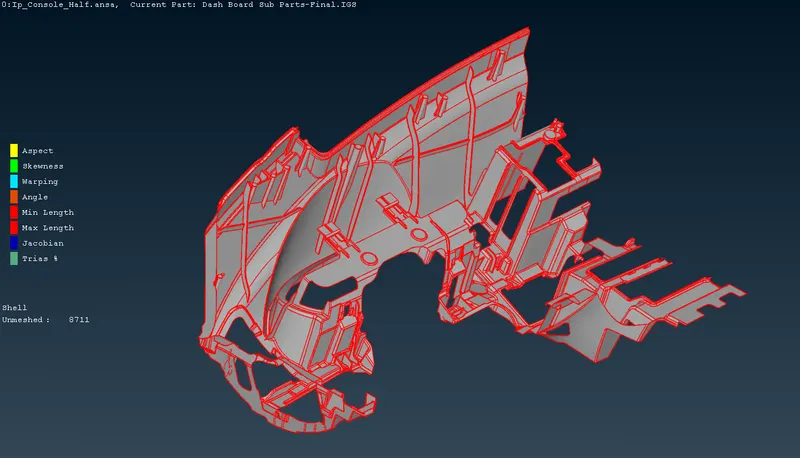
Fig 1: Isometric View of Model
3. Procedure
Step 1: Geometric Checkup of Plastic Model.
First, the model is imported and loaded on ANSA v22.1.0. The model contains only one PID. After that, the TOPO operation is carried out to convert all single CONS into double CONS. After the TOPO, the geometry cleanup proceeded.
The model has some errors. The majority of these errors can be auto-corrected by ANSA. The remaining errors are removed by performing basic operations like Cut, Fill Holes, Delete, New, Release, etc. After these, the geometry is cleaned and ready for pre-processing.
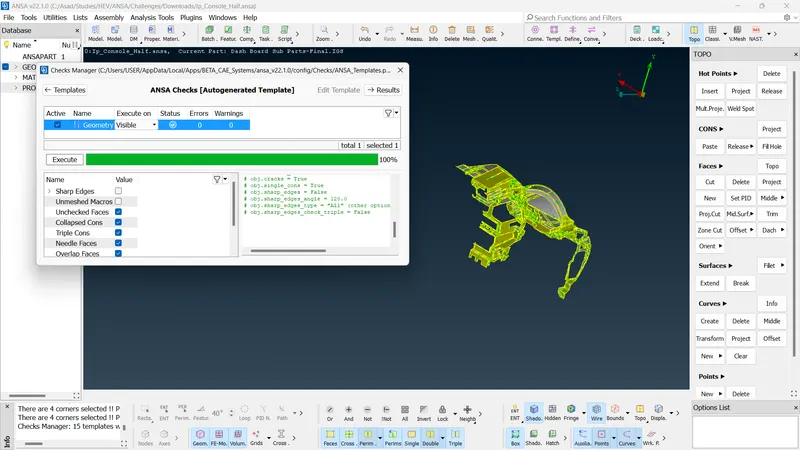
Fig 2: Successful Geometric Checkup
Step 2: Proper Mid-Surface Generation and Mesh Generation
As we can see, the model is a plastic model and very has a lot of complex components. So doing mid-surface manually takes so much time and is also ineffective. Hence, we use an automatic mid-surface and mesh generation tool, which is
- Topo Module >> Faces >> Mid.Surface >> Casting/Extrusion.
Before that, we have to find the minimum thickness for the model. By measuring, the minimum thickness of the model is 0.6 units. Then do the Casting/Extrusion operation, by inputting the Minimum Thickness and Target Length and arranging suitable selections. It will take some time for the operation.
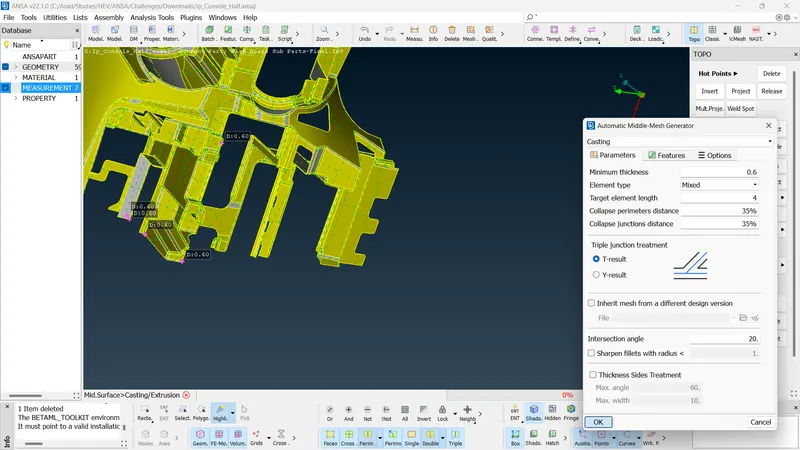
Fig 3: Casting/Extrusion
After the completion of the process, we get the mid-surface and also the mid-surface gets meshed. Then add the Quality Criteria to the mesh.
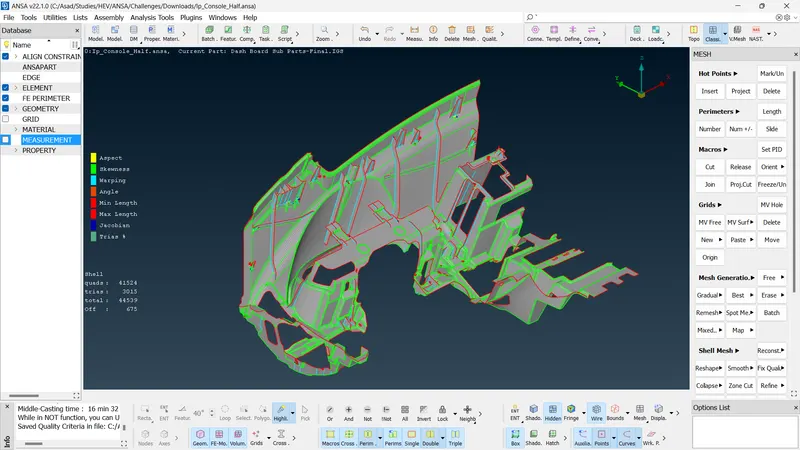
Fig 4: Generated Meshed Mid-Surface by Casting/Extrusion
Step 3: Provide Proper Mesh Flow in Disroted Areas
The model consists of a lot of complex geometries like Dog House and the ANSA cannot capture it adequately during the Casting operation. So, we have to capture it and generate the mid-surface manually. For that we use
- Topo Module >> Faces >> Mid.Surface >> Allign Manager
Allign Manager lists out Perimeters and Macro Areas present in the mid-surface generated. The Areas are mainly differentiated or extracted by the Middle or Plane. Sharp, Offset, Triple, and Faces differentiate the perimeters. In areas, there are some empty macros that we have to add corresponding middle or plane.
Because of the complex shape, the generated mid-surface has a lot of errors and irregularities. We have to address each one of them and make the best possible mid-surface that should be extracted. Using align manager we can use add, edit, imprint or align operations to correct these errors.
- Add - To add points, faces, imprints or CONS to the macro or perimeters
- Edit - To edit the faces, points, or others to the corresponding macro or perimeters.
- Imprint - To imprint the perimeters to the mid-surface.
- Align - To align the elements in the macros.
Also, we can use the help of other operations like Fill, Smooth, Insert hot points, Delete, Reconstruct, etc. After these operations, the best possible mid-surface gets extracted.
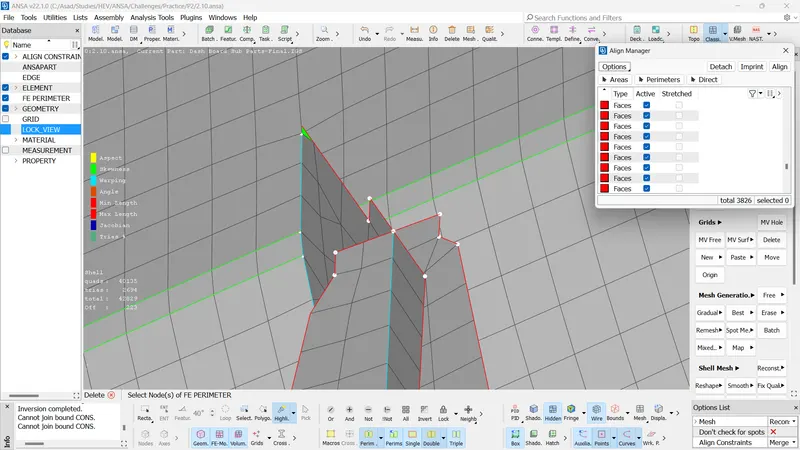
Fig 5: Extracted Mid-surface of Dog House
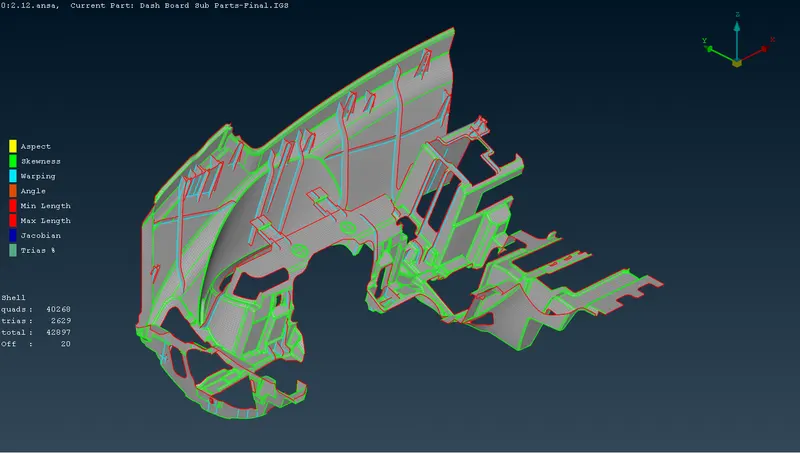
Fig 6: Final Mesh
19 off elements come under the minimum length criteria error also due to the complexity of geometry. Here the thickness assignment is not needed because we use casting for the extraction of mid-surface. We can see the final result by the 'Draw Shell As Solid Option'.
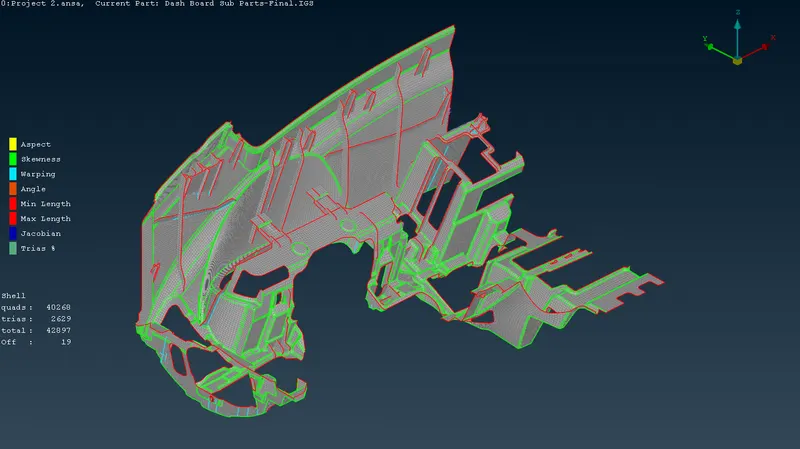
Fig 7: Final Result
4. Result
- The meshing of the Instrument Panel is completed using Automatic Middle Mesh Generator.
- The Model is modified using Align Manager.
- The mesh consists of a total of 42897 no. of shells and it includes 40268 quads and 2629 trias.
5. Conclusion
-
The given Instrument Panel Model meshing is completed as per the quality criteria mentioned. The meshing is done after the successful geometric clean-up and proper mid-surface generation by Automatic Middle Mesh Generator. The Model is modified using Align Manager.