Project 2 - 2D meshing on the instrumental Panel
OBJECTIVE
To check for the geometrical errors. And mesh the model with given element Quality criteria using casting method.
PROCEDURE
1. Insert the model in ANSA.
Make the topo operation for error cons.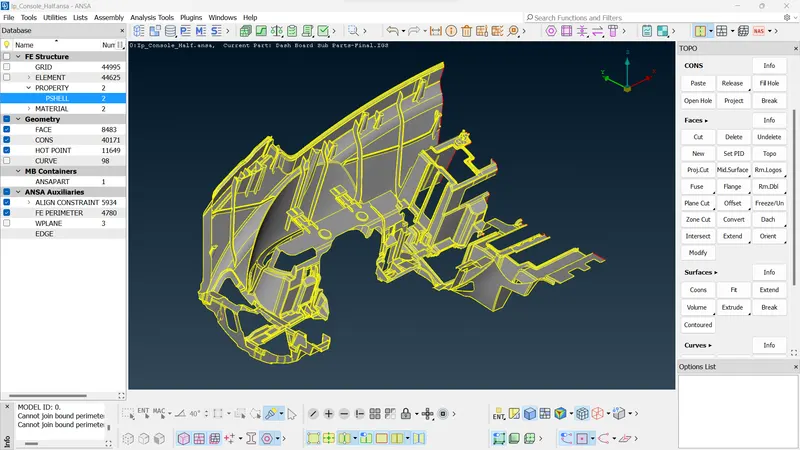
- Geometry cleanup
Check for the geometry errors and clear all geometry cleanup errors.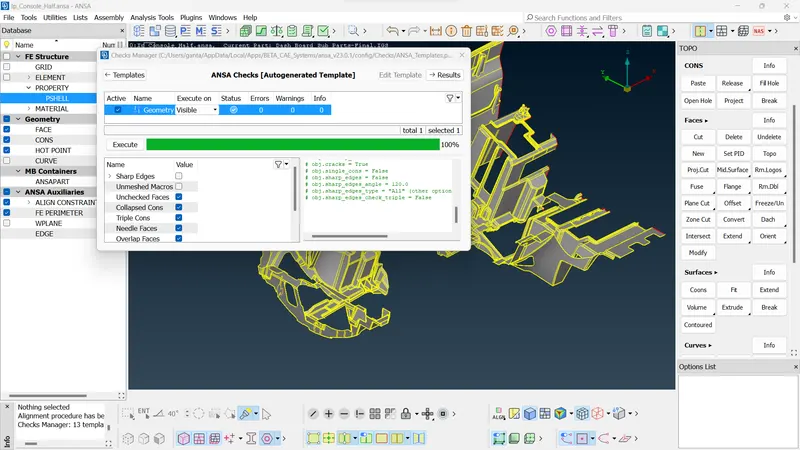
- Go to the mid-surface and select the casting option.
Casting will make the mid-surface and mesh itself. - Assign the quality criteria for the model
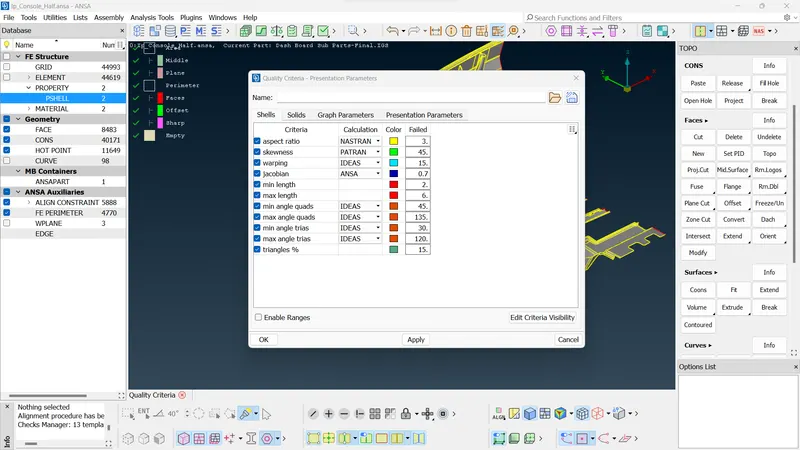
- Casting will take time because of automatically creating the mesh with mid-surface.
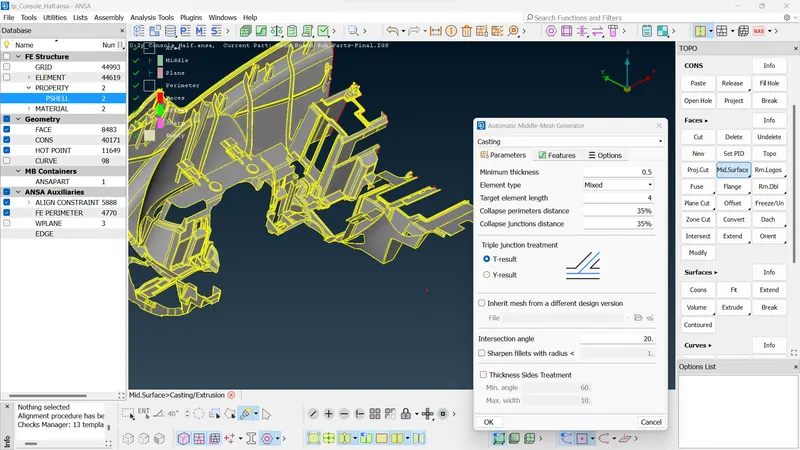
After Casting, some features do not have proper shape according to the parent component so, we have to check it and fix it Manually.
Now the mid mesh generated is largely good but there are areas which need to be worked upon.
Dog house
Dog houses are a critical area in the component. So, we have to recreate it reference form parent model and work manually, using join, delete disturbs elements, create-curve, curve-middle, feat2curve, cons2curve, and then create new elements using Mesh > elements > new, or Shell mesh > Fill, and after by using the align manager we correcting the auto_generated FE.
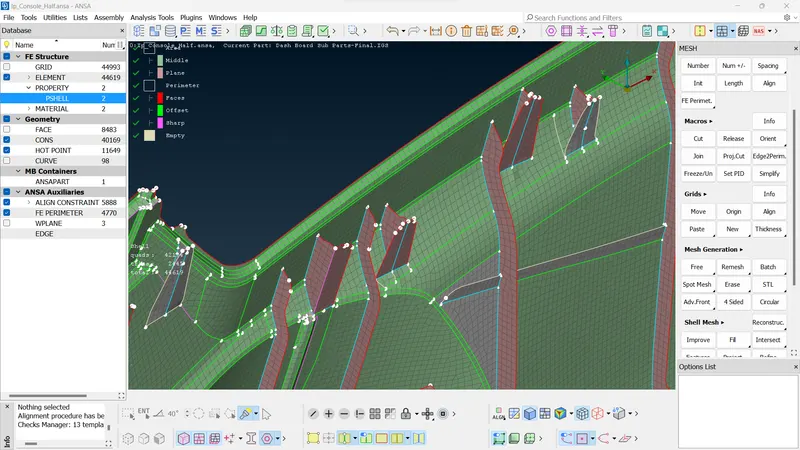
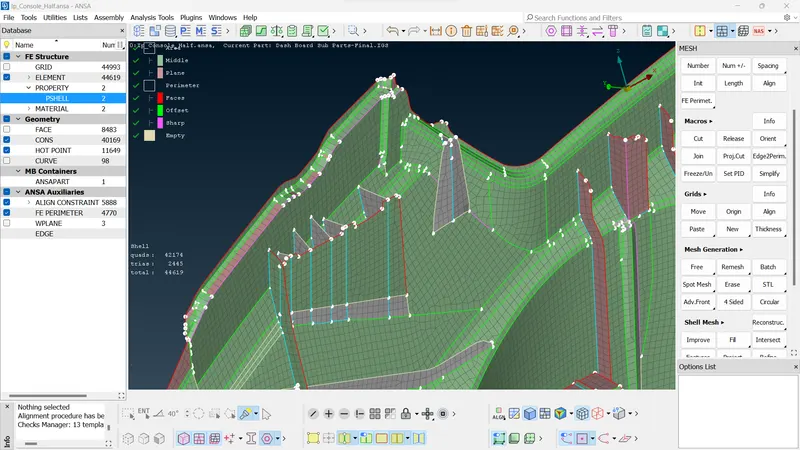
6.Align manager
Align manager is used to ensure the automated generated mesh is aligned to the middle of the surface. by using the align manager we correct the disturbed FE if any.
-Also we can use Align Nodes Wizard using Mesh > Grid > Align for getting back Nodes original positions.
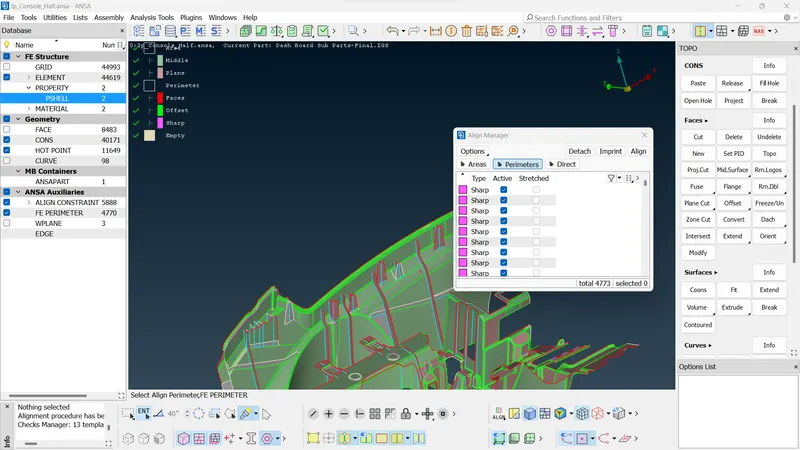
7.Improve the mesh flow and quality of mesh using the following tools :
- smoothing the mesh: (mesh module > shell mesh > smooth).
- reconstruct the mesh: (mesh module > shell mesh > improve[reconstruct/reshape/smooth/fix]).
- improve the quality of mesh: (mesh module > elements > split/swap/join/stich).
- insert or delete hot points: (mesh module > hot points > insert/delete).
- to Paste : To paste nodes helps in moving elements backwards: (Mesh > Girds > Paste).
- to increase or decrease elements number: (mesh module > perimeters > NUM+/-).
- to cut or join the face: (mesh module > macro > cut/join).
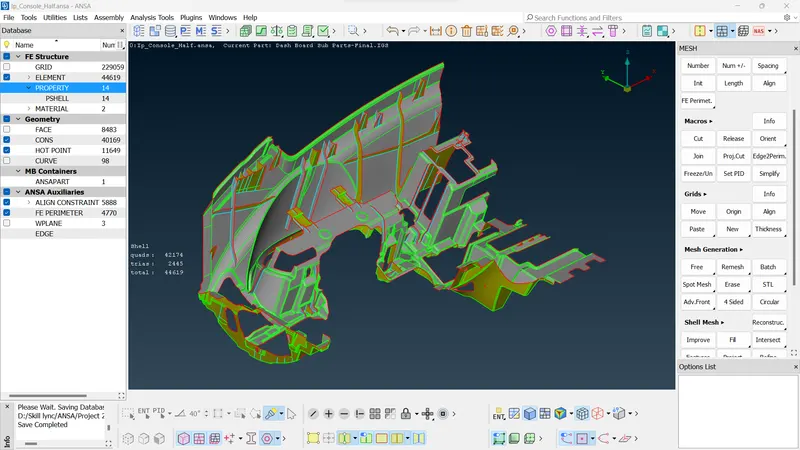
8.Assigning the Thickness
Assign the proper thickness automatically by using Classic-Mesh > Grids > Thickness > Convert (then select the FE).
CONCLUSION
The given model is meshed with the given quality criteria using casting operation.