Project 2 - 2D meshing on the instrumental Panel
2D meshing on the instrumental panel using casting and align manger
Aim
To mesh the given instrumental panel by using casting method.
Objectives
· Creating the FEA element in between the geometry and align the elements with using align manager option.
Procedure
· Primary step for meshing has cleaning the geometrical errors on the cad model.
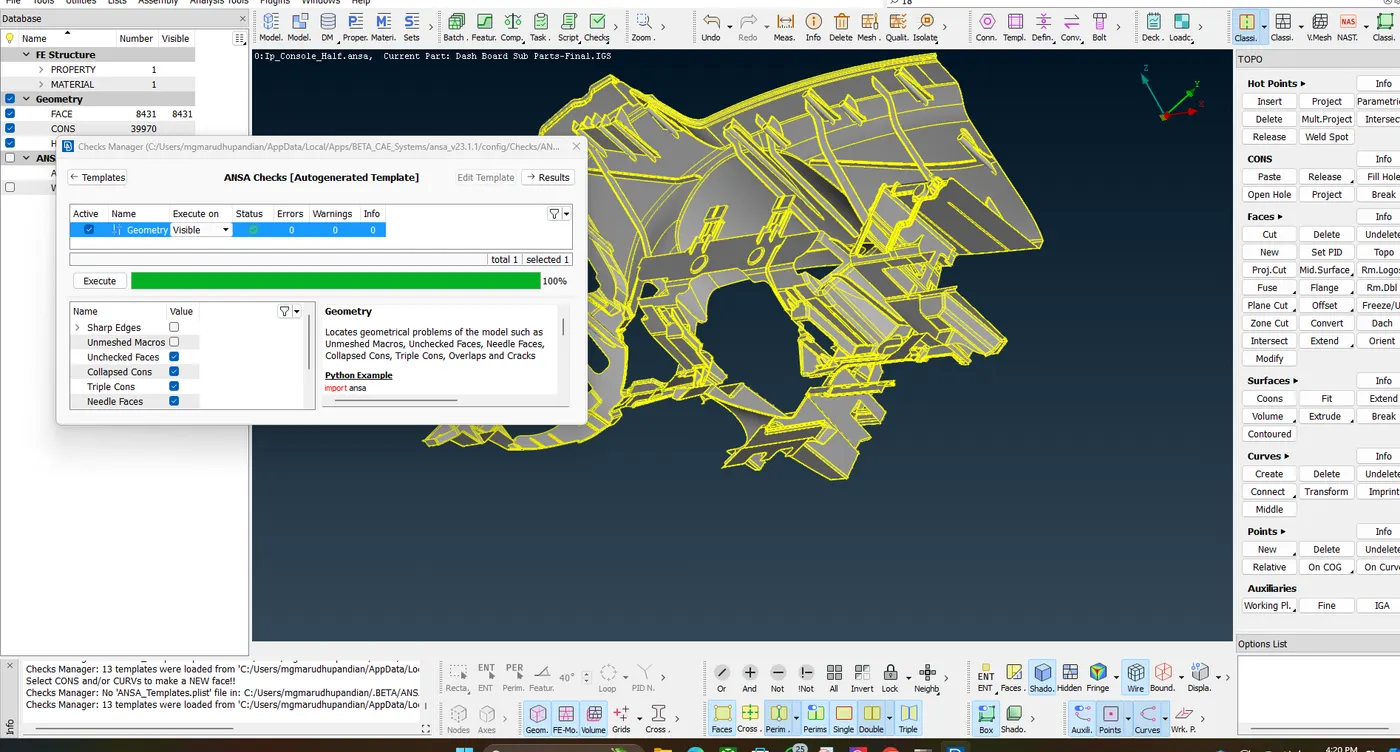
They are some necessary steps following by align manager option follow by,
1. Geometrical clean up
2. Measure the lowest thickness
3. Creating mid surface casting
4. Clear all the empty elements
5. Measure the thickness.
· After that to create the casting followed by given element quality criteria and target element.
· By using align manager option to set up the in proper parts like dog house etc. by using create curve option.
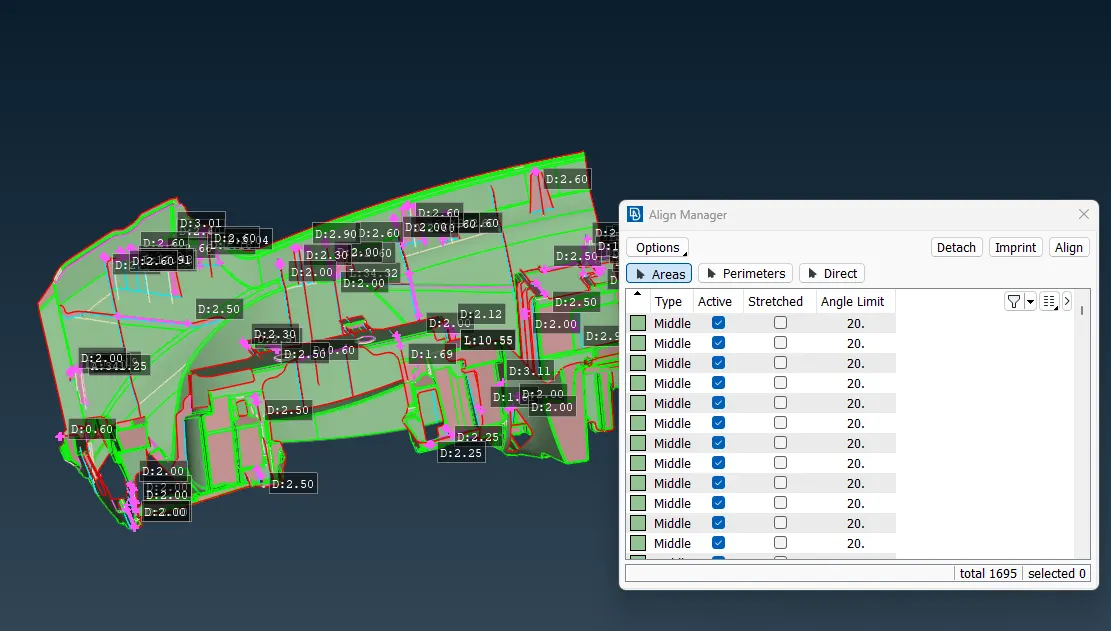
· To clear the base neat before reconstruct the any part in align manger option.
· And shell project option has used to create the new elements in model.
· Using classic join option to join unwanted cons on elements.
· Paste option also widely used for paste the elements with suitable area.
· By creating new perimeters from empty and added to perimeters.
· By using grids align option to align the existing element equal to curve or entities wise.
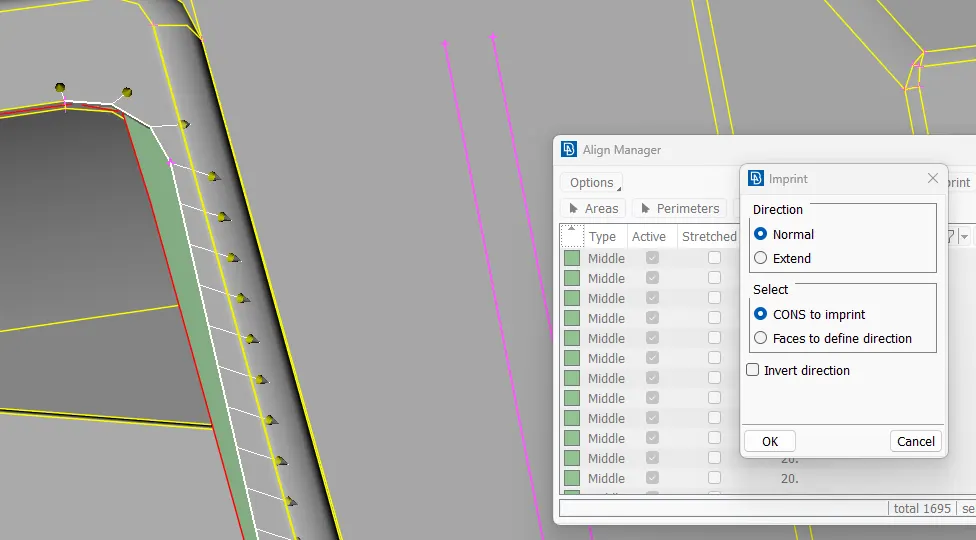
· Also using imprint has widely used for to set the boundaries for delete the unwanted elements. refer below image.
· Set up all this part by using align manger and jump to mesh flow.
· Reconstruct the mesh on needed areas.
· More concentrate on the fillet areas and feature areas.
· No rotating quad elements and trias faces opposite and fillet areas.
· Using smooth option to smooth the edited elements.
· Finally give the good mesh flow on the instrumental panel.
· And finally assign the thickness by set convert thickness option.to create the property for all PID features.
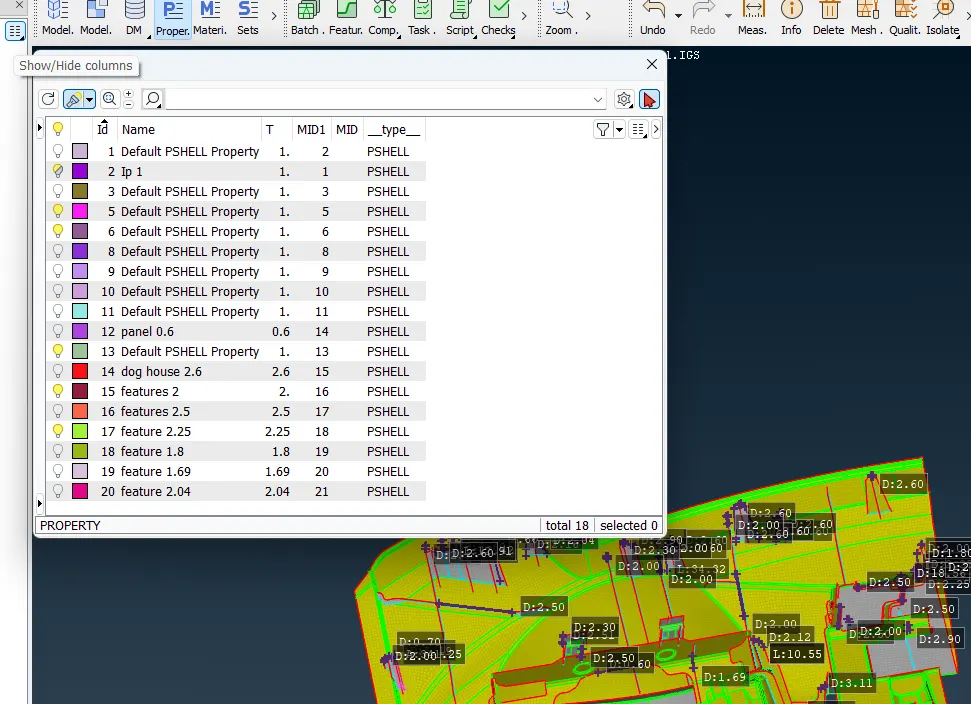
Result
The given instrumental panel for 2D meshing by using casting and align manager efficiently completed successfully...