Project
Aim:
1. To perform the system-level simulation of an all-terrain vehicle.
2. Preparing a technical report explaining the model properties & comments on the results.
Blocks/Components used:
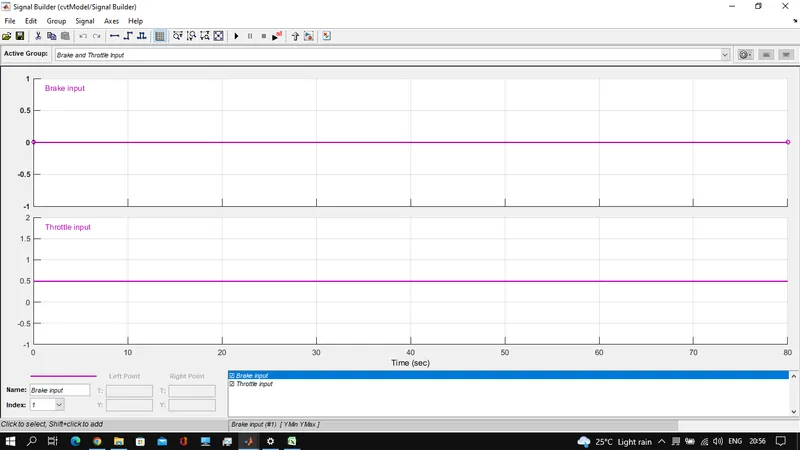
- Signal Builder: Used to create a Brake and throttle input.
- Generic Engine: Used to represent the engine of the vehicle.
- Engine sensor(sub-system): Used to measure the RPM of the engine with RPM sensor block in it.
- Simple Gear: Used to create gear ratio
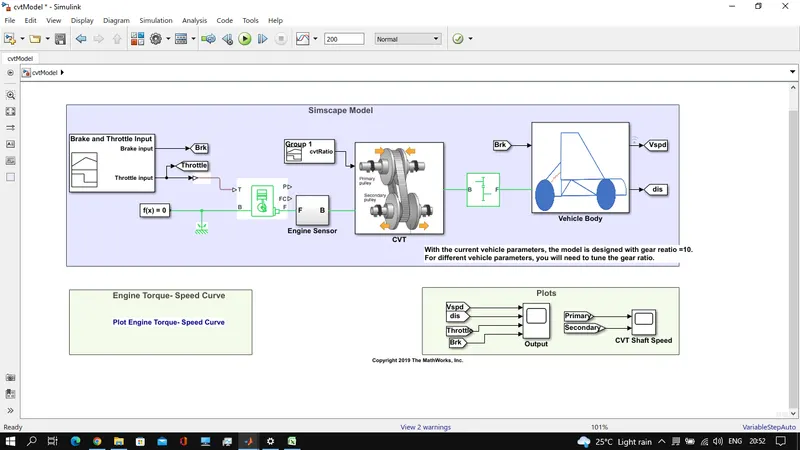
- Vehicle Body: used to model vehicle physical body parameters like mass, axels and tires, etc
- Engine: Engine torque-speed characteristics are fed from a plot taken from the
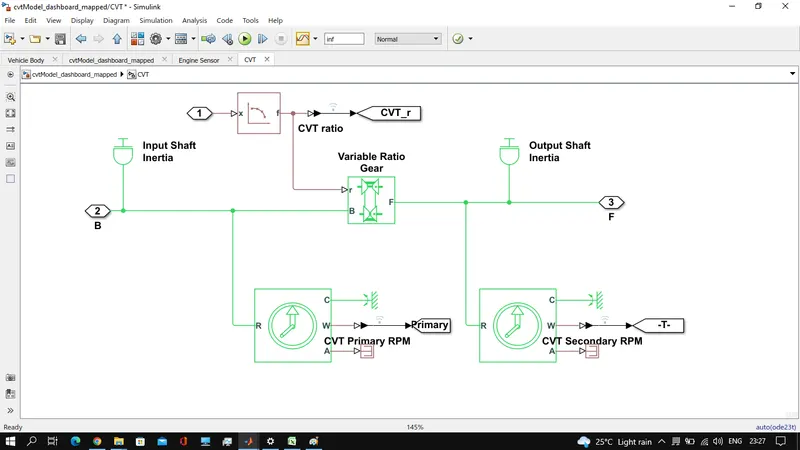
- CVT: Continuous Variable Throttle Block is a subsystem. which consists of Shaft inertia of input and output shaft along with variable gear ratio to achieve the CVT function. If the primary pulley moves inward while the secondary pulley moves outward then speed will lead to Overdrive(radius of primary pulley greater than the secondary pulley). If the primary pulley moves outward and the secondary pulley moves inward then it will lead to Speed Reduction(radius of primary pulley less than the secondary pulley).
This CVT Subsystem consists of various blocks such as Input & Output Shaft Inertia, Variable Gear Transmission, Ideal Rotational Motion Sensors and PS Terminator along with Mechanical Rotational Reference.
Model-1: Study the baja ATV model without a dashboard.
Model:
Break and Throttle Input:
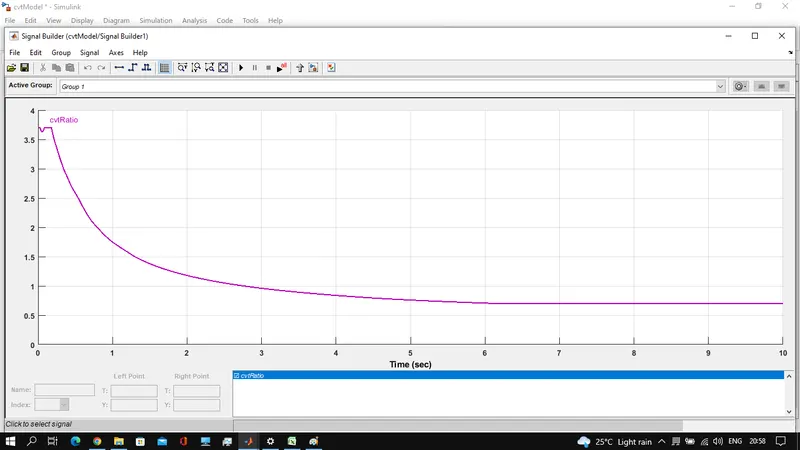
CVT Input is configured as shown below:
Engine- Speed values fed to engine from a plot:
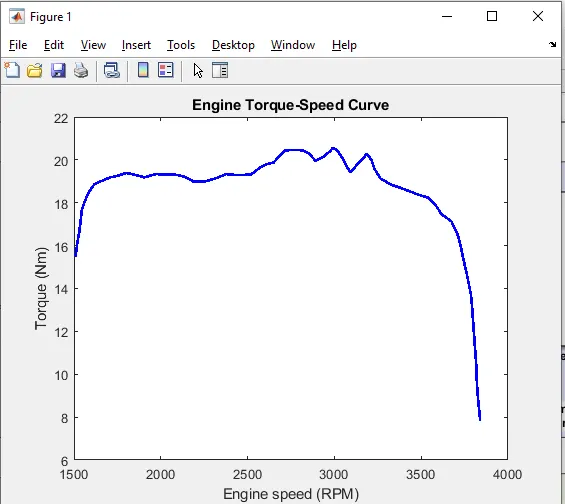
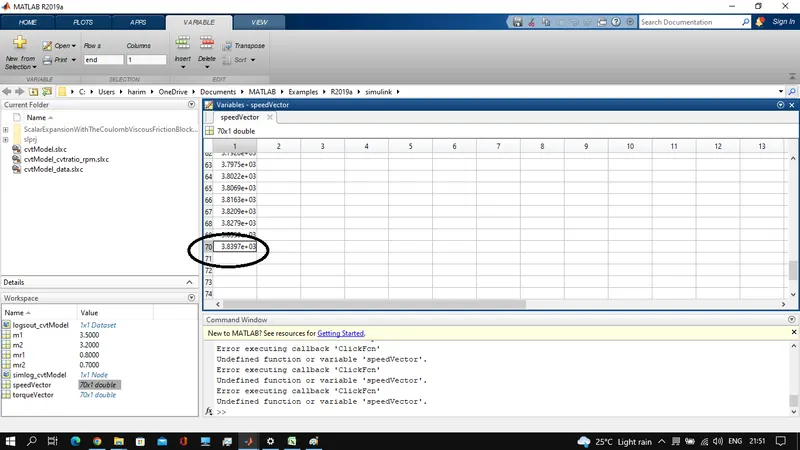
CVT Ratio changes the speed of the vehicle. The data is extracted using the GRABIT command which is available in the workspace. From the above graph, we have got the Maximum Velocity which is 3839.7 RPM.please refer the following snap..
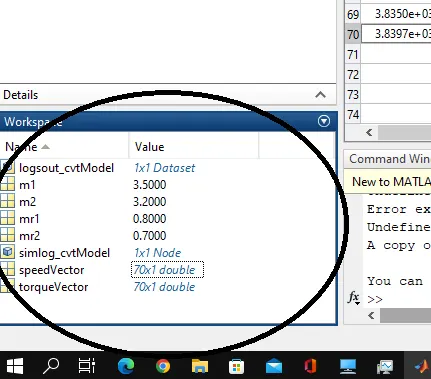
Engine and vehicle body parameters are as shown in workspace in the following snap.
Results:
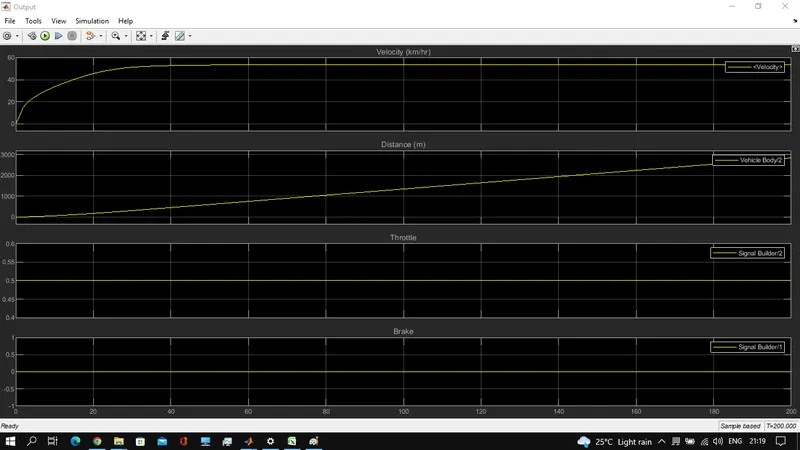
While the throttle value <0.5 is considered then the velocity shows a sudden drop in the speed. Throttle value increases the fuel flow to the engine
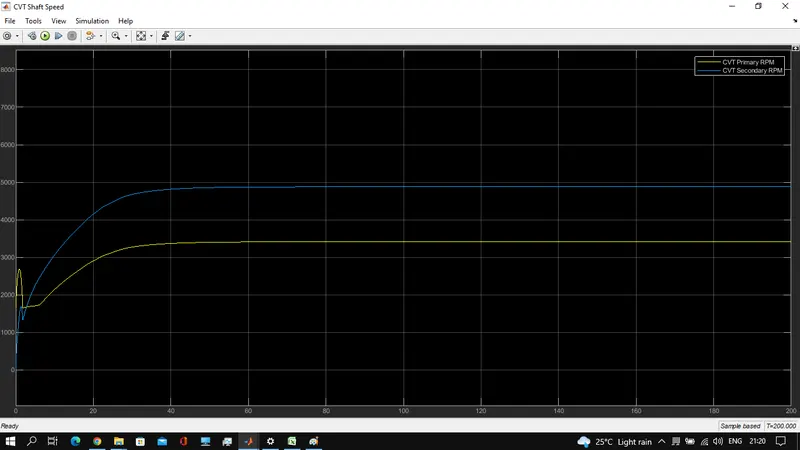
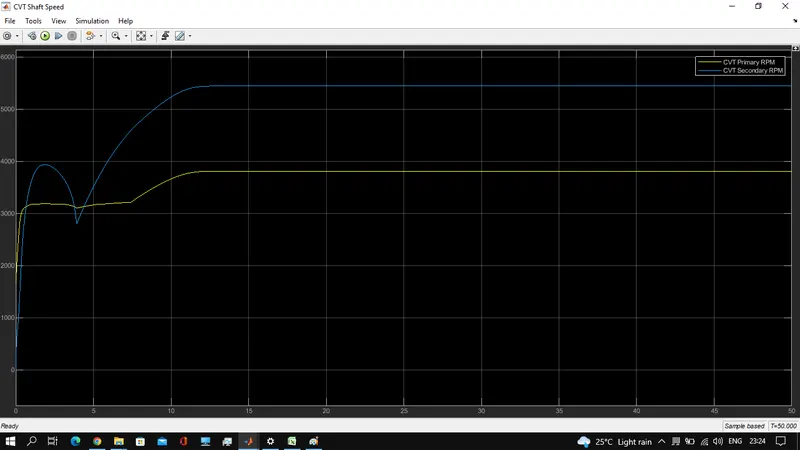
For the selected variable gear ratio, The CVT shows the variation with respect to primary and secondary RPM based on their Gear Ratio.
Model-2:
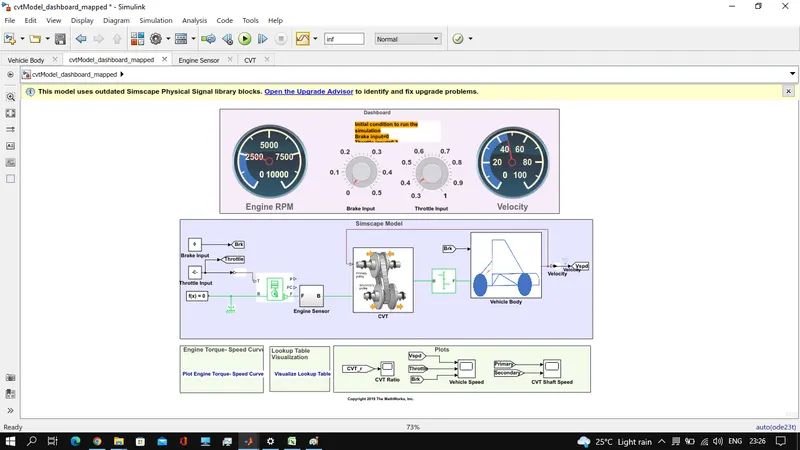
Study the baja ATV model with the dashboard.
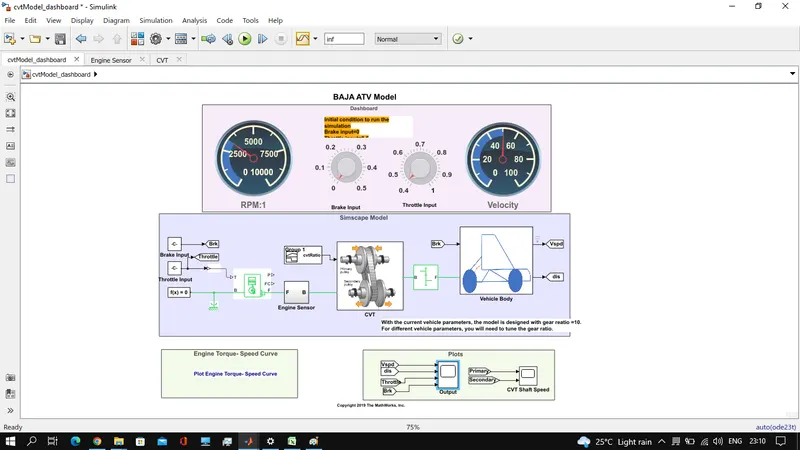
- This is similar to that of the model-1, but the inputs are fed from the dashboard which has Brake and Throttle knobs that allows to change the input while simulating.
- Let's not provide brake input and only the throttle keeps on changing based on the input by the user.
- The change in throttle inputs results in the changes in the vehicle speed which varies simultaneously.
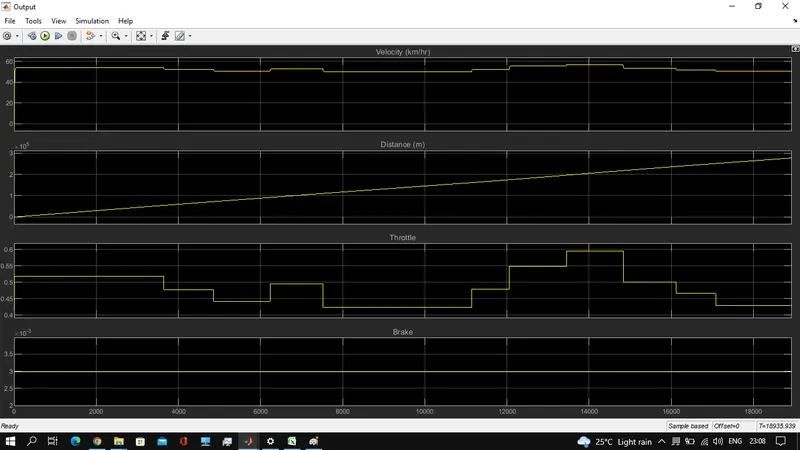
the result, if break and throttle are applied, is as follows.
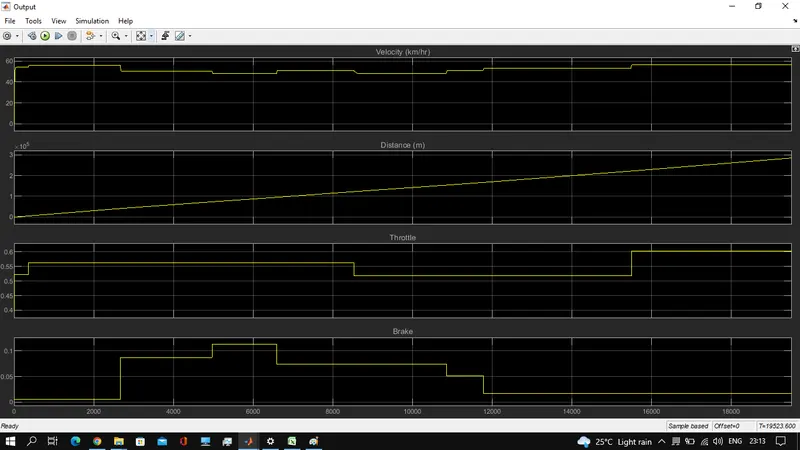
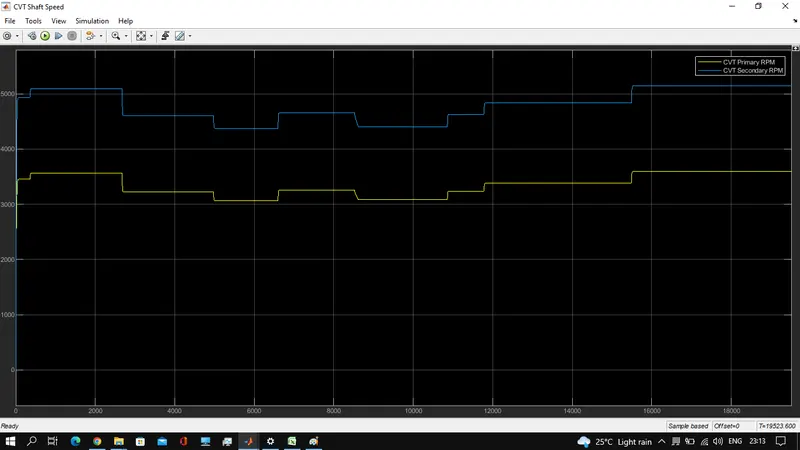
If the speed crosses the maximum speed, though the throttle input changed, simulation won't run. that's why throttle initial input shall be minimum kept. And throttle changed accordingly to get the above results.The CVT shows variations with respect to primary and secondary RPM based on their Gear Ratio selected.
Model 3: All-Terrain Vehicle (ATV) with CVT using Lookup Table
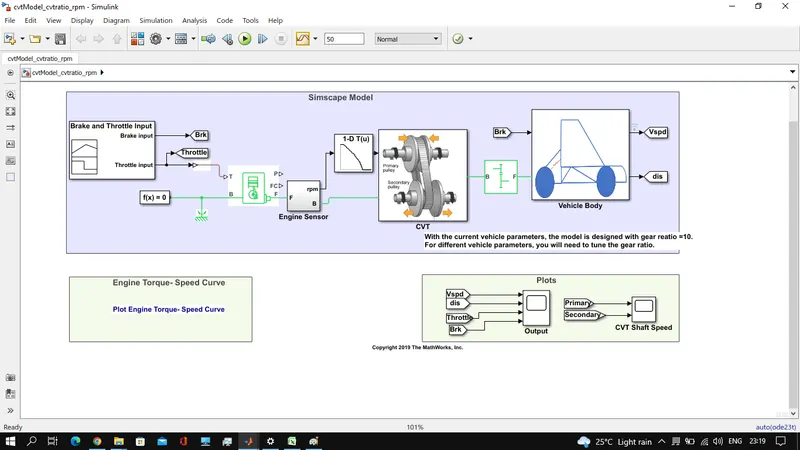
The model is same as model-1 but the CVT ratio input to CVT block/subsystem is fed from the look up table.
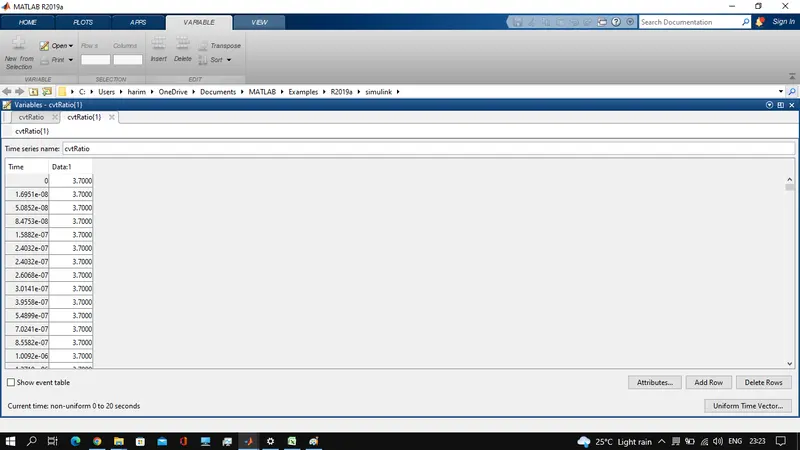
The table is found at workspace shown in the following snap.
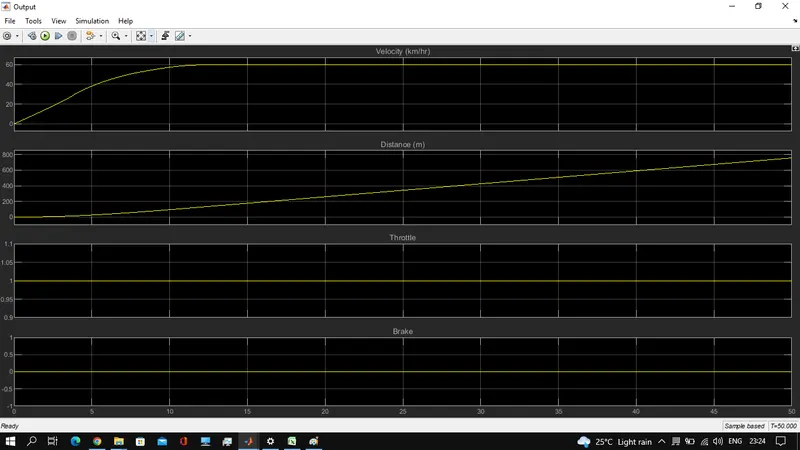
Results:
Model-4: . Study the baja ATV model using lookup table with dashboard.
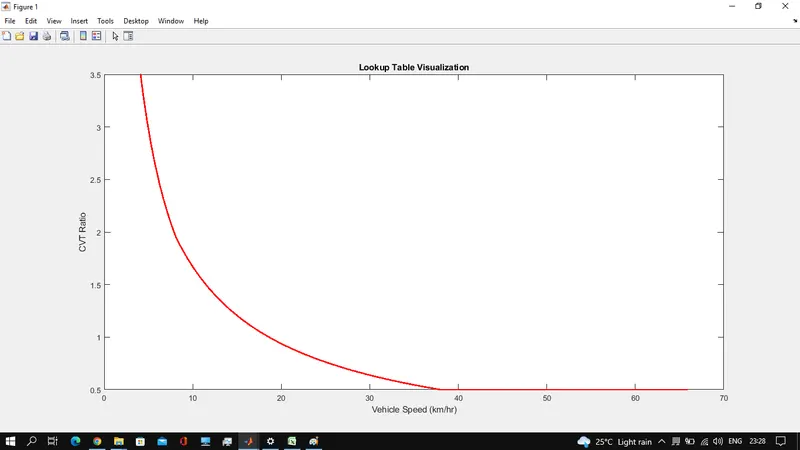
CVT ratio based on vehicle speed is ploted using the lookup table as below.
Results:
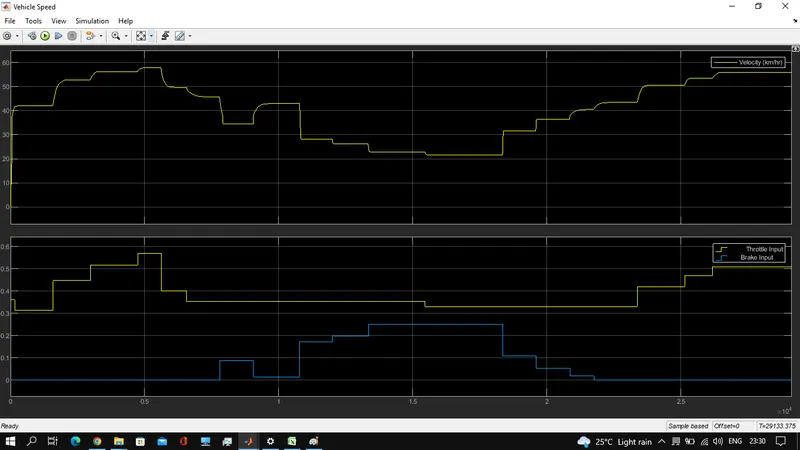
CVR Ratio Based on lookup table and velocity data is as follows.
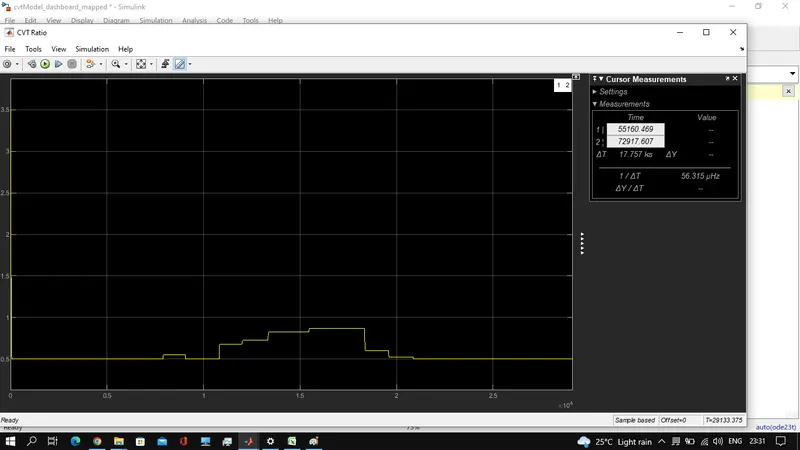
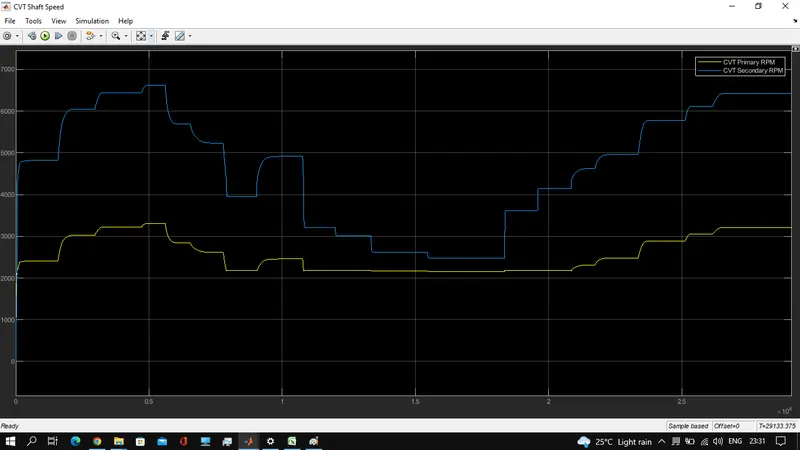
CVT primary and secondary input variations are as shown.
CONCLUSION :
The system-level simulation for a BAJA ATV model using CVT open loop control & closedloop control is performed. Both models are simulated with and without a Dashboard. and the same models are simulated using a Lookup table based on the above-obtained results like Engine Speed, Vehicle Speed, and CVT Shaft Speed. which helps to determine the vehicle's performance.
Note:There was one more model where to file block is used to store the cvt ratio is saved to work space in open loop without dash board model.