Project 1 - Wiper control system and Vehicle speed calculation for ABS using Wheel Speed sensor
Develop the Simulink model based on the given descriptions for the below challenges and also create an SLDD file and link the same to the model. Perform the complete V and V workflow for the obtained models.
- Wiper control system
Develop Simulink/state flow model for the wiper control system based on the given conditions.
Description of Challenge:
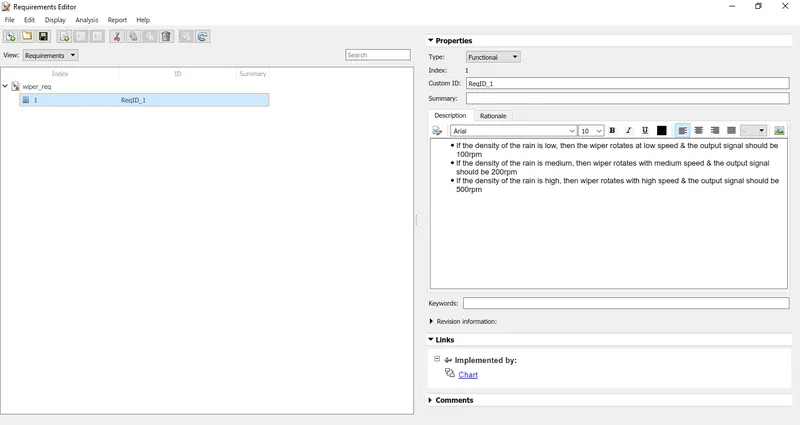
- If the density of the rain is low, then the wiper rotates at low speed & the output signal should be 100rpm
- If the density of the rain is medium, then wiper rotates with medium speed & the output signal should be 200rpm
- If the density of the rain is high, then wiper rotates with high speed & the output signal should be 500rpm
Note: Rain density input comes from the external sensor, for the simulation purpose constant block with knob can be taken.
ans)
Rain gauge density is the amount of rainfall in a certain location over a period of time. Its Si unit is millimeters per hour(mm/h).
so here we assume Rain density as Rd and 0.1 to 0.49 will be low rain density, 0.5 to 0.6 will be medium and 0.61 to 1mm/h will be high.
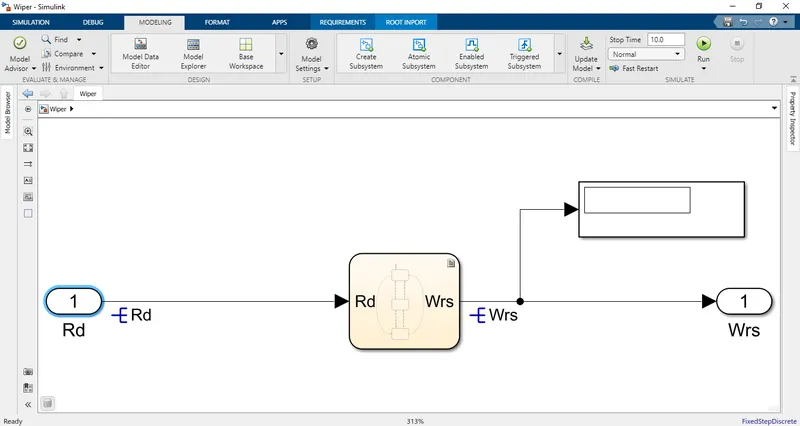
The blocks used for this model are shown below:
chart
inport
outport
Then connect them which is shown below and in the chart give states and do as shown below image.
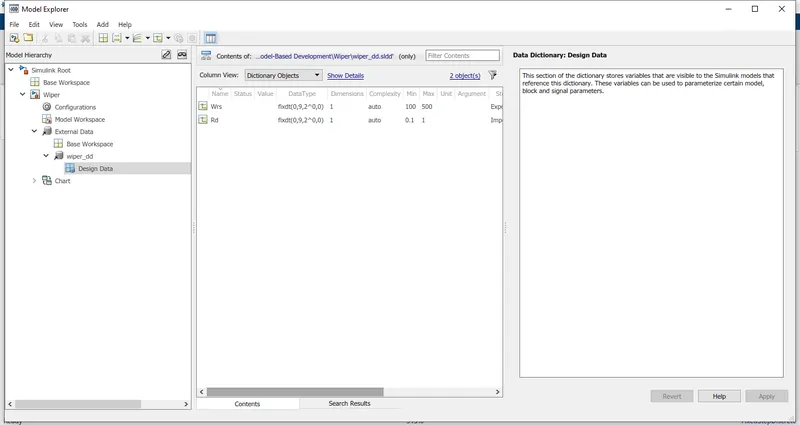
SLDD creation:
Requirement tagging report :
For the Requirement tagging report First we have to create a requirement set which is .slreqx file.
To create and link requirements go to apps click on requirement manager then click on requirement editor and then create the requirement set as shown below.
For linking requirements go to that subsystem and select that subsystem and then return to the requirement editor and right click on that requirement and then click on a link from "Subsystem name".
Then go to report and click on generate report it will look like shown below image and also attached.
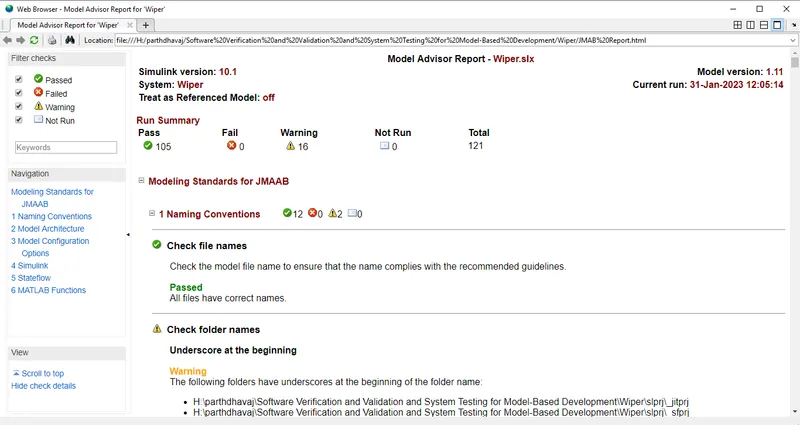
Model advisor - JMAAB compliance report:
for the model advisor JMAAB compliance report click model advisor and then click on check for JMAAB and then run it.
And then click on generate the report.
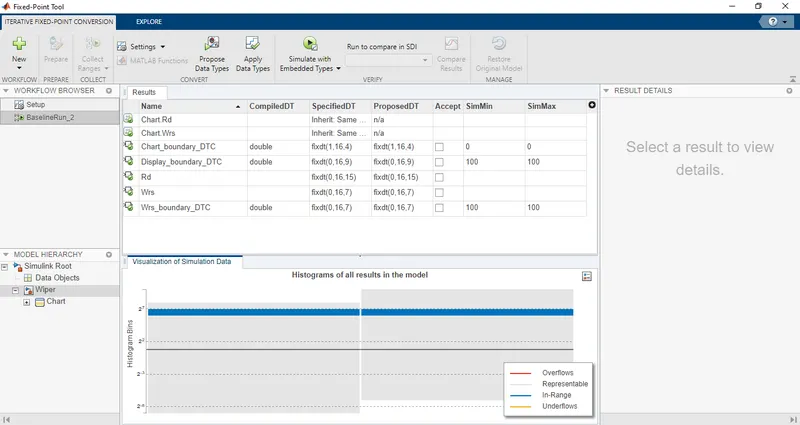
Fixed-point Tool :
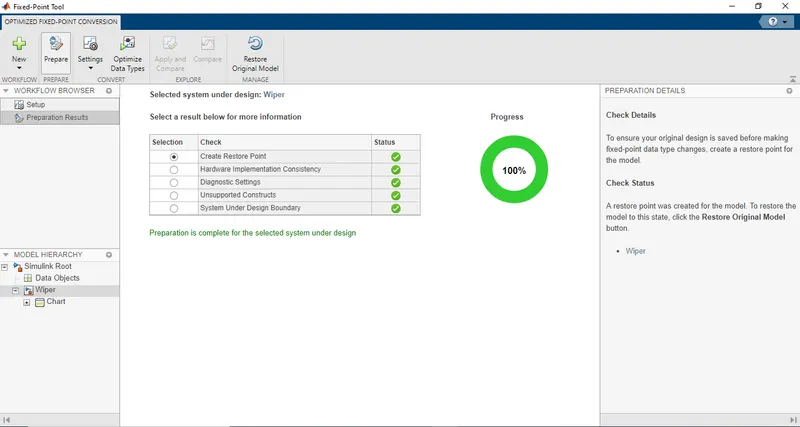
For the Fixed-point tool go to apps and click on fixed point then click on the green button and select optimized fixed-point conversion.
Then click on prepare.
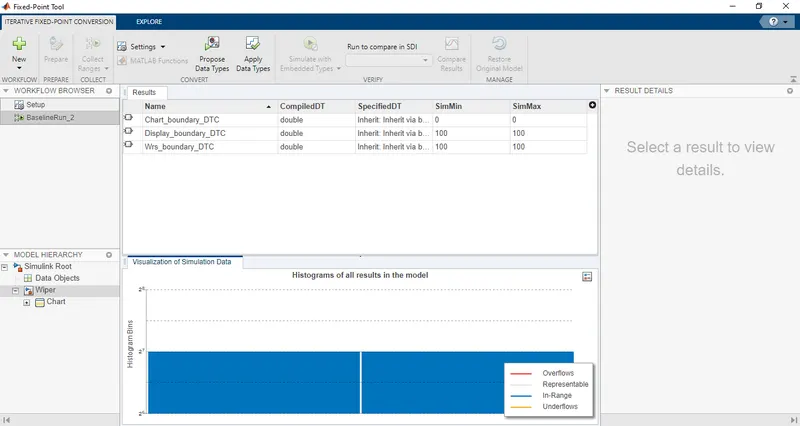
Then click on collect ranges.
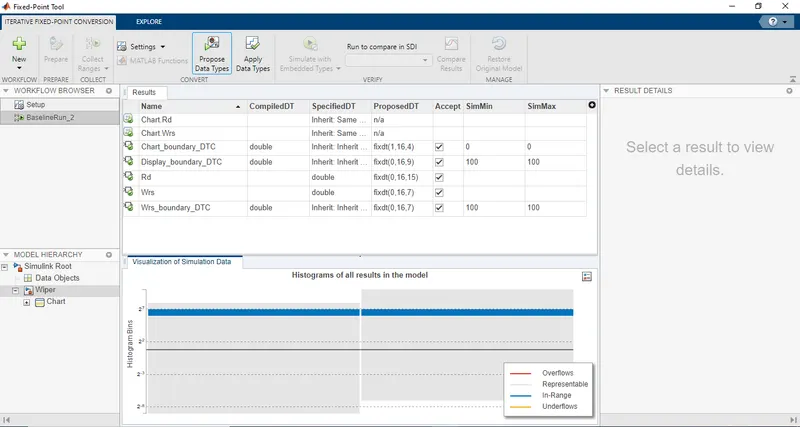
Then click on propose datatypes and then click on applied datatypes.
SLDV Design error detection report:
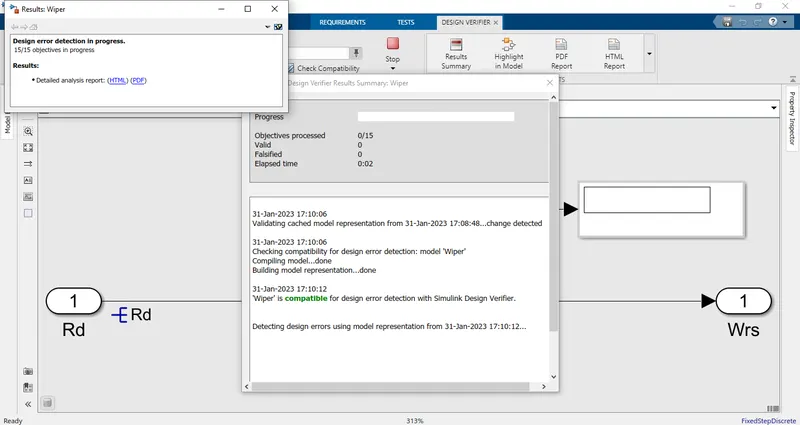
For the SLDV Design error detection report go to apps and select design verifier.
Then select the Design error detection error tool and click on Generate tests so first, it checks model compatibility, and then it generates a report for Design error detection which is shown below.
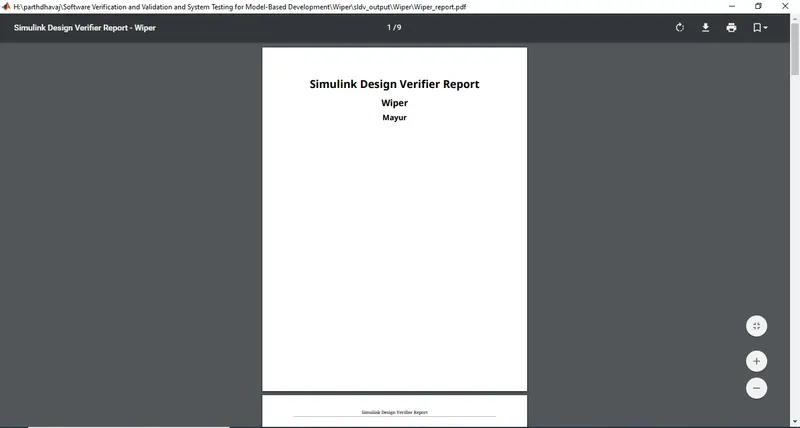
For Design error detection report is attached.
Functional test case, MIL, SIL harness, coverage Reports:
The functional test case:
Test cases I write in an excel sheet which is attached.
MIL harness:
For the Test harness model right click on subsystem and click on Test harness and click on Create for "wiper"
Then select input as a signal builder and output as To Workspace then the harness model will open as shown below.
SLDV test generation report:
Auto-code generation report, main, .c & .h files:
Poly space analysis report/outputs:
Test manager reports – baseline & back-to-back testing:
2. Vehicle speed calculation for ABS using Wheel Speed sensor
Develop Simulink/state flow model for the vehicle speed calculation unit inside the ABS system for the below conditions.
Description of Challenge:
fl, fr, rl, and rr are the wheel speeds of the front left, front right, rear left and rear right respectively.
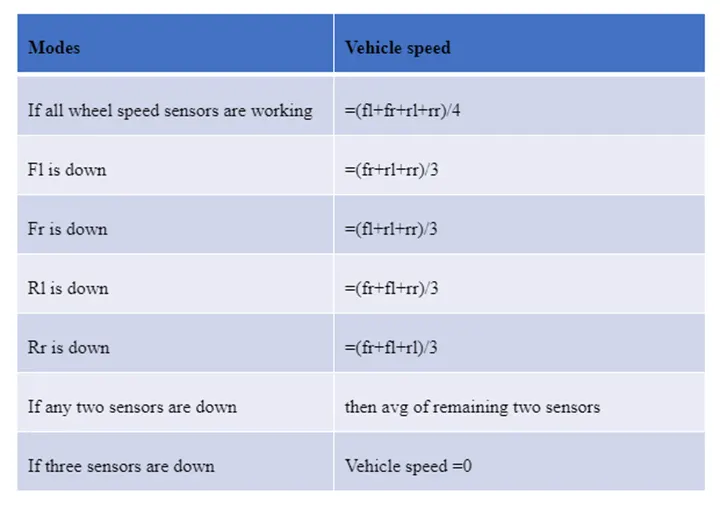
Note: Based on the conditions, requirements can be framed up.
ans)