Project 1 - Parsing NASA thermodynamic data
AIM:
To write a function that extracts the 14 co-efficients from NASA thermodynamic file and to calculates the enthalpy, entropy and specific heats for all the species in the data file.
OBJECTIVES:
- To to read the NASA file initially and access the code.
- Defineing the terms i.e temperatures and coefficients.
- Calculating entalpy, entropy and specific heat for all the species.
- Plotting the graph.
- Saving it in each seprate folders.
- And finally calulating the molecular weight.
EXPLANATION:
- Intially the file is being readed by using the fopen,fgel command.
- To get the global temperature from the line we read, we use 'strsplit' command while using the empty space as delimiter.
- Now Global temp is being assigned
- After skipping the three line comments, we use 'for loop' to execute the process at once.
- In for loop, we will initial get the species name by using the fgetl and strsplit command.
- Local temp and species name are present in a same line.So,we read the first data as the species name and the last three datas are local temp.
- Now to read the next three lines which contains the 14 coefficents.Position of "E" in that line is identified and with that it is used get each inidivial coefficient.
- 'mkdir' command is used to create the folder in specific location.Each species name folder will be created because of the for loop.
- Now,we need to find the values and do the plotting.
- 'Linspace' command is used to get 100 values between the temperatures.
- Entalpy, Entropy, Species heat are calulated by the formula given.
- To make the differentitaion between high and low temperature 'for loop' is used.Condition is "If the value of 'T' id less than 't2' then first 7 coefficent are used else next seven coefficeient.
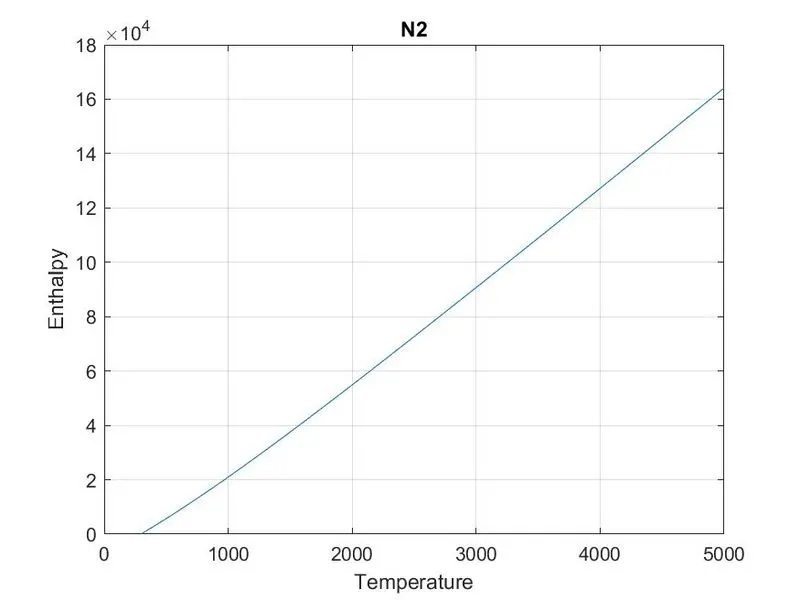
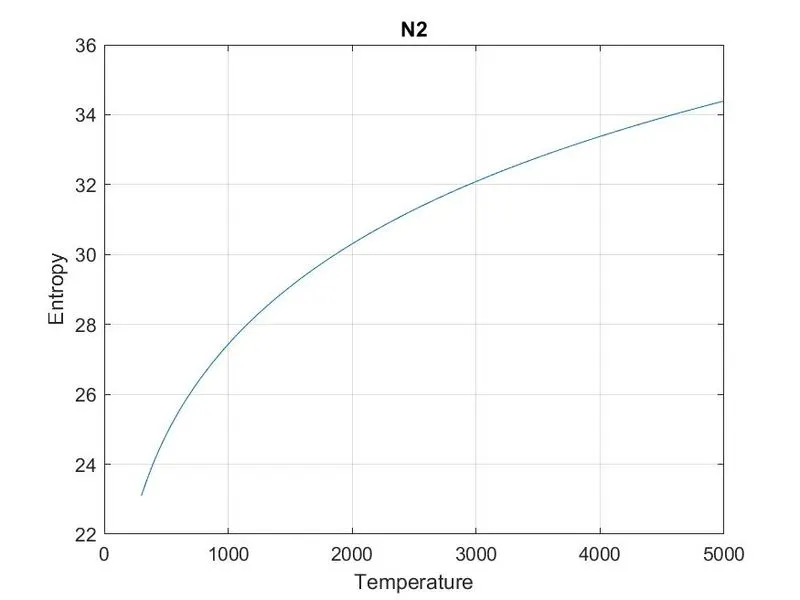
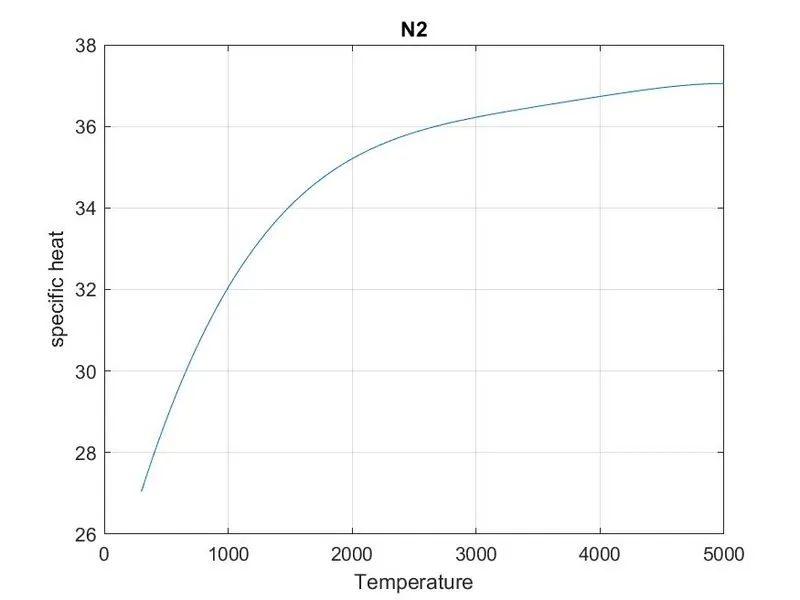
- Plotting and annotaion are done by figure,plot,title, x and y label command.
- The results are saved in each specific folder.
- Atomic weight of the elements are defined.'Strcmp' command is used to comare the string datas.
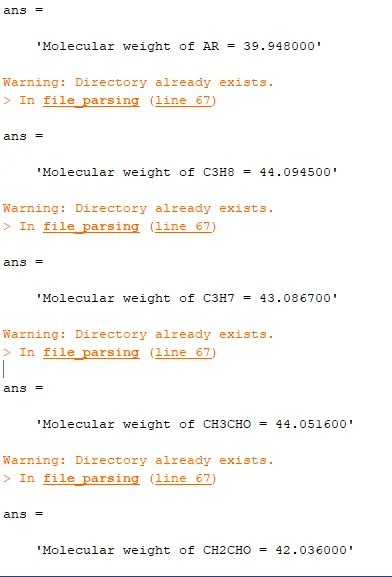
- Thus, the molecular weight is calaculated by the atomic weight of the elements.
CODE:
% Getting started with clearing
clear all
close all
clc

%Importing data from source file
f1=fopen('THERMO.dat','r');
fgetl(f1);
tline=fgetl(f1);
A=strsplit(tline,' ');
Global_low_temp=str2num(A{2});
Global_mid_temp=str2num(A{3});
Global_high_temp=str2num(A{4});

%Skipping the comment lines
skip=fgetl(f1);
skip=fgetl(f1);
skip=fgetl(f1);

%Identify the species name and its coefficient
% For loop is used to repeat the process for all species

for i=1:53
    species=fgetl(f1);
    t=strsplit(species,' ');

    species_name=(t{1});
    z=length(t);

    %Getting local temperature
    local_low_temp=str2double(t{z-3});
    local_high_temp=str2double(t{z-2});
    local_mid_temp=str2double(t{z-1});

    t1=local_low_temp;
    t2=local_mid_temp;
    t3=local_high_temp;

    %Declaring the three lines
    line_1=fgetl(f1);
    line_2=fgetl(f1);
    line_3=fgetl(f1);

    %Getting coefficients
    a=strfind(line_1,'E');
    a1=str2double(line_1(1:a(1)+3));
    a2=str2double(line_1(a(1)+4:a(2)+3));
    a3=str2double(line_1(a(2)+4:a(3)+3));
    a4=str2double(line_1(a(3)+4:a(4)+3));
    a5=str2double(line_1(a(4)+4:a(5)+3));

    b=strfind(line_2,'E');
    a6=str2double(line_2(1:b(1)+3));
    a7=str2double(line_2(b(1)+4:b(2)+3));
    a8=str2double(line_2(b(2)+4:b(3)+3));
    a9=str2double(line_2(b(3)+4:b(4)+3));
    a10=str2double(line_2(b(4)+4:b(5)+3));

    %coefficient from thrid line
    c=strfind(line_3,'E');
    a11=str2double(line_3(1:c(1)+3));
    a12=str2double(line_3(c(1)+4:c(2)+3));
    a13=str2double(line_3(c(2)+4:c(3)+3));
    a14=str2double(line_3(c(3)+4:c(4)+3));

    %Creating individual folder
    mkdir(['G:\Gokul Gallery\MatLab\NASA\',species_name]);
    T=linspace(t1,t3,100);
    R=8.134;

    %Calculation of specific heat, enthalpy and entropy
    for k=1:length(T)
        if T(k)>t2

            CP=(a1+a2.*T+a3.*T.^2+a4.*T.^3+a5.*T.^4)*R;
            H=(a1+(a2.*T)/2+(a3.*T.^2)/3+(a4.*T.^3)/4+(a5.*T.^4)/5+(a6./T))*R.*T;
            S=a1.*log(T)+a2.*T+(a3.*T.^2)/2+(a4.*T.^3)/3+(a5.*T.^4)/4+a7;

        else
            CP=(a8+a9.*T+a10.*T.^2+a11.*T.^3+a12.*T.^4)*R;
            H=(a8+(a9.*T)/2+(a10.*T.^2)/3+(a11.*T.^3)/4+(a12.*T.^4)/5+(a13./T))*R.*T;
            S=a8.*log(T)+a9.*T+(a10.*T.^2)/2+(a11.*T.^3)/3+(a12.*T.^4)/4+a14;
        end
    end

    %Plotting the graph
    figure(1);
    plot(T,CP);
    grid on;
    title(species_name);
    xlabel('Temperature');
    ylabel('specific heat');

    figure(2);
    plot(T,H);
    grid on;
    title(species_name);
    xlabel('Temperature');
    ylabel('Enthalpy');

    figure(3);
    plot(T,S);
    grid on;
    title(species_name);
    xlabel('Temperature');
    ylabel('Entropy');


    %Assigning the folder location and saving the files
    saving=(['G:\Gokul Gallery\MatLab\NASA\',species_name]);
    cd(saving);
    saveas(1,'specific heat','jpg');
    saveas(2,'entalpy','jpg');
    saveas(3,'entropy','jpg');

    %molecular mass calculation
    elements=['H','C','O','N','A'];
    atomic_weight=[1.0078 12.0107 15.999 14.0067 39.948];
    mol_mass=0;

    for l=1:length(species_name)
        for m=1:length(atomic_weight)
            if strcmp(species_name(l),elements(m))
                mol_mass=mol_mass+atomic_weight(m);
                position=m;
            end
        end

        n=str2double(species_name(l));
        if n>2
            mol_mass=mol_mass+atomic_weight(position)*(n-1);
        end
    end
    sprintf('Molecular weight of %s = %f',species_name,mol_mass)
end
fclose(f1)
ERROR FACED:
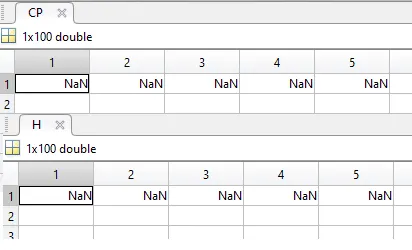
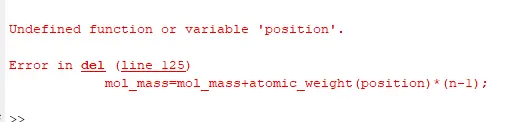
I dint get values because of small typing mistake.Then i corrected it.
FOLDERS:

CONCLUSION:
Thus function that extracts the 14 co-efficients from NASA thermodynamic file and to calculates the enthalpy, entropy and specific heats for all the species has been successfully executed.