Project 1 - Parsing NASA thermodynamic data
Project 1 - Parsing NASA thermodynamic data
AIM:
To write a function that:
- Extracts the 14 co-efficients and calculates the enthalpy, entropy and specific heats for all the species in the data file.
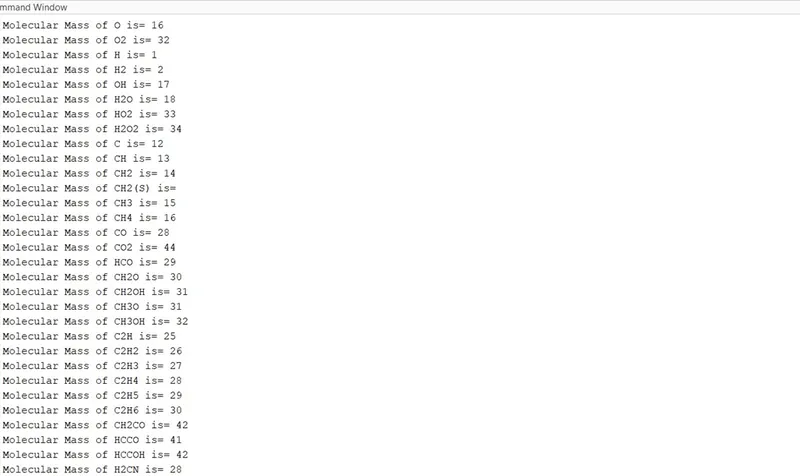
- Calculate the molecular weight of each species and display it in the command window.
- Plot the Cp, Enthalpy and Entropy for the local temperature range (low temperature: high temperature) specific for each species.
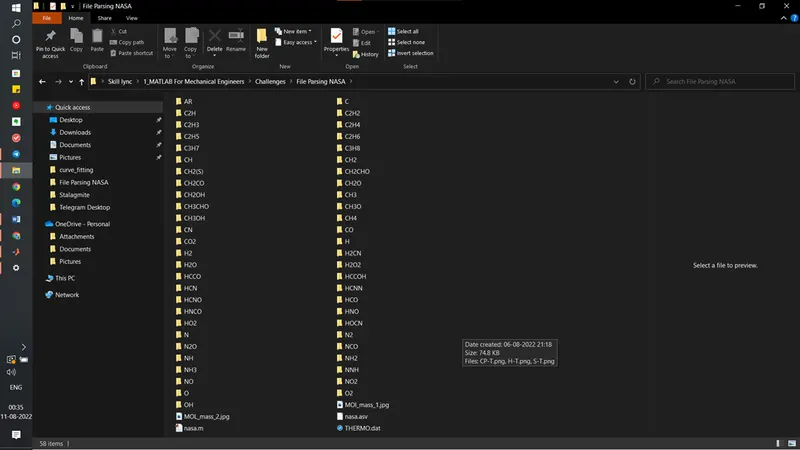
- Save the plots as images with appropriate names and dump them in separate folders for each species with suitable name. All these should be generated automatically.
Governing Equations:
The equation to calculate Specific heat, Enthalpy and Entropy are as follows:
- Specific heat (Cp):

- Enthalpy(H):

- Entropy(S):

Where R is the universal gas constant, T is the temperature and R= 8.3144598 J/mol/k. a1-a14 are the high temperature and low temperature coefficients.
Program:
The following code is used to get the desired results:
%File parsing a NASA Thermo data file
clear
close
clc

%input data
 R= 8.3144598 ;%J/mol/k

elements=['H' 'O' 'N' 'C' 'A' 'R']; %Atomic weight of elements
am=[1 16 14 12 40 0];

%Reading the file
fi_le= fopen('THERMO.dat','r');

%Skipping  first 5 lines
for i=1:5
    fgetl(fi_le);
end

for p=1:53
%%
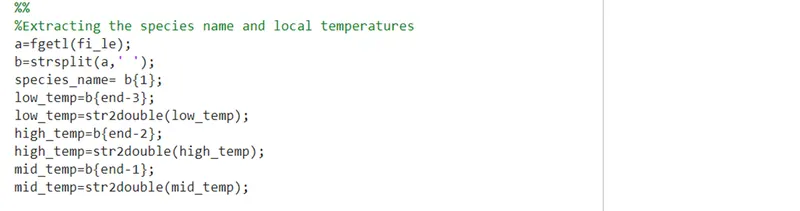
%Extracting the species name and local temperatures
a=fgetl(fi_le);
b=strsplit(a,' ');
species_name= b{1};
low_temp=b{end-3};
low_temp=str2double(low_temp);
high_temp=b{end-2};
high_temp=str2double(high_temp);
mid_temp=b{end-1};
mid_temp=str2double(mid_temp);

%%
%extracting the coefficients
c=fgetl(fi_le);%first line%
d=strfind(c,'E');
co_f1=str2double(c(1:d(1)+3));
co_f2=str2double(c(d(1)+4:d(2)+3));
co_f3=str2double(c(d(2)+4:d(3)+3));
co_f4=str2double(c(d(3)+4:d(4)+3));
co_f5=str2double(c(d(4)+4:d(5)+3));

c=fgetl(fi_le);%second line
d=strfind(c,'E');
co_f6=str2double(c(1:d(1)+3));
co_f7=str2double(c(d(1)+4:d(2)+3));
co_f8=str2double(c(d(2)+4:d(3)+3));
co_f9=str2double(c(d(3)+4:d(4)+3));
co_f10=str2double(c(d(4)+4:d(5)+3));

c=fgetl(fi_le);%third line
d=strfind(c,'E');
co_f11=str2double(c(1:d(1)+3));
co_f12=str2double(c(d(1)+4:d(2)+3));
co_f13=str2double(c(d(2)+4:d(3)+3));
co_f14=str2double(c(d(3)+4:d(4)+3));


%%
% calculating values Cp, H, S
T=linspace(low_temp,high_temp,500);
j=1;
for i=1:length(T)
    t=T(i);
    if(t<mid_temp)
    Cp(i)=R*(co_f8+co_f9*t+co_f10*(t^2)+co_f11*(t^3)+co_f12*(t^4));
    H(i)=R*t*(co_f8+co_f9*t/2+co_f10*(t^2)/3+co_f11*(t^3)/4+co_f12*(t^4)/5+co_f13/t);
    s(i)=R*(co_f8*log(t)+co_f9*t+co_f10*(t^2)/2+co_f11*(t^3)/3+co_f12*(t^4)/4+co_f14);
    else
    Cp(i)=R*(co_f1+co_f2*t+co_f3*(t^2)+co_f4*(t^3)+co_f5*(t^4));
    H(i)=R*t*(co_f1+co_f2*t/2+co_f3*(t^2)/3+co_f4*(t^3)/4+co_f5*(t^4)/5+co_f6/t);
    s(i)=R*(co_f1*log(t)+co_f2*t+co_f3*(t^2)/2+co_f4*(t^3)/3+co_f5*(t^4)/4+co_f7);
    end
end


%%
%plotting Cp vs T, H vs T , S vs T
figure(1)
plot(T,Cp);
xlabel('Local Temperature')
ylabel('Specific heat')
title('CP vs T',['for-',species_name])
figure(2)
plot(T,H);
xlabel('Local Temperature')
ylabel('Enthalpy')
title('H vs T',['for-',species_name])
figure(3)
plot(T,s);
xlabel('Local Temperature')
ylabel('Entropy')
title('S vs T',['for-',species_name])
%saving plots in folders
mkdir(['C:\Users\Priyansh\Desktop\Skill lync\1_MATLAB For Mechanical Engineers\Challenges\File Parsing NASA\',species_name]);
cd(['C:\Users\Priyansh\Desktop\Skill lync\1_MATLAB For Mechanical Engineers\Challenges\File Parsing NASA\',species_name]);
saveas(1,'CP-T','png');
saveas(2,'H-T','png');
saveas(3,'S-T','png');
close all

%%
% Calulating Molecular weight of each species
molecular_mass=0;
for i= 1:length(species_name)
    flag=0;
    for j=1:length(elements)
         tf=strcmp(elements(j),species_name(i));
          if tf==1
              molecular_mass= molecular_mass + am(j);
              flag=1;
              n=j;
          end
    end
          if flag ==0
              subscript=str2num(species_name(i));
              molecular_mass= molecular_mass + am(n)*(subscript-1);
          end

end
cd ..
fprintf('Molecular Mass of %s is= %d \n', species_name, molecular_mass);

end
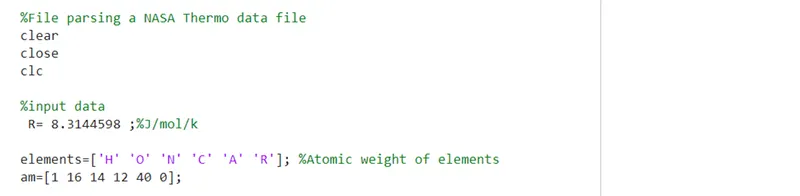
The code starts with the tradition command statements clear, close, clc. After that the value R (universal gas constant) is declared to be used in calculations and also the arrays element and am are made to use while calculating the molecular weight.
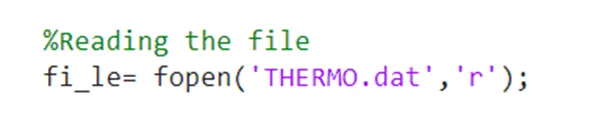
fopen() is used to open the file and to access its data. And fgetl() is used to get extract a single line from that file.
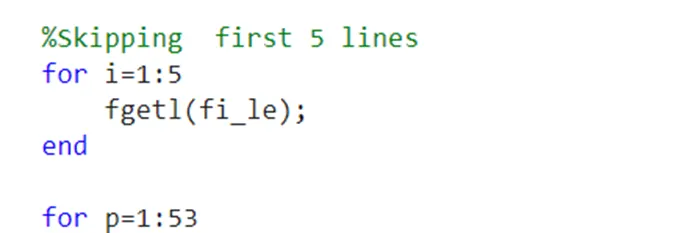
A for loop is used to read the first 5 lines of the THERMO.dat file as the content of these 5 lines are not relevant for our calculations.
After these 5 lines a fixed pattern of data repeats itself for 53 species. So, a loop is used and operations for a single species are performed in the loop.
- Extraction of species name and local temperature values:
Again fgetl() is used to extract the first line of species. Not strsplit() id used with ‘ ‘ as a delimiter to split the strings into a cell array (array of strings). Now by observing the pattern of all species it is know that the first element of the cell array is the species name and the last three elements are the local temperature values.so we give the index no accordingly using curly brackets and save the respective values in separate variables. Also the values of temperature have datatype as string so it is converted to numerical values using str2num () or str2double ().
- Extracting the 14 coefficients of the species:
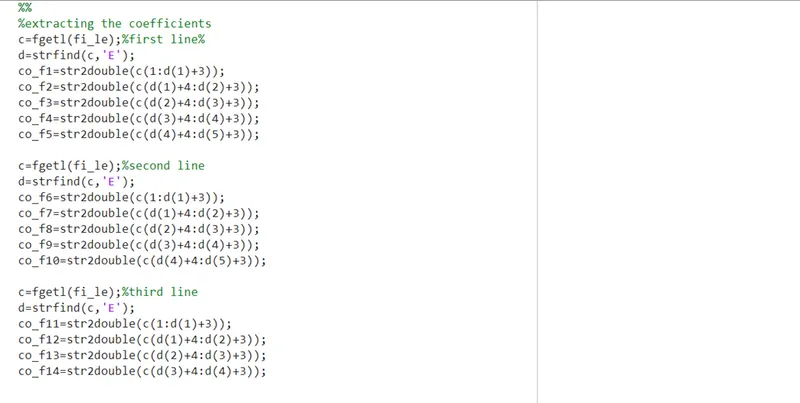
The coefficients are presented in 3 lines with 5 coefficients in 1st two lines and 4 coefficients in the 3rd line. So, they are extracted line by line. Now first line is again accessed using fgetl (). Every coefficient has a ‘E’ in it so we use strfind () to find the index number of each ‘E’. The coefficients are strings too and can be accessed directly by using the ‘:’ operator and using ‘E’ index no to guide the range for ‘:’ operator. The pattern can be easily seen in the code below. We repeat the action for every coefficient in that line. And then the similar process for the next 2 line. Simultaneously str2double () is also used to convert the string values to numerical values.
- Calculating values Cp, H, S:
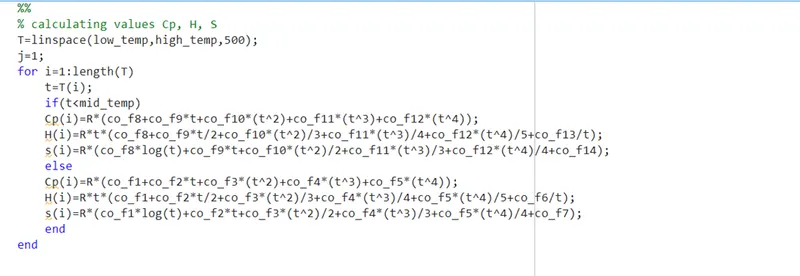
After extracting and storing the values from ‘THERMO.dat” file we start with the calculation part. To plot a graph, we need to find the values of Cp, H, S for a range of temperatures so we form an array of 500 values between low temp and high temperature. And use a for loop to calculate the value at every temp value of this array. Now as the coefficient for temperature below middle temperature value and above it are different we use if..else statement to segregate the temperature values.
The formula used is derived by NASA. First 7 coefficients are high temperature coefficients and next 7 are low temperature coefficients.
After the loop is executed we have arrays of Cp, H, S and temperature all having 500 values. Now we need to plot them.
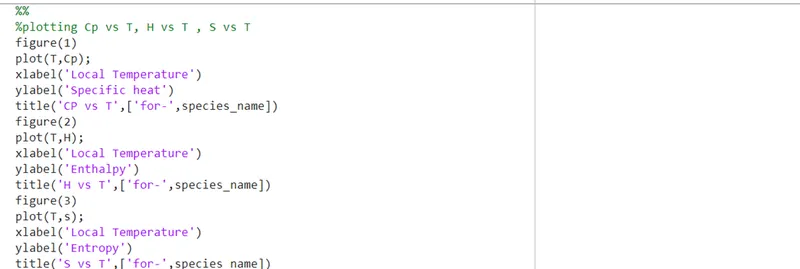
The plotting is done into 3 different figures with respective labelling and titles given to the figure. The title is customised according to the species name so that it is can be easily distinguished.

Now as this whole program is to run for 53 different species it is going to generate 3 graphs for every species. Therefore, we need to code it to save the graphs automatically into separate folders. For which we use mkdir() that creates a new folder at the specified location with the specifies name. after which we use cd () to open the folder so that we can save the plots in it. Then we use saveas () to save our plot/figures with the specifies extension.
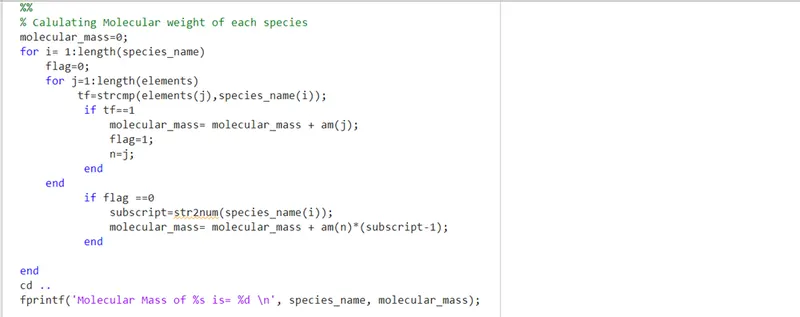
Till here we have completed the plotting part now before ending the loop we have to calculate the molecular mass of the elements which we do by the logic shown in the following code:
Results and plots:
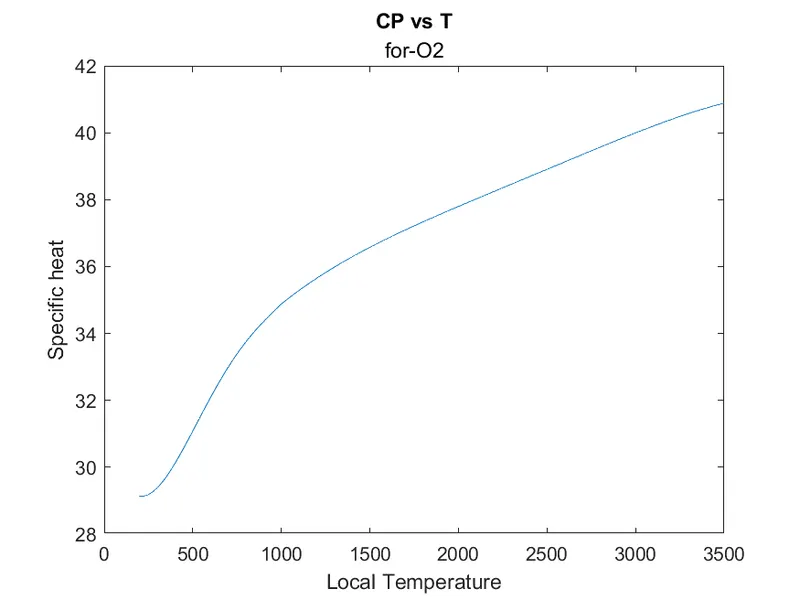
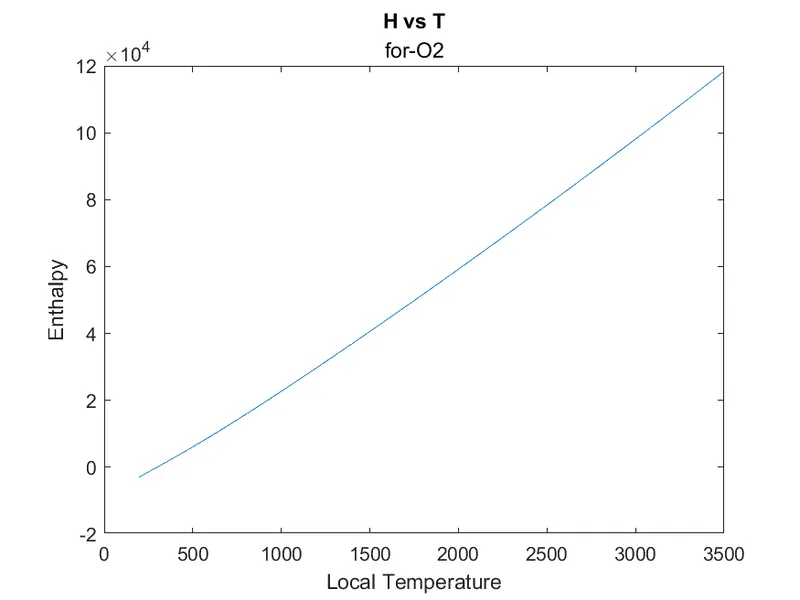
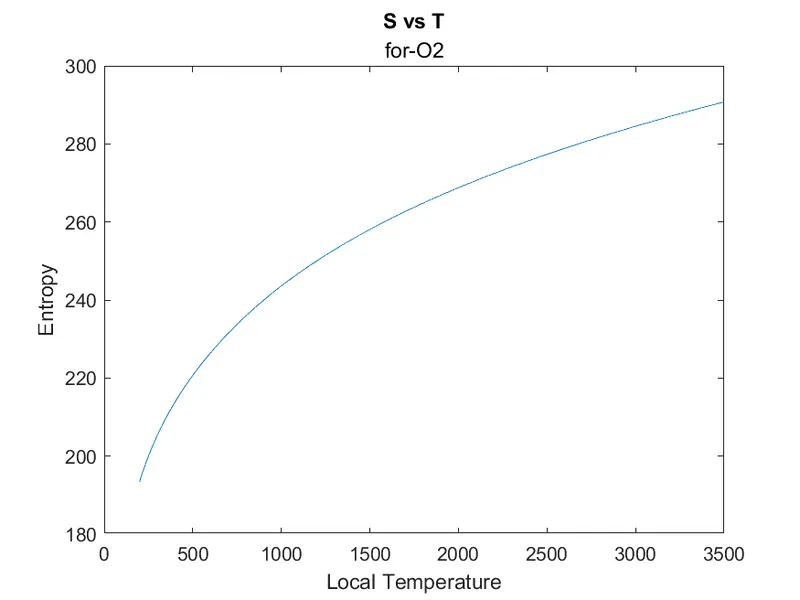
Following are the plots for O2:
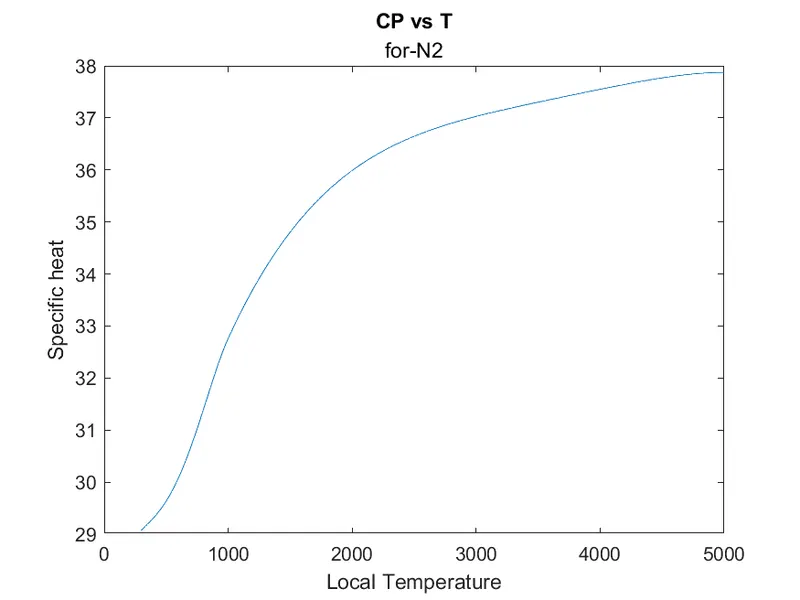
Following are the plots for N2:
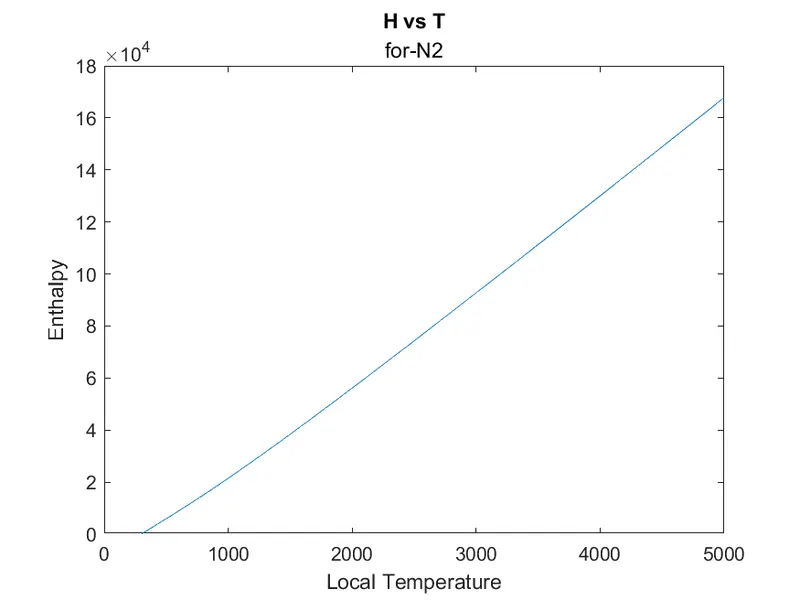
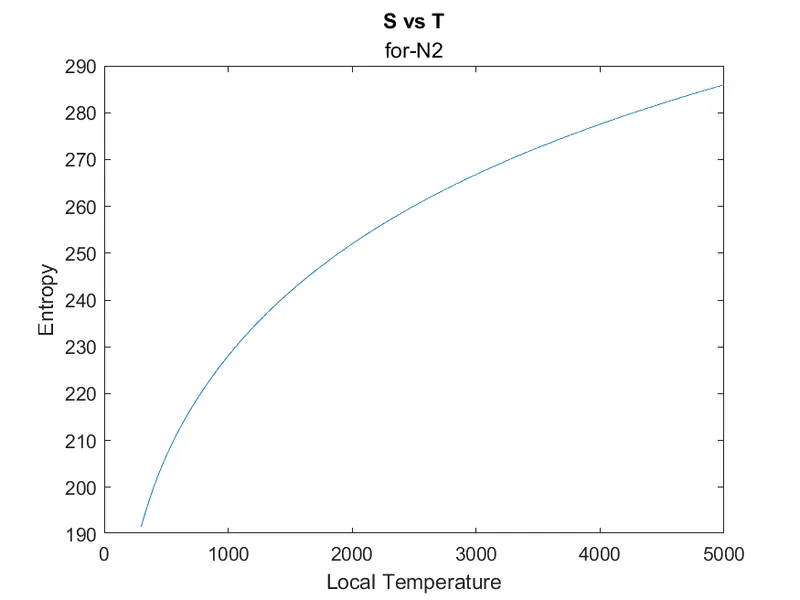
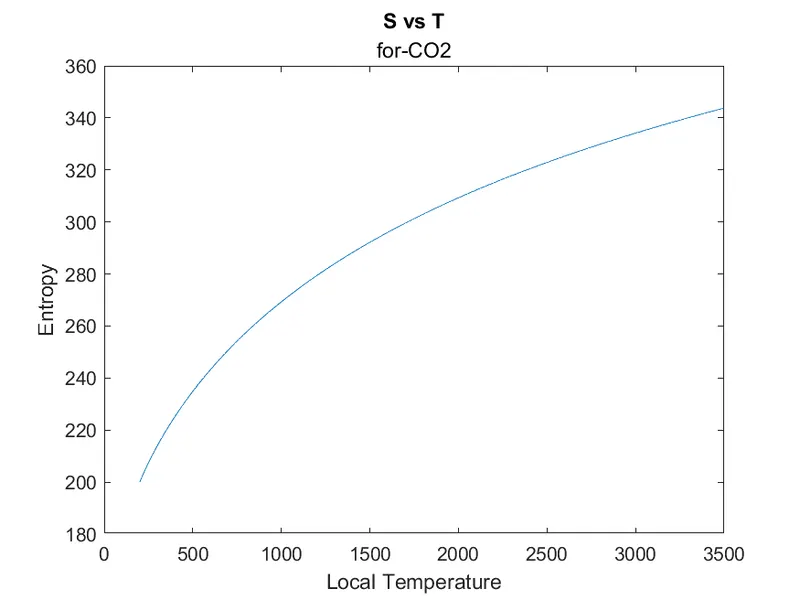
Following are the plots for CO2:
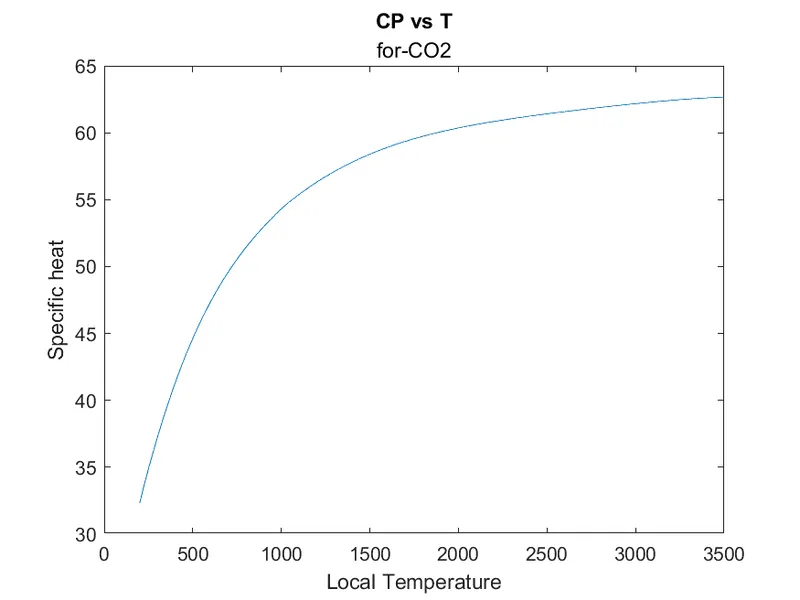
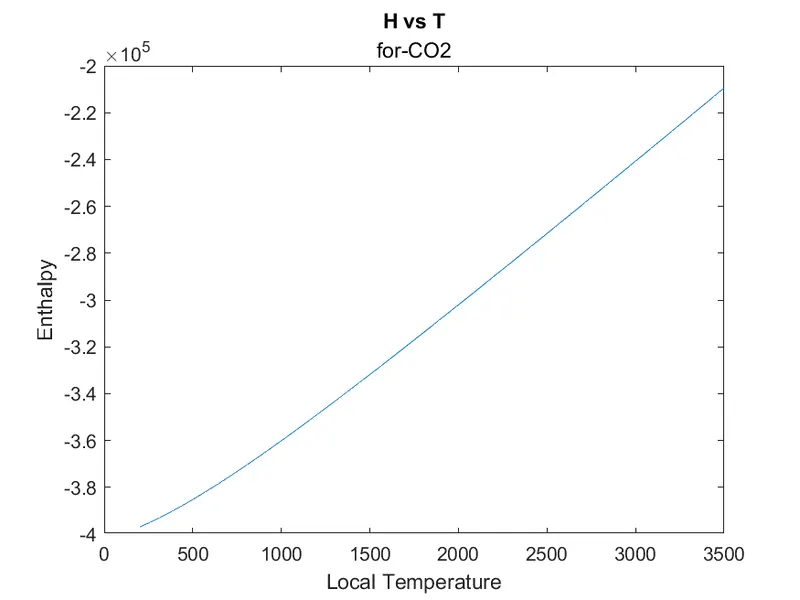
Following is the screen shot of all the folders:
Following are the values of molecular masses on the command window:
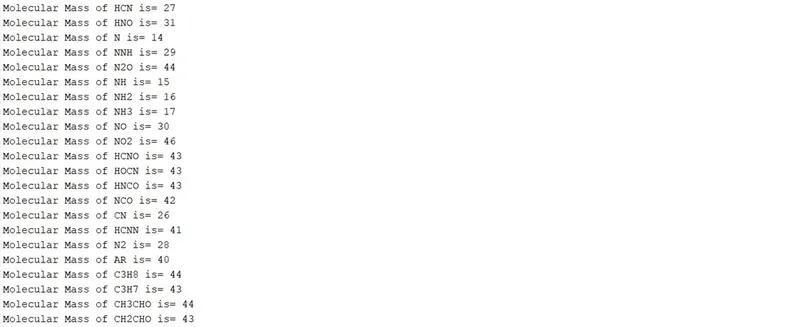
The drive link to all the folders of elemets is : https://drive.google.com/drive/folders/1ldMBVFxFH3pca_CbGqSlfnPxVShoXI90?usp=sharing
Conclusion:
This project has enabled us to understand how to open and read a file and also how to write a file in a pattern so that extraction can easily be done after wards for calculations.
The plots generated were saved automatically in separate folders that were created automatically. This gives a insight into how industrial codes a written to automatically give a report of lab tastings.